

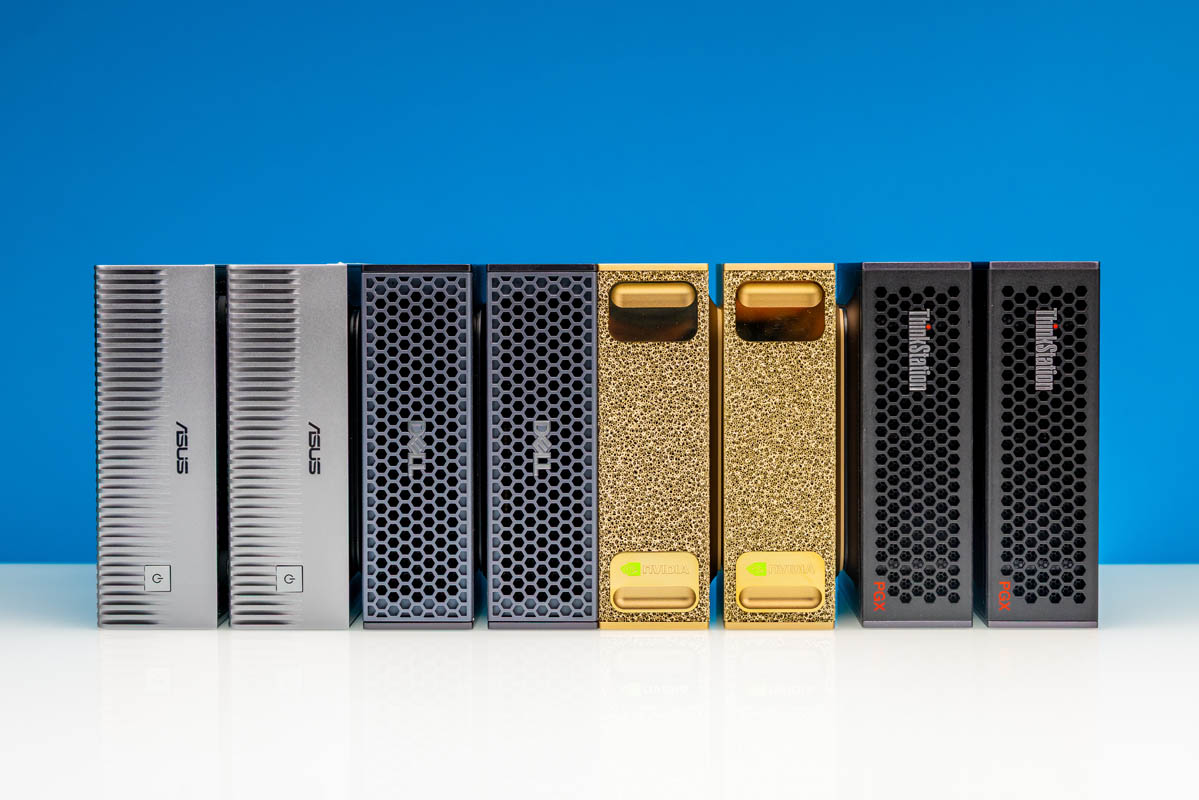
Today, we have an article months in the making. In February, we amassed eight NVIDIA GB10 units so we could build something that was nowhere near supported. At the time, NVIDIA supported two GB10’s connected using a DAC in a simple topology. At NVIDIA GTC 2026 in late March, support increased to 4 nodes. By then, however, we had an 8-node NVIDIA GB10 cluster up and running with 1TB of memory, 160 Arm cores, a low-cost 400GbE switch powering our RDMA networking, and more. The goal was simple: I wanted Kimi K2.5 running locally, as it is a massive model. In the end, not only did we get that (and Kimi K2.6) running, but we also learned a lot. If you get nervous seeing words like “cluster”, RDMA, Tensor Parallel, and others, do not worry, this can be up and running much easier than it would have been even three quarters ago.
Not only do we have a video on this one, but we have also been releasing content since last September, laying the groundwork for this piece.
NVIDIA GB10 System Quick Overview
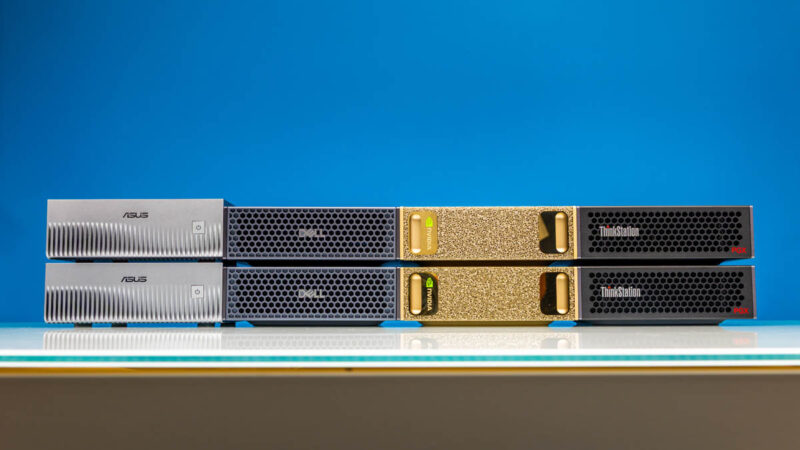
If you want to learn more about the NVIDIA GB10, you can see one of the many reviews we have done. There are currently eight machines from NVIDIA, Dell, Lenovo, ASUS, Gigabyte, HP (review very soon), MSI, and Acer that are built around a similar platform.
Each machine has a few key features:
- NVIDIA GB10 “Grace Blackwell” with 20 Arm cores and a Blackwell-generation GPU
- 128GB of LPDDR5X memory
- NVIDIA ConnectX-7 200GbE networking
- 1TB-4TB of local NVMe storage
- 10Gbase-T and WiFi
If you want to learn more about the GB10 platform, you can check out one of the reviews or a deeper dive into the SoC in our NVIDIA Outlines GB10 SoC Architecture at Hot Chips 2025 piece.
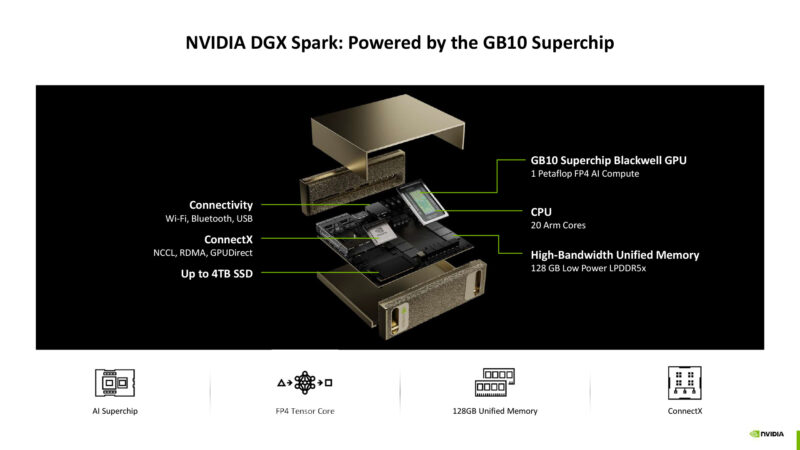
While the memory bandwidth is now astounding, we have learned quite a bit about these systems. For example, NVIDIA’s Arm CPUs are quite speedy, so unlike some mini PCs you may see out there, this actually has a lot of CPU performance. The networking is also a really interesting point. We did a piece on how the NVIDIA GB10 ConnectX-7 200GbE Networking is Really Different. That networking is also one of the reasons we could scale beyond just one or two systems to eight.
Building the 8x NVIDIA GB10 Cluster Networking is the Key
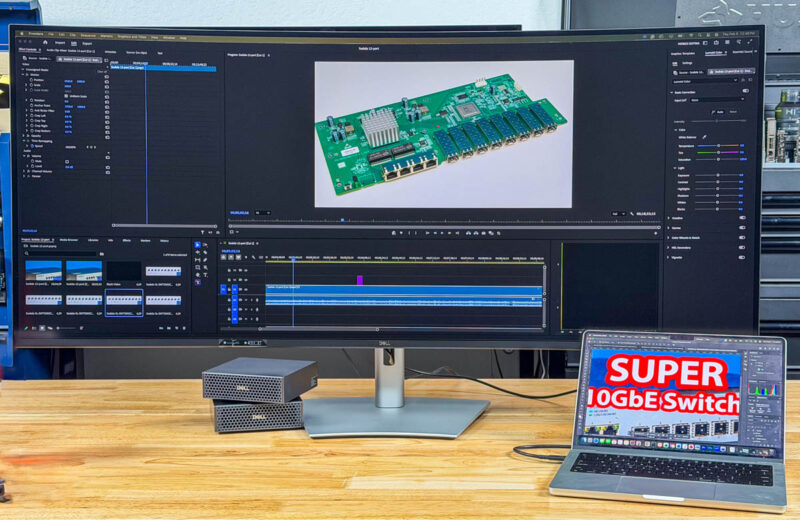
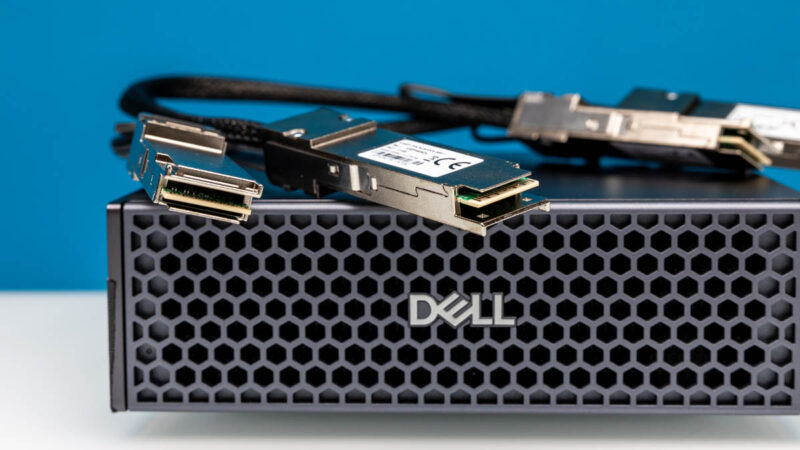
A few weeks ago, we did a piece on using the Dell Pro Max with GB10, where we used a simple 2-node DAC-connected topology. This is very easy. Going to 8 nodes (or even four) means that you need a network switch. Using something like the Dell Z9332F-ON we have in the lab is easy, since QSFP56-DD breaks out to 2x 200GbE. On the other hand, that switch is loud and can use 900W+, so that felt like a mismatch unless we were going much bigger.
Instead, we decided to use the MikroTik CRS804 DDQ. This is a 4-port 400GbE switch I saw during our Touring MikroTik in Latvia to See How they Make Awesome Networking Gear last July.
The MikroTik CRS804 DDQ (and the MikroTik CRS812-8DS-2DQ-2DDQ-RM) allow you to take advantage of the NVIDIA ConnectX-7 networking onboard. That means we get RDMA networking for RoCE but also for scaling to multiple nodes using NCCL. Each of the QSFP56-DD ports supports two of the NVIDIA GB10 nodes, giving us a switch capable of handling eight nodes.
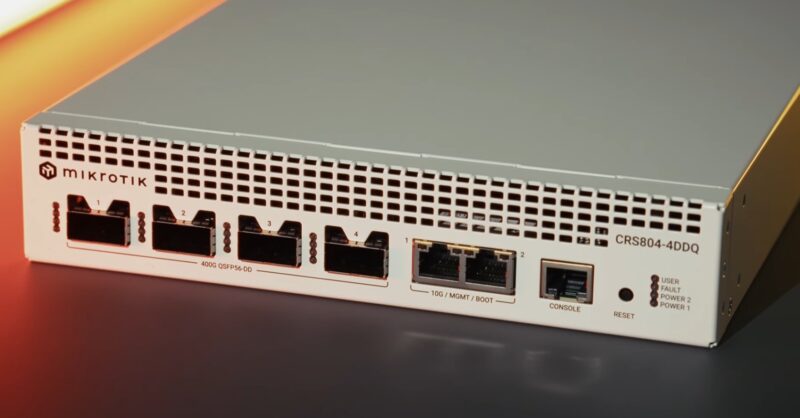
We ended up only using a single port of the two in each GB10 with this configuration, but there is a path to use both ports if you want.
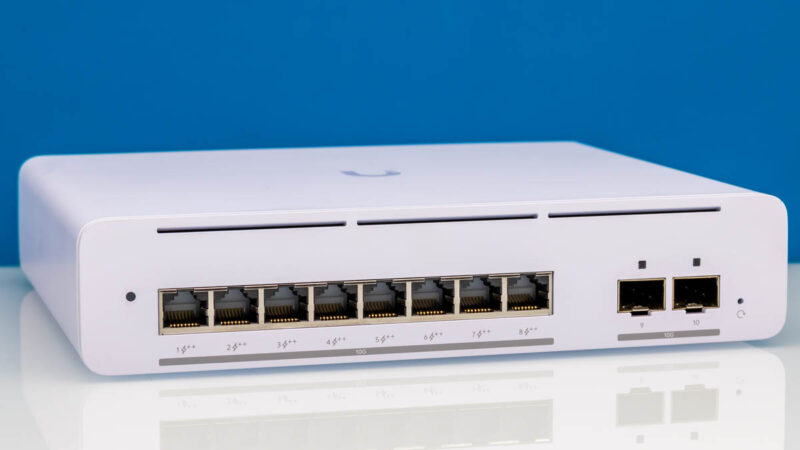
Beyond the fast 200Gbps networking, you still might want another network for 10GbE and potentially WiFi. We actually turned off WiFi in our clusters and just used the 10GbE for management. We started with the Ubiquiti UniFi USW-Pro-XG based on Realtek chipsets. This worked, but we did not need PoE to the GB10 devices, and we also needed a management port for the CRS804 DDQ. We also used the 10-port model (review just waiting for a publishing date), but we eventually swapped over to the Marvell-based Cisco switches, which gave us a few seconds lower load times for models.
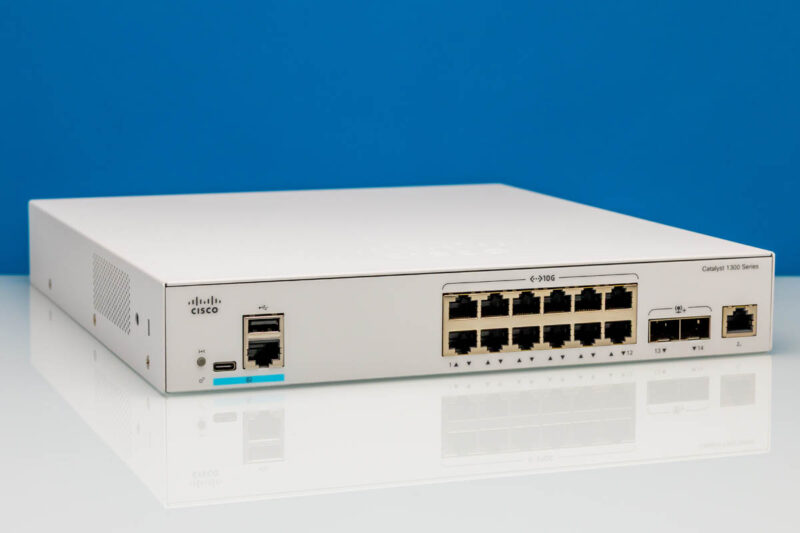
A better option is the Cisco Catalyst C1300-12XT-2X we reviewed (Amazon Affiliate link). This is another Marvell chipset-based switch. It costs a bit more, but it has solid cooling. Also, having twelve 10Gbase-T ports allowed us to connect the MikroTik CRS804 DDQ to this switch while still using multiple 10GbE uplinks.
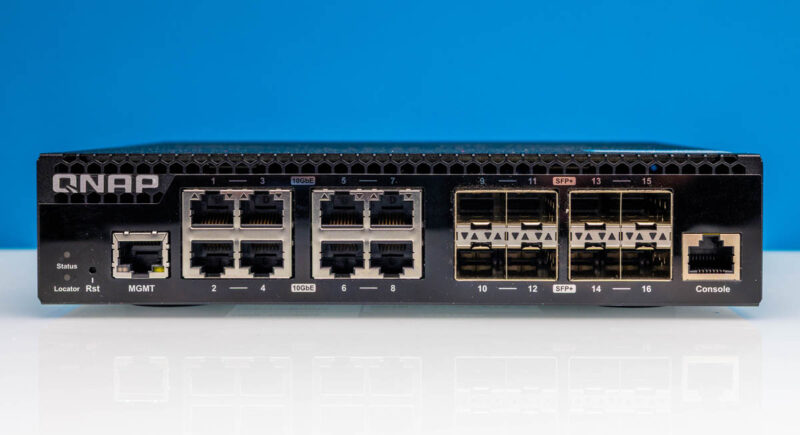
Other solid options based on the Marvell were the QNAP QSW-M3216R-8S8T (Amazon Affiliate link) and the Cisco Catalyst C1300-16XTS (review coming on that as well), which offer eight 10Gbase-T ports and eight SFP+ ports. These switches are also useful because they allow you to use SFP+ to QSFP+ reverse breakout cables to larger switches that offer QSFP+ 40GbE ports.
Ideally, you want at least a 160Gbps switch so you can at least load models from a NAS using 10GbE links on each GB10 for storage. We also tried using a 200GbE link to the QNAP TS-h1290FX NAS, but that required an additional switch or moving to parallel CRS804 DDQ switches. Another switch added latency, which slowed down our TP=8 all reduces, so we ended up eating slightly slower model load times from NAS to get faster performance on the AI inference side.
Building the 8x NVIDIA GB10 Shared Storage NAS
If you want to learn more about the NAS setup, we did our Building Our Office Storage for the NVIDIA GB10 Agent AI Cluster last year because it ended up saving us roughly $1000/ GB10 node by buying 1TB systems over 4TB models. We have ten NVIDIA GB10 units at this point, so it was a $10,000 savings, and we also use it for much more than just the GB10 cluster. Admittedly, given SSD pricing, buying SSDs to build this in September 2025 looked like a very wise move.
This NAS setup is actually doing two important tasks. First, it handles all of the models. We can either use the GB10’s to download models to the NAS, or we can use other systems. When you are running large models, each often consumes 500GB or more of disk space. Putting them on the NAS lets us avoid having to keep them all local on each GB10 and having to manage the disk space on each as we move through trying different models.

Our second use is more important. We have a directory where all our AI agents operate. It can be snapshotted using ZFS snapshots, just in case one agent goes rogue and deletes everything. By using a GB10 cluster login instead of an administrative login, we can keep the management of this shared storage separate from the AI agents working, just as you would keep user and administrative logins distinct. Do not skip this step.
A small but useful addition to the NAS has been the addition of a GPU. It increases power consumption, but the benefit is that we use it to power small embedding models used by AI agents. You can also run the AI agent’s memory and storage frameworks directly on the NAS, with the embedding model right there. While we have several TB of memory attached to GPUs, even just in the studio, let alone the data centers, this is a fairly good use case where the models are small and important, so we can keep that load off of larger systems.
Next, let us get to some of the key setup steps.

This is f*n awesome. Good on ya bro
BEST piece you’ve done recently. Wow. It makes me only want a 4N not 8N
This is indeed one of your best articles in years. My 2-node cluster will keep me entertained for a long time. Maybe one day I will go up to 4 nodes, we shall see.
The MikroTik CRS804 is perfect for a 4-node cluster, 4x200G for the RoCE, 4x100G for storage, and the last 400G port facing the NAS.
Have you tried implementing TurboQuant on the cluster? I am curious to see how long context windows impact the available vram over time and how TurboQuant might help.
Great article especially showing how you leveraged ai to set everything up!
Repost from the STH Forums, not sure which spot is better for responses:
Fantastic article. I’m running 4N right now, was/am still considering a drop to 2N since the extra 2N arent necessary for all models but your point about the fungibility of having more/spare nodes is excellent.
Very interesting to see the callout on using a flash NAS for shared storage – would love to hear more on best practices for this, especially the situations where a little more GPU in the NAS makes sense. Next click stop for my cluster is the addition of a flash NAS based on the ARR 1U E1S you guys reviewed a while back, but I hadn’t even considered putting a GPU into it. Would love more details on this.
Also if you’re taking requests a network diagram would be fantastic. I’m running 2x 804DDQs to handle the 4N + flash + uplinks + mgmt bit I’m nowhere near settled on the topology, would love to see how you ended up structuring the full cluster network including NAS & DDQ trunks / uplink.
Lastly, WTH was Ubiquiti 10G switch you were showing?! It definitely wasn’t the Pro XG-8 PoE (no screen) and AFAIK there’s no other UI 10G switches that aren’t rack mounted. I’m pretty familiar with the UI lineup and the only unit I know that looks like what you showed was the Enterprise 8 PoE (Vintage) model!
What tool or service did you use to get the stats for all the power and servers
I thought your SM Xeon 6 SOC review was unreal good. This is even better. I think I’m more sold on a 4N not and 8N but the M3 Ultra’s prefill is doggy doo doo. I’m lovin’ your new articles Patrick.
One that I wish you’d done is the QNAP 100G and 25G switch. If you’re only getting 140G then maybe it’d be better to just do 100G
I don’t get the tube comments where they’re so dead set on being the permanent underclass.
Use basic punctuation in your titles. I had a stroke trying to read it.
@El Porto & Peter – Patrick touched on it briefly in the video, but the general idea is the GB10 Connectx7 interfaces (and the CRS804 switch) are purely for inter-node coordination as they are running RoCE.
NAS and management traffic are all on the 10G NICs.
Deviating from that pattern would likely degrade model performance.
Regarding cluster size, I’ve been pretty happy with a 2 node with a simple DAC. An alternative (cheaper) way to scale out could simply be to add a totally separate 2n cluster, and load balance the LLM API requests.