

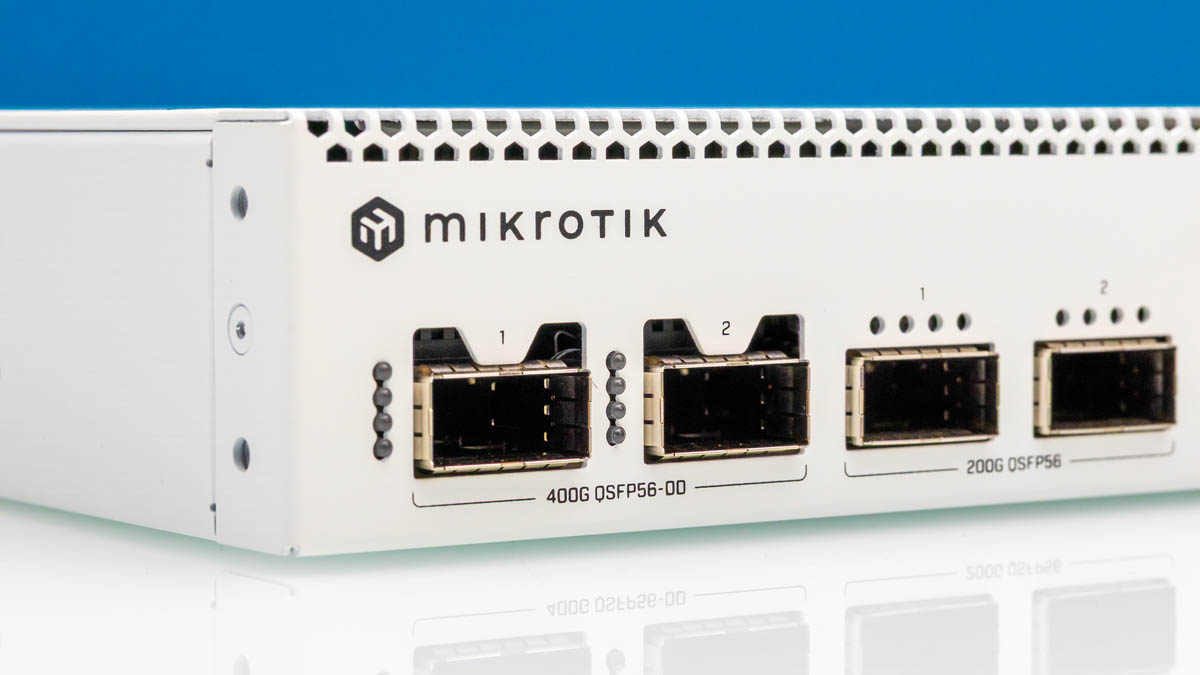
We finally have it! This is the switch that I think many at STH are anxiously awaiting, as the MikroTik CRS812-8DS-2DQ-2DDQ-RM, or MikroTik CRS812 DDQ, is the first switch to bring 400GbE, 200GbE, and SFP56 50GbE at a reasonably low cost and power point, with a built-in management GUI to make it accessible. Hands-down, for anyone with a few high-speed devices, this is going to be the switch you want to get, and there is really nothing else close in the industry.
Of course, we have a video for this one. Full disclosure, Patrick got a preview of this when the STH YouTube members funded his trip to Latvia this summer, which yielded the MikroTik CRS812 DDQ 400GbE Switch Launched CRS812-8DS-2DQ-2DDQ preview. We also had this one show up at STH, not too long after it was announced, so the unit here is not one of the ones we ordered, as it was sent by MikroTik. Although this has a list price of $1295, we are already seeing $150+ off in street prices like here (eBay Affiliate link), and expect them to sell for less once they are on the market longer.
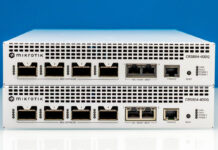
MikroTik CRS812-8DS-2DQ-2DDQ-RM External Hardware Overview
The switch itself is a standard 1U affair and comes with rack mounting hardware.
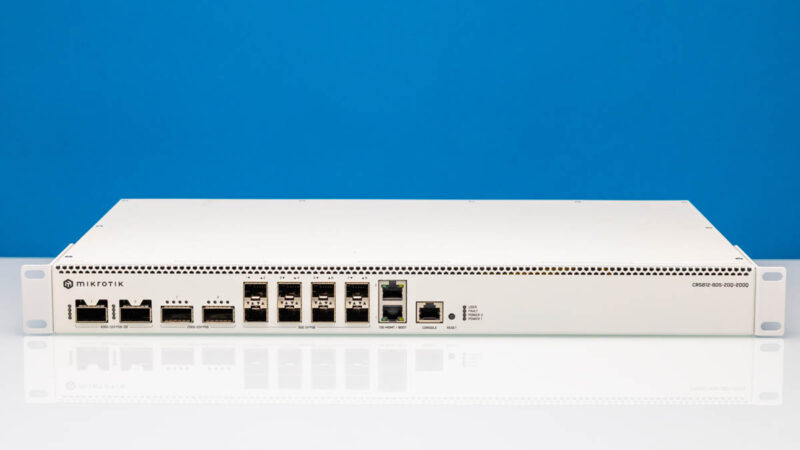
The huge feature is that this switch comes with two 400G QSFP56-DD ports. These effectively have two 200G QSFP56 ports in a single 400GbE port, and you can break them into 2x 200G as we have done for the NVIDIA GB10 systems recently. If you are wondering whether MikroTik can actually do bi-directional 400G on both of these ports, head to our performance testing section where we show HTTP traffic using our six figure (plus) Keysight CyPerf load generation tool that recently made a debut in our GL.iNet GL-BE3600 Slate 7 Mini WiFi 7 Router Review earlier this week.
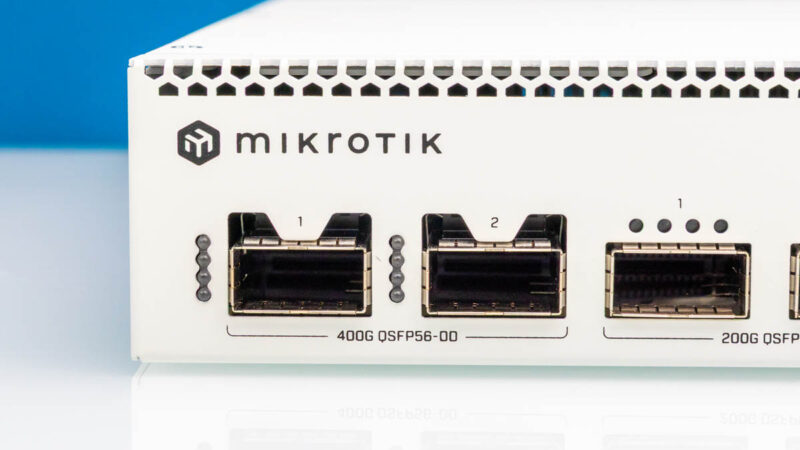
One item to keep in mind here is that these are QSFP56-DD. There are OSFP 400GbE ports (finned and flat top), QSFP112, and so forth for running 400GbE as well. Physical connections are much more challenging than they used to be in the past which is why our team devoted so much time to those topics in previous pieces leading up to this, and why it is around 40% of the accompanying video. If you are accustomed to 10G SFP+ or SFP28/ QSFP28, 400G is a different ballgame entirely. You can waste a lot of time and money trying to figure it out.
If you just want 200GbE ports, there are two additional QSFP56 ports here for that.
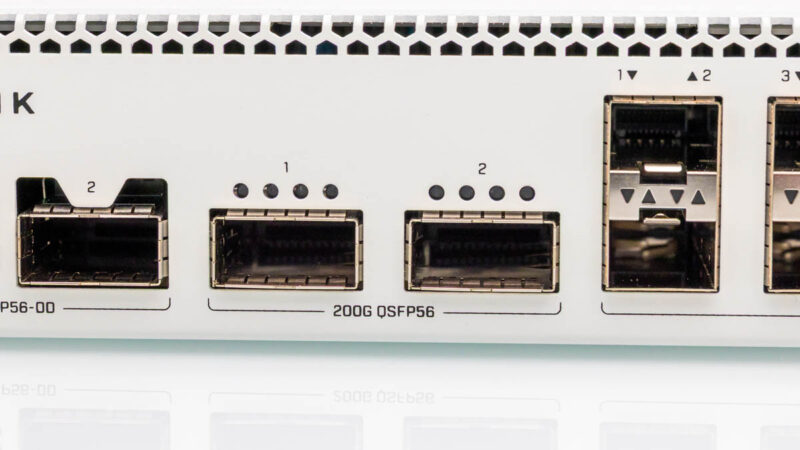
Next to those are the eight SFP56 ports. SFP56 is the PAM4 signaling upgrade to SFP28 which used NRZ while bumping speeds from 28G to 56G. For our purposes that means SFP28 is 25GbE while SFP56 is 50GbE. If you notice how this switch is setup, there are two 400GbE ports, then two 200GbE ports (for 400GbE total), and then eight 50GbE ports (for 400GbE total.) Another good way to look at this is that QSFP56-DD means we have quad SFP56 and double density. Or four SFP56 ports doubled for eight SFP56 lanes, which gives us 400GbE.
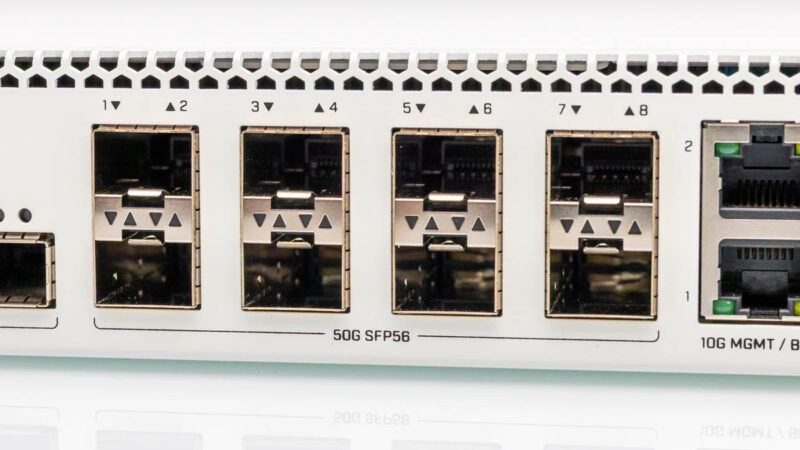
Next, we have the 10Gbase-T ports for management and boot. These go to the management processor and are not directly connected to the switch chip.
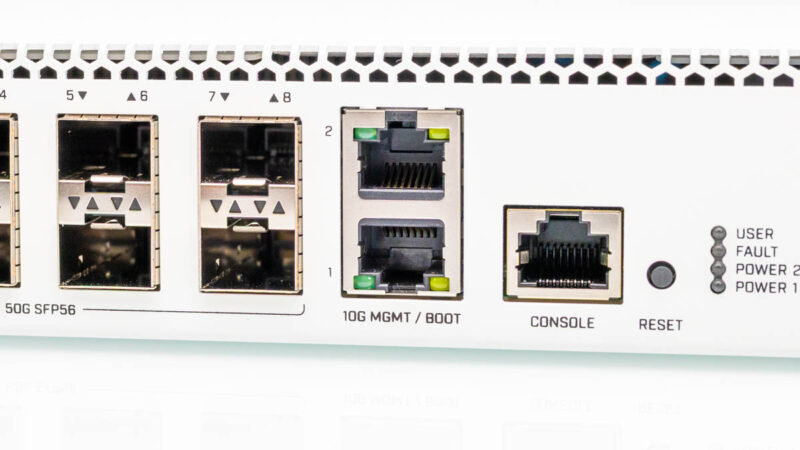
We also get a console port for management, a reset button, and status lights.
The rear of the switch has a lot of fans.
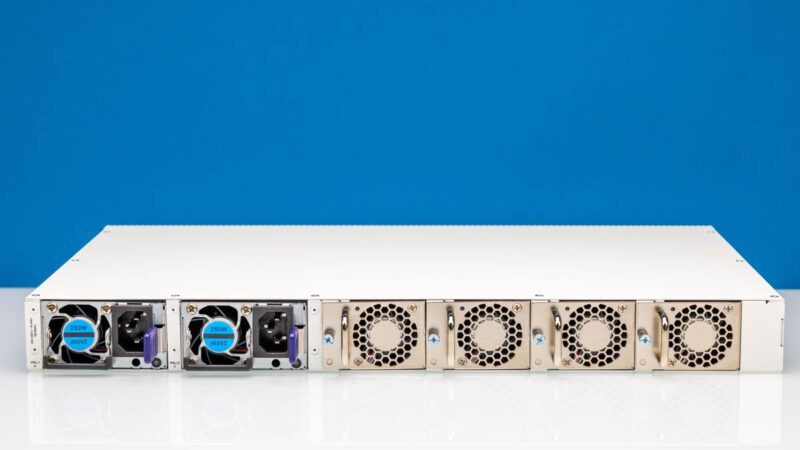
Two of those fans are in the redundant 250W power supplies.
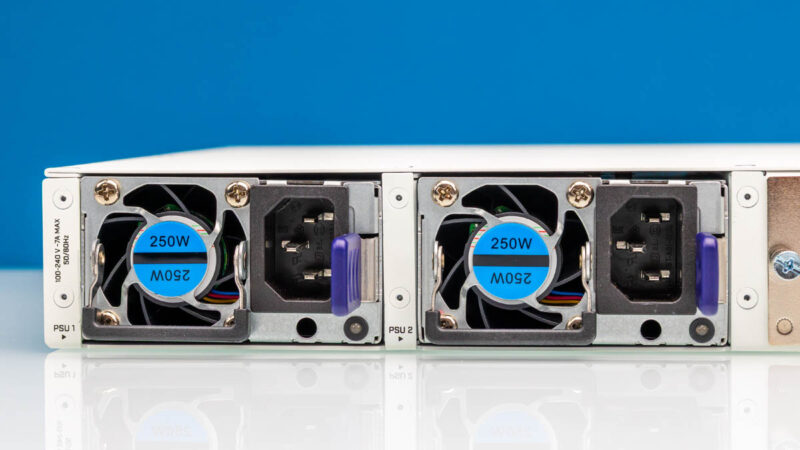
The other four fans are meant to cool the rest of the switch.
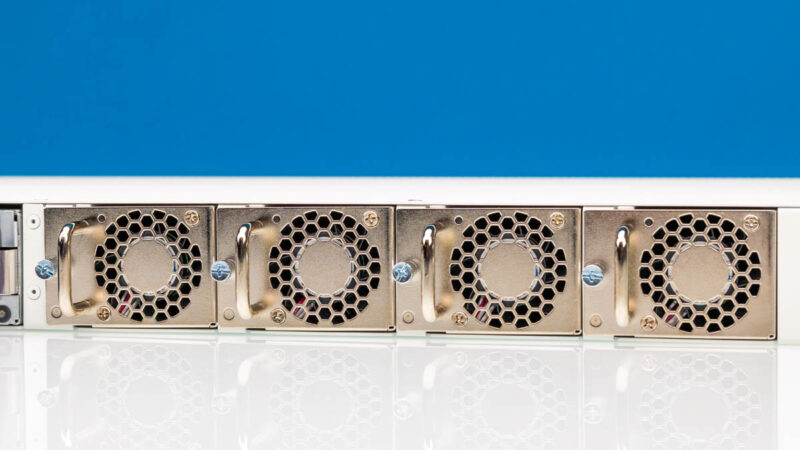
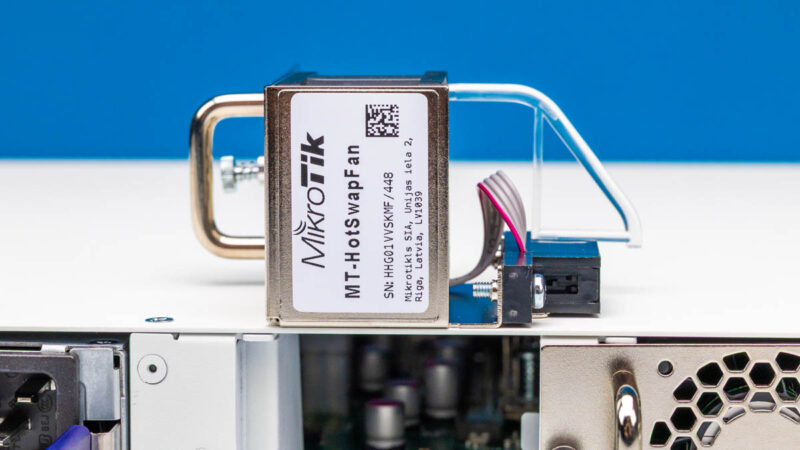
Those four fan are hot swap units. We will discuss it more in the power and noise section, but this is one area where if MikroTik had lower noise it would be awesome since it can run right at the verge of being something that runs next to your desk without being too loud, except when you load it with high-power optics.
Next, let us get inside the switch to see how it is built.

That’s insane testing. 800Gbps in n out of each NIC. WTF.
I’m not current on pricing, but that’s prolly a cool half-million to generate that load on this switch
Hi!
Is it possible to connect 10Gbe sfp+ and 25Gbe sfp28 nics to the sfp56 ports using an sfp+/28 dac? (Do the sfp56 ports support NZR encoding?)
Thank you
sirca, according to Mikrotik’s brochure is looks like it does but would be good to verify.
So that would give you 8 x 10G or 8 x 25G from the SFP56 ports if you don’t have any 50G SFP56 needs. You could also potentially get another 4-8 25G ports utilizing a QSFP28 to 4 x 25G DAC from the QSFP56 ports. That should also be verified but shows the potential flexibility of this switch and somewhat future proofing. Pretty amazing flexibility of this switch.
CRS812 interface speed support:
2x 10M/100M/1G/10G Ethernet ports
8x 1G/2.5G/5G/10G/25G/50G SFP56 ports
2x 40G/50G/100G/200G QSFP56 ports
2x 40G/50G/100G/200G/400G QSFP-DD ports
* QSFP56/QSFP-DD ports also support breakout modes to 1G/2.5G/5G/10G/25G/50G
THAT’S 1.6Tbps TRAFFIC UNIDIRECTIONAL for $1150!
Lead with that. You’re welcome.
I’m salivating to see you review firewalls with that suite
Sirca, yes, that works well enough. I have that switch at my homelab since the week it became available to purchase.
There are some hikkups in firmware with autoneg but overall it works
And same with qsfp28 to 4xsfp28 breakouts. You can even force some of them to work at 10G speeds (but autoneg works on breakout 1 and assumes all other are same speed)
Very interesting product. Any sellers in USA?
Could you post the output of /interface/ethernet/switch/qos/monitor? I’m curious about the chip capabilities.
Ideally with latest RouterOS beta. There are some fixes for the switch in the Changelog.
@Civiloid @jpmomo
thank you for exhaustive response! :)
@sts,
[admin@CRS812] > /interface/ethernet/switch/qos/monitor
total-byte-cap: 8.0MiB
multicast-byte-cap: 819.1KiB
shared-pool0-byte-cap: 3276.8KiB
shared-pool1-byte-cap: 0
That is with 7.21beta3.
Thanks! 8MB is not a lot for a 400gig switch..
I guess that’s a compromize for being relatively budget friendly
I think that is standard for Marvell prestera switching chips.
That is awesome! Looking forward to some real testing for firewalls using the new CyPerf tool
Any DAC (active I assume) breakout cables recommendations for
1) QSFP56-DD to 4 x QSFP28 and/or
2) QSFP56 to 2 x QSFP28 ?
I need to connect some existing older devices with QSFP28 100GbE ports.