

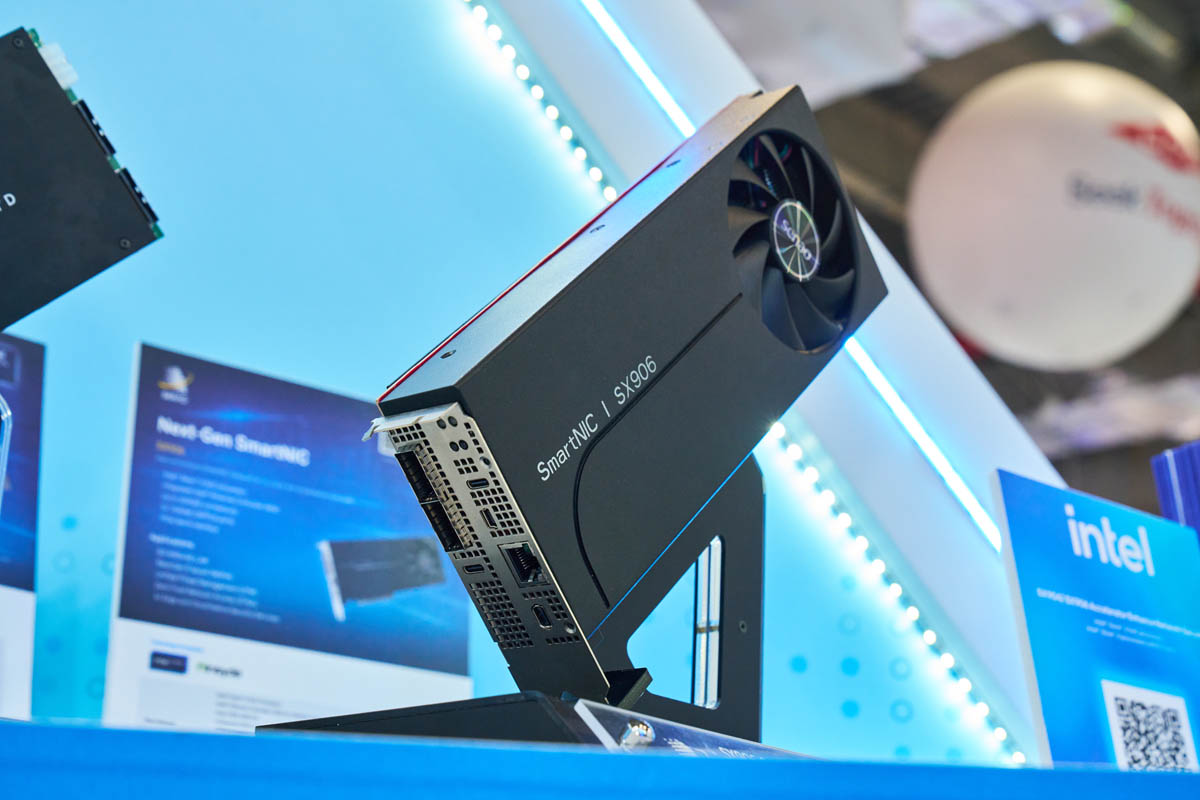
At Computex 2026, we saw something that was really neat, and Ada grabbed a few photos. The Senao SX906 is a new SmartNIC (DPU) with Intel Xeon 6 is a really neat card. Onboard, it leverages the Intel Xeon 6 SoC (Granite Rapids-D) to provide up to 200Gbps of network performance and also additional PCIe connectivity. This is not some low-power 8 core DPU. Instead, this starts at 24 of Intel’s latest generation P-cores.
Senao Next-Gen SmartNIC DPU with Intel Xeon 6 at Computex 2026
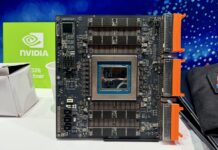
First off, the card looks a lot like a GPU of yesteryear. I was walking around the booth and saw this on display, and to be fair it looks like an earlier sample.
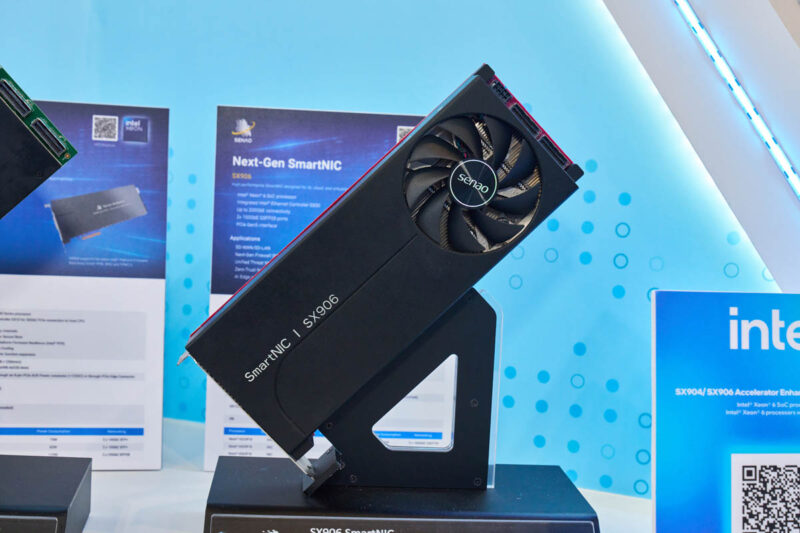
The card may not seem exciting from that view, but then I saw what was powering it. There was an Intel Xeon 6 SoC and up to 200GbE of network connectivity. The Xeon 6 SoC we have seen in servers, but this is a PCIe card.
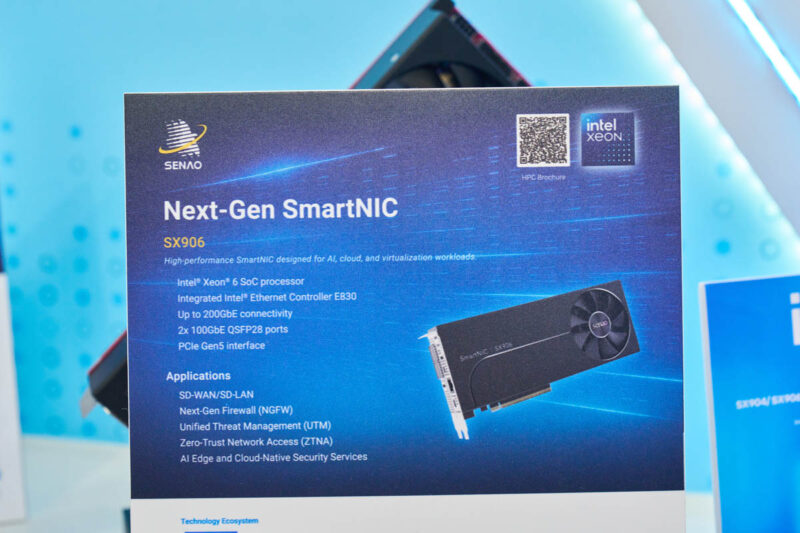
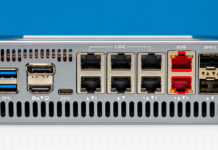
On the faceplate, you can see the management interfaces for the card, as well as the two QSFP28 ports for up to 2x 100GbE depending on the Xeon 6 SoC used.
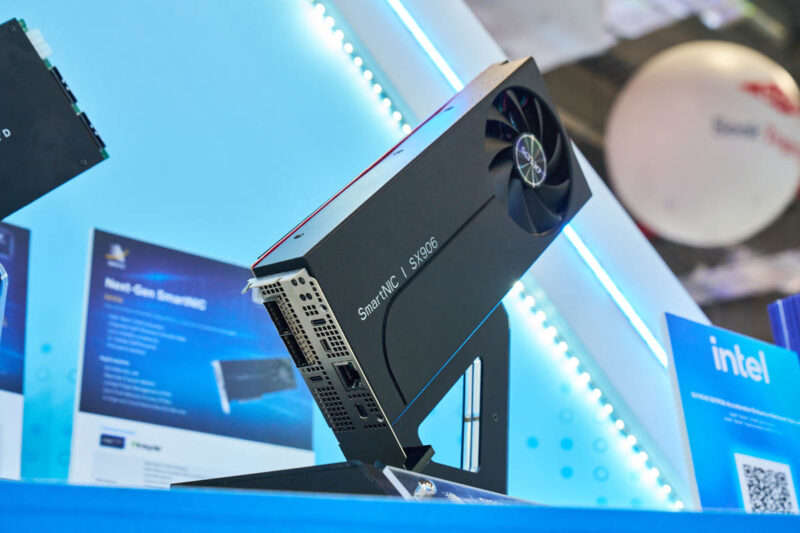
On the end with the fan, there are three connectors. One is a power input, then there are two PCIe Gen5 x8 MCIO connectors in addition to the edge connector (also an x8 link) so there are 24 PCIe Gen5 lanes exposed.
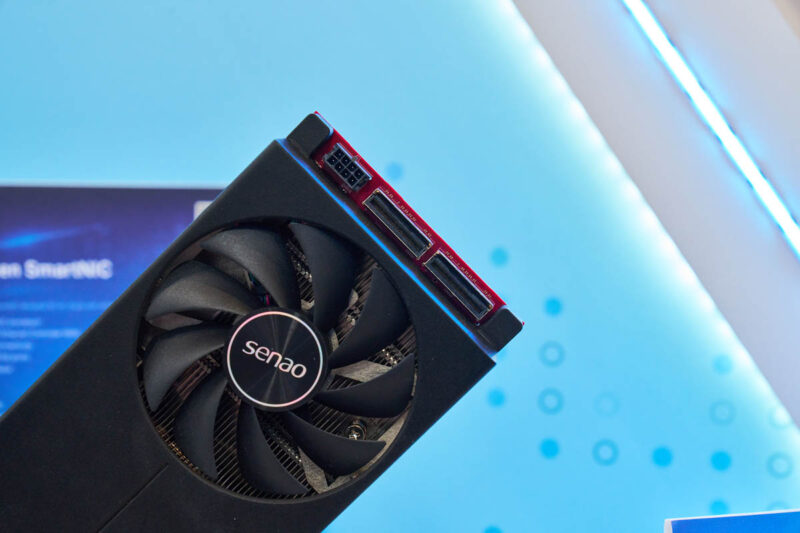
This is really more of a server on a card since there is also an ASPEED AST2600 BMC onboard.
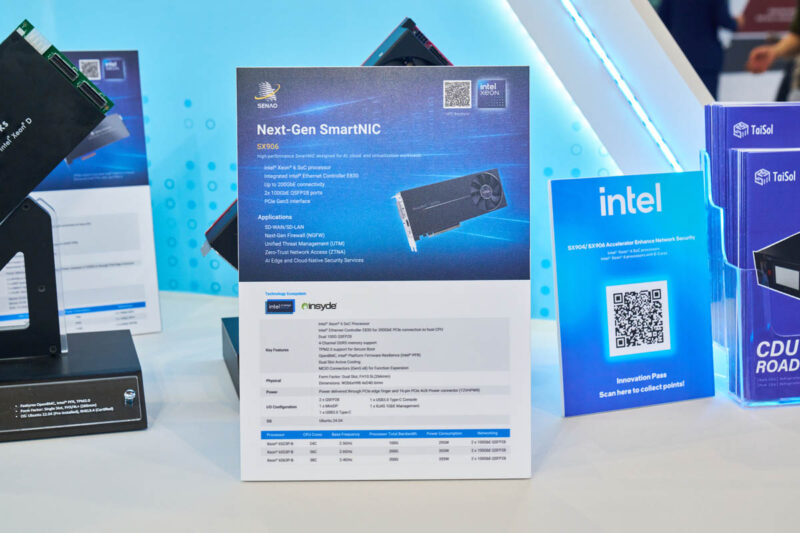
Here are the key specs from the card:
| Category | Item | Specification | ||
|---|---|---|---|---|
| Key Features | Platform | Intel Xeon 6 SoC processor | ||
| CPU | Intel Xeon 6523P-B processor | Intel Xeon 6553P-B processor | Intel Xeon 6563P-B processor | |
| CPU Cores | 24C | 36C | 38C | |
| Base Frequency | 2.5GHz | 2.6GHz | 2.4GHz | |
| Processor Total Bandwidth | 100G | 200G | 200G | |
| Power Consumption | 295W | 355W | 355W | |
| Ethernet Controller | Intel Ethernet Controller E830 for 200GbE PCIe Connection to Host CPU | |||
| BMC Controller | Aspeed AST2600 Controller | |||
| PFR Controller | Aspeed AST1060 Controller | |||
| Network Interface | Dual 100G QSFP28 | |||
| Memory Support | 4 X DDR5 memory channels | |||
| Security Features | TPM2.0 support for Secure Boot | |||
| Firmware and Management | OpenBMC, Intel Platform Firmware Resilience (Intel PFR) | |||
| Cooling | Dual Slot Active Cooling | |||
| Expansion | MCIO Connectors for function expansion | |||
| Physical | Form Factor | Dual Slot, FH10.5L+ (266mm) | ||
| Dimensions | W266 x H98.4 x D40.6 mm | |||
| Weight | 1 kg | |||
| Power | Power Supply | Power delivered through PCIe edge finger and 16-pin PCIe AUX Power connector (12VHPWR) | ||
| I/O Configuration | Ethernet Port | 2 x 100G QSFP28 | ||
| Display Port | 1 x MiniDP | |||
| USB Port | 1 x USB3.0 Type-C 1 x USB3.0 Type-C Console |
|||
| Management Port | 1 x RJ45 1GbE | |||
If you only get the 24 core option, then you are limited to the 100GbE network throughput total. All three SKUs are the double QAT variants and the 36/ 38 core SKUs also have the media transcode accelerator which makes them extra interesting.
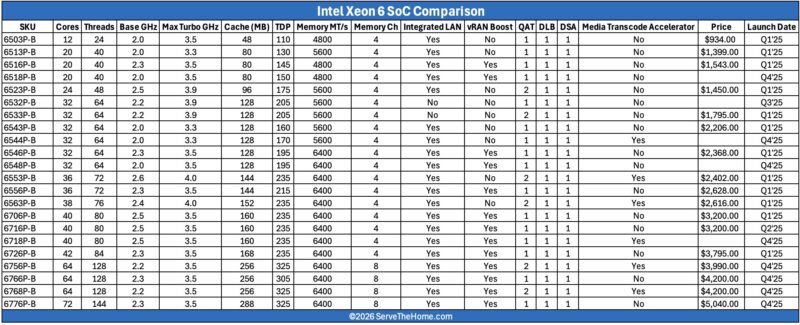
These are very powerful cards.
Final Words
I was mid-conversation when looking at these cards, but I am glad I asked Ada to grab a few photos. If you have ever wanted a DPU that has a standard x86 P-core design with QuickAssist, then this is a really neat option. Sometimes it is just fun to see cool hardware at trade shows.
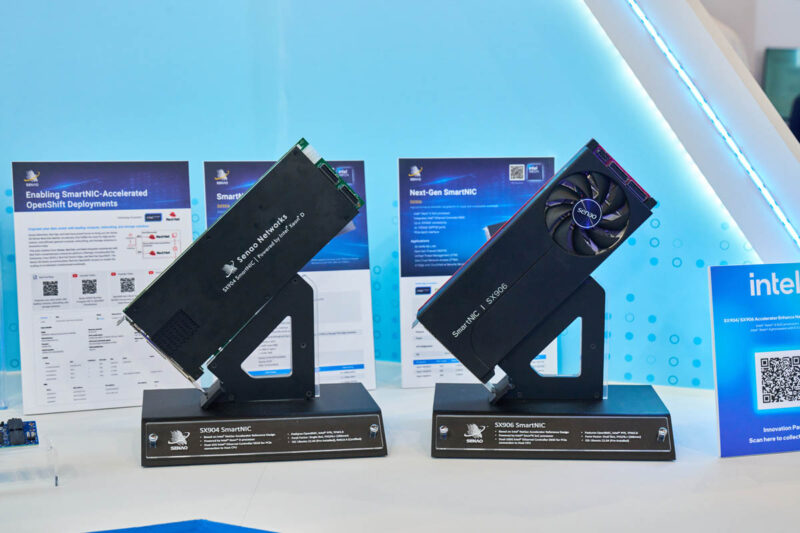
I will say that we are going to call these DPUs not SmartNICs. This is firmly in the DPU camp.

Can these just be used as servers-on-a-card?
Also where’s the storage?
So Bluefield 3 competitor. All about price and what it can actually offload.
@Daniel Pinel
There are two MCIO connectors, could always slap some storage on those.
That is a really wild system and I can’t wait for you to get one in the lab to play around with… I mean test out use cases. While a little overly complicated, the idea of re-routing internal MCIO connectors from front drive bays comes to mind so that you offload the storage to a “NAS” that is “separate” from your bare-metal OS.
It would be great to use this for a One-Card Server.
Here’s an untested idea that I would like to build;
1. Get the Senao SX 906 DPU with an Intel Xeon 6553P-B CPU/36C. Price tag ~ $2,400.
LPDDR5, Max 64GB, 4-Channel DDR5-5600 is soldered down. Not sure if you would need to order a specific memory size. Info on Senao home page does not say.
2. Use a PCIe 5.0 Motherboard if you have a spare laying around or –
get a good Mini-ITX Motherboard w. a PCIe 5.0 x8/x16 Slot and good VRM Specs. Don’t go cheap on this.
The objective is building a One-Card Server. The motherboard is only used for installing and powering the DPU and the Cooling Fans.
Some of the motherboard I/O’s will not be needed like WiFi, TB4/5, USB4, Fast NICs etc. when there is no CPU & RAM installed.
3. Use an Open Chassis, a few Cooling Fans and a 500W+ PSU for testing. Install in a real chassis later.
4. DPU Internal Storage: Max 128GB eMMC (Ubuntu OS) | 2x Gen4 M.2 2280 NVMe SSD slots on the PCIe Card.
5. The DPU has 2x PCIe Gen5 x8 MCIO connectors for additional storage or other purposes.
For a good quality storage solution I would choose the (Search:) “IcyDock ToughArmor MB699V5P-B”
It has 4x Drive slots and 2x MCIOx8 Connectors. You can add 4x U.2/U.3 NVMe PCIe 5.0 SSD Drives (7-15mm).
I have the IcyDock SlimSAS/OcuLink Version installed in a workstation’s 5¼” CD-ROM Slot connected to a Broadcomm Tri-Mode NVMe Adapter.
It works really great, a bit expensive but very reliable.
Here are some tricky parts;
• You may only need power to the PCIe 5.0 Slot from the motherboard and power from the PSU to the AUX Power connector (12VHPWR).
• I have built a storage solution years ago without a CPU & RAM installed on the MBD. The PCI bus was powered and it worked OK.
• Today I am not sure if this solution would work with a modern motherboard and the BIOS may not accept this setup.
You may also have to turn off Secure Boot and several other BIOS settings since you are not booting the MBD itself.
Cost Savings:
• You would save lots of money not needing to buy both CPU & RAM also to the motherboard and a Storage HBA for the external disks.
If this works, you have built a high performance server (for some roles) at a more reasonable cost (considering todays silicon prices).
This is actually pretty cool. I didn’t know you could put a full Xeon 6 processor on a PCIe card like this. The fact that it starts at 24 cores and goes up to 200Gbps of networking is kind of crazy – that’s basically a small server just sitting in a PCIe slot. The BMC onboard is a nice touch too, makes it way easier to manage remotely. Would love to see a full review once these cards are more widely available!
Robert L commented about making a one card standalone server. I worked on the system architecture of the NetSec accelerator (which this card falls under) and I intentionally planned for NetSec cards to support standalone mode with just power delivery. It would need some minor work on chassis and risers, but nothing expensive (for a company).
Back in the IBM MicroChannel days there were various cards with full CPU and RAM that could boot and claim to be the bus master or arbitrator. That functionality is still available today via the PCIe specification, but no one really exploits it.
There is nothing to stop someone from using an AMD Promontory bridge chip and creating their own PCIe bridge to a whole subsystem containing a CPU/RAM like this Xeon set. The issue has always been the cost to fab, test and support such a device and that is why they are expensive and tend to use server CPU types. The use case always leans towards higher end computing.