

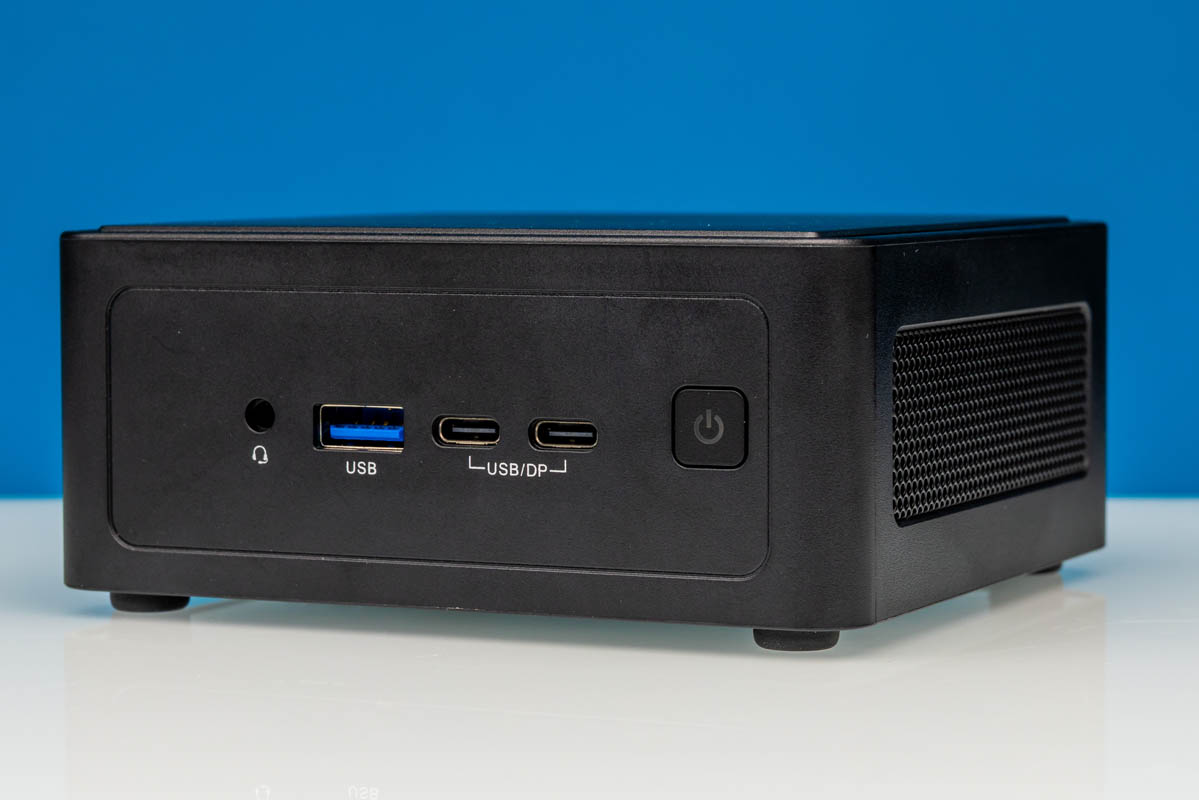
While the next unit of computing (NUC) form factor has lost some of its steam since its chief supporter, Intel, divested itself of its in-house NUC offerings a few years back, the ultra-compact form factor has held on thanks to its unique size. At roughly half the volume of even a 1-liter mini-PC, the 4-inch-by-4-inch boxes have proved incredibly handy for computer installations that require a truly miniature, out-of-the-way PC, leading companies such as ASRock Industrial to continue developing new systems even after Intel divested the business.
If anything, these days ASRock Industrial is one of the most ardent and consistent supporters of the platform, having released NUCs based on Intel and AMD hardware over several generations. Today, we are looking at the latest-generation NUC, the BOX-358H, which is built around Intel’s Panther Lake Platform.
| ASRock Industrial NUC BOX-358H Key Specs | |
| Processors | Intel Core Ultra X7 358H, 4P + 8E + 4 LPE (4.8GHz) |
| Operating System | N/A |
| Memory | As Shipped: Empty (2x SO-DIMM) As Tested: 96GB DDR5-5600 (2x48GB SO-DIMM) |
| Storage | As Shipped: Empty M.2 2280 (PCIe Gen5 x4) + M.2 2242 (PCie Gen4 x4) As Tested: 1TB Crucial P3 Plus (PCIe Gen4 x4) |
| GPU | Intel Arc B390 (Xe3, 12 Xe cores) |
| Form Factor | NUC |
| Dimensions | 117.5 x 110 x 49 mm (4.63 x 4.33 x 1.93 in) |
| Weight | 1 kg (2.2 lbs) |
| Wireless | Wi-Fi 7 + Bluetooth 6.0 (Intel BE211) |
| Color | Black |
| Ports | Front: 1x USB-C/Thunderbolt 4 40Gbps w/DP Alt Mode, 1x USB-C 20Gbps, 1x USB-A 10Gbps, 1x Combo Audio Jack Rear: 2x USB-A 10Gbps, 2x HDMI 2.1, 1x 2.5GbE (I226LM), 1x 2.5GbE (I226V) |
Under the hood of the little box that would make even most TinyMiniMicro PCs blush, ASRock Industrial has incorporated Intel’s latest generation laptop hardware, culminating in a barebones box that can rival a high-end ultraportable PC. With the Core Ultra X7 358H sporting a full-fat Panther Lake implementation, including 16 CPU cores and Intel’s best integrated GPU, the BOX-358H is deceptively powerful for its size. Especially with the Panther Lake platform bringing numerous upgrades to Intel’s laptop hardware, the BOX-358H represents a significant performance step up over ASRock Industrial’s earlier NUC boxes.
If you wanted to find the ASRock Industrial NUC BOX-358H online, here is a Newegg affiliate link.
ASRock Industrial NUC BOX-358H External Hardware Overview
If there’s one thing to be said about ASRock Industrial’s NUC offerings, it is that the company is remarkably consistent both in offering a new NUC with each generation of hardware from Intel and in the design of those NUCs. We have been reviewing NUC boxes from the company since early on in the decade, and other than replacing a glossy chassis with a matte one a couple of years back, the itty-bitty PCs are practically unchanged from the outside.
This is ultimately a fancy way of saying that if you have seen one, you have seen them all. It also means that, for ASRock Industrial’s customers, their NUCs can be quickly swapped and upgraded, allowing newer boxes to replace older ones. Intended first and foremost as an industrial PC, ASRock Industrial is not trying to impress anyone with its looks here. It is all about the functionality.
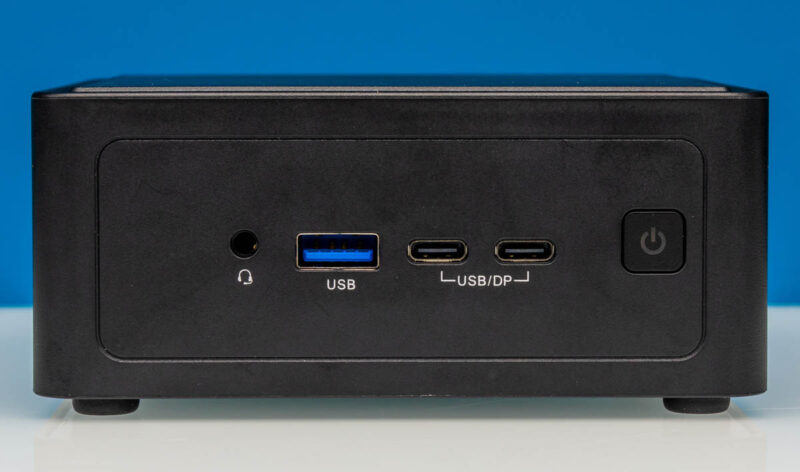
Starting our brief tour from the front of the system, we have ASRock Industrial’s standard NUC front port layout. This includes a 10Gbps USB-A port, a 20Gbps USB-C port, a 40Gbps USB-C/Thunderbolt 4 port, and finally, a combo audio jack. This is the bulk of the system’s USB I/O right here, with the TB4 port offering the greatest bandwidth and the greatest flexibility in what can be connected to it. Try to guess which is which based on the labeling.
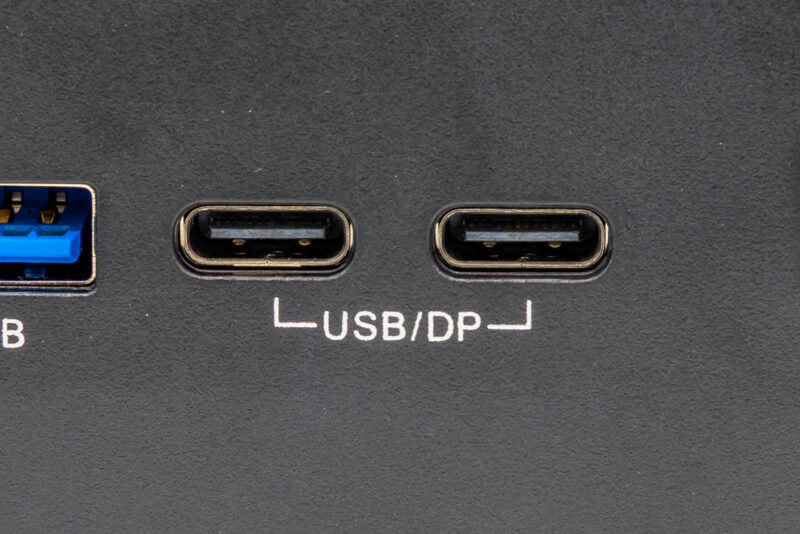
This single TB4 port makes ASRock Industrial’s box unusually notable in that it remains one of the only systems we have ever come across with a single TB4 port. Intel’s SoCs natively support TB4 ports in pairs (or better). Virtually every other vendor installs multiple TB4 ports. As ASRock Industrial opted to integrate only a single TB4/USB4 retimer inside their PC, the system can only offer TB4 on a single USB-C port, the left one. Meanwhile, the right USB-C port is instead limited to 20Gbps USB3 (Gen 2×2) speeds.
Both of these USB-C ports are DisplayPort Alt Mode capable as well, should the need arise. The left port can support DP 2.1 speeds, while the right port supports DP 1.4.
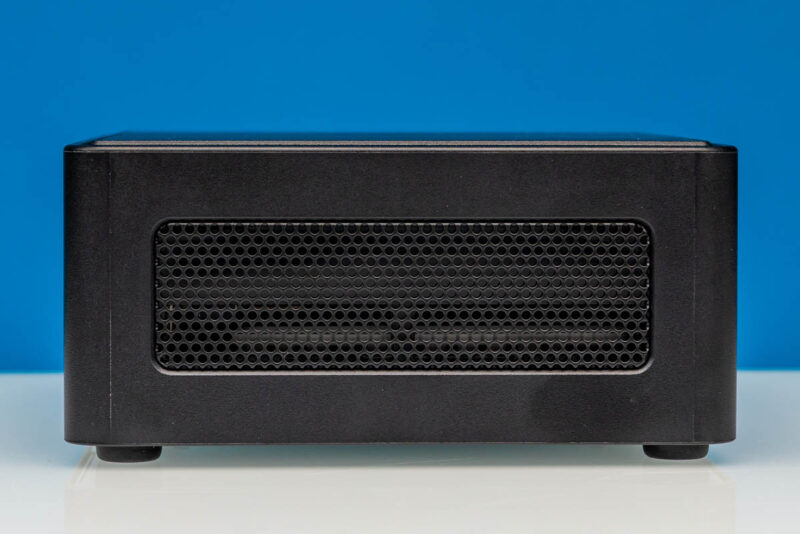
A quick look at the left side of the NUC shows that ASRock Industrial uses both sides for ventilation. There is no front air intake of any kind, so these vents are to enable passive airflow for cooling less critical parts of the system.
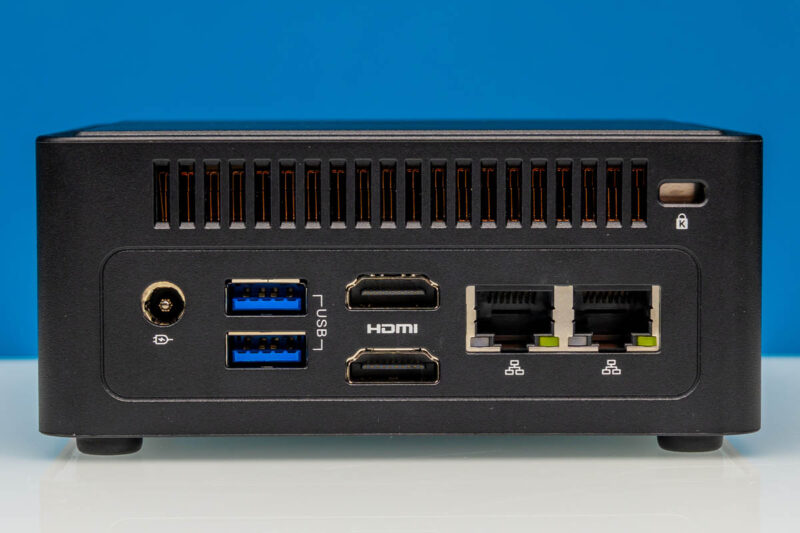
Meanwhile, at the rear of the box, we find the rest of the system’s I/O ports. Here, ASRock Industrial has placed two more 10Gbps USB-A ports, two HDMI 2.1 ports, and two 2.5GbE ports. One is driven by Intel’s vPro-capable i226LM controller, and the other is driven by Intel’s i226V controller. Combined with the DP Alt Mode capabilities of the front USB-C ports, the NUC BOX-358H can drive up to 4 displays in general.
While the system’s power consumption is low enough to be powered by a USB-C power adapter, in keeping with both the design consistency of the NUC BOX family and industrial customers’ needs, ASRock Industrial has stuck with a DC barrel connector. A rather flexible one at that, with the system capable of handling input voltages ranging from 12V to 24V, allowing it to be used with a wide variety of power supplies.
Unfortunately, none of this is very well labeled. Presumably, in keeping with the generic, reusable design of ASRock Industrial’s NUC chassis, none of these USB, HDMI, or Ethernet ports are labeled with their speeds. Instead, everything is simply labeled with the type of port it is, information that anyone familiar with a PC would easily recognize. So there is a missed opportunity here from ASRock Industrial to better label their ports with their technical capabilities, which, unlike the port type, is non-obvious information.
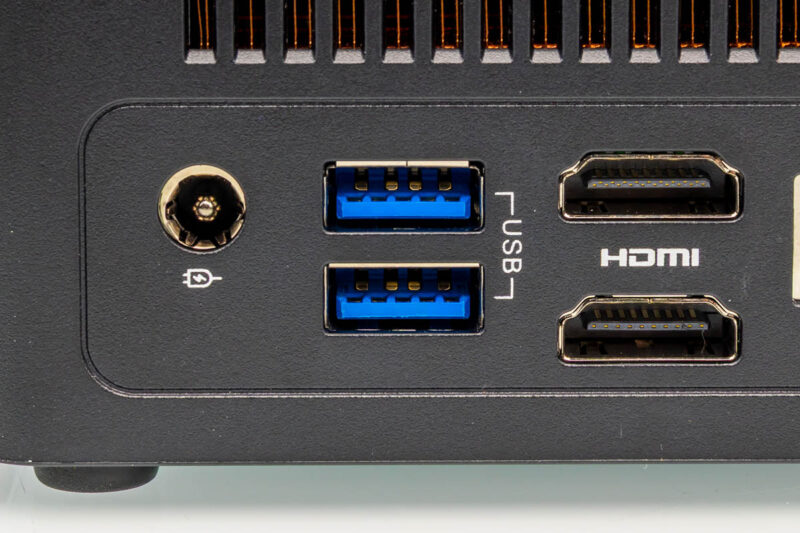
Ports aside, the back side of the system is also where the NUC BOX-358H’s sole exhaust vent is. As we will see a bit later, this is driven by a single blower fan that cools the Intel SoC.
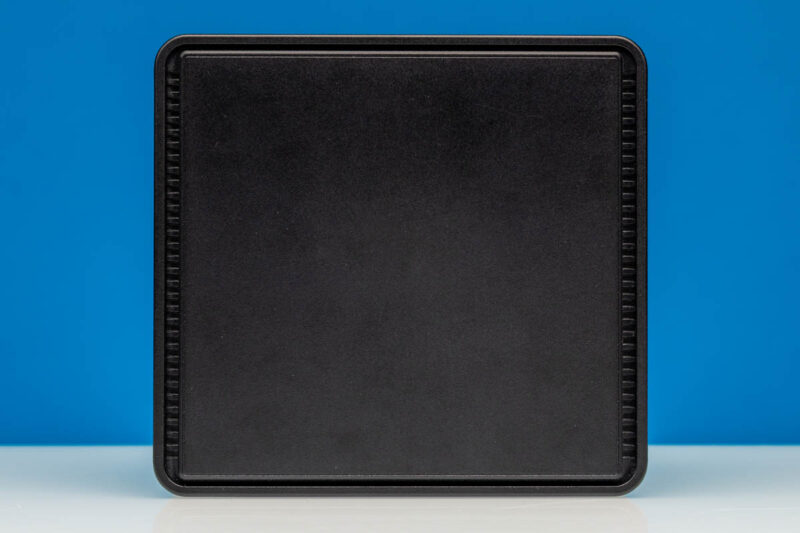
Moving on, a quick look at the top of the system reveals a border with ventilation holes, from which the system’s fan draws in fresh air.
Finally, at the bottom of the system, we see the rubber feet that the system stands on, as well as the four screws underneath that keep the bottom plate firmly attached.
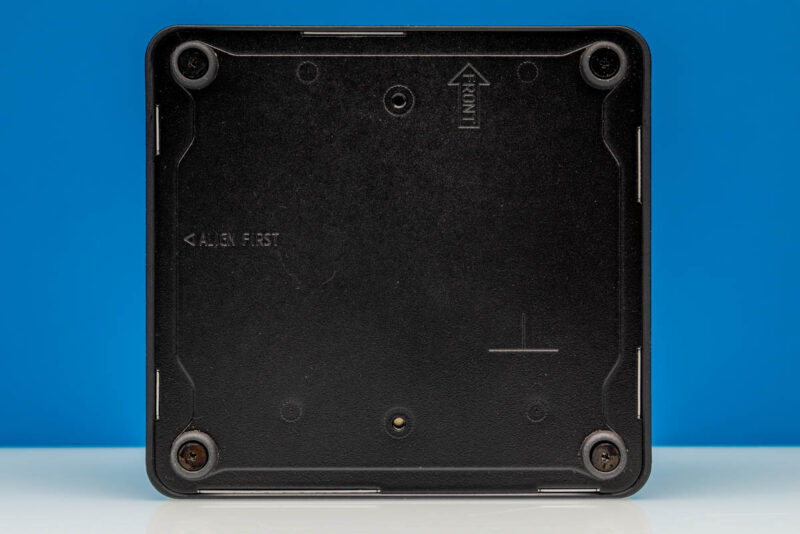
Because this is a barebones system that does not ship with any configuration options or storage (let alone an operating system), ASRock Industrial has kept the system design very clean. Even on the bottom of the system, you will not find any stickers, serial numbers, or COAs. In fact, you will not find anything at all. Nowhere on the system has the company stenciled or printed the system’s model number or even the manufacturer’s brand. It is truly a nondescript black box.
Out of the box, the system ships configured for desktop use. However, ASRock Industrial also offers a VESA mounting bracket for more secure (and vertical) installations.
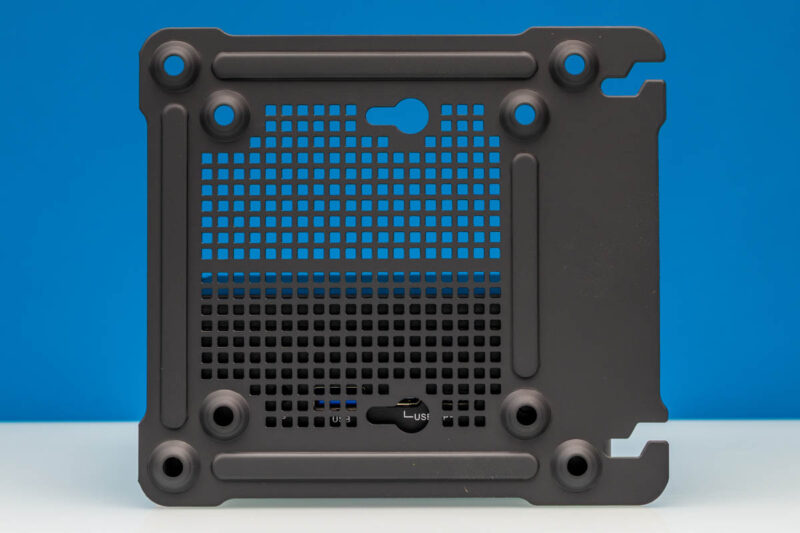
Before diving into the guts of the system, here is a quick look at the included power supply as well.
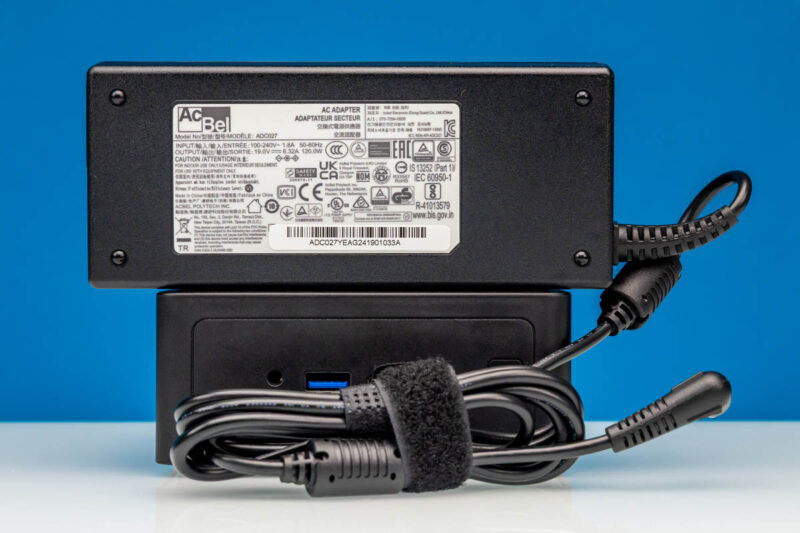
ASRock Industrial ships the system with a rather large 120W (19V@6.32A) power supply, which is wider than the NUC itself. ASRock Industrial could presumably reduce the size of the included power adapter by using a GaN-based adapter, though for their target market, the size savings are likely not worth the cost.
With the external tour complete, let us crack open the BOX-358H and take a look inside.


I’m just flummox that at this price point that a 10G ethernet point isn’t provided.
The system is pretty awesome. but the fan i very poor quality. i’ve had several of the older version NUC BOX-255h and NUC BOX-155H running 24/7 and the fans only last about 1½yr before they start to fail. the chassis on the new one is the same so my guess is that the fan is also the same shit.
The replacement fan is both expensive and hard to obtain en EU