

ASRock Industrial NUC BOX-358H Internal Hardware Overview
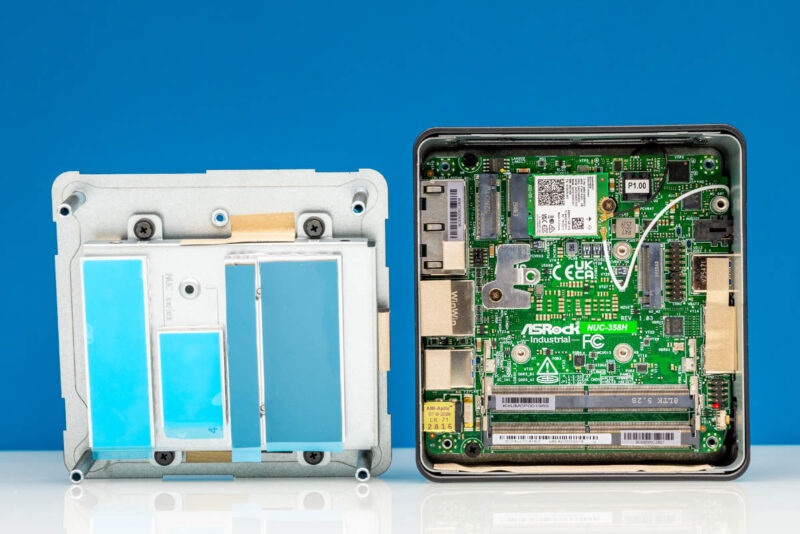
After removing the four screws that hold the system’s bottom plate in place, we can access its internals to populate the barebones PC with storage and memory.
The consistency across generations of ASRock Industrial NUC BOXes extends beyond the systems’ chassis to the layout of their internal components. As a result, just like the outside of the system, the internals of the BOX-358H are familiar.
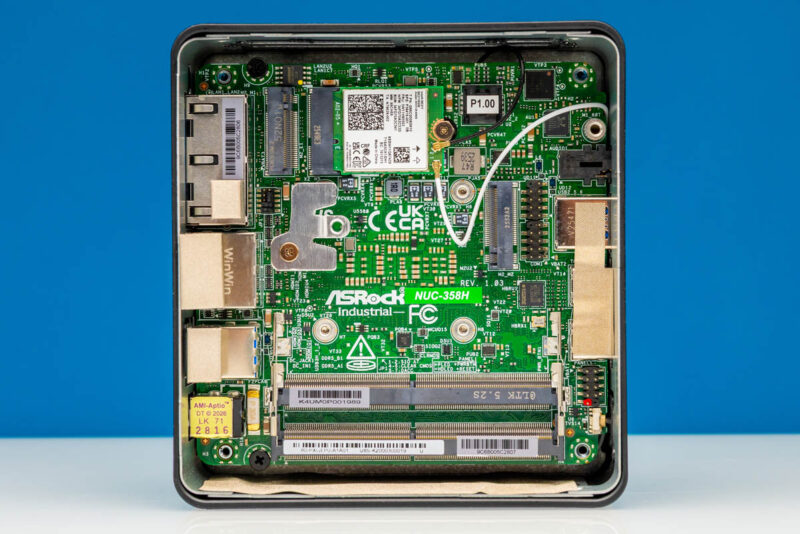
Starting from the top, we have a couple of M.2 slots. Closest to the motherboard is ASRock Industrial’s pre-installed Intel BE211 wireless adapter. This is Intel’s second-generation Wi-Fi 7 adapter, offering 2 spatial streams and Bluetooth 6.0. Typical of Panther Lake systems, this is a CNVio3-based adapter that leverages the Wi-Fi 7 MAC already present on the SoC’s I/O tile. Since ASRock Industrial opted for an M.2 2230 adapter, it can be swapped out in the future for a newer adapter if needed.
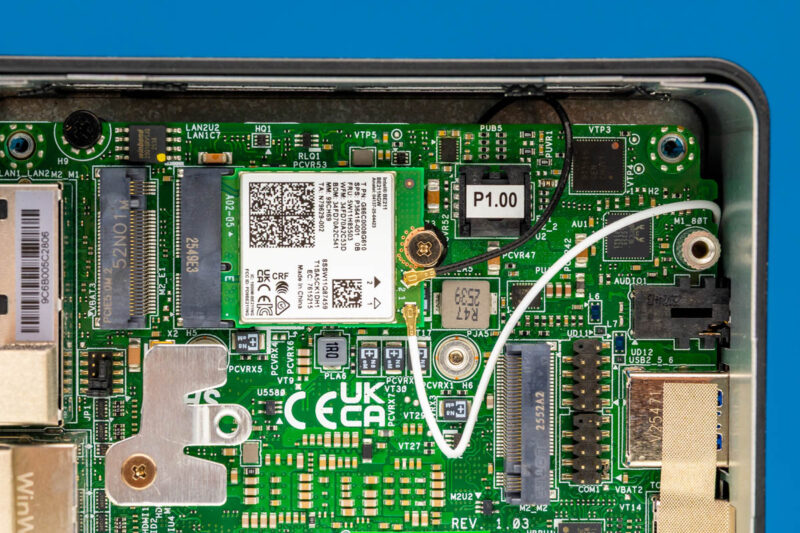
Sitting on top of the Wi-Fi adapter is the system’s first and primary M.2 storage slot. The M.2 2280 slot is wired up directly to the SoC with a PCIe Gen5 x4 configuration, giving it full-bandwidth access to the fastest SSDs available today. It is worth noting, however, that because the Wi-Fi adapter is below this M.2 slot, the system can only accept 2280 cards. There are no stand-offs for installing smaller cards.
Should you need to install a smaller SSD, this is where the system’s second M.2 storage slot comes into play. Located about mid-board, ASRock Industrial has incorporated an M.2 2242 slot, which is connected to the SoC via a PCIe Gen4 x4 link. This leaves the shorter slot shorter on bandwidth as well, though the limits ultimately stem from the small number of PCIe Gen5 lanes offered by the Panther Lake platform.
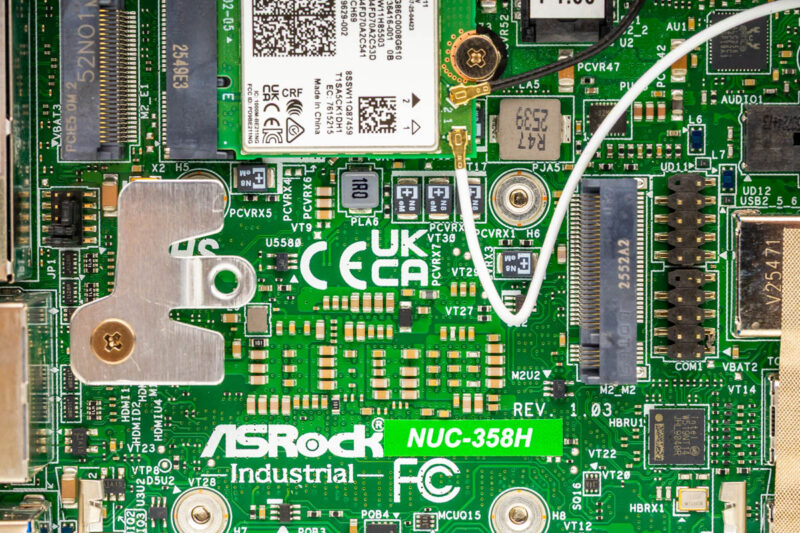
As this is another recycled element of the NUC BOX design, it also recycles the trade-offs with this unusual M.2 slot layout. Namely, because of the different M.2 slot lengths, it is not possible to install matching SSDs. To fill both M.2 storage slots, you would need to secure two SSDs of different lengths.
One thing that was not recycled, however, was SATA drive support. Starting with this generation of the NUC BOX, ASRock Industrial has removed 2.5-inch SATA drive support, leaving only the SATA 3 connector from previous generations. SATA 3 SSDs have become increasingly rare on the market (in part due to NAND supply constraints), so the practical impact on users should be minimal. It is a notable change in a system that has seen very few internal changes otherwise.
Moving on, along the bottom of the motherboard, we have the system’s two SO-DIMM slots for housing DDR5 DIMMs.
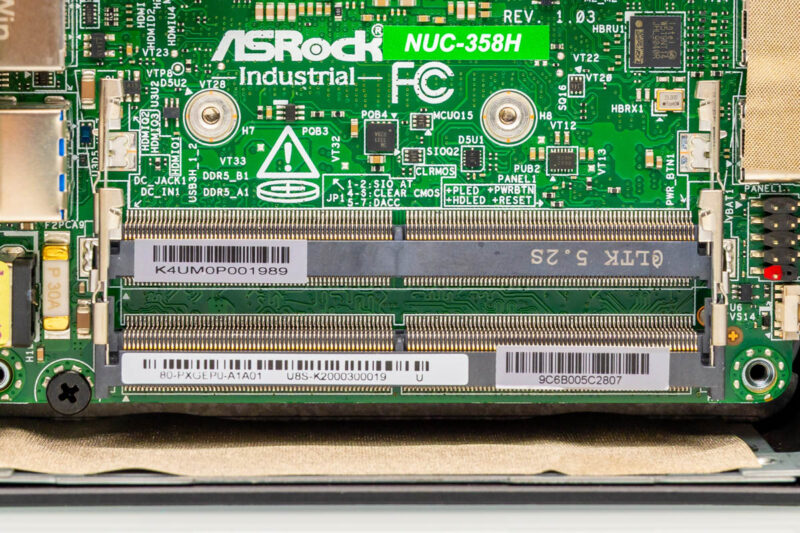
This is actually a rather interesting find because, although it is typical for an ASRock Industrial NUC BOX, it is technically not compliant with Intel’s own specifications. On paper, Intel requires that all of the X7/X9 mobile chips (whose defining feature is a high-performance integrated GPU) be paired with LPDDR5X memory. Nonetheless, this is a design requirement rather than a technical requirement, so ASRock Industrial has been able to place SO-DIMM slots anyhow.
With the system’s underlying Panther Lake SoC, the SO-DIMM slots can accommodate memory as fast as DDR5-7200 with CSO-DIMMs or DDR5-5600 with traditional SO-DIMMs. Even the faster CSODIMMs mean leaving some memory bandwidth (and thus iGPU performance) on the table compared to LPDDR5X, but as the NUC BOX is a barebones system, SO-DIMMs are far easier to find and replace than LPCAMMs.
Although there is no active airflow on this side of the motherboard (the system’s blower fan is on the opposite side, covering the SoC), ASRock Industrial’s NUC designs incorporate the bottom plate as a heatsink. To that end, the company has strategically placed thermal pads along the plate, allowing it to make contact with and cool the SSDs and SO-DIMMs. Thus allowing the system to provide a basic degree of cooling to these components even without any active airflow.
Speaking of airflow, with a little more work, we can remove the motherboard entirely, revealing the blower on the hot side.
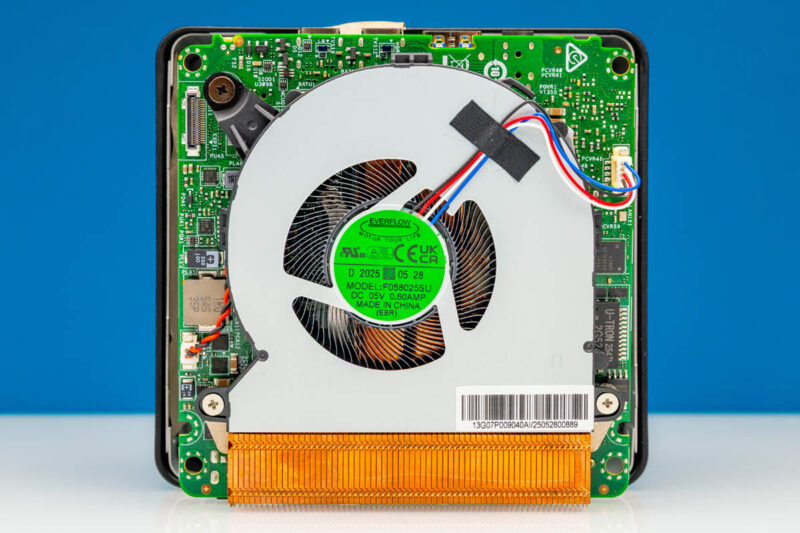
Here, ASRock Industrial is using a low-profile 3-watt blower, similar to what you would see in most laptops.
Removing that, we can see the rest of the motherboard itself.
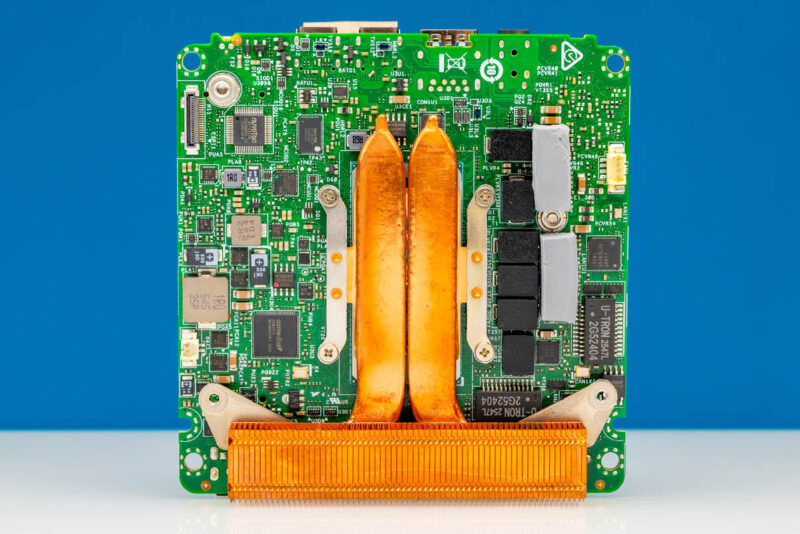
A pair of copper heatpipes transfers heat from the Intel Core Ultra X7 SoC to a small heatsink, which is cooled by the blower. This side of the board also features various support chips for the system, along with the VRMs that handle DC-to-DC conversion for the SoC and the rest of the system.
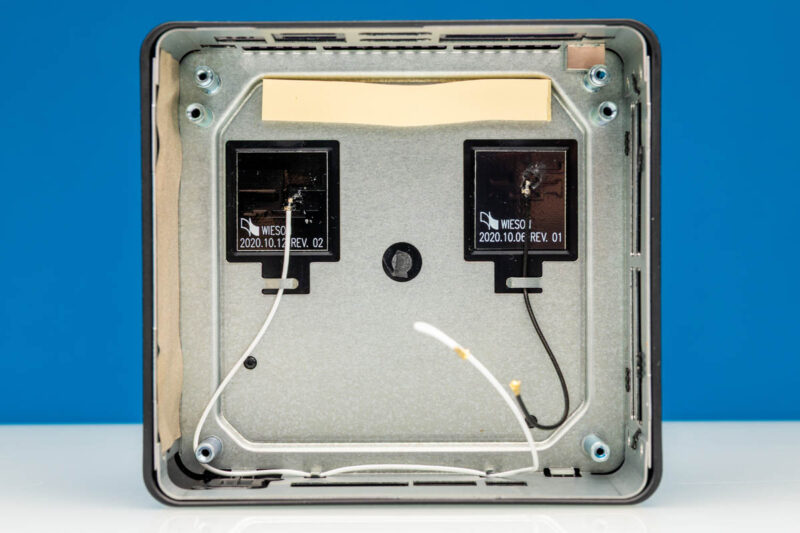
Finally, here is a quick look at the chassis with the motherboard removed, showing the two radio antennas and a thermal stip.
Now that we have completed our hardware tour, let us take a look at the Panther Lake-powered system.



I’m just flummox that at this price point that a 10G ethernet point isn’t provided.
The system is pretty awesome. but the fan i very poor quality. i’ve had several of the older version NUC BOX-255h and NUC BOX-155H running 24/7 and the fans only last about 1½yr before they start to fail. the chassis on the new one is the same so my guess is that the fan is also the same shit.
The replacement fan is both expensive and hard to obtain en EU