

HP ZGX Nano G1n Topology
Here is the topology map for the ZGX Nano G1n:
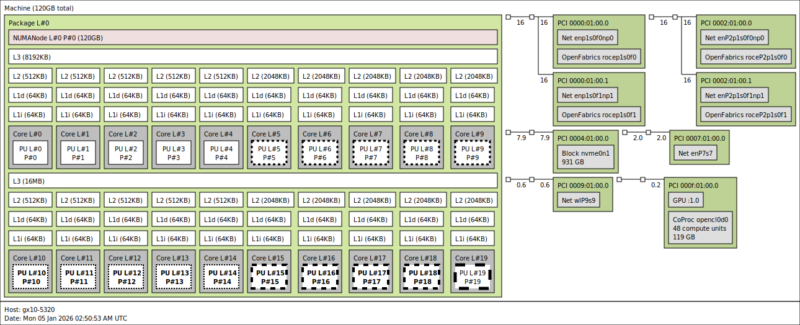
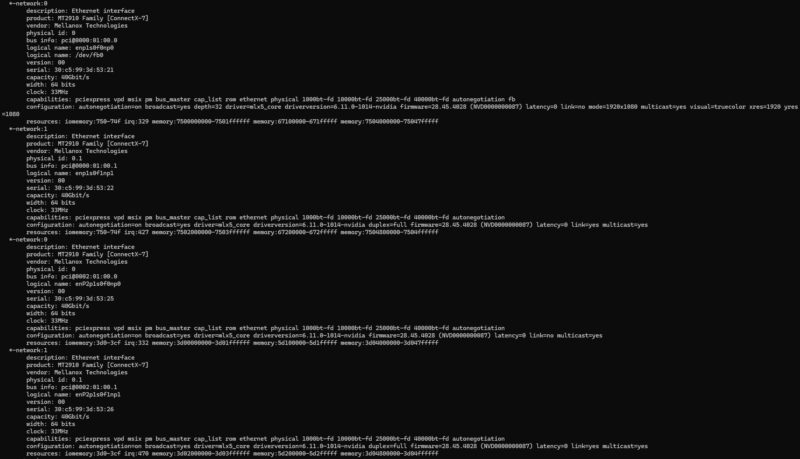
Here we can see the twenty Arm cores, along with the GPU, the WiFi 7 NIC, the 10Gbase-T NIC, and the four ConnectX-7 interfaces (two ports and one per PCIe Gen5 x4 link). As a quick reminder, here is how the GB10’s ConnectX-7 NICs are connected.
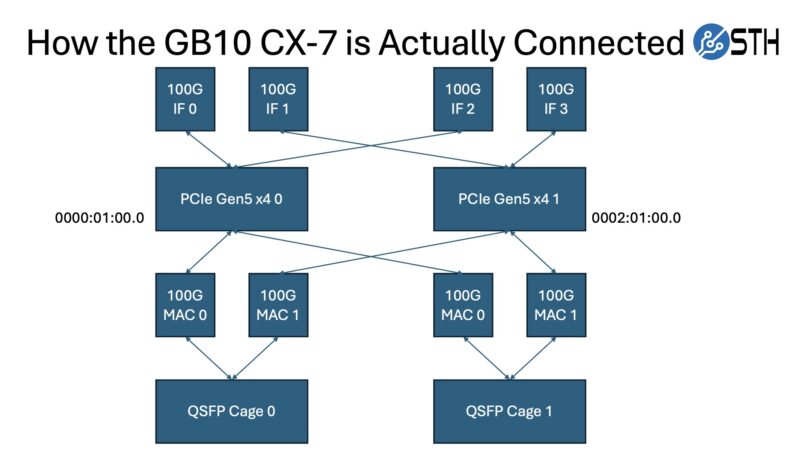
Those NICs are perhaps the most interesting part of this system, as they are a major differentiator from other mini PCs.
The other interesting part is that since this has unified memory, the memory at the system level and the coprocessor level is the same. That is different from an AMD Ryzen AI Max+ 395 128GB system, as an example.
HP ZGX Nano G1n Software Overview
While HP controls the hardware – and as we found out from Dell, the OEMs even control the firmware updates beyond that – the company has little influence on the software running inside. Like NVIDIA’s own DGX Spark, all the GB10 SFF workstations run NVIDIA’s DGX OS, a variant of Ubuntu Linux with all the necessary drivers and software tools pre-installed. While some may prefer other Linux distributions, NVIDIA’s investment in the DGX OS means we get something quite useful. For example, there is a NVIDIA Sync utility that sets up all of the back-end SSH keys and tunneling.
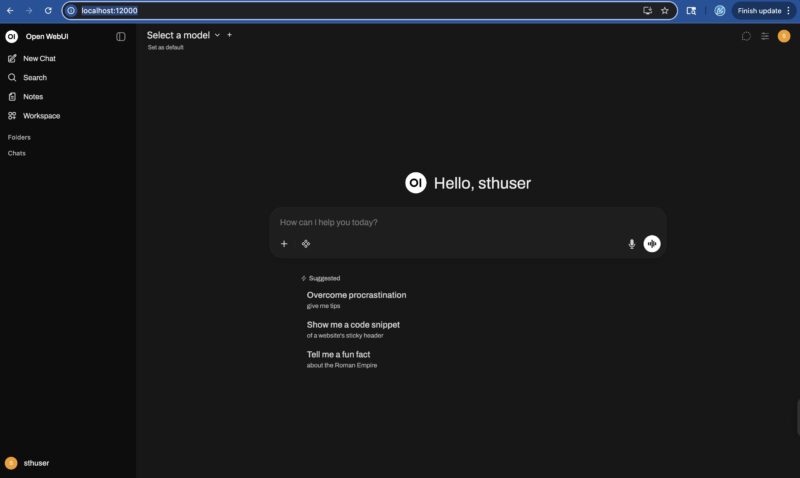
The NVIDIA DGX Dashboard is the primary means of interfacing with the system.
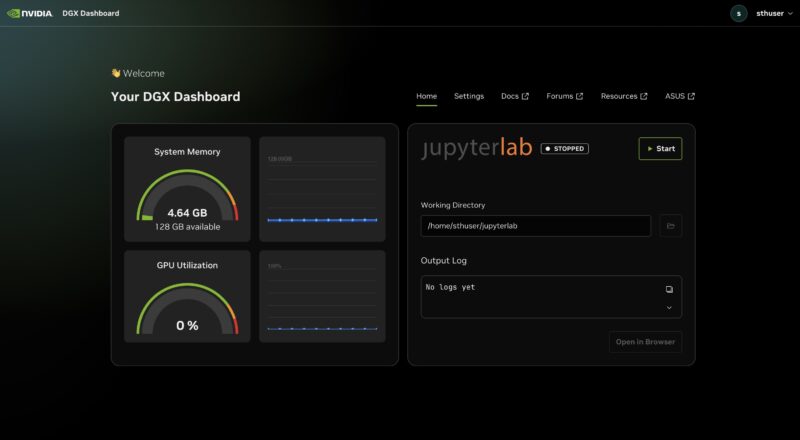
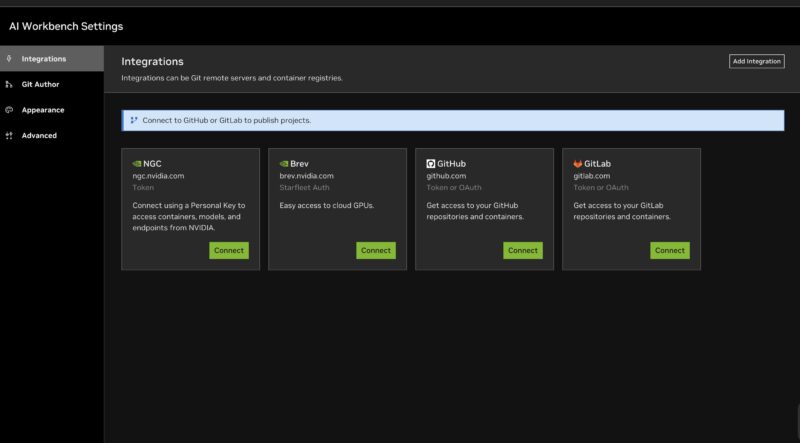
At this point, it is essentially an NVIDIA software environment running inside a box built by HP. NVIDIA has done a lot of work building tools like the AI Workbench to directly connect to various tools.
There are also the DGX Spark Playbooks on GitHub that provide a lot of great starting recipes for getting a variety of scenarios set up from ComfyUI to multi-unit scaling through NCCL.
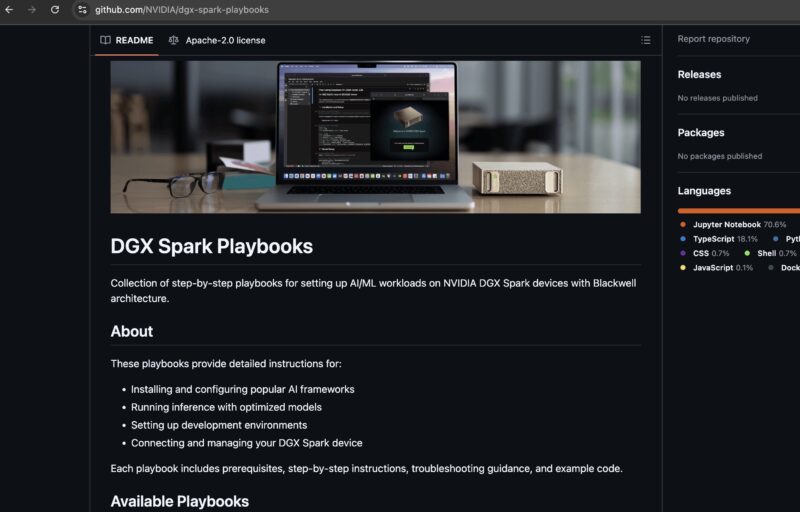
Overall, this is something that is useful. There are plenty of AI with NVIDIA GPU tutorials out there, but having some GB10-specific ones is quite useful. Still, we wanted to see what we could around the performance side of the unit.
We are also going to note that HP has some of its local AI tooling, but generally, we have ended up using more vendor-agnostic AI stacks because they iterate so quickly.
HP ZGX Nano G1n Performance
As always, we start things off with Geekbench 6. For our performance comparisons, we have selected Lenovo’s Thinkstation PGX, a similar GB10 box that is also backed by a major corporate OEM.
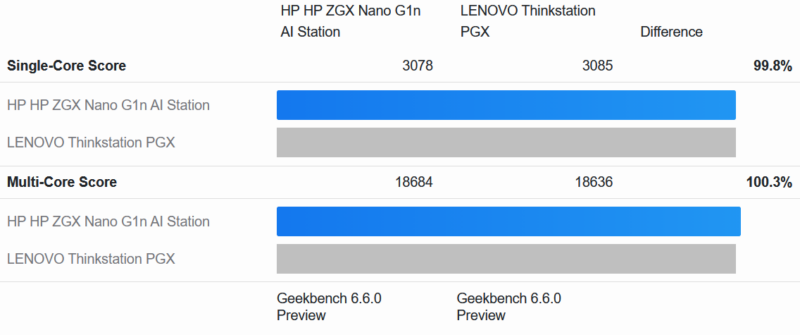
All of the GB10 systems we have reviewed thus far have performed closely to one another. And the ZGX Nano G1n comes especially close. Under Geekbench 6 it is all but tied with the Lenovo system, coming in well inside the normal margin for run-to-run variation even on the same piece of hardware.
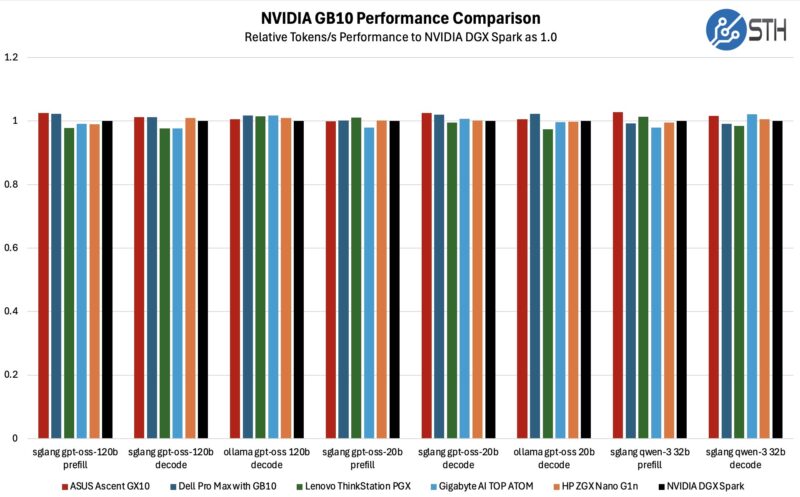
With 6 GB10 systems now in our result set, we are seeing a bit of spread among the scores. However, there is nothing particularly consistent here, which is what we would expect to see if the fluctuations were from typical run-to-run performance variation.
To be sure, we also ran some long-term testing, allowing the GB10 systems to heat up for over an hour to see how they would do once they are fully heat-soaked.
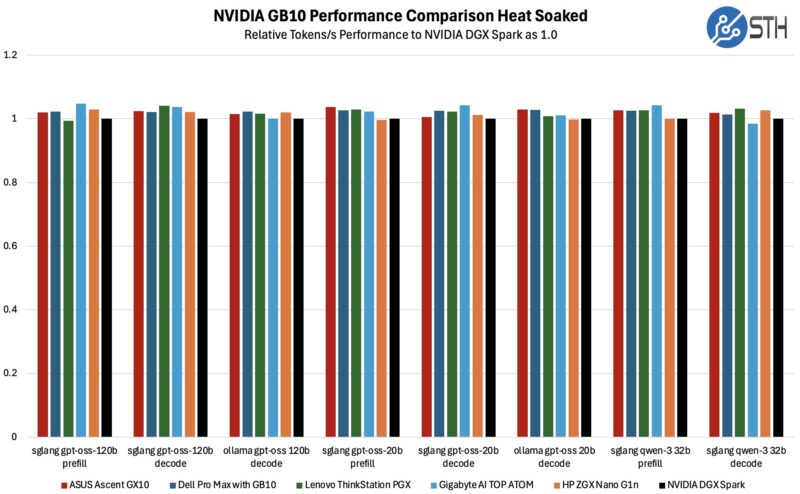
Even in the heat-soaked scenario, the ZGX Nano G1n is an average system at best. At no point does the system edge out any of the other GB10 systems in performance. But it often comes in at #2 or #3. This is exactly what we expect to see, given the tight constraints NVIDIA puts on GB10 system designs and their resulting similarity. Sometimes it is nice to see things play out exactly as you would expect.
Next, let us get to the power consumption.


Why is the power port labeled 20gbps? Can you power it with a dock and use that for connectivity?
The prices of this one has been in flux quite a bit. I picked a 1TB one up at the start of the year at a retailer here in NYC for $3200, and it was the cheapest of the GB10 systems available at the time.
I wonder what HP’s pricing strategy is for this
@Jack
We haven’t specifically tested this, but that is a fully functional 20Gbps USB-C port. So if you do have a device that can pass power as well as data (such as a docking station), then it would absolutely work.
It just happens to be the only USB-C port on the PC that can work as a power input.
Is there any power indicator on the front of this box – glowing logo or otherwise or is it like the Lenovo PGX? I expected the PGX to have the glowing red LED in the ThinkStation lit up as the power indicator like it is on literally every other Lenovo machine I have and was surprised that it didn’t light up, so curious about this one.