

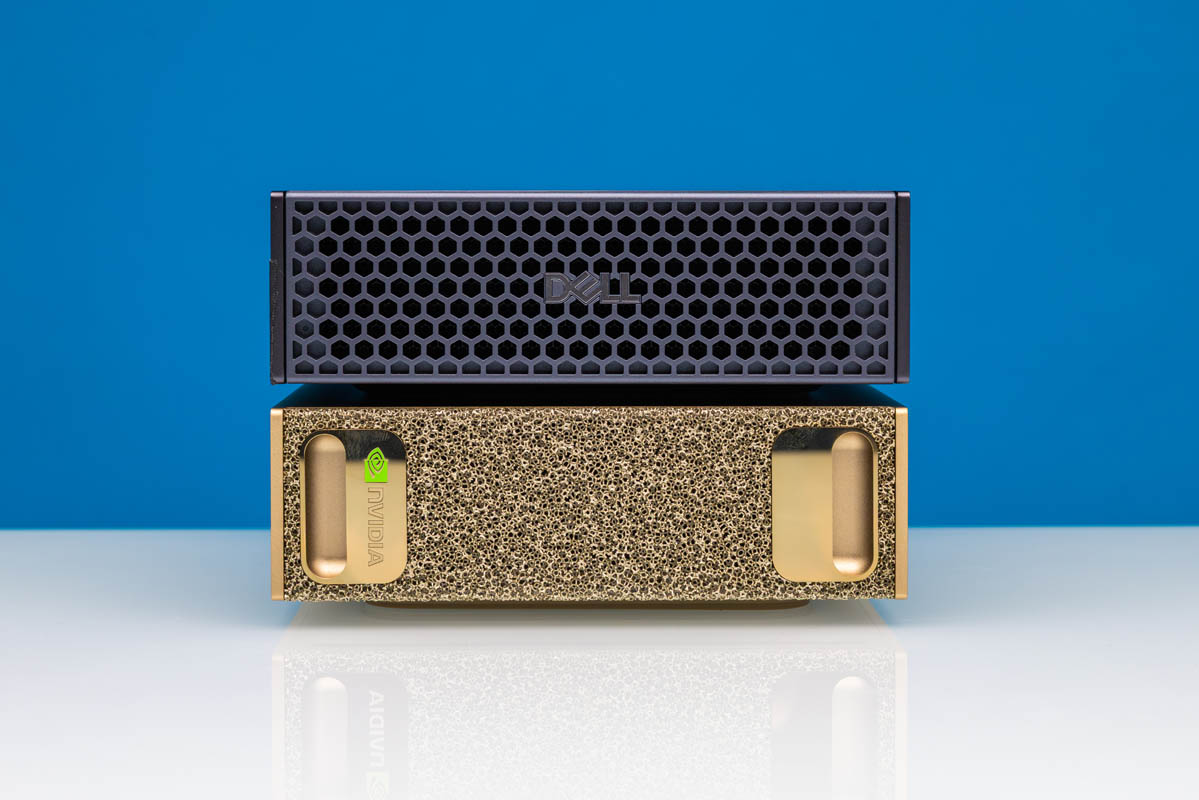
This week, we showed off two NVIDIA GB10 platforms. The NVIDIA DGX Spark and the Dell Pro Max with GB10. There is a lot online saying that partner systems are exactly the same. At first, we thought that was the case as well, but we ran into an important difference beyond cooling and the storage configurations. The DGX Spark firmware is actually a bit different.
NVIDIA DGX Spark and Dell Pro Max with GB10 Firmware
The quick backstory. Our Dell Pro Max with GB10 was shipped a day before the “final” firmware for the GB10 was released. That may have sounded trivial, but we ran into something the GA firmware would end up fixing. Production wise, that is why we had the Dell Pro Max with GB10 as an unboxing short this week on the second channel:
Yet had the DGX Spark on the main channel:
To get the Dell Pro Max with GB10 to have a feature enabled bringing it to parity with the DGX Spark that was shipped later, we had to do a firmware update. For folks who need a reference, the official way you update the GB10 firmware, including BIOS, from the command line is:
sudo apt update
sudo apt upgrade
sudo fwupdmgr refresh
sudo fwupdmgr upgrade
Once you are done with that, the firmware update tool takes over, and it will prompt asking if you want to install the firmware, then if you want to reboot so it can finish updating the system to the new UEFI firmware:
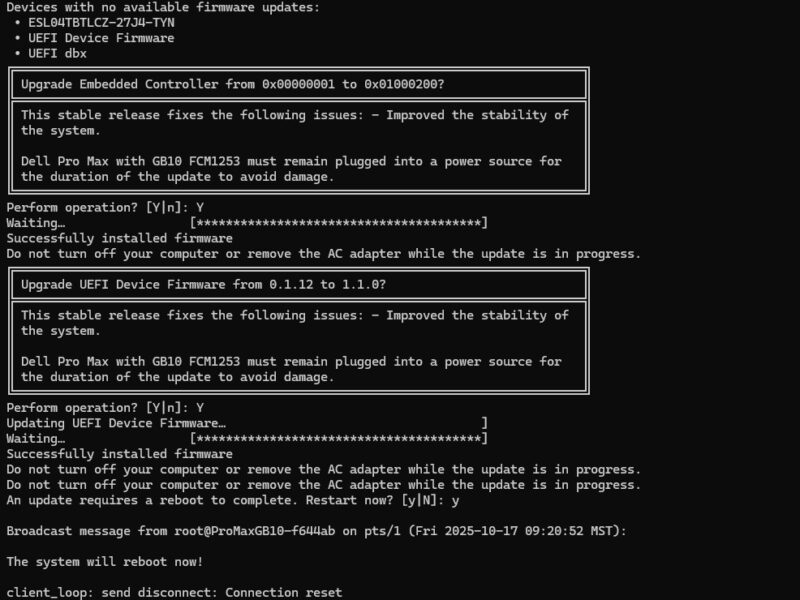
After you say “Y” for yes, the system reboots. It took a minute or two, but it worked.
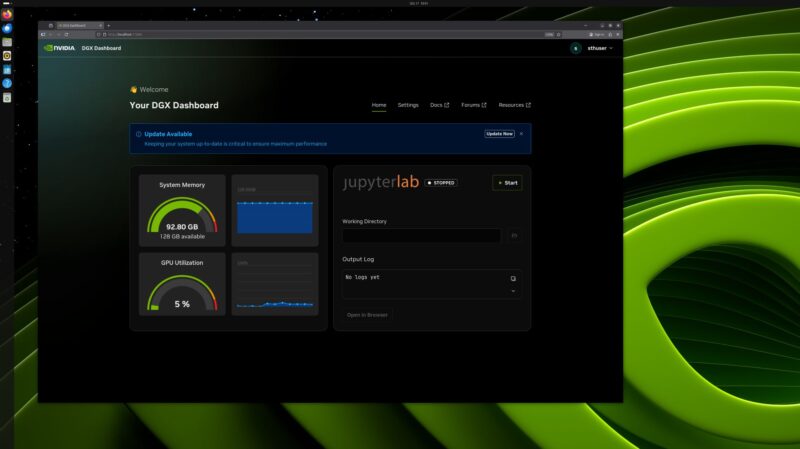
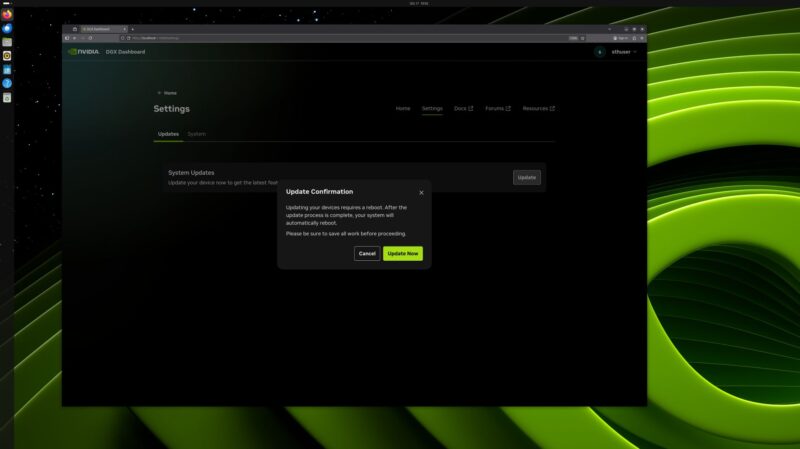
Also, if you wanted to know how to do this from the GUI instead of the CLI, you use the DGX Dashboard app:
Once you login using you credentials, under Settings there is an Update option:
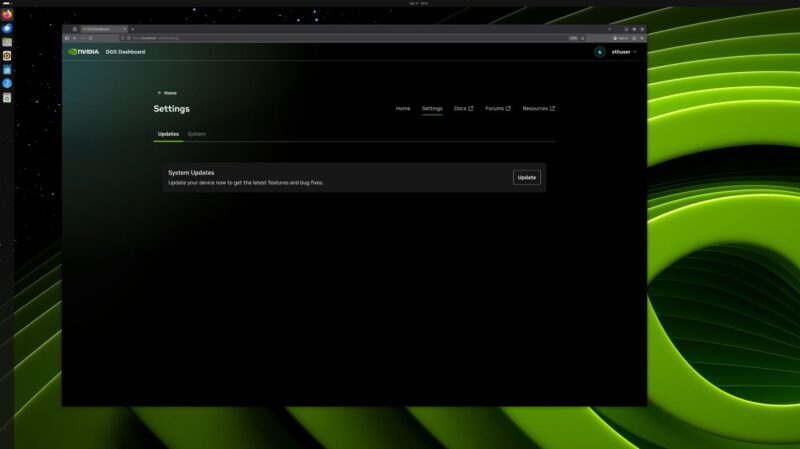
Again, you will need to reboot if you do a firmware update.
All of this brings us to how we figured this out. Since we have both the NVIDIA DGX Spark and the Dell Pro Max with GB10, it turns out that there is a bit of security on these devices. The Dell needs a firmware package signed by Dell, so it is actually a different payload than the DGX Spark.
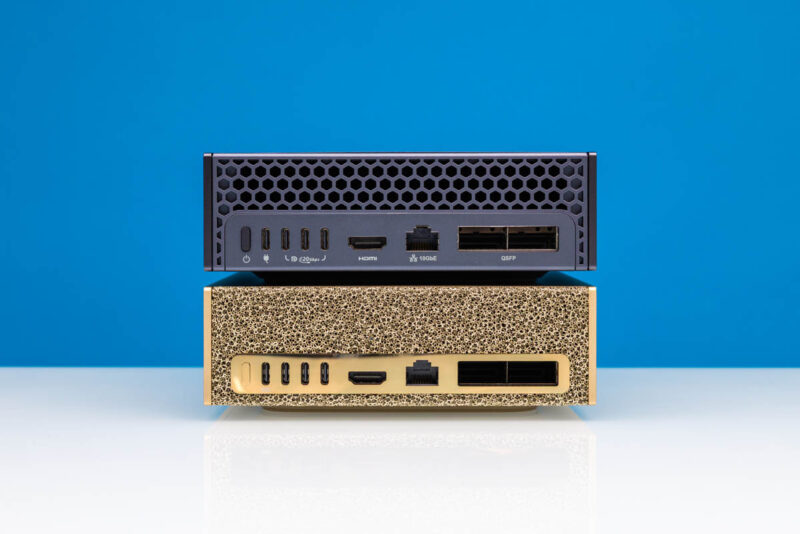
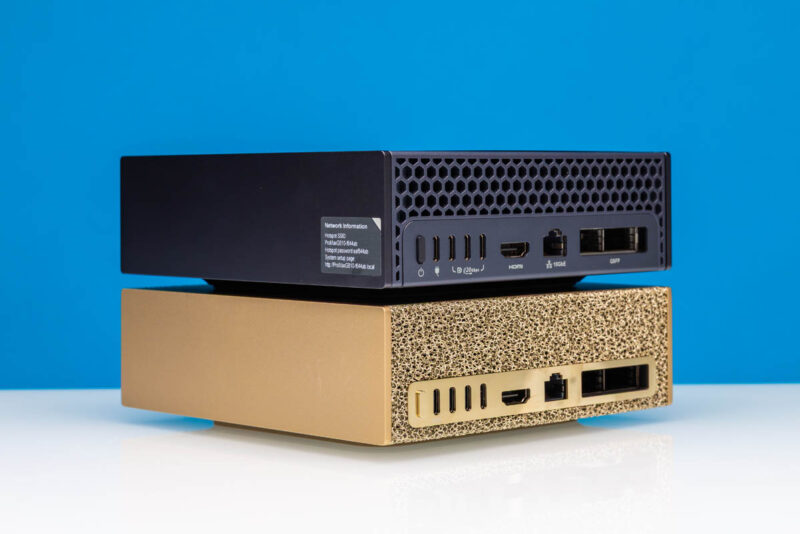
Even the wallpapers look different, and the setup is slightly customized, making it easy to tell the difference between the two.
Final Words
This is in no way earth-shattering. At the same time, it means that NVIDIA’s partners are going to be the ones providing ongoing support since we needed the Dell-signed firmware package to be able to update the Pro Max with GB10, and that was different than the DGX Spark firmware package signed by NVIDIA.
As an aside, it is likely partner configurations will be sub $3000 with 1TB SSDs, making them essentially a $2000 128GB/ 1TB mini PC with 10GbE, then adding a $1000 NVIDIA ConnectX-7 NIC (see the note on page 2 of our review on that one.) We have had a ton of folks ask about the point of partner systems, but it seems like there is going to be a support play, plus a storage configuration and pricing difference beyond just the chassis.

“it is likely partner configurations will be sub $3000 with 1TB SSDs, making them essentially a $2000 128GB/ 1TB mini PC with 10GbE, then adding a $1000 NVIDIA ConnectX-7 NIC”
… Which would be amazing, if you could get it without the extra NIC.
https://www.youtube.com/live/ry09P4P88r4?si=pRRpVUcLBqq2n_Y8&t=1922 – from yesterdays Q&A – some asked if there will be the GB10 without ConnectX-7
Answer: not planned yet
“The Spark Motherboard” sounds like that all OEMs use the same board as already expected. As every box looks the same on the back – all share the same connectors. They can only vary the case, fans and the NVMe.
Any chance you can do a more detailed review? I thought The Register did a pretty good review — somehow, who expected The Register of all outlets would cover this AI box well? Anyway, vLLM/SGLang, TI2I, TI2V, honestly I would also like to see some validation on compatibility as this is arm based after all.
Comments are closed.