

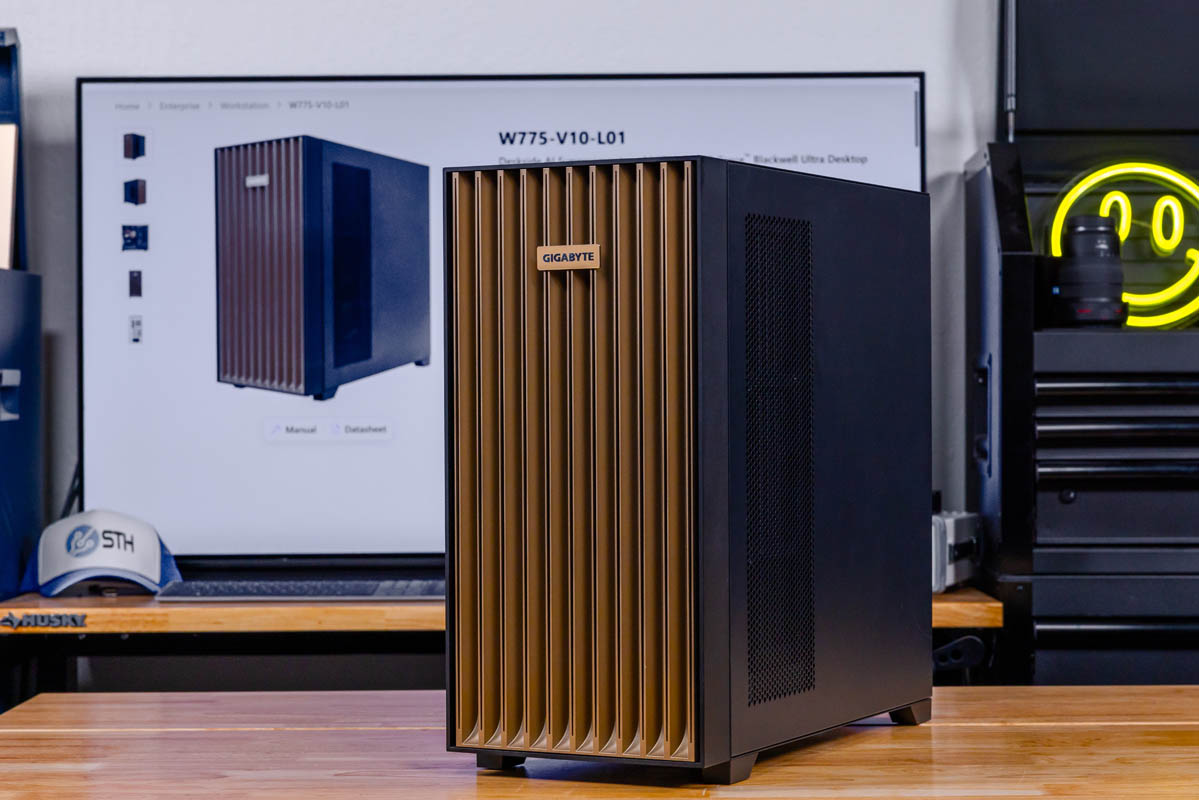
The Gigabyte W775-V10-L01 is an NVIDIA DGX Station GB300-based system that you can run at your desk. That may sound simple in concept, but in practice, the system is far beyond what you might expect. It is liquid-cooled, and with a 1.6kW maximum power draw, it can run on even most 120V circuits. We managed to get crazy performance from this in unexpected places, like Qwen3.6-35B-A3B Flash NVFP4, a very useful model, running at well over 26,000 tokens/second or over 2.25B tokens/ day. We tested the ConnectX-8 400Gbps RDMA networking and found something we did not expect. We even tested the high-speed C2C link between the CPU and GPU.
The first NVIDIA DGX Station-class system to cross our collective desk is Gigabyte’s W775-V10-L01, with Gigabyte taking the task of building a desk-side GB300-based system quite seriously. That may sound simple in concept, but in practice, the system is far beyond what you might expect. It is liquid-cooled, and with a 1.6kW maximum power draw, it can run on even most 120V circuits. We managed to get crazy performance from this in unexpected places, like Qwen3.6-35B-A3B Flash NVFP4, a very useful model, running at well over 26,000 tokens/ second or over 2.2B tokens/ day. We tested the ConnectX-8 400Gbps RDMA networking and found something we did not expect. We even tested the high-speed C2C link between the NVIDIA Grace 72-core CPU and the NVIDIA “Blackwell Ultra” (B300) GPU. We have been working on this article for some time, and it is just a wild machine.
| Gigabyte W775-V10-L01 Key Specs | |
| CPU | NVIDIA Grace 72-Core Neoverse V2 (72C/72T) |
| GPU | NVIDIA Blackwell Ultra |
| Operating System | Ubuntu with NVIDIA AI Developer Tools |
| Memory | CPU: 496GB LPDDR5X (396GB/s) GPU: 252GB HBM3E (7.1TB/s) |
| Storage | 2x M.2 2280 (PCIe Gen6 x4) 2x M.2 2280 (PCIe Gen5 x4) |
| Video Card | Optional: NVIDIA RTX PRO Blackwell 2000/4000/6000 |
| PSU | 1600W (80 PLUS Platinum) |
| Form Factor | Tower Workstation 245 x 500 x 531mm |
| Networking | 2x 400Gbps (QSFP112, ConnectX-8) 10Gb Ethernet (RJ45, AQC-113C) 1Gb Ethernet (BMC) |
| Ports | Top: 1x USB-C 10Gbps, 2x USB-A 5Gbps, 1x 3.5mm Line-Out, 1x 3.5mm Mic-In Rear: 4x USB-A 10Gbps, 1x USB Micro-B UART (BMC), 2x 400GbE (QSFP112), 1x 10GbE LAN (RJ45, AQC-113C), 1x 1GbE LAN (RJ45, BMC), 3x 3.5mm Audio, 1x Mini DisplayPort (BMC) |
The W775 throws a lot of hardware at the user, and this is the crux of what makes DGX Station systems compelling. It is not just a Grace CPU or just a server-grade, HBM3E-equipped Blackwell Ultra GPU, or even a high-end dual 400Gbps ConnectX-8 network interface card. Instead, it is a combination of all of this hardware and more, all of the critical components of a GB300 server, brought down to a desktop workstation. Even calling it a GB300 server in a tower undersells the idea a bit, but it gets the concept across well enough. This is not a slice of the Grace Blackwell ecosystem like GB10-based Spark boxes, but it is the complete and unrestrained Grace Blackwell experience.
Gigabyte loaned us this unit so we could make this content. We have to say this is sponsored.
Gigabyte W775-V10-L01 External Hardware Overview
Thanks to the combination of some very large chips inside as well as an extensive liquid cooling system, Gigabyte’s W775-V10-L01 resides in a full-size PC tower case measuring 50cm tall and 53cm deep. But more than the size, if you try to lift it, you will quickly feel the weight of the system and the liquid cooling system inside, which brings the system to a hefty 29kg (about 64 lbs). It is heavy enough that Gigabyte strongly advises using two people to move the system (team lifting), and even specifies where each person should place their hands in order to avoid lifting the system by its plastic front panel (which cannot support the weight of the system).
With that said, the W775 is otherwise a fairly unassuming system given that this is a hundred-thousand-dollar workstation. The case itself is a pretty typical PC chassis with only minimal customization for the hardware inside. So this is not a heavily customized design ala DGX Spark systems, and the ability to use standard PC cases is one of the few aspects of DGX Station systems that OEMs are given any liberty to customize. With that said, Gigabyte does seem to be using a unique design here for the W775, as we have not been able to find any other Gigabyte systems with a matching case.
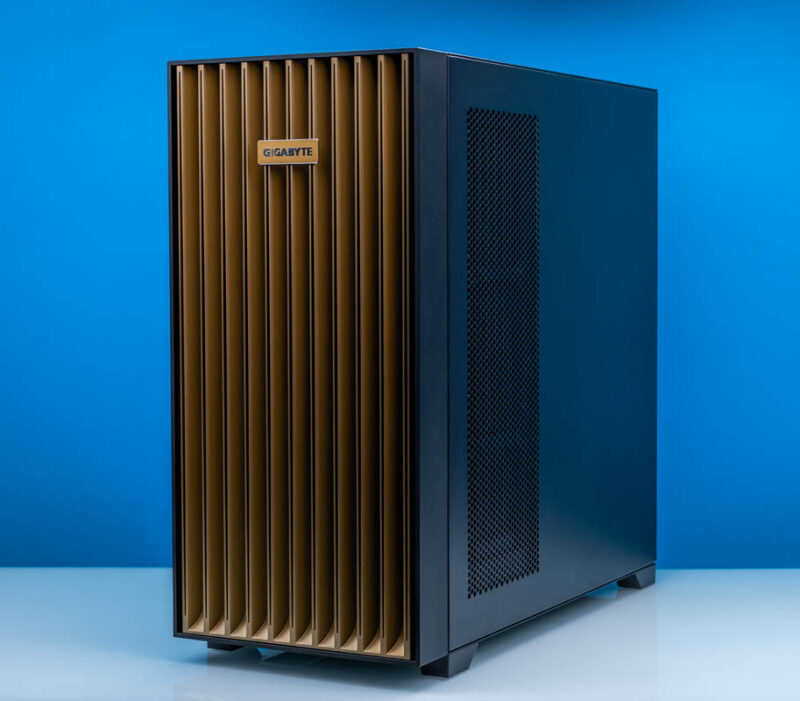
Surprisingly, the front of the W775’s case is merely decorative, rather than serving any cooling function. Gigabyte is not using the front of the system as an airflow intake (as we see on most full tower systems), and instead they are making extensive use of every other side of the case as either an intake or exhaust. This does help with acoustics some, as it means there are not any fans directly facing forward towards the user.
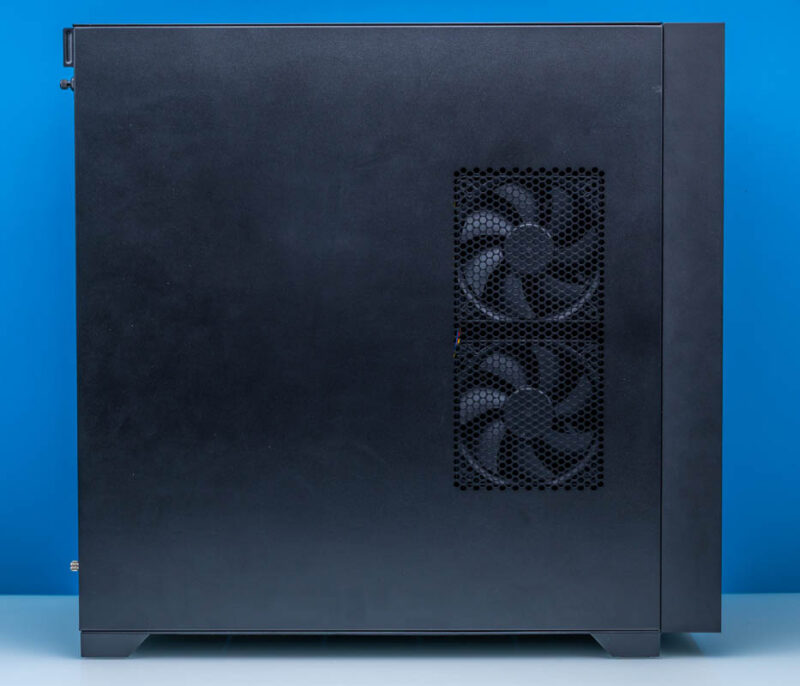
On the left side of the case we find a vent cutout covering a couple of fans to serve as an intake.
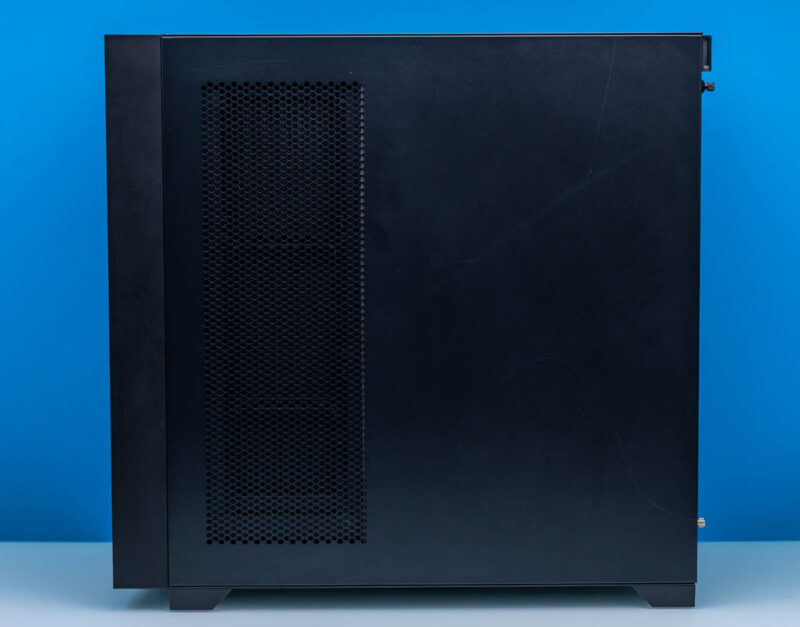
Meanwhile, on the right side of the case, we catch the back side of a radiator, with three fans pushing air through it as part of the system’s extensive liquid cooling system.
This also means that there are no I/O ports or buttons on the front of the case. Given the size, weight, and the amount of heat this system puts out, Gigabyte intends for the W775 to be a floor computer, so its ports and controls have been configured accordingly, placing them along the top side of the case.

For all of the W775’s I/O capabilities, the top panel I/O is actually a bit spartan. Here we find a pair of 5Gbps USB-A ports and a single 10Gbps USB-C port towards the far end. You will not find any USB4-speed ports on the system. Any transfers faster than 10Gbps will need to go through the system’s massive throughput 400Gb QSFP112s via the integrated ConnectX-8 SuperNIC. Actually, the 10GbE NIC also goes through the ConnectX-8 as well.
While this is absolutely nitpicking on our part, for the price of the system it is surprising to see that Gigabyte has not bothered to use any kind of official (and suggested) USB-IF logos to identify the USB ports. Especially as they have opted not to use blue plastic here for the USB-A ports, there is nothing to indicate that these are USB 3.x ports.
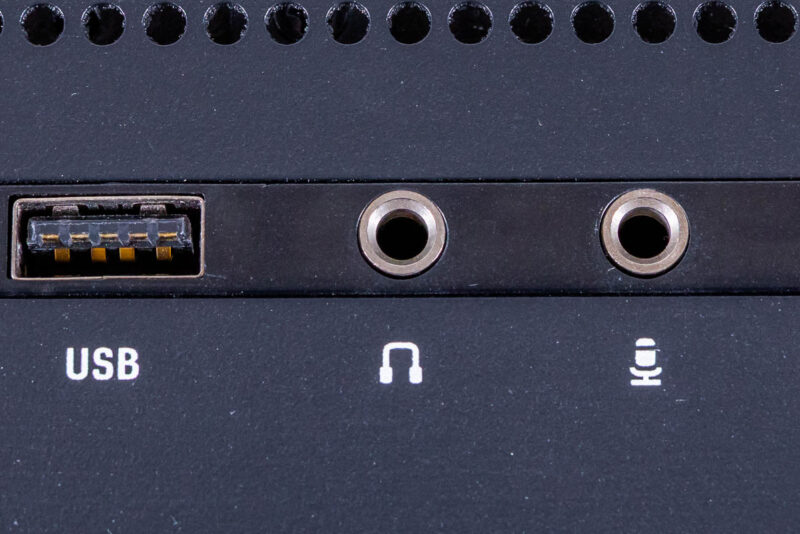
In any case, along with the trio of USB ports, the top of the system also includes discrete headphones-out and mic-in jacks for audio, saving a trip to the back of the heavy system.
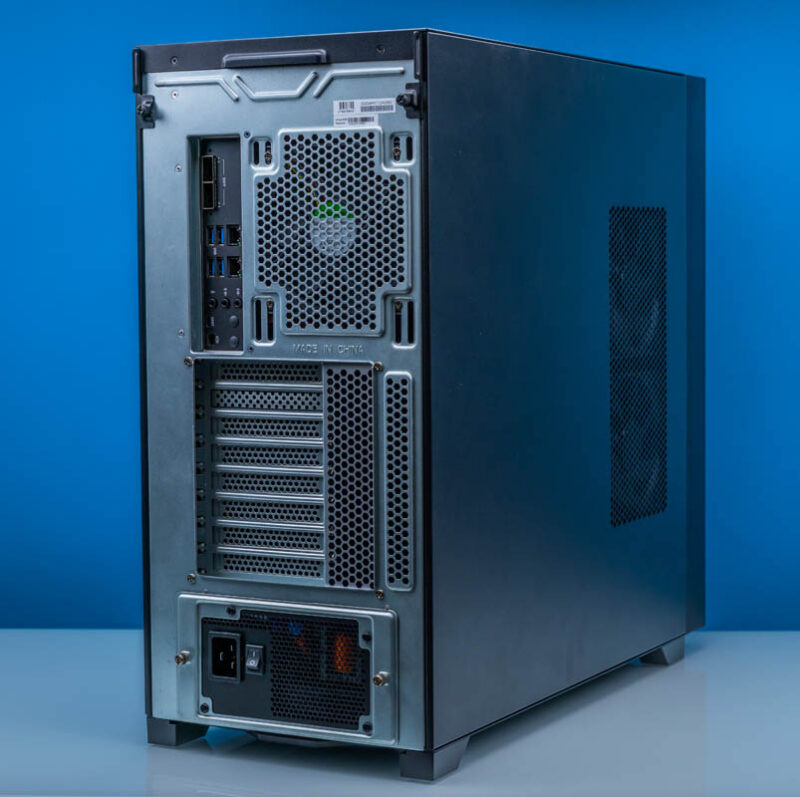
Speaking of the rear of the system, here is a look at that. Since this is a (largely) standard PC chassis, we see the familiar fan, rear I/O, expansion slot, and PSU layout of the ATX form factor. The chassis can accept either a 120mm or 140mm fan for the rear exhaust, with Gigabyte opting for a 120mm Sunon fan.
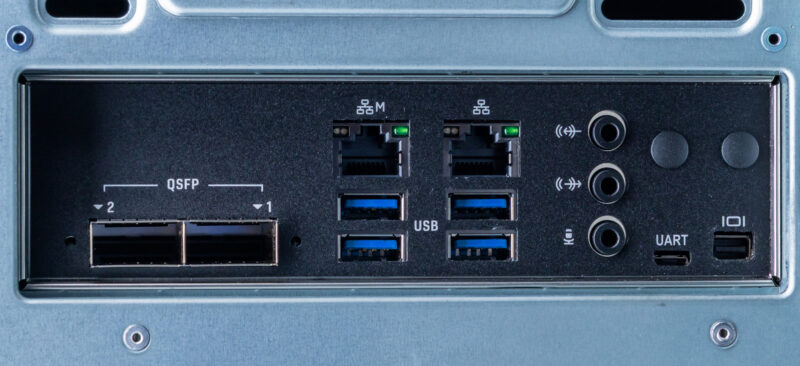
For the rear I/O, the system is dominated by networking. Including the 1GbE port for the BMC, there are four different Ethernet ports on the W775, which are routed to three different controllers.
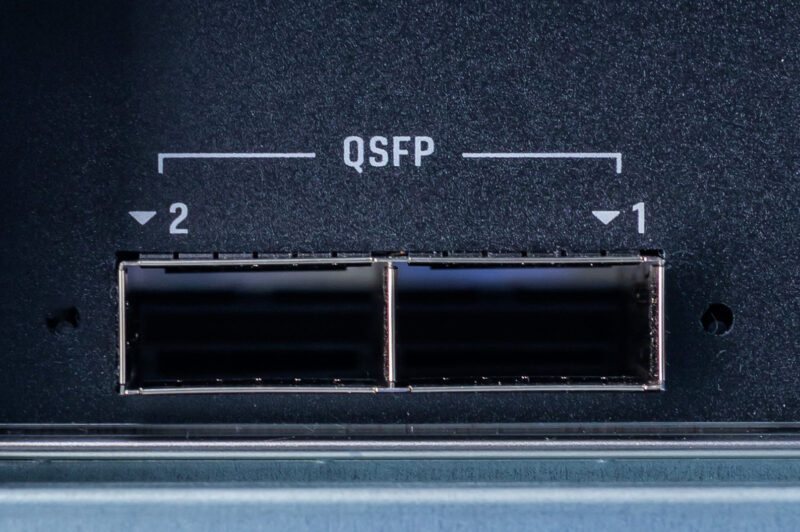
Chief among these are the two QSFP112 ports, which are fed by NVIDIA’s powerful ConnectX-8 “SuperNIC”. Each port offers 400Gbps networking, and like the QSFP ports on the DGX Spark, these are the primary means by which the system is meant to network with high-speed storage and/or other DGX Station-based systems. The ConnectX-8 SuperNIC driving these ports does a lot of heavy lifting beyond networking, and the capabilities and limitations of these QSFP ports are somewhat complex as a result. We will get into that more when we talk about the system topology.
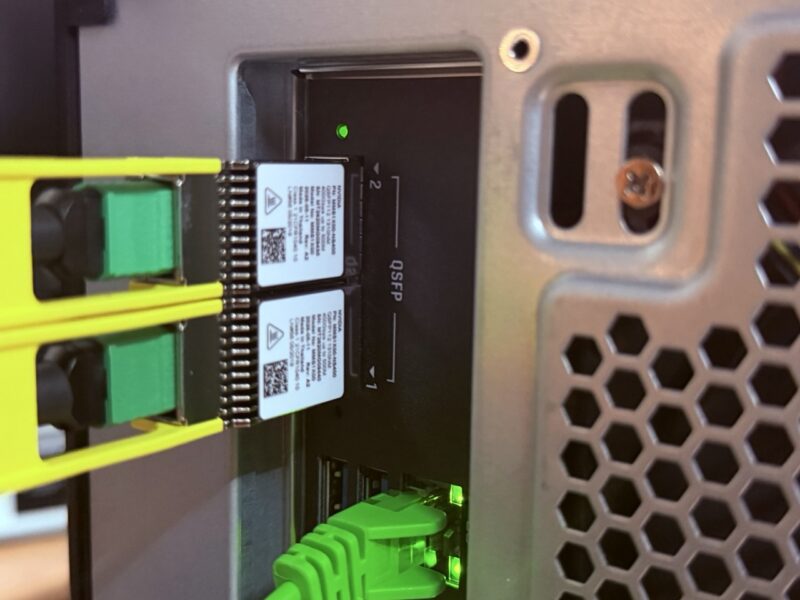
We tried both QSFP112 DACs and optics in here. Something I will point out is that there is not a ton of airflow around the optical cages, so the NVIDIA MMS1X00-N5400 QSFP112 optics at around 10W ended up working well for us. These cost a bit more, but in the data center tours we do, the data center tech tend to tell us that NVIDIA’s optics work better than some low-cost brands when installed in hot aisles.
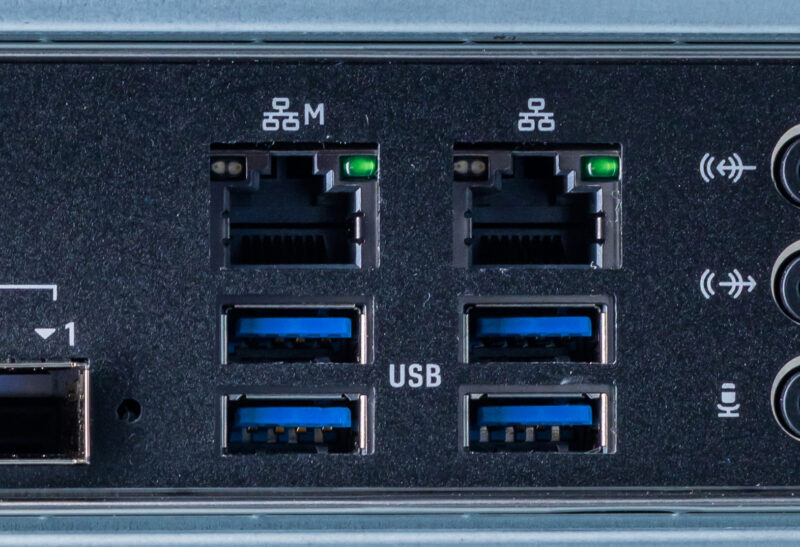
For more mundane networking use cases, the system also has a pair of RJ45 Ethernet jacks. The left port, labeled ‘M’, connects to the BMC and is for system management. Management is handled by OpenBMC with a HTML5 iKVM and everything, but since this is an enormous review, we are not going too deep into that. The RJ45 jack on the right side is a 10Gb Ethernet port powered by Marvell’s tried-and-true AQC113C controller. The topology of this system is fascinating, so the AQC113C actually is attached to the ConnectX-8 SuperNIC, not the CPU directly.
Below are the rest of the W775’s USB ports. These four ports all run at 10Gbps, matching the speed of the USB-C port on the top of the system. Unlike the top USB-A ports, Gigabyte (or rather, NVIDIA) used blue plastic here to indicate these are high-speed ports. That said, Gigabyte’s block diagram indicates these ports route through a hub, so you shouldn’t expect to get 10Gbps out of each one simultaneously.
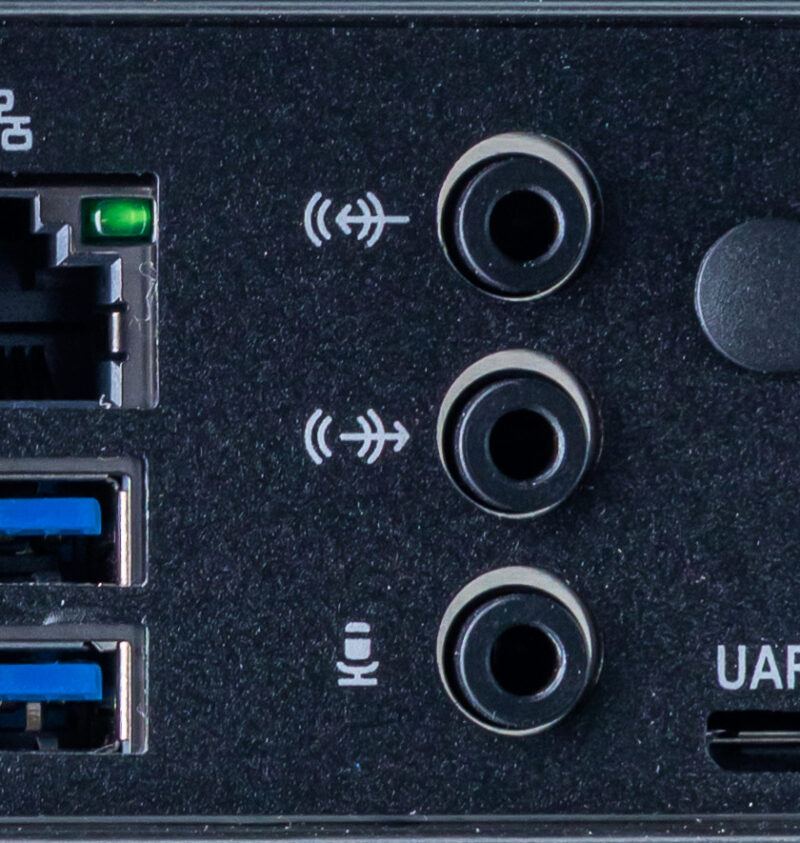
To the right of that, we have a trio of audio jacks, all powered by a Realtek ALC4080 audio codec.
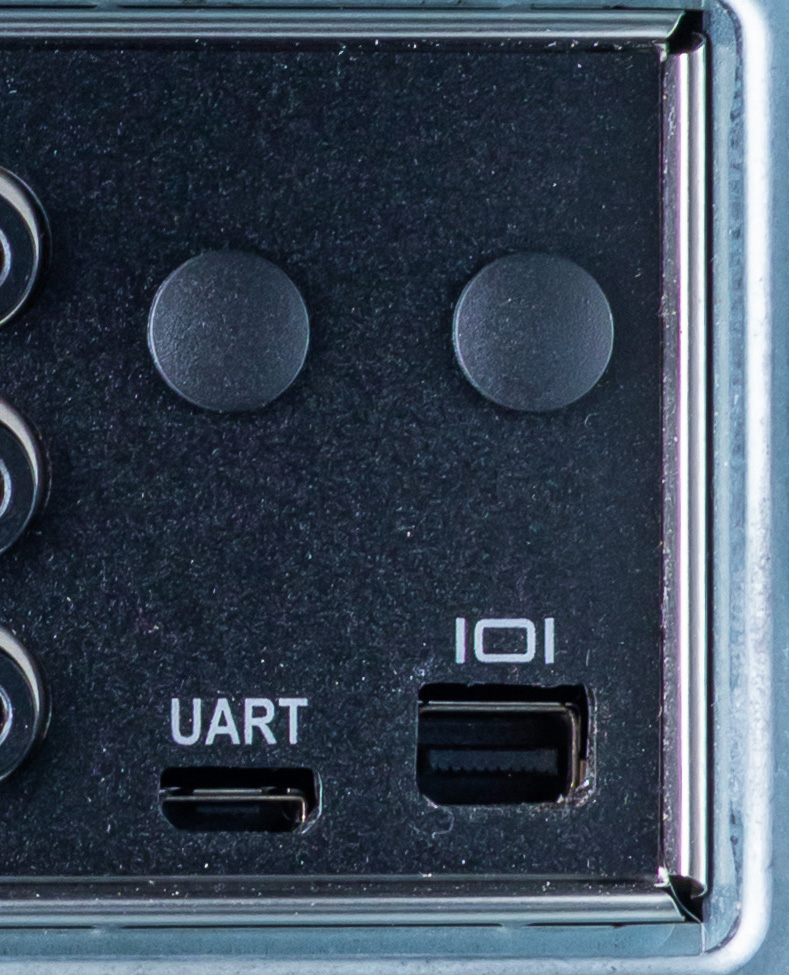
At the end of the rear I/O panel, we have two more ports that are tied to the BMC. On the left is a serial UART in a micro-USB form factor. To the right is a Mini DisplayPort output from the BMC for system management and configuration. DGX Station systems do not have a true integrated display GPU within them (Blackwell Ultra is more of a compute accelerator), so the BMC is the only graphics output out of the box. For a full-featured graphics solution, DGX Station systems can be paired with an NVIDIA RTX PRO Blackwell video card.
Briefly, we also find a pair of plugs here. While the W775 does not come with a wireless radio installed, the chassis and motherboard can fully support one if desired; in that case, these plugs are used for the antenna leads.
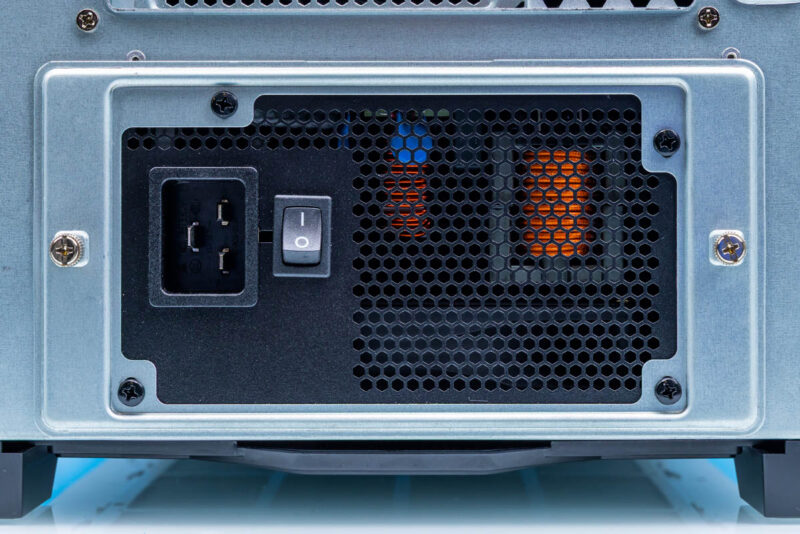
Finally, here is a look at the bottom of the system, where the power supply resides. Thanks in large part to the GB300 accelerator inside each of them, DGX Station systems are extremely power-hungry, and NVIDIA is right at the limit for a single North American power outlet here with their 1600 Watt power supply. The 80 PLUS Platinum-rated PSU requires a high-capacity C19 power cable to safely handle that amperage, and requires a 20-amp circuit to drive it. In practice, this system effectively requires its own dedicated 20A circuit.
As an aside, while you can just barely see it, the PSU is home to yet another fan on the system, pulling in cold air from beneath the system to cool the PSU. As a result, every side except the front side of the system is some kind of air intake or exhaust.
That is the outside of Gigabyte’s W775 DGX Station. For the rest of the story, let us dive into the system’s chassis, where this gets very different.




There’s so much more in here than in the early reviews that made it sound like it’s a normal workstation. I watched and read other GB30 reviews, and I didn’t know about the 229Gbps limit. It’s a prime example of why STH is the best at this today, now that Anand is done.