

Gigabyte W775-V10-L01 Internal Hardware Overview
One of the perks of a system based around a standard PC chassis is that they are very easy to get open. Each side panel is held in place by a single screw on the rear of the system, so removing that and sliding the panels back is all it takes to unlatch them so that they can swing down.
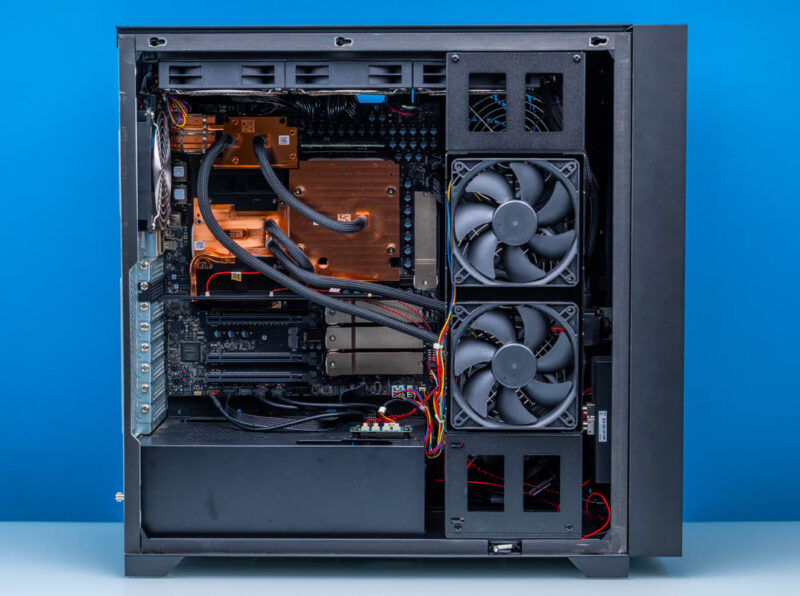
While it is not designed or built to the same degree of modularity as everything-is-plugged-in style workstations, Gigabyte’s layout is relatively neat and tidy. From this view of the left side of the system, we can see virtually everything of importance, including the PCIe slots, M.2 slots, liquid cooling system, cold plates, and where the chips underneath lie.
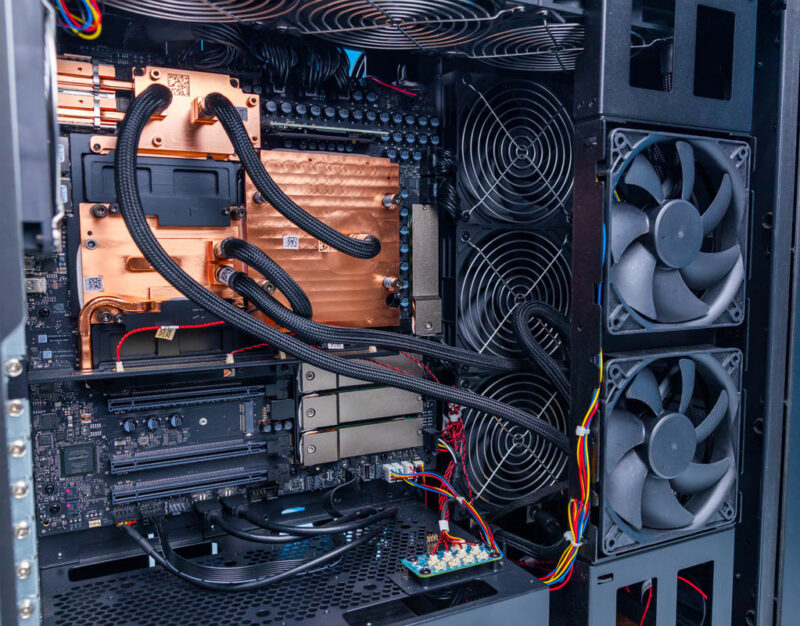
With the high TDPs of the GB300’s constituent Blackwell Ultra GPU and Grace CPU, as well as the ConnectX-8 SuperNIC, NVIDIA mandates that all of the DGX Station systems use liquid cooling to efficiently remove the heat. The setup is a closed-loop system, though the parts are closer to a carefully assembled open-loop system than to the all-in-one style cooler that comes to mind when hearing about closed-loop cooling systems.
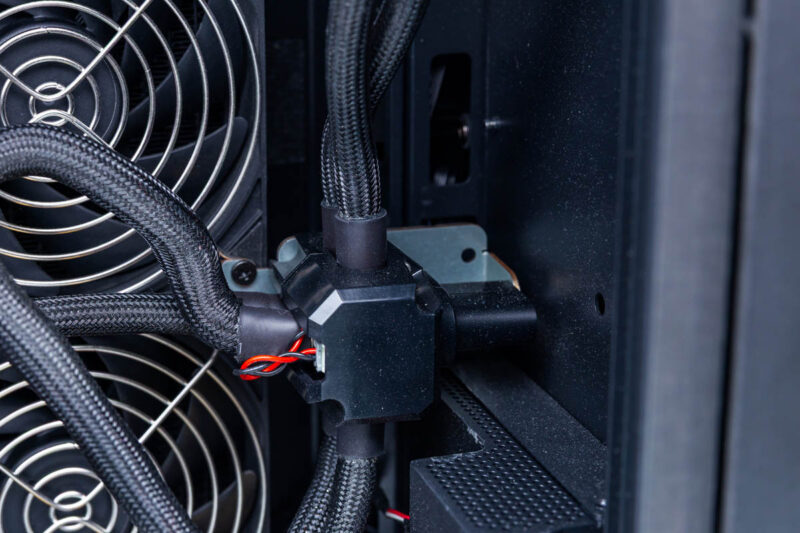
Since the cooling system is such an extensive part of the system, we may as well start here. The cooling loop runs through cold plates covering all three major chips before returning to a distribution node. Given the amount of heat involved, the W775 actually uses two 360mm radiators here to expel all of that heat.
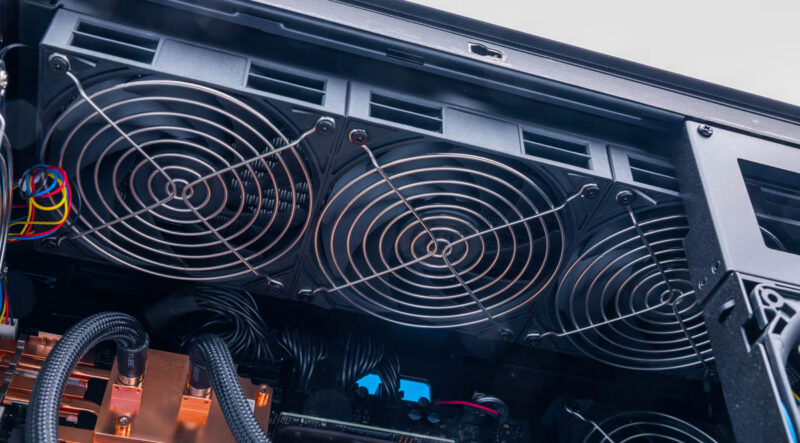
The first radiator sits along the top edge of the system and exhausts air upwards.
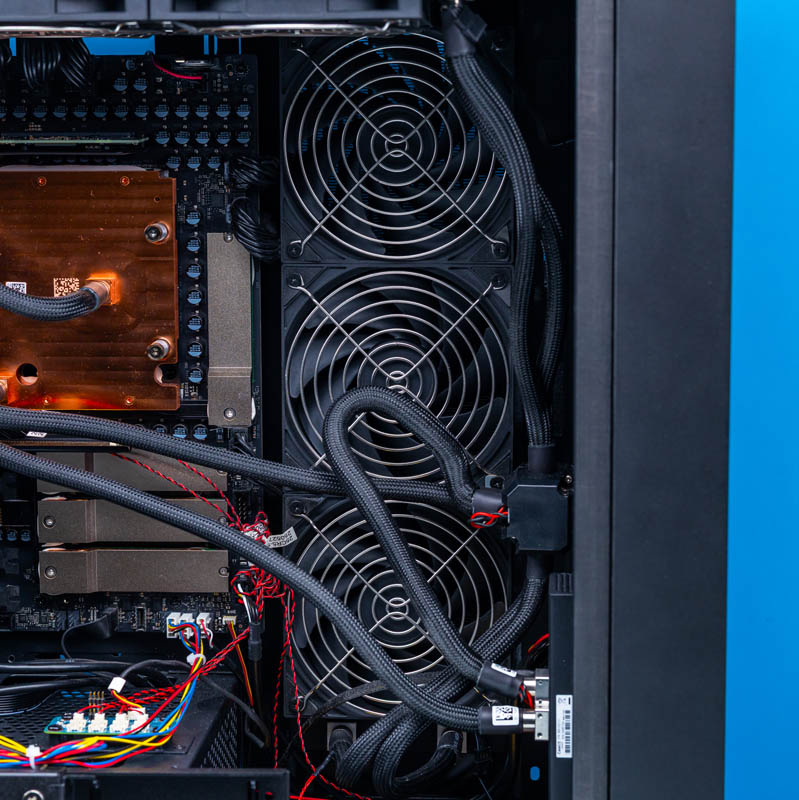
Meanwhile, the second radiator sits along the right side of the system and exhausts hot air in that direction.
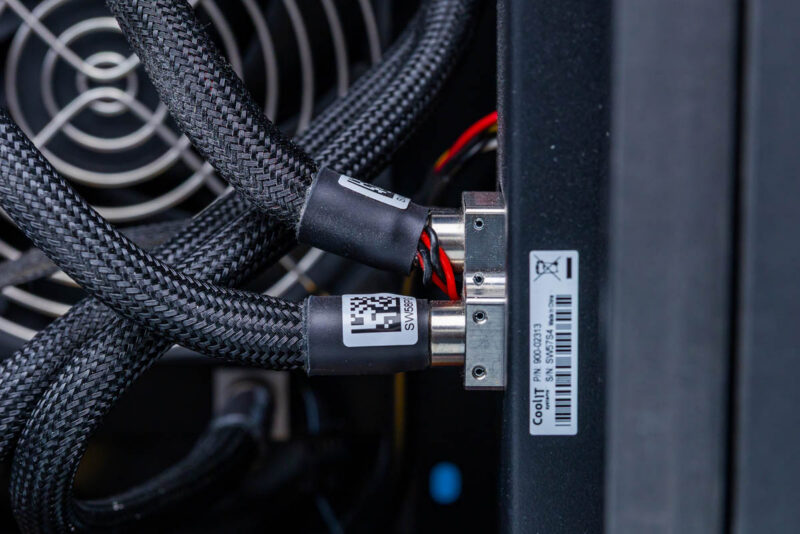
Towards the bottom-front of the system, we find the pump and reservoir, which carry a CoolIT product label. This appears to be a custom solution for NVIDIA and its OEMs.
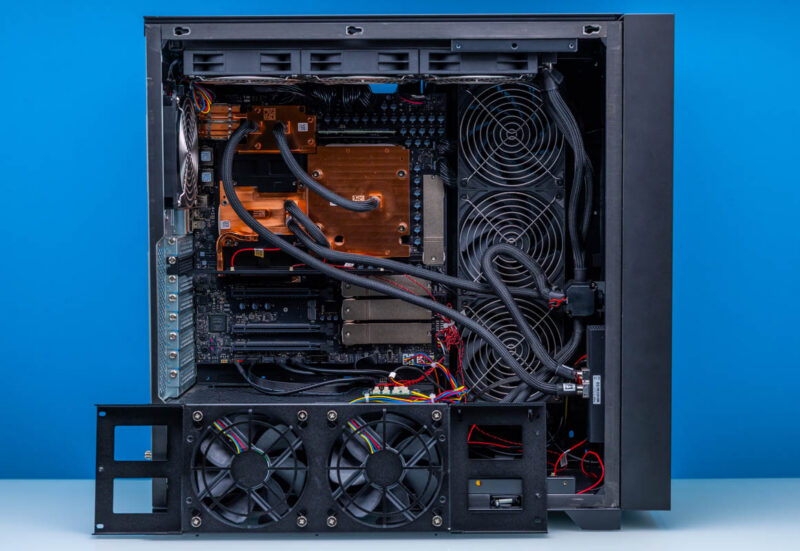
The cooling system also relies on a removable set of 120mm fans that Gigabyte calls their fan wall. Because the fan wall provides cold-air intake from the left side of the system, it is an important part of the overall cooling system. But it also partially restricts access to the inside of the system. In particular, you need to remove the fan wall when installing type-1 (open air style) RTX PRO Blackwell video cards because of their length. This system has a lot going on.
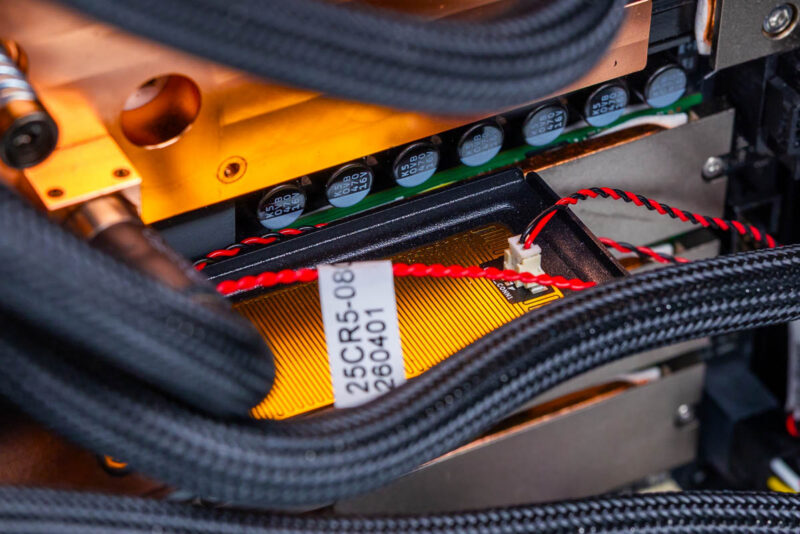
The other major source of visible cables within the W775 is a rather interesting feature of the W775: leak detection. As we first spotted back at Computex 2026, Gigabyte has multiple leak-detection strips running through the system to catch any leaks from the cooling system. Leak detection sensors are a common sight in liquid-cooled servers, but this is the first time we have seen one in a desktop workstation. Though with the extensive use of liquid cooling here as well as the system’s price tag, there is a good argument to be made that these are a necessary safety feature.
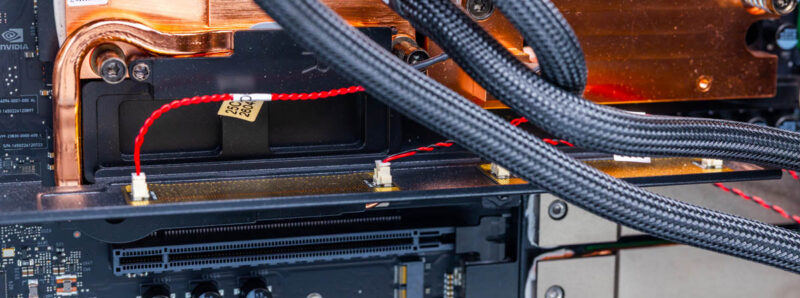
Gigabyte has placed leak sensors in two locations. First, a tray is installed just below the cold plates covering the major processors.
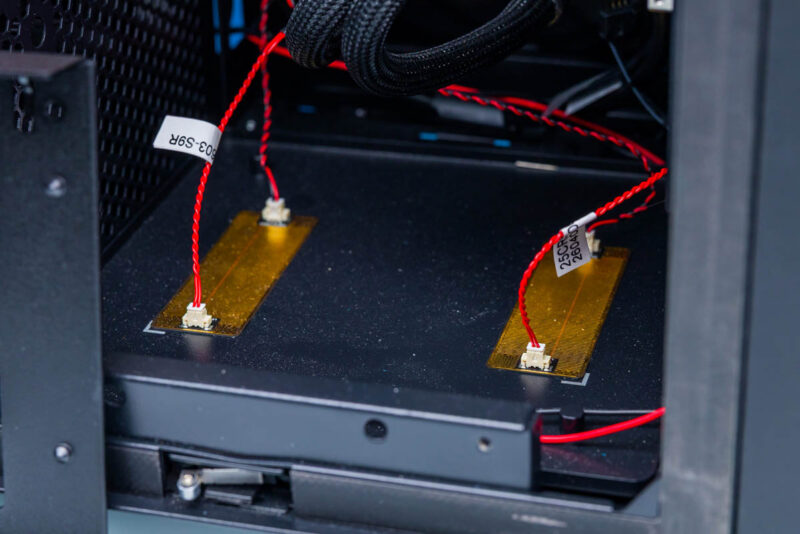
The second set of sensors are at the front of the case, below the distribution hub, pump block, and the connectors leading into the radiators. As a result, if any joint in the liquid cooling system develops a leak, it will drip onto one of these sensors and trigger a system shutdown before any damage can occur.
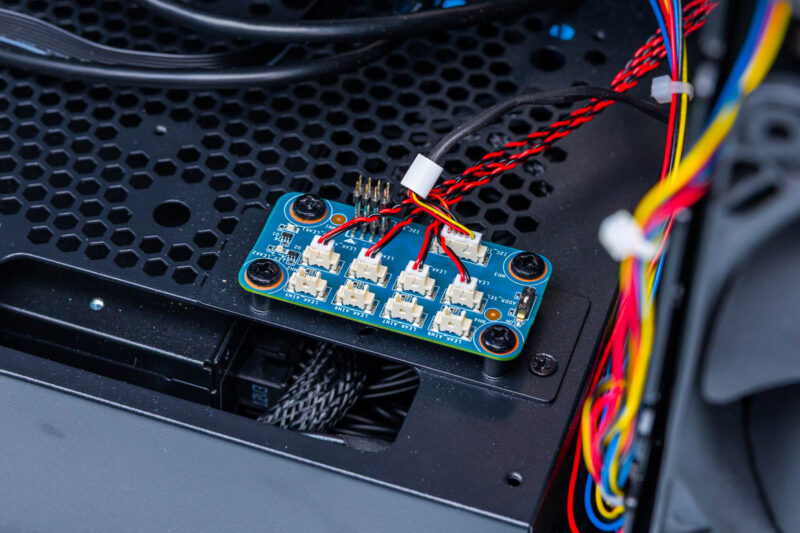
These leak sensors all run through a single hub and management board that is mounted on top of the partition holding the power supply. As a result, this is the source of all the small red-and-black cables we see running throughout the system. Overall, the leak-detection setup feels like a precursor to a tray that could one day be adapted for DIY builds, so folks doing liquid cooling in their workstations can achieve a higher level of safety.
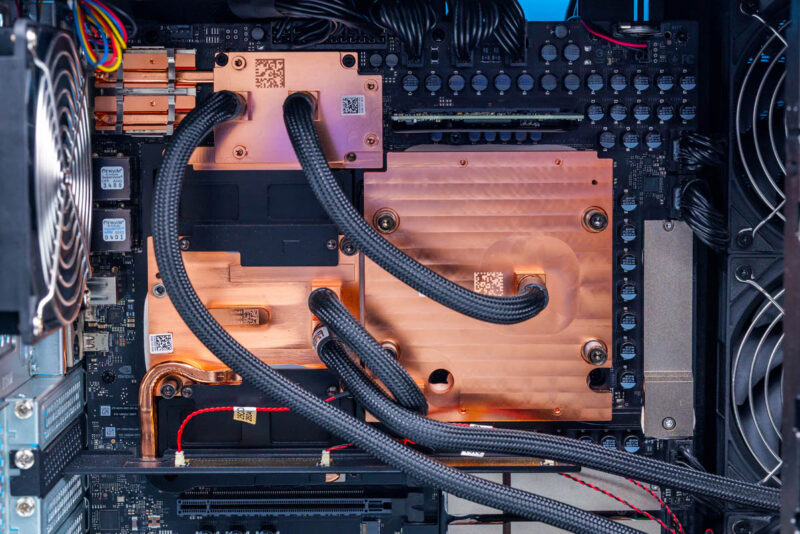
Moving on to the compute hardware itself, all of the major components are snugly secured underneath the cold plates from the cooling system. This includes not only the Blackwell Ultra GPU, Grace CPU, and ConnectX-8 NIC, but also the LPDDR5X SOCAMMs that are the Grace CPU’s memory. Unfortunately, as much as we would like to get a shot of the components underneath, we do need to return this system to Gigabyte when we are done with it, so we are not able to take it apart further.
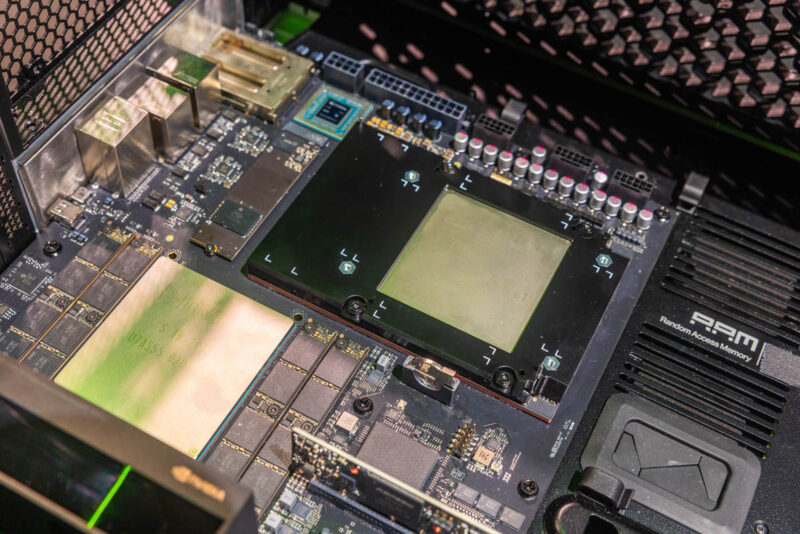
In lieu of that, here are some shots we took of an uncovered DGX Station prototype board back at GTC 2025. Since then, the layout has changed slightly (the M.2 slot has moved), but the major processors and SOCAMMs are still in the same place.
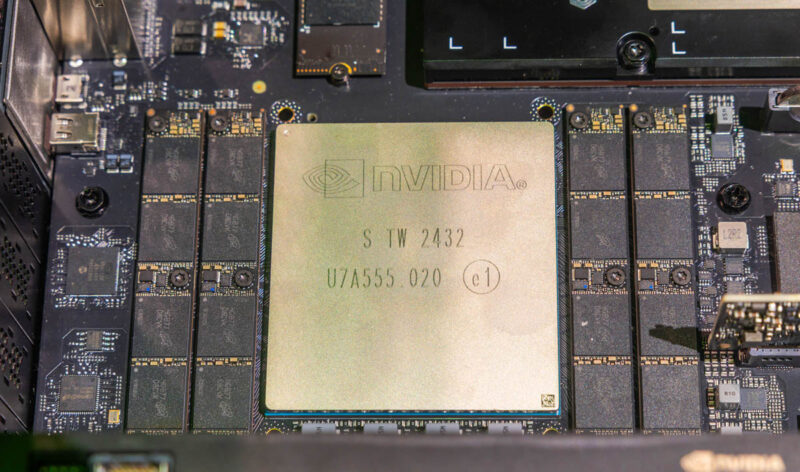
This also means that the SOCAMMs are effectively not user-serviceable, in spite of being a removable memory module. Not that there are any aftermarket modules to even replace them with, but the system is not designed for the user to access the module, and Gigabyte does not provide any instructions in their manual on how to get to them.
Speaking of board design, like the DGX Spark ecosystem, NVIDIA has tight control over the electronics in DGX Station systems. The motherboard, with processors pre-installed, is supplied by NVIDIA. As a result, all of the DGX Station systems are similar to the W775 in regard to built-in features and what ports are available on the rear I/O panel.
Notably, this is an entirely new GB300 layout for DGX Station systems. Server GB300 superchips feature two Blackwell Ultra GPUs, so, setting aside other considerations, a GB300 module would not work here. That said, the overall architecture of the setup is incredibly similar, right down to the ConnectX-8 NIC being placed in close proximity to the Grace and Blackwell chips.
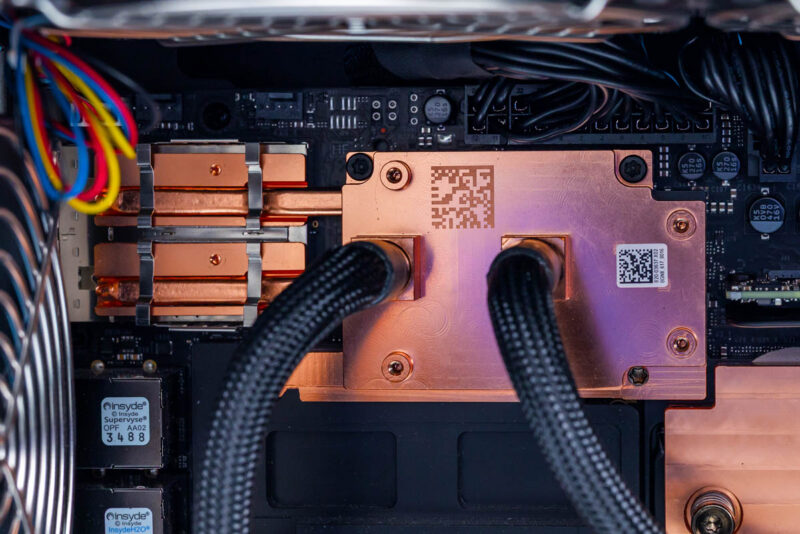
The ConnectX-8 chip plays an outsized role in the system for a NIC. Beyond functioning as a high-end NIC, it is also a PCIe Gen6 switch chip connected to both the Grace CPU and Blackwell GPU, and it powers several PCIe devices hanging off it, including a couple of the M.2 slots and the Marvell 10GbE controller. Consequently, NVIDIA does not take any chances here with the ConnectX-8 chip or the QSFP ports attached to it, using a heatpipe to extend the cold plate’s cooling capabilities to the QSFP cages themselves.
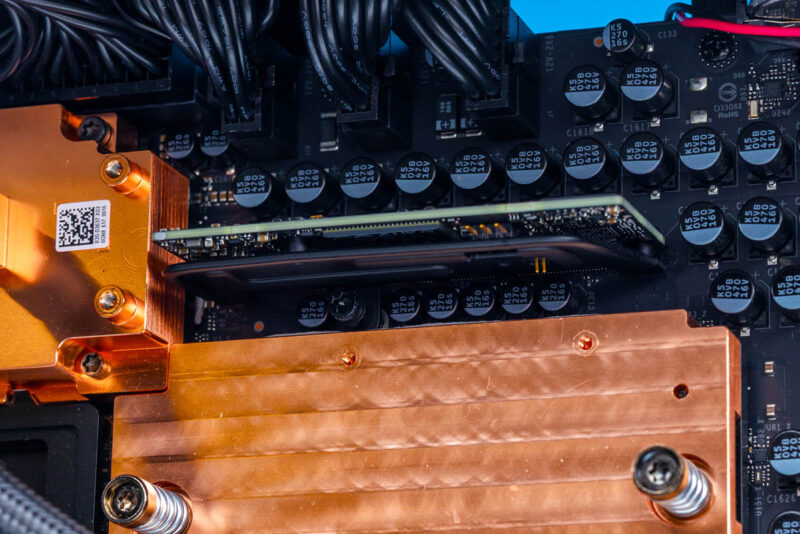
Meanwhile, to the right of the NIC and above the Blackwell Ultra GPU, we find a small card. This is the system’s P3809 BMC, which, rather than being soldered onto the motherboard itself, is placed on a small daughterboard. The system runs OpenBMC, which is awesome since it provides out-of-band telemetry and management functions, including an HTML5 iKVM.
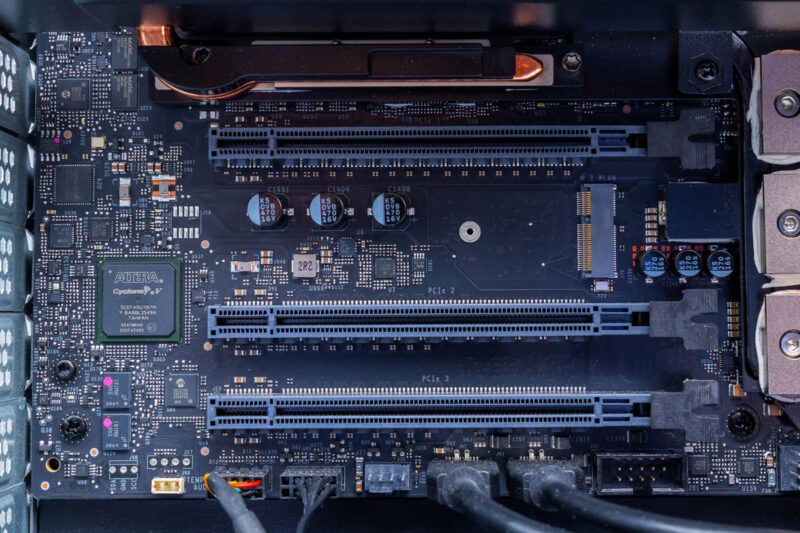
Below the cluster of major processors, we find the system’s trio of PCIe slots. These are all physically x16 slots, though they are not identical electrically. The top slot is a full PCIe Gen5 x16 slot, while the lower two slots are PCIe Gen5 x8 electrical slots. All three of these slots hang off of the Grace CPU, consuming half of its PCIe lanes.
The top slot is designed to accommodate an optional RTX PRO Blackwell video card, giving the system full graphics capabilities. Officially, NVIDIA/Gigabyte support the NVIDIA RTX Pro 2000, 4000, and 6000 Blackwell cards here. On the last of those cards, both the standard Workstation Edition card with its open-air style cooler and the Max-Q blower-style card are supported.
That leaves the bottom two x8 slots for installing any other hardware expansion cards. Keeping in mind that they will need to work with Ubuntu 24.04 running on an AArch64 processor.
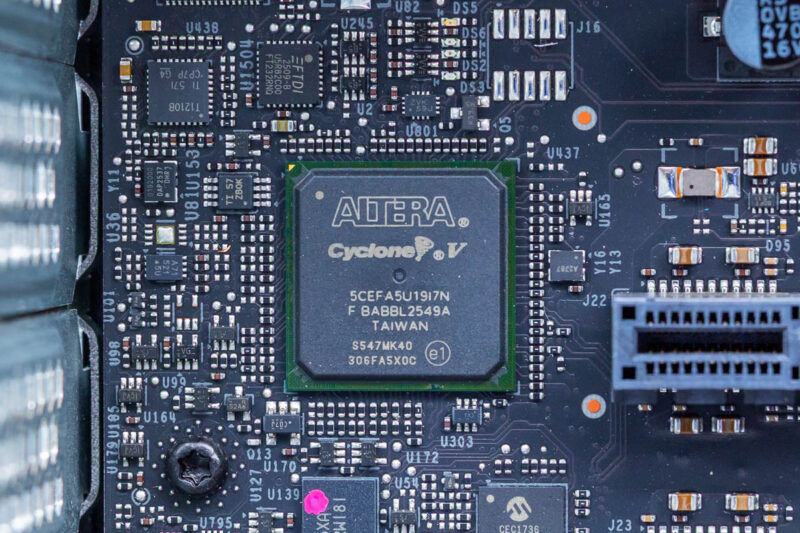
Meanwhile, tucked away to the left of the PCIe slots, we find a lone Altera Cyclone V FPGA. Though it is not clear just what role it serves.
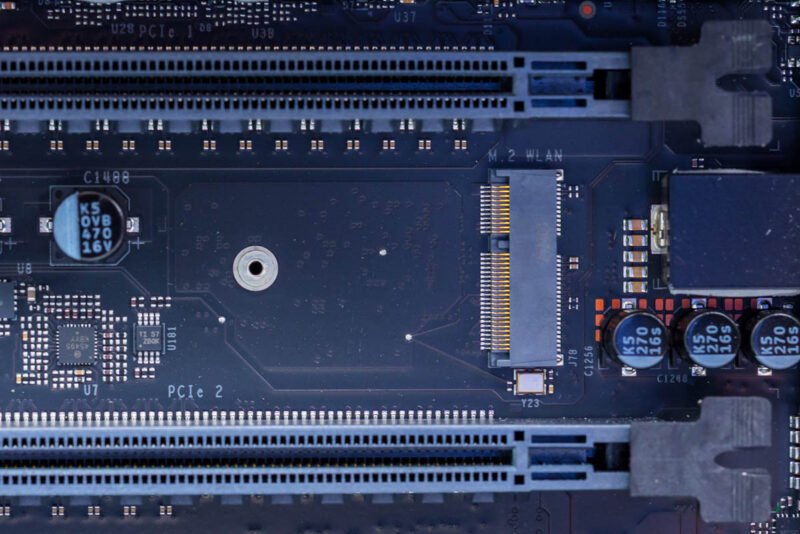
Placed between the PCIe slots is an empty M.2 2230 slot. This is for installing an aftermarket wireless radio for Wi-Fi and Bluetooth.
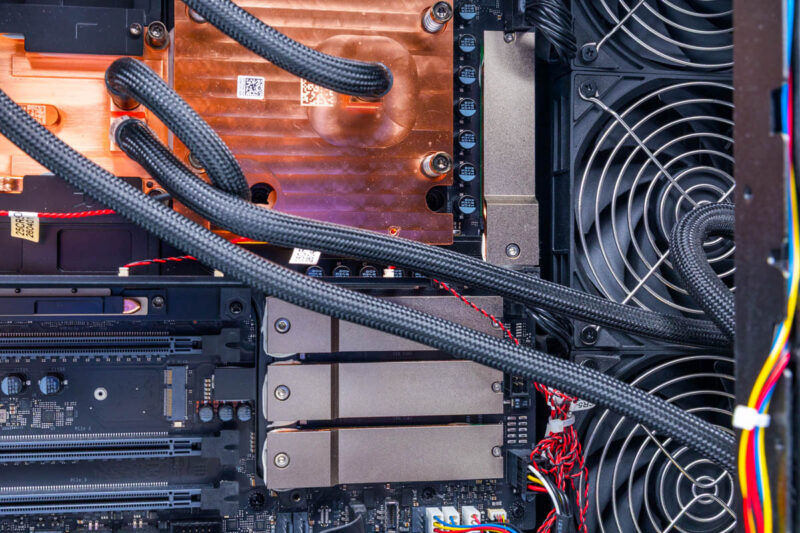
As for storage, the W775 ships with four M.2 2280 slots. Interestingly, these are not all identical: two of the slots are PCIe Gen5 x4 slots hanging off of the Grace CPU, and the other two M.2 slots are PCIe Gen6 x4 slots hanging off of the ConnectX-8 SuperNIC. Though Gen6 SSDs are just barely becoming available, NVIDIA is leveraging the ConnectX-8 SuperNIC’s existing PCIe Gen6 capabilities to future-proof DGX Station systems a bit. In the topology section, we have a fascinating look at how the ConnectX-8 is being used here.
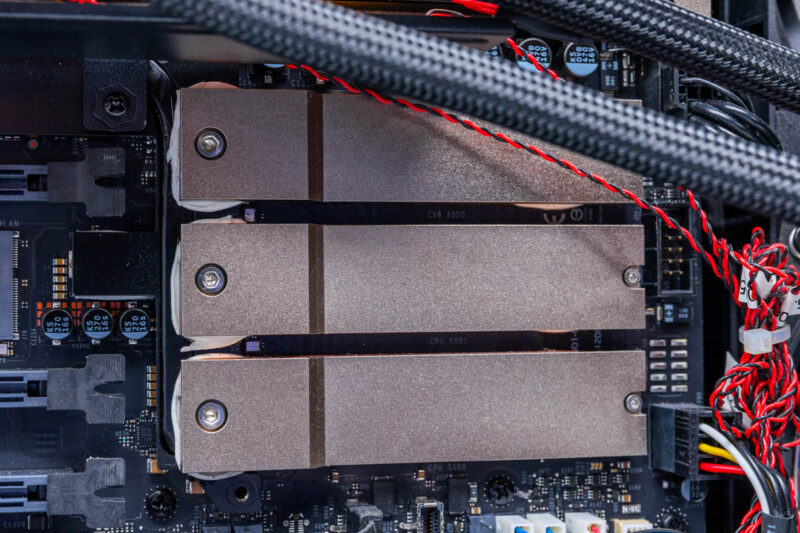
Three of the M.2 slots are located behind the PCIe slots. The top M.2 slot is wired to the CX8, while the bottom two slots connect to the Grace CPU.
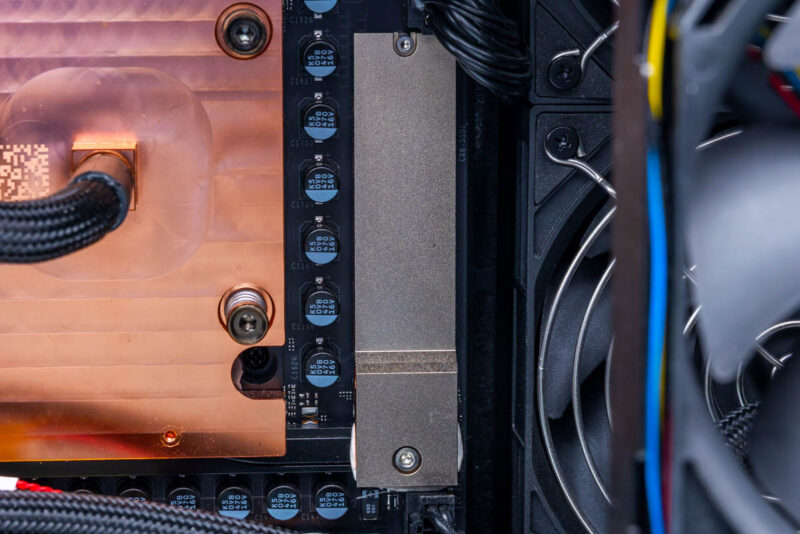
The final slot sits to the right of the Blackwell Ultra GPU, at the edge of the motherboard, and is also routed to the CX8. Gigabyte/NVIDIA has covered all of the slots with sizable metal heatsinks to keep them cool.
Rounding out our tour of the W775, let us talk about power delivery. With a 1600 Watt PSU, a lot of power needs to be routed into the system, and virtually all of it must go to the motherboard and the GB300.
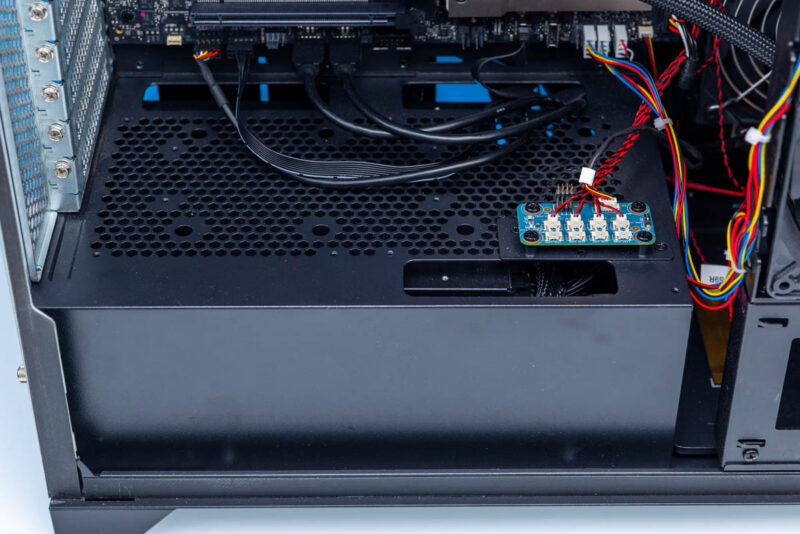
The power supply itself sits in a cage, which partitions it off from the rest of the system and helps with cable management by hiding all of the power cables. Officially, it is not user-replaceable. Though with that said, the PSU is a modular standard ATX unit and can be removed from the system by pulling it out from the rear.
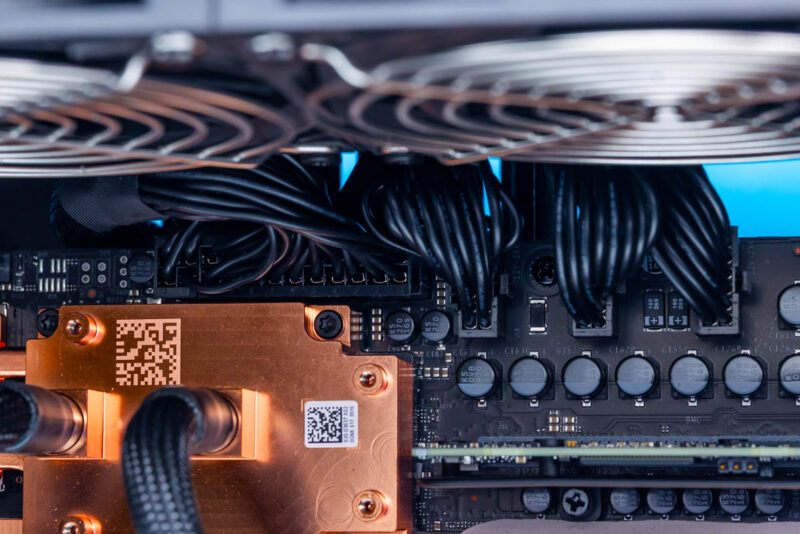
As for the power cables, there are a lot of them. Towards the top of the board, we have a standard 24-pin ATX power connector. But next to that, things start getting a little less standard: rather than using ATX12V connectors for additional power, NVIDIA is using higher-power 12V-2×6 connectors – the same connectors used on NVIDIA’s video cards. The motherboard has 6 of these connectors, spread across the top and right side. Despite their high power limits, NVIDIA and Gigabyte are playing things rather conservatively here. With 6 connectors, assuming an equal distribution, no single connector should be carrying more than 270 Watts, which is less than half of the limit of the connector design.
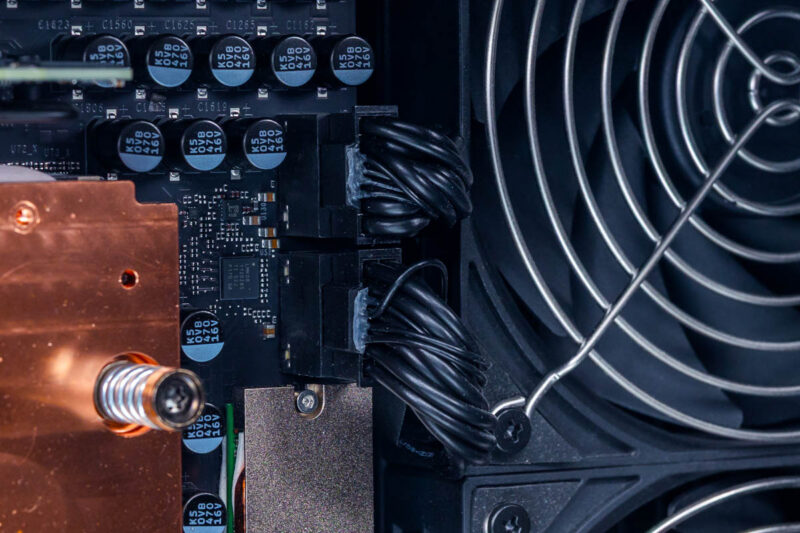
Along the top, we find three 12V-2×6 connectors. Along the right side, we have another three, which are spread out: two near the top and another near the bottom.
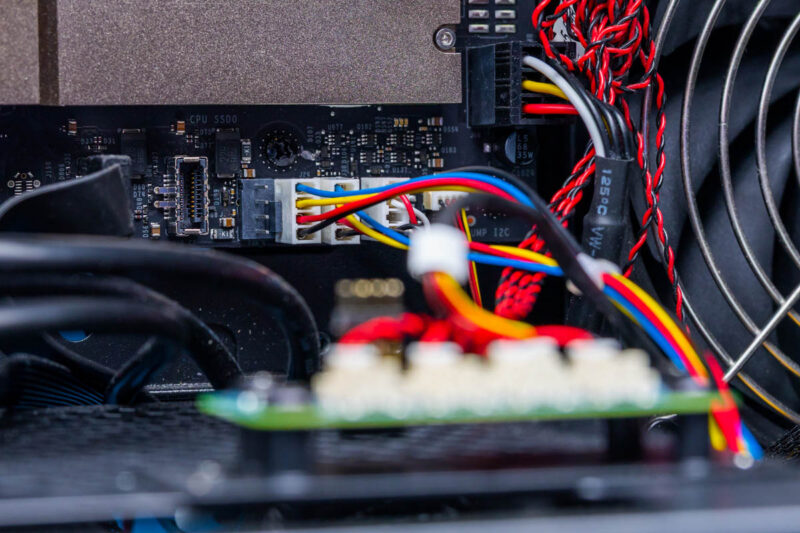
If we look closely, we can also find a 6-pin power connector near the bottom of the motherboard. This is not a connector to supply power to the motherboard. Instead, this is a connector to route power from the motherboard for use by the liquid cooling pump.
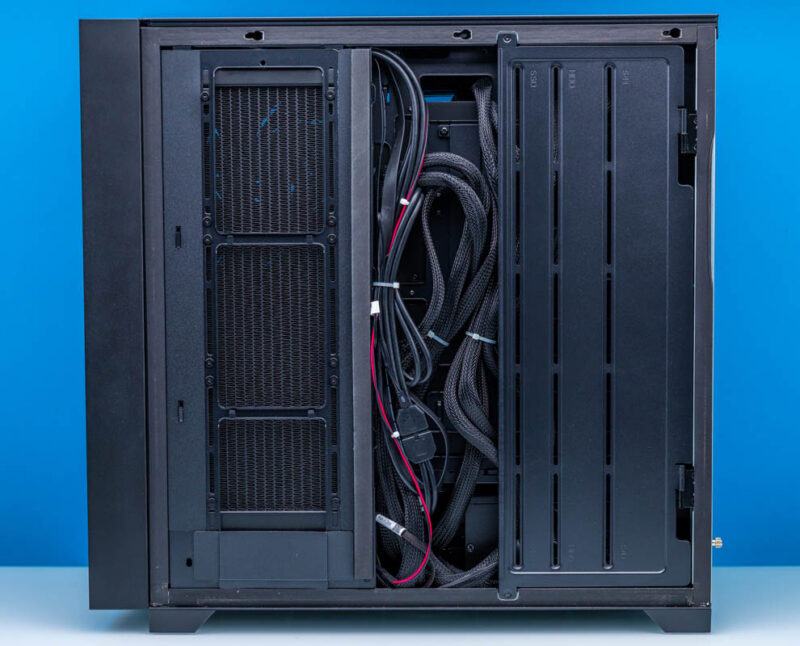
Last, but not least, here is a shot of the right side of the W775 with its side panel removed. Compared to the left side, there is very little to talk about here, as there are no user-replaceable components. On the left, we can see the fins from the side radiator. On the right, there are mounting slots for storage drives, but they are vestigial in this case as the DGX Station GB300 motherboard does not offer any SATA (or SAS) ports or SATA power connectors.
This also gives us a look at the extensive array of power cables running throughout the system to reach the 7 power connectors spread out over the motherboard.
That is the hardware tour of the Gigabyte W775. Now let us take a look at the system’s topology before we get to the performance.




There’s so much more in here than in the early reviews that made it sound like it’s a normal workstation. I watched and read other GB30 reviews, and I didn’t know about the 229Gbps limit. It’s a prime example of why STH is the best at this today, now that Anand is done.