

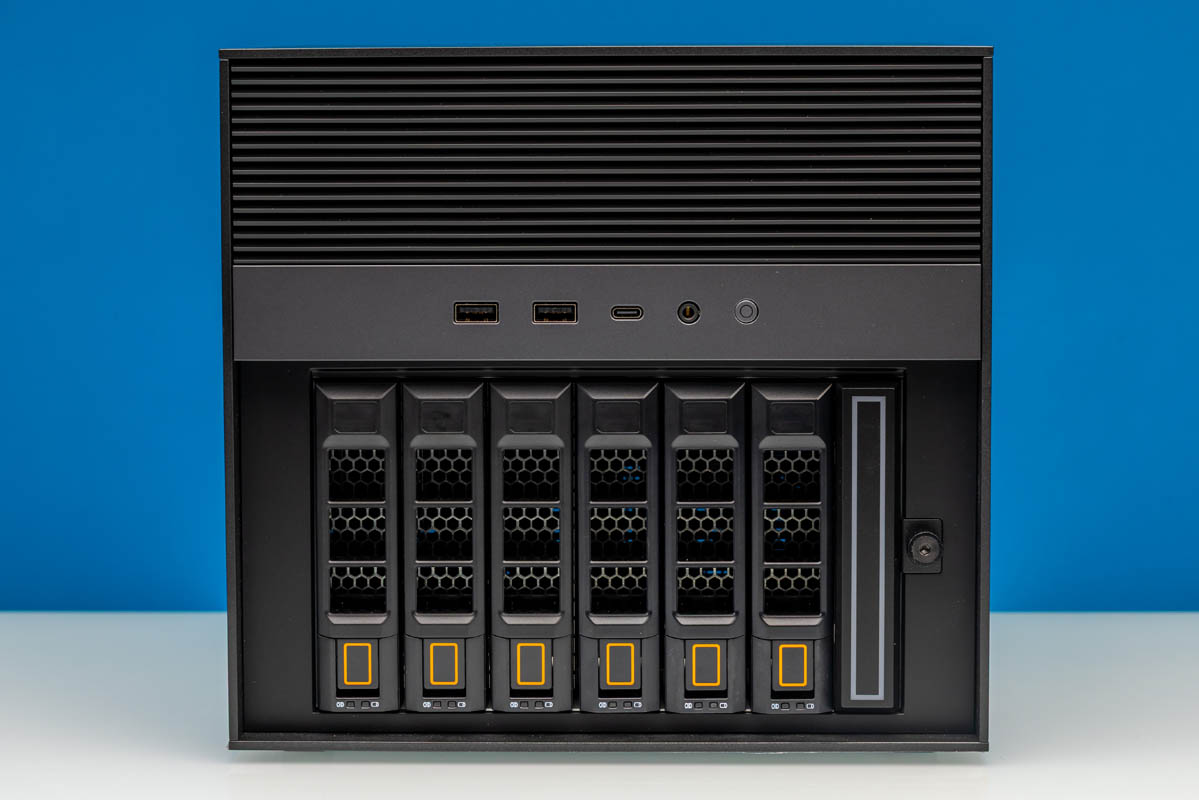
The ZimaCube 2 Pro is a NAS that checks a lot of boxes. You can add ten drives in addition to the boot drive while still having two PCIe slots to work with. There are Thunderbolt ports and both 2.5GbE and 10GbE networking ports. The processor is well-known and even provides HEVC encoding support, meaning it has a solid media acceleration engine as well. Still, the team at IceWhale made a really interesting box that can be used as a NAS appliance or a more general-purpose server.
| ZimaCube 2 Pro Key Specs | |
| Processor | Intel Core i5-1235U 2P + 8E (4.4GHz) |
| Operating System | ZimaOS Plus |
| Memory | 16GB DDR5-4800 (2x8GB SODIMM) |
| System Storage | 256GB SSD (PCIe Gen4 x4) |
| Storage Pool Bays | 6x 3.5/2.5-inch SATA3 4x M.2 2280, PCIe Gen3 x4 (Shared Root: Gen3 x4) |
| PCIe Slots | 1x Low-Profile PCIe x16 (Gen4 x4 Electrical) 1x Low-Proifle PCIe x8 (Gen3 x2 Electrical) |
| GPU | Intel Iris Xe Graphics (Xe-LP, 80 EUs) |
| PSU | 247W |
| Form Factor | NAS |
| Dimensions | 240 x 221 x 220 mm (9.45 x 8.7 x 8.66 in) |
| Wireless | N/A |
| Color | Black |
| Ports | Front: 2x USB-A 5Gbps, 1x USB-C 5Gbps, 3.5mm Audio Jack Rear: 1x HDMI 2.0, 1x DisplayPort 1.4, 2x USB-C/Thunderbolt 4 40Gbps, 2x USB-A 5Gbps, 2x 2.5GbE (RJ45, Intel i226), 1x 10GbE LAN (RJ45, Marvell AQC113) |
If there is any singular theme to the ZimaCube 2 Pro’s design, it is expandability. Along with six 3.5-inch drive bays for loading up the hard drives that are the backbone of the NAS, the Cube also includes an M.2 drive bay that can house up to four M. 2-form-factor SSDs. And for even more internal expansion, there are a pair of PCIe slots for adding a video card, more networking ports, or even more storage. Finally, for external I/O there is a pair of Thunderbolt 4 ports, offering up plenty of ways to attach even more storage or other peripherals from the outside of the Cube.
It is a bit surprising, though, that the underlying hardware is rather dated. IceWhale has opted to build the ZimaCube 2 Pro around Intel’s 12th Gen Core (Alder Lake-P) platform, which first came out in 2022. With two performance cores and eight efficiency cores, it is still plenty performant for a NAS – especially one driving 3.5-inch hard drives and PCIe Gen3 SSDs – but this is not a bleeding edge box by any means.
If you wanted to find the ZimaCube 2 Pro online, here is a link for the Zima Store.
ZimaCube 2 Pro External Hardware Overview
From the outside, the ZimaCube 2 Pro is fairly unassuming. With front-facing ports and plenty of ventilation, IceWhale is not trying to hide the fact that it is a computer, but its industrial design makes it clear that it is intended to go sit in a corner and not attract too much attention to itself. Just keep in mind that at 220mm high and a bit wider still, it is a relatively big box, so this is not going to be like hiding a SFF PC.
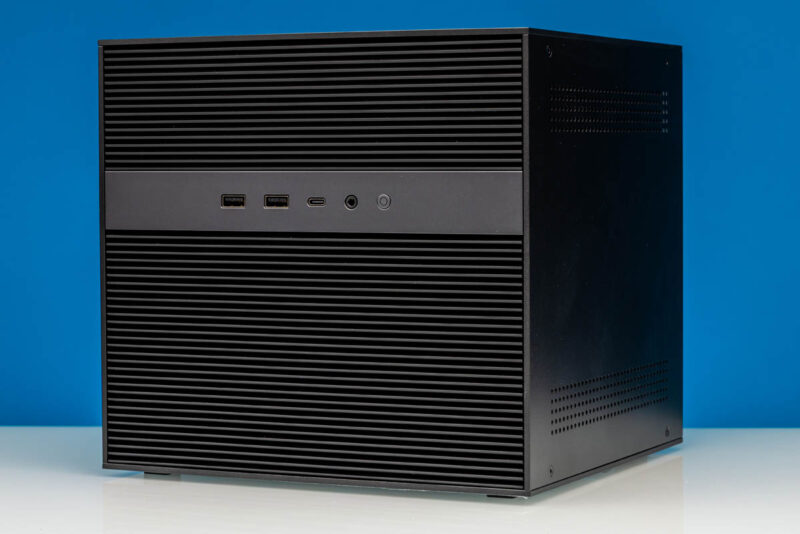
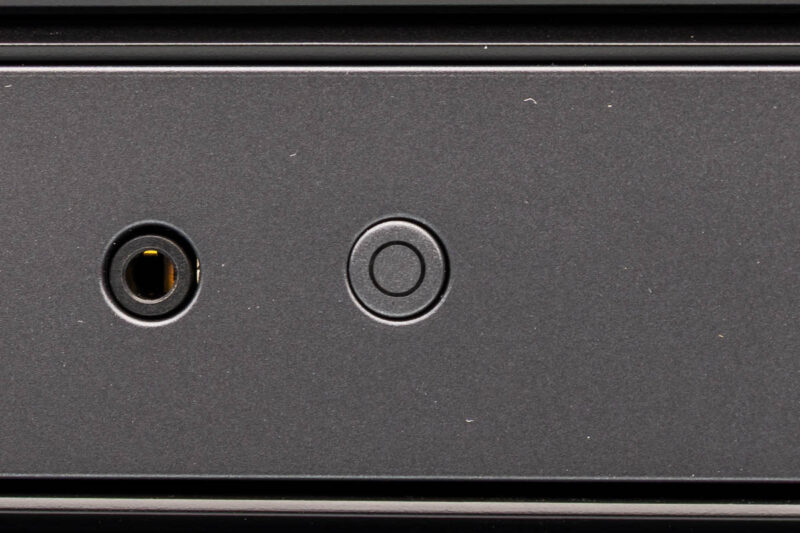
Barren of any branding, the front of the ZimaCube 2 Pro offers some basic I/O connectivity. Here we have a pair of 5Gbps USB-A ports for legacy peripherals, a 5Gbps USB-C port for modern peripherals, and somewhat surprisingly, a 3.5mm combo audio jack for audio in and out. Finally, to the right of that is a front-facing power button.
Meanwhile, removing the lower cover on the front side of the ZimaCube 2 Pro gives us access to the NAS’s all-critical removable drive bays.
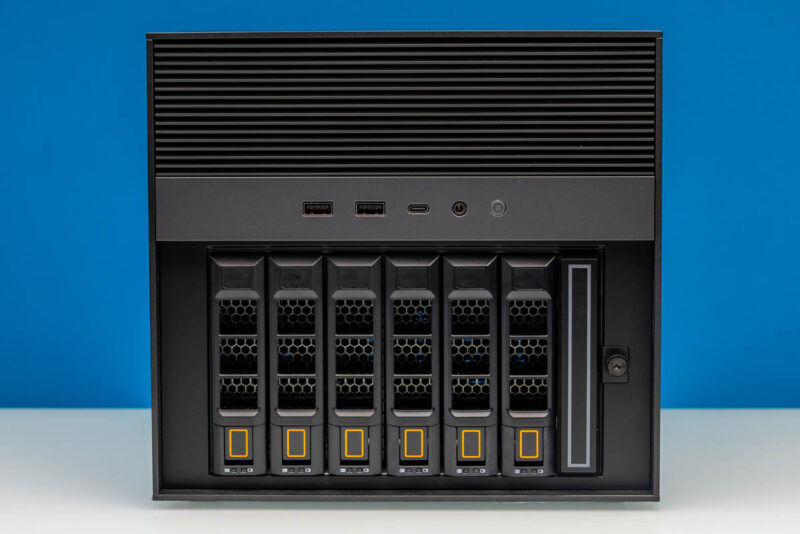
There are 6 hot-swap SATA bays here, which can house either 3.5-inch or 2.5-inch drives. Meanwhile, to the right of the SATA bays is a seventh bay, which houses four M.2 SSDs. There is no hot-swapping here, so the bay is screwed in tight, but it makes accessing M.2 drives a cinch, something that is not often the case for the tiny PCIe drives.
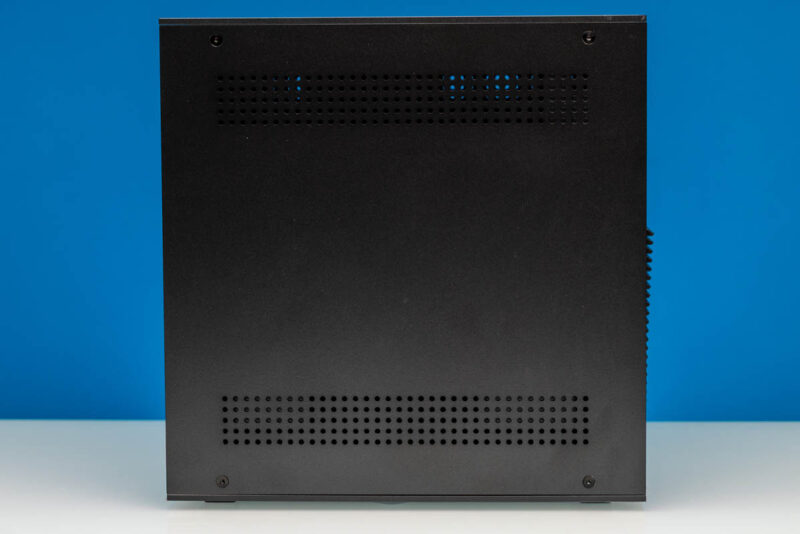
Taking a quick look at the sides, there is not much to see here. The ZimaCube 2 Pro keeps things simple, with ventilation holes in both the upper compute and lower drive bays, though neither is the primary cooling vent for the system.
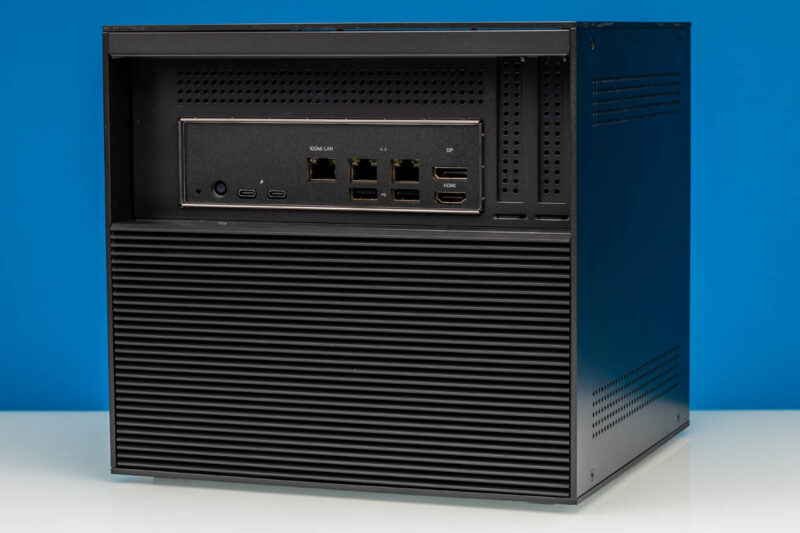
Moving around to the back side of the system, here we find the rest of the ZimaCube 2 Pro’s external I/O connectivity.
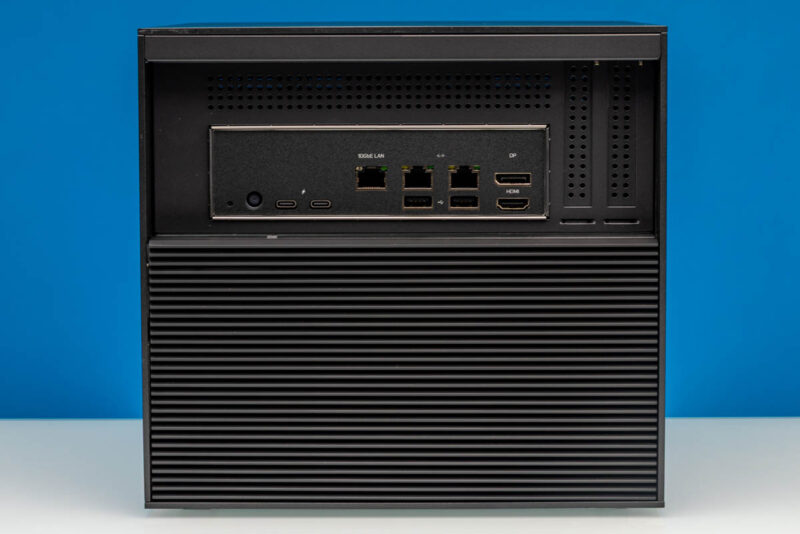
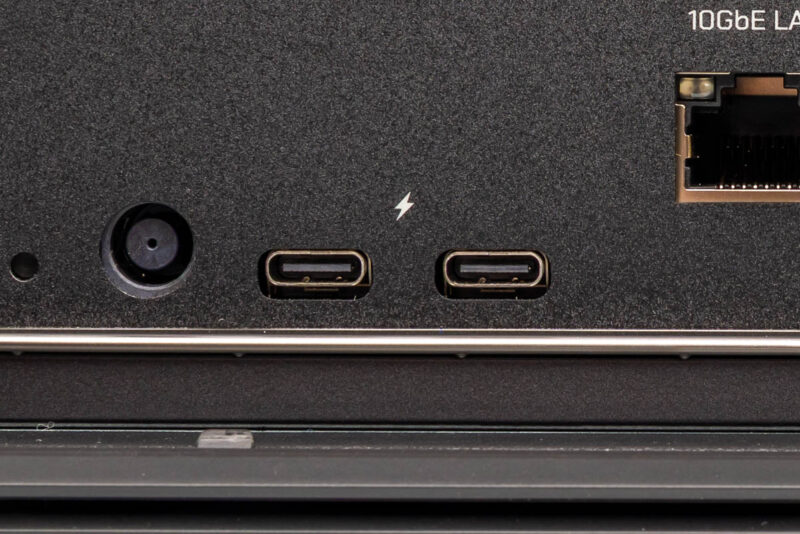
Because IceWhale is using an Intel Core mobile SoC here, they benefit from an integrated Thunderbolt 4 controller, which allows them to provide a pair of TB4-certified USB4 40Gbps ports. These ports are primarily here to offer an ultra-fast data path to another system (via Thunderbolt networking) or to hook up fast peripherals (if not a whole other DAS cage), but they do also support all the mandatory Thunderbolt 4 features, such as display out via DP Alt Mode.
Moving a bit more slowly, to the right we have a complete trio of RJ45 Ethernet jacks. The farthest left port is a 10GbE port, driven by a Marvell Aquantia AQC113 controller. That 10Gbase-T port is really interesting, and we will get to it when we get inside the system. To the right of that are two 2.5GbE ports, each driven by a pair of Intel i226 controllers. So the ZimaCube 2 Pro offers quite a bit of networking bandwidth overall, as well as the ability to connect to multiple networks if needed.
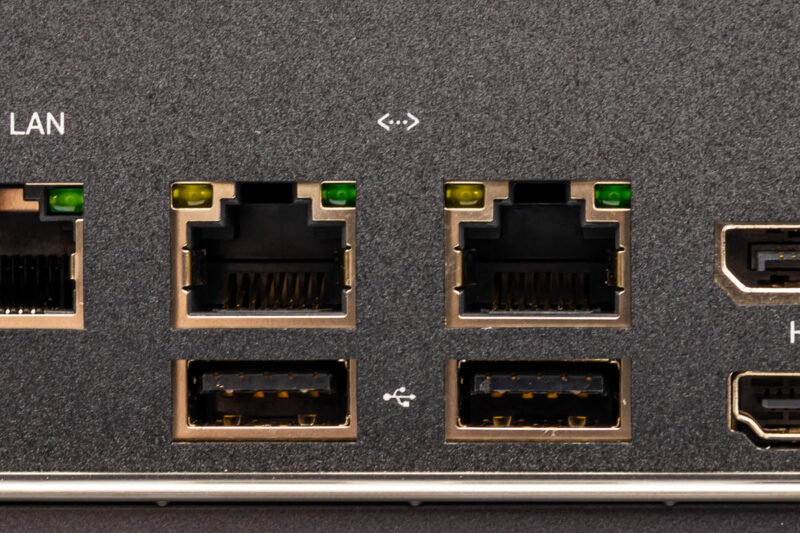
Meanwhile, below the Ethernet ports are another two 5Gbps USB Type-A ports for hooking up a mouse, keyboard, or other peripherals.
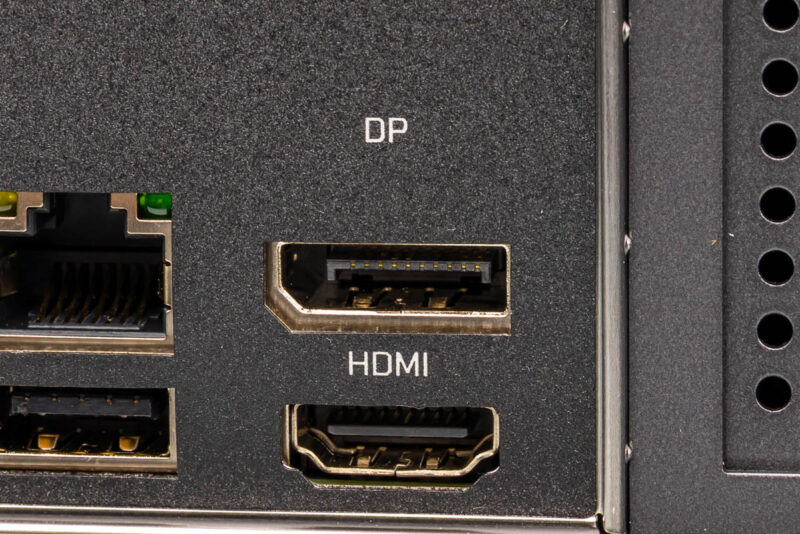
Finally, at the far right are the ZimaCube 2 Pro’s dedicated display outputs. Driven by the Intel SoC’s integrated Iris Xe GPU, the system offers both an HDMI 2.0 output and a DisplayPort 1.4 output. This is one of the more dated aspects of the system, but both are more than sufficient for driving a display for setting up a box that will ultimately run headless.
From the rear of the system we can also see the outline of the system’s two PCIe expansion slots, which ship empty out of the box for the ZimaCube 2 Pro configuration. We will take a look at them in more depth in a bit.
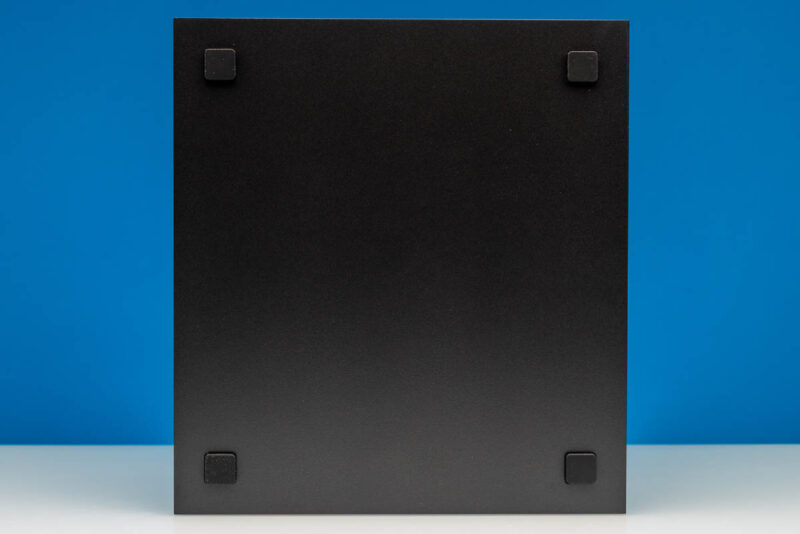
Catching a quick glimpse of the bottom of the ZimaCube, we find a quartet of rubber feet.
And that is the outside of the ZimaCube 2 Pro. For the rest of the story, let us dive into the system’s chassis.


Too bad it doesn’t seem to support ECC RAM like the Minisforum N5 Pro does.
I have a hard time understanding anyone being willing to run these branded Linux OSes. What they all have in common is small companies supporting them, with unknown or uncertain security track records.
It’s hard enough staying updated in the face of the torrent of vulnerabilities using a well-supported distro (Ubuntu, Fedora, whatever); depending on some unknown small company for this seems foolhardy.
Of course this hardware supports other OSes, so you might well still want it for that, assuming the pricing is sensible.
No SAS HDD support? Another off shoot custom Linux? Not for me.
For what this offers, putting one together yourself with off the shelf parts just as easy, cheaper, better parts and self-satisfaction of doing it open source.
Off topic, this what I expected STH to be reviewing, not the big corp stuff costing tens of thousands of moolah, site has lost it’s way !
what’s up with the ESP32 soldered to the NVME expansion card? What is it good for?
Tubz is right
@Tete There is some RGB lighting in the SSD bay. The ESP32 is what controls it.
The branding makes me think I should be able to get this from the liquor store for $10.
StH needs to include a Nessus scan and the OS build info if you’re going to keep reviewing these no name one off imports.
“Thanks to the low-power Intel SoC… ”
Intel Core i5-1235U consumes 45W and the 13. generation Intel Core i5-1235U only 15W !
Edit: 13. generation Intel Core i5-1335U
Both the i5-1235U and i5-1335U have the same base TDP of 15 Watts. This being standard for the U-series SKUs of that era.
I’d liked to have seen the i3 with 10GbE. The 800$ would be quite fine.
Also support for ECC (DDR5) would have be nice.
But everything come with a cost.
Unfortunately while IceWhale and their Zima series of products look good on paper, my experience with their Zimaboard PCs left me unimpressed. I managed to crowbar the first one I purchased by inadvertently trying to plug a USB-C cable into the Displayport. OK, my bad but that shouldn’t have taken out the power supply. I bought a replacement because it did fit my needs. However, the new one managed to take out the USB ports on a keyboard and mouse I plugged in (these were a Microsoft keyboard and Logitech mouse, not cheap stuff).
I have come to the conclusion that IceWhale is a young company with good basic designs but needs to up their game when designing robust products.