

ZimaCube 2 Pro Power Consumption and Noise
Here is a quick look at the 247 Watt power supply included with the ZimaCuba 2 Pro. Even with the fairly sizable chassis, IceWhale opted for an external power supply for the system. We wish that this had a locking mechanism to ensure it stayed in the NAS, as DC barrel jacks have a tendency to come out if tugged. That is a small feature request for a future version, but it would have been great in a “Pro” model.
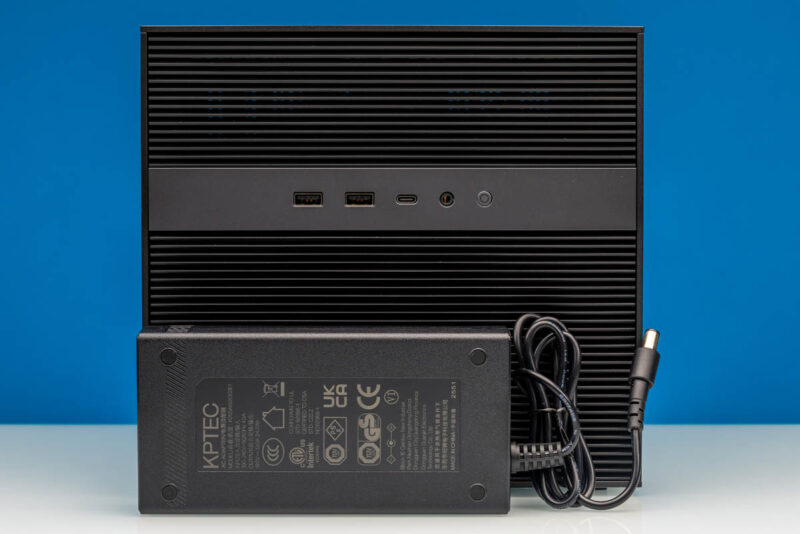
Thanks to the low-power Intel SoC, a 247W power brick provides quite a bit more power than what the system can consume, even when laden with rotating rust. With the ZimaCube offering two PCIe slots, the system’s maximum power requirement is quite a bit higher than it first appears.
By the numbers, measuring at the wall, we recorded the ZimaCube 2 Pro consuming 25 to 27 Watts at idle and without any storage drives installed. Adding a few SSDs to the SSD tray brought that up to 29 to 30 Watts at idle. Meanwhile, under load, the system would burst as high as 76 Watts, before hitting a steady state around 61 to 63 Watts as the short-term turbo window expired.
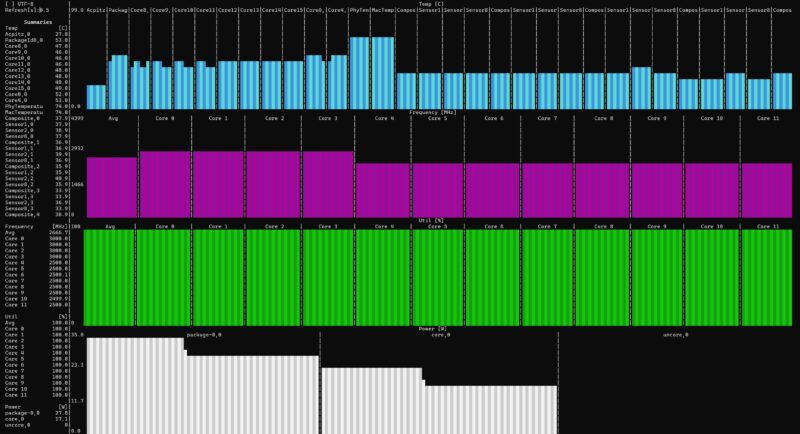
Since this is a Linux box, here is a quick look at chip temps and power consumption reported by the SoC itself. Under a long, steady-state load, the i5-1235U levels out at 28 Watts, with no CPU core holding above 53C.
What does all of that mean for noise? Not much, as it turns out. With two case fans to cool the drive bay and another small fan on the HSF to cool the compute components, the ZimaCube 2 Pro is not a silent box. We measured it at 36-38dB(A) in our 34dB(A) studio, which is just above the threshold of effective silence. Ramping up to a full load saw noise levels hover in the 41-43dB(A) range, which is noticeable but not loud, and even less likely to be noticed once tucked away in a corner somewhere.
Key Lessons Learned
We have reviewed many NAS units based on the Intel Alder Lake-N architecture with only E-cores. Those chips give up P-core performance for lower power. More importantly, however, Alder Lake-N has a limited I/O footprint, which makes for some funky designs. The ZimaCube 2 Pro is different. We can have a lot of drive connectivity, more memory, more networking, PCIe expansion, Thunderbolt, and more, all thanks to the U-series processor.
Something that is at least worth noting is that the economics of this have really changed. The list price for this Pro model is currently $1299, and the non-Pro model was $500 less the last time we checked. A year ago, we might have added four shucked hard drives like the Seagate Expansion 28TB External Hard Drive (Amazon Affiliate link), four 4TB NVMe SSDs (Amazon Affiliate link), and perhaps more memory, and it would have cost us under $2000 to populate the system, making the NAS just under 40% of the cost of the entire solution. Today, adding similar components might cost more than $6000, making the NAS under 18% of the total solution cost. Perhaps better said, if you are going to upgrade the system using lots of drives, then upgrading from the ZimaCube 2 to the Pro model for $500 might make a lot of sense, as you get a faster CPU, more RAM, and 10GbE for relatively small incremental cost. It feels a bit bad having to say that, but this is where we are in 2026.
Final Words
For many folks, this is going to be the perfect NAS. The components are straightforward and include dual 2.5GbE, 10GbE, six 3.5-inch drive bays, space for five M.2 SSDs, and the ability to add PCIe cards for even more expansion. The pre-installed ZimaOS worked well, but the flexibility to run almost any OS is useful. If you just wanted an Ubuntu or Proxmox VE server, then it is just a few minutes to change OSes. Many of our readers will prefer server-focused chips with ECC RDIMM memory, but as memory prices have increased, this may be worth a look.
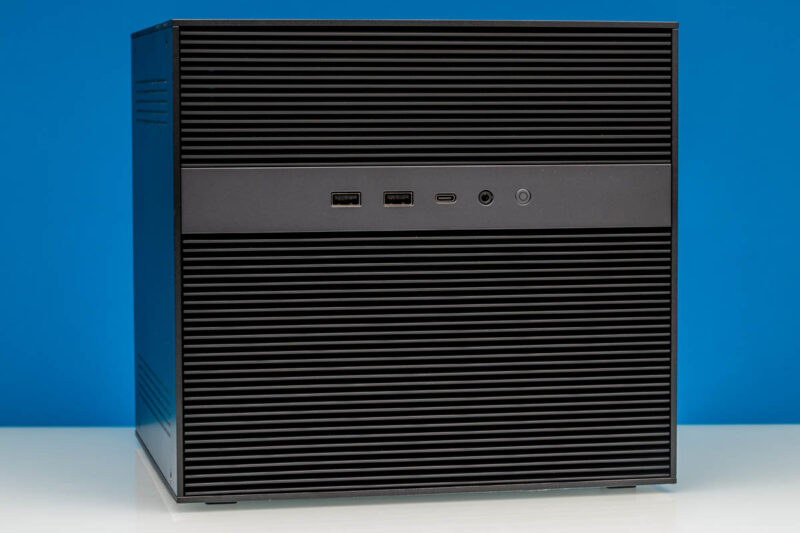
Overall, our team came away impressed with how much better the ZimaCube 2 Pro is compared to our expectations. There are still a few items, like tool-less drive bays, that can be improved, but the IceWhale team generally did a great job.


Too bad it doesn’t seem to support ECC RAM like the Minisforum N5 Pro does.
I have a hard time understanding anyone being willing to run these branded Linux OSes. What they all have in common is small companies supporting them, with unknown or uncertain security track records.
It’s hard enough staying updated in the face of the torrent of vulnerabilities using a well-supported distro (Ubuntu, Fedora, whatever); depending on some unknown small company for this seems foolhardy.
Of course this hardware supports other OSes, so you might well still want it for that, assuming the pricing is sensible.
No SAS HDD support? Another off shoot custom Linux? Not for me.
For what this offers, putting one together yourself with off the shelf parts just as easy, cheaper, better parts and self-satisfaction of doing it open source.
Off topic, this what I expected STH to be reviewing, not the big corp stuff costing tens of thousands of moolah, site has lost it’s way !
what’s up with the ESP32 soldered to the NVME expansion card? What is it good for?
Tubz is right
@Tete There is some RGB lighting in the SSD bay. The ESP32 is what controls it.
The branding makes me think I should be able to get this from the liquor store for $10.
StH needs to include a Nessus scan and the OS build info if you’re going to keep reviewing these no name one off imports.
“Thanks to the low-power Intel SoC… ”
Intel Core i5-1235U consumes 45W and the 13. generation Intel Core i5-1235U only 15W !
Edit: 13. generation Intel Core i5-1335U
Both the i5-1235U and i5-1335U have the same base TDP of 15 Watts. This being standard for the U-series SKUs of that era.
I’d liked to have seen the i3 with 10GbE. The 800$ would be quite fine.
Also support for ECC (DDR5) would have be nice.
But everything come with a cost.
Unfortunately while IceWhale and their Zima series of products look good on paper, my experience with their Zimaboard PCs left me unimpressed. I managed to crowbar the first one I purchased by inadvertently trying to plug a USB-C cable into the Displayport. OK, my bad but that shouldn’t have taken out the power supply. I bought a replacement because it did fit my needs. However, the new one managed to take out the USB ports on a keyboard and mouse I plugged in (these were a Microsoft keyboard and Logitech mouse, not cheap stuff).
I have come to the conclusion that IceWhale is a young company with good basic designs but needs to up their game when designing robust products.