
With several partners in its DGX Station initiative, NVIDIA’s project to bring its server-grade Grace Blackwell GB300 hardware to desktop workstations has no shortage of hardware suppliers. Or system designs, for that matter. Of all of these, Supermicro is a clear frontrunner for the most interesting workstation, thanks to its unique, convertible design.
Today we are taking a look at our latest DGX Station system with Supermicro’s Super AI Station (ARS-511GD-NB-LCC). By squeezing in as much compute hardware as a 1.6kW power supply can sustain, NVIDIA and its partners are positioning these systems as the ultimate desk-side AI boxes for local AI work.
| Supermicro Super AI Station (ARS-511GD-NB-LCC) Key Specs | |
| CPU | NVIDIA Grace 72-Core Neoverse V2 (72C/72T) |
| GPU | NVIDIA Blackwell Ultra |
| Operating System | Ubuntu 24.04 LTS with NVIDIA AI Developer Tools |
| Memory | CPU: 496GB LPDDR5X (396GB/s) GPU: 252GB HBM3E (7.1TB/s) |
| Storage | 2x M.2 2280 (PCIe Gen6 x4) 2x M.2 2280 (PCIe Gen5 x4) |
| Video Card | Optional: NVIDIA RTX PRO Blackwell 2000/4000/6000 |
| PSU | 1600W (80 PLUS Titanium) |
| Form Factor | Tower Workstation (5U) 218 x 455 x 701 mm (8.6 x 17.9 x 27.6 in) |
| Networking | 2x 400Gbps (QSFP112, ConnectX-8) 10Gb Ethernet (RJ45, Marvell) 1Gb Ethernet (BMC) |
| Ports | Front: 2x USB-A 5Gbps Rear: 4x USB-A 10Gbps, 1x USB Micro-B UART (BMC), 2x 400GbE (QSFP112), 1x 10GbE LAN (RJ45, Marvell), 1x 1GbE LAN (RJ45, BMC), 3x 3.5mm Audio, 1x Mini DisplayPort (BMC) |
Meanwhile, every DGX Station vendor is putting their own spin on how a GB300 desktop should be built, and Supermicro is no different. For Supermicro, that means taking the “server at your desk” motif a little more literally than most, by developing a system that can either be set up as a full-size desktop tower or placed in a rack as a 5U system. It is, without a doubt, quintessentially Supermicro and a great example of how the company has applied its server expertise to the workstation market. It also makes a lot of sense given what we have learned with the networking on these systems.
Without further ado, let us dive right in.
Supermicro Super AI Station External Hardware Overview
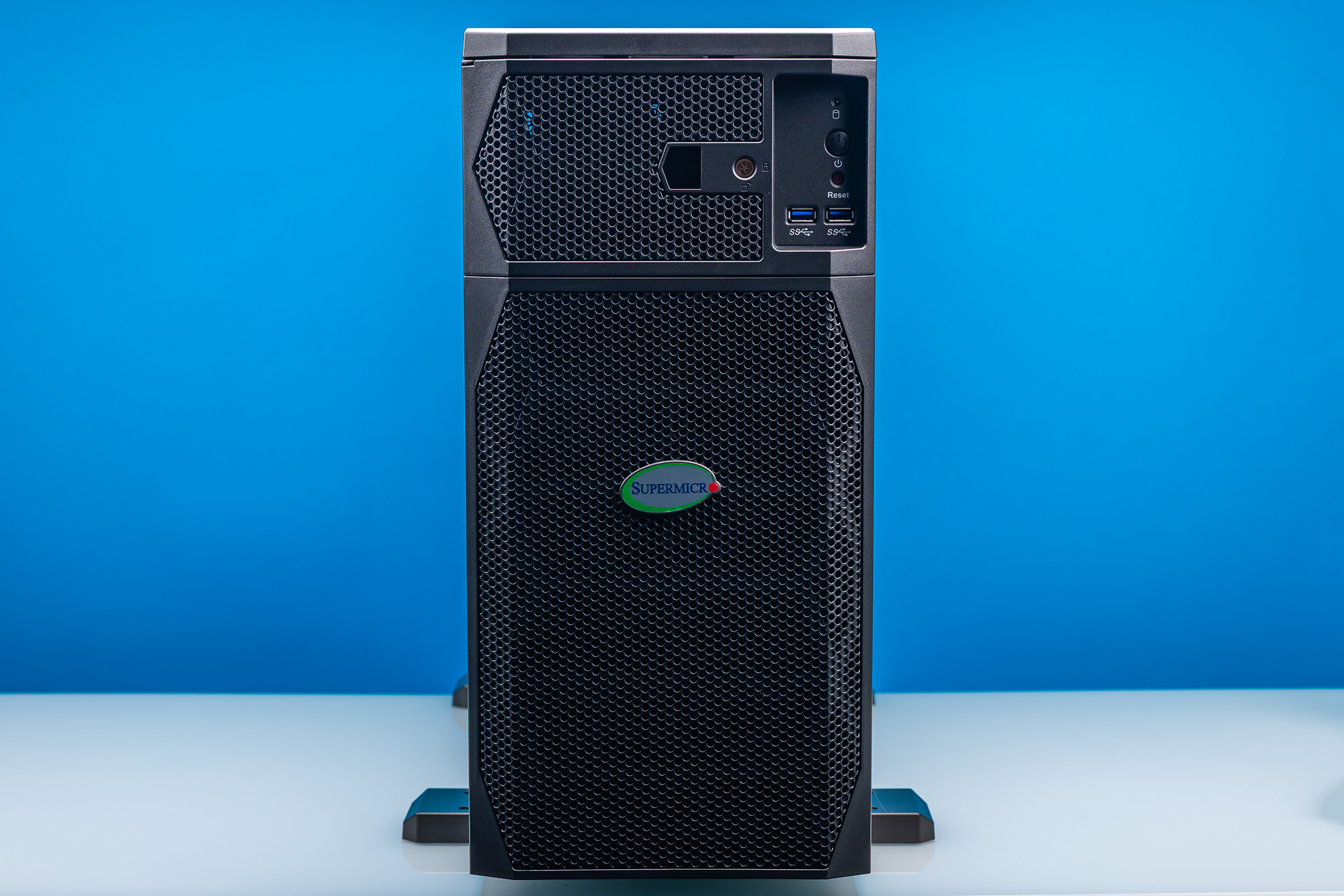
The first time you see Supermicro’s Super AI Server, it is immediately obvious that it is different from the full-tower PCs other DGX Station vendors offer. For their own DGX Station system, Supermicro has done the most Supermicro thing possible by putting the system inside of a convertible chassis. This system can be set up as a desktop workstation, or it can be put on rails and rack-mounted as a 5U server.
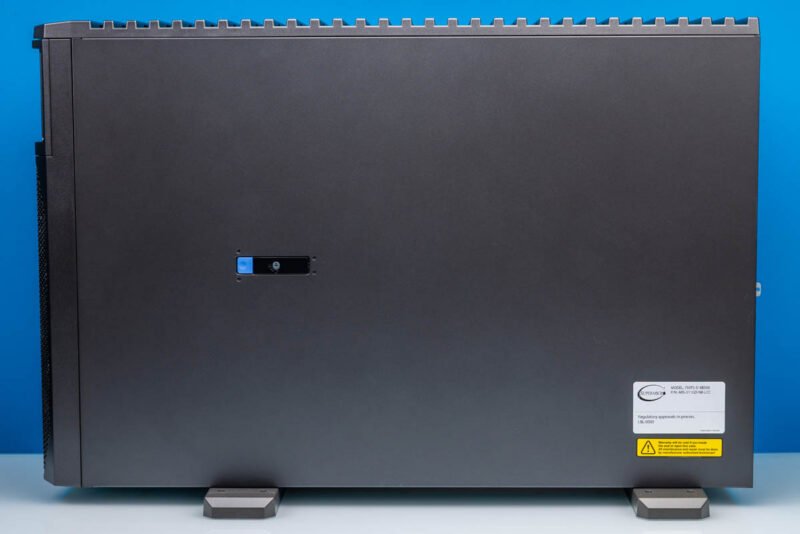
That kind of convertible design has a huge impact on the system design, as we will see. Both the system’s form factor and internal layout have been optimized to fulfill both roles, which at times makes this a very different system from other DGX Station systems.
One immediate impact of that design is that the Super AI Station is a bit shorter and much deeper than a typical PC tower workstation. At 455mm tall, the Super AI Station is skinny enough to fit between a pair of rack posts. The trade-off is that it is 701mm (or nearly 28 inches) long.
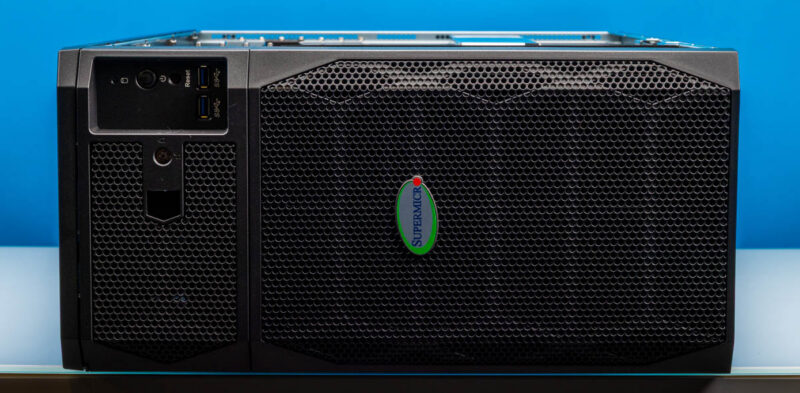
With 1600 watts of hardware to cool, the Super AI Station is best described as a high-airflow system. Almost every square millimeter of space on the front of the system is dedicated to drawing in air to cool the system.
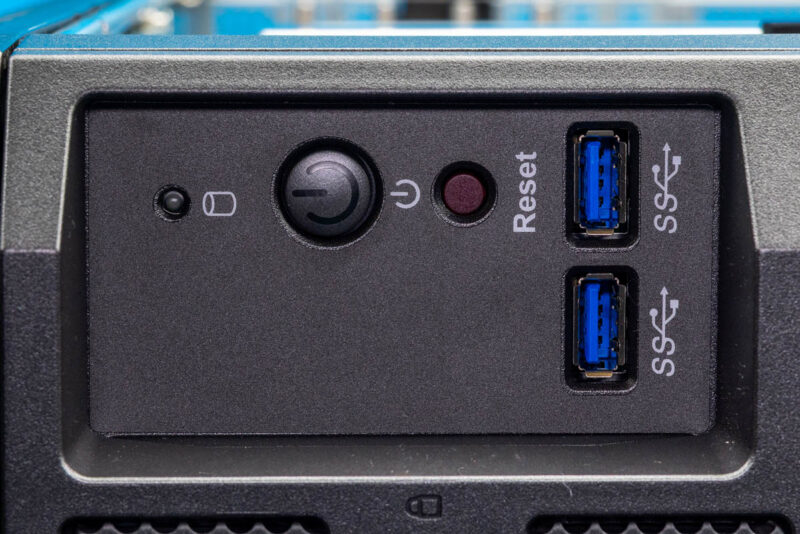
The sole exception to that is a small front I/O panel, which, despite the heavy airflow emphasis, marks the first time we have seen an actual front I/O panel on a DGX Station. Supermicro’s server roots make themselves apparent here once again, as the port collection is a simple pair of 5Gbps USB-A ports. Compared with other systems, we have seen other vendors put 10Gbps USB-A and USB-C ports here, underscoring the server roots of this design once more. The ports themselves are adequately labeled, but it feels a bit more like a server in this respect.
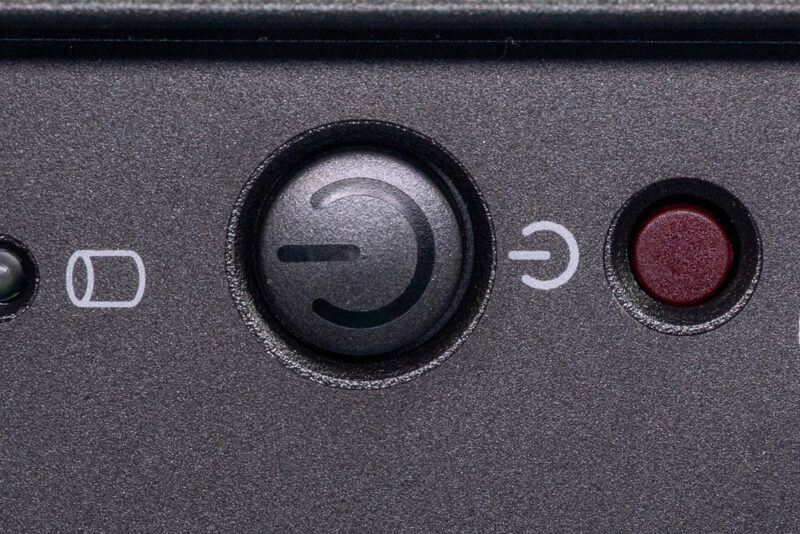
Otherwise, the front I/O panel is rounded out with the power button, a smaller reset button, and finally a drive activity LED. The system status LED is embedded in the power button and can illuminate red or blue, depending on the system status.
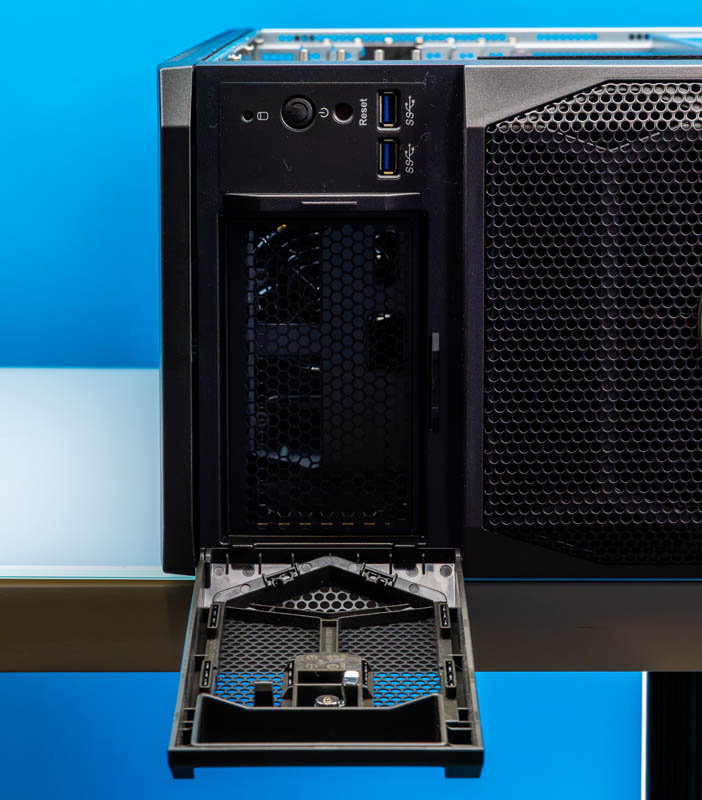
To the left of the front I/O panel is a locked cage, which hides the system’s service tag information. This area could also theoretically house front panel storage expansion.
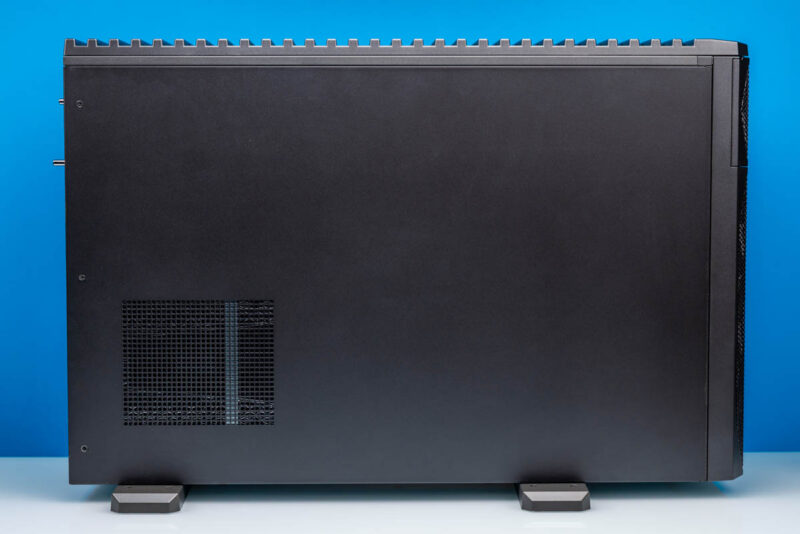
As for the sides of the Super AI Station, both sides are unremarkable. Unlike Supermicro’s fun demo unit back at Computex, the production hardware does not come with a plexiglass window. If you want to see inside, you will have to take the side panels off. Since the system is convertible, Supermicro doesn’t rely on the sides for significant ventilation, so these panels are little more than simple steel sheets.
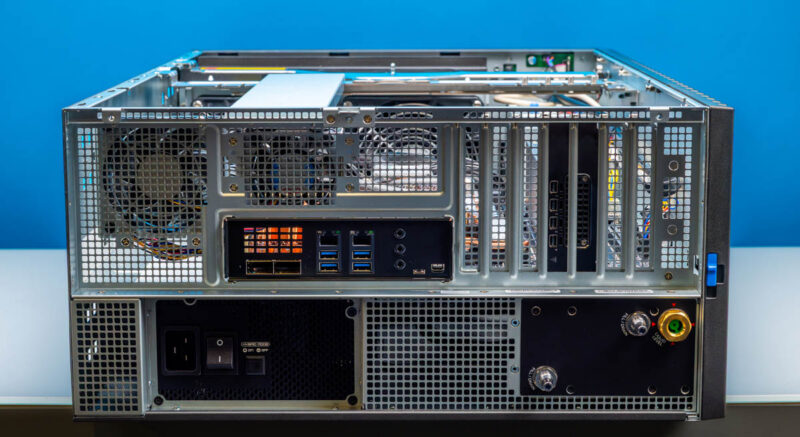
Flipping over to the rear of the system, we finally get a better idea of just how different the Super AI Station is from more standard workstations: this is not a standard EEB/E-ATX chassis. The power supply is on its own side of the system, there is an obvious coolant tank, and, though not obvious in this shot, the motherboard is installed upside-down. The PCIe slot brackets are at the top of the system.
Because NVIDIA provides the motherboards for all these DGX Station systems, the port layout is standardized, so Supermicro’s matches the other vendors.
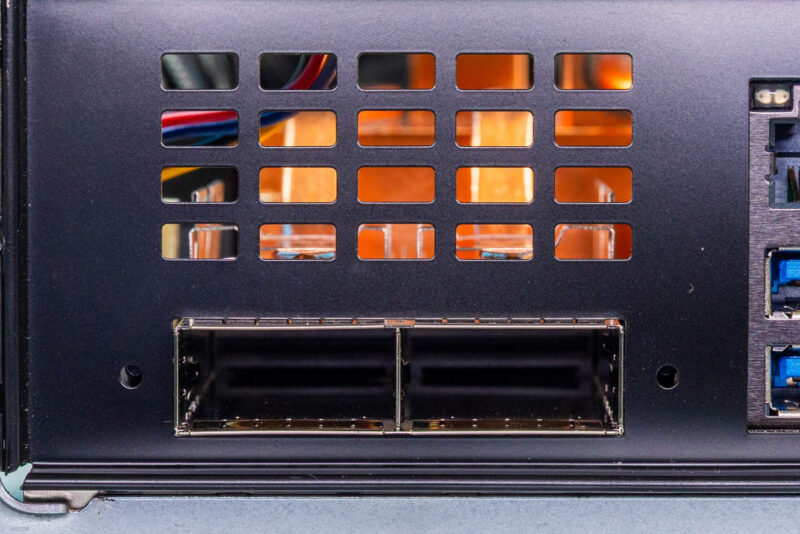
Starting on the left, the system’s two QSFP112 ports are fed by the powerful NVIDIA ConnectX-8 SuperNIC. Each port offers 400Gbps networking and is the primary way the system connects to high-speed storage and/or other DGX Station-based systems. We have shown that these systems can push 800Gbps through the NIC in certain circumstances. The ConnectX-8 SuperNIC driving these ports does a lot of heavy lifting beyond networking, and the capabilities and limitations of these QSFP ports are somewhat complex as a result (more on this in a bit). Meanwhile, there is a grate above the QSFP cages to allow for a bit more airflow for cooling.
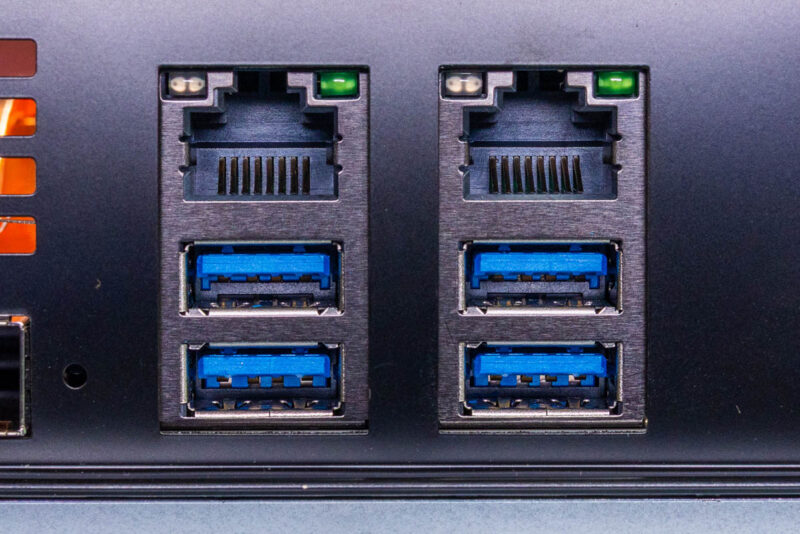
For more mundane networking use cases, the system also has a pair of RJ45 Ethernet jacks. The left 1G port connects to the BMC and is for system management. OpenBMC handles management via an HTML5 iKVM. The RJ45 jack on the right side is a 10Gb Ethernet port powered by Marvell’s tried-and-true 10GbE controller. The system topology is fascinating. Marvell’s 10Gbase-T controller is attached to the NVIDIA ConnectX-8 SuperNIC’s built-in PCIe switch, then to the CPU. It does not connect directly to the CPU.
Below are the remaining USB ports. These four ports all run at 10Gbps, making these the fastest USB ports on the system. This also means that since NVIDIA did not include USB-C ports in its motherboard design, you will not find any USB-C ports on the Super AI Station.
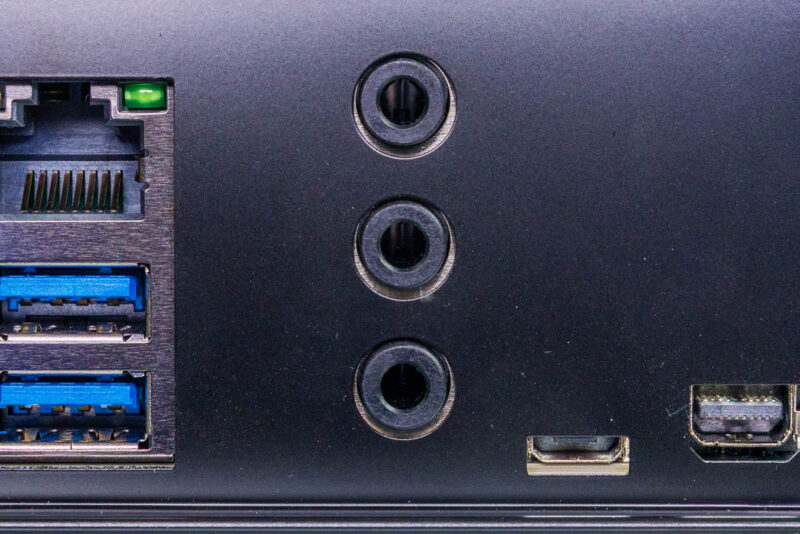
To the right, we have a trio of audio jacks for two-channel audio out, plus separate mic and line-in jacks.
At the end of the rear I/O panel, two more ports connect to the BMC. On the left is a serial UART in a micro-USB form factor. To the right is a Mini DisplayPort output from the BMC for system management and configuration. DGX Station systems do not have a true integrated display GPU (Blackwell Ultra is more of a compute accelerator), so the BMC provides the only out-of-the-box graphics output. For a full-featured graphics solution, you can pair DGX Station systems with a compatible NVIDIA RTX PRO Blackwell video card. In this case, Supermicro has included an RTX PRO 2000 Blackwell card.
Notably, no port is labeled on the rear of the system. Supermicro has seemingly opted not to print anything on its I/O shield, at least in this example. For a server, this is par for the course, but as the Super AI Station is meant to double as a workstation, it would have been nice to see. We have an early system, so sometimes those early systems miss details like that.
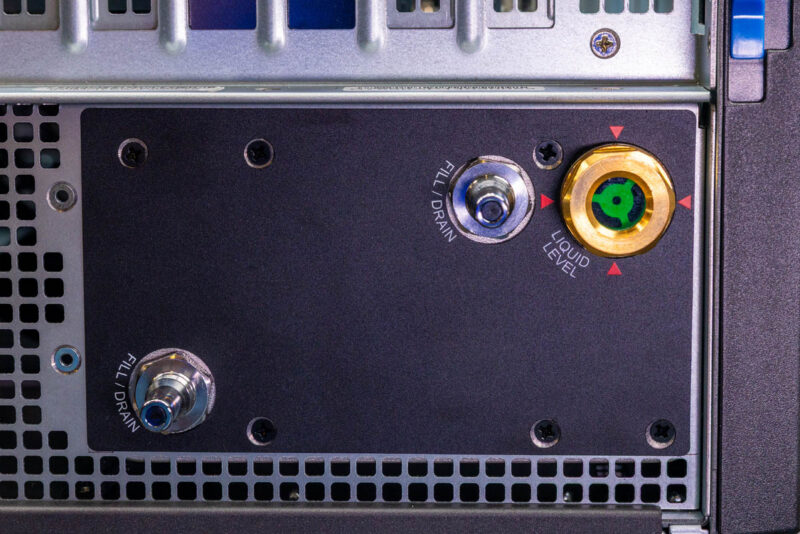
Like all DGX Station systems, the Super AI Station is liquid-cooled. Supermicro’s design makes this obvious. The company uses an externally accessible coolant tank mounted toward the top of the system. Because the system comes completely pre-built, the Super AI Station is designed for minimal maintenance, so the externally accessible tank seems like a holdover from data center systems that can require more active maintenance. Regardless, if the system starts running low on coolant, the liquid level indicator makes it easy to see, and there are ports for filling and draining the system.
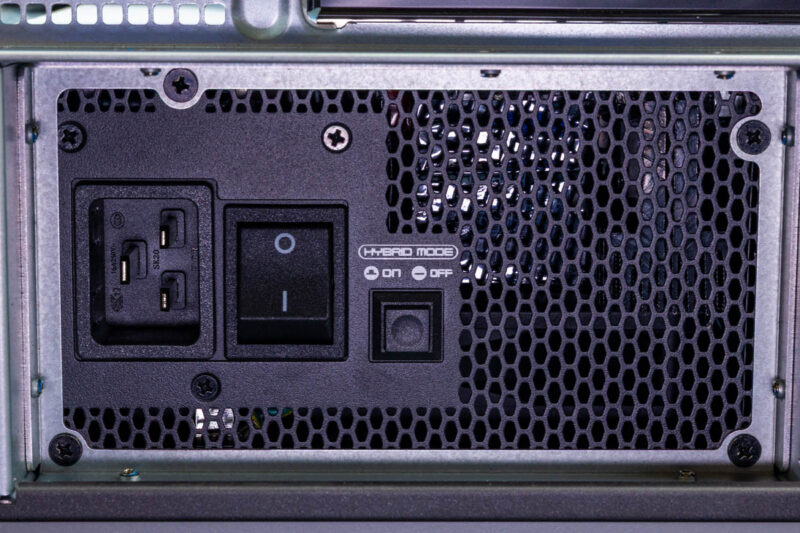
Elsewhere, near the bottom of the system, we have the Super AI Station’s 1600 Watt power supply. While the wattage is standardized across DGX Station systems, the actual power supply model is not. This benefits Supermicro, as theirs is the first DGX Station system to cross our labs with an 80 Plus Titanium-rated power supply, one step higher than the Platinum units we have seen in other systems.
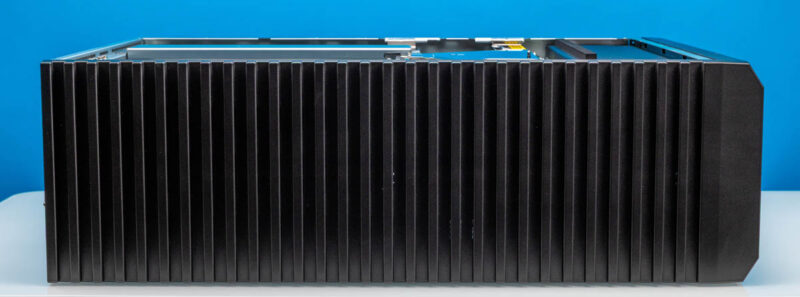
Because Supermicro put all of their front I/O and buttons on the front of the system, there is no need for the top of the system to be anything special. Coupled with the fact that it has no ventilation here, since that would not work in a rackmount scenario, Supermicro is keeping things simple on top. This top can be popped off to expose mounting points for rackmount rails.
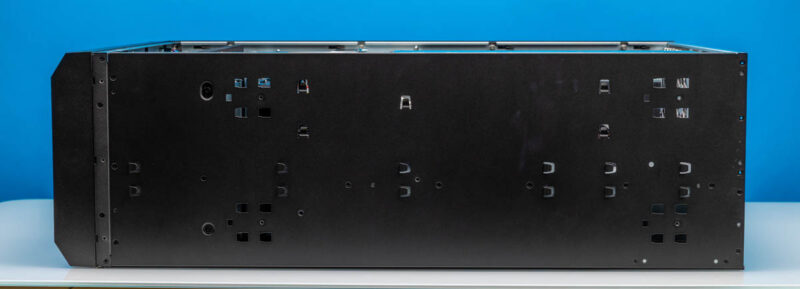
The bottom, for that matter. Here it is much more obvious, even in a workstation configuration, that this chassis can be rack-mounted, as you can easily see where the rails would go.
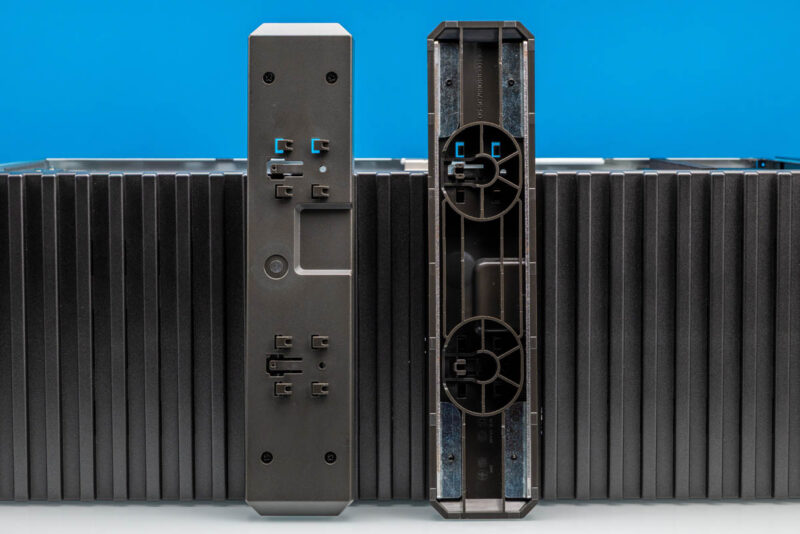
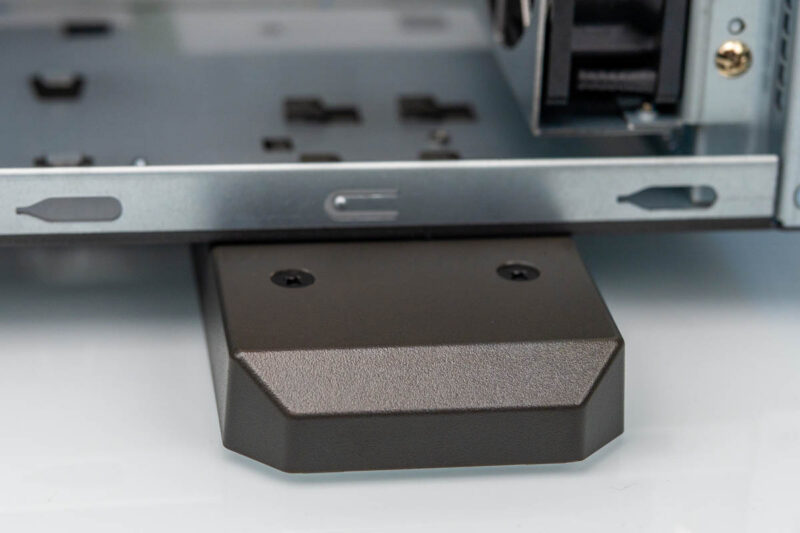
This also means that for workstation mode, the chassis needs a pair of feet attached to properly support the system and its copious 88lb weight.
That wraps things up for our outside look at the Super AI Station. For the rest of the story, let us dive into the system’s chassis, where this gets very different.