

With NVIDIA announcing multiple new desktop system designs at Computex 2026, NVIDIA’s partners were understandably eager to show off their current and forthcoming wares. For most desktop users, the highlight of the show is arguably running into an NVIDIA DGX Station system, which at around $125,000 each (via Newegg Affiliate link) is in the running as the most expensive desktop computer available, and the only way to get NVIDIA’s flagship GB300 accelerator in something smaller than a server.
As luck would have it, we happened to run into one of those systems over at the Supermicro Computex 2026 booth, where NVIDIA’s partner had its DGX Station system, the Super AI Station, on full display.
Supermicro Super AI Station
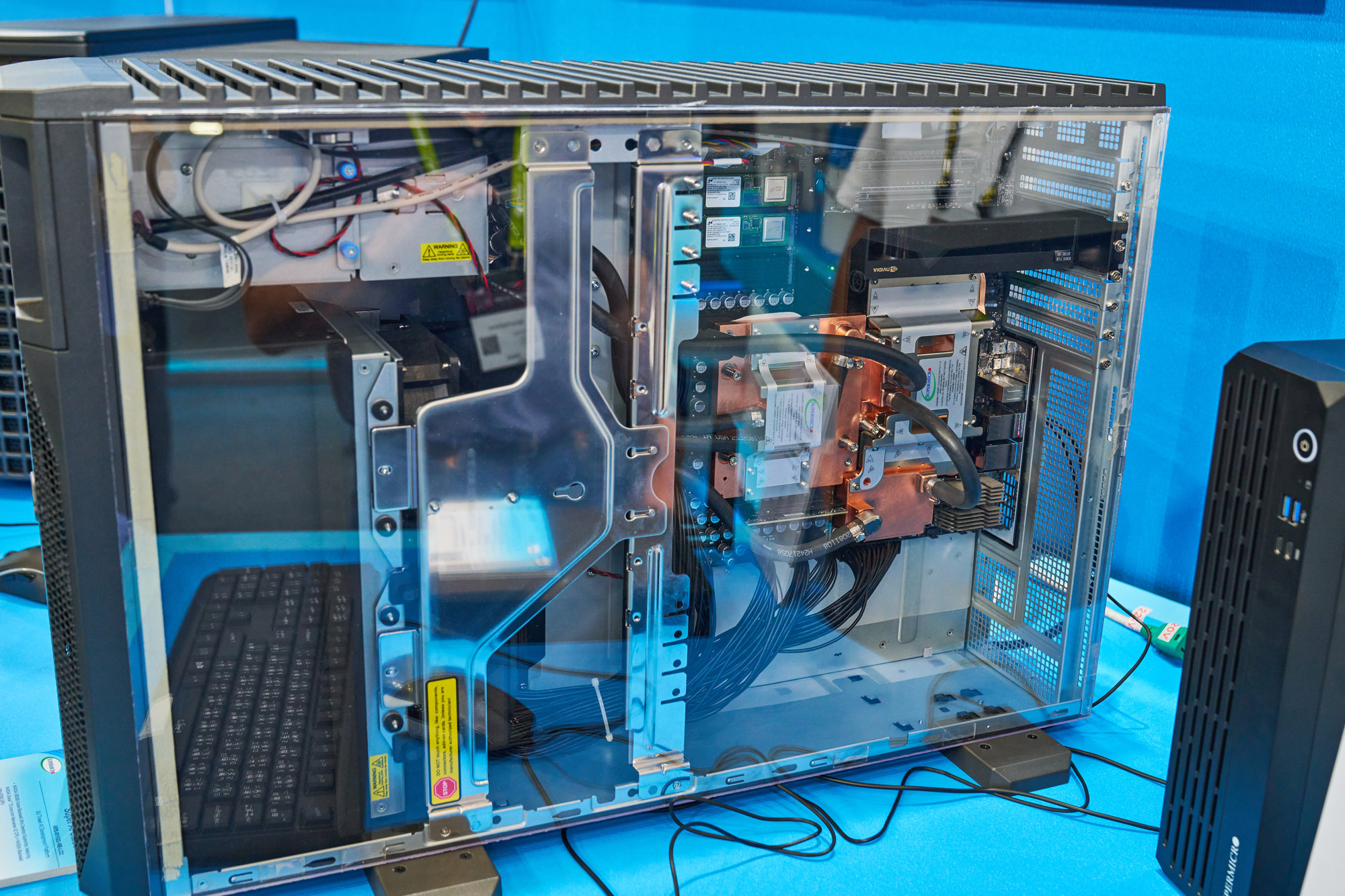
The Super AI Station is Supermicro’s DGX Station offering. And kudos to the company for understanding just how interesting a product they had on their hands. While they did not have the system open, they did the next best thing by putting a plexiglass panel on its side so that attendees could get a good look inside.
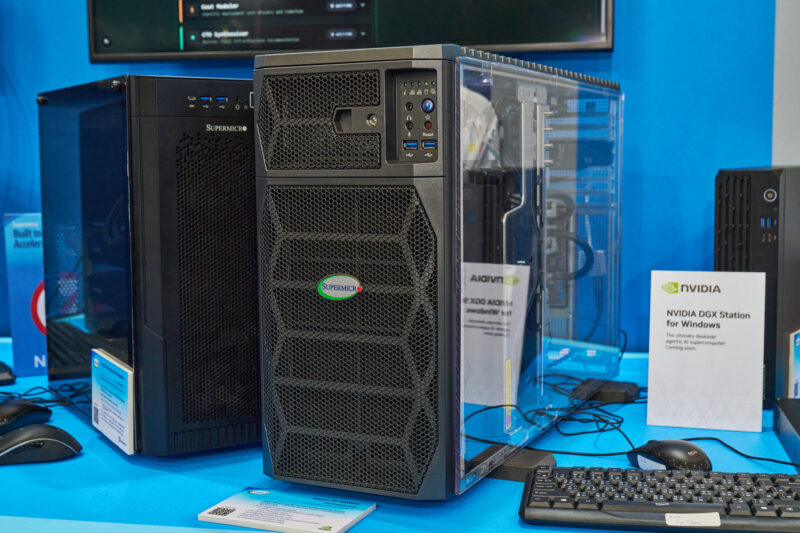
As with GB10 systems, NVIDIA has kept OEMs on a relatively short leash with DGX Station systems. NVIDIA provides the critical motherboard and processors, leaving OEMs to design a system around it while meeting NVIDIA’s specifications for things such as port availability and power. The end result is that the core components and layout of a DGX Station system are all going to look very similar to Supermicro’s system.
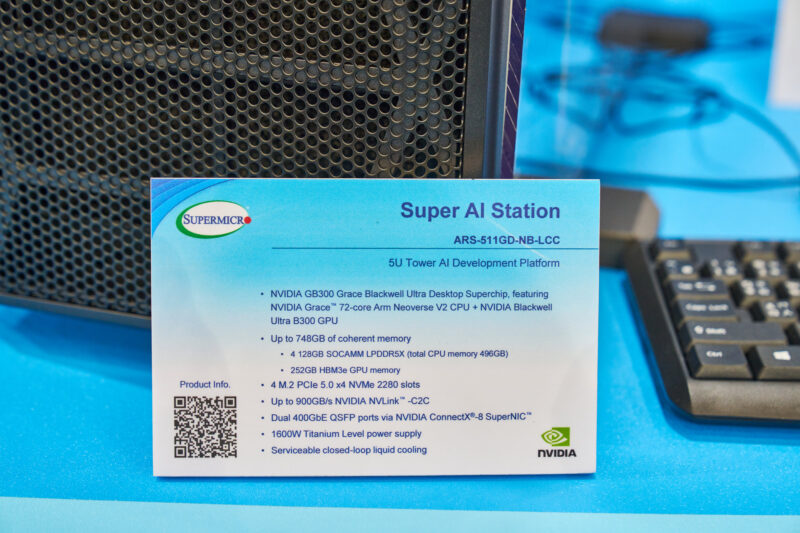
At its heart is the Grace Blackwell GB300 chip, which combines a 72-core Grace CPU die with a Blackwell GPU. With most of the system’s 1600 Watt TDP going to that chip, Supermicro has opted for liquid cooling here, covering all critical components with cold plates and running a radiator loop to carry away the heat.
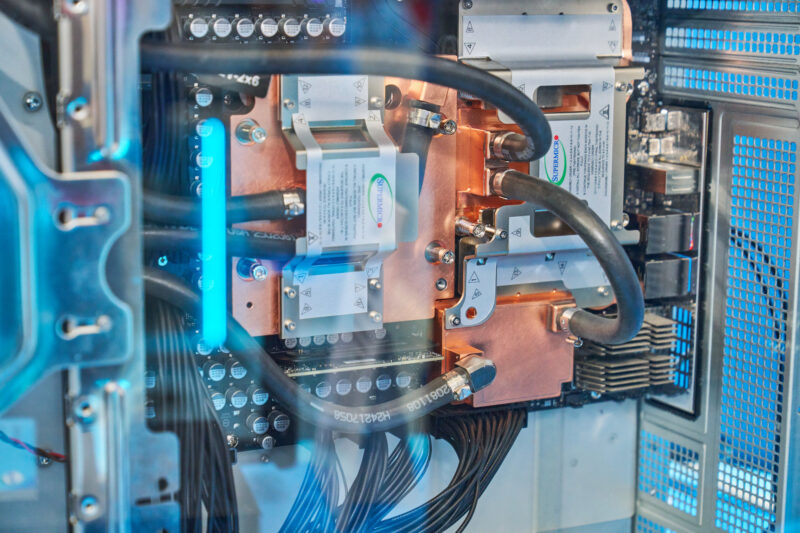
This includes the four LPDDR5X SOCAMMs that provide the 496GB of memory for the Grace CPU, so while those are technically removable, they are not easily accessible. As for the Blackwell GPU, NVIDIA is using a de-rated part here. DGX Station systems ship with only 7 of the 8 HBM3e stacks on the chip enabled, for a total of 252GB of GPU memory and a total memory bandwidth of 7.1TB/second.
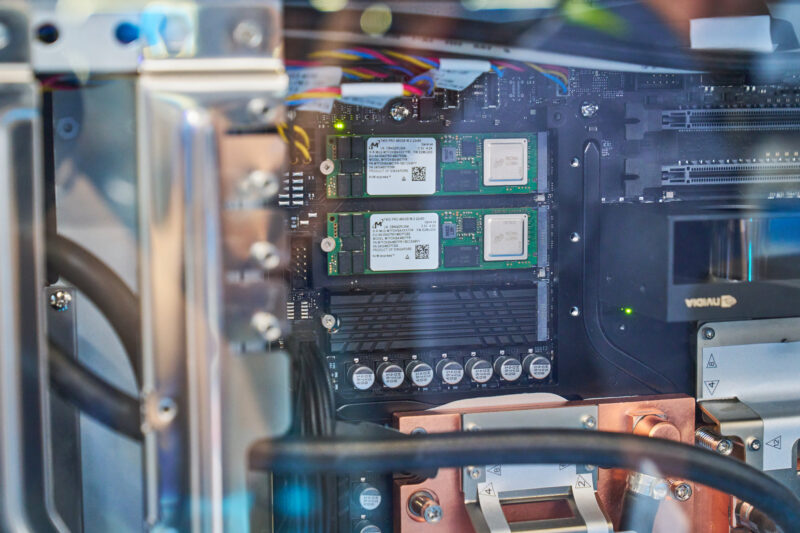
As for storage options, all DGX Station systems come with four PCIe Gen5 x4 M.2 2280 slots, which, for its showcase system, Supermicro filled with 480GB Micron 7450 Gen4 x4 drives.
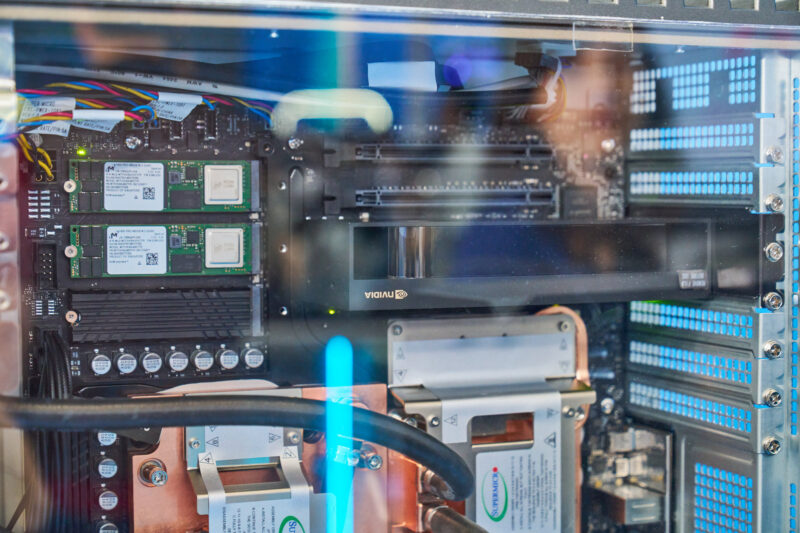
Meanwhile, they also had an NVIDIA RTX PRO video card installed, an optional upgrade that NVIDIA allows. Despite shipping with the Blackwell Ultra GPU, you need another GPU for a workstation if you want something better than BMC video output. The GB300 is not graphics-capable due to its compute-optimized design, so an RTX PRO card must be installed to enable graphics beyond BMC video. This leaves two more PCIe x16 (x8 electrical) slots available for further upgrades.
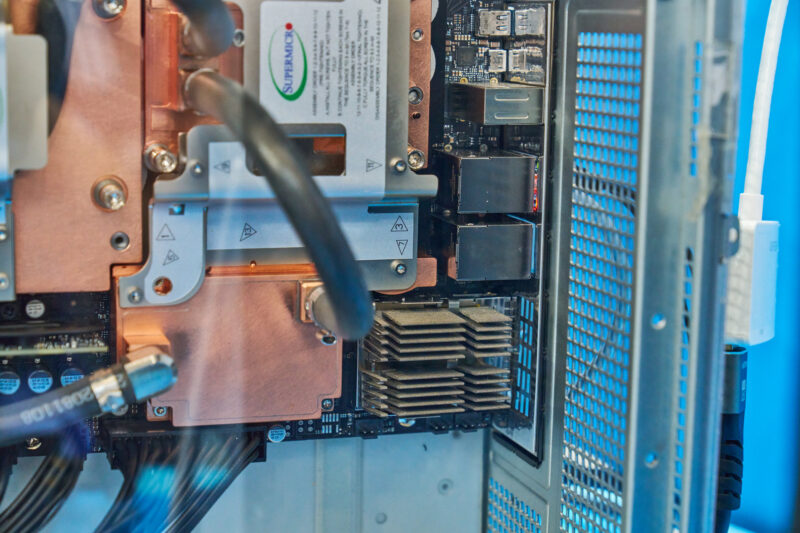
From the side angle, you can also just make out the system’s 400GbE QSFP ports, which are covered with a small heatsink. Along with the GB300 system itself, NVIDIA’s ConnectX-8-powered Ethernet is the other marquee feature of the DGX Station system, with the two 400Gb ports providing ample bandwidth for networking multiple systems together or for a fast backhaul between the Station and other machines on the local network.
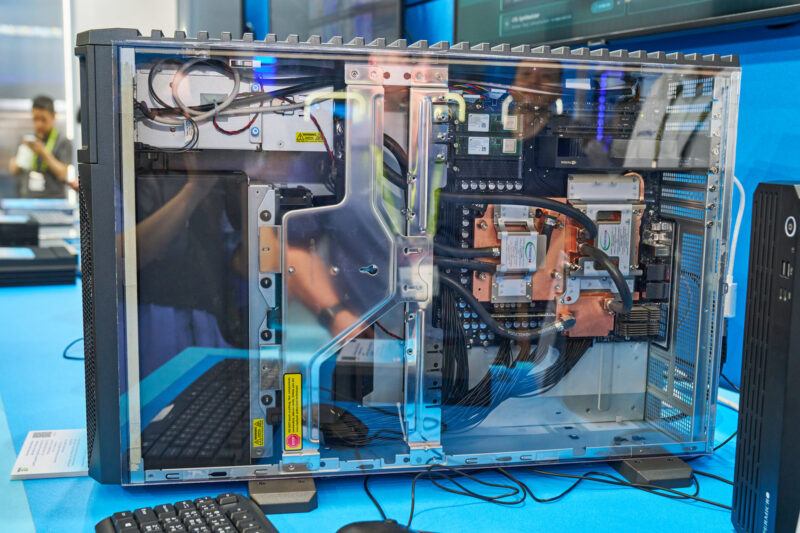
With the GB300 and motherboard at the rear of the system, Supermicro has placed the system’s sizable radiator towards the front. Three fans pull air through that radiator, push it through the rest of the system, and eventually out the rear.
This front-to-back configuration is an intentional choice on multiple levels. Besides being the customary setup for a high-end workstation, this ensures that the Super AI Station is suitable in a rackmount setup. The desktop computer can, if desired, be outfitted with a rackmount kit, allowing it to be mounted as a 5U server. This is not going to be a space-efficient option versus a traditional HGX-based server, but it is an easy way to get a single GB300 installed in a rack. It is also a differentiator for Supermicro that may make a lot of sense to people. Not everyone will want a 1.6kW system running at their desk.
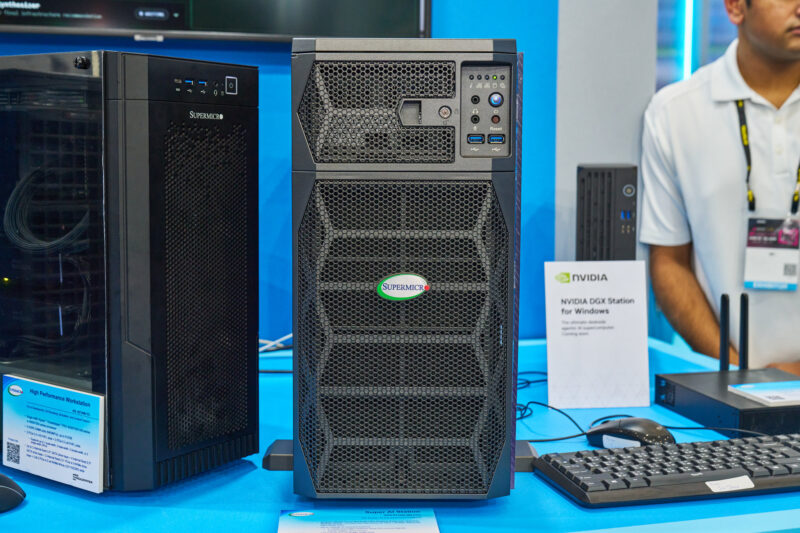
If you ever do find yourself looking at the front of a Super AI Station, this is what you will be looking at. The front of the all-black system is primarily for ventilation, given its significant TDP. Otherwise, up towards the front-right corner, you will find the system’s two front-accessible 5Gbps USB 3 ports. There are four 10Gbps USB 3 ports on the rear, but no USB-C ports to speak of on the system.
Final Words
NVIDIA’s DGX Stations are a hot item and in more ways than one. For anyone looking to do local development and testing against a GB300 system while wanting said system on their desktop, the DGX Station is the way to do it. Just make sure you have a dedicated power circuit available, as the GB300 used in Supermicro’s Super AI Station still draws 1600 Watts at full load. For better or worse, there is nothing quite like them.
Along with the current DGX Station systems that come pre-loaded with NVIDIA’s custom Ubuntu distro, DGX OS, we will also see the systems later this year when OEMs begin selling Windows versions under the DGX Station for Windows branding.

Former system builder here…
Is it just me, or am I the only one who’s scratching their head at the $125k price tag on these DGX Stations? Are they really 25x faster than a DGX Spark? (125000/5000=25)
Granted, I built systems back in the 2010-2014 era; so nothing like the hardware we have today. But again, even with the absolute BEST hardware, the most insane builds; nothing even came into the ballpark of the cost of these AI systems until you went into full racks. And even then, you’re getting a full rack of hardware…
This just seems like brand dominance and they’re pricing however they want.
I have a sinking feeling that the companies that purchase this equipment are the ones that are going to be hit the hardest by any kind of ‘bubble burst’ that may happen with the AI era.
has anyone seen a block diagram of these new dgx stations? I am guessing that, for cpu/storage type traffic, the cx8 will only have 16 pci gen5 lanes to communicate externally.
for gpu direct traffic going external, they may be able to leverage the pci gen6 switch built into the cx8 nic. Even in the latter case, it is still using 2 x400G and not 1 x 800G which may impact performance. not quite the dgx spark cx7 bait and switch but like the good DR above mentioned, these boxes ain’t cheap!
Yes, they have big advantages in both speed and capability. They’re much, much faster than the Spark. Also, the memory is not only much faster, it is much larger, meaning it can keep larger models in memory. I’m running the Sparks, they’re pretty useful, but they have limitations.
These have a lot more connectivity as well, so they scale better.
Is it worth 25x as much?
Depends on what you’re doing.
Oak Ridge National Lab spent $100 million to build Titan supercomputer in 2012.
The system is composed of 20,000 AMD Opteron cores. It takes 5,000 sqft of space and 10,000,000 watt of power.
Its performance is 20 peta flops, the fastest of its time, and stay top #10 before it was decommissioned in 2019.
Fast-forward to 2026, this Nvidia desktop provides the same 20 Pflops of computation with an 1,500 watt PSU and costs $125k.