
Supermicro Super AI Station Internal Hardware Overview
Opening up the Super AI Station is a relatively simple process. The system’s two side panels are held in place by a set of latches and a few screws each. Removing the screws and popping the latches lets us slide the panels off.
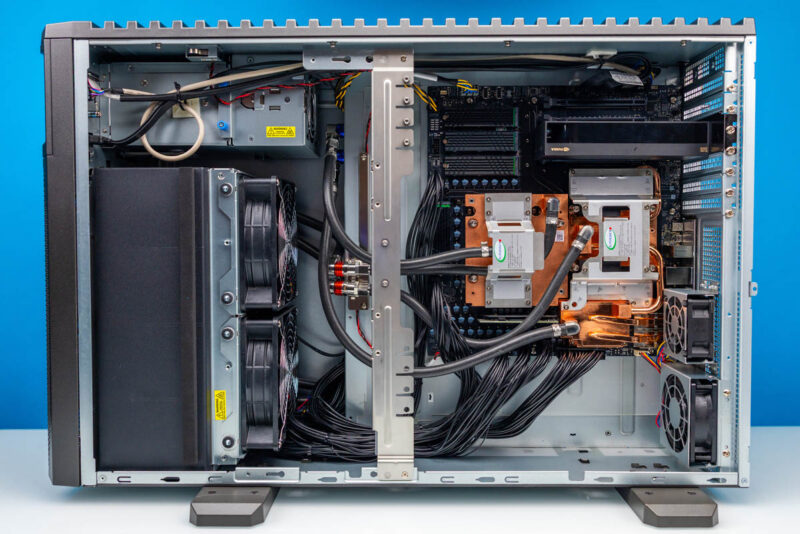
If one picture can sell that this is a server masquerading as a desktop workstation, this first photo of the system’s motherboard bay says it all. Forget the ATX design guidelines. This is a server layout. A neat and tidy server layout, but a server all the same.
The chief reason we say that is airflow. Supermicro is relying on a pure front-to-back airflow design to cool the Super AI Station. Since they are not routing any air through the top or sides of the system, the radiator has to go where there is room: the front. That means the Super AI Station pumps hot air through the lower halves of its motherboard and power supply bays.
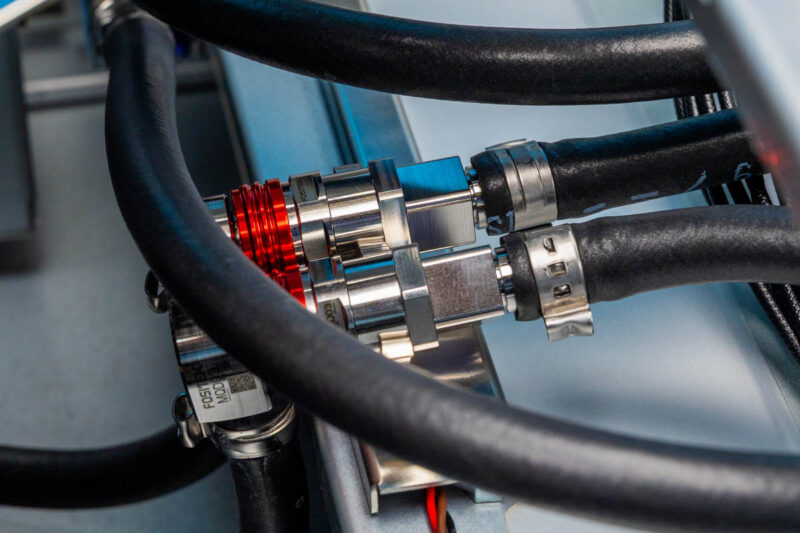
Unlike our previous Gigabyte and MSI systems we reviewed, Supermicro is using a very different liquid cooling setup.
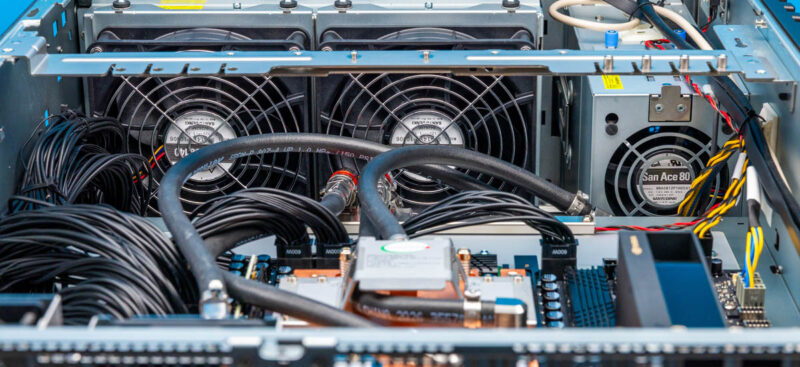
The radiator at the front of the system is a bit shorter than what we have seen in other DGX Station systems. Rather than a 3x120mm design, Supermicro uses just two 140mm fans to pull air through the very thick radiator.
To augment that, the top section of the case has a third 80mm fan that pulls air from outside of the case, without going through the radiator. This is specifically to provide cooler air to any PCIe cards that may be installed in the system, as well as the SSDs to a lesser extent.
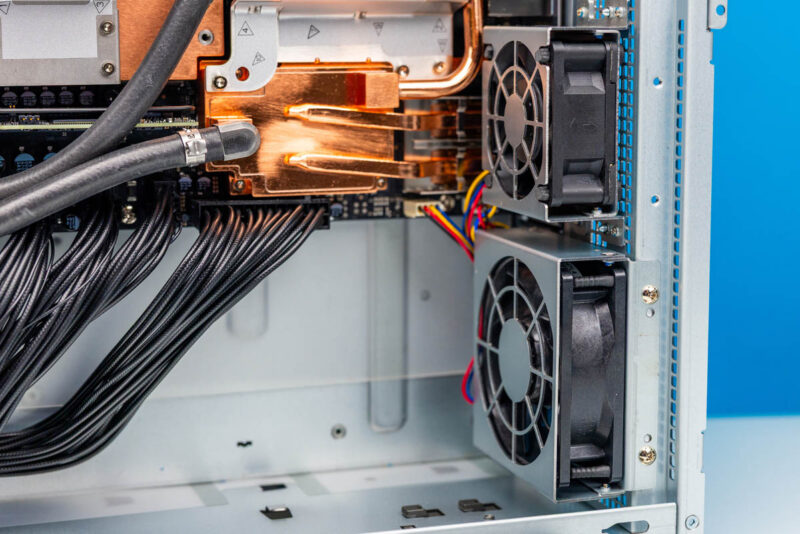
Meanwhile, towards the rear of the system are a couple more case fans. The larger of these is an 80mm fan, which is solely to help cool the chassis. To its left is a 60mm fan with a more dedicated purpose: to help cool the Connect-X 8 SuperNIC and its QSFP112 cages. This is the first DGX Station design we have seen using this setup.
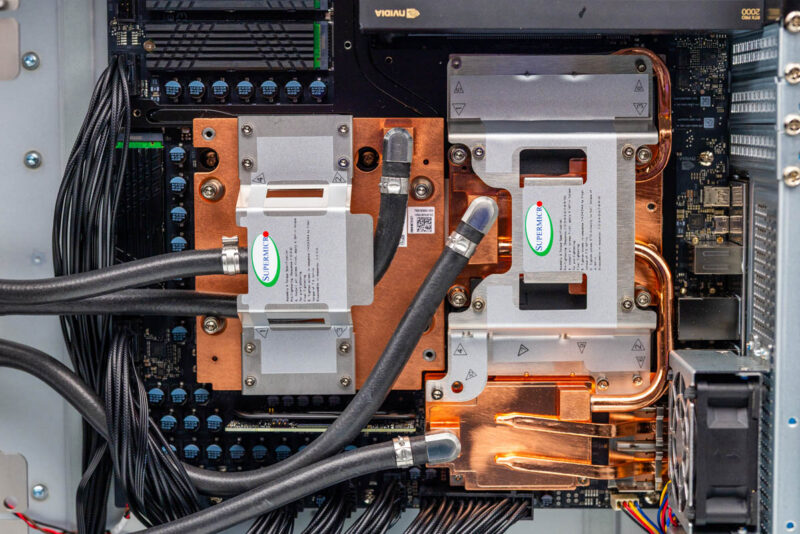
As for the computing hardware itself, we once again see NVIDIA’s standard motherboard. With the motherboard mounted upside-down, we have the Blackwell Ultra GPU on the left, followed by the Grace CPU and LPDDR5X SOCAMMs to the right, and the Connect-X 8 SuperNIC near the bottom-right corner.
Supermicro has shaken things up a bit here with their cooling system, though. Rather than using one shared loop through all three processors, Supermicro runs two independent loops. The GPU is on the first loop, while the CPU and SuperNIC are part of a second.
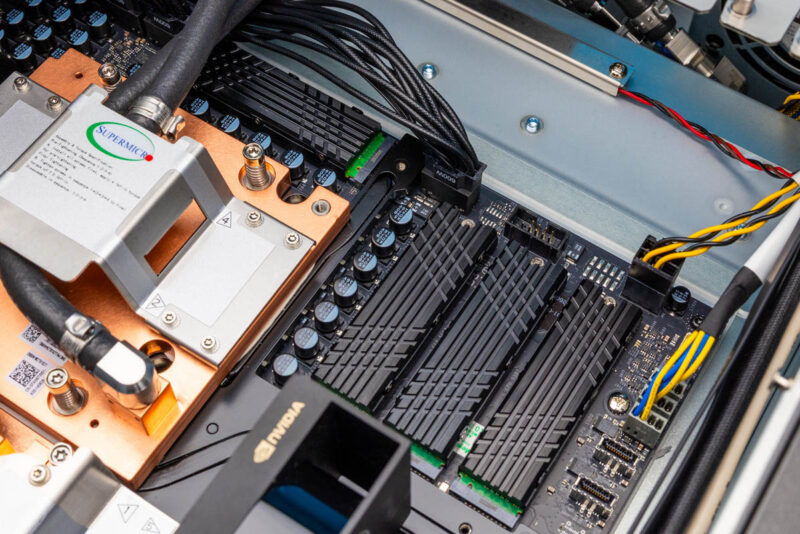
As for storage, like all DGX Station systems, the Super AI Station ships with four M.2 2280 slots. Two slots are PCIe Gen5 x4 slots connected to the Grace CPU, and the other two M.2 slots are PCIe Gen6 x4 slots connected to the ConnectX-8 SuperNIC. NVIDIA is leveraging the ConnectX-8 SuperNIC’s existing PCIe Gen6 capabilities to improve the system’s performance, giving the Blackwell Ultra GPU a path to accessing PCIe Gen6 SSDs, rather than risk being bottlenecked by PCIe Gen5 SSDs. The left-side M.2 slots connect to the CX8, while the bottom two connect to the Grace CPU.
In our review sample, Supermicro went all out, filling all 4 slots with SSDs. Though the company used 480GB Micron 7450 Pros here, which are PCIe Gen4 drives.
From this vantage point, we can also see the USB-C port headers on the right side of the motherboard, which Supermicro opted not to use.
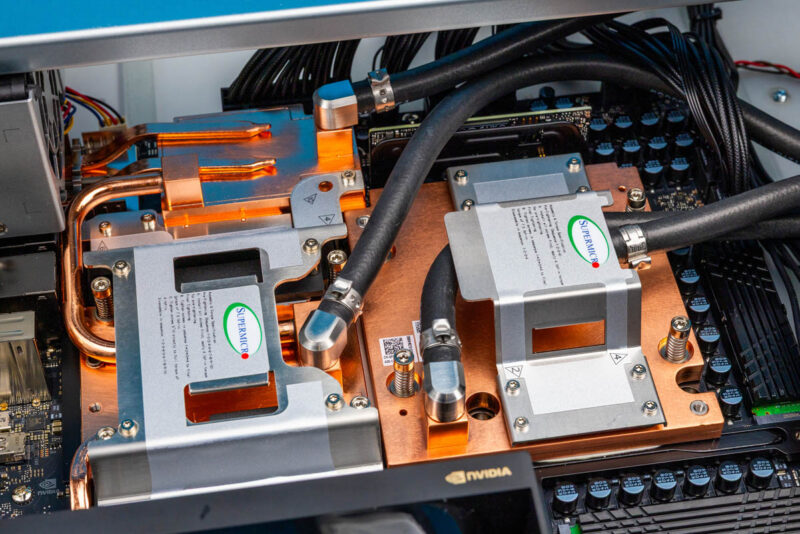
Meanwhile, though it is tucked away underneath the liquid cooling tubing here, towards the back of the system, we can see the Super AI Station’s P3809 BMC. It, rather than being soldered onto the motherboard, sits on a small daughterboard like many of NVIDIA’s data center designs. The system runs OpenBMC, which is great because it provides out-of-band telemetry and management, including an HTML5 iKVM.
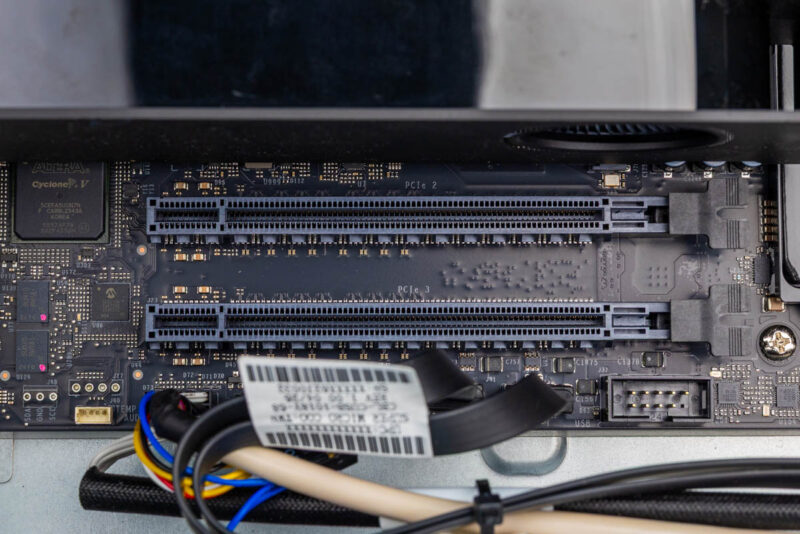
Finally, here is a look at the system’s PCIe slots. As a reminder, the DGX Station motherboard comes with a trio of PCIe slots. These are all physically x16 slots, though they are not identical electrically. The top slot (or in this system the bottom) is a full PCIe Gen5 x16 slot, while the lower two slots are PCIe Gen5 x8 electrical slots. All three slots hang off the Grace CPU, consuming half of its PCIe lanes.
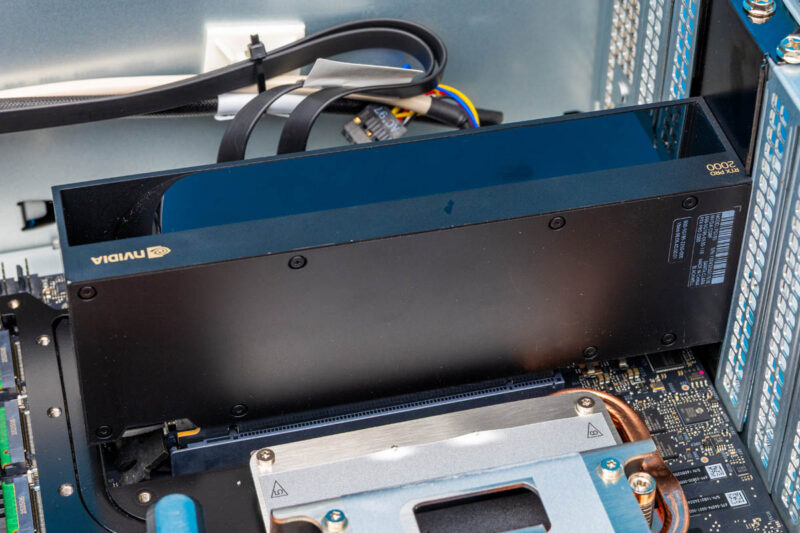
In this case, the top slot of our sample system is occupied by an NVIDIA RTX PRO 2000 video card, which gives the system true graphics capabilities. This is just one option. Officially, NVIDIA/Supermicro support the NVIDIA RTX PRO 2000, 4000, and 6000 Blackwell cards in this system. While some may use this more as a remotely accessed server, those doing generative AI work, for example, will use it as a workstation, so it needs a GPU that can drive multiple high-resolution monitors.
Buried below the video card is also the system’s lone M.2 2230 slot, which is for adding a wireless radio.
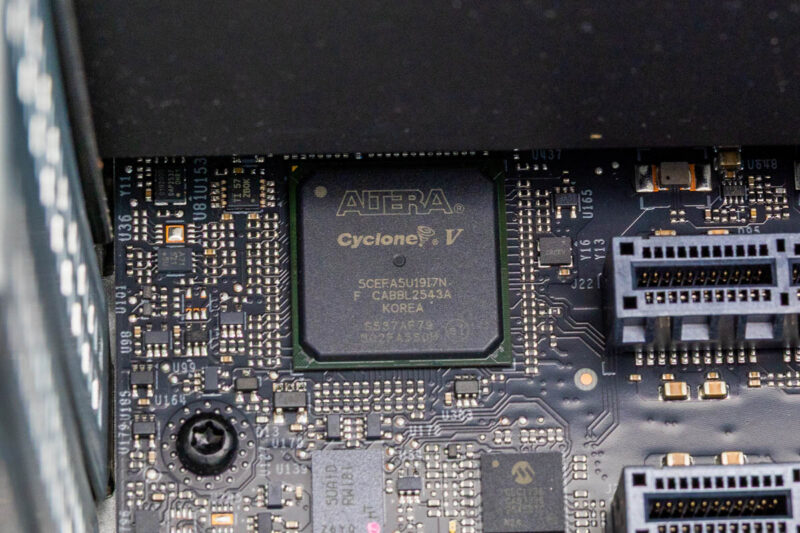
Meanwhile, tucked away to the left of the PCIe slots, we find a lone Altera Cyclone V FPGA.
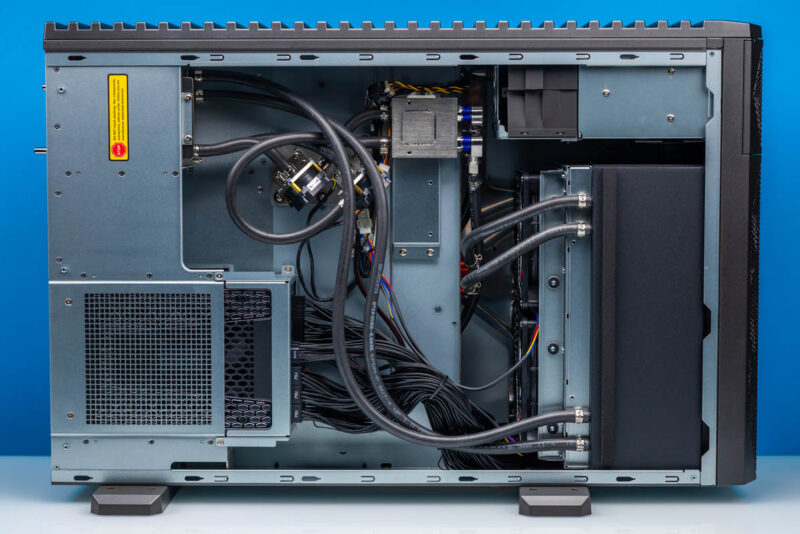
Finally, if we flip over to the other side of the Super AI Station, we find the system’s second chamber. This left chamber (relative to the front of the case) splits the case in two and holds the coolant tank and the system’s 1600 Watt power supply.
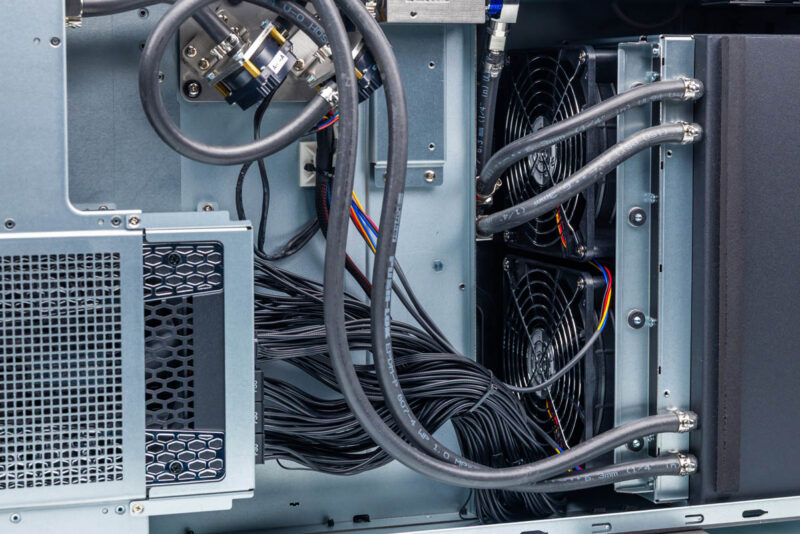
Consequently, this is also where all the system wiring is routed, along with some of the coolant tubing. With the DGX Station motherboard requiring a 24-pin ATX power connector and 6 12V-2×6 connectors for all ancillary 12V power, never mind the power for an extra video card, it adds up to a lot of power cables running through the system.
The power supply itself comes from Seasonic, with Supermicro adopting their Prime-TX 1600W, the company’s flagship ATX 3.1 unit. Accordingly, this is an 80 Plus Titanium-rated unit, marking the first time we have received a DGX Station with a better-than-Platinum PSU.
That is the hardware tour of Supermicro’s Super AI Station. Now let us look at the system’s topology before we get to performance.