
Supermicro Super AI Station Block Diagram and Topology
The claim to fame of the DGX Station systems is NVIDIA’s GB300 Superchip platform. Combining an NVIDIA Grace CPU, an NVIDIA Blackwell Ultra GPU, and an NVIDIA ConnectX-8 SuperNIC, the GB300 is an extremely powerful configuration. This is essentially a server configuration that just barely fits inside a desktop workstation’s power budget.
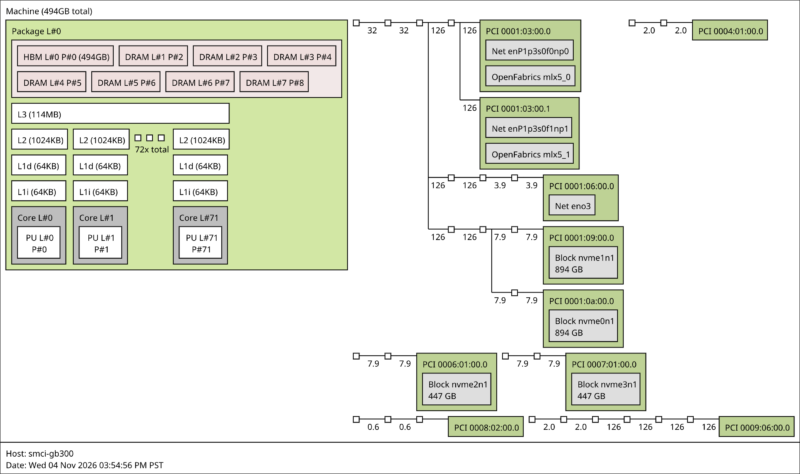
Quickly running down the specs here for anyone not familiar with GB300 or DGX Station, the Grace CPU is a 72-core chip based on Arm’s Neoverse-V2 CPU cores. NVIDIA introduced it as part of the Grace Hopper hardware generation in 2022. With NVIDIA’s 4-year CPU development cycle, it has remained Blackwell’s designated CPU partner. Vera intersects the Rubin GPU generation. NVIDIA uses a full Grace configuration, enabling all 72 CPU cores.
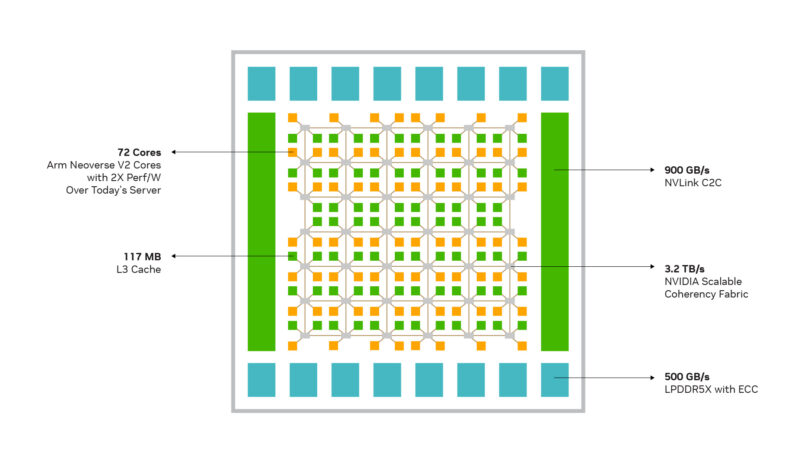
For memory, Grace offers a 512-bit LPDDR5X memory bus. For GB300 systems, this is implemented as four 128-bit SOCAMM modules. The slim memory modules allow removable/swappable LPDDR5X, though as we noted earlier, DGX Station systems lock this down as non-serviceable. The Super AI Station and other systems come with 496GB of memory (with NVIDIA reserving the last 16GB), providing 396GB/s of memory bandwidth. We tested running LLMs from LPDDR5X because it offers more memory bandwidth than the DGX Spark/GB10 platforms.
For I/O, Grace has no peripheral I/O of its own. Instead, it keeps things generic with 64 PCIe Gen5 lanes. As a result, all USB connectivity comes through discrete USB controllers.
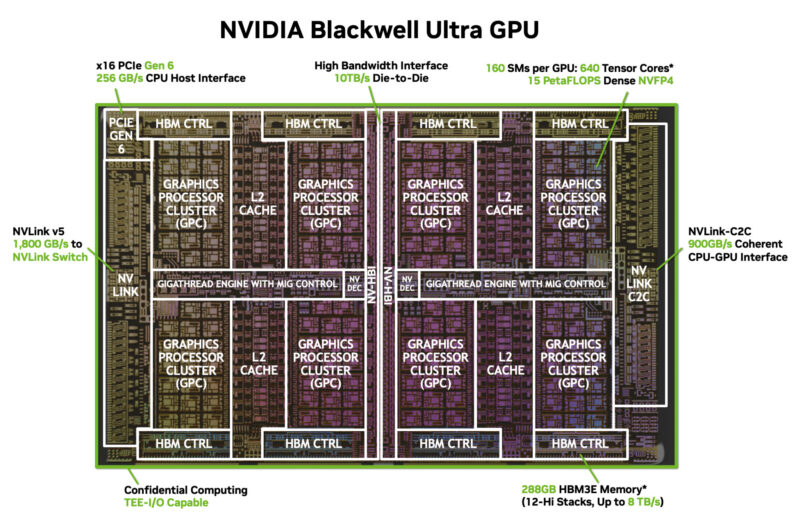
As for the GPU, DGX Station systems feature a slightly detuned B300 Blackwell Ultra GPU. This Blackwell Ultra configuration ships with 7 stacks of HBM3E memory enabled, giving the GPU access to 252GB of memory overall. This totals 7.1TB/second of bandwidth. In terms of compute throughput (the ultimate reason the DGX Station exists), a single system can deliver 20 PFLOPS of spare FP4 throughput, 10 PFLOPS of FP8, or 330 TOPS of INT8.
The final piece of the silicon puzzle is NVIDIA’s ConnectX-8 SuperNIC. A staple of GB300 servers (and replacing the CX7 in GB200 servers), CX8 is both a high-speed 48-lane PCIe Gen6 switch and a high-throughput NIC. On servers, CX8 Ethernet ports form the basis of GB300 scale-out networking. On DGX Station systems, they fulfill a similar role.
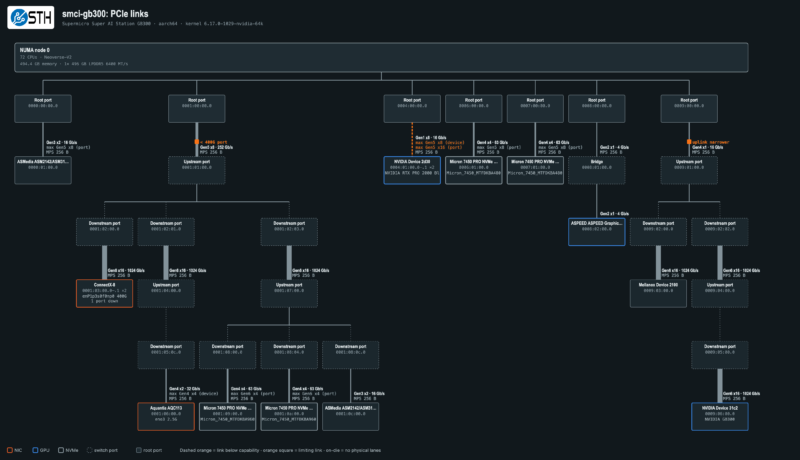
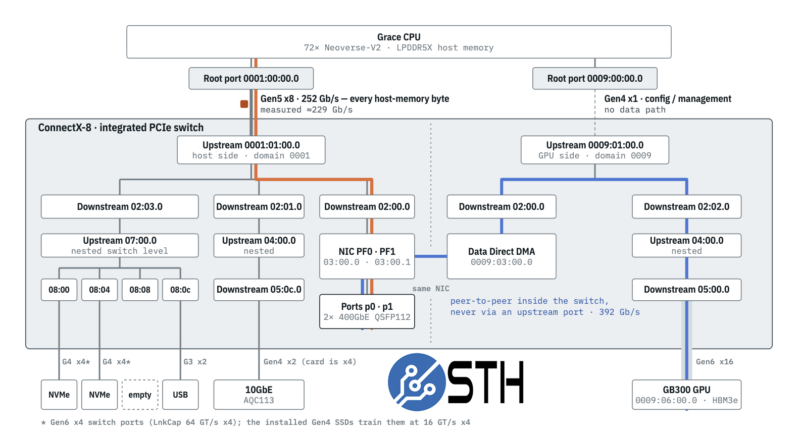
Perhaps the most surprising part of the system is that the CPU-to-NIC path is only a PCIe Gen5 x8 link, so it is limited to roughly 229Gbps, coincidentally similar to the NVIDIA GB10 boxes with their dual Gen5 x4 links to the CX7. The major upgrade is a PCIe Gen6 x16 link between the Blackwell Ultra GPU and the ConnectX-8 SuperNIC, so we push 800Gbps of bandwidth between the GPUs in these systems.
Hanging off of the CX8 SuperNIC are the two 400Gb Ethernet ports, two PCIe Gen6 x4 M.2 slots, the Marvell 10GbE controller, and the USB controller powering the sole 10Gbps USB-C port on top of the system.
Next, let us cover out-of-band management.
Supermicro Super AI Station IPMI with OpenBMC Management
Because DGX Station systems like Supermicro’s Super AI Station are built around a server accelerator, they do not have native multi-display high-resolution graphics support. You can add this with an RTX PRO video card, as Supermicro did for this review sample, but it is not required. Instead, NVIDIA designed the systems to run headless (if desired), even building the platform with out-of-band management capabilities and a BMC, like a server.
Interestingly, Supermicro and NVIDIA are using OpenBMC here, so it will look either very familiar or moderately familiar, depending on which server brands you use and their BMC implementations.
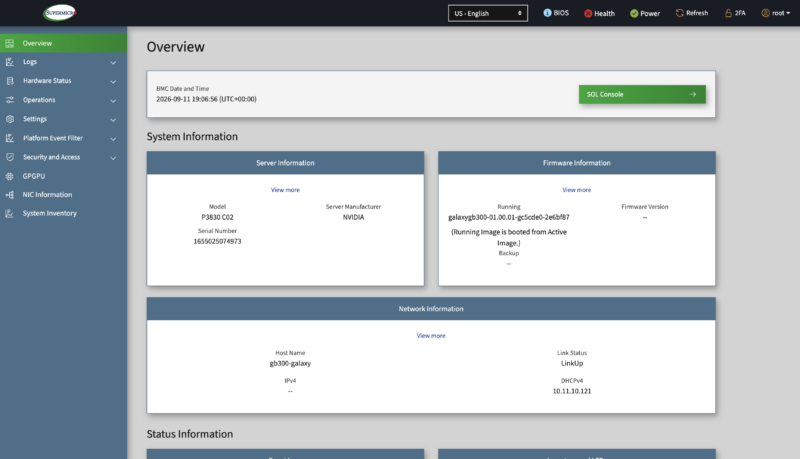
OpenBMC is gaining popularity, and Supermicro’s solution feels like an industry-standard implementation, but skinned for Supermicro. This feels different than other DGX Station systems we have tested.
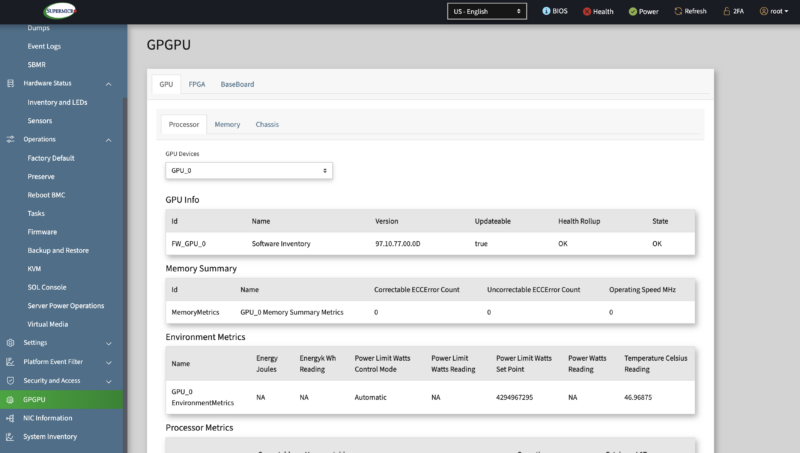
This IPMI also includes a detailed read-out of the status of the critical Blackwell Ultra GPU at the heart of the system.
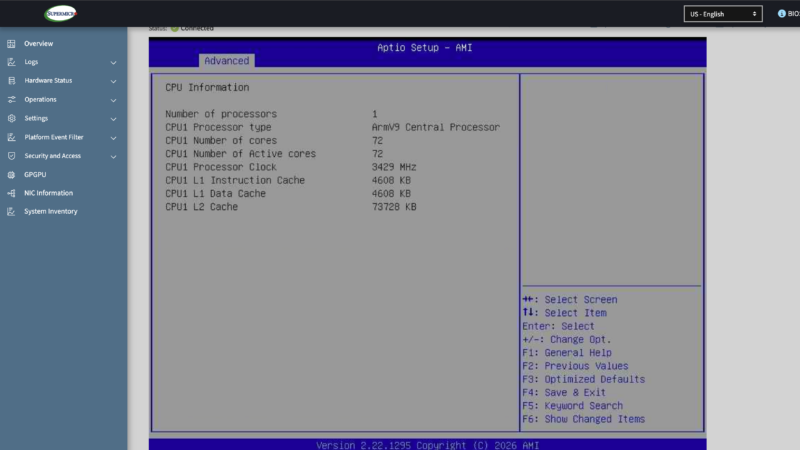
Meanwhile, here is a look at the system’s BIOS, through the eyes of a virtual KVM. The AMI BIOS is plain, but sufficient for the system’s needs.
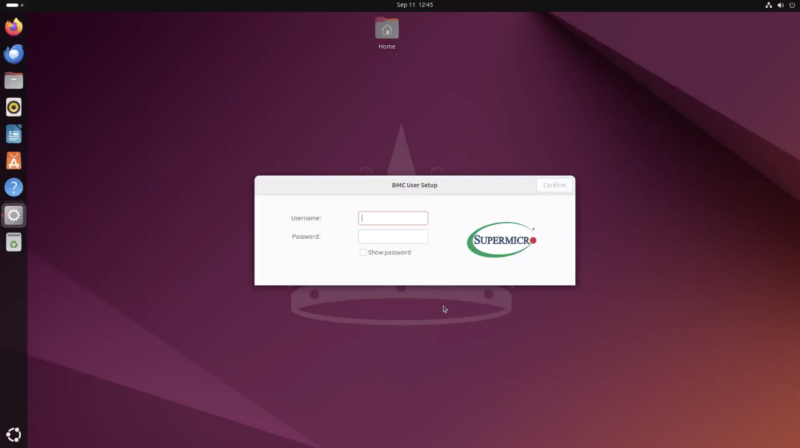
Finally, since this system has a proper video card, here is the Super AI Station up and running with the full Ubuntu GUI.
Next, we know what you want to see, and that is performance, so let us get to that next.