

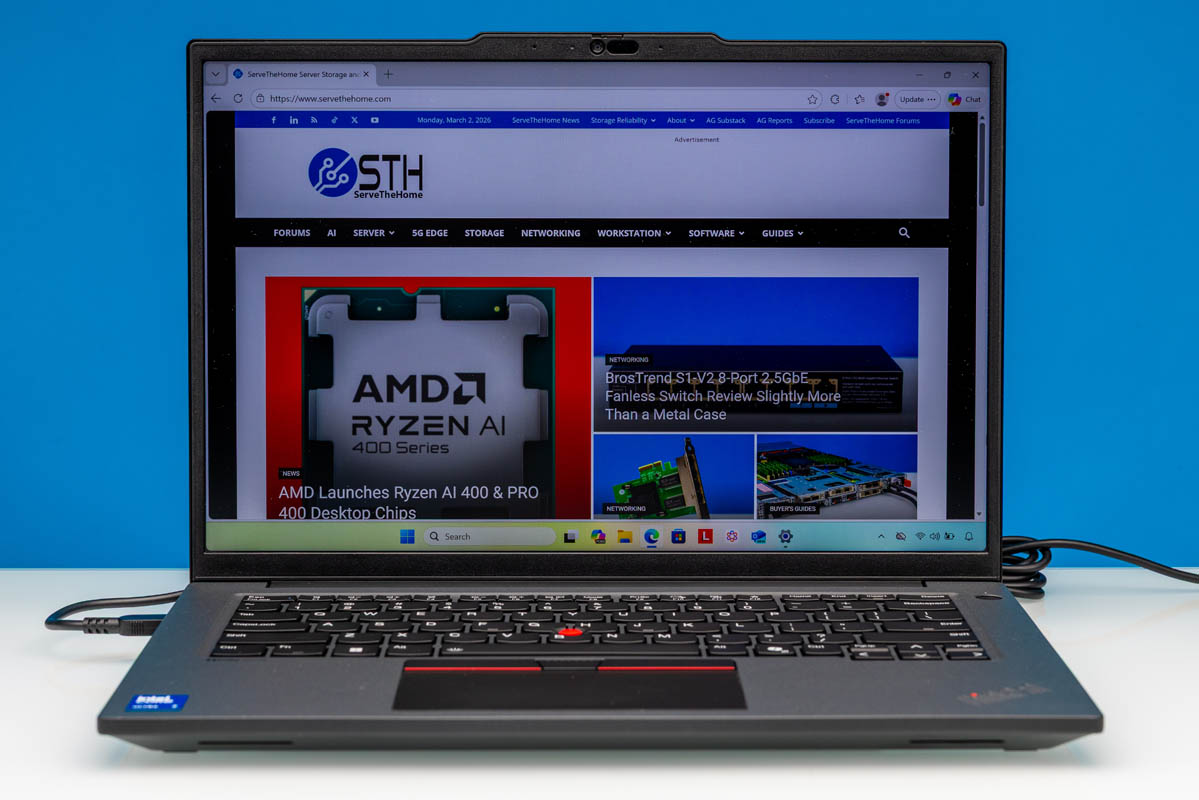
If any one product line is Lenovo’s bread and butter, then that would be their ThinkPad lineup. Harkening back to the days that IBM operated its own PC business, the ThinkPad became a synonym for corporate laptops even in the earliest days, and that has not changed even in the 20 years since Lenovo took over IBM’s PC business. And with laptop sales easily eclipsing desktop sales these days, the ThinkPad lineup is that much more important to Lenovo.
Today, we are taking a look at one of their premier business laptops, the ThinkPad P14s Gen 6 (Intel). Though the name is a bit of a mouthful, it tells you everything you need to know in one go: mainly that this is the company’s 6th generation 14-inch P series laptop, and that the system is built around an Intel processor.
| Lenovo ThinkPad P14s Gen 6 (Intel) Key Specs (21QT0029US) | |
| Processors | Intel Core Ultra 7 265H, 6P + 8E + 2LPE (5.3GHz) |
| Operating System | Windows 11 Pro |
| Memory | 32GB DDR5-5600 (1x SODIMM) |
| Storage | 1TB SSD (PCIe Gen5@Gen4 x4, M.2 2280) |
| GPU | Intel Arc 140T (Xe-LPG+, 8 Xe cores) NVIDIA RTX PRO 500 Blackwell (6GB GDDR7) |
| Display | 14.5-Inch, 2560x1600px IPS, 90Hz, 400nits Max Brightness, 100% sRGB |
| Battery | 75Wh, 3 Cell |
| Form Factor | Laptop |
| Dimensions | 325.5 x 227.6 x 15.1 mm (12.81 x 8.96 x 0.59 in) |
| Weight | 1.64kg (3.61 lbs) |
| Wireless | Wi-Fi 7 + Bluetooth 5.4 (Intel BE201) |
| Color | Black |
| Ports | Left: 2x USB-C/Thunderbolt 4 40Gbps, 1x HDMI, 1x USB-A 5Gbps, 1x 3.5mm Combo Audio Jack Right: 1x USB-A 5Gbps, 1x 1GbE (RJ45, I219-LM) |
Within Lenovo’s significant ThinkPad lineup, the P series is specifically aimed at the mobile workstation market. Which is to say that these are pro-grade laptops with all the design choices and performance that entails, eschewing ultraportable features in favor of a somewhat ruggedized design that packs in a host of computing hardware. In the case of the P14s Gen 6 (Intel) models, that means Intel’s Arrow Lake-H SoC, as well as an optional NVIDIA RTX PRO discrete GPU.
With a 14-inch display, the P14s is by no means a desktop replacement-class laptop, as some larger mobile workstation laptops tend to be. But it is still a fairly powerful machine overall, with Lenovo aiming to provide as much performance as they can in an easily portable design.
If you wanted to find the Lenovo ThinkPad P14s Gen 6 (Intel) online, here is an Amazon Affiliate link.
Lenovo ThinkPad P14s Gen 6 (Intel) External Hardware Overview
Starting our look at Lenovo’s ThinkPad P14s Gen 6 (Intel) from the outside, this is a traditional corporate laptop in every sense of the word – and that’s just the way Lenovo’s corporate customers like it.
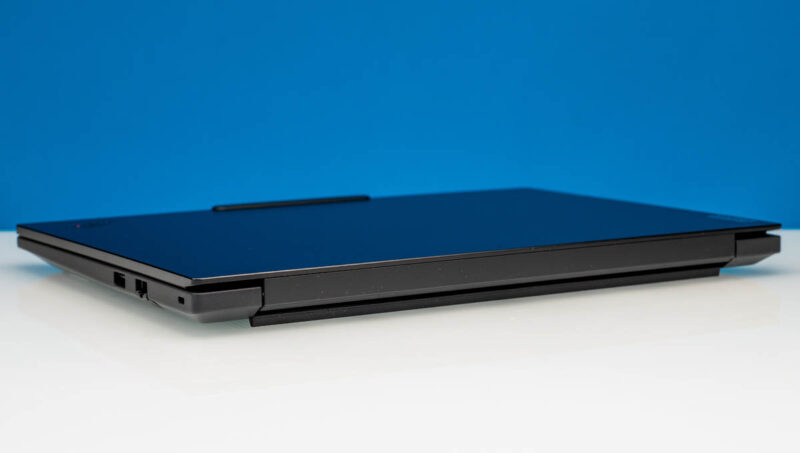
Closed up, the black, all-aluminum laptop is relatively unremarkable. If you only looked at the top-level specs for the laptop, with a 14-inch display, you would think this to be a relatively small laptop. But that is not really the case; this is closer to a 15-inch mobile workstation in a thick case than it is any kind of ultraportable laptop.
Lenovo uses a taped design for the case. It starts at just 11.2mm thick at the front, but expands to 15.1mm thick by the time you reach the rear, making it comparable to other workstation/pro-grade laptops. This also affords Lenovo plenty of space for packing in not only a large battery, but removable SO-DIMMs and other parts we will get to a bit later.
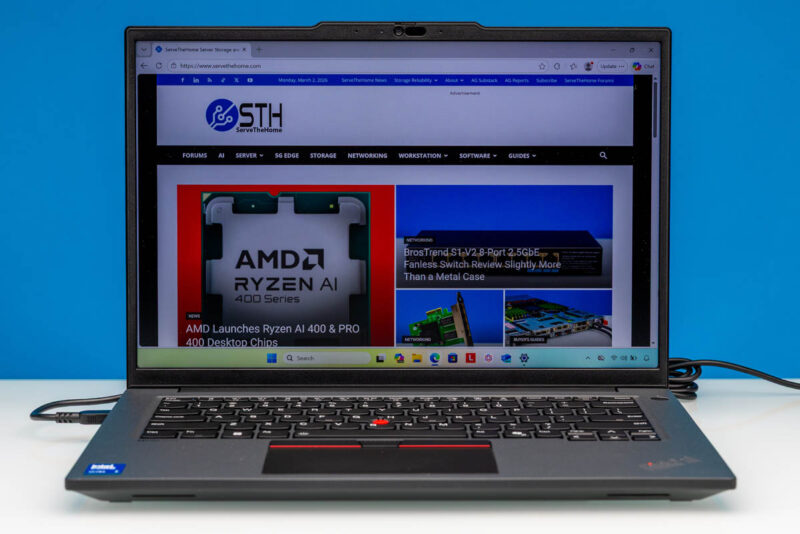
Opening up the P14s G6, and it is a Lenovo ThinkPad through and through. Lenovo has adorned it in its signature black and red styling. And more critically, you will find Lenovo’s trademark trackpoint stick at the center of the laptop’s keyboard.
In fact, this laptop offers two input methods. For users coming from other laptops, the P14s G6 features a traditional multitouch trackpad towards the bottom front of the laptop, with three mouse buttons along the top of the pad. Alternatively, for the classic ThinkPad experience, there’s the trackpoint pointer as well, with those top-aligned mouse buttons augmenting the trackpoint. The keyboard itself is LED backlit and is spill-resistant.
As for the 14.5-inch display that the rest of the chassis is built around, Lenovo offers several options with the overall P14s G6 lineup. Owing to being a pro-grade laptop, Lenovo is using 16:10 displays here, offering some extremely helpful extra vertical space. Our specific review configuration came with a 2560×1600 (WQXGA) IPS panel, which is anti-glare coated and supports an above-average maximum refresh rate of 90Hz. The display itself only covers 100% of the sRGB color space, but with this being a professional laptop, Lenovo is getting the most out of it by providing factory color calibration.
Alternatively, for customers who do not need the 208 PPI of the 2560 display, Lenovo’s entry-level panel options center around touch and non-touch versions of a 1920x1200px (WUXGA) panel. Unfortunately, this is also just a 67% sRGB panel (technically 45% NTSC), so it gives up quite a bit of color gamut as well. At the other end of the spectrum, Lenovo offers an even better 3K (3072x1920px) IPS panel, which, along with the higher resolution, supports a 120Hz refresh rate and can display the entire DCI-P3 color space. In short, Lenovo’s display options for the P14s G6 really run the gamut.
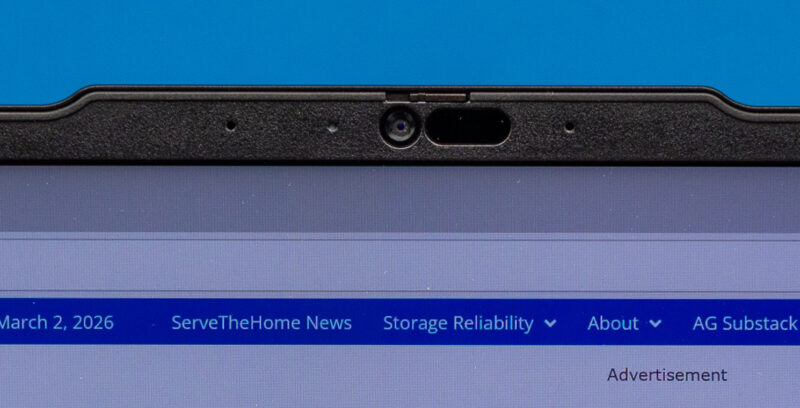
Along the top edge of the P14s G6 is a combination 5MP + IR camera setup for video conferencing as well as Windows Hello login support. You will not be taking any award-winning photos with such a camera, but it is more than sufficient for its intended task. And, being that this is a Lenovo corporate laptop, there is a small privacy shutter built in to the camera module to physically block it when it is not in use.
Conversely, along the bottom of the case, you will find a pair of 2 Watt forward-firing speakers. As helpfully imprinted by Lenovo on the left side of the laptop deck, this sound system is Dolby Atmos certified.

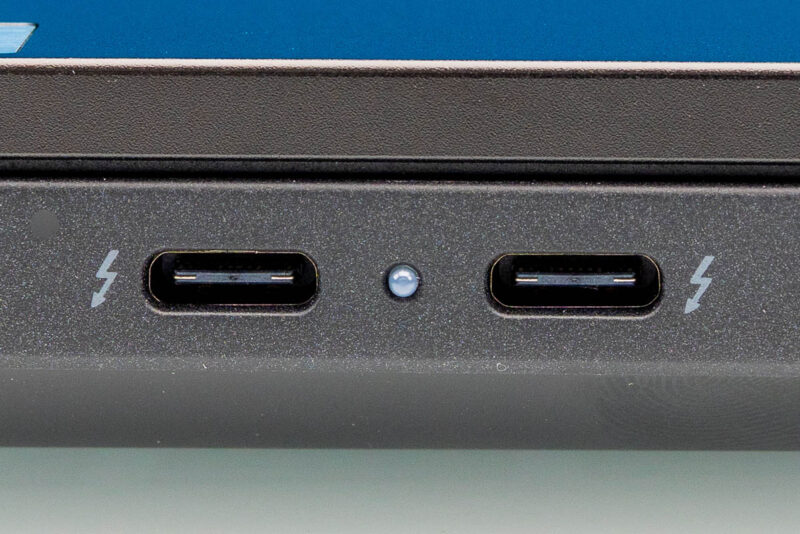
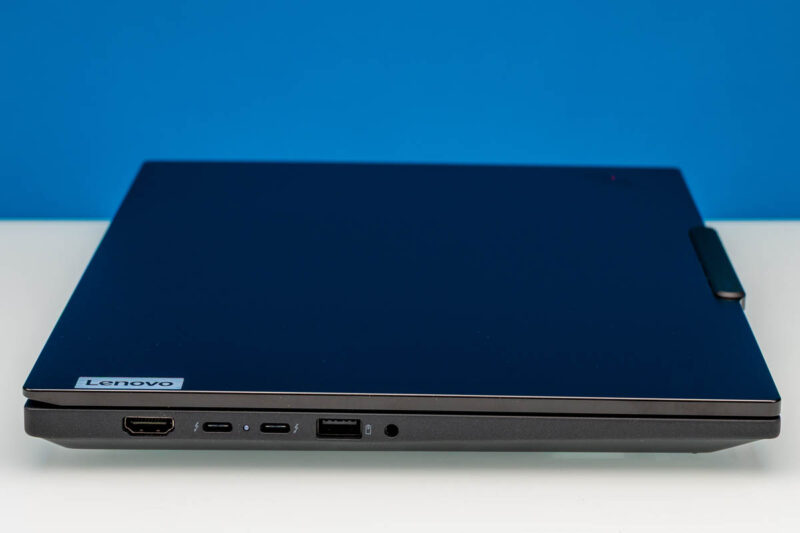
Shifting our view to the left side of the laptop, we find the bulk of the laptop’s I/O ports. Being that this is an Intel Arrow Lake laptop, unsurprisingly a pair of Thunderbolt 4-capable USB-C ports take the front-and-center position.
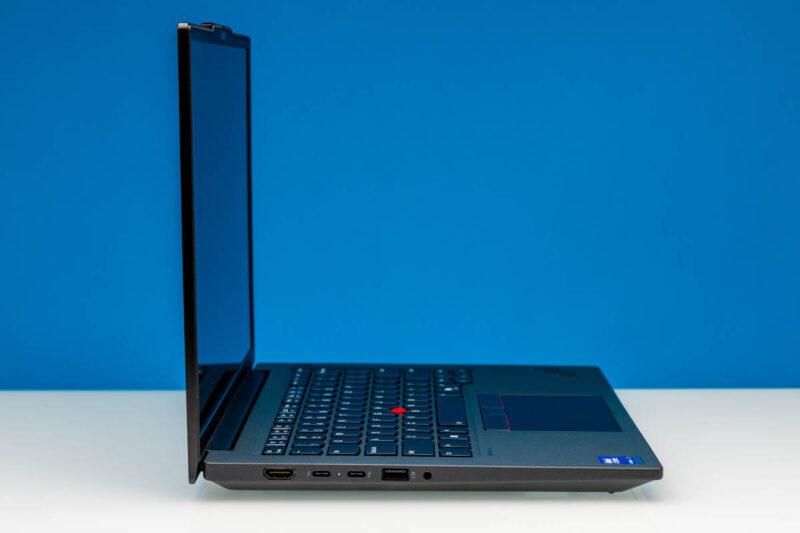
Besides offering 40Gbps data communications and DisplayPort Alt Mode for DP display connectivity, these ports are also what the P14s G6 uses to charge (more on this in a second).
Alternatively, if you need a more TV-friendly output, Lenovo has put a full-size HDMI 2.1 port in this laptop. And towards the front of the laptop are an “always-on” 5Gbps USB-A port, and the laptop’s obligatory 3.5mm combo audio jack.
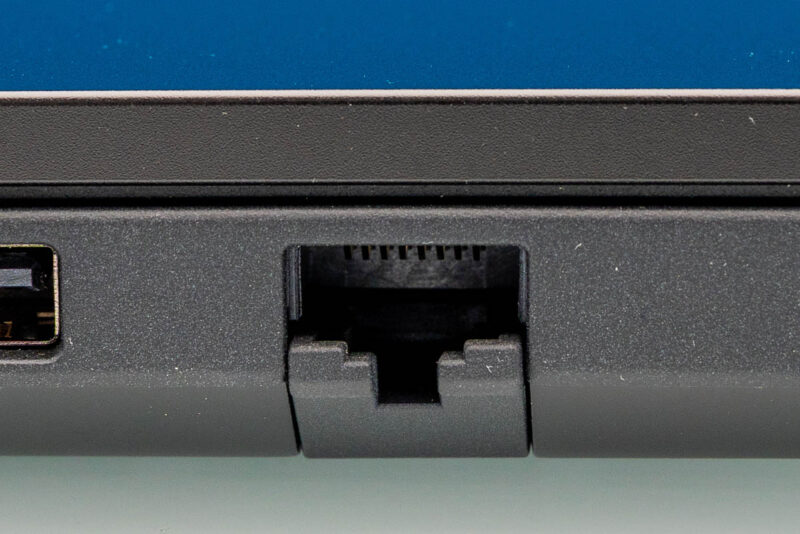
Meanwhile, on the other side of the laptop, we find a couple more ports. Besides a second (and final) 5Gbps USB-A port, we find an expandable RJ45 Ethernet jack, allowing Lenovo to squeeze in a hardwired networking solution into the relatively slim laptop.
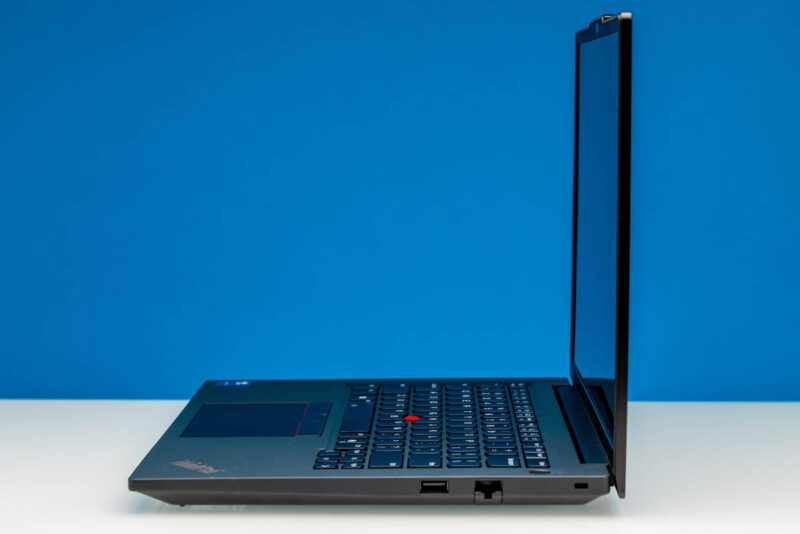
This Ethernet jack is backed by an Intel I219-LM controller, a 1GbE controller, so the overall speed of the wired Ethernet jack is going to trail the performance of the WiFi 7 radio inside the laptop. But for situations that require a hardline, it is a very helpful feature to have that does not require bothering with a USB Ethernet adapter.
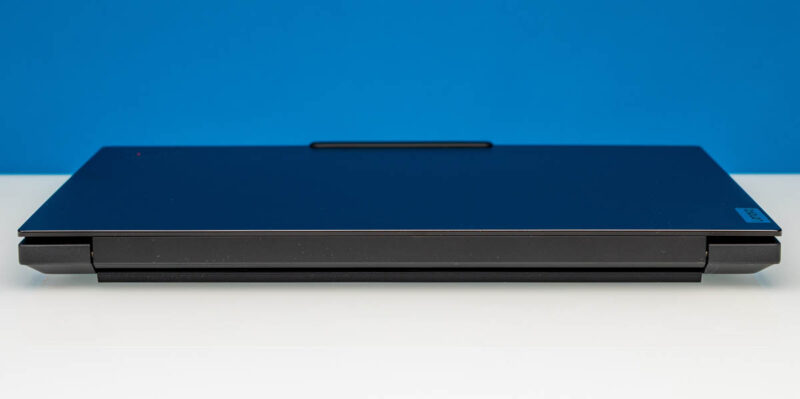
Briefly looking at the rear, we can see the hinge connecting the display and lid to the base of the unit. Lenovo hides this pretty well, but this is also where the blower fans within the body of the laptop exhaust their hot air.
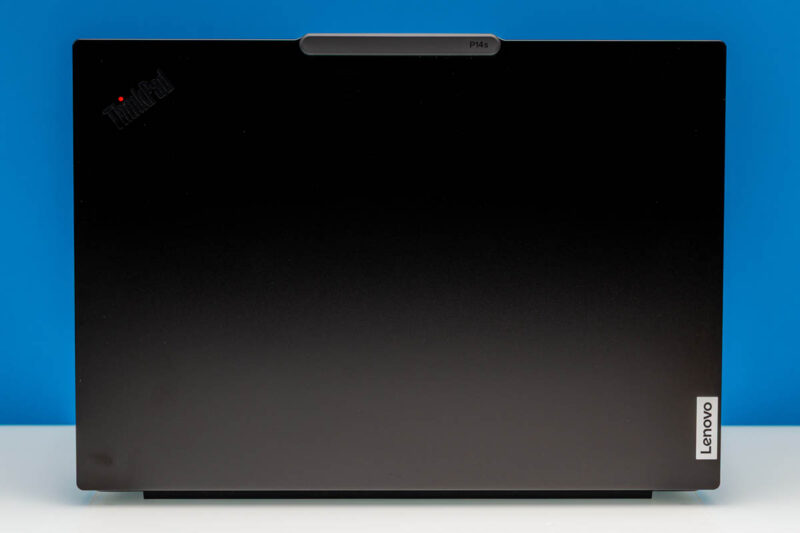
Finally, taking a look at the top and bottom of the laptop, along the lid of the laptop, we find Lenovo’s ThinkPad branding, along with the P14s model label.
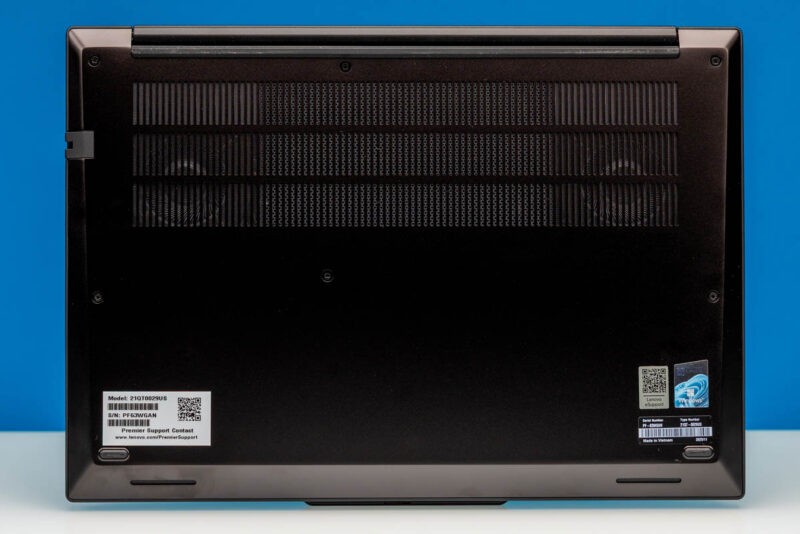
And on the bottom, we have a black cover adorned with Lenovo’s various serial number and support stickers. Thanks to the grating along part of the cover, we can also just make out the two blower fans that are providing cooling for the laptop.
Now, let us go ahead and take a quick look at the internals of Lenovo’s laptop.



I ordered a month and a half ago on sale direct from Lenovo. Shipment was originally scheduled for 1-2 weeks. Last week I got an email asking if I wanted to cancel my order. I said no because the price was good and I’ve always wanted a laptop with that TrackPoint. I’ll be happy if it comes next month.
If it makes you feel any better Eric, I tried to cancel a PGX (GB10) order the morning after. The shipment was delayed several weeks, but they did not cancel it and it shipped anyway. Not ideal for sure.
I know you want to be fair to products and test them in the configuration as they arrive, but an empty sodimm slot was an advantage prior to the current dram crisis since it allowed the purchaser to use the factory RAM plus add additional ram at a lower cost than from the OEM or at a later time. Thinkpads with user-serviceable parts usually make it very approachable to install sodimms so you still win even if you value the installation time at $100/hr.
Now during the dram crisis, oem Ram prices may or may not be more competitive with aftermarket kits. Buyers should do their due diligence as usual.
The problem with new OLED displays on ThinkPads is that they are GLOSSY. I hate a glossy screen I had it once and if you don’t have ideal working conditions this behaves like a mirror.
Not all ThinkPads are equal anymore. There are the lower tier ones that use the same planars as the consumer oriented Yoga/IdeaPad. These are built to meet market pricing demands. There are the mid-tier ThinkPads which have the better keyboards and sell really well in the corporate world. Then there are the high end ones that come with more ports, the workstation series, with higher spec CPU’s.
I might add that Lenovo has an excellent enhanced warranty program. I paid for onsite service for all 3 price points and I got really good service. The parts were either shipped ahead or came with the tech. My tech was an IBM Services employee who had been with the firm for 22 years! A total pro as he did everything in the ticket on my dining room table.
The price of the TP did not vary the level of service, it was the same for all of them, and I still have them today. For $75 dollars for 3 years it was the best deal ever, especially when the lower tier models hit their 3rd year.
I have read the complaints on the higher end ThinkPads on Reddit where the RTX GPU failed 6-8 weeks after the standard warranty ended. They complained that Lenovo wouldn’t cut them any slack on their $2000 laptop. My thought is, why would you spend $2k on a laptop for personal use and not get an enhanced warranty when it only cost $75?. Seems like money well spent, especially in that last year.
Just my thoughts, others may have different experiences.
i have recently buy a p14s gen6 i7 32GB ram
can add 64×2 128GB ram
use wwan slot to add 2242 m.2 ssd