

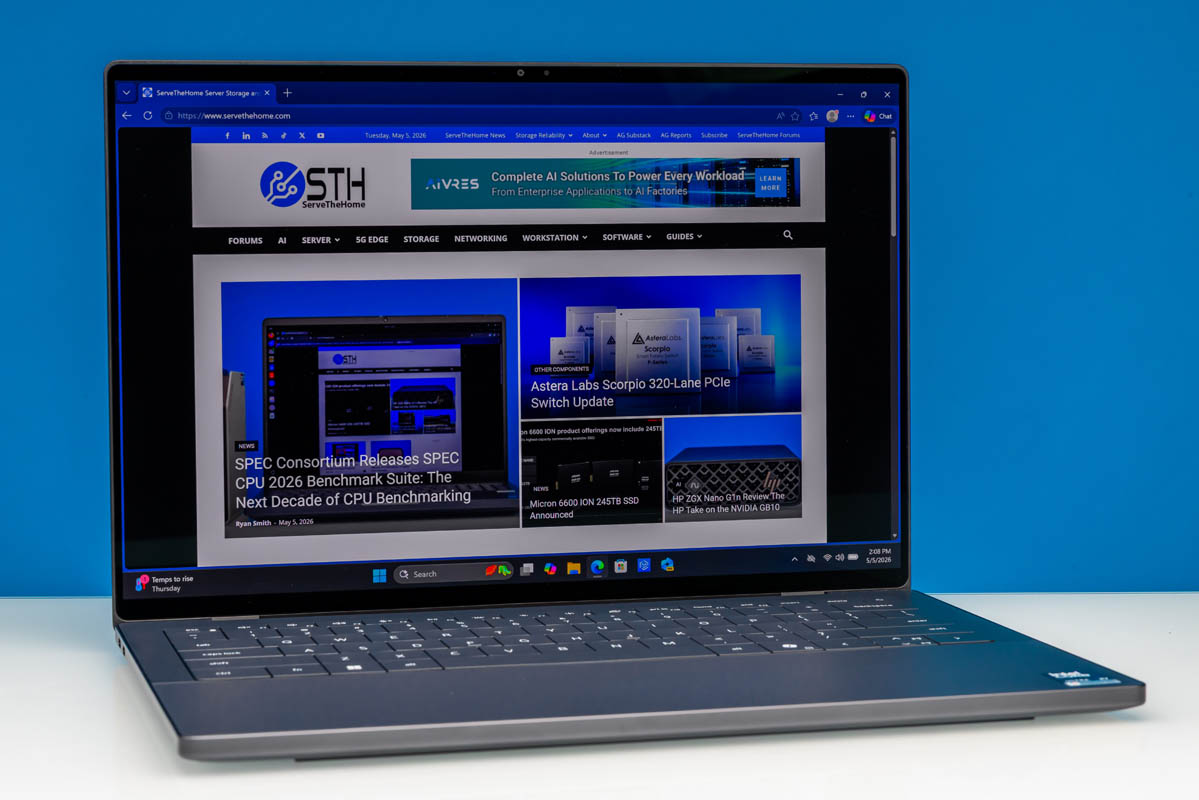
One of the major success stories for PC OEMs in 2026 has been Intel’s Panther Lake/Core Ultra Series 3 platform. After struggling to capture consumer interest with the first two Core Ultra series platforms, Meteor Lake and Arrow Lake, Intel and its partners have seemingly turned the corner with Intel’s third-generation Ultra platform. With significant improvements in battery life and feature sets thanks to new architectures for almost every functional block, Intel and its OEMs have gained significant traction, even with memory pricing through the roof, despite the continued stiff competition from AMD, Apple, and Qualcomm.
For Dell in particular, this could not be happening at a better time. A great deal of ink has been spilt over the last year and a half over Dell’s premium laptop offerings, and for good reason. A 2025 effort to pivot away from the company’s classic XPS brand to “Dell Premium” cost Dell a lot of mindshare in the consumer market, and meanwhile, the company’s premium hardware offerings were coolly received thanks to some questionable design choices, such as capacitive function row keys. The end result was a family of premium laptops that, though still decent, were not living up to Dell’s legacy or what the competition was providing.
As a result, 2026 has become something of a redemption tour for Dell. With the XPS brand restored, new laptop designs that ditch the unforced errors, and Intel’s potent Panther Lake hardware packed inside, Dell came out of CES 2026 looking a lot more like the Dell of the late 2010s and early 2020s. That is to say, more like the Dell that could go toe-to-toe with the best in the premium laptop space.
A prime example of that turnaround in laptop design is the subject of today’s review, Dell’s 2026 XPS 14 (DA14260) laptop. The latest iteration of Dell’s more portable premium offering, the 2026 XPS 14, brings a great deal to the table (or lap) to work with, including not only Intel’s latest processors, but a new chassis that strikes a better balance between thermal performance and size, and an optional OLED display that is hard not to be impressed by.
| Dell XPS 14 (2026) Key Specs (DA14260) | |
| Processors | Intel Core Ultra X7 358H, 4P + 8E + 4 LPE (4.8GHz) |
| Operating System | Windows 11 Home |
| Memory | 32GB LPDDR5X-9600 (Soldered) |
| Storage | 1TB SSD (PCIe Gen4 x4, M.2 2280) |
| GPU | Intel Arc B390 Integrated (Xe3, 12 Xe cores) |
| Display | 14-Inch, 2880x1800px OLED, 120Hz VRR, 500nits Max Brightness, 100% DCI-P3 |
| Battery | 70Wh, 3 Cell |
| Form Factor | Laptop |
| Dimensions | 309.5 x 209.7 x 14.6 mm (12.19 x 8.26 x 0.58 in) |
| Weight | 1.36 kg (3.0 lbs) |
| Wireless | Wi-Fi 7 + Bluetooth 6.0 (Intel BE211) |
| Color | Graphite (Gray) |
| Ports | Left: 2x USB-C/Thunderbolt 4 40Gbps w/DP Alt Mode Right: 1x USB-C/Thunderbolt 4 40Gbps w/DP Alt Mode, 3.5mm Combo Audio Jack |
With this reinvigoration, Dell has also better nailed down what market segment they want to compete in with their premium 14-inch laptop. Whereas the 2025 model tried to have one foot in the consumer world and one in the professional world, with features such as discrete GPUs, the 2026 XPS 14 has gone all-in on an identity as a premium ultraportable consumer laptop. For Dell’s users, this simplification comes with significant size savings and much greater clarity about where and how the laptop is meant to compete with products like Apple’s MacBook lineup.
If you wanted to find the Dell XPS 14 (DA14260) online, here is a Dell affiliate link.
Dell XPS 14 (2026) External Hardware Overview
Starting our look at Dell’s 2026 XPS 14 from the outside, the big story with the laptop is arguably how it is no longer big. Dell has cut down on the size of their premium 14-inch laptop, going from 320 x 216 x 18 mm to just 309.5 x 209.7 x 14.6 mm, making the laptop about 24% smaller by volume. It is not a massive change by any means, but by ditching the 2025 model’s 14.5-inch screen for a slightly more petite 14.0-inch offering, Dell has been able to bring back some of the portability the nearly 15-inch laptop lacked.
On the whole, the redesigned chassis looks and feels like a contemporary thin and light laptop. This is admittedly not a terribly exciting description, but this general design has proved popular for good reasons. The XPS 14, in turn, executes on these design concepts well, with Dell employing a primarily aluminum chassis to keep the laptop light and sturdy, while still feeling “premium” in the hand.
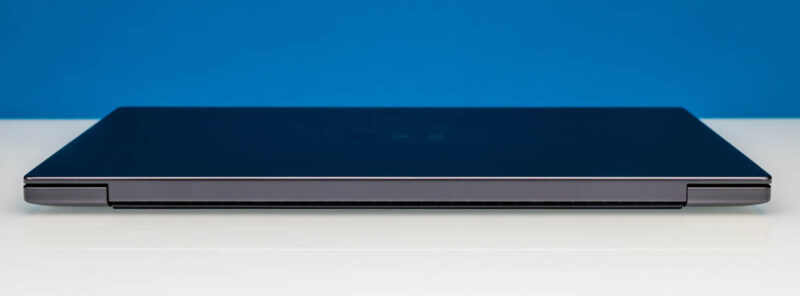
Closed up, the charcoal gray laptop features a flat design without any tapering from the front to rear, making it a consistent 15.2mm thick throughout. Notably, the OLED version of the laptop is ever so slightly thinner than the LCD version of the laptop, which at 15.2mm thick is about half a millimeter thicker. As with ultraportable laptops, the cutout for the lid hinge also serves as exhaust vents for the cooler, routed around and below the physical hinge.
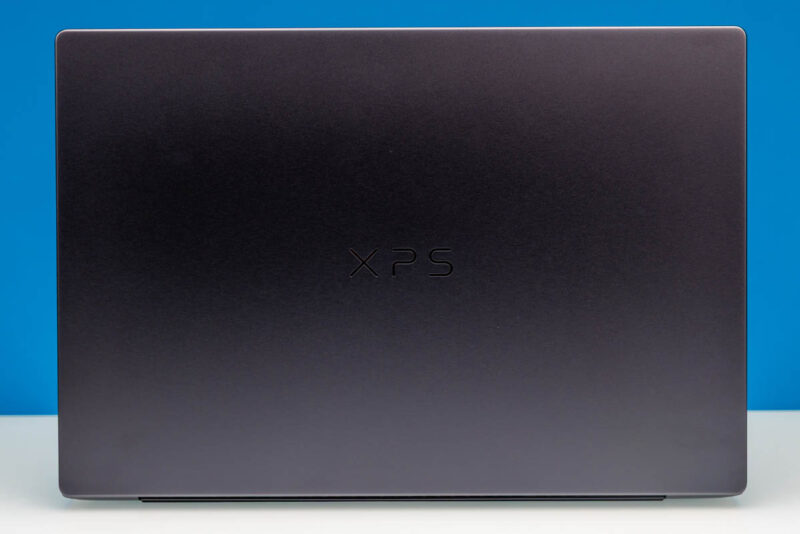
Meanwhile, the lid itself keeps things simple. The resurrected XPS branding is placed front and center, and that’s it.
Opening up the XPS 14, we find a relatively clean design, with only one Intel sticker adorning the gray laptop. The star of the show here is arguably the OLED display, which ships in the high-end laptop configurations. This is a “2.8K” 2880x1800px panel with a 16:10 aspect ratio, offering a pixel density of 243 PPI. As we have seen from other laptop manufacturers this year, Dell is employing a tandem OLED panel, keeping up with the rest of the industry in terms of tech while allowing for a brighter, more efficient panel that can reach up to 500 nits.
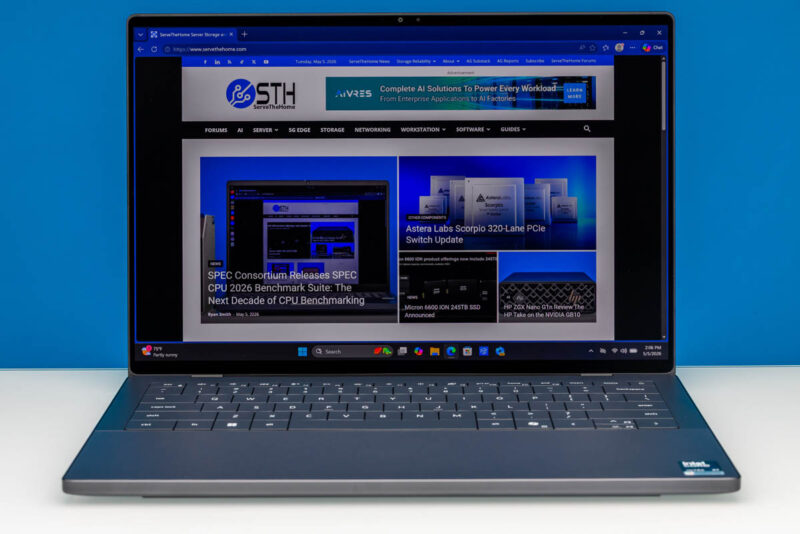
Officially, this display is rated to cover 100% of the DCI-P3 color gamut, which aligns well with its HDR capabilities (it is DisplayHDR True Black 500 rated). And for gamers and media viewers out there, Dell also supports variable refresh rates, with the panel able to range from 20Hz to 120Hz. The OLED panel is also multitouch-capable, a feature unique to the OLED configuration.
Alternatively, for customers who do not need an OLED display, Dell offers a lower resolution LCD as well, which is the default for the entry and mid-tier laptop configurations. The LCD panel is a 1920×1200 (WUXGA) panel that covers just 100% of the smaller sRGB color space. You will not find HDR support with this panel, but it does support an extremely wide variable refresh rate window, going from 120Hz all the way down to 1Hz. As you might expect, Dell pitches this as the more power-efficient option for road warriors who need an ultraportable laptop that can run longer on a single charge.
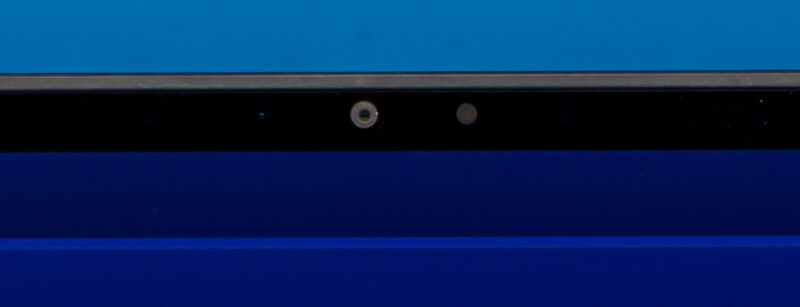
Along the top edge, the display is also where we will find the laptop’s front-facing camera. The 8MP camera offers an above-average resolution, and a huge improvement over the 2025 model, while also sporting an IR camera for Windows Hello capabilities.
Meanwhile, the deck of the laptop is another area where Dell has made some significant improvements over the 2025 model. As noted earlier, the company has ditched the capacitive function row buttons in favor of physical buttons once more. These are the same half-height buttons as before, so it is a change not without some trade-offs, but the capacitive buttons were one of the least endearing features of the old chassis design. The keyboard itself is fully backlit.
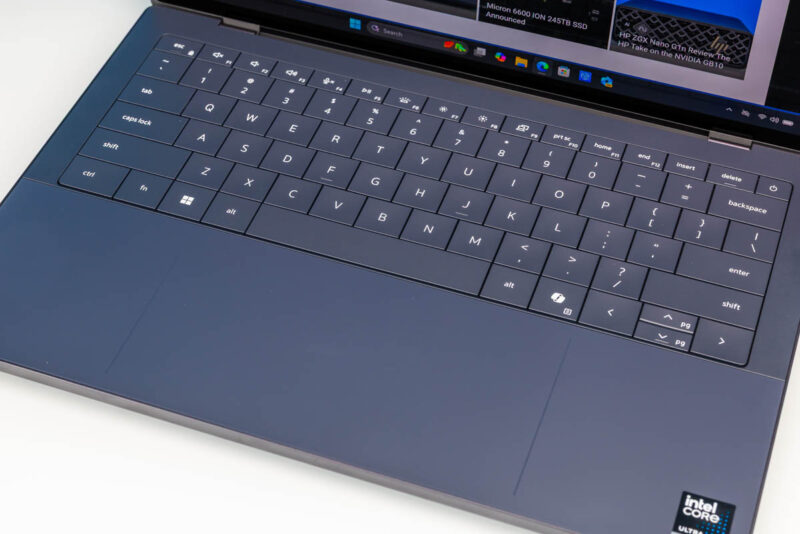
And while it is difficult to get in photos at most angles, the laptop ships with a large, multitouch-capable trackpad. It blends in with the rest of the laptop deck/palm rest extremely well, but in another change new to the 2026 XPS 14, there are now raised edges along the left and right sides to better delineate the trackpad area.
The deck also hides the speakers in the 2026 XPS 14. Dell has gone with an interesting setup. There are four speakers, two tweeters, and two main speakers all firing in different directions. The tweeters are up-firing and go right through the closed case. Meanwhile, the main speakers are down-firing and go through an opening there. This sound system is Dolby Atmos certified.
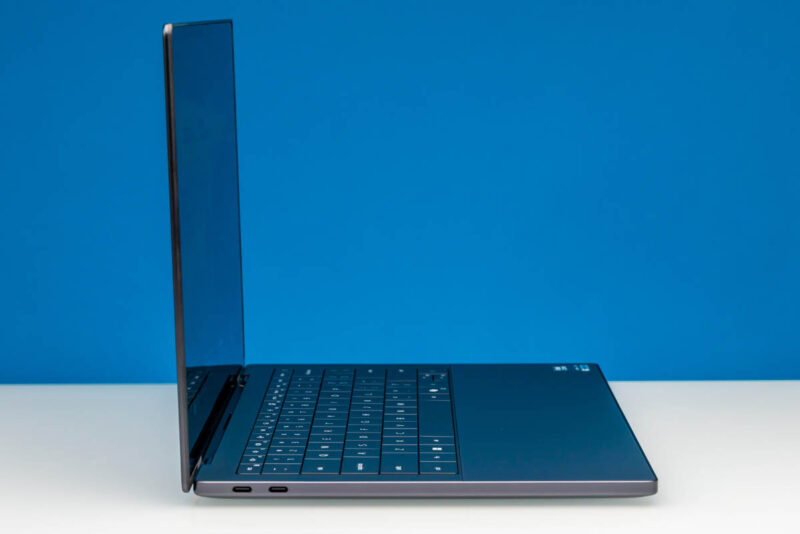
Shifting our view to the left side of the laptop, we find the first section of the laptop’s I/O ports. As with most other contemporary ultraportable laptops, the 2026 XPS 14 is an all-USB-C affair. On the left side of the laptop, we find a pair of Thunderbolt 4-certified USB-C ports, which are directly attached to the Intel SoC. Along with data, these ports can be used for charging as well as video out via DisplayPort Alt Mode, offering DP 2.1 connectivity for external monitors.
On the right side of the laptop, we find one more Thunderbolt 4/USB-C port, which is functionally identical to the ports on the left side. Here is where we also find the only port or jack that is not USB-C, and that is the 3.5mm combo audio jack.
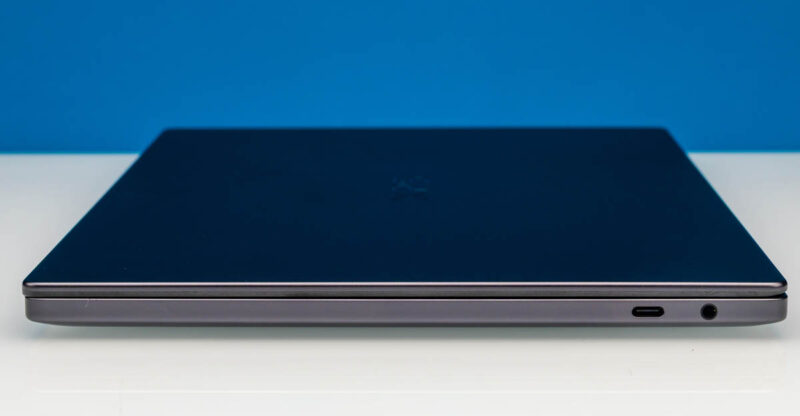
Altogether, this gives the laptop 3 ports for a mix of data, power, and display output.
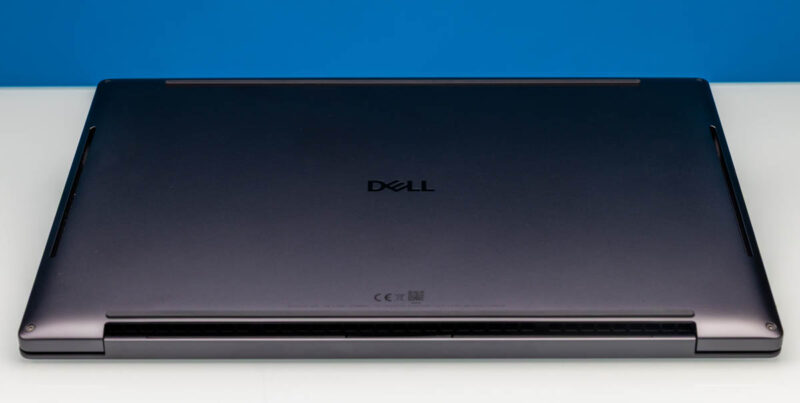
Finally, flipping the laptop over to check the bottom, we find a pretty straightforward setup with the aluminum chassis imprinted with Dell’s various serial numbers and support QR codes. Two rubber strips run most of the laptop’s width and help hold it in place while elevating it to improve cooling clearance. On the left and right sides, we also see the cutouts that allow air intake and an open path for the main speakers.
Now, let us go ahead and take a quick look at the internals of the XPS 14.




Have they got a keyboard option with full size arrow keys? Anyone doing a lot of text entry (e.g. programmers) need full size arrow keys otherwise you always end up pressing the wrong arrow. At least they haven’t made the mistake of putting Page Up and Page Down right next to the arrows which is another productivity killer.
Having the function keys small is also a pain unless you have tiny fingers. It’s almost like the people who design laptop keyboards don’t use computers for any real work, where you’re heavily relying on function keys, punctuation and special characters, modifiers (ctrl, alt, etc.) and the arrow keys. Why not make the rest of the keys just as small? Oh, you need THOSE keys do you? Well some of us also need the rest of the keys as well.
Until all the keys are present and the same size, it’s not a product aimed at professional computer users, in my opinion.
@malvineous 100% agree, and thought I’d take a quick look at the 16″ XPS to see if it was any better…
It’s even worse – it’s the exact same keyboard in a 16″ chassis, so just has a huge bezel around the keyboard, rather than actually making use of the space to add even a numpad.
I would like to see at least one USB-A port and a fingerprint reader. Chances are the camera won’t work under Linux, so it would be nice to have the option of using a fingerprint reader instead.
Other than that, it does look pretty sleek and I really appreciate the USB-C ports with Thunderbolt on both sides.
Major props for the right-side USB-C port… I cannot believe how rare these are even still
I have to say the keyboard is much better than what I am reading in comments (normally I am accustomed to an MBP keyboard.) I do a lot of writing and Excel, and the arrow keys are very easy to use once you get accustomed to them. Having right and left big, and up/ down half means it is easy for me to quickly tell the difference when I am not looking. I do not think I have missed an arrow key after the first hour or two with it.
Function keys, bigger would be better I agree, but I tend to use those less. My bigger issue is my brain defaulting to another layout. I actually wish there was another USB port and a SD card reader. I know I am in the minority there, but for pulling footage off of cameras, SD cards are much easier.
I brought this one with me to Dell Tech World and plan to use it the entire show. To be clear though, at an overall package level, it is really good.
I understand that Dell is deeply entrenched, but this seems a weak contender against Lenovo’s offerings.
You can get the same 2.8K OLED panel if that’s what floats your boat, substantially more useful IO (e.g. USB A), and a MUCH more user-friendly approach to maintenance and disassembly from anything in the ThinkPad line.
Squarely a consumer offering from Dell, indeed.
@Andrew
Unfortunately, that seems to be par for consumer laptops. Everyone has copied Apple’s strategy of using the same keyboard in both 14 and 16 inch laptops for the sake of consistency. Dell does offer 16 inch laptops with a numpad, but those are on the Pro line.
I can’t immediately think of anyone who offers full-size function row keys, though. Of all of the laptops I’ve reviewed this year, even the DTR laptops used short keys.
@Patrick: Thanks for the informative response re the keyboard. How do you use the arrow keys if you don’t mind me asking? I am typically typing with both hands and reach across with my right pinky to tap an arrow key and in keyboards like this I often end up pressing the shift key as well as the up arrow, highlighting the row and then promptly typing over it deleting it, or I press both up and down at the same time having no effect.
You do get used to it but it requires you to slow down much more than with a normal keyboard layout. I understand what you’re saying about making it easier to find the keys by feel, but a desktop keyboard typically has empty space around the arrow keys which serves the same purpose much more effectively.
My last Lenovo I had to reprogram the X11 keyboard layout to turn page up and page down into dead keys, because I would hit them with my pinky way more often than I’d hit the up arrow, because they put them in the blank space you normally use to locate the arrow keys. It even had a full size numpad so space wasn’t a concern, so I don’t get why they insist on crippling the keyboard layout for people who need to type a lot.