

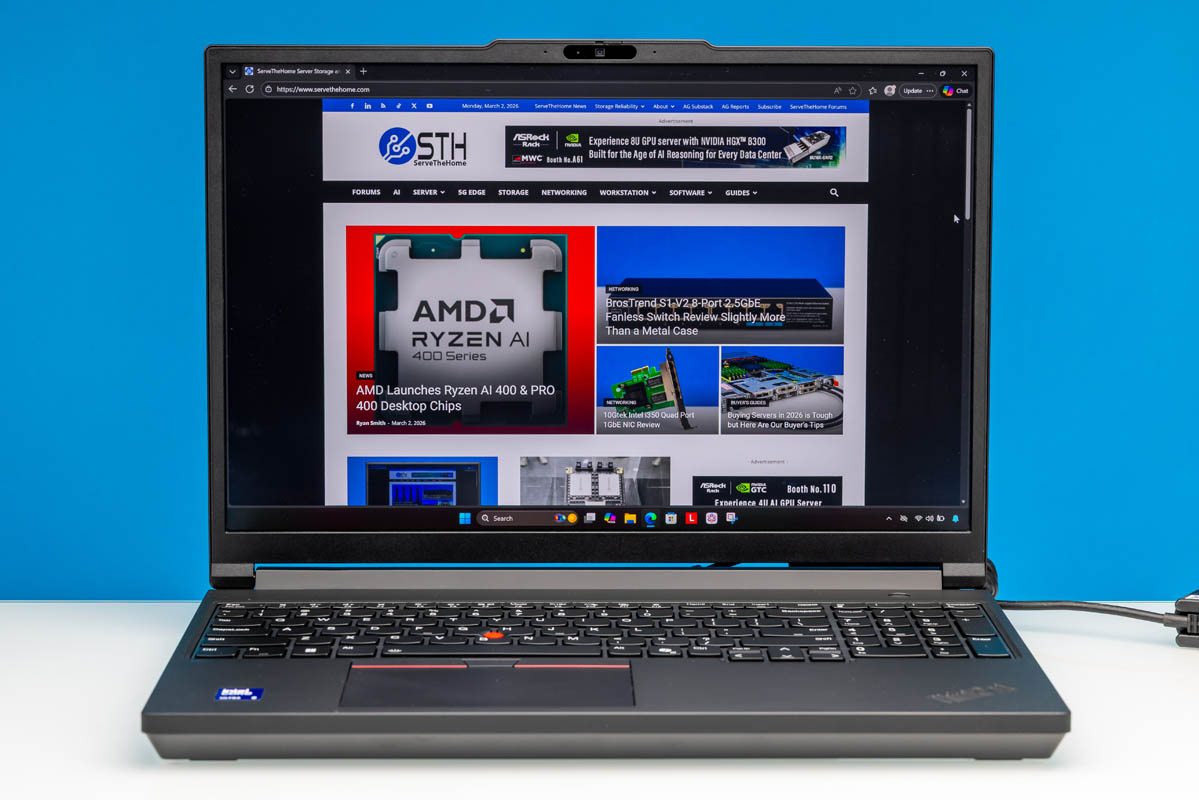
A few weeks ago, we began looking at Lenovo’s latest generation of P-series mobile workstation laptops. To kick things off, we started with the lighter of Lenovo’s fare, the ThinkPad P14s Gen 6 (Intel). This was a fairly powerful but still quite portable system built around Intel’s Intel Core Ultra 7 265H processor and paired with a low-power video card, NVIDIA’s RTX PRO 500 Blackwell. The P14s Gen 6 proved a competent system, offering a good degree of performance without being so large or so heavy as to impact its portability. If the ThinkPad P series is a mobile workstation, then the P14s Gen 6 emphasizes its mobile aspect.
Now we are taking a look at the other end of the spectrum, going bigger, better, and more powerful with the ThinkPad P16 Gen 3. Lenovo’s third generation of P16 series laptops, the P16 is Lenovo’s big bad bruiser among its P series laptops. In short, this is Lenovo’s laptop line that aims to deliver (nearly) every last bit of performance possible, packing in as much mobile hardware as can reasonably fit into a laptop. As a mobile workstation, then, this is the laptop lineup that emphasizes the workstation part of that term.
| Lenovo ThinkPad P16 Gen 3 Key Specs (21RQ001AUS) | |
| Processors | Intel Core Ultra 9 275HX, 8P + 16E (5.4GHz) |
| Operating System | Windows 11 Pro |
| Memory | 128GB DDR5-4000 (4x32GB SO-DIMM) |
| Storage | 4TB SSD (PCIe Gen5 x4, M.2 2280) |
| GPU | Intel Graphics (Xe-LPG, 4 Xe cores) NVIDIA RTX PRO 5000 Blackwell (24GB GDDR7) |
| Display | 16-Inch, 3200x2000px OLED, 120Hz VRR, 600nits Max Brightness, 100% DCI-P3 |
| Battery | 99.9Wh, 4 Cell |
| Form Factor | Laptop |
| Dimensions | 362 x 252 x 20.9 mm (14.25 x 9.92 x 0.82 in) |
| Weight | 2.54kg (5.6 lbs) |
| Wireless | Wi-Fi 7 + Bluetooth 5.4 (Intel BE200) |
| Color | Black |
| Ports | Left: 1x USB-A 10Gbps, 1x USB-C/Thunderbolt 4 40Gbps, SD Express card reader Right: 1x USB-A 10Gbps, 1x 3.5mm Combo Audio Jack Rear: 2x USB-C/Thunderbolt 5 120Gbps, 1x HDMI 2.1, 1x 2.5GbE (RJ45, I226-V) |
On the whole, the ThinkPad P16 Gen 3 walks a very fine line between a portable laptop and a desktop-replacement laptop. The 5.6lb weight is still lighter than a lot of 16 and 17-inch laptops used to be. Nonetheless it is heavier than many other workstation-grade laptops (which is where Lenovo’s P16S and P16v come in). The trade-off is that there are no compromises in terms of hardware: Lenovo has basically stuffed a desktop system into its 16-inch laptop, pairing an Intel Arrow Lake-HX SoC with NVIDIA’s fastest RTX PRO Blackwell video cards.
With all of this hardware, Lenovo fittingly promotes this as an AI workstation laptop. Especially with the configuration we are reviewing today, Lenovo’s top pre-built SKU, the system is well primed for the task thanks to the combination of a powerful video card and hefty 128GB of RAM. As a result, there’s basically nothing the laptop cannot do; even the external I/O is on the cutting edge thanks to 120Gbps Thunderbolt 5 support.
If you wanted to find the Lenovo ThinkPad P16 Gen 3 online, here is an Amazon Affiliate link.
Lenovo ThinkPad P16 Gen 3 External Hardware Overview
Starting our look at Lenovo’s ThinkPad P16 Gen 3 from the outside, this is a traditional corporate laptop in every sense of the word, and that’s just the way Lenovo’s corporate customers like it.
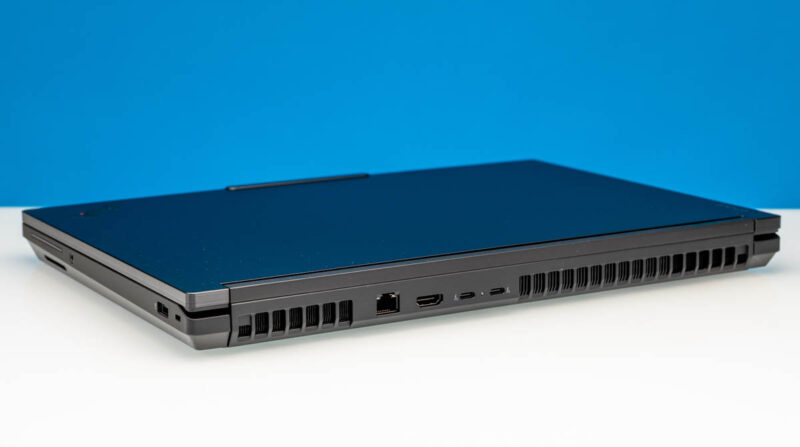
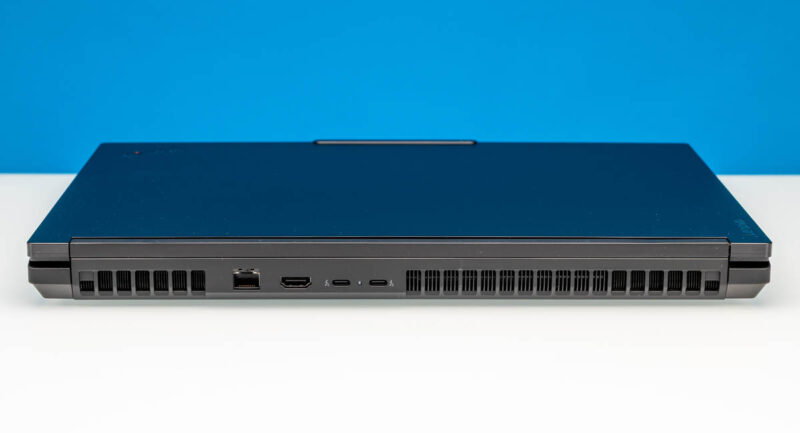
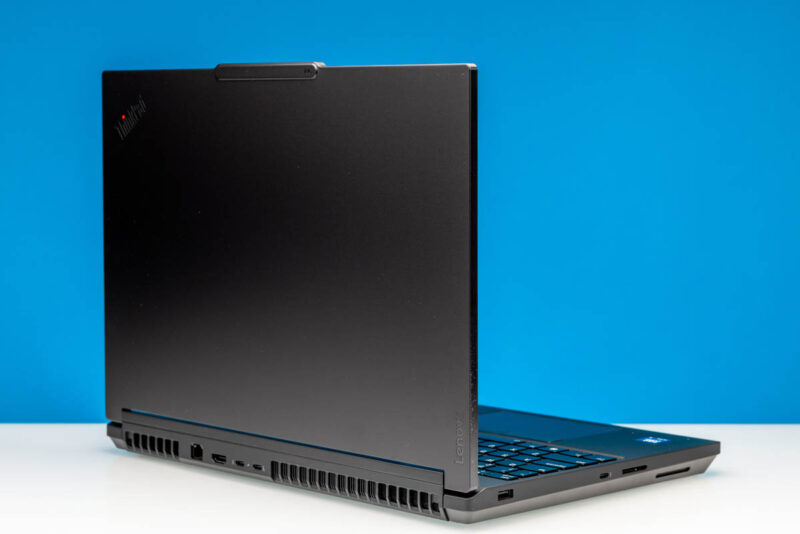
Closed up, the black aluminum and magnesium laptop immediately stands out from most laptops in a couple of ways. The first are the very large and very visible exhaust vents on the rear of the laptop, which tend to be redirected or hidden in most other contemporary designs. The second aspect is that Lenovo has the space to put I/O ports here, which are again a rarity in 2026. The P16 is much more of a classic laptop in that respect; there are still some I/O options on the side (which we will see in a moment), but it is not afraid to spend the space on both high-performance cooling and some rear ports.
Like the rest of the ThinkPad P series, the P16 Gen 3 features a slightly tapered design. It starts at 15.8mm thick at the front, expanding to 20.9mm by the rear. This affords Lenovo plenty of space for packing not only a maximum-capacity battery but also removable SO-DIMMs and other parts, which we will get to a bit later.
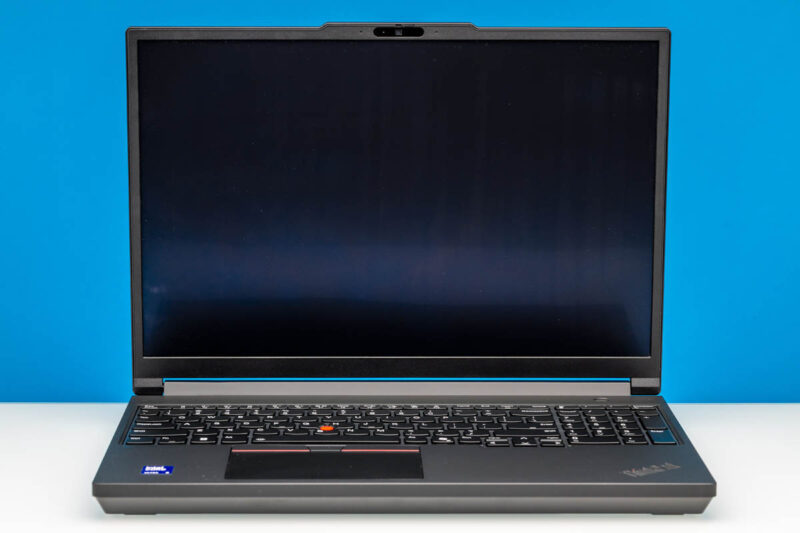
Opening up the P16 Gen 3, we can immediately see that it is a Lenovo ThinkPad through and through. Lenovo has adorned it in its signature black and red styling. And more critically, you will find Lenovo’s trademark trackpoint stick at the center of the laptop’s keyboard. And being that this is a large, 16-inch class laptop, Lenovo has worked in a proper numeric keypad as well.
In fact, this laptop offers two input methods. For users coming from other laptops, the P16 G3 features a traditional multitouch trackpad towards the bottom front of the laptop, with three mouse buttons along the top of the pad. Alternatively, for the classic ThinkPad experience, there’s the trackpoint pointer as well, with those top-aligned mouse buttons augmenting the trackpoint. The keyboard itself is LED backlit and is spill-resistant.
As for the 16-inch display that the rest of the chassis is built around, Lenovo offers several options within the overall P16 G3 lineup. As a pro-grade laptop, Lenovo is using 16:10 displays here, offering some extremely helpful extra vertical space. Our specific review configuration included a 3200×2000 tandem OLED panel, Lenovo’s high-end option. The OLED configuration is the only one to offer touchscreen support, and the display is appropriately coated for both glare and smudge resistance.
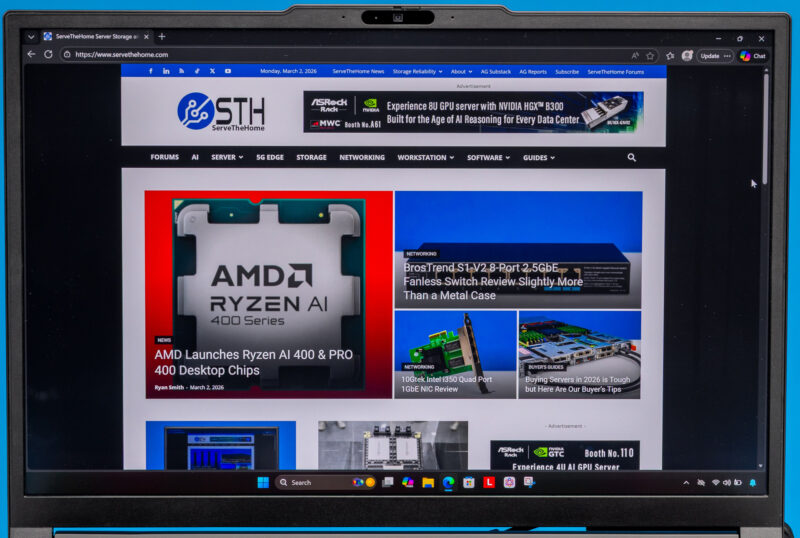
By the numbers, this is a very impressive display, covering 100% of the DCI-P3 color space while reaching brightness levels of 1500 nits in HDR mode (and 600 nits in SDR). Lenovo has even included full variable refresh rate support, meaning the panel can shift between 40Hz and 120Hz (another feature exclusive to the OLED configuration). The display is also factory color-calibrated, as is the case with the entire P16 lineup.
Alternatively, for customers who do not need an OLED display, or even those who need a higher resolution, Lenovo has a couple of other options here. The “mid-tier” option is a full 3840x2400px (WQUXGA) panel that similarly covers 100% of the DCI-P3 color space. And the entry-level option is a much lower-density 1920x1200px (WUXGA) IPS panel that covers 100% of the smaller sRGB color space. Both of these options forgo HDR support, as well as variable refresh support.
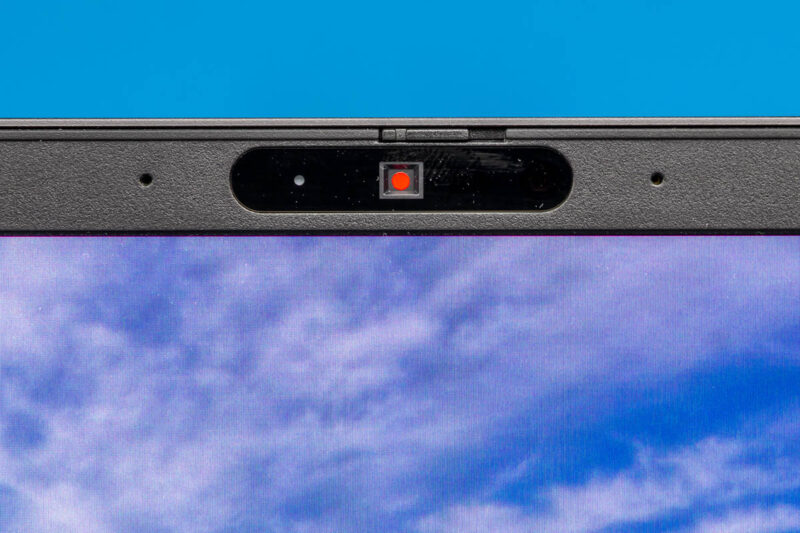
Along the top edge of the P16 G3 is a combination 5MP + IR camera setup for video conferencing as well as Windows Hello login support. You will not be taking any award-winning photos with such a camera, but it is more than sufficient for its intended task. And, being that this is a Lenovo corporate laptop, there is a small privacy shutter built into the camera module to physically block it when it is not in use.
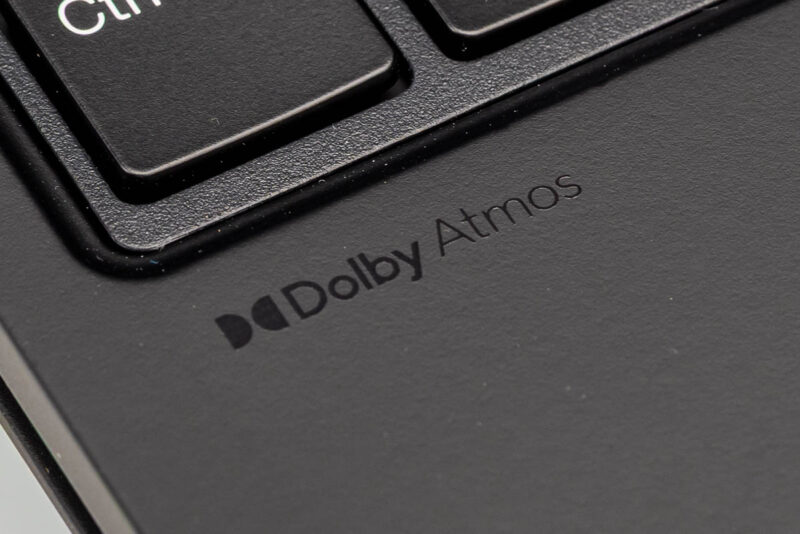
Conversely, along the sides of the case, you will find a pair of 2 Watt side-firing speakers. As helpfully imprinted by Lenovo on the left side of the laptop deck, this sound system is Dolby Atmos certified.
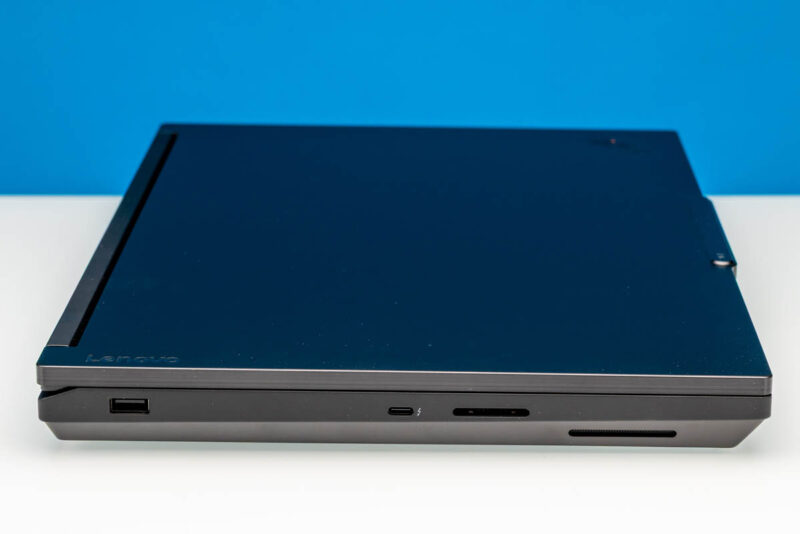
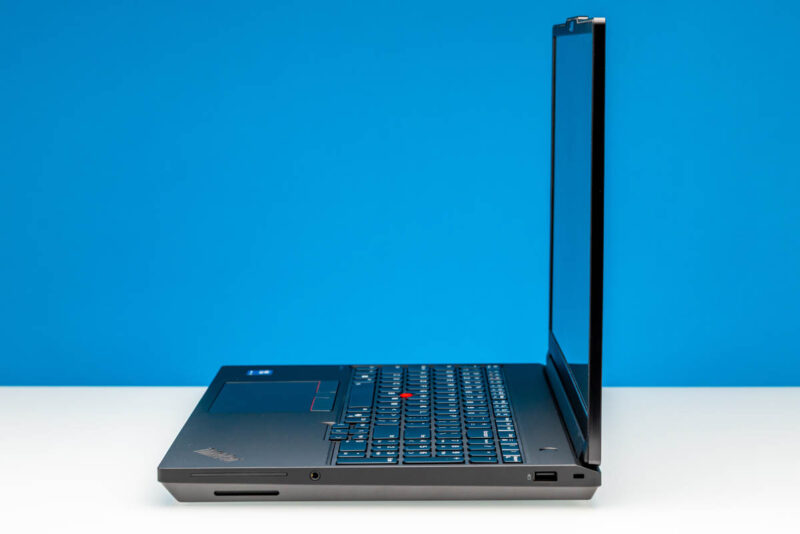
Shifting our view to the left side of the laptop, we find the first section of the laptop’s I/O ports. With three sides to work with on such a large laptop, the left side is pretty sparse. Besides a 10Gbps USB-A port towards the rear, the only other port here is a Thunderbolt 4/USB-C port being driven by the Intel SoC.
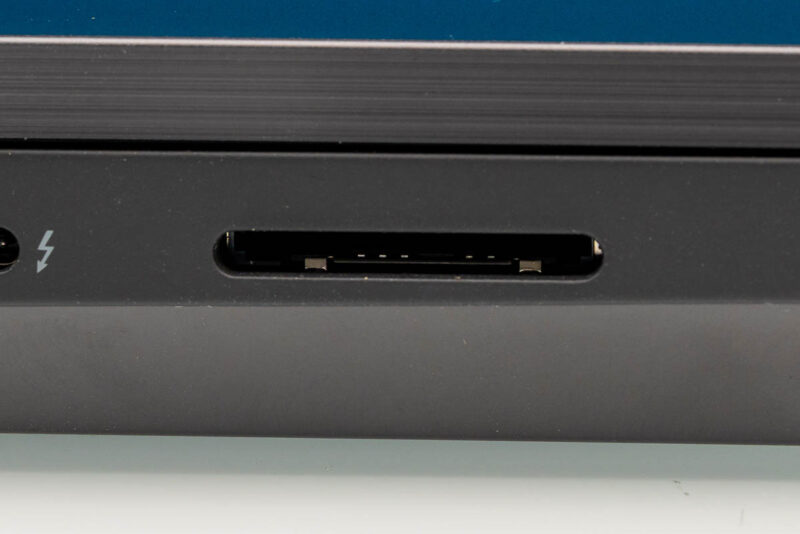
Finally, to the right of that USB-C port is a most curious addition: an SD Express card reader. Card readers are common sights in high-end laptops – particularly large laptops that can afford the space, but this is the first time we have seen an SD Express card reader cross our labs. The actual adoption rate of SD Express cards has been rather poor over the past half-decade (most device vendors have opted for microSD Express if they use Express at all), so few users will have a chance to use the full capabilities of the reader. Regular SD cards are still widely used, however, and this reader is backward-compatible with them. So we appreciate Lenovo including a more modern reader regardless.
Meanwhile, on the right side of the laptop, we find a couple more ports. In addition to a second (and final) 10Gbps USB-A port, we have a 3.5mm combo audio jack. And to the left of that, going unused in this specific configuration is a filled cut-out for a smartcard reader.
For the rest of the system’s I/O ports, we have to turn to the back of the system. This is where we will find a pair of Thunderbolt 5/USB-C ports, an HDMI port, and an RJ45 Ethernet jack.
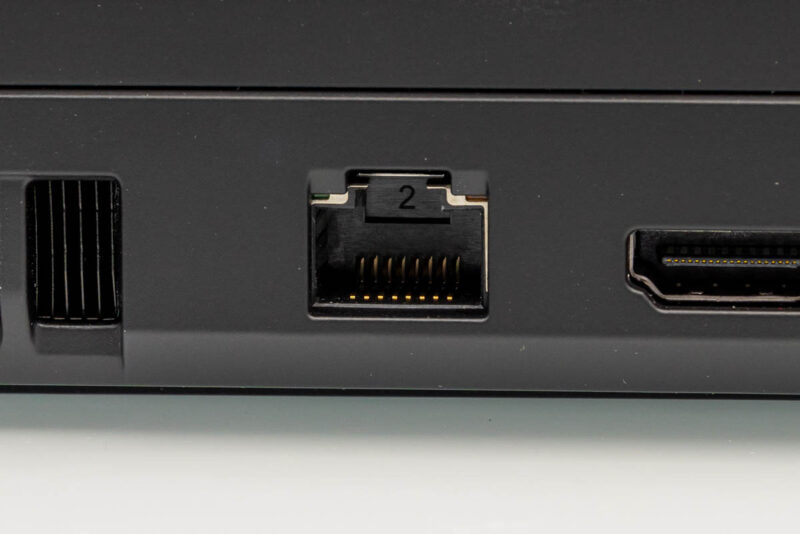
Based around Intel’s I226-V controller, the Ethernet port supports 2.5GbE speeds. This is a step above the baseline, but not particularly impressive in 2026. With 10GbE hardware prices having dropped significantly in the last 12 months, I fully expect this will be upgraded to 10GbE in the next generation, underscoring how much some things have changed in relatively little time. And speaking of networking, the laptop also offers Wi-Fi 7 + Bluetooth 5.4 support, thanks to the use of an Intel BE200 radio.
Meanwhile, the HDMI port is wired up to the iGPU and offers HDMI 2.1 support, driving resolutions as high as 8K@60Hz.
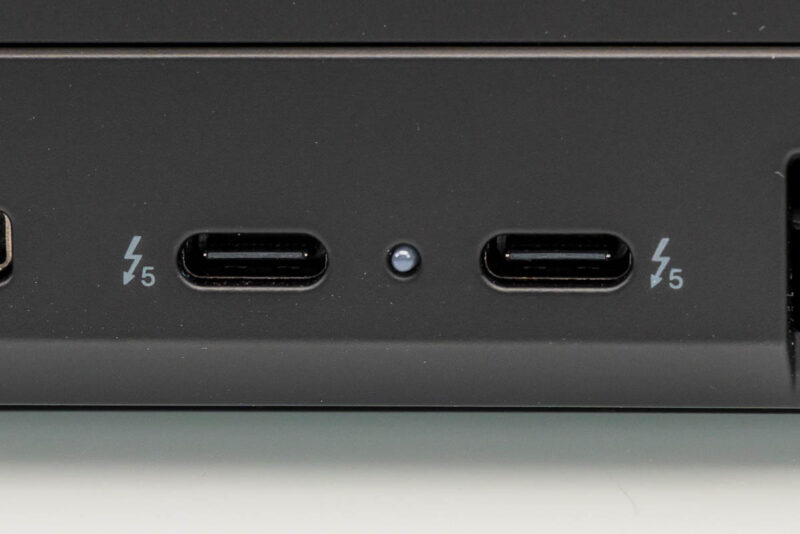
Finally, Lenovo has worked in a pair of Thunderbolt 5 ports for the laptop. Notably, Thunderbolt 5 is not natively supported by Intel’s Arrow Lake platform, so for this generation of hardware that support comes via an external controller (in which the spacious laptop can easily fit). These ports support 80Gbps and 120Gbps data rates in both Thunderbolt and USB4 v2 modes and are otherwise full-feature ports, allowing laptop charging and DisplayPort Alt Mode output to drive additional external displays.
Finally, looking at the top and bottom of the laptop, along the lid, we find Lenovo’s ThinkPad branding and the P16 model label.
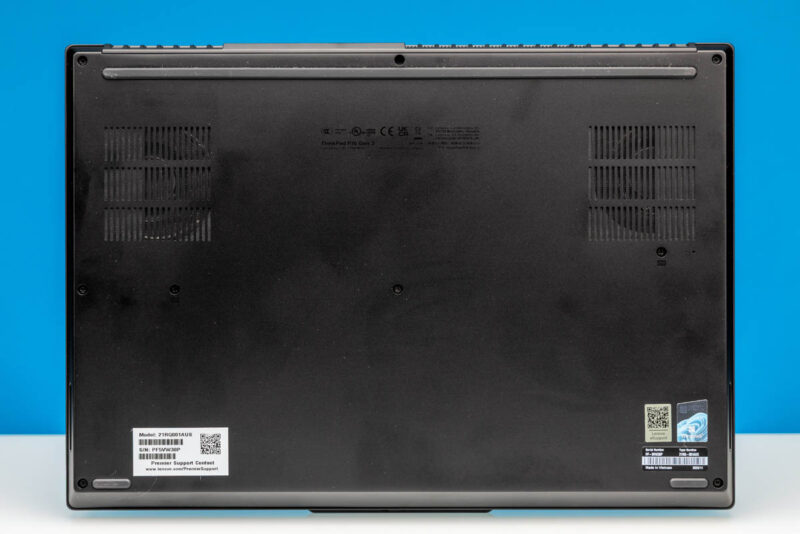
And on the bottom, we have a black cover adorned with Lenovo’s various serial numbers and support stickers. Thanks to the grating along part of the cover, we can also just make out the two blower fans that are providing cooling for the laptop.
Now, let us go ahead and take a quick look at the internals of Lenovo’s laptop.


I tried searching for full size SD Express cards and couldn’t find any for sale. I hope that the reader also supports the slightly older UHS-II cards at full speed, because that’s what many cameras use and thus that’s what would actually be of some use today.
I have the older T15g gen 2 with a mobile Xeon and ECC RAM. I would really love Thunderbolt 5 and the flexibility of USB-C power delivery. In this DDR5 era, I don’t suppose I’ll ever see another option for ECC RAM though, and, as a Linux user, I’ve had a lot less trouble with AMD graphics, but that’s another option I’ll probably never see.
@Chris
While our review sample didn’t come with ECC memory, according to the spec sheet for the laptop it does support the tech. So you could configure a modern P16 with ECC if you’d like.
Removal of the beefy “Slim Port” and shifting to USB only charging on this latest generation of ThinkPad workstations means those of us who spend the majority of the time connected to mains power have effectively lost the use of a USB port. At least on this one you still have four free ports. But on the slimmer P1 with a charger and mouse receiver, you’re down to two. Yikes!
The only worry is those rear Thunderbolt 5 ports failing, and the
way USB-C ports can be fickle and brittle. And there have been
numerous issues with USB-C ports over the years. They are a known
weakness in many different models whenever they are soldered to
the motherboard.
It’s such an unnecessary weak point for such an impressive product that
the P16 Gen 3 is. They should really have given it proper thought and
mitigation, not rush it.
A problem with the TB5 ports leaves you without a computer, can have
you lose the whole machine because apparently, the whole motherboard
has to be replaced just because of a TB5 port which leaves you with no
way to charge the machine.
It should have a traditional barrel tip charging port alongside the TB5
as well for piece of mind. There should be insistence on Lenovo to correct
this.
Or there should be a version without TB5, with only TB4 together with
the traditional barrel tip charging port because there are many who absolutely
don’t need the massive data capacity of TB5, but need the peace of mind that
comes with replaceable/modular unsoldered TB4 and barrel charging ports.
Other than that, it’s a great piece of equipment.
Personally I would happily have that tradeoff for peace of mind and wait for a
solution that makes TB5 ports modular, not soldered.