

Lenovo ThinkPad P14s Gen 6 (Intel) Power Supply
While we are looking over the P14s G6, here is a quick look at Lenovo’s included power supply for the laptop.
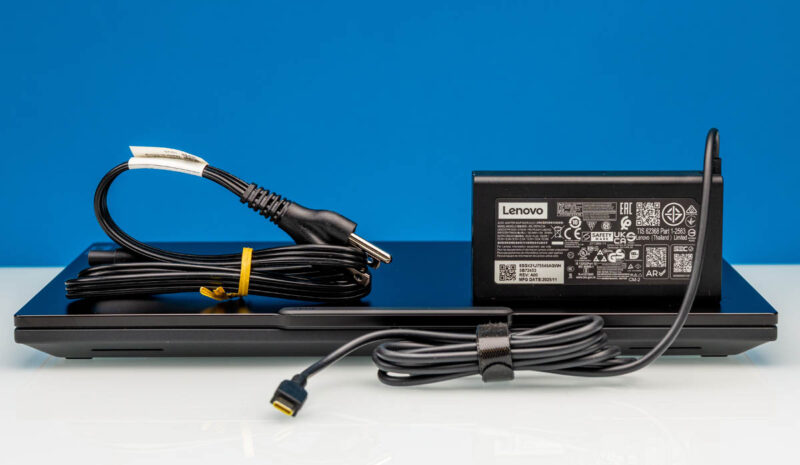
Lenovo ships the system with a pretty typical USB-C standard power range (SPR) power supply. This specific model is able to hit the full range of the spec, delivering up to 100 Watts of power (20V@5A) and allowing it to quickly charge most any USB-C device.
Final Words
Reviewing a Lenovo machine is often a slightly vexing experience, for both good and bad reasons. On the good side, Lenovo has a vested business interest in delivering predictable and consistent hardware with their corporate ThinkPad laptops, and that is exactly what they have done time and time again – and yet again this time with the P14s Gen 6 (Intel). For a reviewer, this means that there are no grand surprises for us to uncover when putting the machine through its paces. It is a consistent product from a reliable vendor.
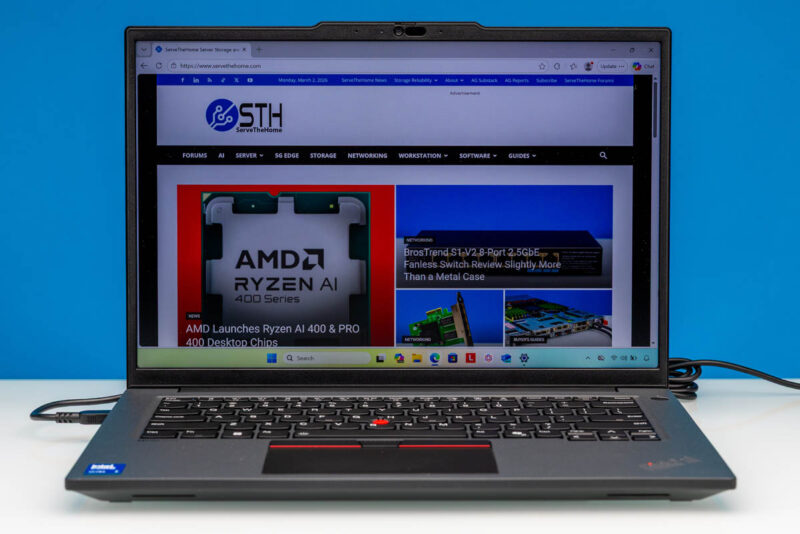
The flip side to that is that it means that Lenovo devices often come with the same drawbacks, and the P14s Gen 6 (Intel) is a classic case of that, with Lenovo once again shortchanging the SoC by only using a single DIMM in a platform that supports two. It is an unforced error in an otherwise solid laptop that ends up leaving some of its performance on the proverbial table for no good reason.
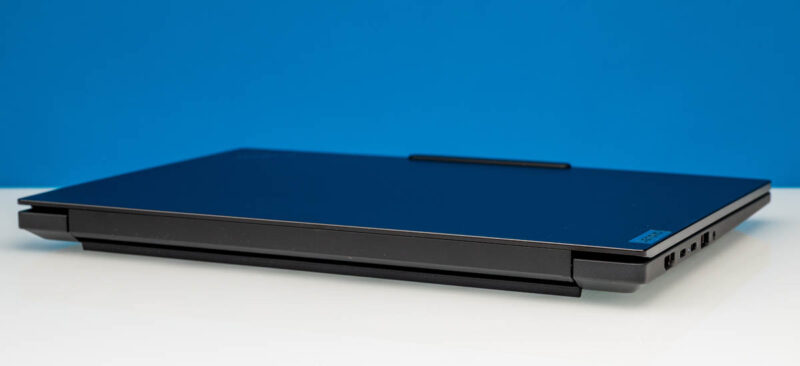
Memory matters aside, there is no denying that the overall laptop is solid. And that goes both figuratively and literally, thanks to the laptop’s slightly ruggedized design. Lenovo set out to build a portable workstation laptop that could perform well and stand up to a bit of abuse in the process, and they have delivered on both fronts. The Arrow Lake-H platform is a competent platform, and the inclusion of a discrete GPU in NVIDIA’s RTX PRO 500 Blackwell helps to deliver the additional performance that one would expect a workstation-class machine to deliver.
The end result is a business laptop that successfully does just what it was meant to do. And that is precisely the way Lenovo wants it.
Where To Buy
If you wanted to find the Lenovo ThinkPad P14s Gen 6 (Intel) online, here is an Amazon Affiliate link.




I ordered a month and a half ago on sale direct from Lenovo. Shipment was originally scheduled for 1-2 weeks. Last week I got an email asking if I wanted to cancel my order. I said no because the price was good and I’ve always wanted a laptop with that TrackPoint. I’ll be happy if it comes next month.
If it makes you feel any better Eric, I tried to cancel a PGX (GB10) order the morning after. The shipment was delayed several weeks, but they did not cancel it and it shipped anyway. Not ideal for sure.
I know you want to be fair to products and test them in the configuration as they arrive, but an empty sodimm slot was an advantage prior to the current dram crisis since it allowed the purchaser to use the factory RAM plus add additional ram at a lower cost than from the OEM or at a later time. Thinkpads with user-serviceable parts usually make it very approachable to install sodimms so you still win even if you value the installation time at $100/hr.
Now during the dram crisis, oem Ram prices may or may not be more competitive with aftermarket kits. Buyers should do their due diligence as usual.
The problem with new OLED displays on ThinkPads is that they are GLOSSY. I hate a glossy screen I had it once and if you don’t have ideal working conditions this behaves like a mirror.
Not all ThinkPads are equal anymore. There are the lower tier ones that use the same planars as the consumer oriented Yoga/IdeaPad. These are built to meet market pricing demands. There are the mid-tier ThinkPads which have the better keyboards and sell really well in the corporate world. Then there are the high end ones that come with more ports, the workstation series, with higher spec CPU’s.
I might add that Lenovo has an excellent enhanced warranty program. I paid for onsite service for all 3 price points and I got really good service. The parts were either shipped ahead or came with the tech. My tech was an IBM Services employee who had been with the firm for 22 years! A total pro as he did everything in the ticket on my dining room table.
The price of the TP did not vary the level of service, it was the same for all of them, and I still have them today. For $75 dollars for 3 years it was the best deal ever, especially when the lower tier models hit their 3rd year.
I have read the complaints on the higher end ThinkPads on Reddit where the RTX GPU failed 6-8 weeks after the standard warranty ended. They complained that Lenovo wouldn’t cut them any slack on their $2000 laptop. My thought is, why would you spend $2k on a laptop for personal use and not get an enhanced warranty when it only cost $75?. Seems like money well spent, especially in that last year.
Just my thoughts, others may have different experiences.
i have recently buy a p14s gen6 i7 32GB ram
can add 64×2 128GB ram
use wwan slot to add 2242 m.2 ssd