

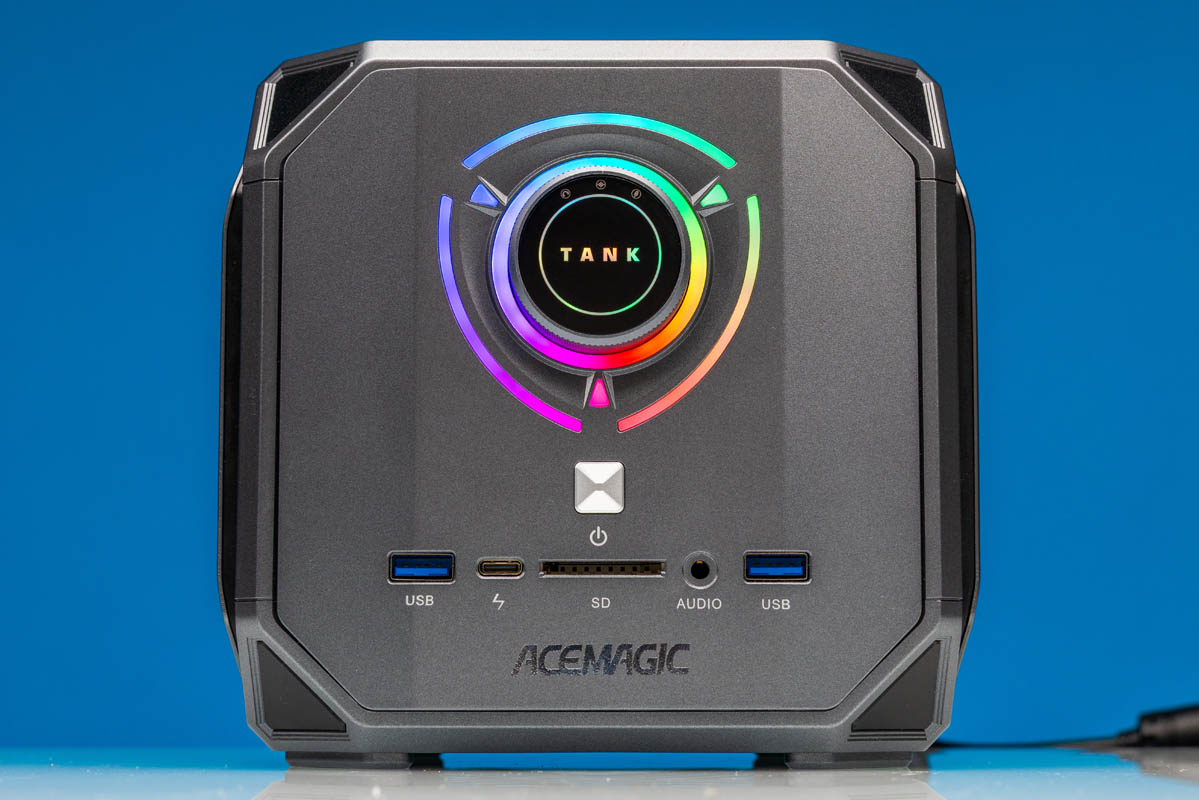
Over the last several months, we have seen a number of system vendors embrace AMD’s unique, high-end Ryzen AI Max (Strix Halo) platform. AMD’s first high-performance APU integrates both an 16 core Zen 5 CPU as well as a rather powerful RDNA 3.5 architecture GPU, and coupled with a wide memory bus that can accommodate 128GB of speedy LPDDR5X memory, the systems have become a darling in the AI development space. This, in turn, has made Strix Halo a lucrative part for PC builders, thanks to the high demand and high margins that AI development systems can currently fetch.
Primarily positioned as a high-end laptop/small form factor chip, several major vendors have rolled out SFF PCs based on Ryzen AI Max chips so far. Most of them have embraced classic (if conservative) SFF desktop designs, aka the obligatory small black box. And then you have Acemagic, a company that was moving to the beat of their own drum when designing their first Ryzen AI Max PC, resulting in the M1A PRO+: an RGB-lit cubic mini-PC that was clearly meant to turn heads.
| ACEMAGIC M1A PRO+ Key Specs (As Configured) | |
| Processors | AMD Ryzen AI Max+ 395, 16C/32T (5.1GHz) |
| Operating System | Windows 11 Pro |
| Memory | 128GB LPDDR5X-8000, Soldered |
| Drive Bays | 1x M.2 2280 PCIe Gen4 x4 (Zhitai TiPlus7100 2TB) 2x M.2 2280 PCIe Gen4 x4 (Empty) |
| GPU | Radeon 8060S Graphics (40 CUs) |
| PSU | 300W External PSU |
| Form Factor | Mini-PC |
| Dimensions | 166.7 x 166.9 x 160.9 mm (6.53 x 6.53 x 6.33 in) |
| Weight | 2.0kg (4.41 lbs) |
| Wireless | Wi-Fi 7 (2×2) + Bluetooth 5.4 (MT7925) |
| Color | Silver |
| Ports | Front: 2x USB-A 10Gbps, 1x USB-C 40Gbps, 3.5mm Combo Audio Jack, SD Card Slot Rear: 2x HDMI 2.1, 1x DisplayPort 2.0, 4x USB-A 5Gbps, 2x 2.5GbE LAN (RJ45, RTL8125), 3.5mm Combo Audio Jack |
With regards to its configuration, performance, and pricing, the M1A PRO+ is aimed at the same AI market segment that Strix Halo has flourished in, and that we have seen so many other SFF vendors target. It is the logical move given the hardware, and Acemagic has the opportunity to differentiate itself from the rest of the pack with its unique collection of display outputs.
As for design considerations, however, Acemagic has turned to a more colorful source of inspiration: gaming PCs. Specifically, the company has opted to reuse the case from its 12th Gen Core-era Tank 03 mini-PC as part of a new line of “Tank Center” SFF PCs aimed at multiple segments. In the case of the M1A PRO+, this means pairing the powerful Ryzen AI Max SoC with a cooling system designed for gaming and bringing all those other gaming considerations along. The end result is the most flamboyant Ryzen AI Max SFF we have seen so far, pairing pro-grade hardware with a glitzy gaming box.
If you wanted to find the M1A PRO+ online, here is an Amazon Affiliate link (note this may redirect once they are sold out, which happens when we review gear).
Acemagic M1A PRO+ External Hardware Overview
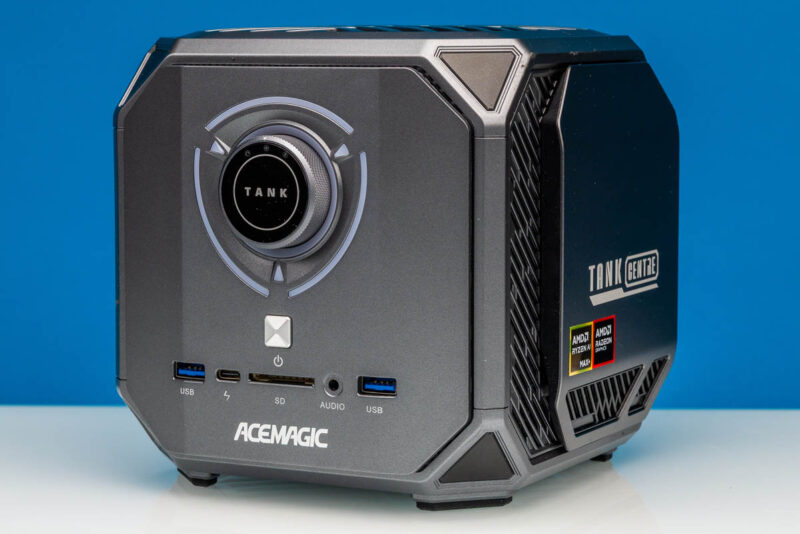
Starting as always with a look at the small form factor PC from the outside, there is no denying the gaming roots of the M1A Pro+’s chassis – nor has Acemagic attempted to hide it. The roughly 6.5-inch cubed box looks like it started life as a Weighted Companion Cube from Portal, with the cherry on top being RGB lighting running through the front face of the PC.
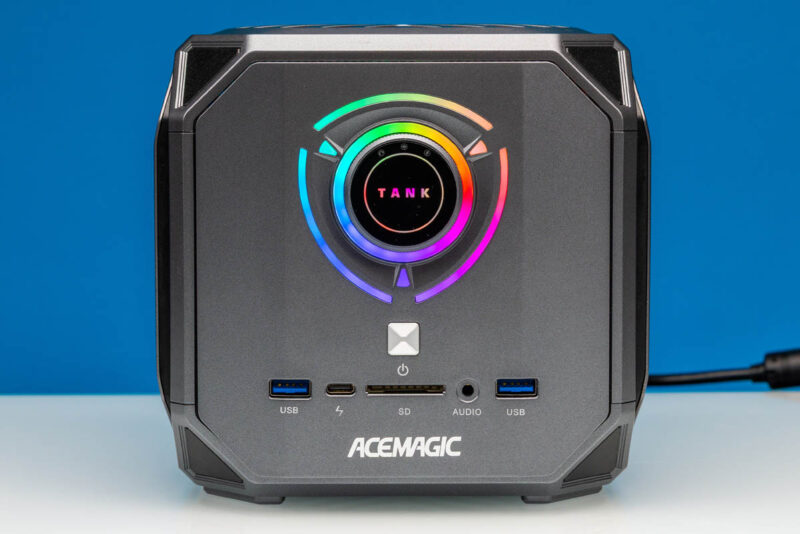
Gaming aesthetics aside, the end result is that Acemagic has assembled a particularly pint-sized Ryzen AI Max box, packing in AMD’s powerful SoC into a box that you can easily hold with one hand. And by and large, Acemagic has made good use of the limited space in its chassis.
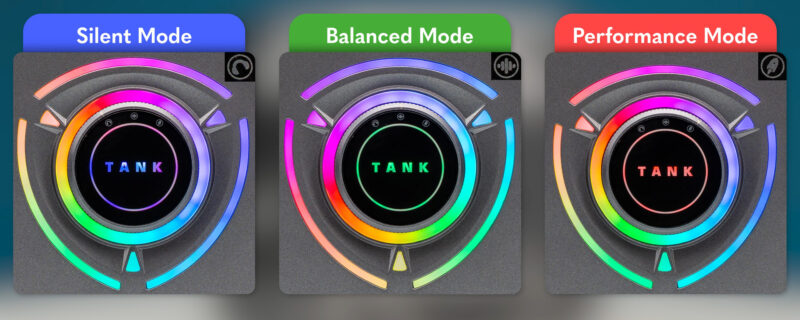
Starting with the front face of the PC, there are several things going on here. The dial at the center of the box, besides serving as a focus point for the RGB lighting, is actually a selection dial for setting the performance mode of the system. We will go into this in more detail when looking at performance, but Acemagic has given their Ryzen AI Max+ 395 box three different performance modes, letting users select between Silent, Balanced, and Performance modes, and then being able to switch between them at the flick of a wrist.

The RGB lighting surrounding the dial, meanwhile, is something of a mixed bag. Acemagic uses the lighting to indicate what performance mode the SFF PC has been set to whenever it has been changed, using blue, green, and red coloring to indicate the mode. However, this lighting is not programmable or controllable outside of that, meaning the PC runs its random color cycling the rest of the time.
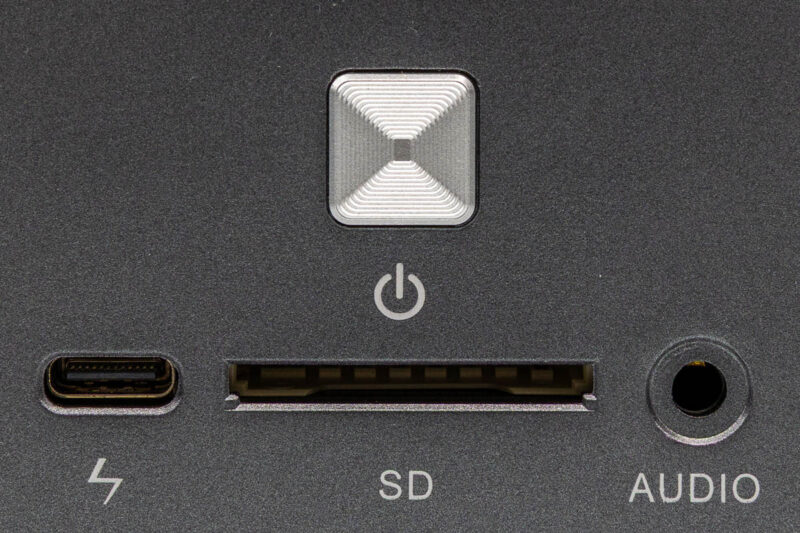
Meanwhile, towards the bottom of the front face of the system are all of the front panel I/O ports (as well as the power button) for the system. Acemagic has opted for a very interesting configuration here that includes two 10Gbps USB-A ports and a 40Gbps USB-C port that supports DisplayPort Alt mode and serves as the system’s sole USB-C port altogether. These USB ports are further flanked by both a 3.5mm audio combo jack and a full-sized SD card reader at the center.
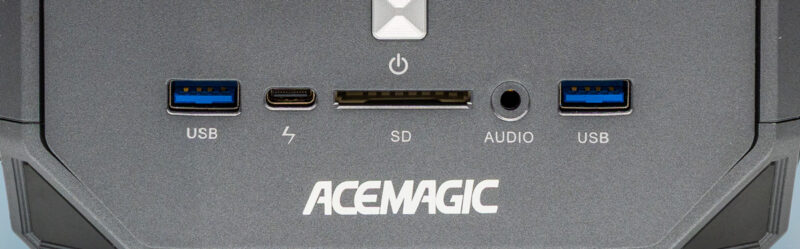
Unfortunately, Acemagic’s port labeling leaves something to be desired. Though arguably better than leaving the ports unlabeled, it is notable that none of the USB ports on the front of the system are labeled using official USB-IF iconography. As such, the USB-A ports are simply labeled “USB,” and the USB-C port’s logo is clearly trying to channel the Thunderbolt logo without actually infringing on Intel’s copyrights (or providing a port that is Thunderbolt certified).
Finally, above all of this rests the system’s power button for easy access.
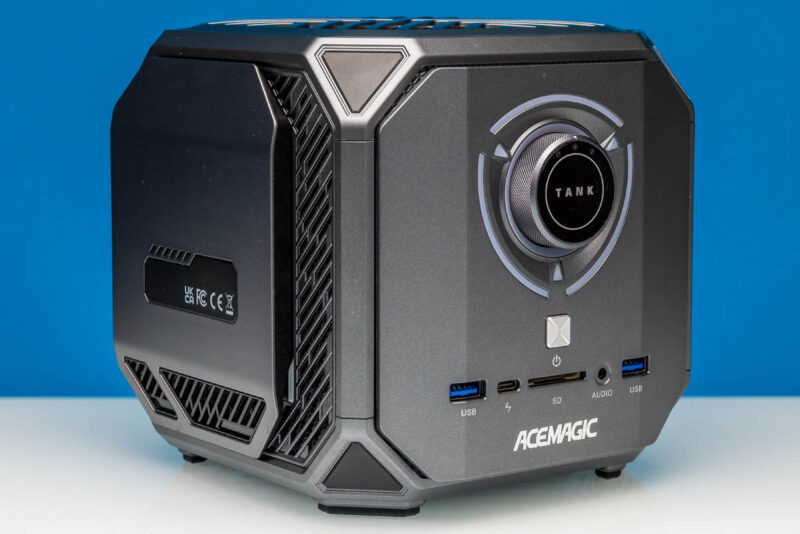
Meanwhile, the left and right sides of the M1A Pro+ have more going on than the typical SFF PC. Acemagic uses both sides as covers for storage expansion bays, which allow access to the system’s three M.2 storage slots.
We will get into this more in our look at the system’s internals, but it is notable that Acemagic’s chassis design does not require any significant disassembly (or even flipping the machine upside-down) to upgrade its storage.
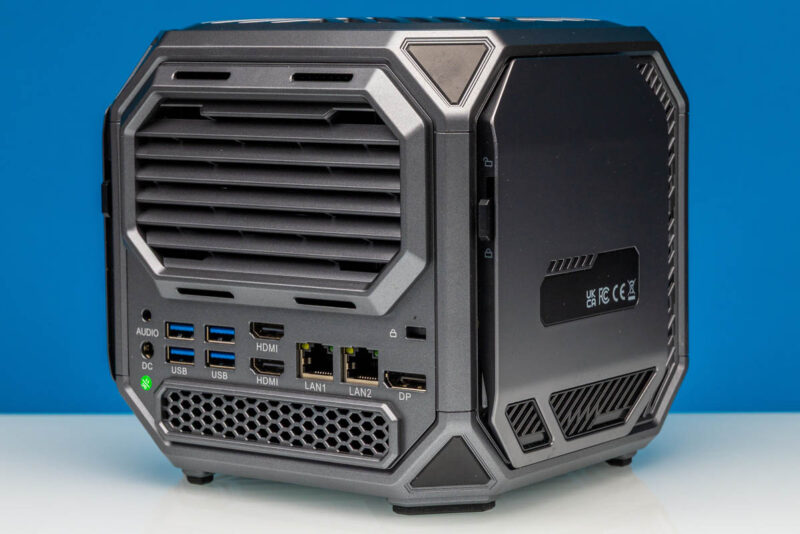
Otherwise, the rest of the I/O for the system, as well as its exhaust vent, can be found at the rear of the system.
Below the exhaust vent is a selection of USB, networking, and display outputs, with a particularly copious amount of display options for a Ryzen AI Max box.
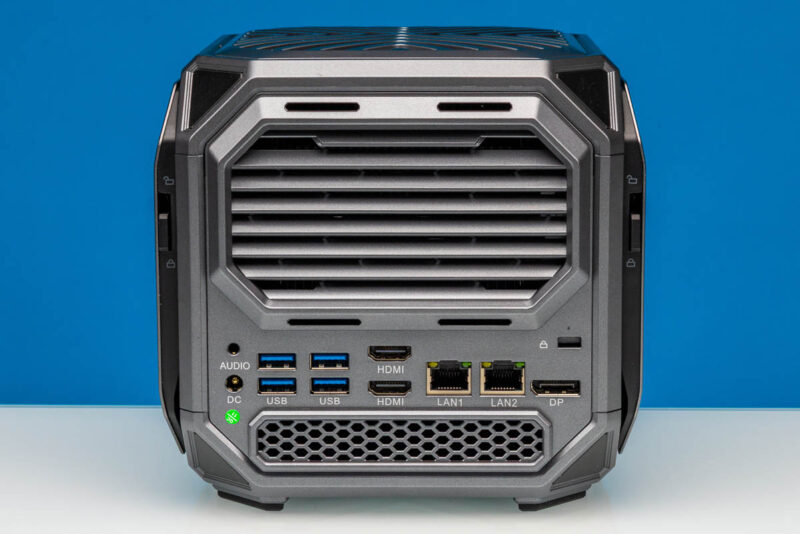
Altogether, Acemagic offers 3 display outputs on the rear of the box. This includes two full-size HDMI 2.1 ports, as well as a full-size DisplayPort 2.0 output, allowing the PC to be directly attached to any modern monitor with nothing more than a straight cable. And with the front USB-C port also supporting DP Alt Mode when used with an adapter, it is possible to drive a fourth 8K display as well.
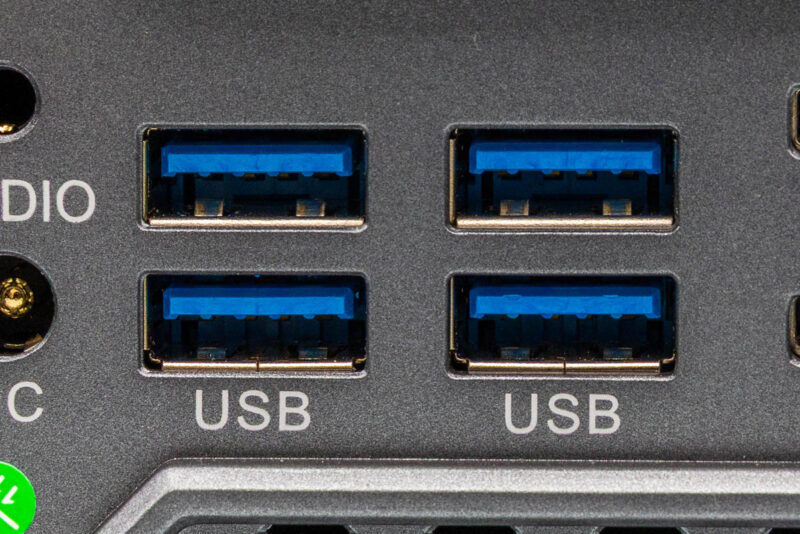
Meanwhile, to the left of the HDMI ports is a block of identical 5Gbps USB-A ports. With the system’s sole USB-C port located on the front of the box, these USB-A ports are doing all of the heavy lifting with regard to any I/O plugged into the rear of the system. In practice, this means that any true high-speed devices are best plugged into the front of the system, leaving these rear ports for input devices and more common USB peripherals.
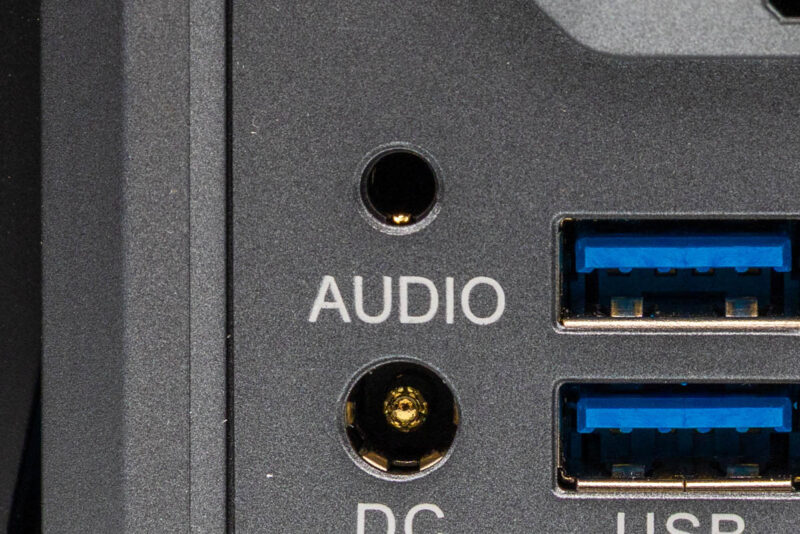
Further to the left still, we have the system’s second 3.5mm audio combo jack, along with a DC power barrel connector. To save on internal space, the M1A Pro+ relies on an external power supply. And with that being a hefty 300 Watt unit, Acemagic has little option but to use a barrel plug here, as this exceeds even the current 240W limit for USB-C power delivery.
Finally, on the right side of the system’s back face are a pair of RJ45 jacks wired to 2.5Gb Ethernet controllers. Both ports are driven by Realtek 8125 controllers, which have become increasingly common in consumer and business PCs over the last few years. It is a bit surprising that Acemagic did not opt for something faster here, though, especially given the AI/professional market the SFF PC is otherwise targeting. In a $500 mini PC, dual 2.5GbE makes sense. In a $3000 mini PC, you start to really want, or maybe expect 10GbE.
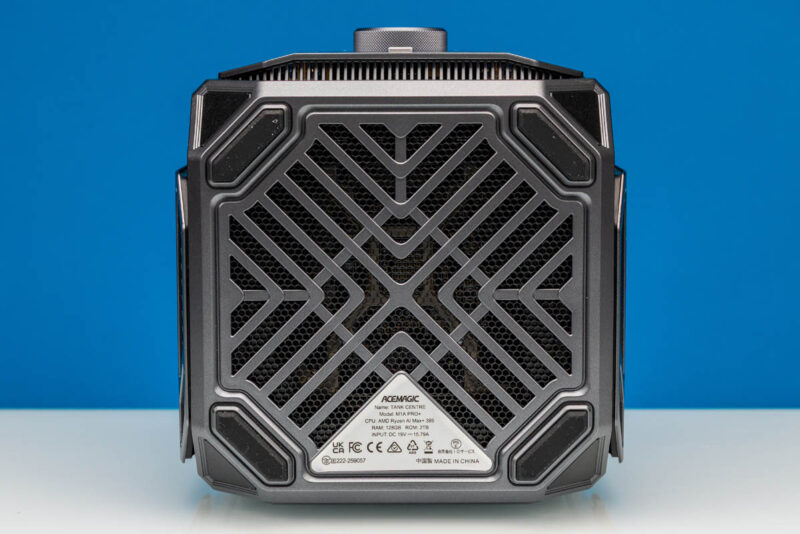
Meanwhile, along the bottom of the box, we find the product details for the PC (including the CPU and installed SSD capacity), as well as a large grate providing ventilation for the bottom of the PC.
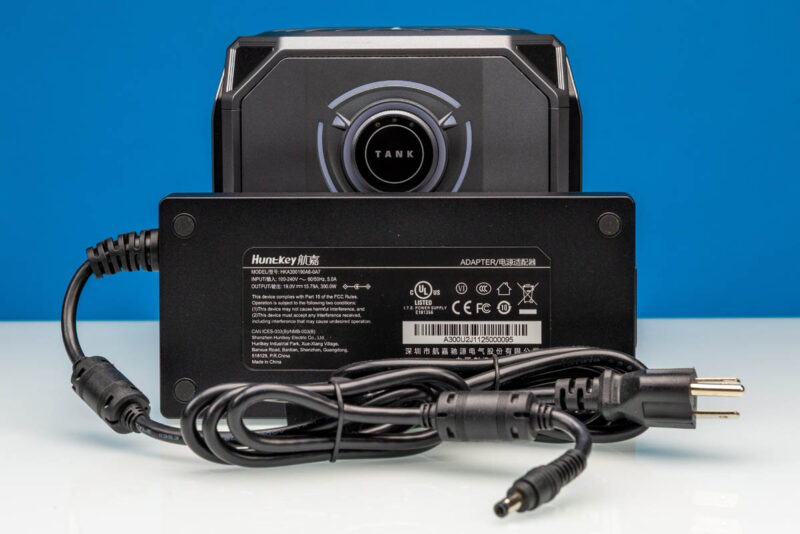
And last but not least, here is a quick look at the 300 Watt power adapter that comes with the system. With the PC only standing a bit over 6 inches high, the power supply is quite large as compared to the rest of the system, relatively speaking. The nominal TDP of the Ryzen AI Max SoC inside is only 140 Watts in Performance mode, but combined with all of the other peripherals and a safety margin, the M1A Pro+ can actually draw a significant amount of power when fully laden, requiring a beefy power brick to match.
Now that we have taken a look at the outside of the M1A Pro+, let us dig into the guts of the system.


Is it just me, or does this leave PCI lanes on the table? Compared to minisforum and framework solutions, no slots, no occulink, no 5/10 Gbit ethernet, …
I believe they had a problem with shipping malware in the past: https://youtube.com/watch?v=B8nJobY1SGM&t=20s.
Given that GB10 configurations have 200 Gbit networking at an admittedly 20% price uptick, even 10 Gbit would be pretty slow for the AI market.
Maybe this one is only designed for playing video games.