

Acemagic M1A PRO+ Power Consumption and Noise
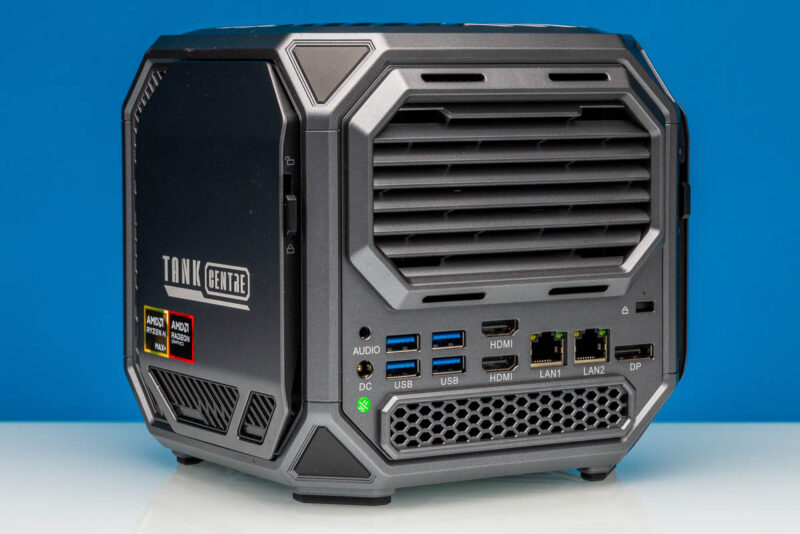
A common theme in all of the Ryzen AI Max systems we have reviewed so far, and Acemagic’s M1A PRO+ is no exception, is that all of these systems have shipped with sizable power supplies. The SoC itself can draw quite a bit of power under full load, and then there is the need to power the rest of the system, including power delivery for numerous USB ports and the fans within these systems. Which is to say that all of these systems have been built with rather large coolers to match their power needs.
For the M1A PRO+, overall system power consumption and noise vary with the selected performance mode. We expect that most users will set it to the highest performance mode and call it a day, but if you do need something a bit quieter, here are what things look like at either end of the spectrum.
For the system’s 140W peak Performance mode, we measured the system as drawing 163 Watts from the wall. This is steady-state performance with a GPT-OSS LLM running on the GPU, CPU-Z’s stress test running on the CPU, and a (roughly) 10W portable monitor displaying the results. Conversely, dialing the system down to Silent mode nearly halved the power consumption at the wall, bringing it down to 87 Watts.
Meanwhile, we measured the system as generating about 43dBA of noise in Performance mode – a noticeable amount of noise, but nothing too deafening. Gearing down to Silent mode brought that to around 36-38dBA, which in practice is not quite silent, but it is only a few decibels above the 34dBA noise floor of our labs. These figures are comparable to other Ryzen AI Max systems running at similar power levels, underscoring that there’s no easy engineering trick to significantly tamp down the noise generated by these toasty SFF systems.
Key Lessons Learned
At this point, we have tested several Ryzen AI Max systems from a variety of vendors, and while each of them has put their own spin on AMD’s high-perf APU platform, there’s a pretty consistent set of truths that has applied to all of them, and applies to the Acemagic M1A PRO+ as well.
The biggest truth is that, as an AI development platform, the Ryzen AI Max platform is at its best when leveraging its 128GB of system memory to run large models. It is the ability to run these large models that has made Ryzen AI Max systems so popular, providing a reasonably performant option that is not a vastly more expensive server GPU. These 128GB memory pools have helped these systems hit a sweet spot between inference quality and performance, providing the relatively high quality of a large model at a reasonable performance level and avoiding either the severe performance penalty of CPU-based inference or the quality hit from running a smaller (or heavily quantized) model on a VRAM-constrained desktop video card. In other words, for many, these systems land right in the Goldilocks zone for desktop AI inference.
Which is not to say that they come cheap. With memory prices through the roof right now, thanks to high demand, these Ryzen AI Max systems have shot up in price quite a bit since they were introduced last year. But there is not much to be done about that right now. Users are left to decide between the options on the table today.
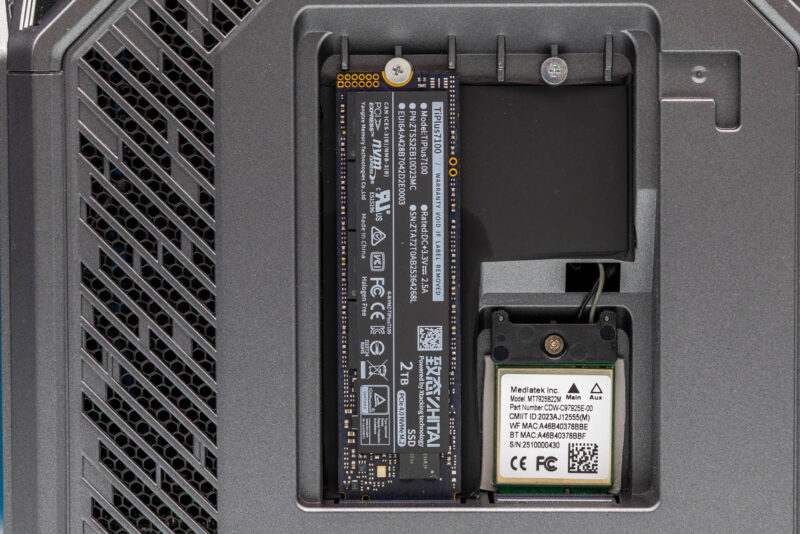
Otherwise, with NVIDIA competing heavily in this burgeoning AI developer box space with their GB10-based systems, the differentiation between the two platforms has become increasingly clear over the last several months. On the AMD side of the fence, virtually all of these Ryzen AI Max systems support installing multiple M.2 2280 SSDs, up to three in the case of the Acemagic M1A PRO+, allowing them to be paired with immense amounts of local storage. They can also run Windows, which itself is a tradeoff, but it gives these desktop machines access to the complete Windows software ecosystem. If you wanted to have a Windows desktop replacement, run GPT-OSS-120B, Qwen3.5, or Gemma 4 31B locally, play games occasionally, and skip a NAS with local M.2 storage, then this works well. Likewise, because of the 32GB/ 96GB CPU/ GPU memory split (configurable, but we expect most to use this), running OpenClaw on this type of machine can be done without eating into valuable VRAM capacity.
Meanwhile, on the NVIDIA side of the fence, the company’s insistence on including its high-performance ConnectX-7 NICs means that if scaling beyond a single system is needed, to run models bigger than one 128GB box can support, then GB10 is probably the better platform. Not to mention NVIDIA’s advantage with its extensive CUDA library. We have 5-6 AMD Ryzen AI Max+ 395 systems and ten NVIDIA GB10 systems, including an 8-way cluster, and they are just designed for different use cases.
Final Words
Wrapping things up, Acemagic’s entry into the Ryzen AI Max ecosystem is without a doubt an interesting one. The flashy, RGB-lit cube is not like anything else on the market, and the kind of attention that brings has the potential to be a significant boon to Acemagic in what has become a crowded market for Ryzen AI Max development platforms.
On the whole, the M1A PRO+ is a competent system, and we would not expect anything less from Acemagic or the underlying AMD hardware. It does what it needs to as a PC and AI development box, and at its current retail price of $3000, it is one of (if not the) cheapest 128GB Ryzen AI Max+ 395 systems on the market, competing with the GMKtec EVO-X2. Given 128GB DRAM and NAND pricing these days, it almost feels like you are buying 128GB of memory and a 2TB SSD and paying not that much for the rest of the system. The challenge for Acemagic is that they are essentially competing with the rest of the market on pricing rather than features, pairing the Ryzen hardware with only the most mundane networking and expansion options. As a result, there are other, better Ryzen AI Max boxes on the market, but none that match the M1A PRO+ at its current price.
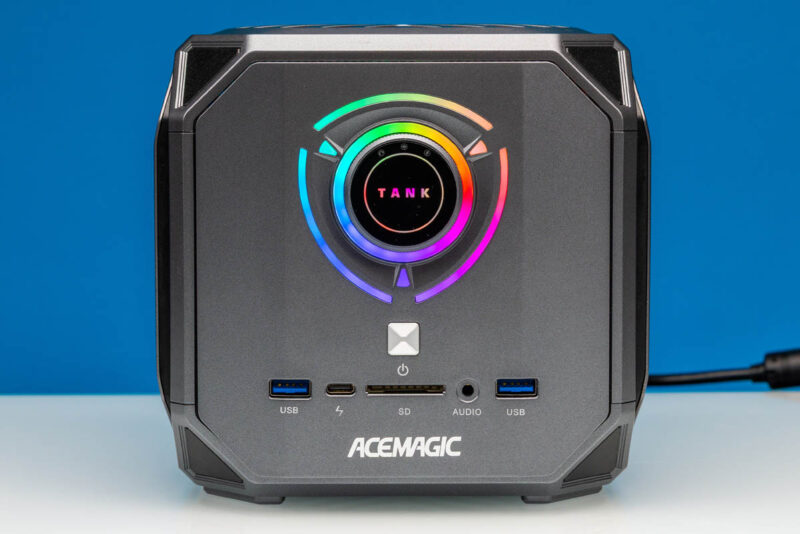
Still, we cannot help but think that Acemagic missed an opportunity to install a couple of cheap upgrades that would have made the M1A PRO+ an even better box. Faster 10GbE networking would have easily put the cubic PC in a higher class of Ryzen systems, and so would have some better expansion options. If nothing else, it gives Acemagic a clear roadmap for improving its next generation of systems.
In the here and now, Acemagic’s M1A PRO+ is a solid Ryzen AI Max offering. If you just need a desktop box for AI inference and development, and better still, one that lets you dial up and down the noise of the system as your needs dictate, then the M1A PRO+ will certainly fit the bill.
Where To Buy
If you wanted to find the M1A PRO+ online, here is an Amazon Affiliate link (note this may redirect once they are sold out, which happens when we review gear).



Is it just me, or does this leave PCI lanes on the table? Compared to minisforum and framework solutions, no slots, no occulink, no 5/10 Gbit ethernet, …
I believe they had a problem with shipping malware in the past: https://youtube.com/watch?v=B8nJobY1SGM&t=20s.
Given that GB10 configurations have 200 Gbit networking at an admittedly 20% price uptick, even 10 Gbit would be pretty slow for the AI market.
Maybe this one is only designed for playing video games.