

Acemagic M1A PRO+ Internal Hardware Overview
Upon attempting to crack open the M1A Pro+, there is actually not a lot to open. Even with the gaming PC heritage of Acemagic’s chosen chassis, the box is functionally closer to a laptop than it is to a PC. That means that while it has a couple of easily accessible bays for storage upgrades, everything else is buried under a complex chassis held together by a copious number of screws and hidden plastic tabs. In short, the average user is not getting inside the M1A Pro+ without a few screwdrivers, a spudger, and quite a bit of free time. Check the video starting at 5:05 if you want to watch the process.
To some degree, this is expected, since the guts of the system are so highly integrated. A single SoC with soldered memory leaves little to replace with regard to electronics. It does mean that any fans are not going to be an easy replacement either.
Thankfully, for as hard as it is to reach the guts of the system, Acemagic has made accessing the parts they do want to make user-replaceable extremely easy. On the left and right sides of the case are a pair of storage bays, both of which can be accessed entirely without tools. Both bays are secured by covers that can be released with the flick of a switch.
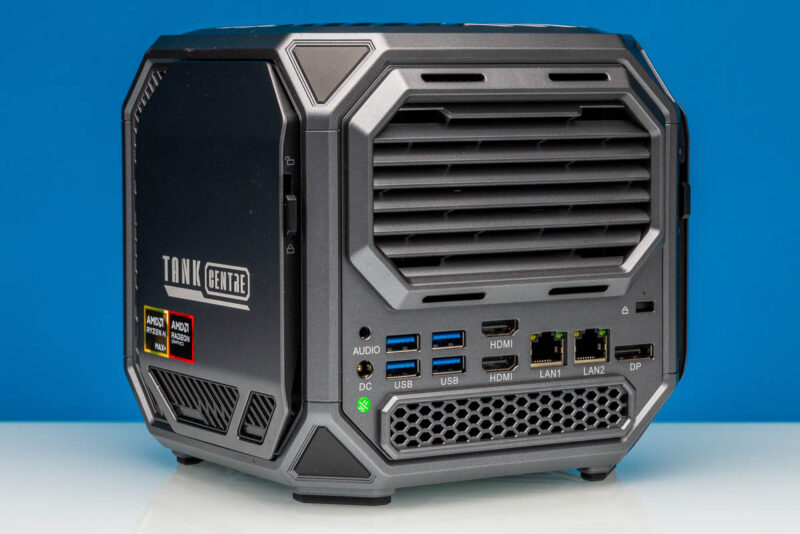
On the right side of the case (most noticeably designated by its “Tank Centre” branding) is the more densely packed of these storage bays. Here, Acemagic has placed two of the system’s three M.2 2280 slots, as well as the M.2 slot used by the WiFi + Bluetooth adapter.
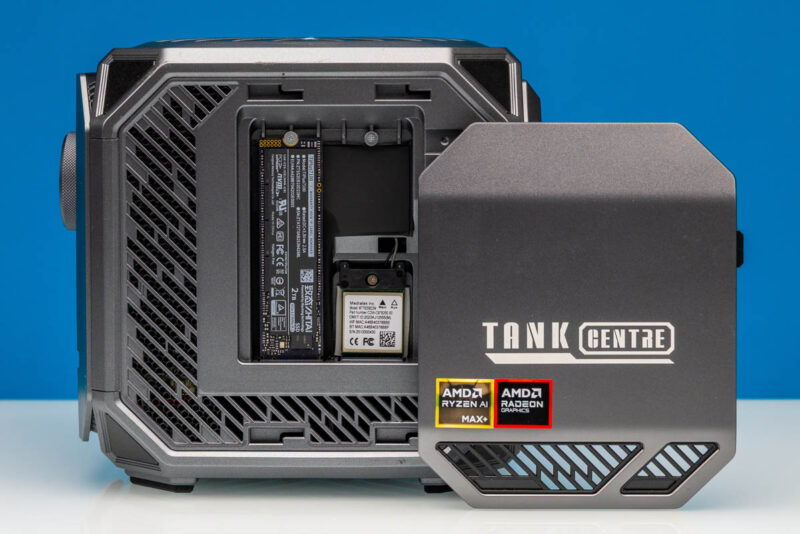
While the cover was toolless, the M.2 cards are not, and these are secured with the usual low-profile Phillips screws – so you will need a screwdriver to actually make any upgrades.
Out of the box, our review sample came with a 2TB SSD from Zhitai, a Chinese SSD manufacturer that has little name recognition in the West. We understand that changing the first letter to an “S” would produce a completely different brand idenity. The SSD sports 2TB of TLC NAND and its controller uses a PCIe Gen4 x4 interface, making it a good match for the Gen4 x4 speeds the M.2 slots support.
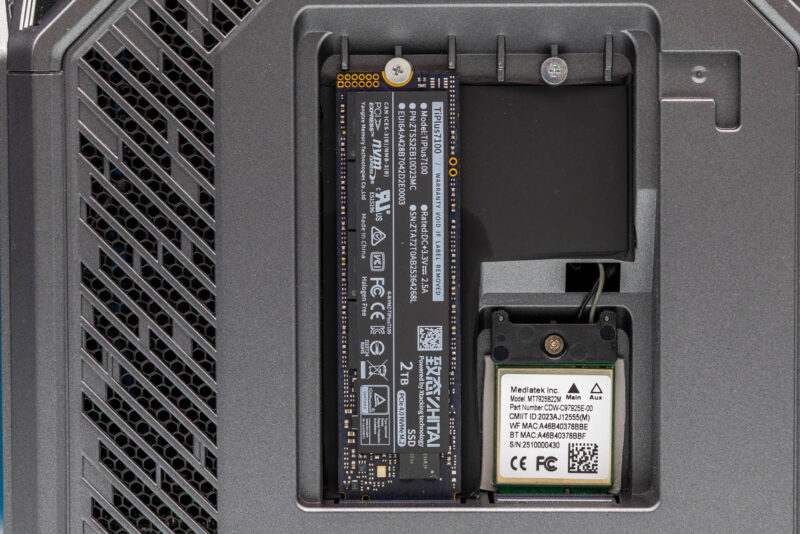
Meanwhile, on the right side of the bay, buried a bit deeper into the box, is an M.2 form factor Mediatek MT7925 wireless adapter, which provides both Wi-Fi 7 and Bluetooth 5.4 connectivity for the PC. Though this is currently the latest and greatest from Mediatek, having it accessible here means that it will be possible to easily upgrade the wireless adapter later on, if need be. The wireless adapter is covered by the second M.2 2280 slot, which ships empty out of the box.
It is notable that all three of the M.2 cards in this bay are actually standing, something that is not necessarily obvious in the photos due to this being a cube. Rather than running the M.2 slots on this side parallel with the motherboard, Acemagic has them running perpendicular, allowing the cards to stand.
Also, note that in our pre-production system, we are showing the default M.2 SSD placement. Acemagic told us that there is a board fix going into the production units that will fix stability issues we saw with 100% GPU load and the M.2 SSD there. The fix in the pre-production units was to move the SSD to another slot, but this is one we would want to be sure is actually fixed in production units.
Switching things over to the left storage bay, we remove a virtually identical cover to find a very different bay layout.
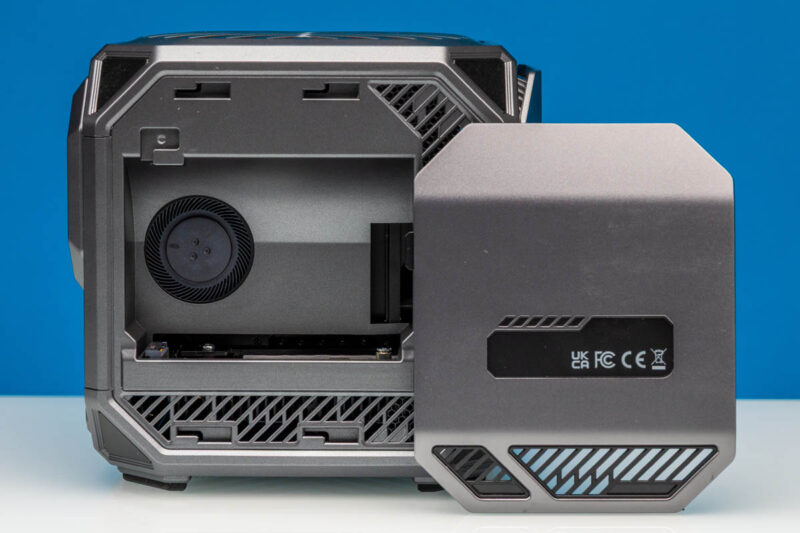
Rather than having any M.2 cards standing, the sole M.2 slot on this side is practically hidden. Instead, the most visible component here is a small blower fan, which keeps the storage bay cool and directly exhausts out of the rear of the system (alongside the exhaust from the primary heatsink-fan unit).
Looking into the bay at an angle, we can better see the single M.2 2280 slot in this bay, which runs parallel to the motherboard.
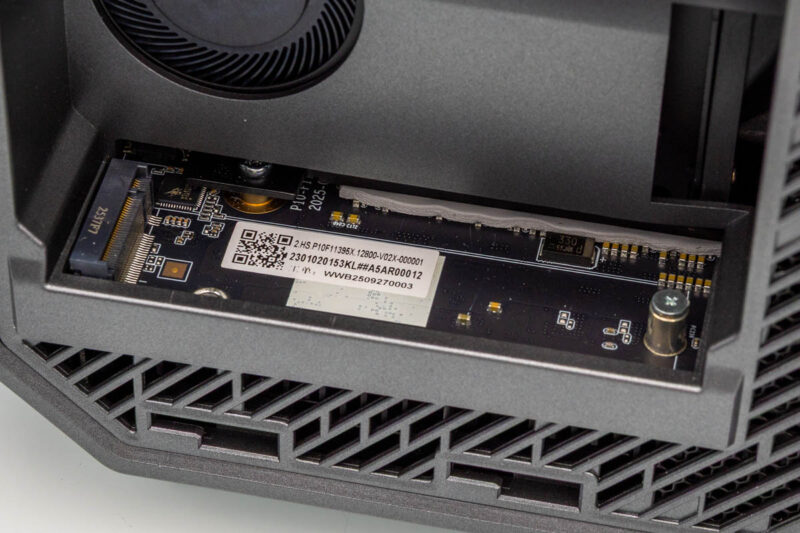
As with the other M.2 slots in the system, this storage slot is wired up for PCIe Gen4 x4 connectivity, which is par for the course for Ryzen AI Max+ systems. It is worth noting, however, that the only screw standoff is for M.2 2280 cards, so in the unlikely chance you wanted to install a shorter M.2 SSD, you would be out of luck.
The unusually large storage bay does offer some interesting customization options (like adding faster NICs via M.2 adapters) that more densely packed SSF PCs would lack. For most practical purposes, the extra space in the bay is vestigial, as this is where Acemagic put its SODIMM slots in the original Tank 03 SFF PC.
That is the nickel tour for the internals of the M1A Pro+. While it is ultimately possible to get further inside with a great deal more time and effort (see the video), these storage bays are as far as Acemagic wants the typical user digging into the machine.
Now, with a look at the hardware out of the way, let us take a look at the system’s performance.


Is it just me, or does this leave PCI lanes on the table? Compared to minisforum and framework solutions, no slots, no occulink, no 5/10 Gbit ethernet, …
I believe they had a problem with shipping malware in the past: https://youtube.com/watch?v=B8nJobY1SGM&t=20s.
Given that GB10 configurations have 200 Gbit networking at an admittedly 20% price uptick, even 10 Gbit would be pretty slow for the AI market.
Maybe this one is only designed for playing video games.