Gigabyte AI TOP ATOM Topology
Here is the topology map for the AI TOP ATOM:
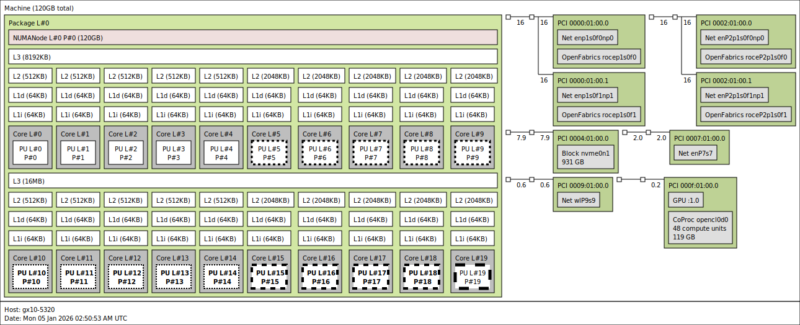
Here we can see the twenty Arm cores, along with the GPU, the WiFi 7 NIC, the 10Gbase-T NIC, and the four ConnectX-7 interfaces (two ports and one per PCIe Gen5 x4 link.) As a quick reminder, here is how the GB10’s ConnectX-7 NICs are connected.
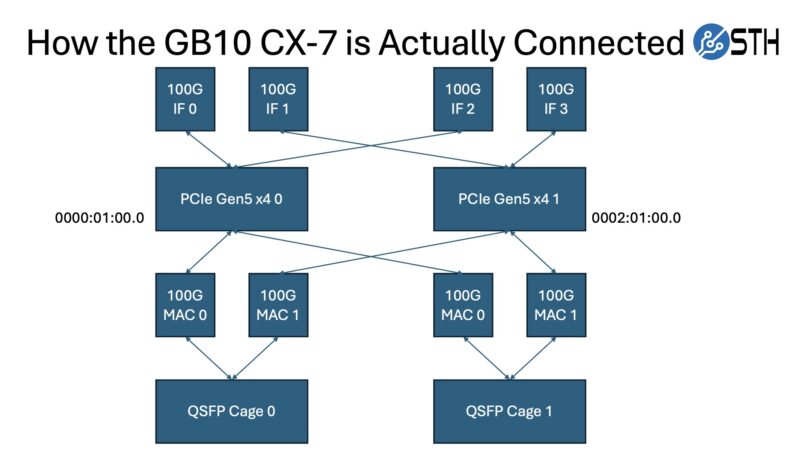
Those NICs are perhaps the most interesting part of this system, as they are a major differentiator from other mini PCs.
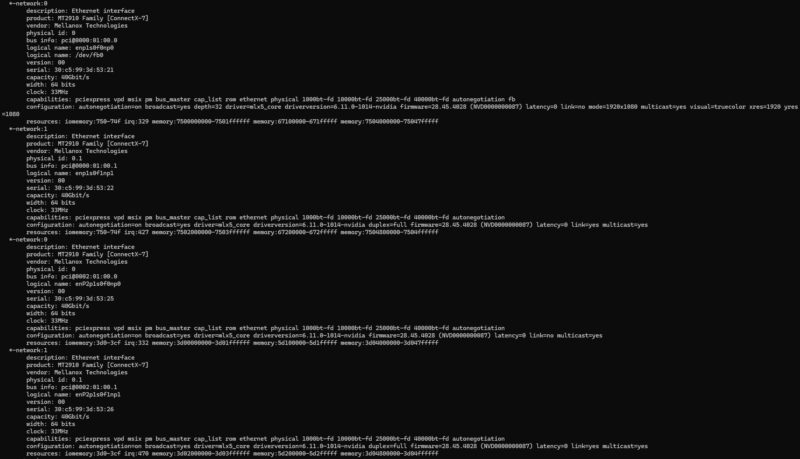
The other interesting part is that since this has unified memory, the memory at the system level and the co-processor level is the same. That is different from an AMD Ryzen AI Max+ 395 128GB system as an example.
Gigabyte AI TOP ATOM Software Overview
While Gigabyte controls the hardware, and as we found out from Dell, the OEMs even control the firmware updates beyond that, the company has very little influence on the software running inside. Like the DGX Spark itself, all the Spark-alikes run NVIDIA’s DGX OS, a variant of Ubuntu Linux with all the necessary drivers and software tools pre-installed. While some may prefer other Linux distributions, the fact that NVIDIA is putting resources into the DGX OS means we get something that is quite useful. For example, there is a NVIDIA Sync utility that sets up all of the back-end SSH keys and tunneling.
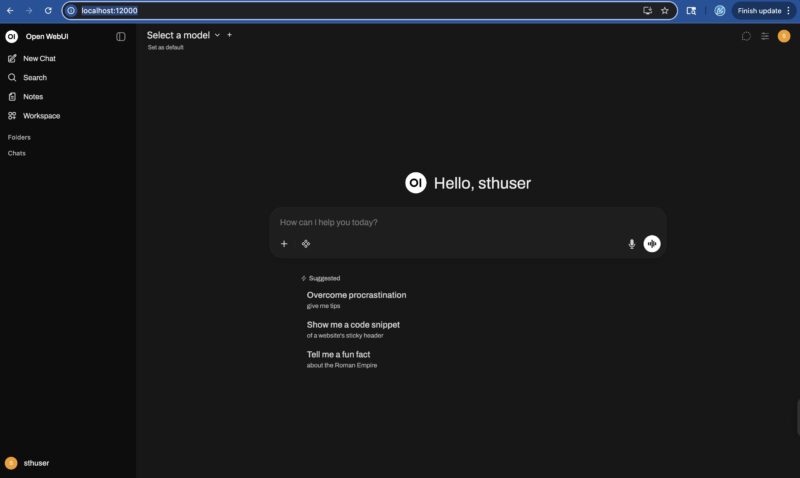
The NVIDIA DGX Dashboard is the primary means of interfacing with the system.
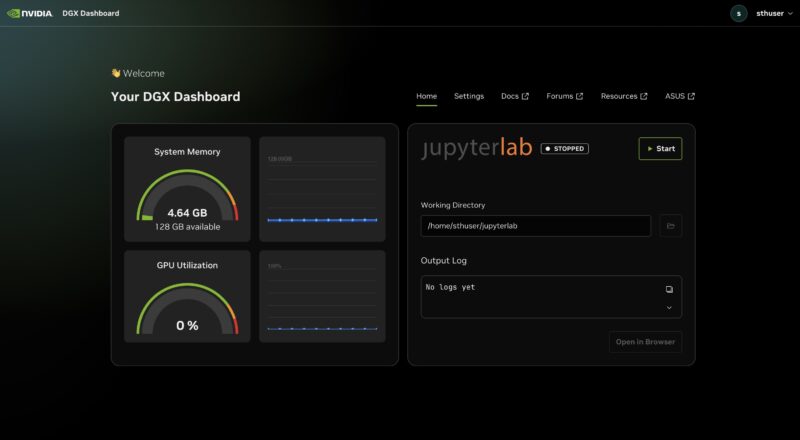
At this point, it is essentially an NVIDIA software environment running inside a box built by Gigabyte. NVIDIA has done a lot of work building tools like the AI Workbench to directly connect to various tools.
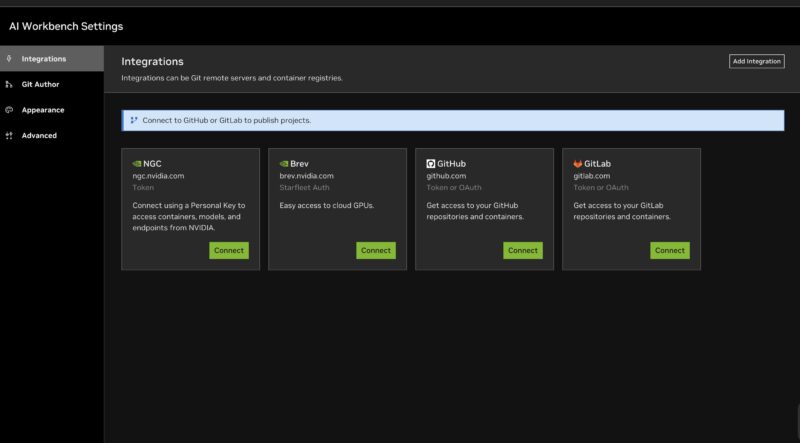
There are also the DGX Spark Playbooks on Github that provide a lot of great starting recipes for getting a variety of scenarios setup from ComfyUI to multi-unit scaling through NCCL.
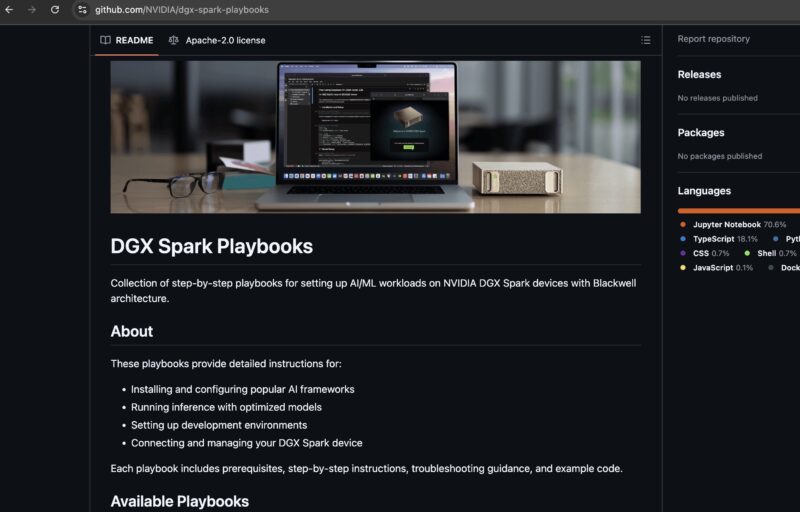
Overall, this is something that is useful. There are plenty of AI with NVIDIA GPU tutorials out there, but having some GB10 specific ones is quite useful. Still, we wanted to see what we could around the performance side of the unit.
Gigabyte AI TOP ATOM Performance
As always, we start things off with Geekbench 6. While we had expected to find that the Gigabyte AI TOP ATOM was on par with other GB10 systems, what we actually found was a bit of a surprise.
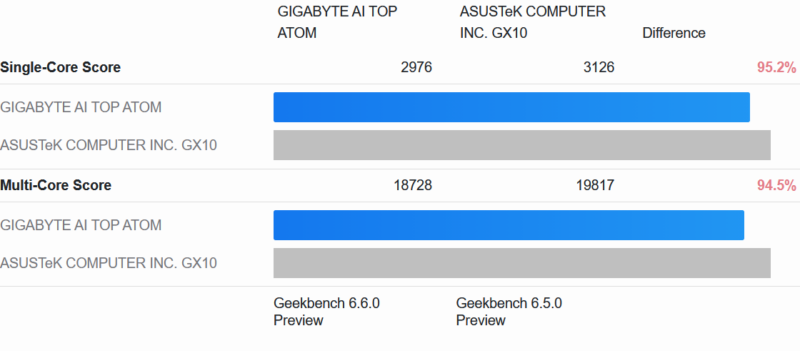
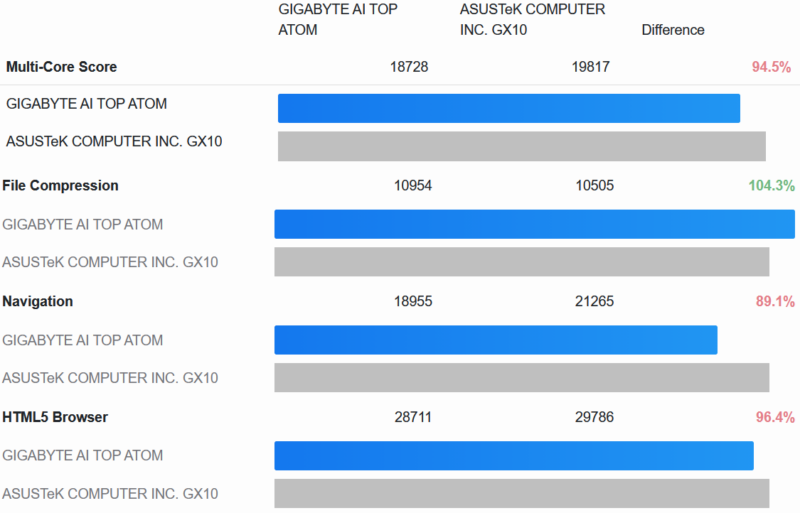
In short, the AI TOP ATOM ends up being a few percent slower than our point of comparison, ASUS’s Ascent GX10. And this difference is fairly consistent through the sub-tests, with the AI TOP ATOM pulling ahead on occasion.
Following this, we decided to dig a bit deeper and see how the ATOM compares to other GB10 boxes in AI workloads.
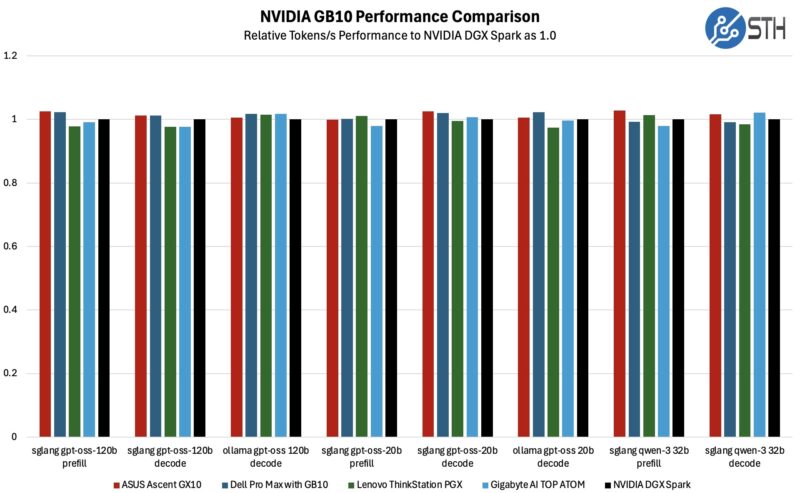
With five GB10 systems now in our result set, we are seeing a bit of spread among the scores. However, there is nothing particularly consistent here, which is what we would expect to see with typical run-to-run performance variation.
To be sure, we also ran some long-term testing, allowing the GB10 systems to heat up for over an hour to see how they would do once they are fully heat-soaked.
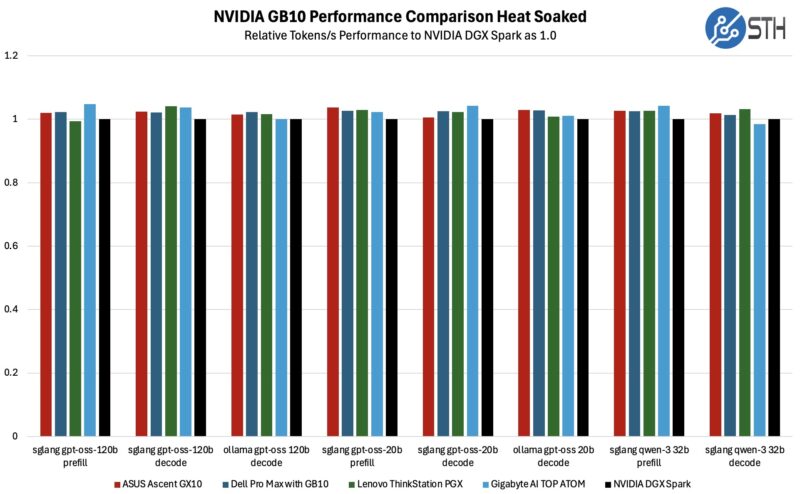
The picture does shift in the heat soak scenario, though only slightly. Gigabyte’s AI TOP ATOM comes in a few percent ahead of the NVIDIA DGX Spark in most of these tests, though it is still not a major difference. Of the 8 AI tests here, the AI TOP ATOM ends up winning at three and tying at a fourth. All things considered, it is still a pretty narrow difference, but if you are looking for any kind of differentiation between these otherwise similar systems, here is one small sign.
Overall, cooling is one of the few hardware aspects that the GB10 system vendors have any control over, even though the form factor itself imposes some rather significant constraints on what kind of cooling setups are viable. As a result, this is one of the handful of areas where we would even expect to see a difference, and maybe a slight edge for Gigabyte.
Next, let us get to the power consumption.