

Fortinet FortiGate FG-40F Software Experience
Logging in, Fortinet’s default IP is 192.168.1.99, and the default username is admin with no password. You are immediately required to change the password.
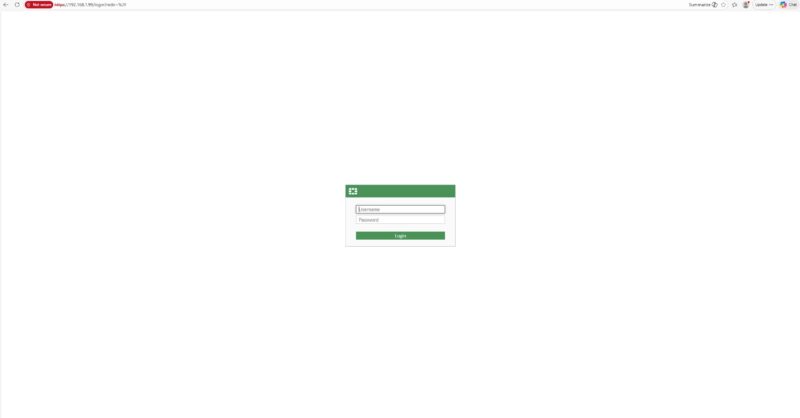
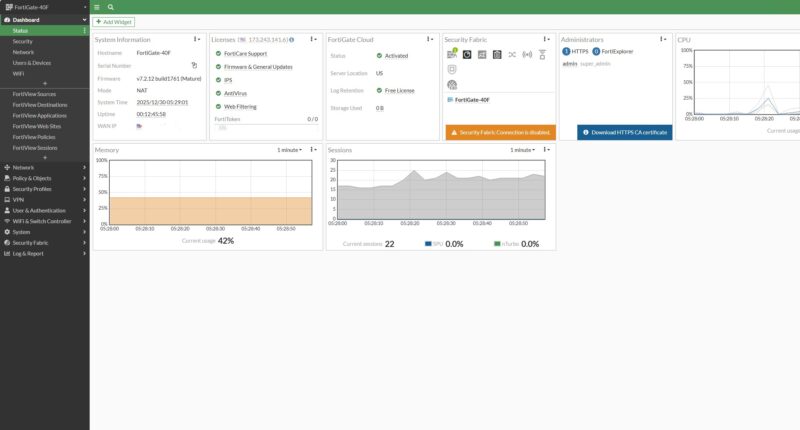
We logged into our unit, and saw the FortiOS 7.2 dashboard.
Fortinet has various firmware lineages but keeping up to date is very important.
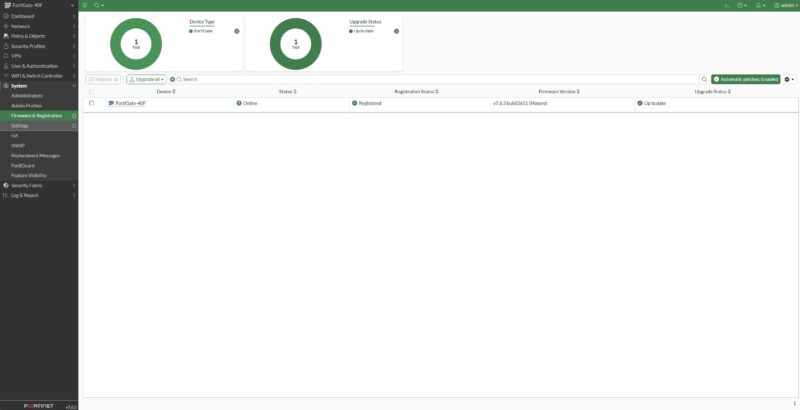
So we upgraded to FortiOS 7.4.
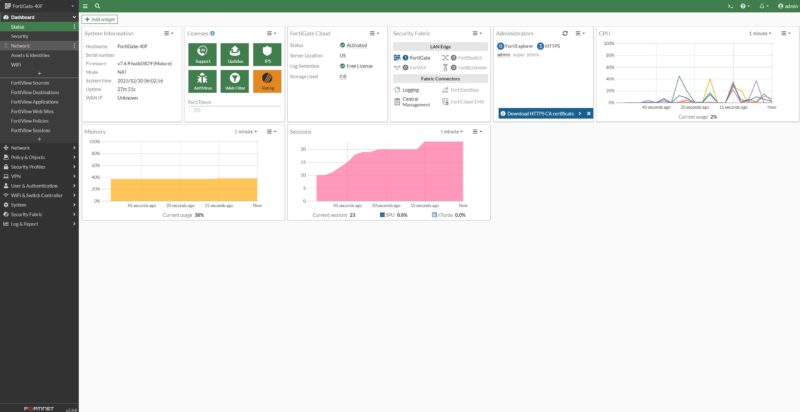
Then to FortiOS 7.6.
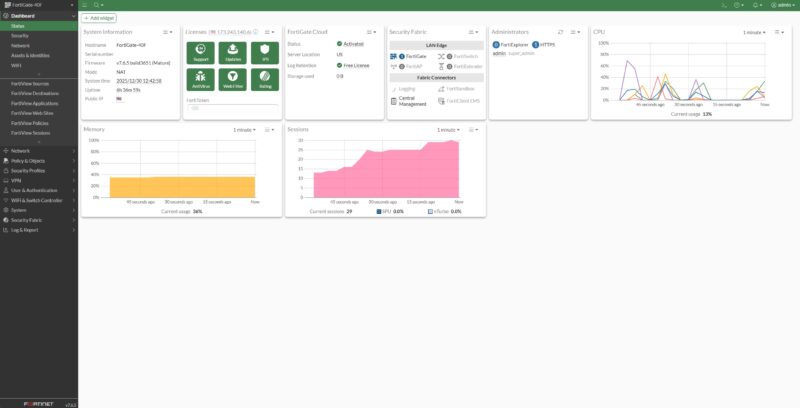
Just a quick note: we ended up testing on FortiOS 7.6.6, but the screenshots you will see are from FortiOS 7.6.5. It took a bit of time to put this all together and test other firewall brands at the same time, so we ended up re-testing on the newer firmware version.
Once you are set up and have registered your device, there are UIs and wizards for a ton of features. The interface setup is relatively intuitive, and Fortinet has the gateway diagram with port labels and connection status on top. If you configure hundreds of these, you probably do not notice little features like this.
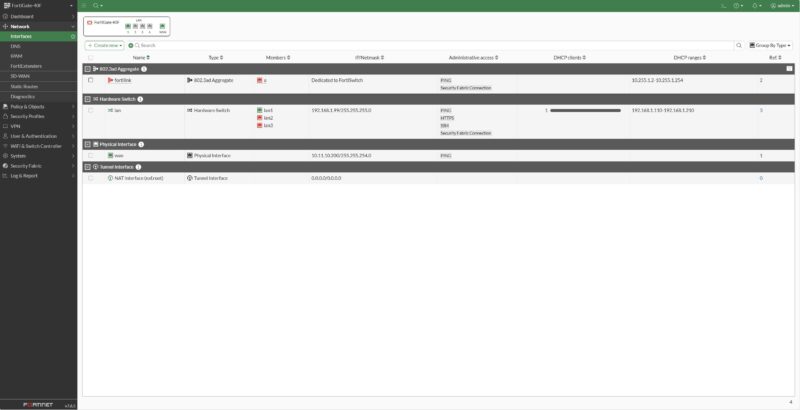
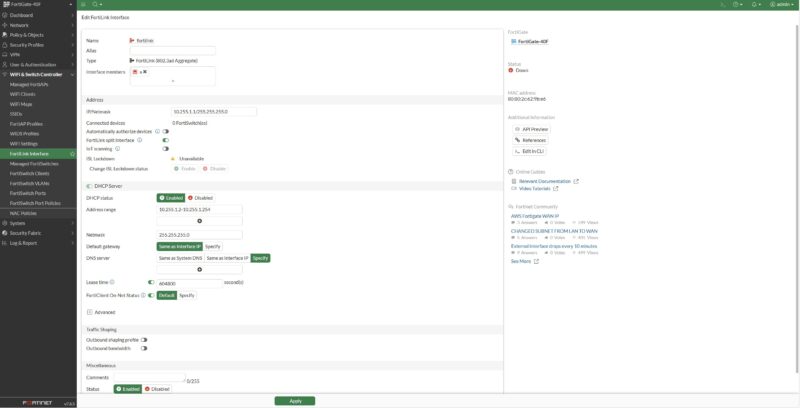
Setting the box up, there is a “FortiLink Interface” which some may not know. This is a link to discover FortiSwitch devices and help automate networking.
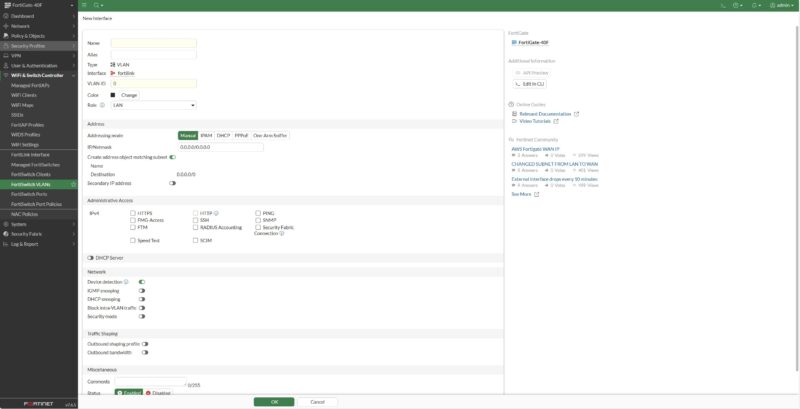
Here, you can do things like set up FortiSwitch VLANs from the gateway as well. We only have two FortiSwitch devices, but expect reviews of those on STH.
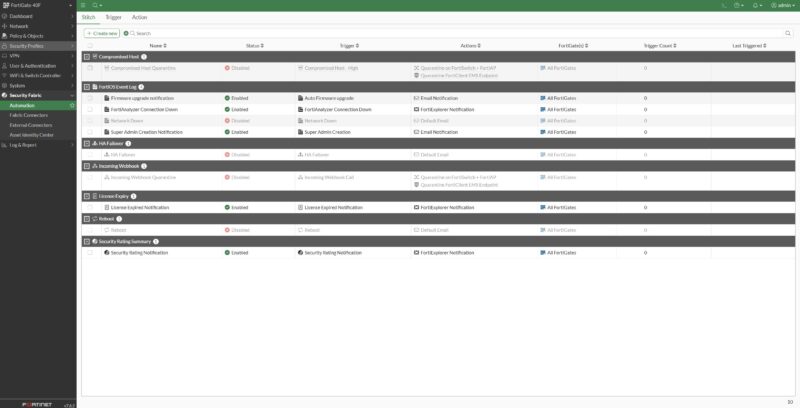
There are workflows for security fabric automation and many other common tasks.
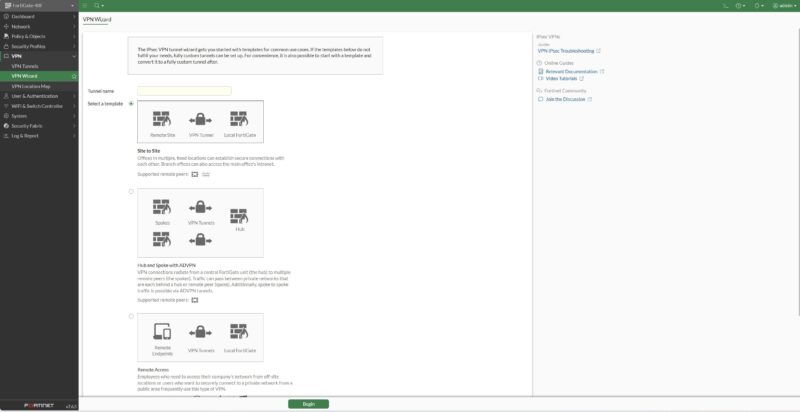
VPNs are a big deal for Fortinet and this entire segment. It turns out that both CyPerf and IxNetwork, which we use, have great VPN testing tools, but we are going to add that into future reviews.
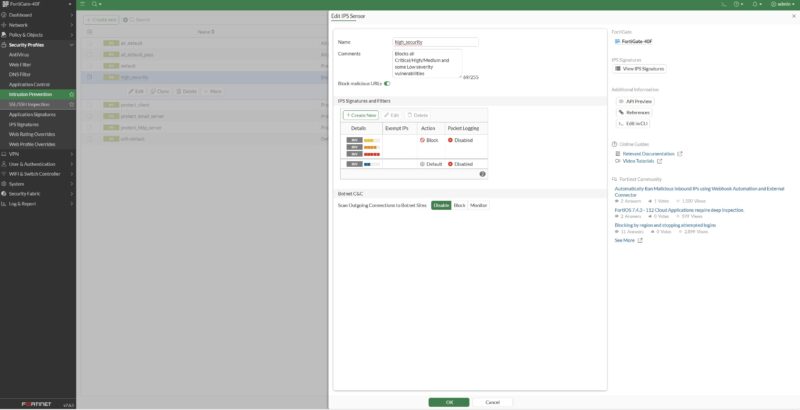
On the security side, Fortinet is well known for its security features including its IPS.
With a subscription, you have access to a great default set of IPS signatures. We will look at the performance of turning many of the security features on in our performance testing section.
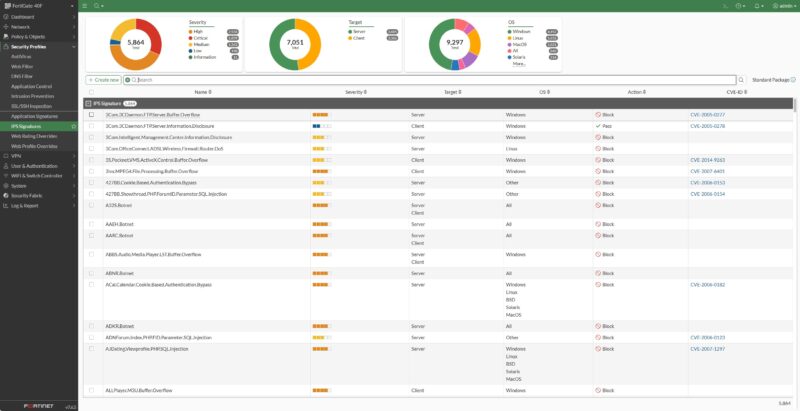
There is an application sensor feature as well.
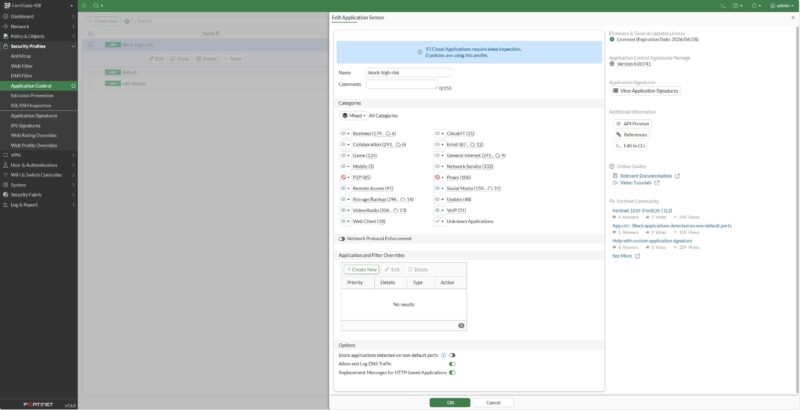
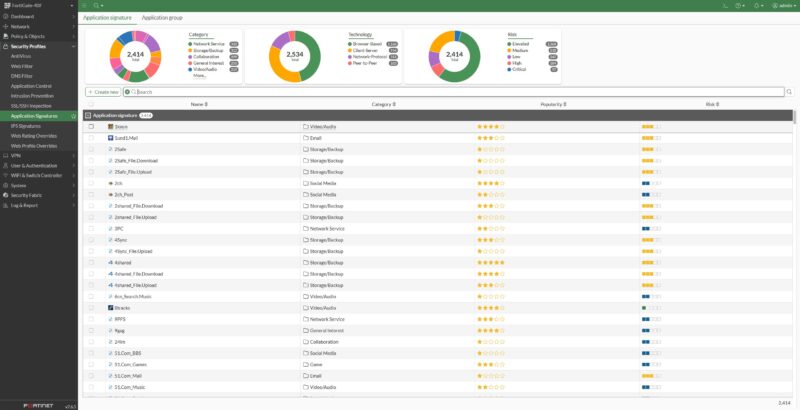
Here is a quick look at the signatures for that:
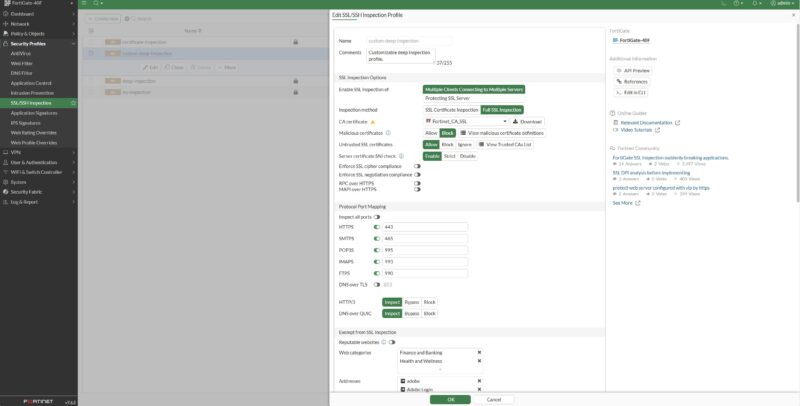
Fortinet also has SSL and SSH inspection features.
There are, of course, web filters.
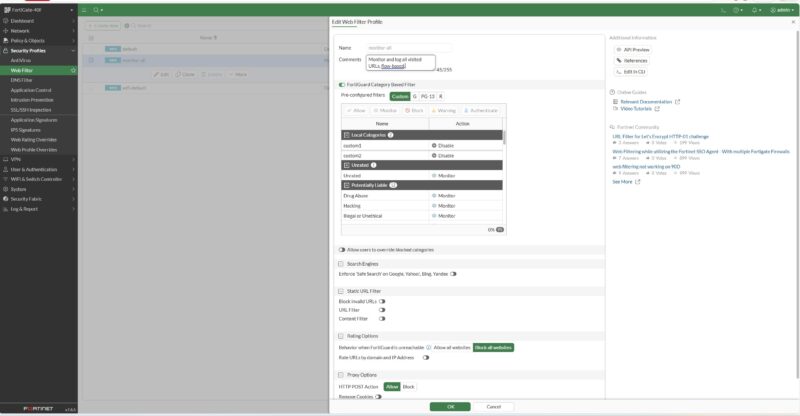
To be clear, there are a surprising number of features here, and they are fairly easy to configure. Many will benefit from fine-tuning, like the web filter.
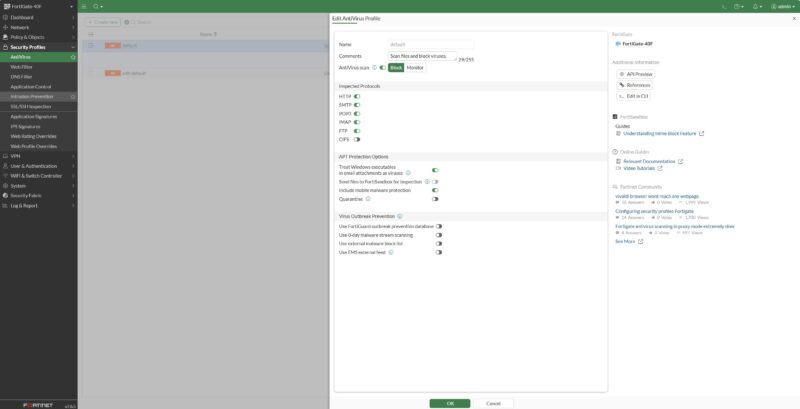
A final one for this round of highlights is the AntiVirus feature.
There is a CLI for Fortinet, which is how we did most of the configuration of these units.
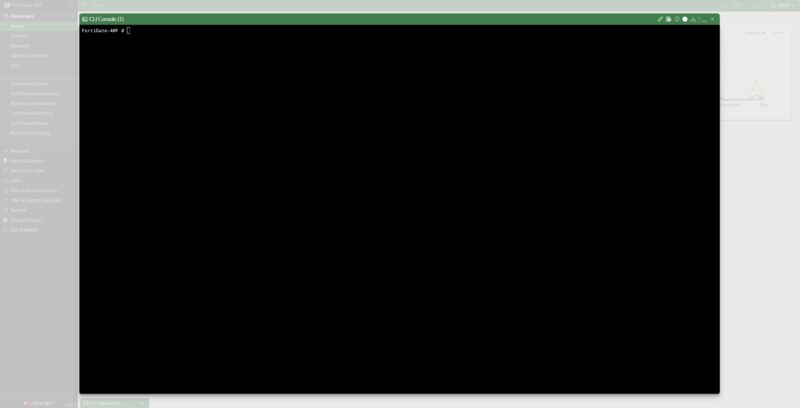
On both the FG-30G (both units) and FG-60F we ended up having to use the console port to fix firmware updates or to fix an update gone poorly. That was not in play here, as SSH login and gateway configuration were easy enough. Since we did all the performance testing for these boxes back-to-back, we ended up using console access on three of the four boxes on hand just to update firmware, so it is an important feature.
A Word on Onboarding
To do this review, we purchased the FG-40F-BDL-809-12 bundle. The FG-40F is the hardware. 12 is for the duration. The 809 means we have 1 Year FortiCare Premium and FortiGuard Enterprise Protection. These boxes have a ton of features and various license levels.
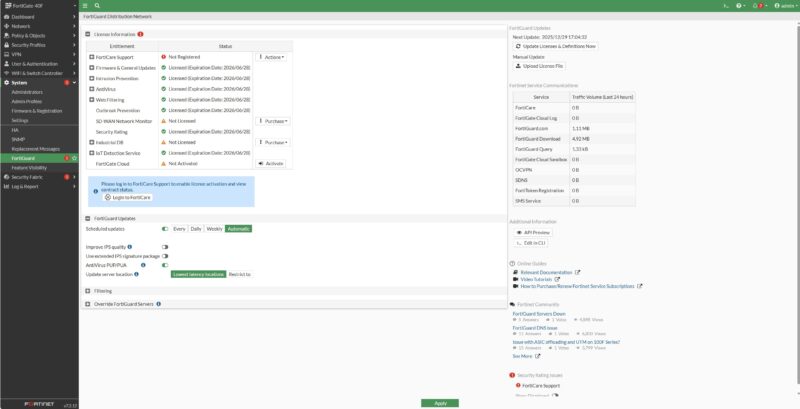
If you are coming from a pfSense, OPNsense, Ubiquiti firewall, or similar device, the entire licensing experience is jarring. It is something that you do not hear a lot about. There are people who regularly deploy these boxes and are accustomed to how this all works. If you are just entering the space, it is rough. For example, when you want to get your entitlements, you may think the flow is: username/password, name, e-mail address, verification, organization, address, and maybe a phone number. Critically, you need one more step, and that is to find a reseller.
No matter if you are online or just trying to do several functions in the UI, you are also asked for things like the reseller name.
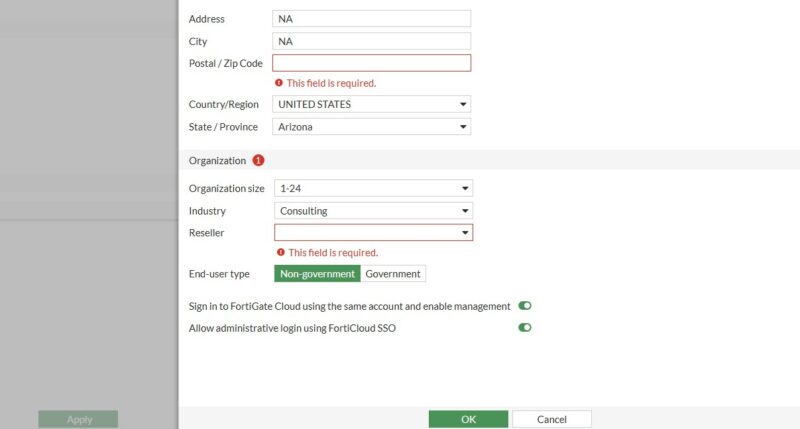
I totally understand this from back when I was at PwC doing consulting and building pricing, discounting, and deal management workflows for large tech companies. If you have ever worked on the sales side, this makes perfect sense. At the same time, things like the reseller we were asked for when adding future firewalls to the account.
We review servers, workstations, and so forth from every major vendor, and are covering a lot of the network switch space as well. We buy a lot of this gear. In the firewall market, this process seems common. Compared to the rest of the IT equipment market we deal with, this feels like a three sigma abrasive process. Again, I fully understand the desire and need to capture data like the reseller for a box to ensure channel partners are compensated. It is just a very noticeable high-friction process compared to others we deal with.
Next, let us get to the exciting bit.

I can’t wait for y’all to do more firewall reviews. Talk ’bout an opaque industry.
Any chance you will review the Watchguard Firebox M-Series (M270, M290) ?
We’ve got a few hundred of these deployed. They’re far from perfect, but you don’t have millions of hours of experience on them. You’re right. I’ve never seen a review like this and excellent work
Please test the IPsec performance vs other products (enterprise or not) in this price range! Forti does it all in the ASIC and IPsec performance is insane, even on a small box like this. I’d like to see if any other vendors can compare. Just a note that it is particular on what algos it will accelerate, but AES256/SHA256 should not be an issue at all.
HeloPatrik, excellent work. Could you please test the firmware on the PA-440 firewall?
Thank you, and I wish you many pleasant days ahead.
How about flow setup rate, under different conditions? Flow setup (of permitted flows) is also a very basic attack (generally against an Internet-connected device). Most devices can deny at a decent rate, but setup is another matter.
A 5 page ad for Fortigate.
As someone that manages a fleet of 50+ Fortigates, there are serious issues with these models and the firmware, but none of that seems to be mentioned here. Coincidence, I’m sure.
Wonder if HPE will ever release an update to the SRX branch devices, the SRX300 line is 10 years old now, been looking at fortinet now because at least the hardware is current, even PA needs a refresh too at that level
I don’t see this as a Fortigate ad. I’ve never seen anything like the license discussion in an ad. Greybeard IT must be like an old highly quantized llama2 with that bad of comprehension. lolz @ the low IQ bots
These are 2G devices so they’re on the way out on Forti anyway.
Hehe… never thought I’d see a review on the sites I frequent for Fortinet hardware I’ve deployed; big thanks for this guys.
I can say the 40F is one hell of a step up from the 30E; it was a joke at 1GB RAM. You had to run limited geoip or ips rule sets IIRC, but that was 2020ish; right around the beginning of IT security apocalypse.
I agree that these routers (fortigate) aren’t perfect. But for piece of mind they can provide if you’ve done your diligence in designing your networks; as long as the client is willing to pay the license costs, i sure sleep better at night knowing there’s a team of engineers working on the CVE’s & fixes. Also that i can pick up the phone and have them help of I’m stumped. Big plus in my books.
@Greybeard IT I don’t have a doubt that this chinese spyware has a lot of issues. ^^
Please tell us more about licensing costs, ongoing or one-shot ? How much? Can they be bought directly?
Great idea, firewall / router tests! I would love to see vs. Sophos XGS comparison when all security features are on.
This right here is the mainstream appeal of STH. Anyone working IT with 20-200 end users can use real, hard, data like this to guide and inform decisions, report to management, or check the recommendations from a VAR. I will continue to read STH and watch the YouTube channel as long as reviews like this are being made!
Updated: 2026-03-31
Published: 2026-02-06
Description
An improper neutralization of special elements used in an sql command (‘sql injection’) vulnerability in Fortinet FortiClientEMS 7.4.4 may allow an unauthenticated attacker to execute unauthorized code or commands via specifically crafted HTTP requests.
CWE 1 Total
Learn more
CWE-89: Execute unauthorized code or commands
CVSS 1 Total
Learn more
Score Severity Version Vector String
9.1 CRITICAL 3.1 CVSS:3.1/AV:N/AC:L/PR:N/UI:N/S:U/C:H/I:H/A:H/E:F/RL:O/RC:C
Product Status
Learn more
Vendor
Fortinet
Product
FortiClientEMS
Versions 1 Total
Default Status: unaffected
affected
affected at 7.4.4
References 1 Total
fortiguard.fortinet.com: https://fortiguard.fortinet.com/psirt/FG-IR-25-1142
One of many ongoing issues with FortiNET environs.
Next time, at least check CISA for advisories prior to giving such an unmerited glittering review, right now.
There is also significant history. I am not going to list all 10+ known issues…I have already already compiled a comprehensive report on these issues and it is available on demand
Looking at a new firewall cluster to set-up later this year, and Fortinet is a probable candidate. So I’m very glad I could read your review. I would have liked if the “HA” feature would have been reviewed or even just described.
Y’all are freakn’ out over Fortinet has CVEs. Every Linux distro just had a big ugly one. There’s going to be so many soon. CVEs get found and reported when someone is looking. It’s way worse to have a small vendor firewall and no CVEs.
I like that STH is at least doing the hardware teardown and providing something new and useful in the space. They’re doing what they do for servers.
I have hundreds of these deployed across the EU in smaller sites, along with their 60F brothers for larger locations. While these boxes certainly have some minor issues, I like their cost/performance point and remote management features. Licensing is troublesome, and license renewals are painful, but that is the Forti business case: cheap up front, get paid during renewal, although licensing is not Oracle-level abusive. Enterprise-level discounts are significant btw.
Someone mentioned CVEs, but I see this as a plus when it comes to Forti’s transparency and their speed in fixing them.
Watchguard (inherited 100+ installed units) has proven to be cheaper but much more troublesome, to the point that we’re ripping them out for Forti’s.
Fortinet, the Swiss cheese of firewalls.
Some of these comments are hilarious. The one guy posting a a CVE about FortiClientEMS apparently thinking it’s a firewall is just classic. I’ve worked for a large MSSP for over 24 years and we deploy Check Point, Cisco, Fortinet, Juniper, and Palo firewalls. Fortinet is by far the easiest to deal with. They are very upfront about everything, provide advance noticed concerning CVEs and remediation. Some of the vendors I mentioned almost never mention CVEs in patch release notes unless they’ve made the news cycle. I’ve got firewalls from each of those listed in my home lab, but only the FortiGate is connected to the Internet and in production.
Some notes for the folks asking about the licensing.
These firewalls are meant for business use; the licensing is best done via business write-offs. It’s an annual license, with many levels of care; think similar to anti-virus licenses, just with a different set of protection tools (network level versus endpoint level).
Something I’m not sure if anyone’s mentioned having worked with Fortinet support – I’ve used it a fair amount, and it’s an INCREDIBLE safety net in the event your IT guy gets hit by a bus (for example). They can provide remote support for type devices so long as they are actively licensed; just be aware that they have two license ranges: 8×5 support (no evenings or weekends), and 24×7 support.
They also do 24hr cross-ship on defective units, depending on the level of unit (enterprise cloud units likely have shorter).
Just like any highly recognized brand, they’re going to have security flaws. Fortinet is pretty good about informing off these, as well as remediation techniques, just make sure you set up these notifications within your Fortinet support portal.
Dr_b_: SRX 400 series have been “paper released”. It will come in a 420,440,460 and 480 editions 4x SFP+ ports on 460 and 480 if my memory does not play games with me.
Anyway, SSL decrypt should also be considered when enterprise grade NGFW solutions is validated, aswell as possible SASE integrations and also thirdparty compliance/integration
I use one of these at home and some 100f’s at work. I got mine used with no license, because that’s way cheaper and still has many features that beat consumer crap. They’re down to like $50-100 now IIRC. I would suggest pointing out a few things about the ports on page 1 for this 40f. The A / fortilink port can be reassigned to be just another lan port, giving you 4 lan ports. The usb however can’t do the cheapo-nas function that many consumer routers use. The power connector is the same spec as the other brand of firewall, IIRC sonicwall, to the point that you can save a few bucks buying theirs as a replacement if you got one of these used without an adapter. The underside of the 40f has a place where on a related model, m.2 storage would go, but that’s also not for nas use.
The 40f has a couple fewer license-free features than the 60f IIRC, sorry that I don’t remember which ones. Of course if you keep it licensed, that’s fine. But unlicensed ones are very cheap on ebay, for 40f and 60f. Do keep in mind the rating comparison chart, which indicates the 40f may have insufficient performance for some purposes, and of course it’s gigabit only at this tier. I wouldn’t use their built in SSL vpn anyway, I’d run a separate server with some other type and port forward. And some of the performance-hogging filters / features are licensed, so I don’t use them. You can still define your own filters which can pull from public lists, for certain purposes. So you could definitely do dns filtering like people do with pihole / adguard. I also enjoy being able to define domain names (using the .internal tld) for local use in the same device that defines what those devices can do.
If your wan and any segmented parts of your network don’t need to be mutually accessible at more than a gigabit, e.g. iot and guest devices don’t need multi-gig and your wan connection is not multi-gig, then you can use vlans and switches to let your lan devices access each other and a nas device or server faster than that, with only the other segments being limited.