

ASUS XA NB3I-E12 Performance
First off, we wanted to look at the Intel Xeon 6740P performance.
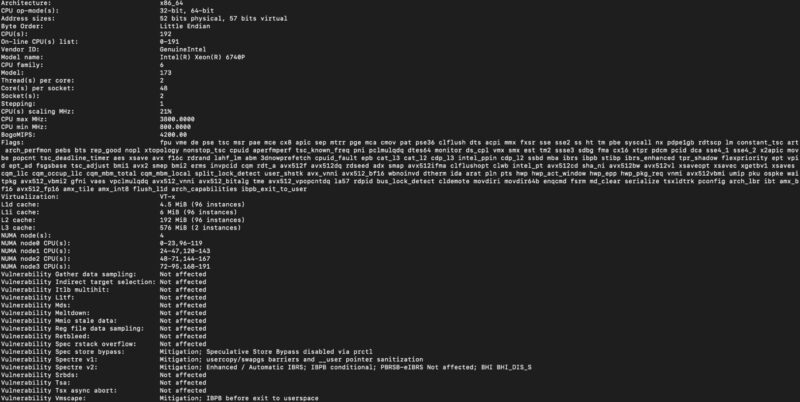
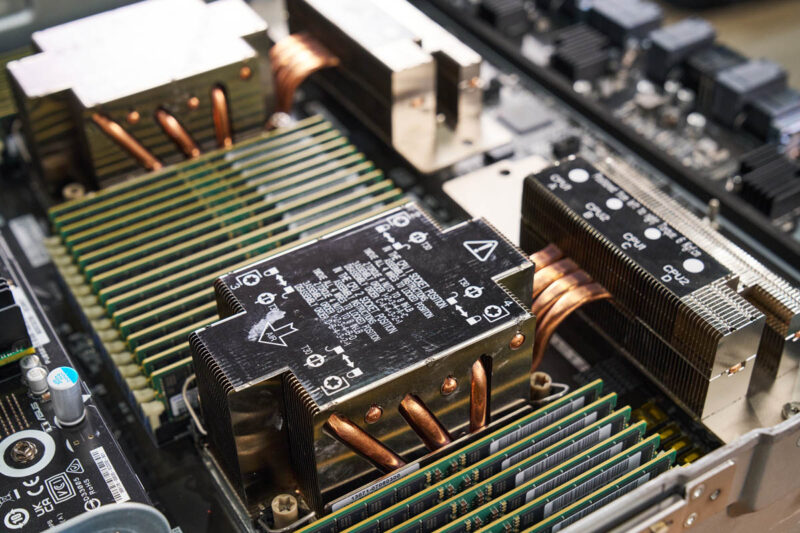
These are interesting since they are 48-core CPUs. Oftentimes, we see 8x GPU systems with 64 or more cores, but some configure lower-core-count CPUs to achieve higher performance per core.
We used our AgentSTH V5 benchmark suite on this system. We tested it just before the Ubuntu 26.04 release, so we were not using the V7 suite yet. AgentSTH is a collaboration between STH and some folks at large hyperscalers to examine CPU performance for agentic AI workflows. We profiled what CPUs are actually doing during agentic workflows, and that helped build and weight the benchmark suite. Of course, for a system like this, you generally want the AI agents running on different systems, but we thought it would be more interesting here. If you want a good idea of traditional CPU performance, SPEC CPU 2026 is out.
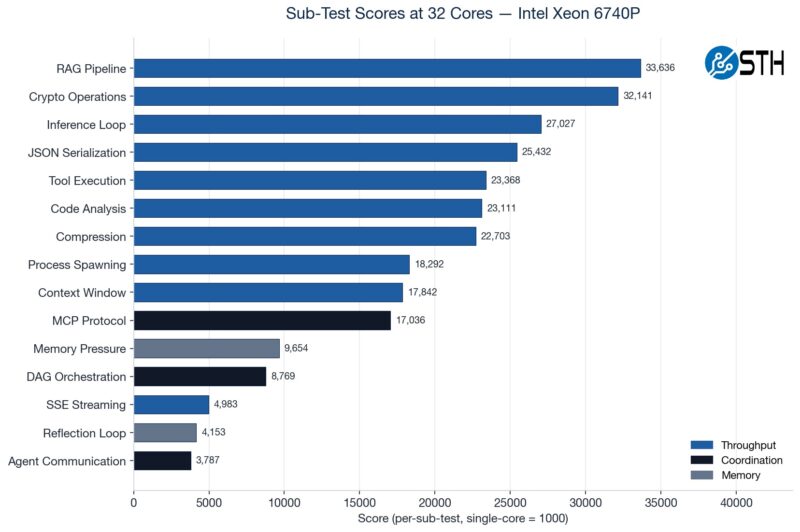
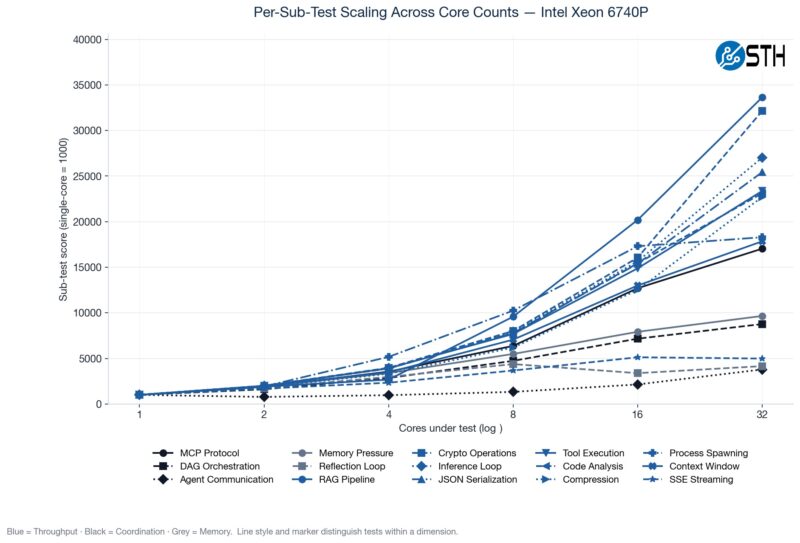
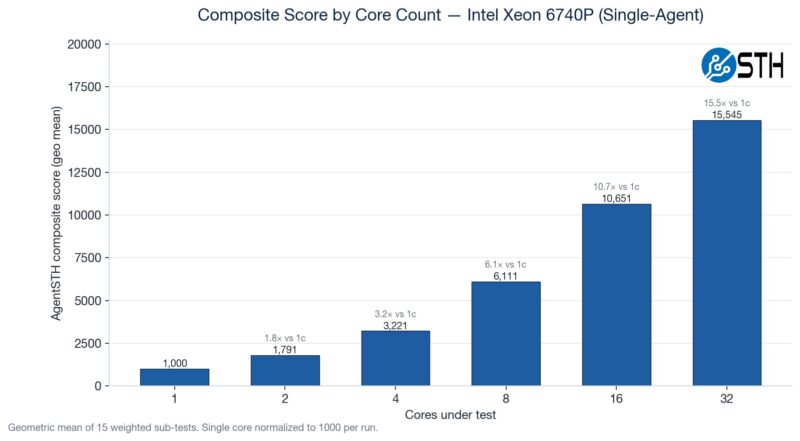
Something we have been doing is testing the CPUs not just at their maximum core counts, but also using standardized CPU sizes ranging from a single core to 32 cores. Not all portions of the profiled agentic AI workflows scale linearly as more cores are added, so we often see drop-offs in terms of performance as the core counts increase.
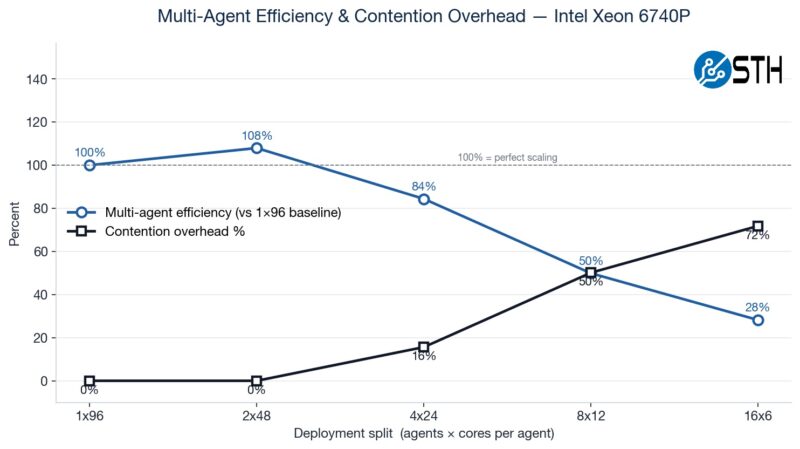
Here is a fun one to look at. We ran a matrix ranging from a single instance across the entire system to sixteen smaller agent containers. You will notice that the 2x 48-core actually performs better than the 1x 96-core setup because of the socket-to-socket link.
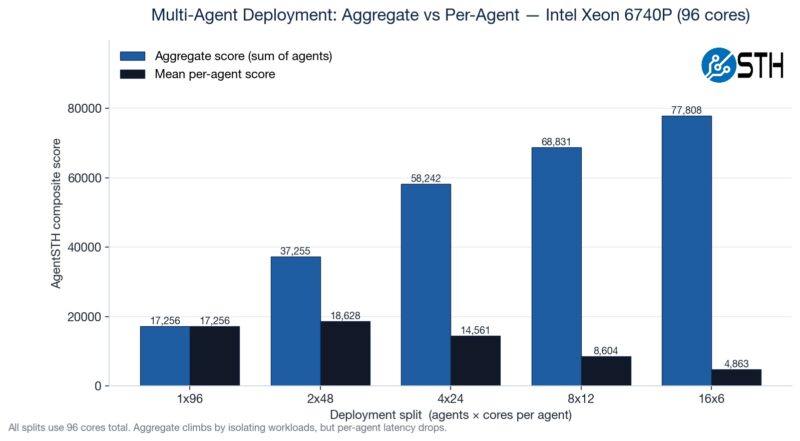
Here you can see that, because not all workloads scale with increased cores, we get more aggregate CPU performance by using more containers with fewer cores per container. This makes logical sense, but it was still neat to see.
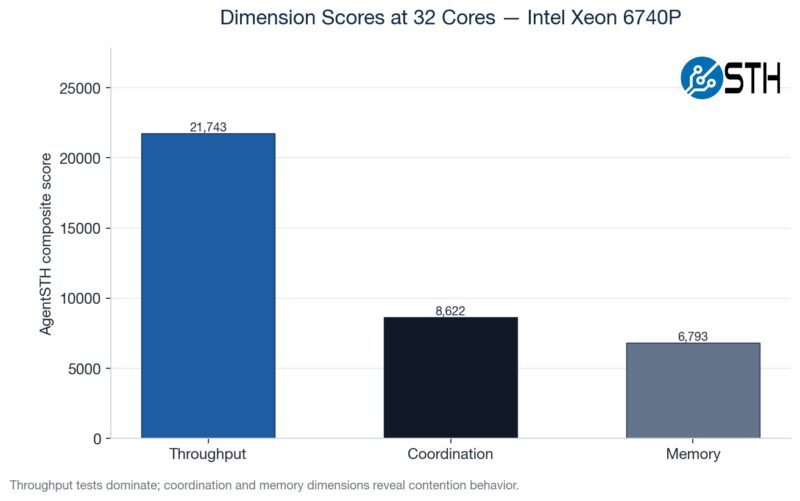
We have various subtest categories, such as throughput tests, coordination-style tasks, and those that are extremely memory-bandwidth bound. If you saw our Striking Back at AI Memory Pricing Using AI piece, this will look very familiar.
Here is just a composite score scaling by the core counts.
Just comparing the performance of this server to our reference Intel Xeon 6700 series platform across more traditional workloads, here is what we saw:
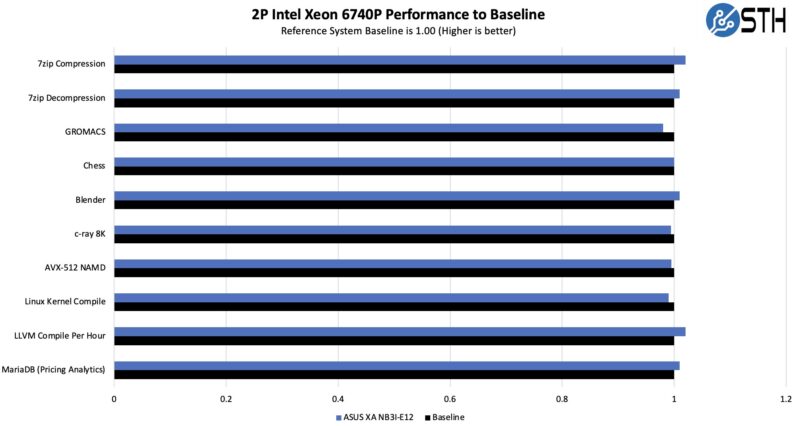
Overall, this shows that we are getting enough cooling to keep these processors running at their top speeds, even though we are in a GPU server.
Of course, the main attraction here is that we have a GPU compute server, so the NVIDIA Blackwell Ultra GPUs are the main attraction. We wanted to look at a big model, so we used Kimi K2.5.
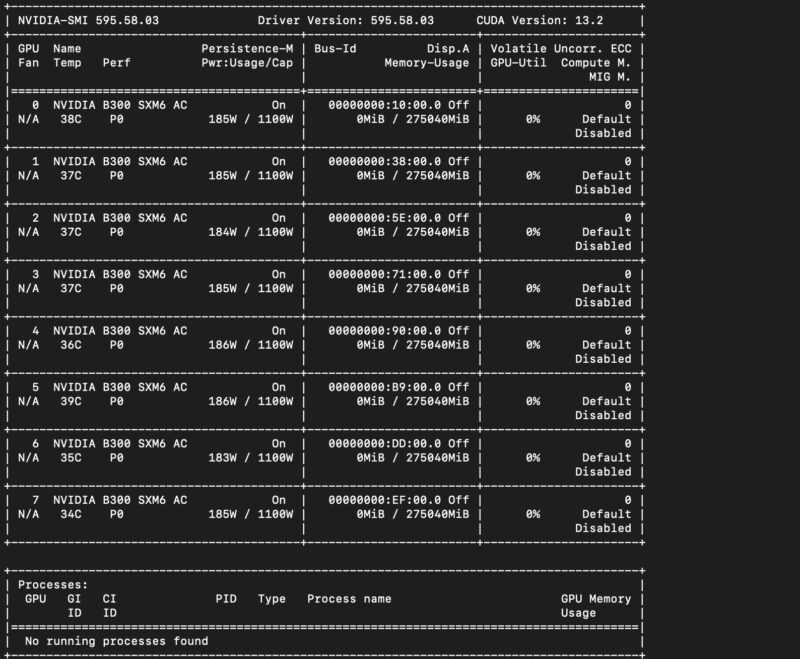
While those are close, really, the big number to us was the Kimi K2.5 number. We ran it on the 8x GB10 cluster, but at just over 1 token/ second/ user. That was basically the buy-in to get this running.
With the massive NVIDIA Blackwell Ultra HBM3e memory pools, we were able to run it on only four GPUs, or better said, we could have vLLM running on two sets of B300 GPUs in the same system.
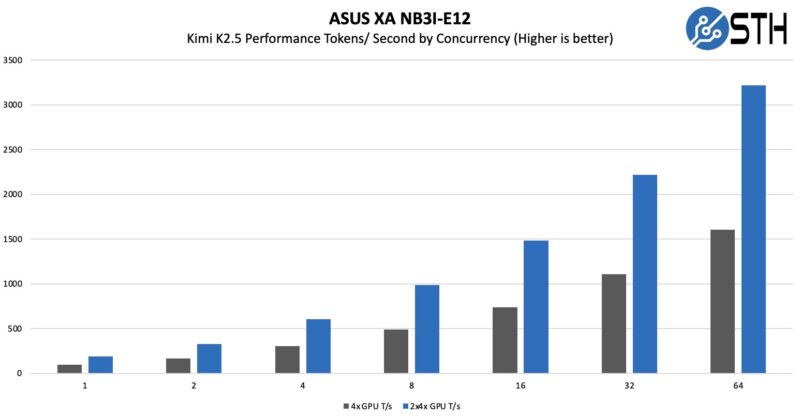
That might not seem like a lot, but it also really clearly shows why having faster memory is so important. As an important piece of context here, really, the 2x 4x GPU numbers were running two instances of K2.5, so each instance was getting single-user concurrency. Realistically, you can either double-up instances like we did, or run K2.5 and then run other models alongside it.
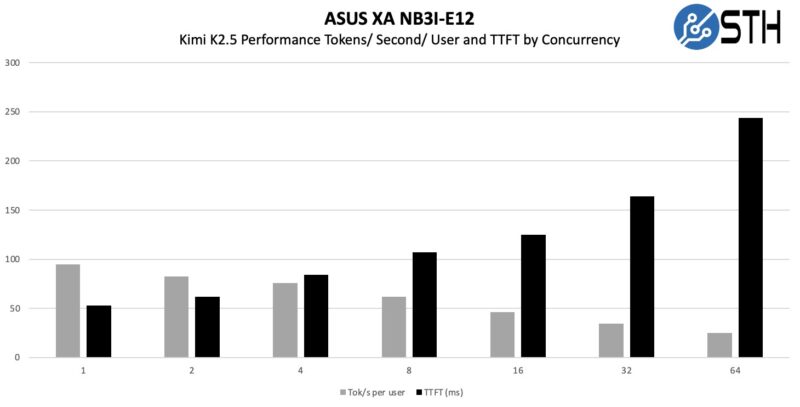
As a quick aside here, SGLang is faster at serving Kimi K2.5.
Next, let us discuss power consumption.

Deepseek v4 Pro numbers would have been interesting to see on that beast.
Also power per token would have been a very interesting benchmark to see, maybe one for future articles.
I swear whenever I see one of these GPU servers, all I can think about is how heavy they must be fully loaded with GPU’s, heat sinks, power supplys and etc…
My knees and back ache just thinking about it.
@mashie – I think we did the testing for this before Deepseek V4 Pro was out.
@MobileJAD – VERY HEAVY. “In the old days” I could solo lift the 80-100lb 8x GPU servers into a rack. Now, it takes 4 people to lift. A huge portion of the server is heatsink and steel.
@Patrick Kennedy, how about measuring energy per token on the various platforms you try out going forward? Fast and power hungry Vs slow but efficient would be a very interesting metric for comparison.
@MobileJAD: We use hydraulic scissor jack lift tables to rack these things up, like the guys in auto shops do to lift and drop engines and transmissions.