

With a long legacy of developing workstations and small form factor systems, Lenovo has established a reputation for giving virtually every processor vendor a chance. Intel, NVIDIA, and AMD SFF workstations? Absolutely. A Qualcomm Snapdragon 1L PC? Why not! As a result, it did not come as any surprise that when NVIDIA started offering the GB10 SoC to its partners to build SFF workstations, Lenovo was among the first wave of companies to jump on board.
The end result of that partnership was the Lenovo ThinkStation PGX. This is Lenovo’s first ThinkStation system based on an NVIDIA SoC. Easily the most corporate-friendly GB10 system released to date, Lenovo’s first NVIDIA PC is a notable release not just because of whose silicon is under the hood, but the brand that was slapped on top of the hood: ThinkStation. The ThinkStation brand is one of Lenovo’s most respected brands. So the company’s willingness to put the brand on NVIDIA’s very first workstation SoC signals a significant vote of confidence in NVIDIA.
| Lenovo ThinkStation PGX Key Specs (As Reviewed) | |
| Processors | NVIDIA GB10 Superchip 10x Arm Cortex-X925 10x Arm Cortex-A725 Blackwell GB20B GPU – 48 SMs |
| Operating System | NVIDIA DGX OS |
| Memory | 128GB LPDDR5X-8533, Soldered |
| Storage | 4TB SSD (PCIe Gen4 x4 M.2-2242, TLC) |
| GPU | NVIDIA Blackwell, 1 PFLOP FP4 AI |
| PSU | 240W External Adapter, USB-C |
| Form Factor | SFF PC |
| Dimensions | 150mm x 150mm x 50.5mm (5.91 x 5.91 x 1.98in) |
| Weight | 1.2kg (2.64 lbs) |
| Networking | ConnectX-7 200Gbps Ethernet 10Gb Ethernet |
| Wireless | Wi-Fi 7 (2×2) + Bluetooth 5.4 |
| Color | Black |
| Ports | Rear: 4x USB-C 20Gbps (Gen 2×2) w/DP Alt mode, 1x HDMI 2.1a, 1x 10GbE (RJ45), 2x 200GbE (OSFP112) |
As with the other GB10 systems we have reviewed thus far, this is a small form factor system in the vein of NVIDIA’s DGX Spark that is aimed at the developer market. And for that development market, the theme coming from NVIDIA is standardization: with NVIDIA exercising tight control over all of these GB10 SFF workstations, the core hardware in each and every one thus far has been the same. That means a GB10 SoC paired with 128GB of LPDDR5X memory, an M.2 SSD for storage, a ConnectX-7 NIC for high-bandwidth networking, and all placed in a chassis just a bit over 1 liter in volume.
This makes all of the GB10 SFF systems remarkably consistent from one vendor to another, though the trade-off is that it leaves limited room for hardware innovation from the partners outside of cooling and selecting which SSD to install. Instead, innovation has come from the other areas, such as the support and services side of the equation. In Lenovo’s case, this is their significant corporate relationships. IT departments can get PGX and support from the same outfit they already order their most recent batch of 1000 corporate laptops from.
If you wanted to find the Lenovo ThinkStation PGX online, here is a Lenovo web store affiliate link.
Lenovo ThinkStation PGX External Hardware Overview
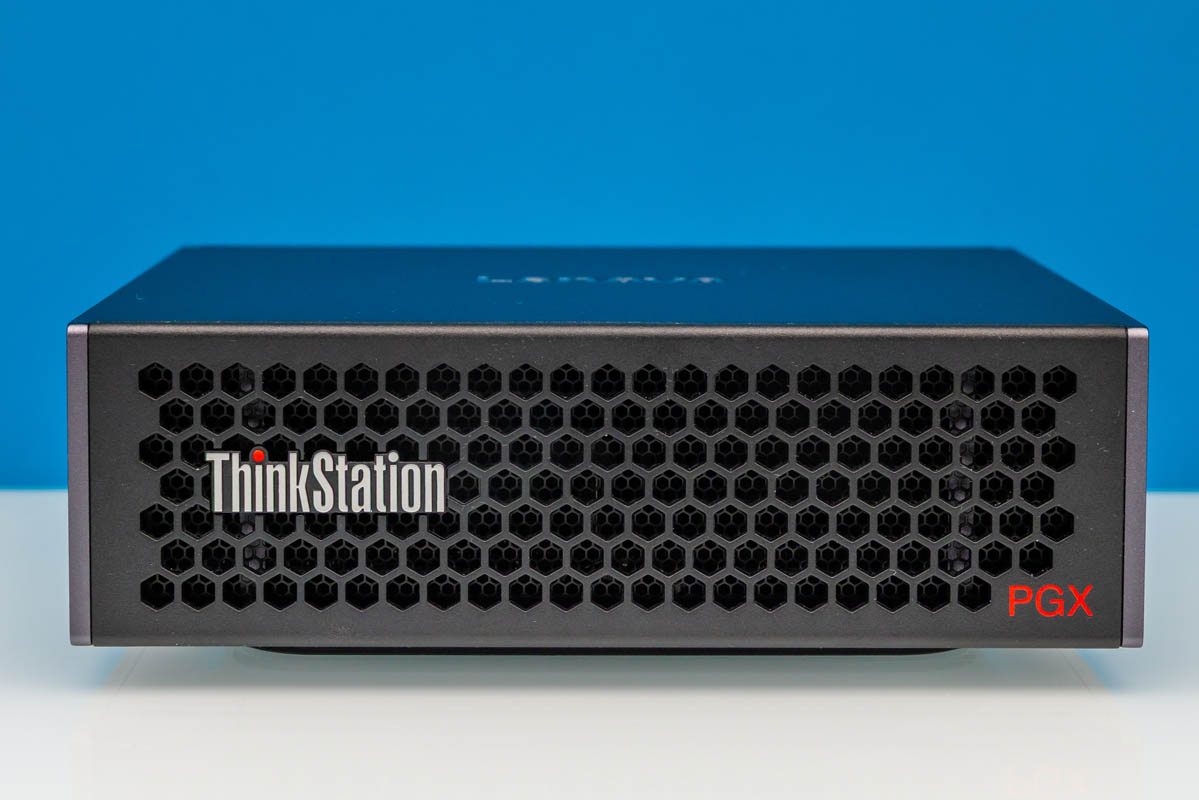
Unlike the rather flashy golden DGX Spark, or even ASUS’s own silvered GB10 system, the THinkStation PGX starts things off with a far more muted presentation. Lenovo is one of the major faces of corporate PCs these days, and its little black box embodies that legacy right on down to the hexagonal ventilation holes.
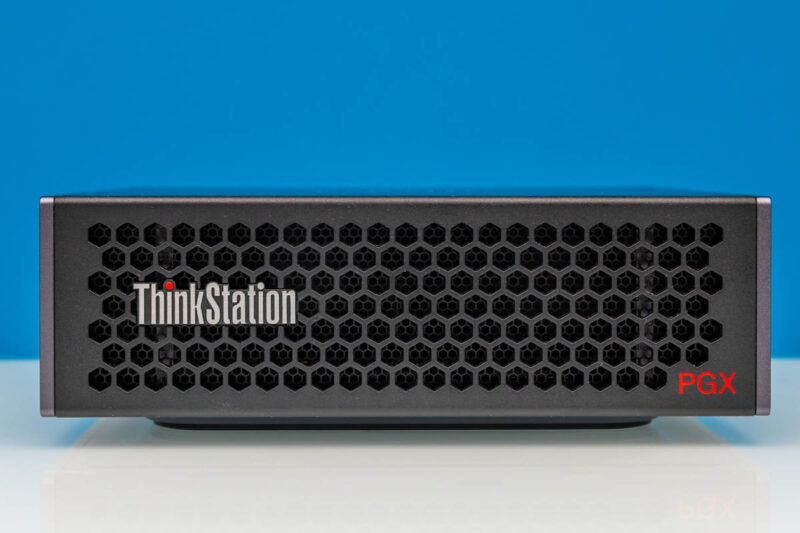
As with most other GB10 workstations on the market right now, the front of the PGX is quite plain, almost entirely devoted to ventilation. You will not find a single port or button on the front of the system, and even the power button is in the rear. So other than Lenovo’s branding, it is all business in the front.
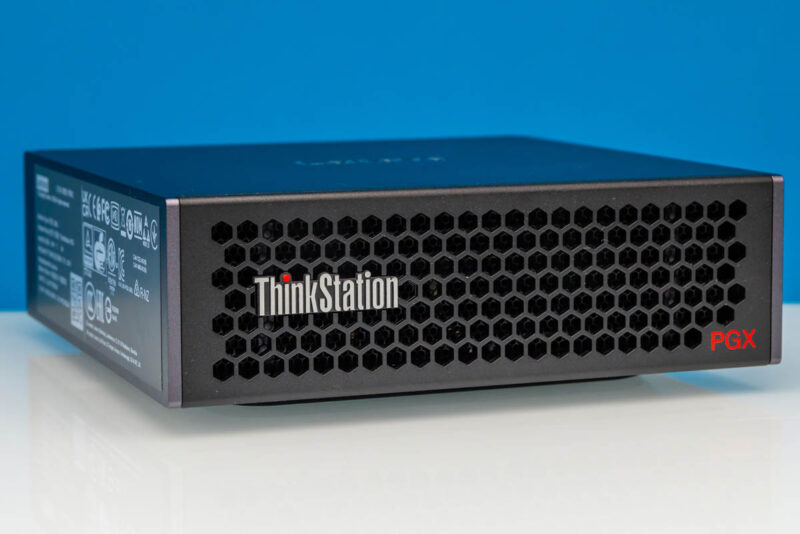
Otherwise, with dimensions of 150 x 150 x 50.5mm (5.91 x 5.91 x 1.98 inches), Lenovo’s take on the GB10 concept is every bit as tiny as NVIDIA’s DGX Spark, and uses a similar front-to-back cooling design.
Typically, the sides of these GB10 systems are unremarkable, but again showing those corporate roots, Lenovo has opted to put the product label on the left side of the chassis rather than the bottom. It is a small touch that has no real significance to the usability of the system, but it handily illustrates the kind of market that Lenovo is going after.
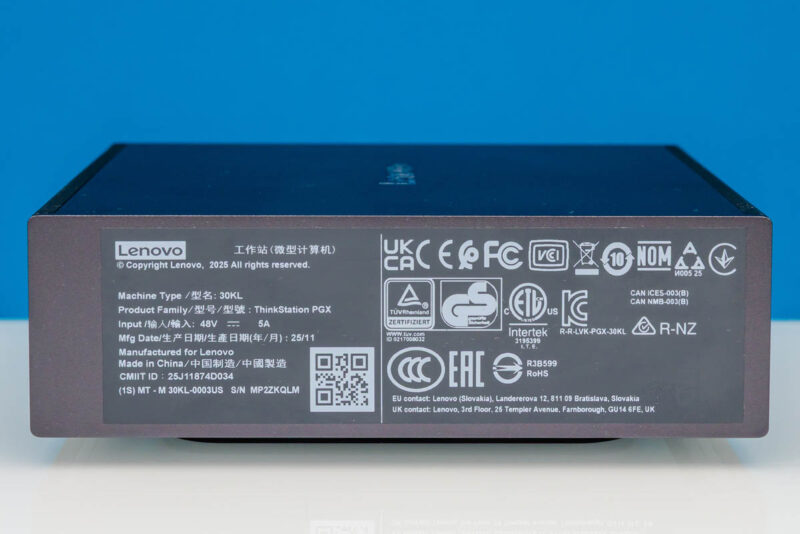
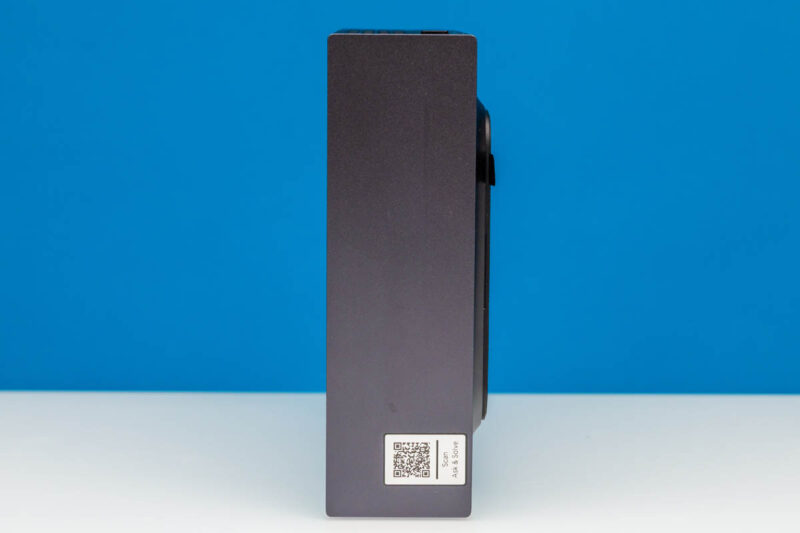
Meanwhile, on the other side is another sticker, this time with a QR code for looking up support information for the PC. It is also at this point that we cannot help but think we have seen this design before.
Still, we will take a look at the rear of the system. Which, like so many other GB10 systems, is where all of the ports and buttons are located.
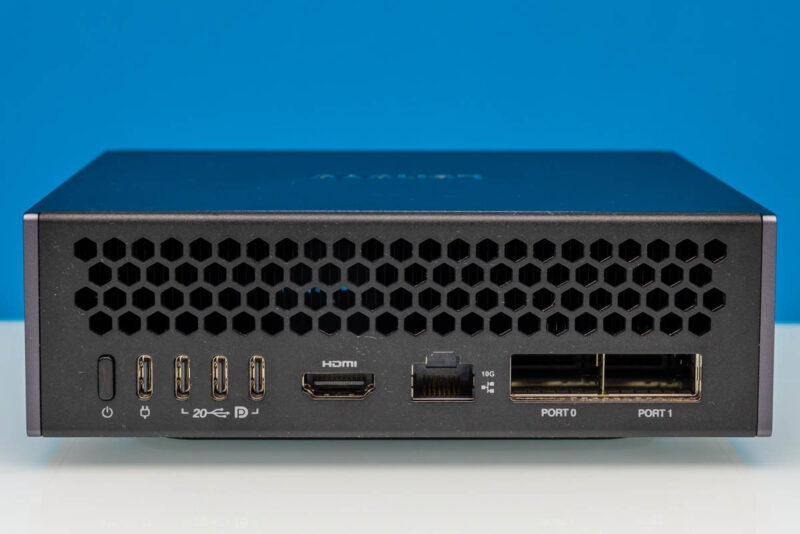
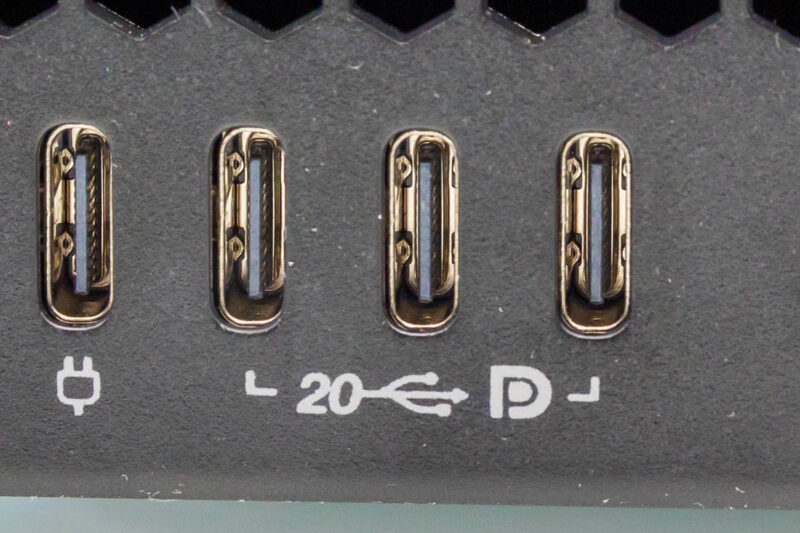
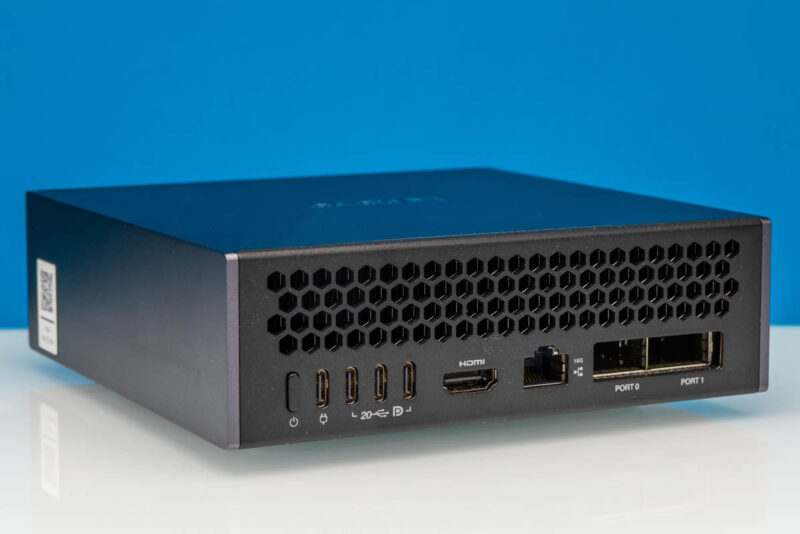
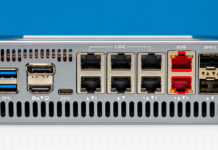
If you have seen any of our other GB10 reviews thus far, then you know what you will find here. Starting from the left is the system’s power button, followed by four USB Type-C ports. All of these are 20Gbps ports, running in USB 3.2 Gen 2×2 under the hood. The left-most port is also the power-input port for the system, taking full advantage of the 240 Watt EPR limit for USB-C. The remaining three USB ports are then for any peripherals that need to be hooked up to the system, including external displays, thanks to support for DisplayPort 2.1 via DP alt-mode for USB-C.
Compared to some of the other GB10 system designs, Lenovo’s labeling here is pretty good. The USB-C ports are not named, but they do feature the official (but somewhat dated) USB iconography identifying them as 20Gbps USB ports. And the DisplayPort logo is there as well, which is how DP alt mode-capable ports should be labeled. Even if you did not know what this box was for, you could easily determine what the USB-C ports are capable of.
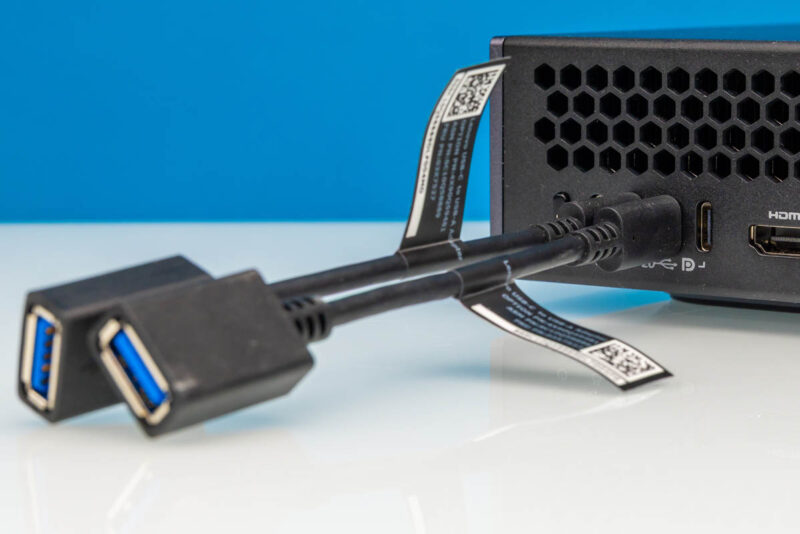
Speaking of USB ports, one of the few distinct aspects of the PGX, and a particularly laudable one at that, is that Lenovo has opted to include USB Type-C to Type-A adapters with the workstation. Though the adapters are trite compared to the GB10 hardware, they make it possible to plug a mouse and keyboard into the system right out of the box. It is a small gesture that further reinforces how Lenovo views this as a desktop workstation first and foremost. Now that we have set up nine GB10 systems from five different vendors, this is a little detail that stands out.
Next to the USB-C ports is the system’s sole dedicated display output: an HDMI 2.1 port.
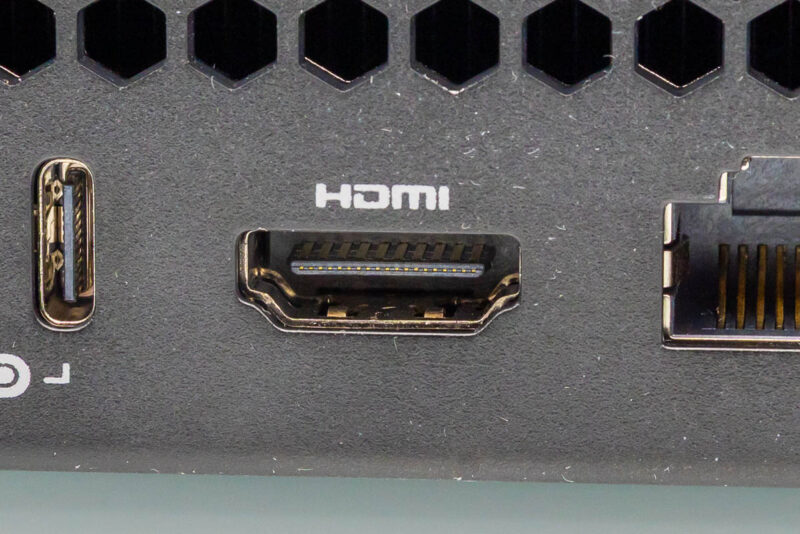
Moving to the right again, we get to where things are arguably more interesting with these GB10 systems: the trio of network ports.
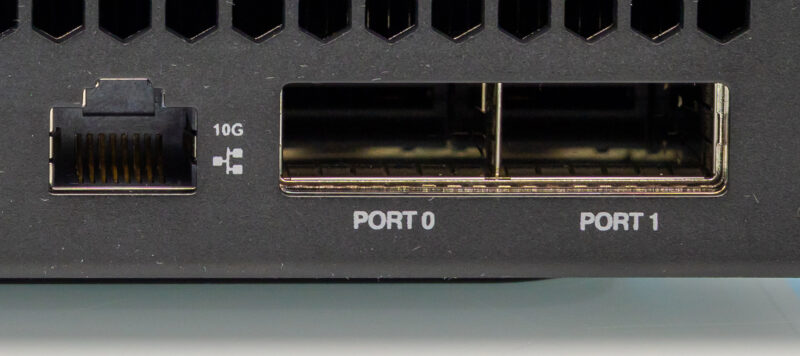
First off is a 10GbE port for local networking. In a typical mini-PC, this would be the fastest port you would find on a system, but of course, GB10 SFF workstations aim much higher.
Which is why it is rounded out by a pair of 200Gbps QSFP112 ports. Connected in turn to the mini-PC’s integrated NVIDIA ConnectX-7 NIC, the high-performance NIC is one of the marquee features of the current crop of GB10 boxes, with our own Patrick Kennedy often contextualizing GB10 boxes as a ConnectX-7 NIC with a really good SoC and RAM bolted on.
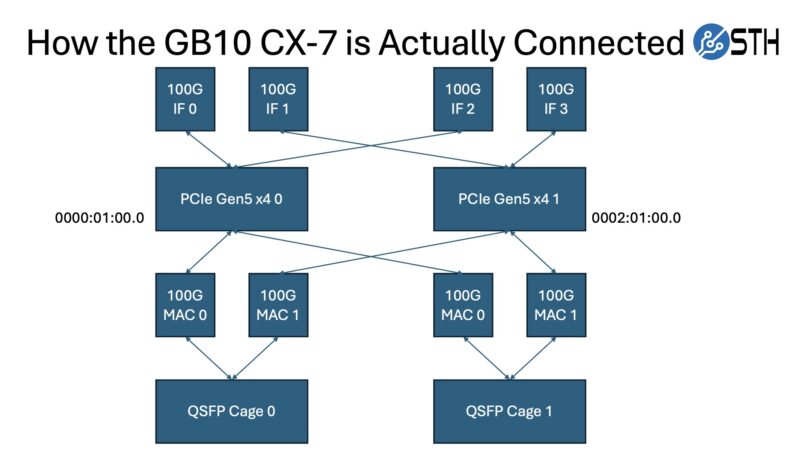
The internal architecture of the GB10 design does make getting the most out of these QSFP ports a bit tricky, however. As we have outlined in previous articles, 200Gbps of networking needs a PCIe 5.0 x8 connection to be fully fed, but GB10 can only provide PCIe 5.0 root ports with at most a x4 connection. As a result, the NIC is connected to a pair of x4 ports. This provides the same aggregate bandwidth as an x8 connection, but it imposes network topology restrictions due to the NIC appearing to the rest of the system as four network interfaces. In many ways, this is similar to what we saw with our NVIDIA ConnectX-8 C8240 800G Dual 400G NIC Review, having two PCIe Gen5 x16 connections and two 400Gbps ports. The GB10 is like a small version of that.
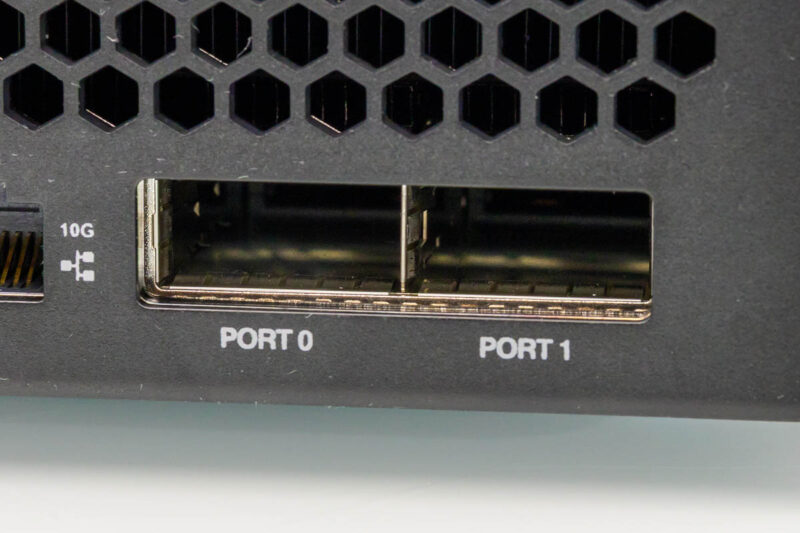
Ultimately, the purpose of including a high-end ConnectX-7 NIC is to enable GB10 boxes to scale out, similar to their big-iron brethren. 200Gbps of networking bandwidth is not nearly as much as a full-fledged GB200/GB300-based server, but it gives developers access to more processing power and a way to see how their software and models will perform on a scale-out setup. The most common setup we expect to see is a two-way system using a single cable with 200Gbps of bandwidth between GB10 systems, as we did in our recent Using the GB10 to Profit within 12 Months article and video. At the same time, with a network switch, it is possible to scale the whole cluster out to several machines.
Not pictured here, the ThinkStation PGX also offers one final networking option with an integrated Wi-Fi 7 (2×2) + Bluetooth 5.4 radio.
The rest of the back of the PGX, in turn, is dominated by the exhaust vents towards the top of the chassis.
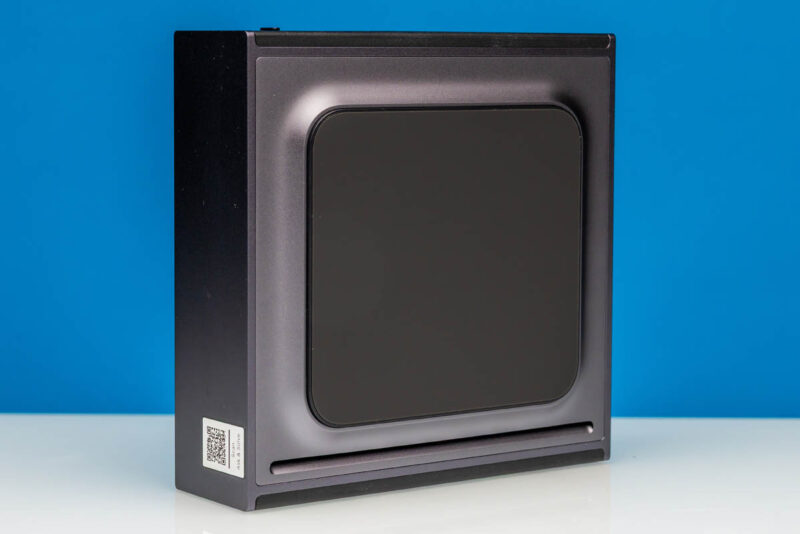
Flipping the PGX on its back, we also get a quick look at the bottom of the machine. This is, for the most part, a sealed machine from the bottom; Lenovo has placed a single intake vent near the front of the system. The bottom itself serves as a stand to keep the rest of the system elevated, keeping said vent free from obstruction.
It is also at this point that it becomes clear that we have seen this chassis before: Gigabyte’s AI TOP ATOM. Other than the lack of stylization on the front and back vents, the ThinkStation PGX is a spitting image of the AI TOP ATOM. The pedestal design in particular gives it away. If Lenovo and Gigabyte are not using the same ODM here, they at the very least share the same tailor.
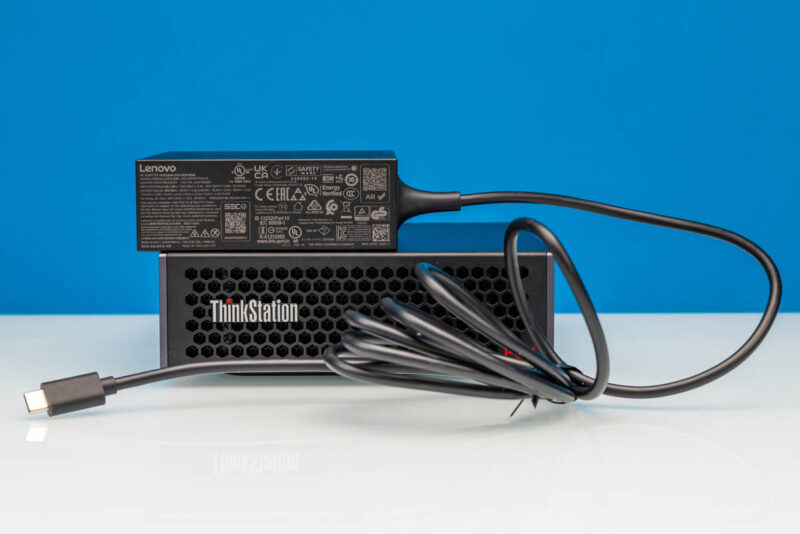
Finally, here is a quick look at the external power supply included with PGX. As with every other GB10 system, this is a powerful 240 Watt USB-C adapter. But unlike virtually every other system, Lenovo is using its own adapter instead of an off-the-shelf Delta unit. The power output specifications are otherwise the same.
Now, let us get inside the system, or at least, as much as we can.


Why is the SSD controller called as *T*27? The chip is marked as PS5027-*E*27, and Phison website call it PS5027-E27T, the T, if any, should be a suffix rather than a prefix.
@eorof
Good catch! Thank you. That was indeed meant to be the E27T.
It’s possible that this is one of the features that Nvidia controls; but I’m a bit surprised by Lenovo not going with their squared off DC plug for the 240w input.
They use it for basically everything else that exceeds typical type-c power: mobile workstations, docking stations, mini-PCs; and so far the market for type-C PD monitors and docks and so on seems to have vanishingly few 240w options, so one gains little from a port that is technically more capable but will be filled by power adapter 100% of the time.
Not a giant dealbreaker or anything; but of all the outfits that have done a reskin of the Nvidia box I’d have expected a ‘think’-brand lenovo to have gone with an ecosystem-appropriate DC input instead.
That’s a very interesting point, Fungus. I hadn’t even considered the fact that most other Lenovo systems use the proprietary connector.
I strongly suspect your assumption is correct, and that this is something NVIDIA controls. But it is an interesting little deviation from how Lenovo normally designs/powers their SFF PCs.
So whole it has 2×200 ports for 400 total, internally it is only able to handle 200 at most? Why not put 2×100 on this box if that is all that is usable anyway?
Good point Anne, but one decent reason is that it lets you just do 200G in a single DAC or optic so it is slightly more flexible.
You have mistaken wifi antennas with speakers
this is a really interesting direction for lenovo to take with their thinkstation line. the gb10 gpu in a workstation form factor is intriguing – i’ve been curious about how nvidia is positioning these smaller gpu solutions for enterprise ai workloads versus the traditional rack-mounted approach.
a few questions come to mind:
1. what’s the actual thermal performance like under sustained ai inference loads? workstations can sometimes struggle with thermals when pushed hard.
2. how does the 128gb memory ceiling impact model sizes? i imagine it’s fine for inference, but training would be quite limited.
3. what’s the upgrade path looking like? can users expand storage and memory easily, or is this more of a fixed configuration aimed at specific deployment scenarios?
the corporate angle makes sense – not every company needs a full data center setup, and having a quieter, office-friendly ai workstation could open up llmops to smaller teams that don’t have dedicated server rooms.
would be great to see some benchmark comparisons against other workstations in this emerging “ai workstation” category, especially against some of the amd-based alternatives that are starting to appear. the pricing will also be a key factor for adoption.
thanks for the detailed review!
@David:
#1: Very good question. I have some Asus GX10 boxes (same platform) and if they get thermally overloaded it seems they just hard shutdown. I solved that problem by orienting them vertically and pointing a fan at the front for good measure, but it’s not a great look for something that should be a reliable appliance.
#2: I have a cluster of 2 directly connected together via a QSFP56 DAC and it’s a quite capable inference machine for MOE models. The best info for this platform is on the nvidia developer forums and eugr’s “spark-vllm-docker” github repository. Takes a bit of terminal work to get going but it’s pretty stable. After a bit of experimentation, Qwen3.5-122b is my daily driver at about 40t/s with real-world agentic workloads.
As far as training, I haven’t tried that at all I’m afraid…
#3: Mostly a fixed platform; the SSD is upgradeable but it’s the uncommon 2242 format. Everything else is soldered down.