

Lenovo ThinkStation PGX Internal Hardware Overview
Removing the bottom plate of the ThinkStation PGX reveals additional components that must be removed to gain meaningful access to the system – including the system’s integrated speakers.
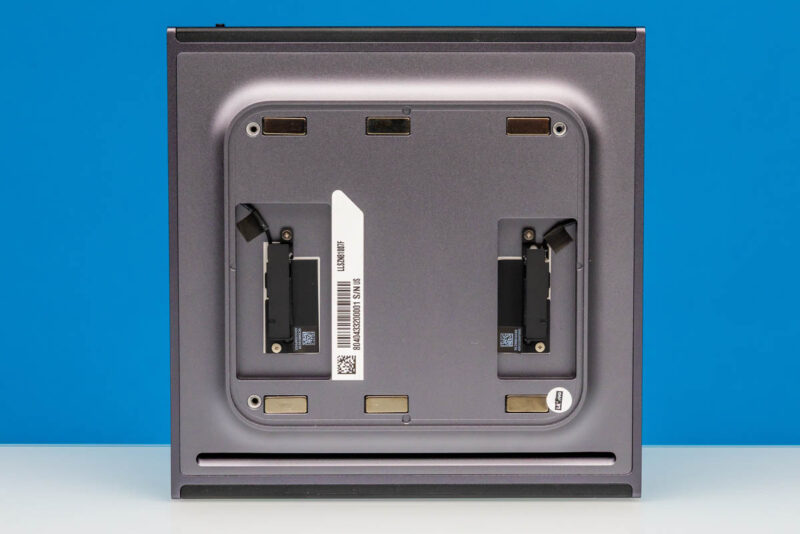
Once we remove a further metal plate, we can reach the sole user-upgradable component of the ThinkStation PGX: its M.2 SSD. Atypically, this is an M.2 2242 (42mm) slot, so the PGX is not able to take full-size (2280) SSDs. That said, the 2242 form factor still provides enough space for up to 4TB of NAND in the current generation of drives, and Lenovo offers PGX configurations with 1TB or 4TB configurations for storage.
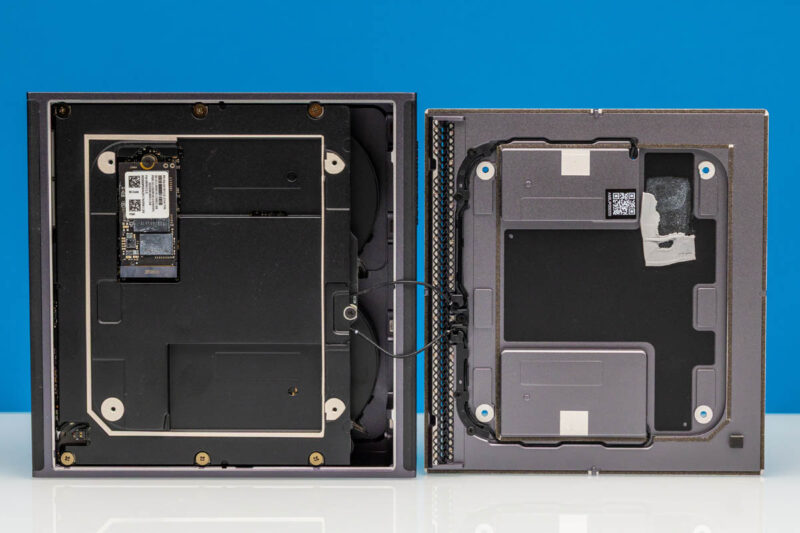
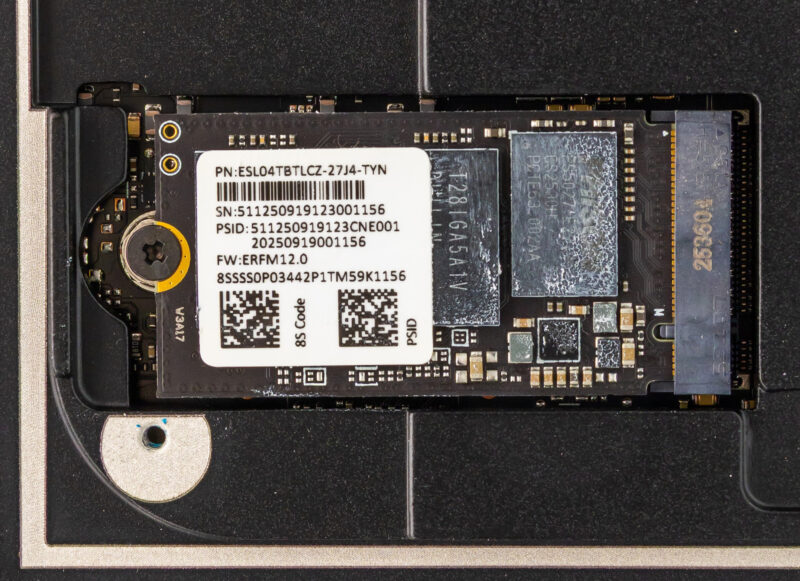
Internally, the M.2 slot is wired up to a PCIe Gen5 x4 root port, meaning the slot supports the latest and greatest in SSDs. However, checking out Lenovo’s spec sheet, the PGX is notable for being the only 4TB GB10 system we have seen thus far that does not offer a PCIe Gen5 SSD.
All of the GB10 vendors have been using PCIe Gen4 drives for their 1TB/2TB configurations, but for their 4TB configurations (when available), they have at least offered the choice of a PCIe Gen5 SSD. This is not the case for Lenovo, which sticks to PCIe Gen4 throughout. The silver lining, at least, is that Lenovo guarantees TLC NAND at all tiers, whereas Dell will give you a QLC SSD even at the 2TB tier.
Ultimately, this means that GB10 buyers needing the greatest possible SSD bandwidth (for burst workloads, at least) will want to take note, as there are other GB10 systems with faster SSDs.
In any case, the 4TB drive included with our review sample is labeled ESL04TBTLCZ-27J4, which seems to be a 4TB SSD based on a Phison E27T controller and paired with TLC NAND.
Digging deeper still, we are able to remove the entire motherboard and heatsink-fan assembly from the case.
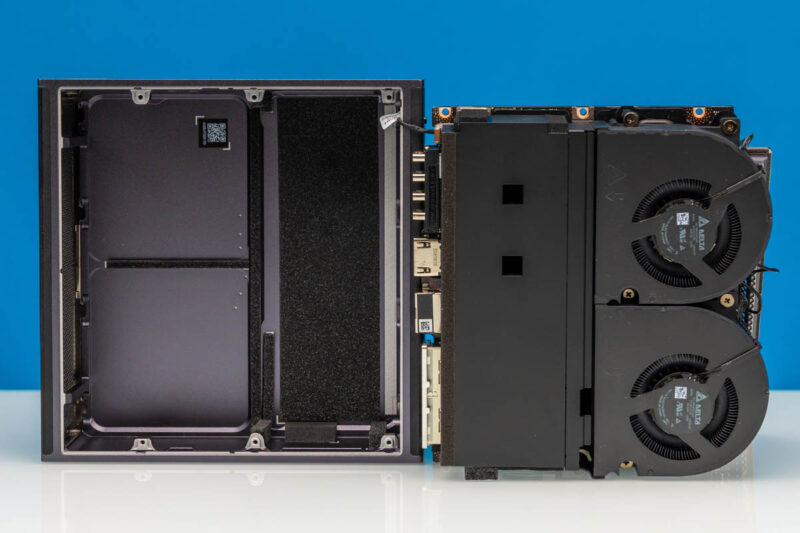
Providing cooling for the system is a sizeable heatsink, with two Delta fans pushing air through it. Each is labeled as consuming 6 Watts of power.
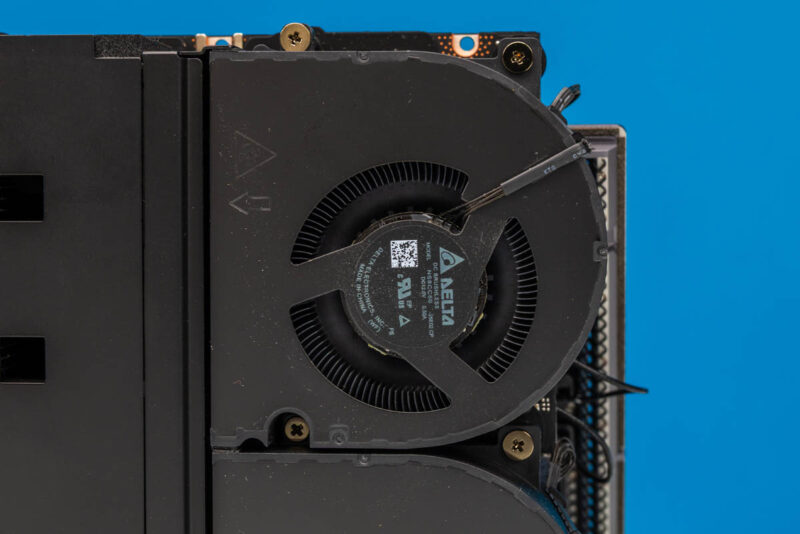
Moving the fans out of the way, we get some access to the system’s motherboard. Though with its high cooling needs relative to its compact size, we find that pretty much every chip of note is covered by a copper base plate, with heat pipes leading back to the heatsink.
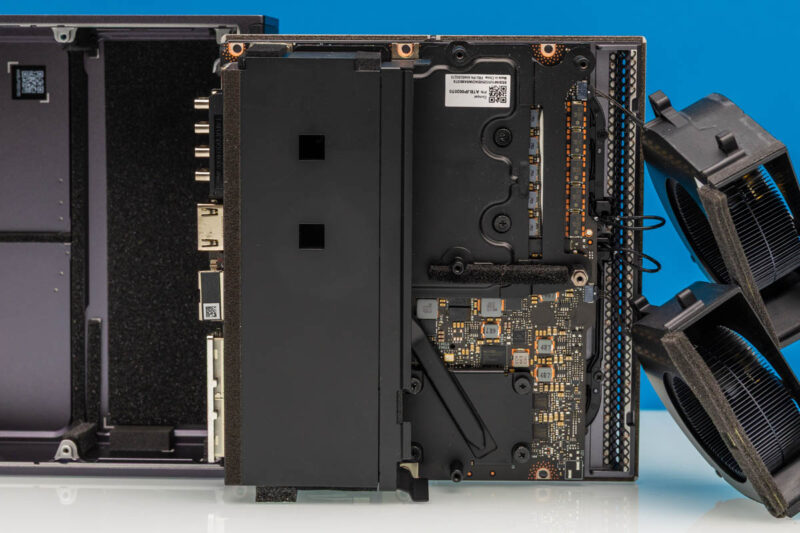
This is once again virtually identical to the cooler used on the Gigabyte AI TOP ATOM. So it is safe to say that the similarities between the two systems go beyond the chassis.
In any case, Lenovo’s efforts are pretty comprehensive. The GB10 chip is well-covered by its heatsink and heatpipe.
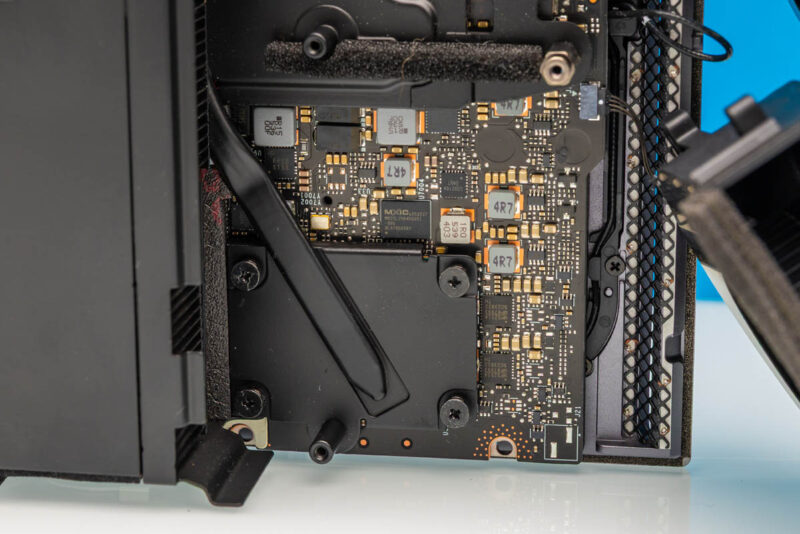
And that is essentially the nickel tour. With the heavy use of soldered-down components and the compact nature of all of these Spark-alike systems, we are essentially looking at a large cooler very firmly attached to a motherboard full of high-performance components.
With the tour complete, it is time to get the ThinkStation PGX up and running.



Why is the SSD controller called as *T*27? The chip is marked as PS5027-*E*27, and Phison website call it PS5027-E27T, the T, if any, should be a suffix rather than a prefix.
@eorof
Good catch! Thank you. That was indeed meant to be the E27T.
It’s possible that this is one of the features that Nvidia controls; but I’m a bit surprised by Lenovo not going with their squared off DC plug for the 240w input.
They use it for basically everything else that exceeds typical type-c power: mobile workstations, docking stations, mini-PCs; and so far the market for type-C PD monitors and docks and so on seems to have vanishingly few 240w options, so one gains little from a port that is technically more capable but will be filled by power adapter 100% of the time.
Not a giant dealbreaker or anything; but of all the outfits that have done a reskin of the Nvidia box I’d have expected a ‘think’-brand lenovo to have gone with an ecosystem-appropriate DC input instead.
That’s a very interesting point, Fungus. I hadn’t even considered the fact that most other Lenovo systems use the proprietary connector.
I strongly suspect your assumption is correct, and that this is something NVIDIA controls. But it is an interesting little deviation from how Lenovo normally designs/powers their SFF PCs.
So whole it has 2×200 ports for 400 total, internally it is only able to handle 200 at most? Why not put 2×100 on this box if that is all that is usable anyway?
Good point Anne, but one decent reason is that it lets you just do 200G in a single DAC or optic so it is slightly more flexible.
You have mistaken wifi antennas with speakers
this is a really interesting direction for lenovo to take with their thinkstation line. the gb10 gpu in a workstation form factor is intriguing – i’ve been curious about how nvidia is positioning these smaller gpu solutions for enterprise ai workloads versus the traditional rack-mounted approach.
a few questions come to mind:
1. what’s the actual thermal performance like under sustained ai inference loads? workstations can sometimes struggle with thermals when pushed hard.
2. how does the 128gb memory ceiling impact model sizes? i imagine it’s fine for inference, but training would be quite limited.
3. what’s the upgrade path looking like? can users expand storage and memory easily, or is this more of a fixed configuration aimed at specific deployment scenarios?
the corporate angle makes sense – not every company needs a full data center setup, and having a quieter, office-friendly ai workstation could open up llmops to smaller teams that don’t have dedicated server rooms.
would be great to see some benchmark comparisons against other workstations in this emerging “ai workstation” category, especially against some of the amd-based alternatives that are starting to appear. the pricing will also be a key factor for adoption.
thanks for the detailed review!
@David:
#1: Very good question. I have some Asus GX10 boxes (same platform) and if they get thermally overloaded it seems they just hard shutdown. I solved that problem by orienting them vertically and pointing a fan at the front for good measure, but it’s not a great look for something that should be a reliable appliance.
#2: I have a cluster of 2 directly connected together via a QSFP56 DAC and it’s a quite capable inference machine for MOE models. The best info for this platform is on the nvidia developer forums and eugr’s “spark-vllm-docker” github repository. Takes a bit of terminal work to get going but it’s pretty stable. After a bit of experimentation, Qwen3.5-122b is my daily driver at about 40t/s with real-world agentic workloads.
As far as training, I haven’t tried that at all I’m afraid…
#3: Mostly a fixed platform; the SSD is upgradeable but it’s the uncommon 2242 format. Everything else is soldered down.