MSI WS300 Power Consumption and Noise
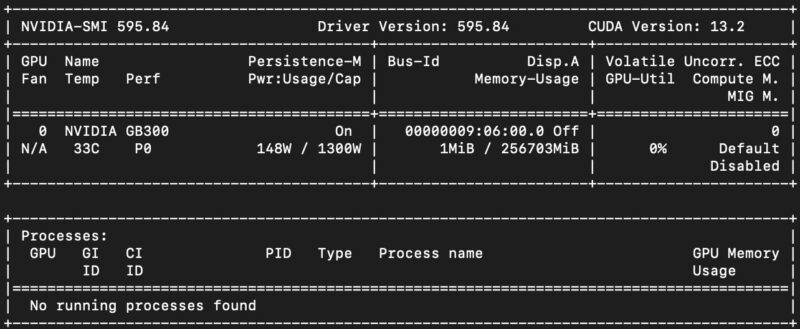
The NVIDIA Blackwell Ultra GPU uses around 148W at idle with a 1.3kW power cap. We saw this generally range in the 147W-150W range on the different systems we tried. We will use a 148W figure for the platform just to keep things consistent.
The NVIDIA Grace CPU module has a 300W power cap and is using about 78W at idle, with just over 50W of that being tied to the CPU cores themselves.
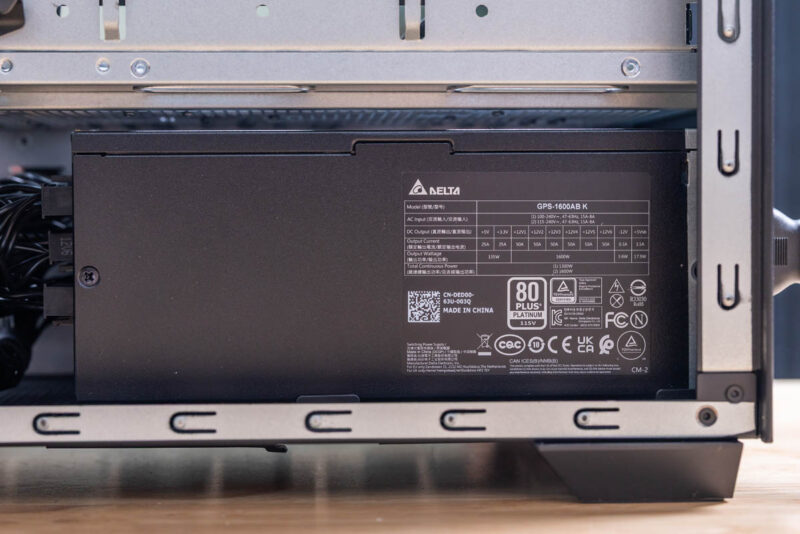
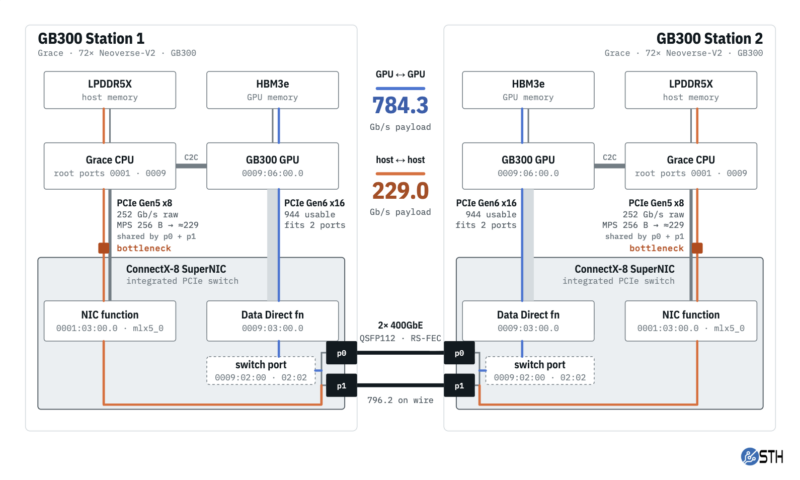
Idle power never dropped below 250W and was usually well above that, but the 1.6kW limit remains. Since the platform is limited by the 1.6kW Delta power supply, all components must run within that limit. Originally, we thought the way to go was to add an NVIDIA RTX Pro 6000 Blackwell Edition GPU to this system, but now, we probably would not do that unless you needed a GPU to render a desktop, for example. Something fun we found on the networking side is that you get more bandwidth between two Blackwell Ultra GPUs using ConnectX-8 networking than between a Blackwell Ultra GPU in this system and a PCIe GPU. So, given the 1.6kW limit, it may be better to be a bit more cautious about adding another GPU to this system to ensure the existing components have enough power.
We were generally in the 37-40dba range under lower loads, and we ramped into the 46-49dba range under a full load. You can certainly hear it if it was churning. On the other hand, at 1.6kW, just making something you can keep near a desk is impressive itself.
Key Lessons Learned
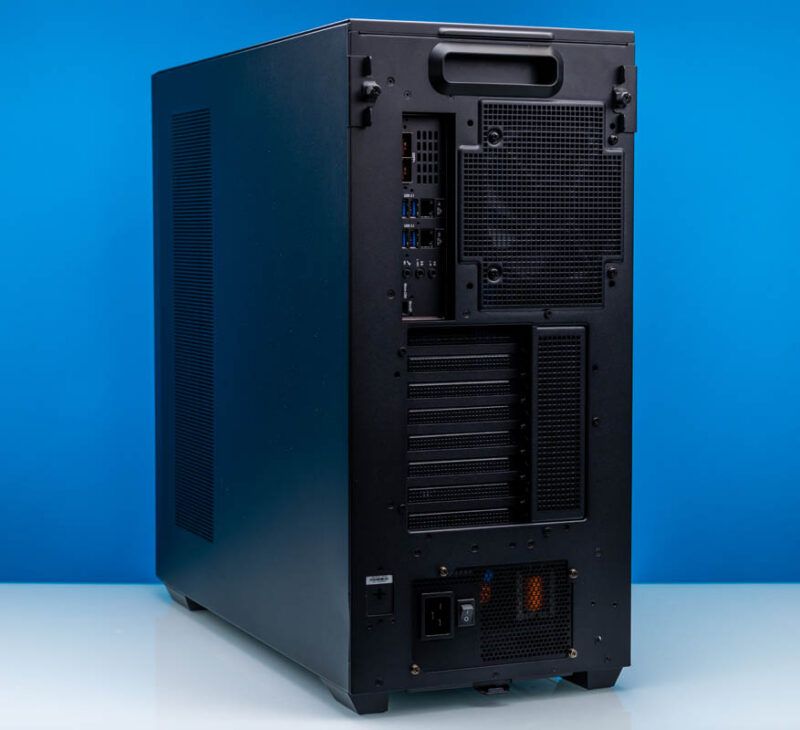
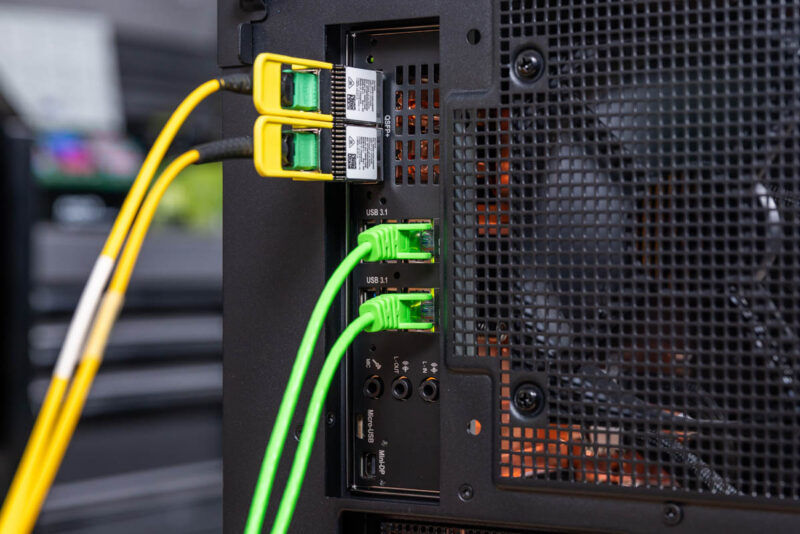
Given how much we have been doing with these systems, the MSI WS300 is solid. We have now tested three of these workstations/ servers. We have networked them together using a high-end 800Gbps switch and using direct connections, and the performance is good. MSI and NVIDIA did well to ensure the WS300 stayed within expectations for the DGX Station platforms. If we could change one thing, it would be the case. This is controversial for sure. The big mesh front and side vents give solid airflow. Actually, the little vent above the QSFP112 cages gets more airflow than we would have originally thought. Maybe MSI used this case purely for the cooling. At the same time, the system could look a little more substantial or have a more distinctive look. The studio team all thought it looked good, but that a different case might make it look memorable.
Having tested these systems networked, the topology is fascinating. It is perhaps the one thing we did not expect but learned during testing, especially with more than one of these systems. The NVIDIA ConnectX-8 SuperNIC is central to the entire experience. I think more people will get value from this not just as a single standalone server or AI workstation, but as part of a distributed cluster, even if that is one per department or one per office. If you want to be forward-thinking about that deployment scenario, a company deploying more than one of these needs to plan for 400Gbps networking and perhaps run two MTP-12 (or other) fiber cables to the offices or cubicles where they will reside. It also makes us pause on whether we would call this a workstation or a server, since you ideally want it running 24×7 servicing a variety of workloads.
While we have been testing these, the models have improved. Techniques for running models have improved. Somewhat strange, but like the 8-node NVIDIA GB10 cluster we have, this is very different from traditional workstations. Every few weeks, something comes out, and you can potentially do a new bit of work that was not possible before. I think if you buy a system like this, you almost need to be in that mindset and think about what higher-value bit of work this system can do for you every week. With older workstations pre-AI, you hoped a tool would get a new feature. Now this DGX Station class of workstation (or server) is automating complete workflows. Some people who read STH experience that kind of thinking every day, but others still are not there yet.
Final Words
The MSI XpertStation WS300 performed flawlessly for us, both as a single AI node and networked with other DGX Stations. When we first received the unit, we had to go through a serial console recovery process, including installing the OS and building the AI stack, because a previous user had left it in that state. One underappreciated aspect is that NVIDIA and MSI have made it easy not just to boot and use, but to go through an entire system lifecycle. There is no more “it is hard to get an OS on an Arm-based CPU” or other challenges. The process is documented, and so it just worked. There are probably those who feel more comfortable on x86, but for the standard NVIDIA and Ubuntu-based AI stack, the MSI XpertStation WS300 was really easy to use. You can simply think of it as a scaled-down (slightly) version of NVIDIA’s data center platforms that are the gold standard for AI development.
The neat thing is that these days, we get a lot of super hardware for AI because the space is moving so fast. If you want MSI’s top-end desk-side AI system, the XpertStation WS300 is the one to get. Better yet, if you can get more than one, then you can use 800Gbps of scale-out RDMA bandwidth to run even larger models.
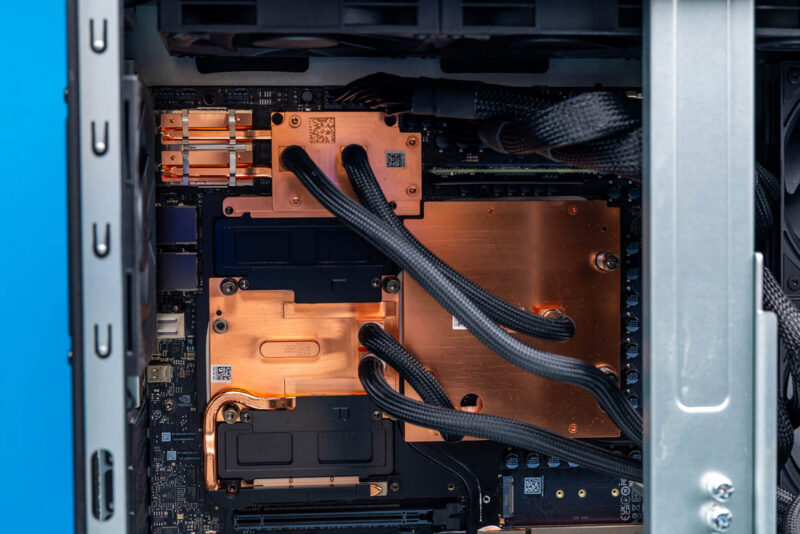
Again, I want to note that an 8000-word hands-on piece like this takes a long time, and our team, Ryan, Patrick, Rohit, Sam, Eric, and Vic, all worked on it. This is not just a great GPU in the NVIDIA Blackwell Ultra. It also has a powerful CPU in the NVIDIA Grace and top-tier networking in the NVIDIA ConnectX-8 SuperNIC, so there is a lot to set up and run. The MSI XpertStation WS300 packs all of this into a tidy black case that fits neatly on your desk and delivers tremendous AI performance.