MSI XpertStation WS300 Internal Hardware Overview
One perk of a system based on a standard PC chassis is that it is easy to open. Each side panel is held in place by a single screw on the rear of the system, so removing it and sliding the panel back is all it takes to unlatch it and pull it off its snap-fit clips.
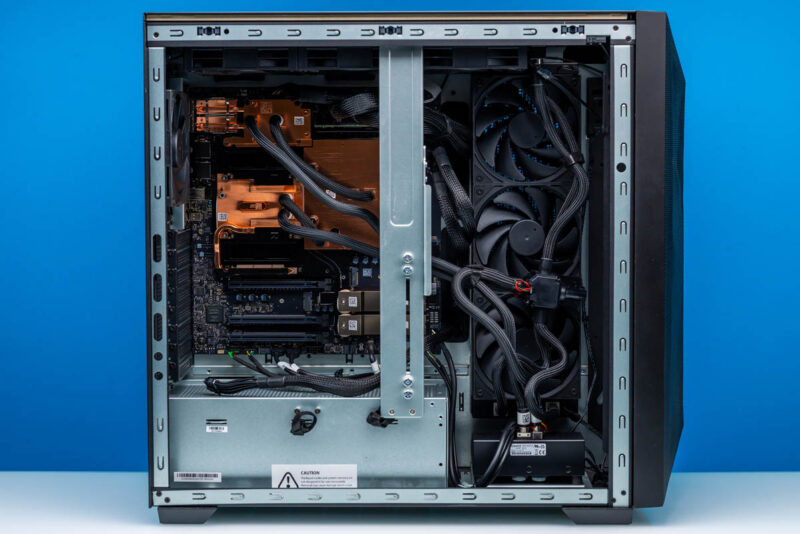
While it is not designed or built to the same degree of modularity as everything-is-plugged-in style workstations, MSI’s layout is relatively neat and tidy. From this left-side view, we can see virtually everything important, including the PCIe slots, M.2 slots, liquid cooling system, cold plates, and where the chips lie underneath.
With the high TDPs of the GB300’s constituent Blackwell Ultra GPU and Grace CPU, as well as the ConnectX-8 SuperNIC, NVIDIA mandates that all DGX Station systems use liquid cooling to remove heat efficiently. The setup is a closed-loop system, though the parts are closer to a carefully assembled open-loop system than to the all-in-one style cooler that comes to mind when hearing about closed-loop cooling systems.
Since the cooling system is such an extensive part of the system, we may as well start here. The cooling loop runs through cold plates covering all three major chips before returning to a distribution node. Given the amount of heat involved, the WS300 uses two 360mm radiators to expel it all.
The first radiator sits along the right side of the system and exhausts hot air in that direction.
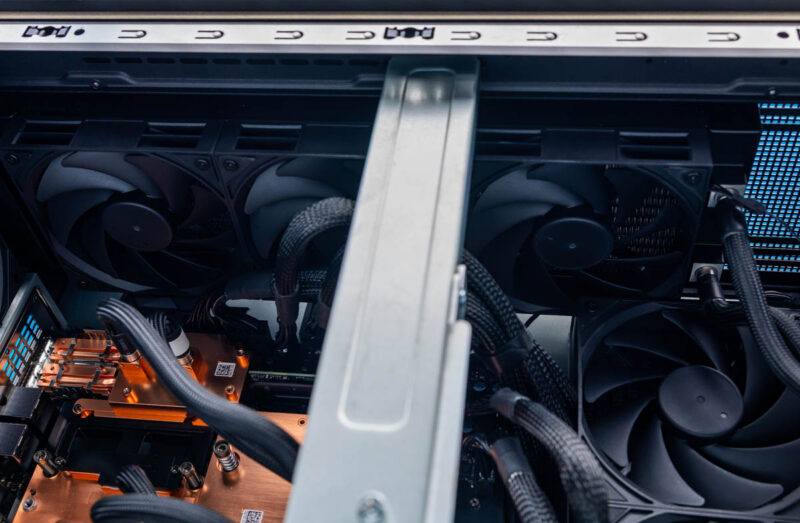
Meanwhile, the second radiator sits along the top edge of the system and exhausts air upwards.
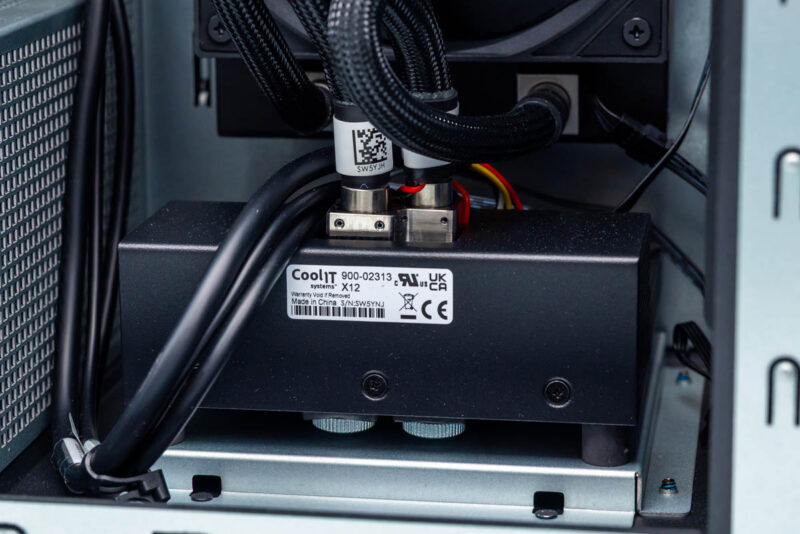
At the bottom-front of the system we find the pump and reservoir, which carry a CoolIT product label. This appears to be a custom solution for the DGX Station platform. That makes sense for these systems.
Notably, unlike Gigabyte’s system, there is no leak-detection trays built into the system.
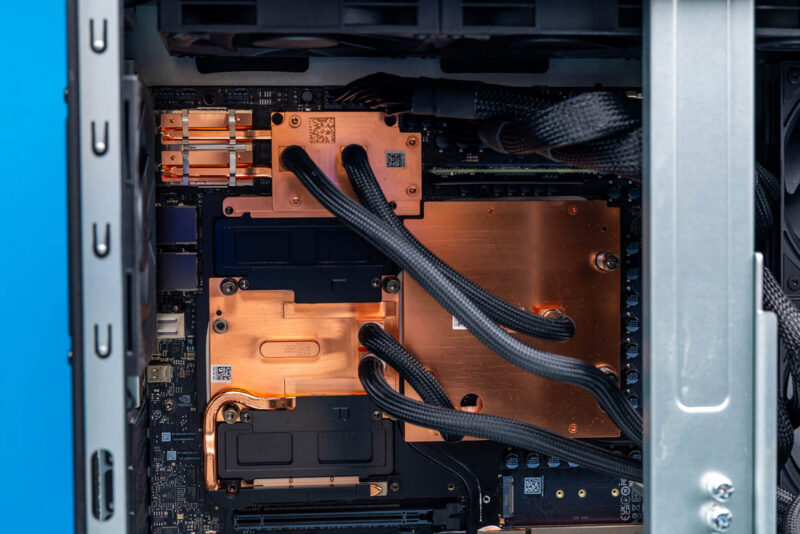
Moving on to the compute hardware itself, the cooling system’s cold plates snugly secure all the major components underneath. This includes not only the Blackwell Ultra GPU, Grace CPU, and ConnectX-8 SuperNIC, but also the LPDDR5X SOCAMMs that are the Grace CPU’s memory. Unfortunately, as much as we would like to get a shot of the components underneath, we do need to return this system to MSI when we are done with it, so we are not able to take it apart further.
Placing the SOCAMMs under the cold plates makes them effectively not user-serviceable, even though they are removable memory modules. There are no aftermarket modules we can find to replace them, and the system is not designed for users to access the module. MSI’s manual says that attempting to reach them will void the (very expensive) system’s warranty.
As for the major chips underneath the massive cooling system, we see NVIDIA’s new DGX Station-specific arrangement. This includes the Grace CPU at the bottom left with its memory on either side. The NVIDIA Blackwell Ultra B300 GPU sits to the right, and the Connect-X 8 NIC sits toward the top.
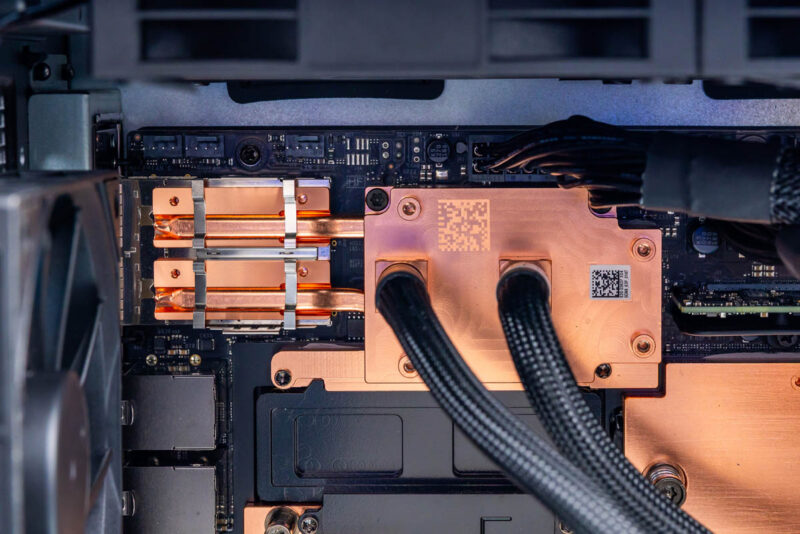
The ConnectX-8 chip plays an outsized role in the system for a NIC. Beyond serving as a high-end NIC, it also acts as a PCIe Gen6 switch chip connected to both the Grace CPU and Blackwell GPU, and it powers several PCIe devices connected to it, including a pair of M.2 slots and the Marvell 10GbE controller. Consequently, NVIDIA does not take any chances here with the ConnectX-8 chip or the QSFP112 ports attached to it, using a heatpipe to extend the cold plate’s cooling capabilities to the QSFP112 cages themselves.
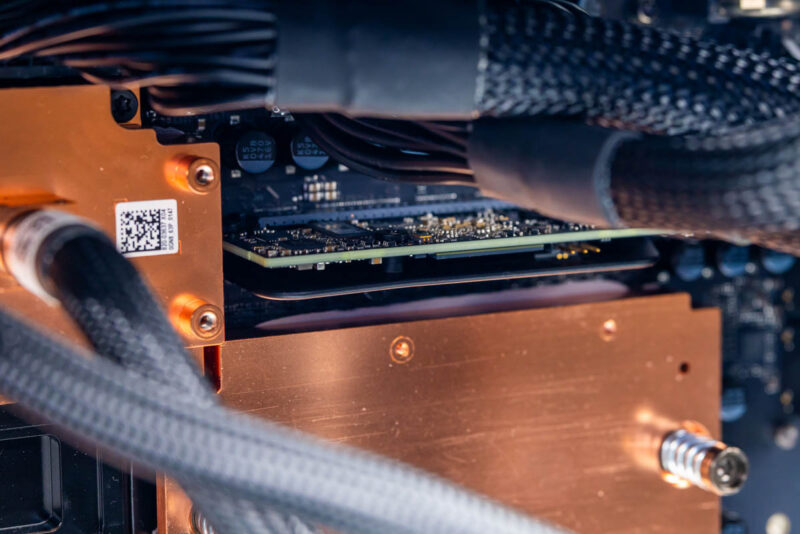
Meanwhile, to the right of the NIC and above the Blackwell Ultra GPU, we find a small card. This is the system’s P3809 BMC, which, rather than being soldered onto the motherboard, sits on a small daughterboard like many of NVIDIA’s data center designs. The system runs OpenBMC, which is great because it provides out-of-band telemetry and management, including an HTML5 iKVM.
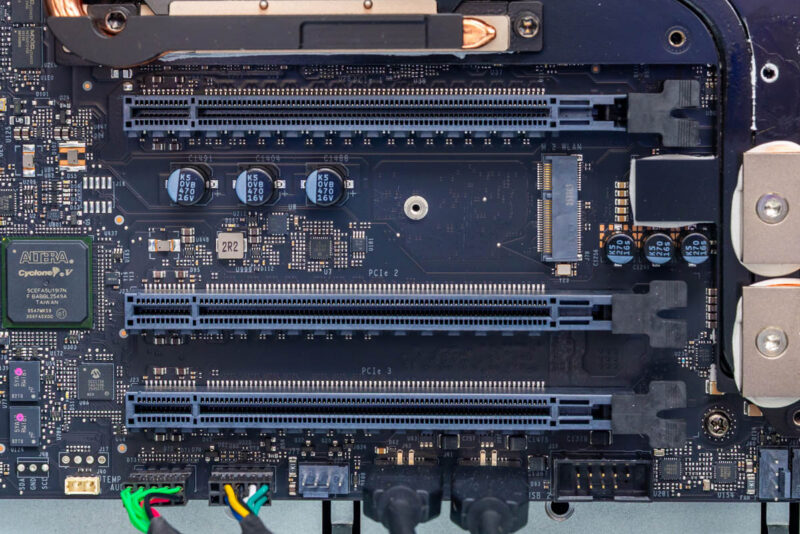
Below the cluster of major processors, the system has a trio of PCIe slots. These are all physically x16 slots, though they are not identical electrically. The top slot is a full PCIe Gen5 x16 slot, while the lower two slots are PCIe Gen5 x8 electrical slots. All three slots hang off the Grace CPU, consuming half of its PCIe lanes.
The top slot supports an optional RTX PRO Blackwell video card, giving the system full graphics capabilities. Officially, NVIDIA/MSI support the NVIDIA RTX Pro 2000, 4000, and 6000 Blackwell cards here. On the last of those cards, both the standard Workstation Edition card with its open-air style cooler and the Max-Q blower-style card are supported.
That leaves the bottom two x8 slots for installing any other hardware expansion cards. Keeping in mind that they will need to work with Ubuntu 24.04 running on an AArch64 processor.
MSI also customized the mounting mechanism for the PCIe slots. The conspicuous metal bar running from the top to the bottom of the case is not just to support the chassis, but rather it is specifically there to support a large video card. MSI built a video card holder into the bar, with arms you can move and secure with thumbscrews. The idea is that the holder can transfer some of the physical load from supporting a large video card off the PCIe slot onto the chassis itself.
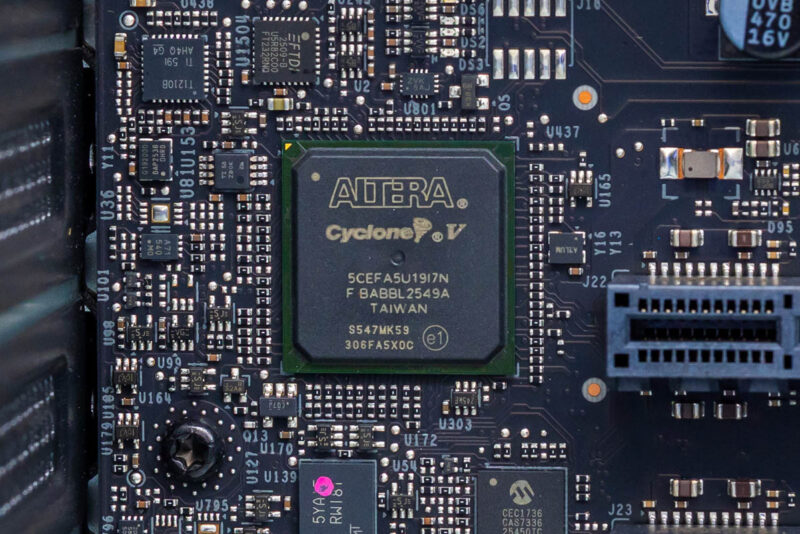
Meanwhile, tucked away to the left of the PCIe slots, we find a lone Altera Cyclone V FPGA.
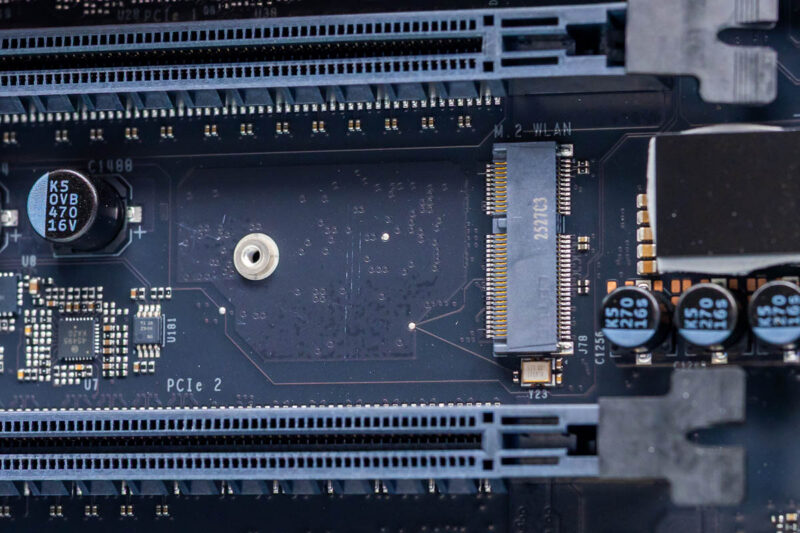
Placed between the PCIe slots is an empty M.2 2230 slot. This is for installing an aftermarket wireless radio for Wi-Fi and Bluetooth.
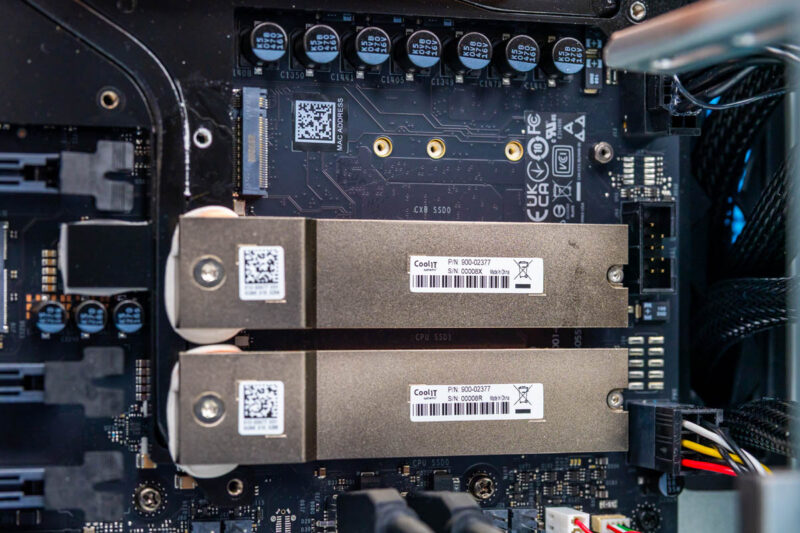
As for storage, like all DGX Station systems, the WS300 ships with four M.2 2280 slots. Two slots are PCIe Gen5 x4 slots connected to the Grace CPU, and the other two M.2 slots are PCIe Gen6 x4 slots connected to the ConnectX-8 SuperNIC. NVIDIA is leveraging the ConnectX-8 SuperNIC’s existing PCIe Gen6 capabilities to improve the system’s performance, giving the Blackwell Ultra GPU a path to accessing PCIe Gen6 SSDs, rather than risk being bottlenecked by PCIe Gen5 SSDs.
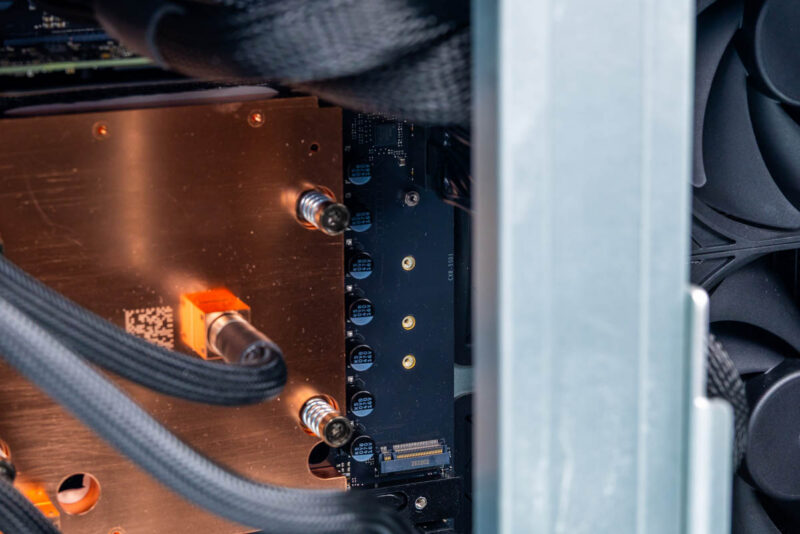
Three of these slots are grouped toward the right side of the motherboard, behind the PCIe slots. The top M.2 slot connects to the CX8, while the bottom two connect to the Grace CPU. Meanwhile, the final PCIe Gen6 slot is tucked away above and to the right. NVIDIA provides hefty CoolIT heatsinks for the M.2 slots on all DGX Station systems.
Rounding out our tour of the WS300, let us talk about power delivery. With a 1600 Watt PSU, the system needs to route a lot of power, and virtually all of it must go to the motherboard and the GB300.
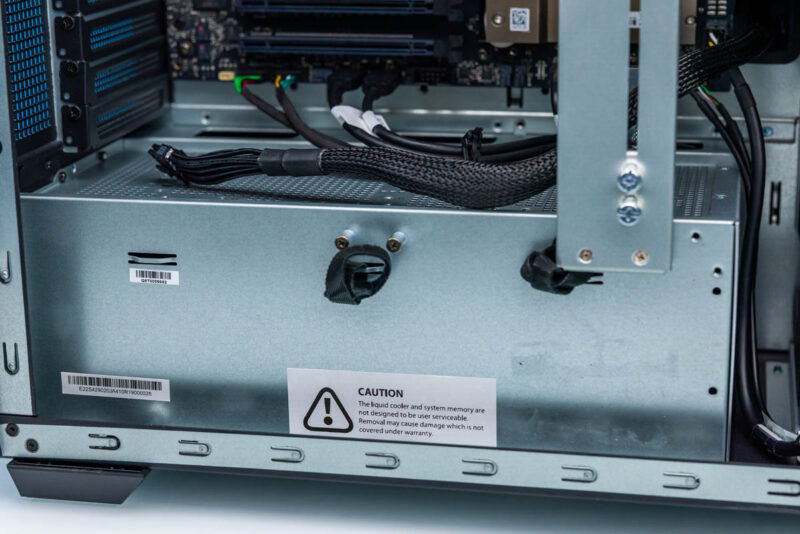
The power supply sits in a cage, which separates it from the rest of the system and helps with cable management by hiding all the power cables.
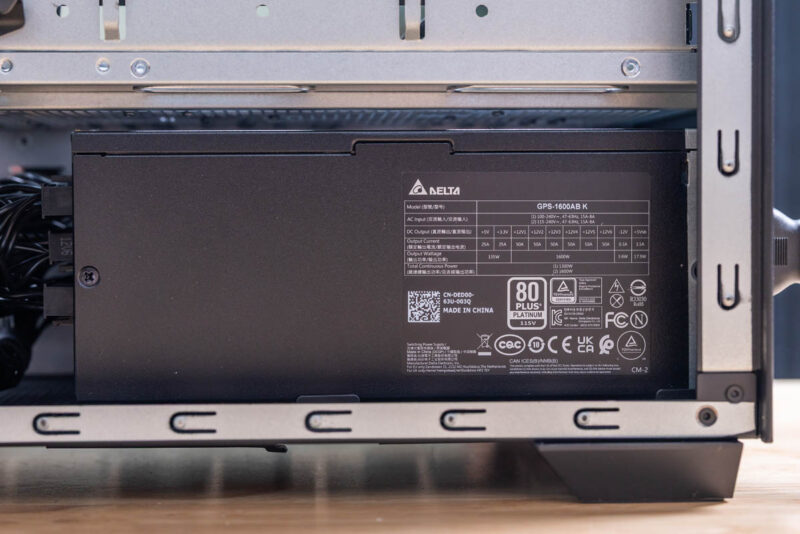
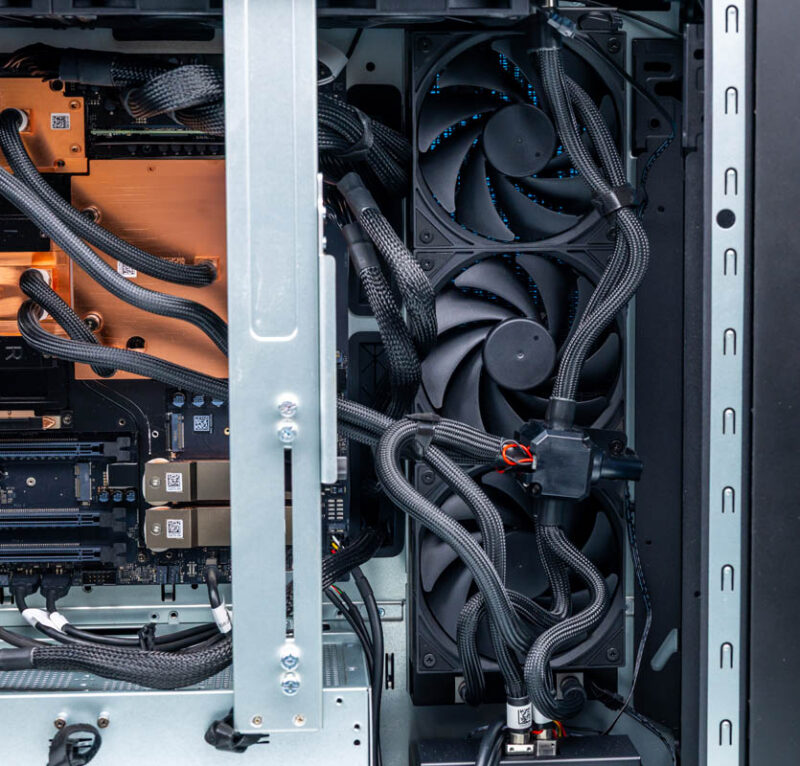
Flipping over to the right side of the system, we find the open face of the cage, revealing a rather lengthy Delta unit. This power supply is rated to deliver 50 amps of power over each of its six 12-volt rails, so any rail can be called upon to deliver as much as 600W of power.
The system’s power cables run throughout. At the top of the board is a standard 24-pin ATX power connector, while NVIDIA uses 6 12V-2×6 connectors for all ancillary 12V power. These are the same connectors used on NVIDIA’s video cards, and a free 7th 12V-2×6 power cable floats inside the case for an RTX Pro video card if one is installed.
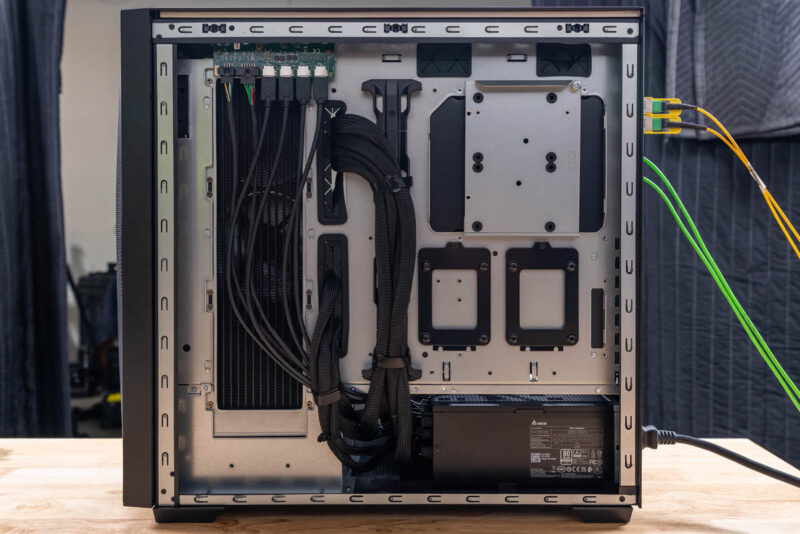
Last but not least, here is a shot of the WS300’s right side with the side panel removed. Compared to the left side, there is very little to talk about here, as there are no user-replaceable components. It does, though, give us a better look at the side radiator and how the cables are routed. MSI has kept things very neat and tidy here, with nearly a dozen power cables all securely tied down. We can also see that the case MSI has opted for has room for mounting 2.5-inch SSDs, though there are no SATA headers or power cables to use them.
That is the hardware tour of the MSI’s XpertStation WS300. Now let us take a look at the system’s topology before we get to the performance.