Key Takeaways
Just giving you some sense of this one, I was an early Surface RT user well over a decade ago. While that was interesting for some basic desktop tasks, the NVIDIA N1X platform is a completely different class. It is designed to go head-to-head with AMD’s Strix Halo/ Gorgon Halo, the Apple MacBook Pro series, and, in many cases, dGPU laptops. In terms of build quality, Microsoft’s offering feels more like an Apple product, but with a touchscreen.
I think my biggest takeaway is that, in general, the Windows on Arm ecosystem is much better than it was years ago. With a decent translation layer, things generally worked. Oddly enough, gaming is currently hit-or-miss. The anti-cheat is probably the biggest challenge at the moment, preventing many games from running. It is a bit of a bummer since if you are buying an NVIDIA-branded laptop, you logically assume it would be very good at NVIDIA’s historical bread-and-butter, gaming. We cannot say that Windows on Arm is at complete parity yet just because of this, and that is a shame. If you buy a Strix Halo system, you may not have the same level of GPU/ AI performance, but under Windows, you do not think about it. Also, I just want to point out that if you are buying a Surface Ultra primarily to game, you are probably doing it wrong in the first place just because of the price.
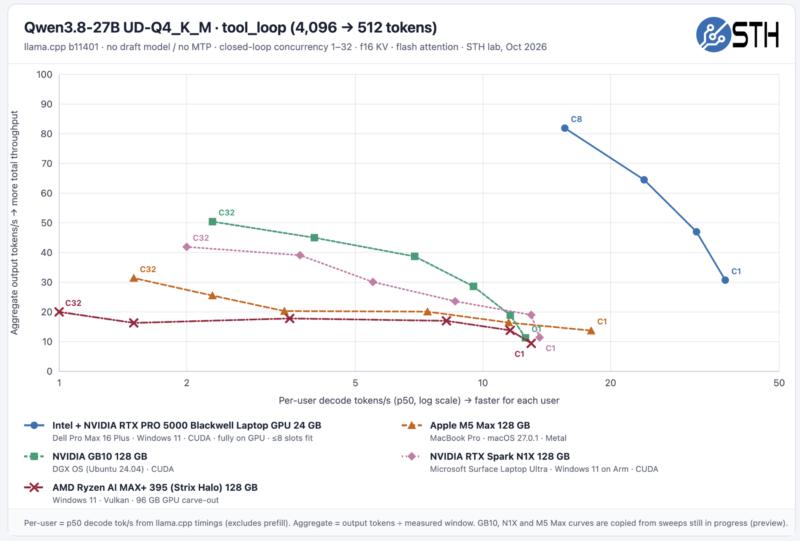
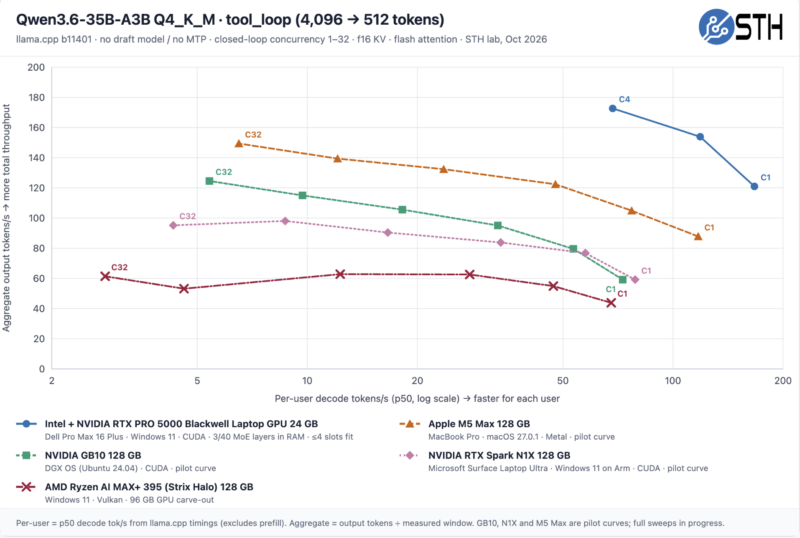
Next, I think it is important to think about the price here. At $5899 you could compare it to a MacBook Pro M5 Max and say it is a bargain. The N1X has great prefill performance and runs Windows for those who need Windows, and probably plays more games that people want to play than the M5 Max. On the other hand, decode performance tends to favor the M5 Max 128GB due to the memory bandwidth. We expect AMD’s Strix Halo 128GB and Gorgon Halo 128GB systems to sell for less, especially if you are willing to sacrifice build quality a bit.
So the “who is the customer” answer seems to be someone who:
- Wants Windows
- Wants to run local AI on NVIDIA hardware
- Does not require Intel vPro for systems management (many enterprises do)
- Wants to game occasionally, and values the capability over compatibility
- Wants top-tier build quality
I actually chatted for a long time about this with Linus (LTT) in San Francisco last week, which he referenced here (and also in their review today):
During the WAN Show, they mentioned my thought about running local AI on a recent trip to Taipei on a United 777 without Starlink, so I did not have usable connectivity. What is funny about that is that earlier this week, I needed to get through a compressed 5GB archive and extract data, and I was in a new-ish hotel in San Jose with 1MB/s WiFi. I had 90 minutes, so the only real option was to use Hermes and a local model. The Surface Ultra machine (and the M5 Max 128GB in parallel as a just-in-case) completed the task in 40-60 minutes.
A valid alternative is something that is not a laptop at all. Why not get a 1-8x NVIDIA GB10 Cluster, connect it to fast Internet, reliable power, a large shared NAS, and then run the LLM and local agent instances on those and access it remotely? That is an architecture that you can start with one and scale, and there are, of course, options for running bigger models, GPU-based local AI systems, and so forth. The Dell XPS 14 2026 or Lenovo ThinkPad X1 Carbon Gen 14 are much easier to travel with. I will only say that I upgraded my M4 Max 64GB 14″ to the M5 Max 128GB 14″ solely because I wanted to run larger local models. Running Qwen3.8-Flash-Next or Deepseek V4 0731 quantized is often useful when my WAN connectivity is spotty. I did 98 flights last year and 74 so far this year. As a result, I think of local AI as both, not either/or.
Compared to the Surface RT, the Lenovo ThinkCentre neo 50q Tiny QC, or other Windows on Arm solutions, this is in another league. For example, our challenge with the Lenovo Neo 50q Tiny QC was that it does not have enough memory to run many of the benchmarks we attempted, and we could not add more, even though the configuration options were limited. The promise here is that with 128GB, the challenges on the Surface Ultra came down to gaming, which should probably be a third-tier priority on a device like this.
What NVIDIA has is a pretty good Windows-on-NVIDIA shared-memory device. If you want an NVIDIA GPU with 128GB of memory (not AMD) and want to run Windows, NVIDIA now has an option. One practical challenge for Microsoft and NVIDIA right now is that, if you look at AI developers, you see a lot of MacBooks in their hands. You also see a lot of Ubuntu Linux on the servers. Even the Gigabyte W775-V10-L01 was running Linux. We were told that the GB300 platforms will get Windows support later. Large communities support running local AI on Apple Silicon with macOS, and on other systems with Ubuntu and other Linux distributions. For Microsoft, this is needed to make Windows more relevant in the world of local AI, which has largely skipped Windows.
Final Words
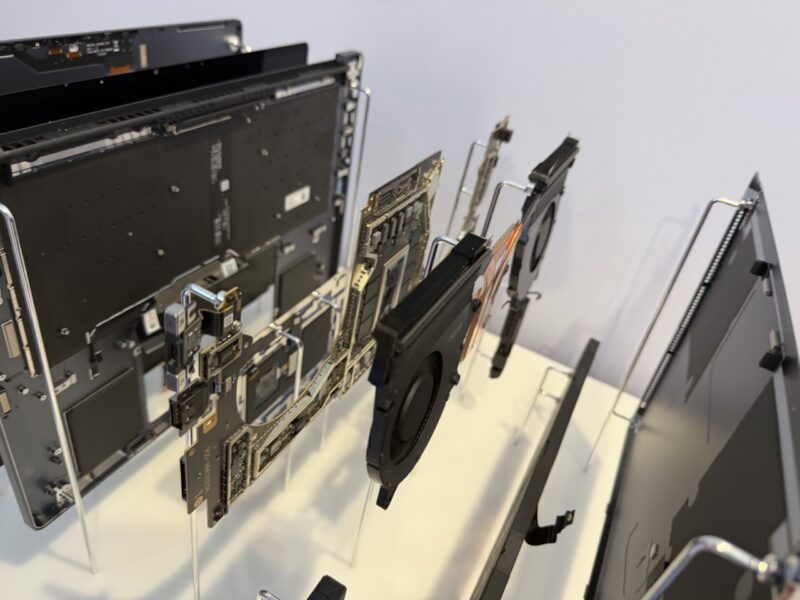
Maybe summing everything up, the build quality was excellent. For a higher-memory capacity NVIDIA-based solution, this is much smaller than the NVIDIA RTX Pro 5000 Blackwell notebooks we have tested, like the Dell Pro Max 16 Plus, Pro Max 18 Plus, and the Lenovo ThinkPad P16 Gen 3. Ultimately, that makes the Surface Ultra more useful for those who are on the go. I would have liked to have seen an OLED touchscreen, but the display looks good. Performance was good, but it is a shared-memory device using LPDDR5X in a more constrained configuration, which is why we are saying good, but not great. I think gaming will get solved over the next few months, but you are better off with a dGPU system for gaming. Really, where this shines is being able to run a larger local model that struggles on 24GB or lower dGPU notebooks.
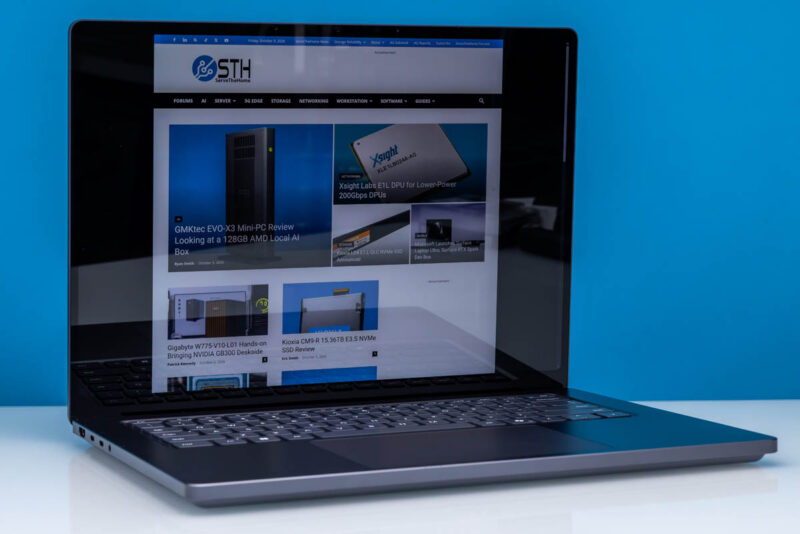
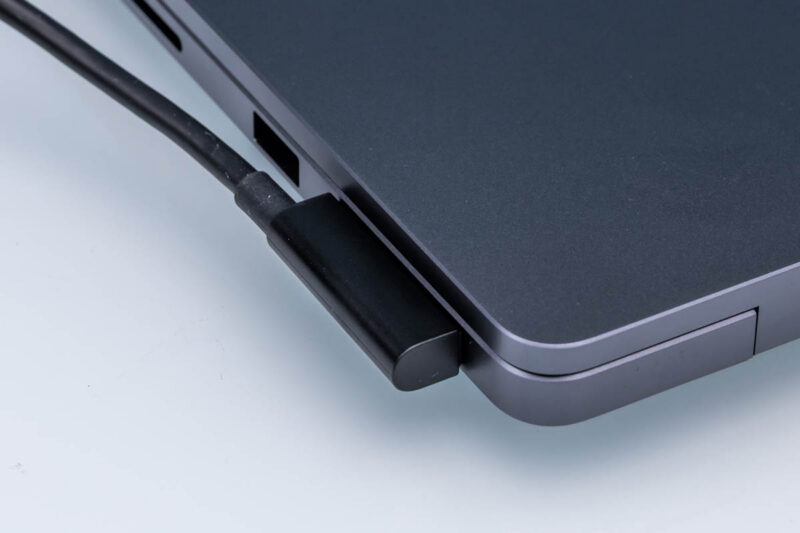
Power consumption was OK, but under heavy agentic AI workloads, it probably is closer to an hour of battery life, and maybe 11-13 hours of watching movies on a plane and doing a bit of web browsing. We expected this given the GB10’s power consumption. A 99Wh battery would have helped a bit over the 92Wh, but it would not have changed the nature of how we would use the system. If you are doing heavy AI work, you likely want to find a plug. Luckily, the magnetic USB-C charger is useful on the road and is a neat innovation.
I have been meandering a bit. I know the 128GB model will sell well because there is such an appetite for running larger local LLMs. You are paying for it, but if you have a Windows workflow, want bigger LLMs, and want to be on an NVIDIA GPU, not AMD, then I certainly understand the appeal here.
A quick note here: You may have noticed that Ryan Smith wrote the first half of this review, and Patrick wrote the second half. Again, we had a week, and we were at OCP 2026 all week covering that show. Also, we will have more results included in future articles, as this has time to actually run through our benchmark suite.