

Dell Pro 5 16 (AMD) Laptop Internal Hardware Overview
Cracking open Dell’s laptop, one of the perks of a mid-range corporate laptop is that almost everything here is modular, despite the relatively thin design of the laptop. The battery, the storage, memory, and even the wireless radio are all customer-replaceable. None of these major components are held in with more than Phillips screws.
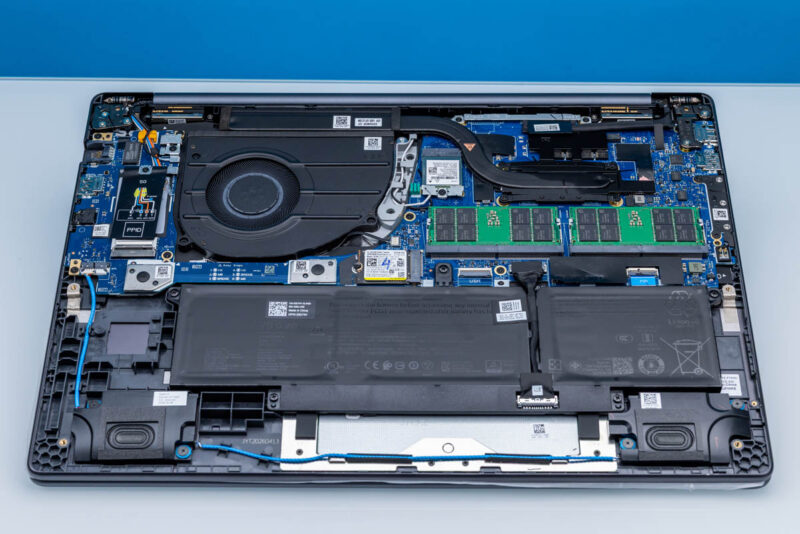
We will start our tour of the laptop’s internals with the SO-DIMMs. While Ryzen AI 400 supports both DDR5 and LPDDR5X memory types, and the latter offers about 50% more bandwidth, the Gorgon Point silicon does not support removable LPCAMM modules. So, to keep memory modular in its business laptops, Dell has stuck with DDR5 SO-DIMMs, with Gorgon supporting standard unbuffered SO-DIMMs at up to DDR5-5600 clock speeds.
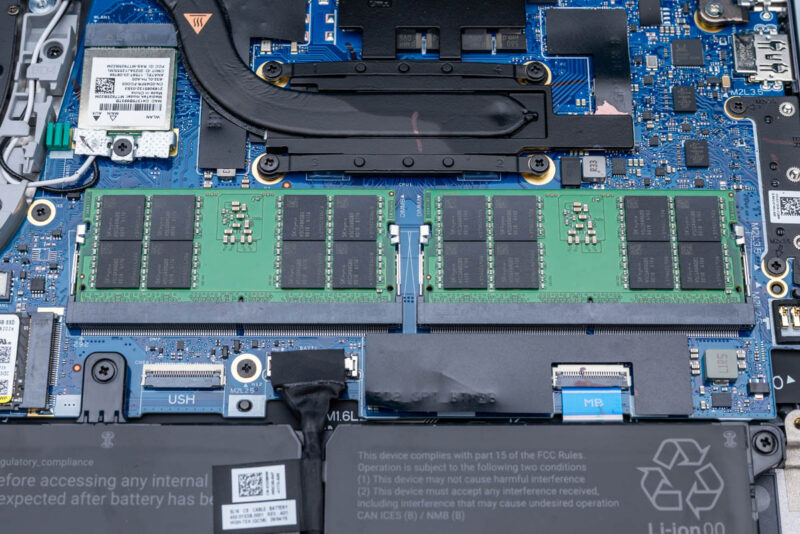
Since these are SO-DIMMs, you can add and remove them easily, with no tools required. Dell sells Pro 5 16 (AMD) laptop configurations with both one and two SO-DIMMs installed. At the end of the day, there is no good reason to run this laptop with anything other than its full complement of two DIMMs in order to give it as much memory bandwidth as possible.
Though filling out a Dell Pro 5 16 (AMD) laptop will not come cheap due to the current spike in memory prices. The 64GB of DDR5-5600 RAM in this laptop is a nearly $1500 upgrade over the base 16GB (dual-channel) configuration; buyers are effectively looking at $500 per 16GB of RAM. Though it is noticeably cheaper (~$500) than the even more expensive LPCAMM2 modules we saw in the Intel version of the Dell Pro 5 14.
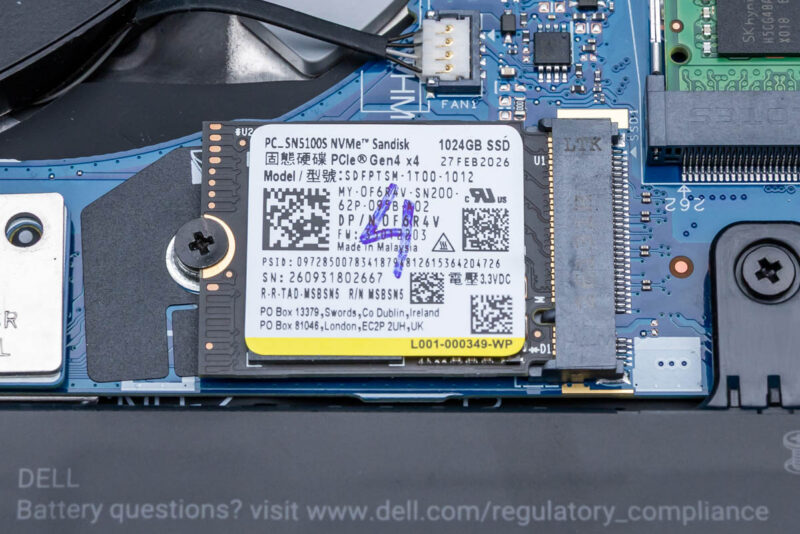
Meanwhile, to the lower-left of the SO-DIMM slots is the system’s sole M.2 SSD slot. Even though this is a 16-inch laptop, Dell’s layout leaves room for only an M.2 2230 slot, which limits user SSD upgrades.
Dell offers several SSD options on the Pro 5 16, both in regards to capacity and performance. On paper, Dell offers both QLC and TLC at 512GB and 1TB, and a QLC drive at 2TB, but in practice those TLC drives we could not find through Dell’s BTO configurator. That means QLC drives are the only choice for all but the smallest capacities. Complicating matters, the Ryzen AI 400 does not offer PCIe Gen5 connectivity, so there is much less of a reason to offer a high-performance drive with the system, since the PCIe bus is a potential bottleneck.
Our review sample came with Dell’s 1TB option, which is a QLC PCIe Gen4 SSD. Digging through the system reveals it to be Sandisk’s SN5100S SSD, a regular go-to SSD for OEMs. The drive runs cool enough that a heatsink is not needed, and consequently the drive is cleanly and plainly mounted into the M.2 slot.
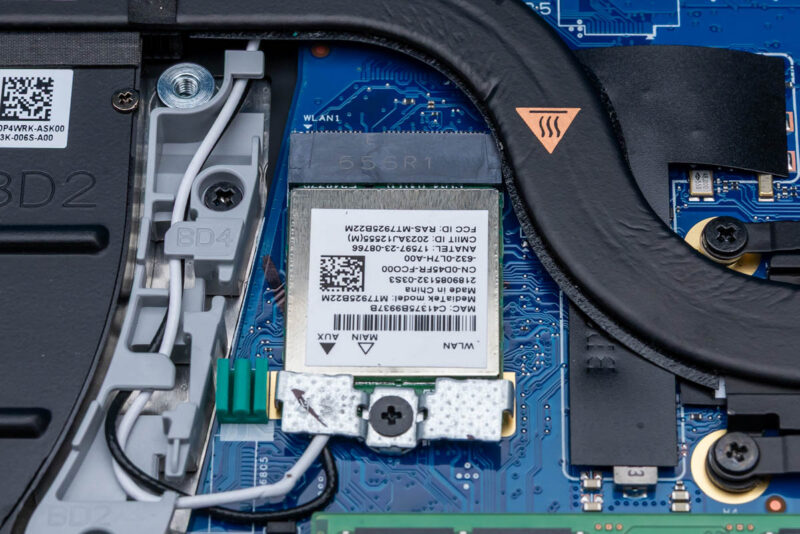
Elsewhere, above the SO-DIMM slots, we find MediaTek’s MT7925 wireless radio. A standard PCIe radio, it offers 2×2 stream Wi-Fi 7 connectivity and Bluetooth 5.4 support. Notably, this is MediaTek’s budget Wi-Fi 7 radio, and as a result, while it includes full tri-band support, it excludes the 320MHz support that is included in the more performant MT7927. Or the Intel BE211 radio found in the Intel-based Dell Pro 5 laptops, for that matter.
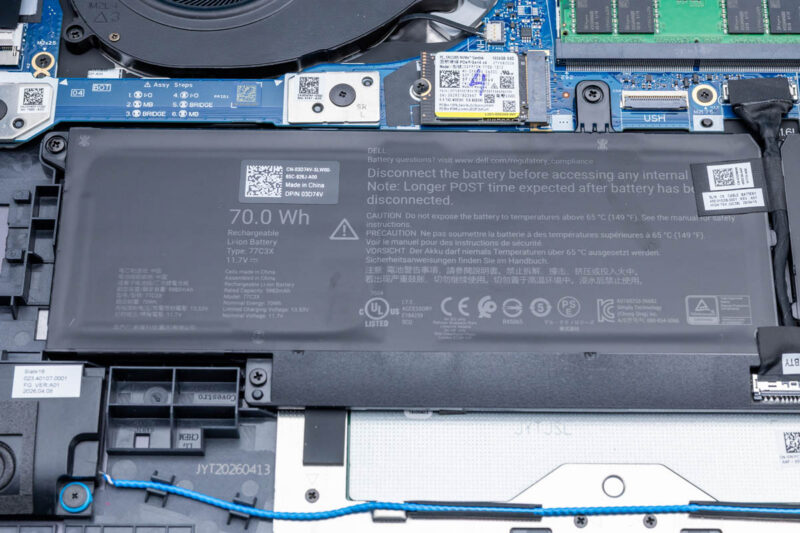
Towards the bottom of the system, we find Dell’s included battery. Like almost every other aspect of the system, this is configurable. Dell offers 45Wh, 57Wh, and 70Wh options here. Our sample system came with the largest 70Wh battery. Curiously, Dell does not offer any battery life estimates for this laptop.
As is typically the case these days, the battery is designed to last the life of the system. Though if it does not, it is fully replaceable, being held down with just screws and cables.
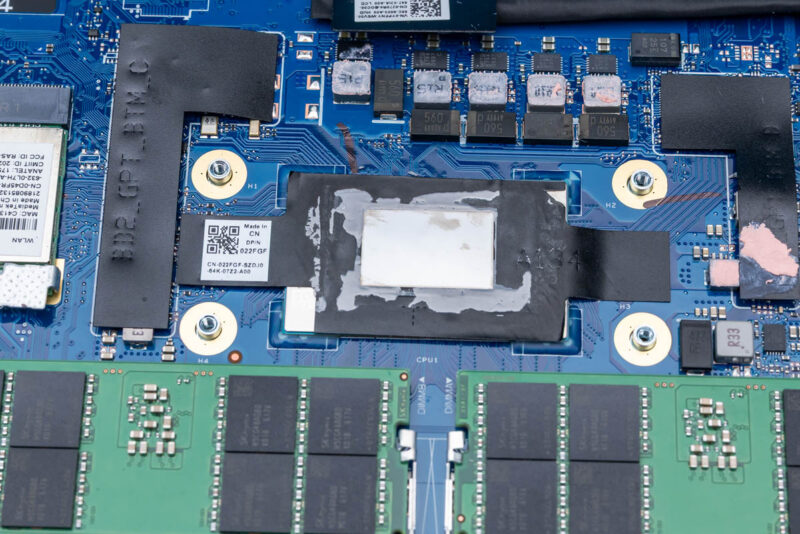
The bulk of that battery power, in turn, goes to powering the Ryzen AI 9 HX PRO 470 processor at the heart of the system. We quickly took off the heatsink from the system to show off this Gorgon Point chip, which is a “full” configuration with both the 12-core CPU as well as the 16 CU integrated GPU, the most powerful Gorgon Point configuration possible.
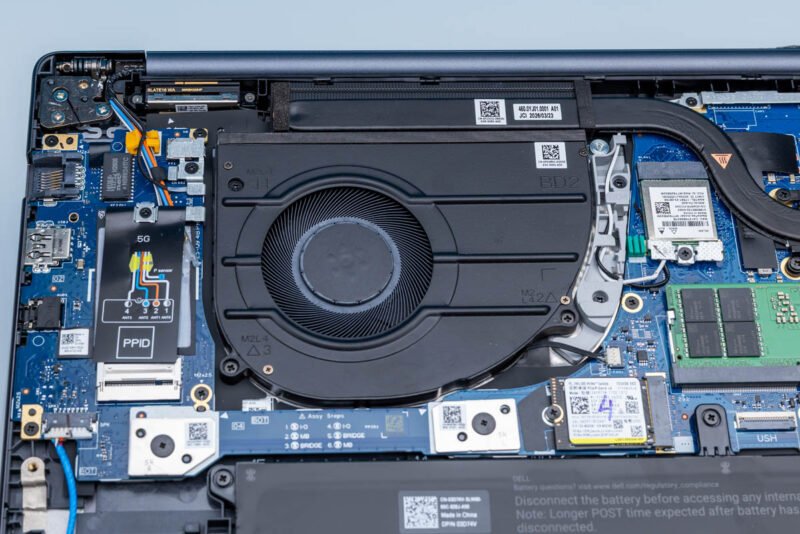
Finally, here is a quick look at the single blower fan that is cooling the system. With the AMD SoC as the only significant heat source requiring active cooling, Dell can get away with just one fan in this laptop design.
With all of that out of the way, let us see what the laptop’s full performance is like.



LatencyMon results would have been interesting to check whether this notebook is suitable to be used as a DAW for audio processing.
Please add LatencyMon results measuring “interrupt to user process latency”.
Results of a 5-10 minute run with no other applications running.
LatencyMon issues a typical DAW load itself.
The internal layout is a bit disappointing. They clearly used a battery meant for a 14″ device, while they could have very easily fitted in a larger one to improve the runtime and while doing so they also opted for a single 2230 m.2 drive, which is just madness. Also, using SODIMMs with a CPU that could have greatly benefitted from an LPCAMM module or soldered memory is just sad.
It feels like Dell deliberately wants their AMD machines to be inferior to their Intel ones, for some reason, and this isn’t the only example of that. I’m genuinely surprised they included a USB4 controller in the first place.
“Also, using SODIMMs with a CPU that could have greatly benefitted from an LPCAMM module or soldered memory is just sad.”
To note: AMD’s Strix/Gorgon Point SoCs do not support LPCAMM2, unfortunately. They are not quite a drop-in replacement for soldered LPDDR5X, and require some design considerations on the host side. So if removable memory is desired, Dell’s only option here was DDR5 SO-DIMM.
The CPU in this laptop supports two USB4 ports natively. AMDs mobile only silicon has done so since the 6000 series. I’d be very surprised if Dell spent money on an external controller instead of using the native function in the CPU.
@Anonymous
Oh goodness, you are right! This is definitely native. I have gone back and corrected the article. Thank you for pointing that out.