

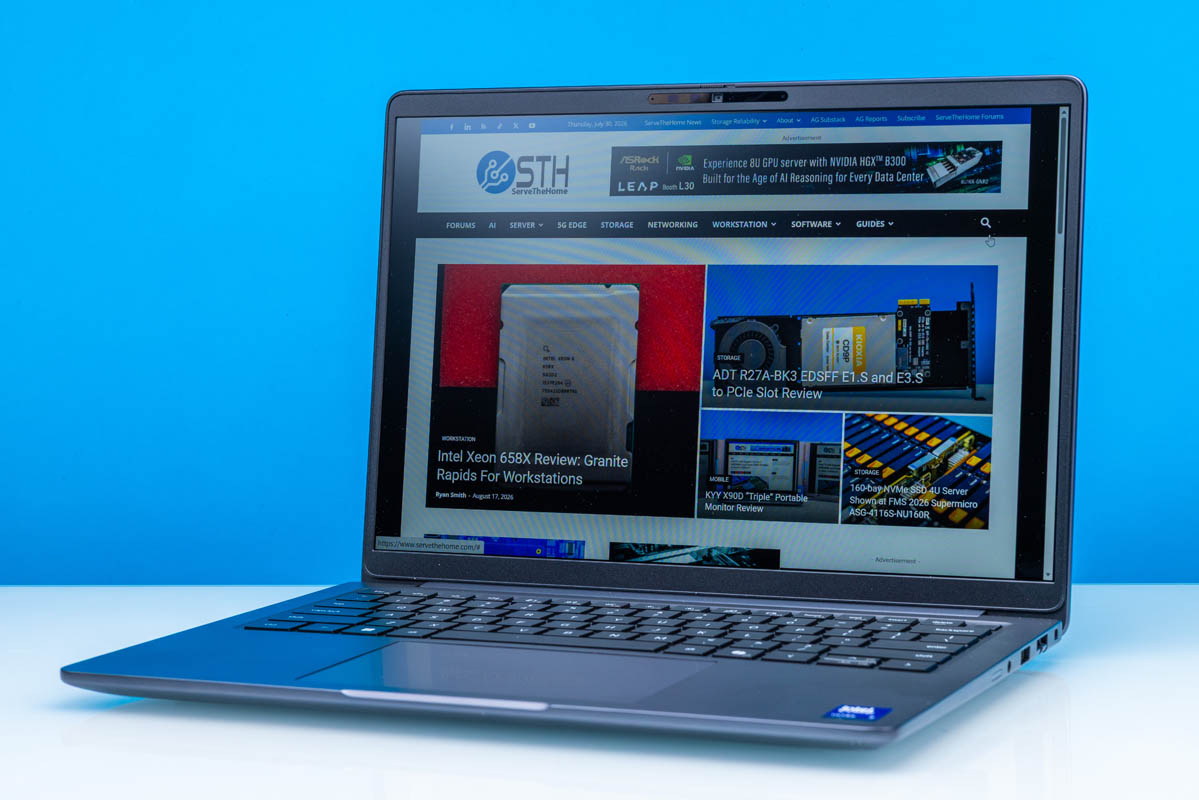
Over the last several months, we have looked at an increasing number of laptops and mini-PCs based on Intel’s Core Ultra Series 3 SoCs, also known as Panther Lake. With a complete refresh of Intel’s mobile silicon lineup, Intel’s partners have been busy refreshing and retooling their product lines to incorporate the new chips and take advantage of the latest technologies they provide.
Key among these, as always, is Dell. Both the company’s consumer and business arms have been rolling out numerous laptops this year. So far, we have taken a look at a few consumer models, such as the Dell XPS 14 2026, and now we are turning our attention to Dell’s business laptop lineup, the aptly named Dell Pro line.
For our first Dell Pro laptop, we have opted for what is arguably Dell’s most technologically interesting offering: the Dell Pro 5 14 Laptop (Intel). The 14-inch mainstream business-focused laptop is unassuming from the outside, but internally it brings a few neat technologies to the table, most notably support for LPCAMM2 memory modules. The LPDDR5X version of the new compression-attached memory module (CAMM) standard, LPCAMM2s, became available last year, and the number of laptops they are in is slowly growing. As for our own technical interest, this is the first LPCAMM2-equipped laptop to cross our labs, which means we finally get a chance to get our hands on one of the futuristic memory modules.
| Dell Pro 5 14 Intel Key Specs (P514260) | |
| Processor | Intel Core Ultra X7 368H, 4P + 8E + 4LPE (5.0GHz) |
| Operating System | Windows 11 Pro |
| Memory | 64GB LPDDR5X-8533 (Dual-Channel LPCAMM2 Module) |
| Storage | 1TB SSD, Performance (PCIe Gen5 x4, M.2 2280) |
| GPUs | Intel Arc B390 Integrated (Xe3, 12 Xe cores) |
| Display | 14-Inch, 1920×1200 120Hz VRR, 500nits Max Brightness, 100% sRGB |
| Battery | 70Wh, 3 Cell |
| Form Factor | Laptop |
| Dimensions | 315.5 x 226 x 18.1 mm (12.42 x 8.89 x 0.71 in) |
| Weight | 1.34 kg (2.96 lbs) |
| Wireless | Wi-Fi 7 + Bluetooth 6.0 (Intel BE211) |
| Color | Magnetite (Gray) |
| Ports | Left: 2x USB-C/Thunderbolt 4 40Gbps, 1x USB-A 5Gbps, 1x HDMI 2.1 Right: 1x USB-A 5Gbps, 1x 1GbE (RJ45, I219-LM), 3.5mm Combo Audio Jack |
There is plenty more to this laptop than memory, of course. Dell has gone all-in on the Core Ultra Series 3 platform here, building the laptop around one of Intel’s most powerful Panther Lake chip SKUs with the Arc GPU-equipped 368H. As a result, the Dell Pro 5 14 is both highly performant and highly modular, making it a good fit for the business users the Dell Pro 5 lineup is aimed at.
If you wanted to find the Dell Pro 5 14 Intel (P514260) online, here is a Dell affiliate link.
Dell Pro 5 14 (Intel) Laptop External Hardware Overview
Starting with a look at the laptop itself, the Dell Pro 5 lineup is positioned as Dell’s mainstream system offering. That is to say that in the spectrum between budget laptops and premium laptops, the Dell Pro 5 series is right in the middle. This means they get high-end features like the aforementioned high-performance Intel Core Ultra Series 3 chips, along with fast SSDs and modular memory, but these laptops are neither Dell’s thinnest offerings nor do they get discrete video cards.
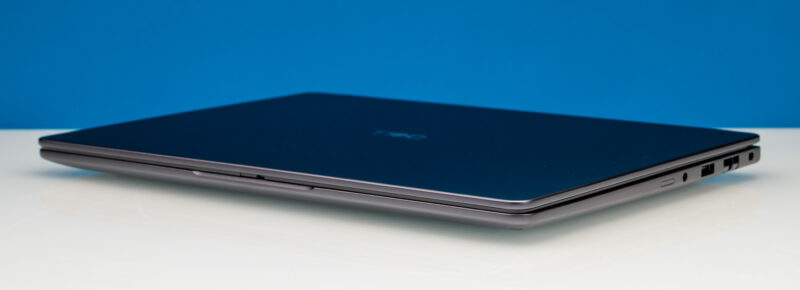
The end result is that, especially with the focus on business customers, the Dell Pro 5 14 is a very Dell-like laptop. The 1.34 kg, 14-inch laptop is reasonably thin and light, with a tapered design that thickens towards the rear, reaching 18.1 mm at its thickest point. Of course, it comes in Dell’s classic magnetite gray finish over the aluminum body.
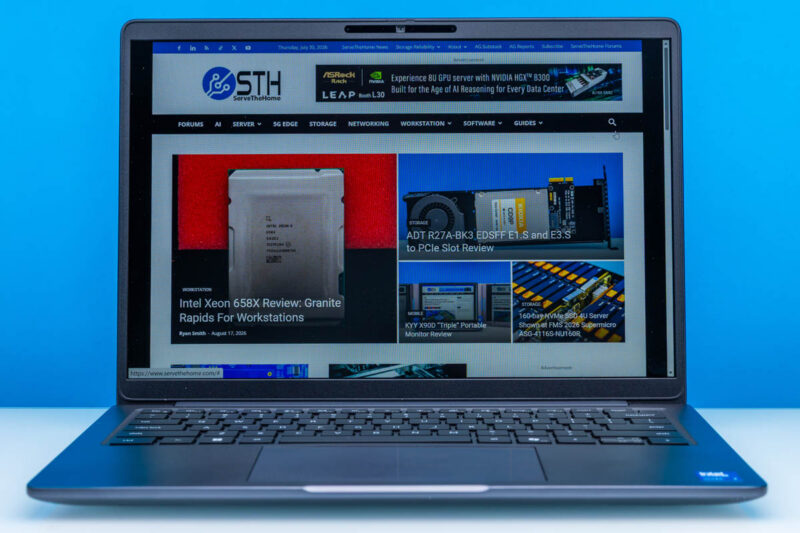
Opening the laptop, we find the typical trackpad-plus-keyboard setup. A 14-inch laptop does not offer enough space to get fancy here, but it is sufficient for a fully backlit keyboard, a fingerprint reader embedded in the power button, and a multi-touch trackpad.
Meanwhile, as this is a business-class laptop, Dell offers an extensive (if not slightly ridiculous) selection of 14-inch displays. These include multiple resolution options, touch and non-touch screens, and even an OLED option. Our review sample came with one of Dell’s better options. This notebook has a WUXGA (1920×1200) panel with 100% sRGB coverage, a maximum brightness of 500 nits, and full variable refresh rate support from 1Hz to 120Hz. Dell also specs this panel as their “super low power” option, which uses a low-power IPS panel. Officially, Dell rates it at a maximum power consumption of 3.35 Watts, which is below the 4 to 6 Watt range that most other display options run at.
Notably, since this is a midrange(ish) laptop, Dell does not get exotic with resolutions or HDR capabilities. There is a solid WQXGA (2560×1600) panel option, though even this is not class-leading in resolution for a 14-inch laptop. And none of the panel options, even the OLED panel, are designed for HDR. Dell has favored a mix of battery efficiency and business pragmatism here.
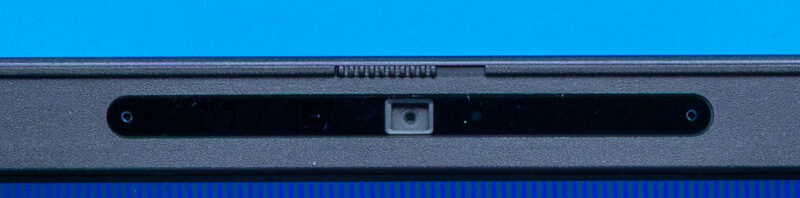
As part of the laptop’s display assembly is also Dell’s included suite of front-facing cameras. Depending on the display you select, you get either a 1080p or an 8MP (1440p) camera. On paper, Dell offers configurations both with and without an IR camera for Windows Hello as well, but all of the SKUs we have checked include the IR camera. Since this is a business laptop, the front-facing camera has a built-in physical shutter to block off the RGB camera.
For audio, Dell keeps things simple with a pair of 2-watt, downward-firing speakers that are installed along the front of the chassis.
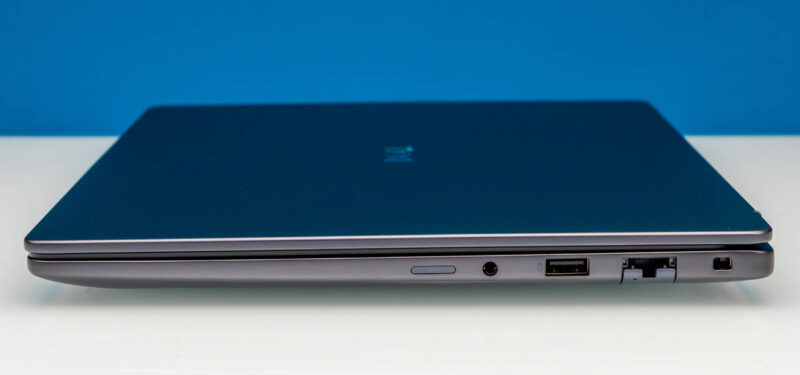
As for ports and expandability, aside from the laptop’s name, this will be the biggest giveaway that it is a business laptop. Starting from the right side of the laptop, we have a SIM card slot (unused), a 3.5mm audio jack, a 5Gbps USB-A port, and, most surprisingly, a compact RJ45 Ethernet jack.
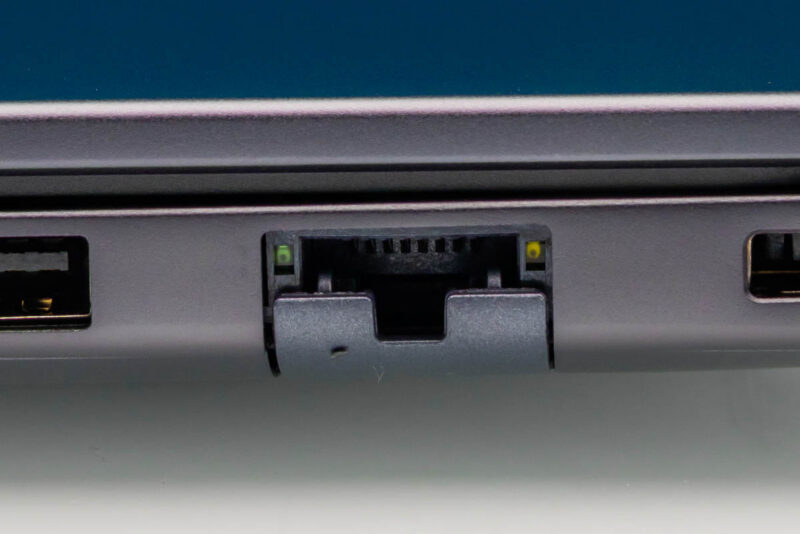
Something of a rare sight even in business laptops, Dell has included hardline Ethernet support in the Dell Pro 5 14. You will not find that on an Apple notebook. Its presence is certainly welcome, though compared to the other bits of cutting-edge technology in the laptop, the Ethernet jack is oddly dated. Dell used Intel’s vintage 1GbE I219-LM controller here, rather than a 10GbE controller or even the slightly older i226 2.5Gbps controller. The LM controller allows Dell to support vPro, which is likely why it is using 1GbE here. The end result is that the laptop offers a wired Ethernet connection when needed, but in a good wireless environment, the integrated Wi-Fi 7 radio can be measurably faster.
Meanwhile, the SIM card slot here is vestigial, a reminder of what the laptop can do. As an optional configuration, Dell offers MediaTek and Qualcomm modems for true mobile connectivity. Interestingly, both modems have eSIM support, but it is not universal, so the SIM slot lives to see another day.
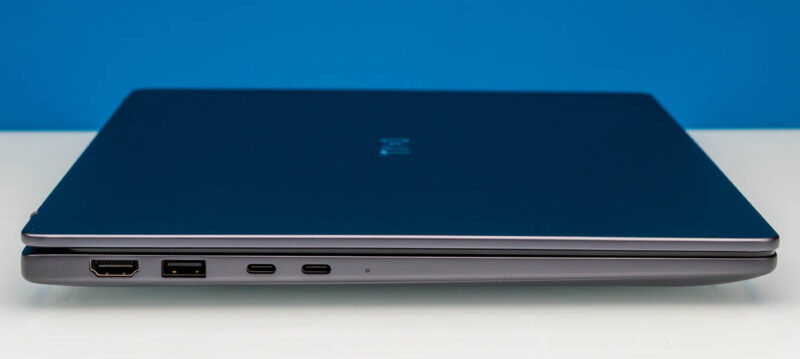
Shifting over to the left side of the laptop, we find the system’s faster ports. This includes a pair of 40Gbps USB-C/Thunderbolt 4 ports hanging off the system’s SoC, another 5Gbps USB-A port, and finally an HDMI port. External monitor users will want to note that, even though it is an HDMI 2.1 port, Dell only supports TDMS signaling here, so the port can only drive a display up to 4K@60Hz without DSC. Which is sufficient for TVs, but a bit shy of what the newest monitors can do. That means USB-C ports with DisplayPort Alt Mode will be the primary choice for high-end external monitors. Especially if you can get one with USB Power Delivery, since the Dell Pro 5 14 charges exclusively via USB-C.
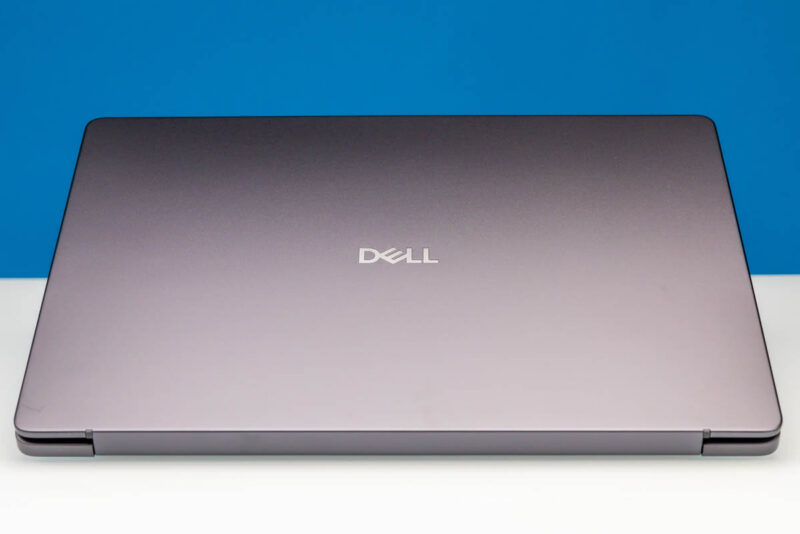
Taking a quick look at the top of the laptop, we find the familiar Dell logo.
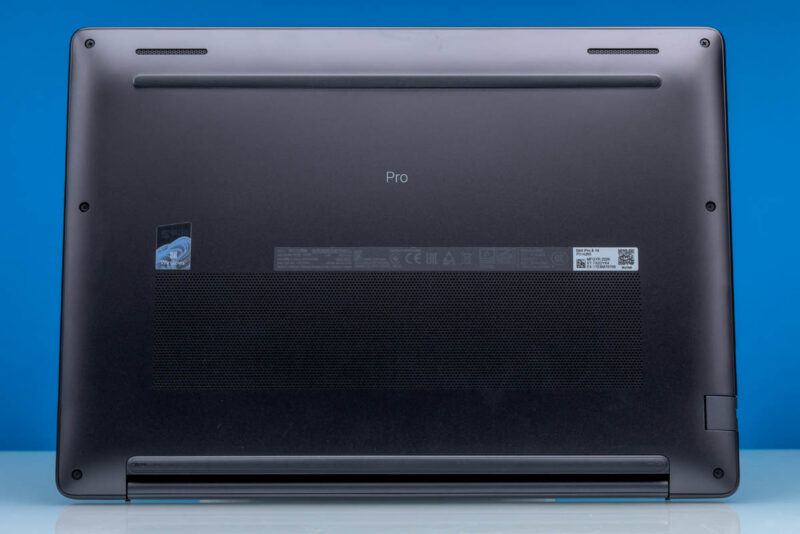
Finally, along the bottom we find the intakes for the laptop’s ventilation system, along with Dell’s usual collection of stickers, serial numbers, and QR codes. It is also the only place where you will find any labeling identifying which specific model the laptop is, or that it is a Pro laptop in the first place. Dell uses rubber strips along both the front and back sides of the laptops to elevate it for airflow, and these are surprisingly tall strips as well, with the rear strip adding a bit over 3.5mm to the final height of the 19mm laptop.
Now, let us take a look at the internals of the Dell Pro 5 14 (Intel) laptop.


LPCAMM2 is cool, but finding upgrades is impossible right now.
Even Dell runs out of them. Had trouble getting 32GB LPCAMM2 in a pre-built Pro Max recently.