

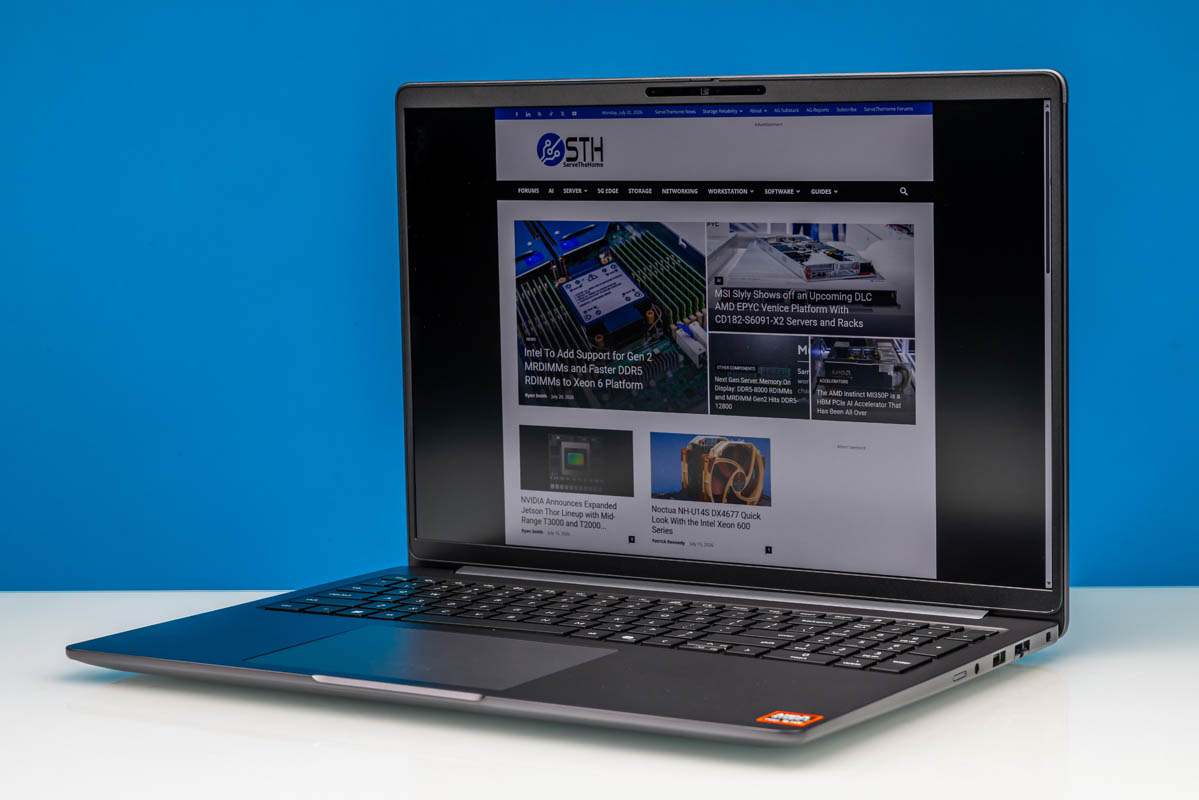
Credit where credit is due to AMD. As part of the company’s miraculous turnaround in the last decade, they have not only been able to turn around the public’s perception of their consumer hardware, but they have been able to turn heads as well. Of all of the micro-segments that make up the consumer hardware world, there is no place this is more significant than in the mobile CPU space, where through repeated trials and improvements, AMD has continually refined their portable chips to the point where they are not just a viable competitor to Intel, but at times a fierce one. AMD’s improvement in the mobile space has been nothing short of stunning.
One of the payoffs from all of that hard work, besides aforementioned improved public perception, is that it has changed how OEMs look at the company as well. AMD is no longer a risky bet or the company OEMs use to fill out their cheap laptops. Instead, it is a company whose chips are good enough for the bread and butter of the OEM world (corporate laptops.) It may not sound glamorous at first blush, but the business importance is hard to overstate.
8 years after AMD launched its first mobile Ryzen silicon, AMD now gets to enjoy parity treatment in corporate laptops at OEMs like Dell. Across many segments of Dell’s Pro product lines, customers can order the same laptop with either an Intel chip or an AMD chip, letting them choose their platform with equal support and backing from Dell, plus similar corporate IT fleet-management features.
A couple of weeks back we looked at our first laptop from Dell’s 2026 midrange business laptop family, the Dell Pro 5 series. That laptop was a 14-inch unit which packed in an Intel Core Ultra Series 3 processor. Today we are looking at the other side of the coin, with a Dell Pro 5 laptop powered by AMD’s most recent Ryzen AI 400 series processor.
| Dell Pro 5 16 AMD Key Specs (P516265) | |
| Processor | Ryzen AI 9 HX PRO 470, 4x Zen5 + 8x Zen5c Cores (5.2GHz) |
| Operating System | Windows 11 Pro |
| Memory | 64GB DDR5-5600 (2x32GB SO-DIMM) |
| Storage | 1TB SSD (PCIe Gen4 x4, M.2 2230, QLC) |
| GPUs | AMD Radeon 890M Integrated (RDNA 3.5, 16 CUs) |
| Display | 16-Inch, 2560×1600 120Hz VRR, 500nits Max Brightness, 100% sRGB |
| Battery | 70Wh, 3 Cell |
| Form Factor | Laptop |
| Dimensions | 358.6 x 253.4 x 18.95 mm (14.12 x 9.98 x 0.75 in) |
| Weight | 1.82 kg (4.00 lbs) |
| Wireless | Wi-Fi 7 + Bluetooth 5.4 (MediaTek MY7925) |
| Color | Magnetite (Gray) |
| Ports | Left: 2x USB-C/Thunderbolt 4 40Gbps, 1x USB-A 5Gbps, 1x HDMI 2.1 Right: 1x USB-A 5Gbps, 1x 1GbE (RJ45, RTL8111EP-CG), 3.5mm Combo Audio Jack |
With AMD’s latest Gorgon Point silicon inside – and one of their highest-performing chip models at that – the Dell Pro 5 16 (AMD) is both a very performant and very modular laptop, which makes it a good fit for the business users that the Dell Pro 5 lineup is aimed at. And one that can go toe-to-toe with its Intel counterpart.
If you wanted to find the Dell Pro 5 16 AMD (P516265) online, here is a Dell affiliate link.
Dell Pro 5 16 (AMD) Laptop External Hardware Overview
To start, the Dell Pro 5 lineup is positioned as Dell’s mainstream system offering. That is to say that in the spectrum between budget laptops and premium laptops, the Dell Pro 5 series is right in the middle. This means it gets high-end features like the aforementioned high-performance AMD Ryzen AI 400 chips along with fast SSDs and modular memory, but these laptops are neither Dell’s thinnest offering nor do they get discrete video cards.
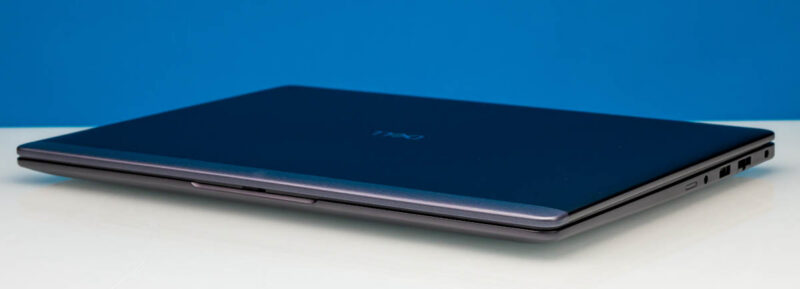
The end result is that, especially with the focus on business customers, the Dell Pro 5 16 is a very Dell-like laptop. The 1.82 kg, 16-inch laptop is reasonably thin for a desktop-bordering, desktop-replacement machine, with a tapered design that thickens toward the rear, reaching 18.95 mm at its thickest point. Of course, it comes in Dell’s classic magnetite gray finish over the aluminum body.
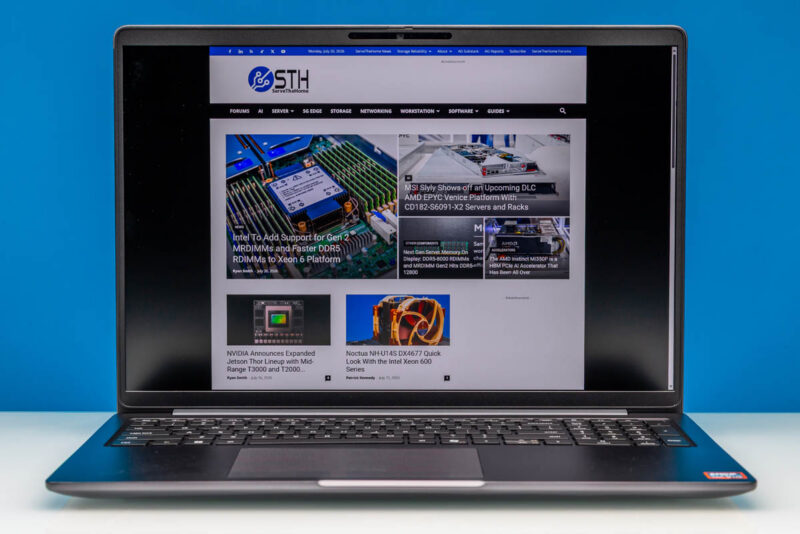
Inside, we find the typical trackpad-and-keyboard setup. Unlike some other vendors, Dell does not use the same keyboard across its 14-inch and 16-inch lineups, meaning that Dell uses the extra space the larger laptop affords to include a full numeric keypad as well. Our review sample shipped with a fully backlit keyboard, a fingerprint reader embedded in the power button, and a multi-touch trackpad.
Since this is a business-class laptop, Dell offers a selection of 16-inch IPS displays for this laptop. These include multiple resolution options and touch/non-touch screens, though no 16-inch OLED option. Our review sample came with Dell’s best screen, a WQXGA (2560×1600) panel with 100% sRGB coverage and a maximum brightness of 500 nits, as well as 48Hz to 120Hz variable refresh rate support. This is Dell’s sole 2560×1600 panel offered for this laptop. Others are all WUXGA (1920×1200), which is sufficient but unimpressive on such a large laptop.
The trade-off is the panel’s power consumption. While the 2560×1600 panel is classified as a “low power panel” the pixel density and backlight needs push the peak power consumption of the panel to 5.7 Watts, about 2.3W more than Dell’s best 1920×1200 panel.
Past that, since this is a midrange(ish) laptop, Dell does not get exotic here with resolutions or HDR capabilities. 2560×1600 is a solid panel option, though it is not class-leading in resolution for a 16-inch laptop. Dell has favored a mix of battery efficiency and business pragmatism here.
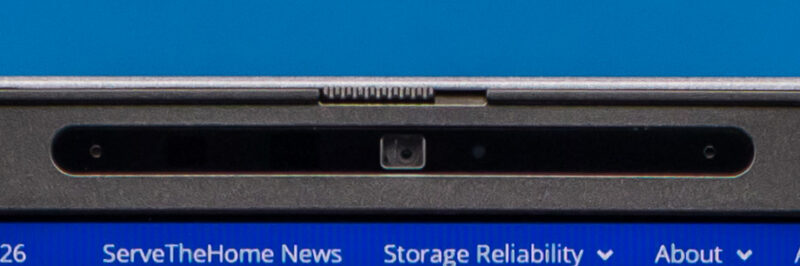
As part of the laptop’s display assembly is also Dell’s included suite of front-facing cameras. Depending on the display selected, you get either a 1080p or 8MP (1440p) camera. On paper, Dell offers configurations with and without an IR camera for Windows Hello, but all the SKUs we checked include only the 8MP + IR camera. Since this is a business laptop, the front-facing camera has a built-in physical shutter to block it off.
For audio, Dell keeps things simple with a pair of 2 Watt, downward-firing speakers that are installed along the front of the chassis.
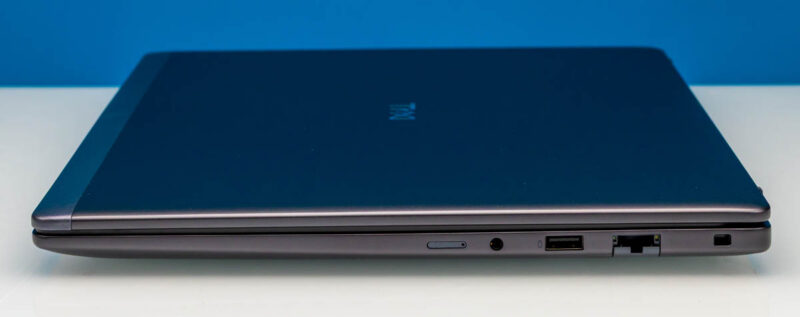
As for ports and expandability, short of the name of the laptop itself, this will be the biggest giveaway that this is a business laptop. The entire Dell Pro 5 2026 lineup features a standardized selection of ports across both laptop sizes, so everyone gets the same port configuration.
Starting from the right side of the laptop, we have a SIM card slot (unused), a 3.5mm audio jack, a 5Gbps USB-A port, and a compact RJ45 Ethernet jack.
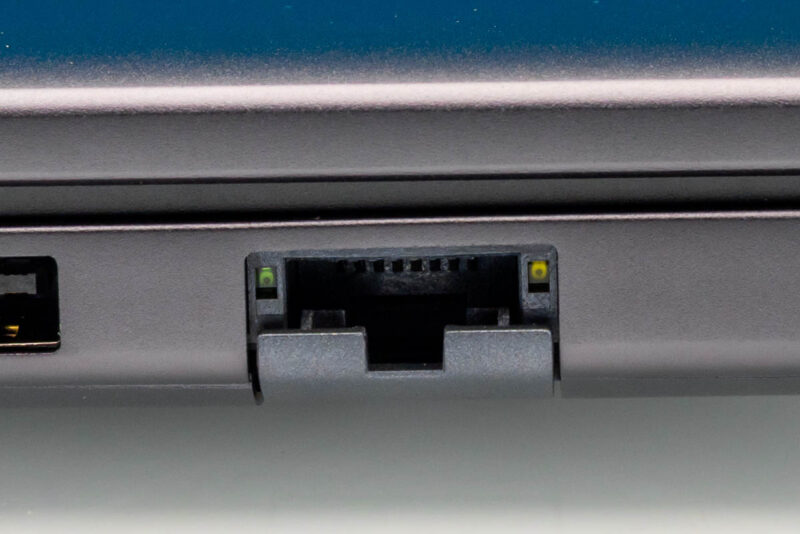
Something rare even in many business laptops, Dell has included hardline Ethernet support in the Dell Pro 5 16. Its presence is certainly welcome, though compared to the other bits of cutting-edge technology in the laptop, the Ethernet jack is oddly dated. Dell uses Realtek’s vintage 1GbE RTL8111EP-CG controller here, rather than a 10GbE controller or even one of Realtek’s readily available 2.5Gbps controllers. This is likely for management features, but the raw speed isn’t great. The end result is that the laptop offers a wired Ethernet connection if it is needed, but in a good wireless environment the integrated Wi-Fi 7 radio has the capacity to be measurably faster.
Meanwhile, the SIM card slot here is vestigial, a reminder of what the laptop can do. As an optional configuration, Dell offers MediaTek and Qualcomm modems for true mobile connectivity. Interestingly, both modems support eSIM, but the SIM slot lives to see another day regardless.
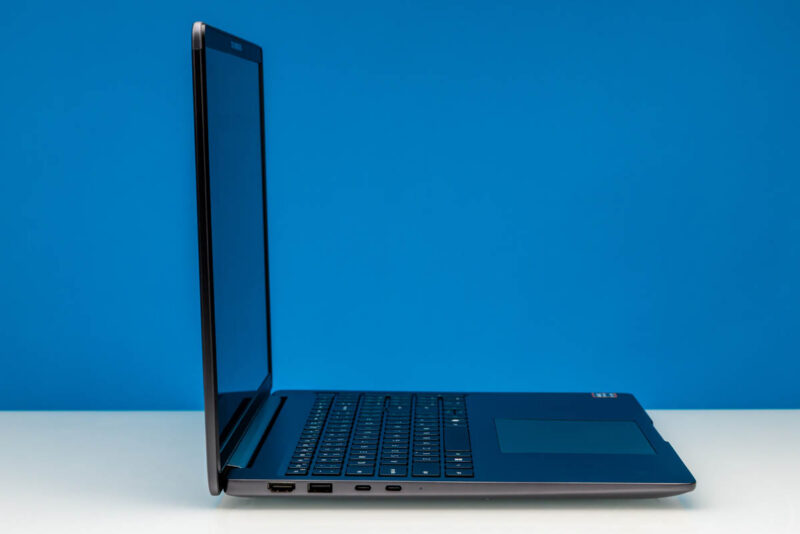
Shifting over to the left side of the laptop, we find the system’s faster ports. This includes a pair of 40Gbps USB-C ports driven by the Gorgon Point SoC. Notably, the ports/laptop have even been been Thunderbolt 4 certified, which is a step a lot of AMD laptop vendors do not take, and helps to elevate this laptop from its competition. Though for Dell, the matter may be more one of pragmatism: TB4 certification keeps the overall laptop capabilities at parity with the Intel-based Dell Pro 5 models.
Moving on, we have another 5Gbps USB-A port hanging off of the system’s SoC, and then finally an HDMI port. External monitor users will want to make note that even though it is an HDMI 2.1 port, Dell is only supporting TDMS signaling here, so the port can only drive a display up to 4K@60Hz without DSC. Which is sufficient for TVs, but a bit shy of what the newest monitors can do. That means the USB-C ports with DisplayPort Alt Mode will be the prime choice for high-end external monitors. Especially if you can get one with USB power delivery, as the Dell Pro 5 16 charges exclusively via USB-C.
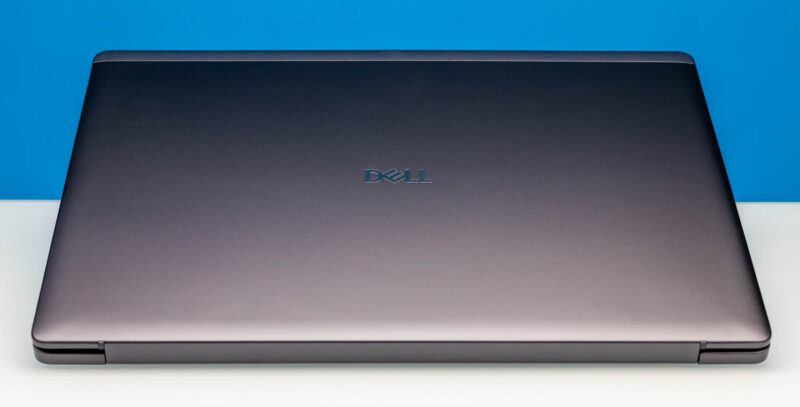
A quick look at the top of the laptop reveals the familiar Dell logo.
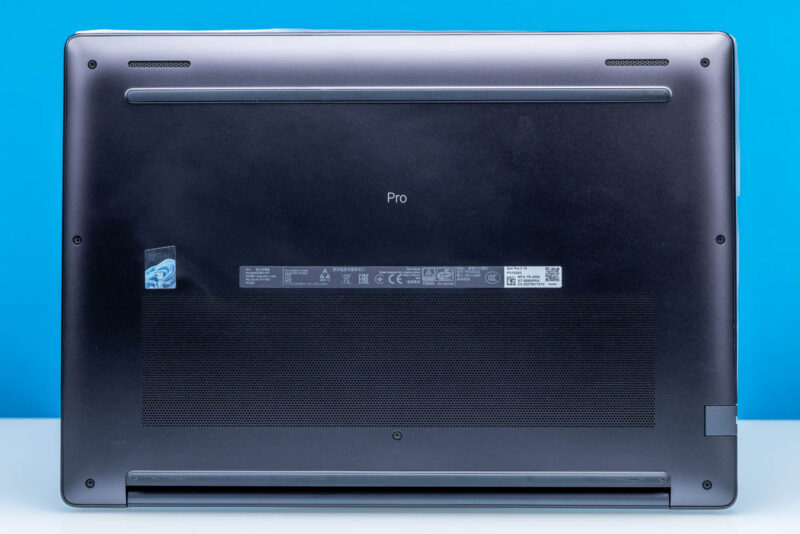
Finally, along the bottom we find the intakes for the laptop’s ventilation system, along with Dell’s usual collection of stickers, serial numbers, and QR codes. It is also the only place you will find labeling that identifies the specific model, or that it is a Pro laptop in the first place. Dell uses rubber strips along both the front and back sides of the laptops to elevate them for airflow, and these are surprisingly tall strips as well, with the rear strip adding a bit over 4mm to the final height of the 19mm laptop.
Now, let us go ahead and take a look at the internals of the Dell Pro 5 16 (AMD) laptop.


LatencyMon results would have been interesting to check whether this notebook is suitable to be used as a DAW for audio processing.
Please add LatencyMon results measuring “interrupt to user process latency”.
Results of a 5-10 minute run with no other applications running.
LatencyMon issues a typical DAW load itself.
The internal layout is a bit disappointing. They clearly used a battery meant for a 14″ device, while they could have very easily fitted in a larger one to improve the runtime and while doing so they also opted for a single 2230 m.2 drive, which is just madness. Also, using SODIMMs with a CPU that could have greatly benefitted from an LPCAMM module or soldered memory is just sad.
It feels like Dell deliberately wants their AMD machines to be inferior to their Intel ones, for some reason, and this isn’t the only example of that. I’m genuinely surprised they included a USB4 controller in the first place.
“Also, using SODIMMs with a CPU that could have greatly benefitted from an LPCAMM module or soldered memory is just sad.”
To note: AMD’s Strix/Gorgon Point SoCs do not support LPCAMM2, unfortunately. They are not quite a drop-in replacement for soldered LPDDR5X, and require some design considerations on the host side. So if removable memory is desired, Dell’s only option here was DDR5 SO-DIMM.
The CPU in this laptop supports two USB4 ports natively. AMDs mobile only silicon has done so since the 6000 series. I’d be very surprised if Dell spent money on an external controller instead of using the native function in the CPU.
@Anonymous
Oh goodness, you are right! This is definitely native. I have gone back and corrected the article. Thank you for pointing that out.