

Dell Pro 5 14 Laptop Internal Hardware Overview
Cracking open Dell’s laptop, we are finally able to get at what is, for this tech nerd, the most interesting aspect of the system: the guts. As we mentioned earlier, Dell uses LPCAMM2 memory modules in some versions of the Pro 5 14 Intel laptop, and with this module in particular, it is an Intel requirement to use LPDDR5X with the high-performance Arc B390 GPU.
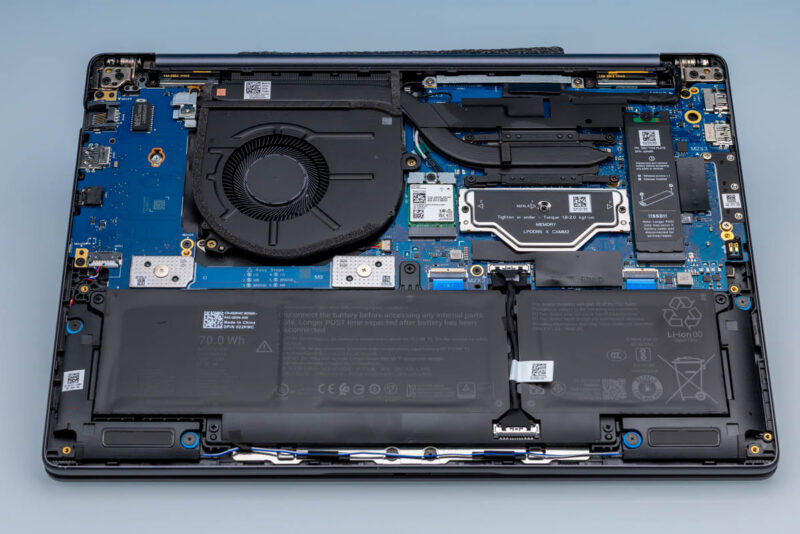
One of the perks of a mid-range corporate laptop is that almost everything here is modular, despite the relatively thin design of the laptop. The battery, the storage, memory, and even the wireless radio are all customer-replaceable. And nothing here is held in with more than Phillips screws.
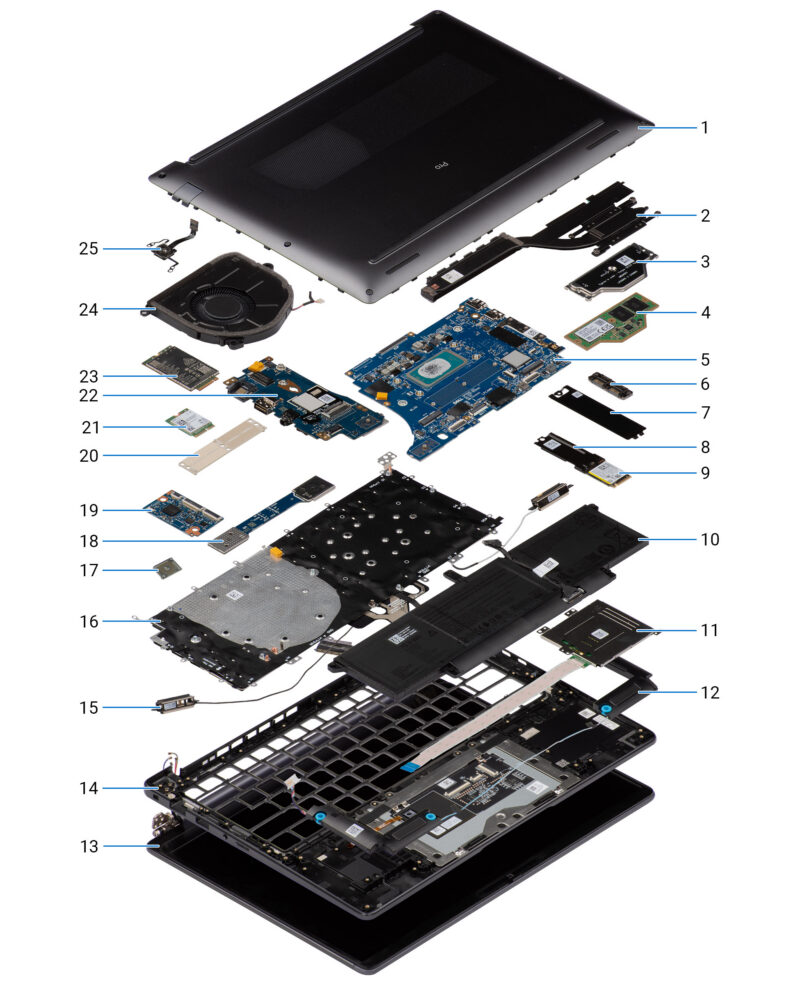
We will start our tour of the laptop’s internals with the LPCAMM2 memory module. Dell was the major promoter behind the original CAMM standard, from which LPCAMM2 eventually spun off. LPCAMM2 places a full 4-channel (128-bit) LPDDR5X memory system on a single compression module, combining the bandwidth and power efficiency of LPDDR5X with the modularity (and upgradability) of socketed memory. The LPCAMM2 module is thicker than bare memory chips, so it does add some engineering trade-offs to the design process, but it is a very welcome sight to see this modular memory in the field.
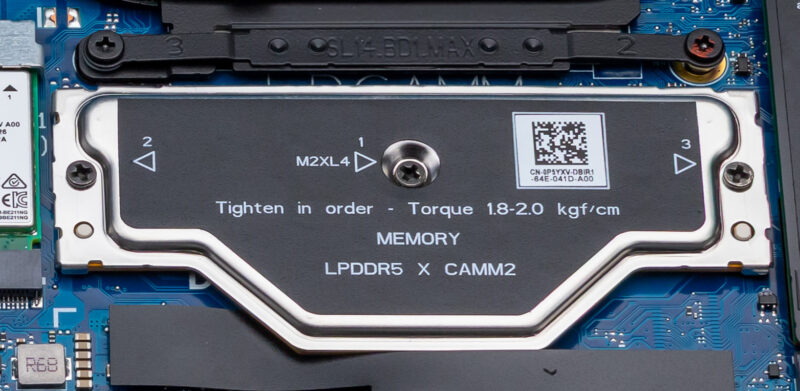
The user trade-off for LPCAMM2 is that while it is modular memory, it is not as simple to install or as forgiving as SO-DIMMs. So not only do users need to be sure to install the screws in the right order (which Dell has helpfully labeled), but they need to ensure they use the right amount of torque as well, enough to provide the necessary level of compression for the connector, but not so much as to break things.
The other trade-off right now is cost. Memory prices are high, and the still relatively low-volume LPCAMM2 modules are even worse. The 64GB LPDDR5X-8533 module in this laptop is nearly a $2,000 upgrade over the base 16GB module, and about $1,400 more than the 32GB memory option. Or, to compare with the Dell Pro 5 14 configurations that use SO-DIMMs, it is about $630 more than a 64GB DDR5-5600 SO-DIMM setup. To be sure, the memory bandwidth difference is significant, on the order of 50% more, but it certainly comes at a cost. We should also note that whenever discussing pricing, since these are business notebooks the vast majority of transactions happen with corporate discount structures.
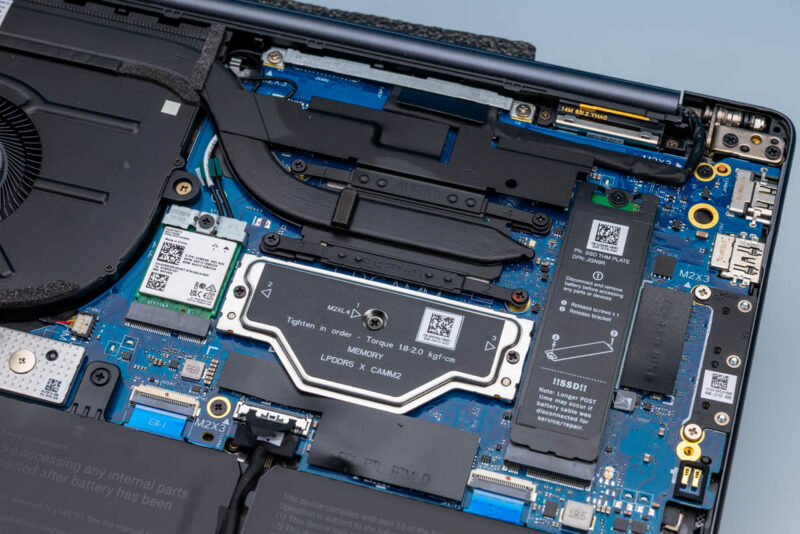
Meanwhile, to the immediate right of the LPCAMM2 module is the system’s sole M.2 SSD slot. One of the perks of LPCAMMs here is that it affords Dell extra space for the SSD. This allows Dell to use a full-size M.2 2280 slot on this laptop, whereas the SO-DIMM versions are limited to an M.2 2230 slot. This gives LPCAMM2 system owners much more flexibility for future SSD upgrades, should they go that direction.
Dell offers several SSD options for the Pro 5 14, in both capacity and performance. Our review sample came with their 1TB “performance” option, which is a TLC PCIe Gen5 SSD. Digging through the system reveals it to be SK hynix’s PCB01 SSD, a high-performance model we have seen a lot over the past year, as it is one of the go-to PCIe Gen5 SSDs for OEMs. Dell’s bracket on top functions as a heatsink, but it also allows them to mount an M.2 2230 SSD into a 2280 socket.
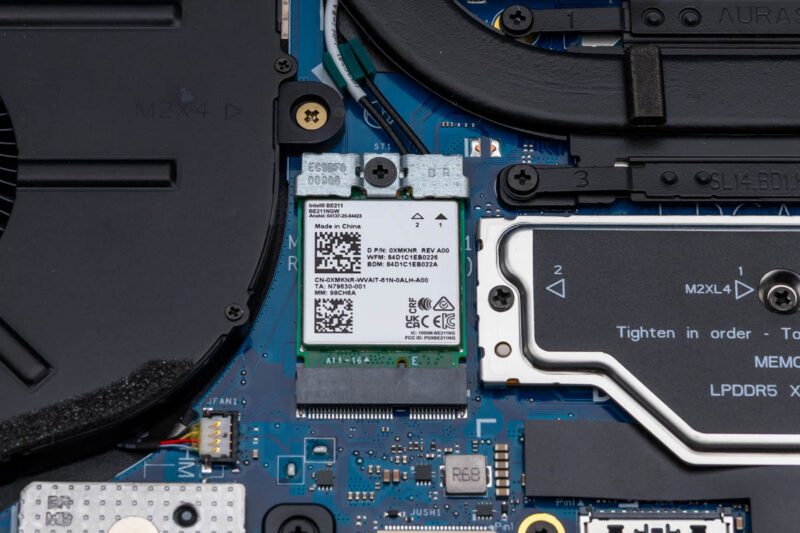
Shifting to the left side, we find Intel’s BE211 wireless radio. A CNVio3 radio that works in conjunction with the SoC’s platform tile, it offers 2×2 stream Wi-Fi 7 connectivity as well as Bluetooth 6.0 support. As noted earlier when discussing the laptop’s Ethernet jack, short of using a USB-C NIC, the BE211 is the fastest networking option for the system, especially since it supports 320MHz channels over the 6GHz band.
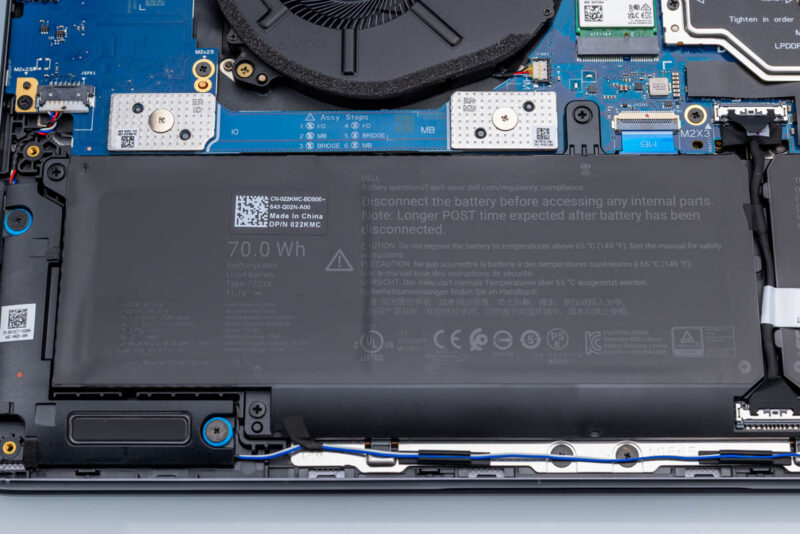
Towards the bottom of the system, we find Dell’s included battery. Like almost every other aspect of the system, this is configurable. Dell offers 45Wh, 57Wh, and 70Wh options here. Our sample system came with the largest 70Wh battery, which, when used with the super-low-power display, Dell rates the laptop for up to 22 hours of battery life.
As is typical these days, the battery is designed to last the life of the system. Though if it does not, it is fully replaceable, being held down with just screws and cables.
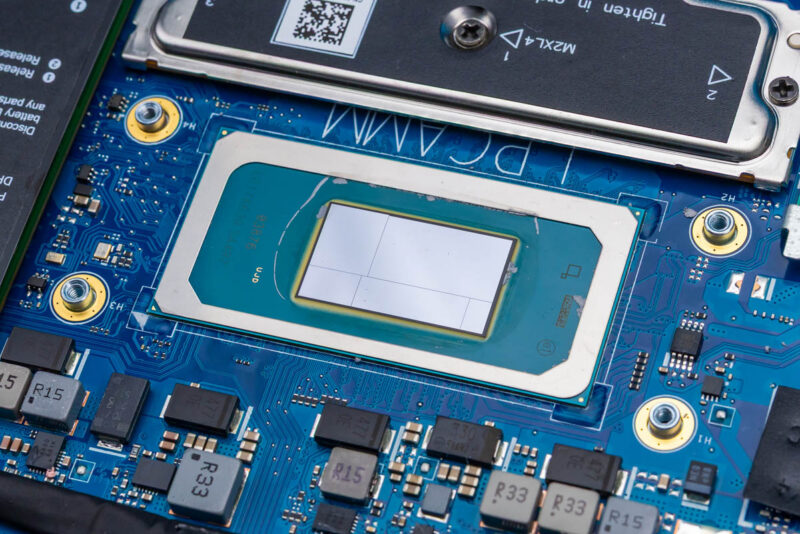
The bulk of that battery power, in turn, goes to powering the Core Ultra X7 368H processor at the heart of the system. We quickly removed the heatsink from the system to show off this Panther Lake die, which is a “full” configuration with both the 16-core CPU tile and the 12 Xe-core graphics tile, the most powerful Panther Lake configuration possible.
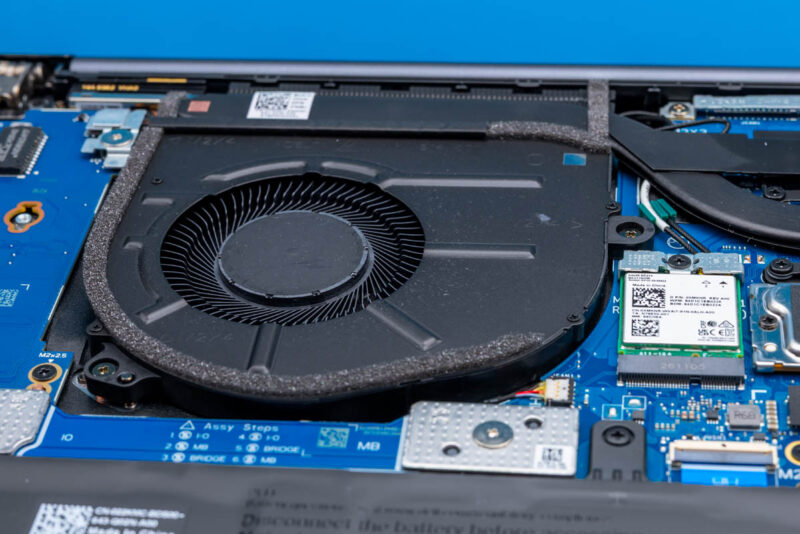
Finally, here is a quick look at the single blower fan that is cooling the system. With the Intel SoC as the only significant source of heat in the system that requires active cooling, Dell can get away with just one fan in this laptop design.
With all of that out of the way, let us see what the laptop’s full performance is like.




LPCAMM2 is cool, but finding upgrades is impossible right now.
Even Dell runs out of them. Had trouble getting 32GB LPCAMM2 in a pre-built Pro Max recently.