

ASUS Ascent GX10 Topology
Here is the topology map for the Ascent GX10:
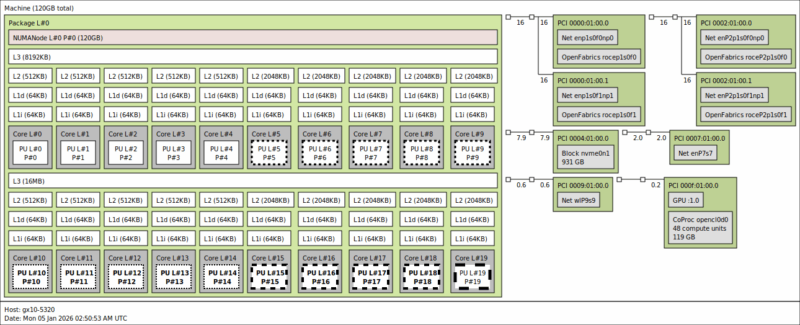
Here we can see the twenty Arm cores, along with the GPU, the WiFi 7 NIC, 10Gbase-T NIC, and the four ConnectX-7 interfaces (two ports and one per PCIe Gen5 x4 link.) As a quick reminder, here is how the GB10’s ConnectX-7 NICs are connected.
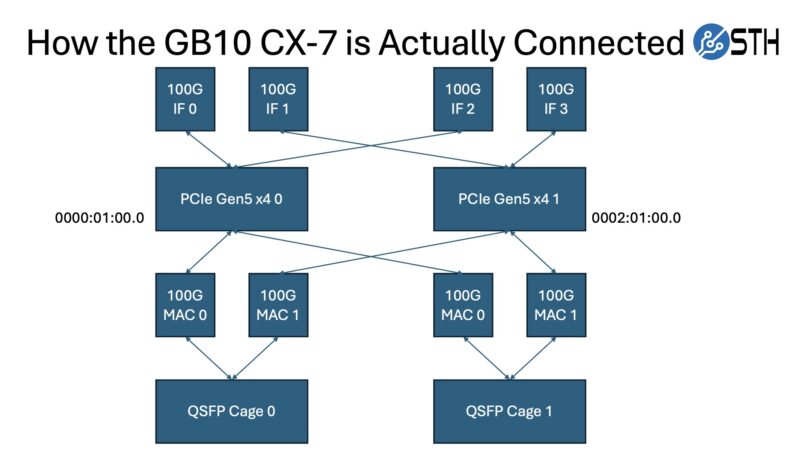
Those NICs are perhaps the most interesting part of this system, as they are a major differentiator from other mini PCs.
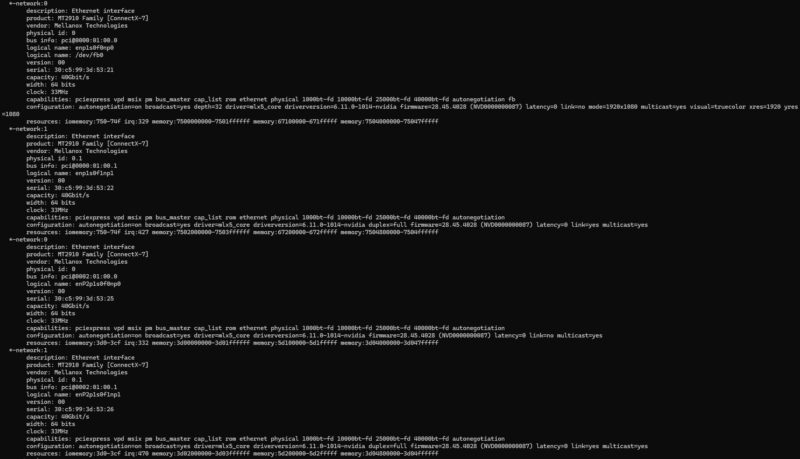
The other interesting part is that since this has unified memory, the memory at the system level and the coprocessor level is the same. That is different from an AMD Ryzen AI Max+ 395 128GB system as an example.
ASUS Ascent GX10 Software Overview
While ASUS controls the hardware – and as we found out from Dell, the OEMs even control the firmware updates beyond that – the company has very little influence on the software running inside. Like the DGX Spark itself, all the Spark-alikes run NVIDIA’s DGX OS, a variant of Ubuntu Linux with all the necessary drivers and software tools pre-installed. While some may prefer other Linux distributions, the fact that NVIDIA is putting resources into the DGX OS means we get something that is quite useful. For example, there is a NVIDIA Sync utility that sets up all of the back-end SSH keys and tunneling.
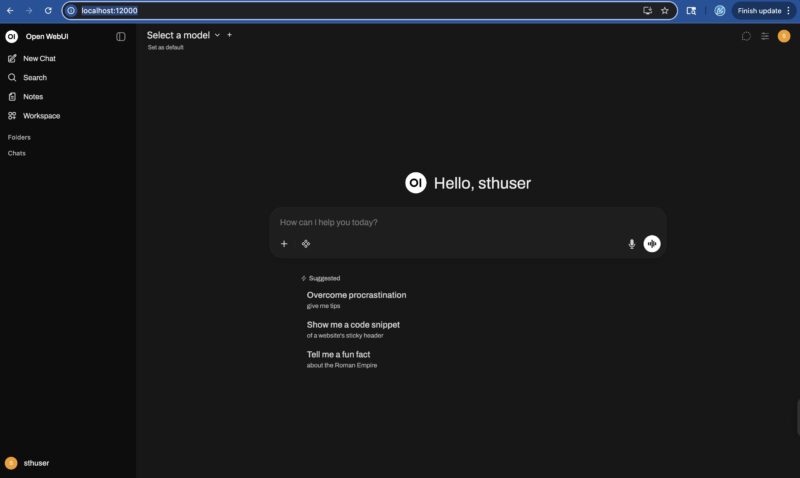
The NVIDIA DGX Dashboard is the primary means of interfacing with the system.
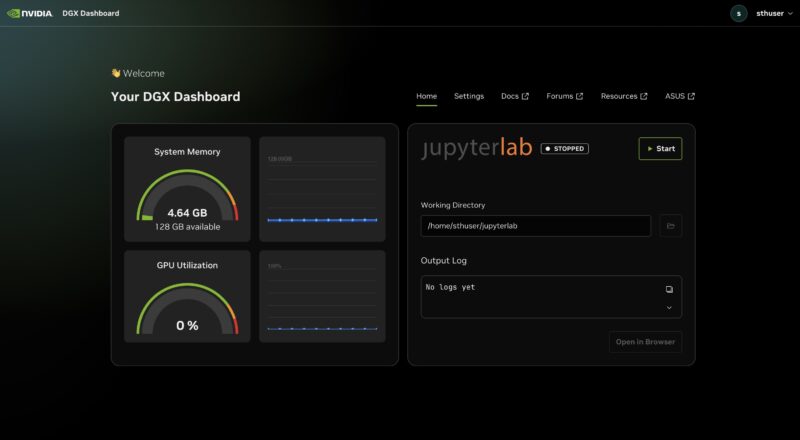
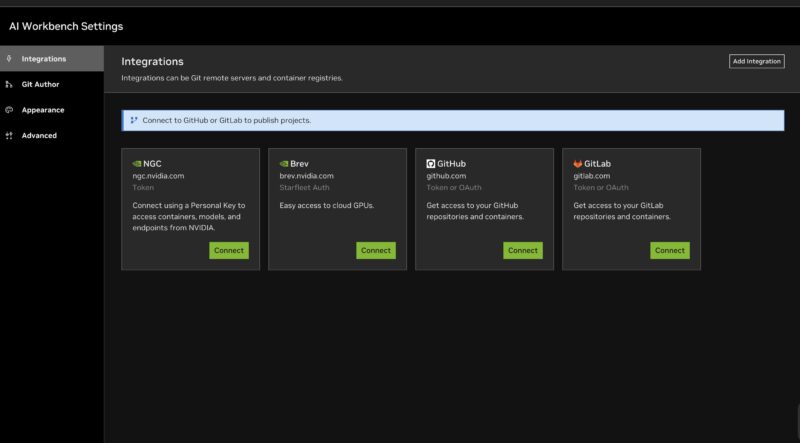
At this point, it is essentially an NVIDIA software environment running inside a box built by ASUS. NVIDIA has done a lot of work building tools like the AI Workbench to directly connect to various tools.
There are also the DGX Spark Playbooks on Github that provide a lot of great starting recipes for getting a variety of scenarios setup from ComfyUI to multi-unit scaling through NCCL.
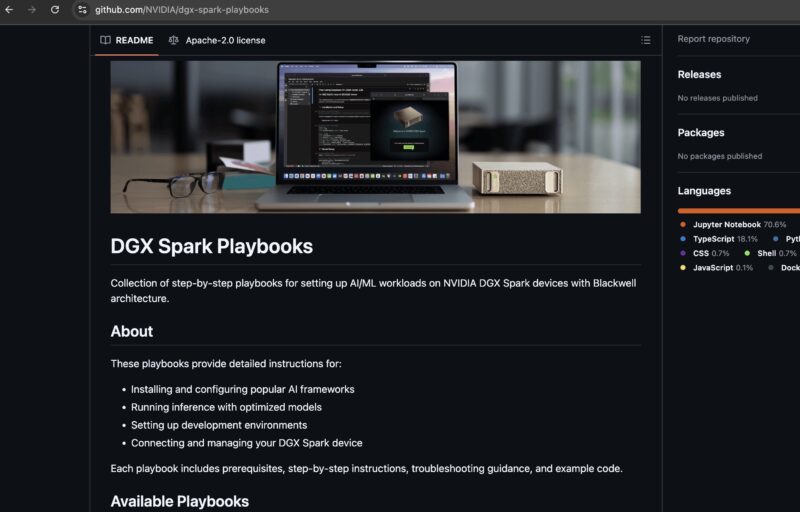
Overall, this is something that is useful. There are plenty of AI with NVIDIA GPU tutorials out there, but having some GB10 specific ones is quite useful. Still, we wanted to see what we could around the performance side of the unit.
ASUS Ascent GX10 Performance
This might seem strange, but the 20-core Arm CPU in these units is really quite quick. Most folks rightly discuss the GPU prowess and the impact of the 128GB LPDDR5X versus GDDR memory. First, we did a quick Geekbench 5 test, since we have 20 cores and we need scaling beyond what Geekbench 6 offers, and compared the DGX Spark to the ASUS Ascent GX10.
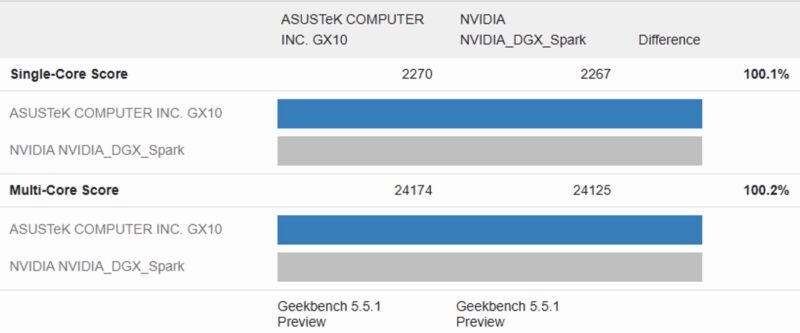
We ran this multiple times and since they are the same GB10 we thought they would be about even. As you can see, they certainly are, but at least the $1000 higher cost DGX Spark is not faster.
Something else that was neat is that we just reviewed the Lenovo ThinkCentre neo 50q Tiny QC with the Qualcomm Snapdragon X.
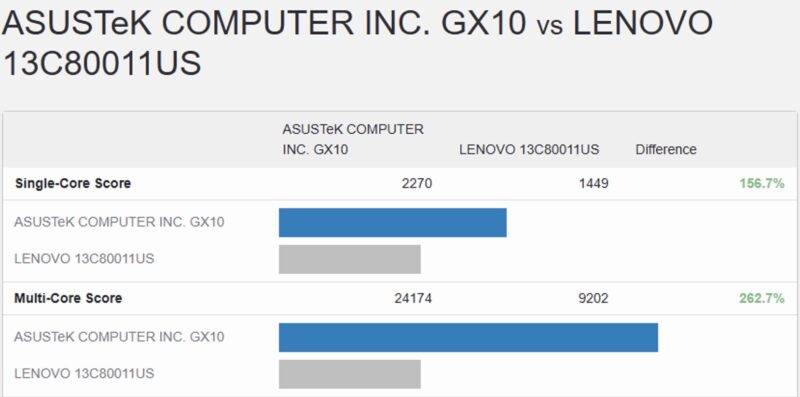
The Ascent GX10 has more cores, but it is also much faster both on the multi-core score, as well as the single-core score. You might expect that Qualcomm’s custom cores designed for desktops would win here by a wide margin, but it is the opposite.
Another task was to see how this compared to the other NVIDIA GB10 systems in AI tasks.
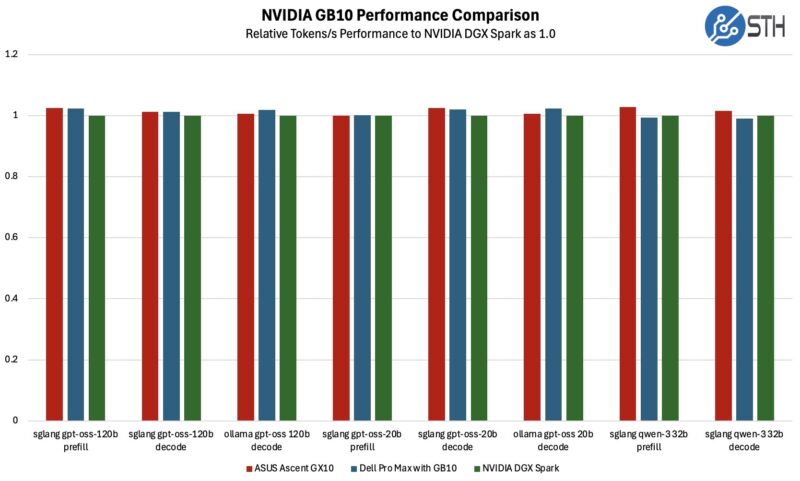
Overall, ASUS performed well. We ran load on these over an hour, and re-ran the benchmarks.
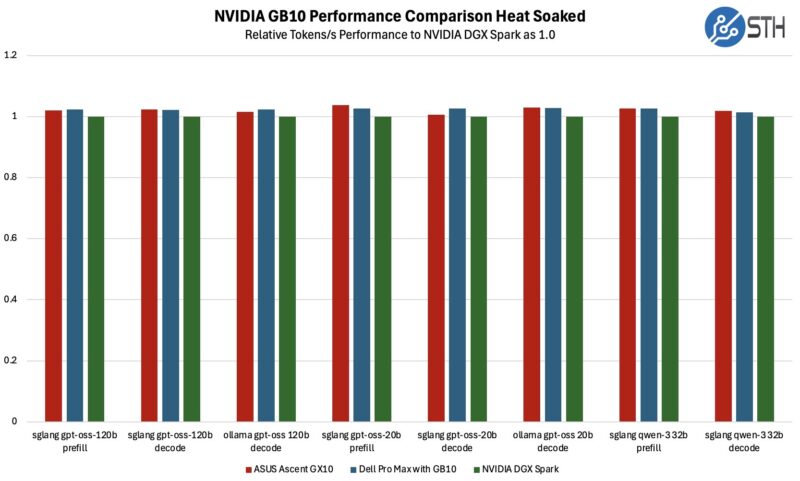
ASUS actually did really well with these. The load is falling off before the GPU picks up, so the SoC is getting a short period to cool, but it is still a testament to the cooling ASUS designed. Again, these are all using the same GB10 SoC. We need to figure out a better way to apply a heat soak load to really stress the unit right up to the point of inference, but another way to look at it is that even this level of heat soak to inference is not realistic real-world especially after using five of these GB10 systems over the past few months.
Next, let us get to the power consumption.



I made mention of this in a prior review, but of all of the DGX Spark System’s being sold, the ASUS is unique in that it is the only one that provides NO SUPPORT or Warranty at all.
It is being sold “as is” by ASUS.
I went with the Dell with 2 TB SSD for about $3,500, and it includes a full 1 year standard warranty, with extensions available.
The Asus Ascent GX10 has a warranty, per Asus’ website:
“No returns will be accepted once the order is processed.
Defective units under warranty may be returned for repair or replacement, subject to inspection and approval.”
It even lists a Warranty card on the included items:
“Accessories
AC Adapter
Power Cord
User Manual
Warranty Card”
This only means no buyer’s remorse, but they will fix it if broken, or replace it.