

ASRock Rack 2U12L2S-SIENA Block Diagram
Here is the motherboard’s block diagram.
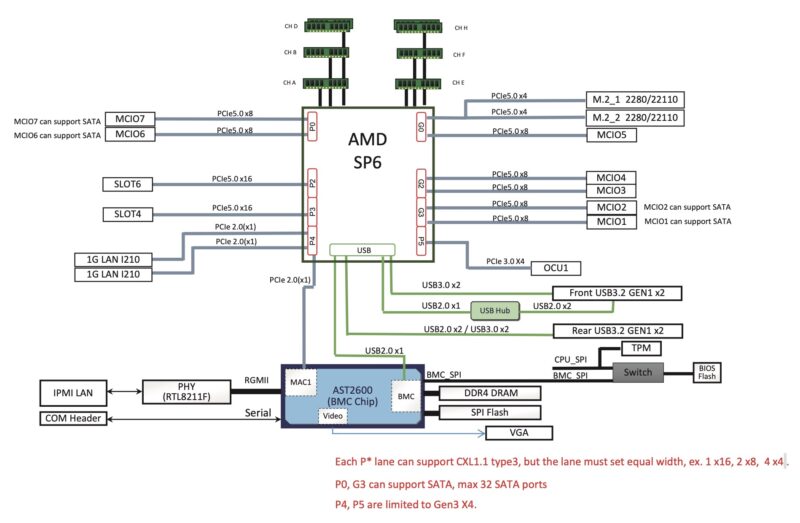
This diagram shows the PCIe roots. Nothing of note is really shared in terms of PCIe lanes across the system which is ideal for a system like this.We can also see how ASRock Rack made use of the lower-speed PCIe lanes for things like the dual 1GbE with the i210-at’s and the PCIe Gen3 x4 Oculink connector.
ASRock Rack SIENAD8UD3 Management
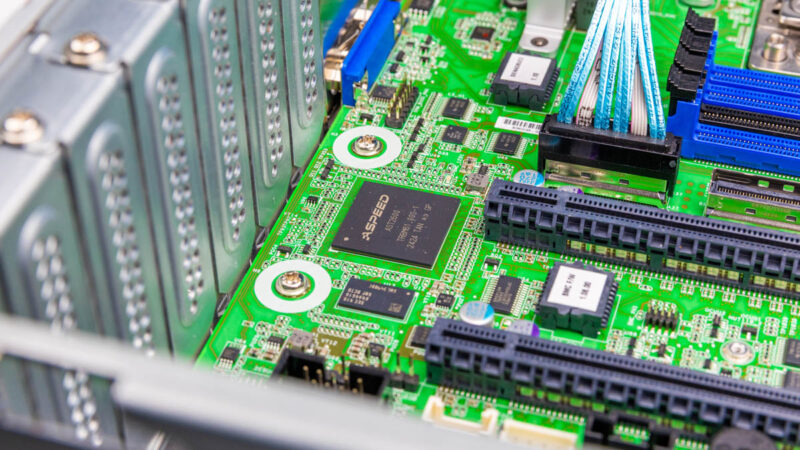
With this generation of servers, we have the new ASPEED AST2600 BMC. That means we also get a newer ASRock Rack management solution.
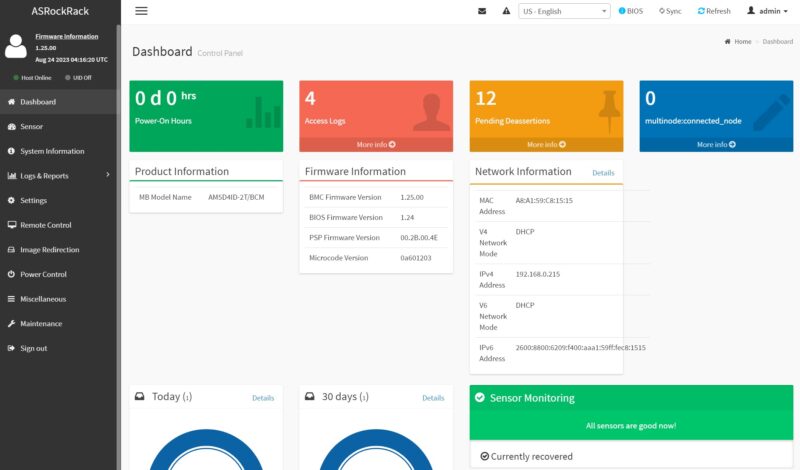
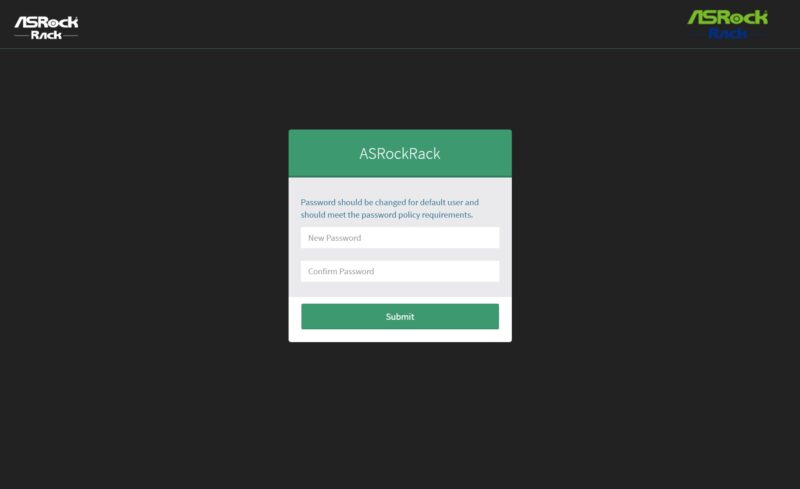
Instead of going into this in-depth, since we just did that in the ASRock Rack AM5D4ID-2T/BCM review, we are just going to show the key features from that. Logging in, we can see an ASRock Rack skinned management interface. This is an industry-standard IPMI interface.
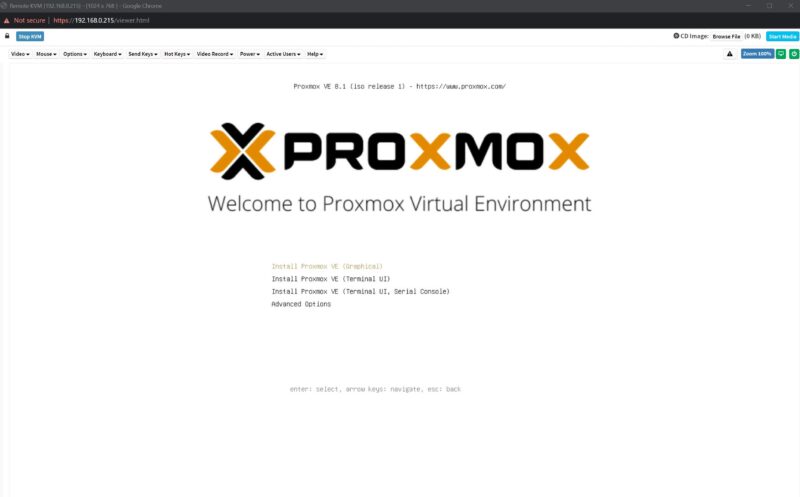
Included are features like HTML5 iKVM with remote media. Companies like Dell, HPE, and Lenovo charge a lot for iKVM functionality. Now, companies like Supermicro charge for remote media mountable via the HTML5 iKVM. This is a small feature, but one that is handy for many users and it is great that ASRock includes this with the board.
Another new feature with this generation is that the default password is admin/ admin, but then it immediately prompts for a change with some validation rules (e.g. you cannot just make “admin” the new password.) This is done to comply with local regulations.
Next, let us get to the performance.
ASRock Rack 2U12L2S-SIENA Performance
We had tested this platform previously, and our numbers were +/- 1.5% of the last time we tested it with the AMD EPYC 8534P(N) SKUs and the 8324P(N) parts.
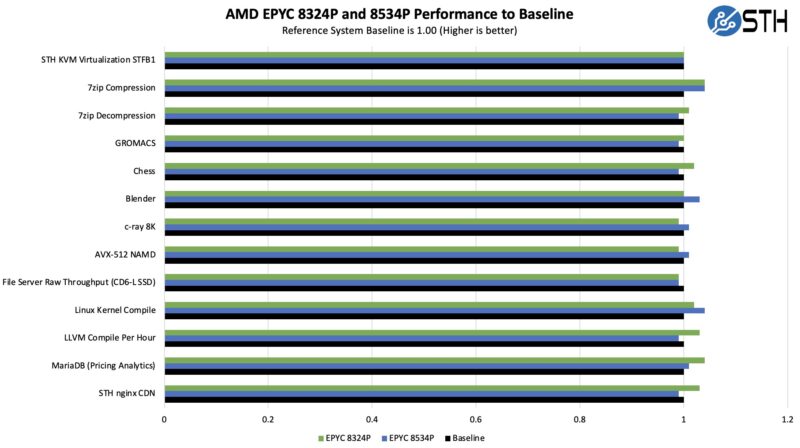
Since we got effectively the same numbers here, we are just going to say that this system is the same performance as when we tested the motherboard alone. That is exactly what we would expect, but at least we were able to confirm that here.
Next, let us get to our key lessons learned.

At this point, where’s the AMD EPYC 8005 Sorano for the same SP6 socket?