

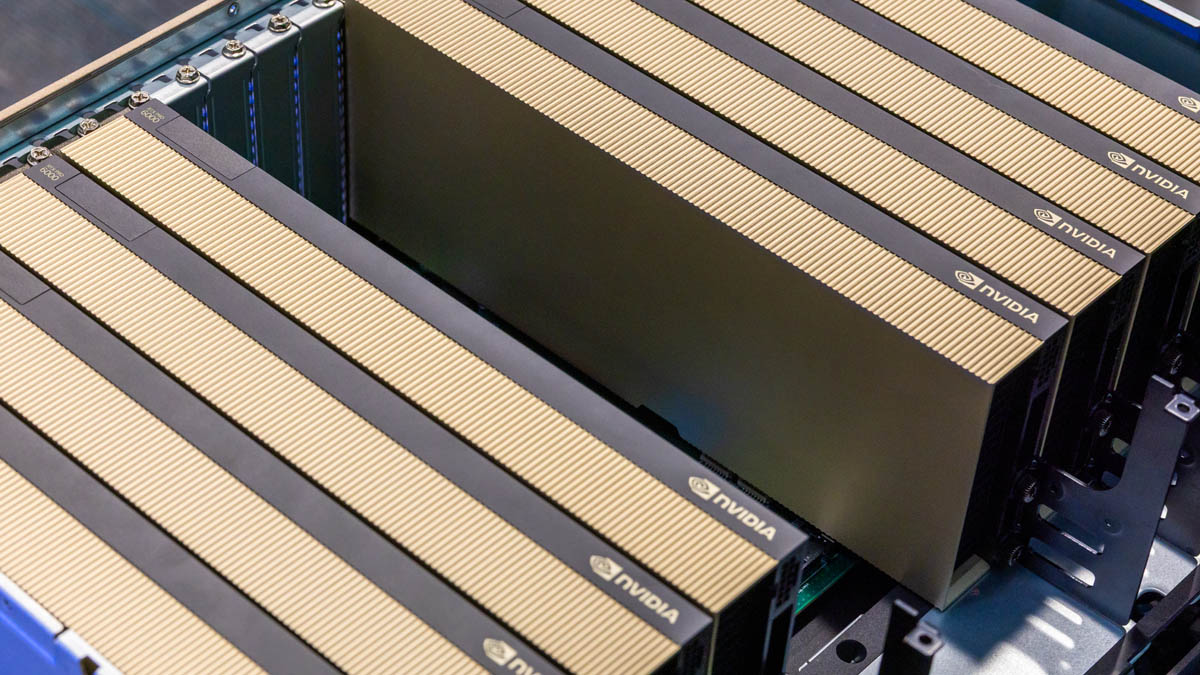
We often discuss the AI GPUs in the context of high-end integrated racks involving the NVIDIA GB200 NVL72 or NVIDIA HGX 8-GPU platforms that are used for AI factory applications. Still, there is a lot of AI that happens outside of these huge installations. Today, we are going to talk about those, both in the context of an “Enterprise AI Factory” but also down to edge servers and workstations. I have been wanting to do this piece for several months, and Supermicro managed to get all of the components together in one room so we can show folks the answers to simple questions like “which PCIe GPU should I use, where, and when?”
Of course, for this one, we have a video:
As always, we suggest watching it in its own tab or app for the best viewing experience. We also need to say thank you to Supermicro who got all of these systems together. Also, NVIDIA’s GPUs are the most popular these days, and they managed to get us a bunch of GPUs to use for this. We are going to say they are sponsoring this. With that, let us get to it.
8x PCIe GPU Systems
The 8x PCIe GPU systems are in some ways parallel to the SXM-based systems, with a few big caveats. PCIe GPU systems typically have GPUs between 300W and 600W per GPU, making them lower power than the SXM-based solutions. Beyond that, we typically see ratios of two East-West 400GbE NICs per PCIe GPU while in SXM-based systems, that is more of a 1:1 ratio. Also, removing the NVLink switch architecture means that the systems can be produced at a lower cost (albeit without that increased performance) and at lower power. While it may sound like these systems are simply lower-power versions of the SXM-based platforms, that is not necessarily the case. There are additional options to customize the GPUs used in the platform and add additional graphics capabilities.
Typical PCIe GPUs we see used are:
- NVIDIA H100 NVL / H200 NVL with NVIDIA AI Enterprise software
- NVIDIA RTX PRO 6000 Blackwell Server Edition
- NVIDIA L40S
The NVIDIA H100 NVL and H200 NVL with NVIDIA AI Enterprise software are designed to include NVLink interconnect technology across up to four GPUs. These are solutions typically used for post-training models and for AI inference potentially at a lower power per GPU than the SXM systems. Perhaps the biggest reason to choose the H200 NVL over the H100 NVL is the newer HBM memory subsystem which is improved for memory-bound workloads.
The NVIDIA RTX PRO 6000 Blackwell is used for something slightly different. This is NVIDIA’s solution for those running a large mix of workloads. While these cards do not have the high bandwidth memory, they gain the RT cores, encoders, and even video outputs. That means the RTX PRO 6000 can be used for graphics workloads such as for engineering, VDI, rendering, and so forth. They can also be used for AI inference, with each card packing 96GB of GDDR7 memory per GPU. In an 8-GPU system, one can partition these GPUs into four instances using Multi-Instance GPU (MIG) for up to 32 logical GPUs. In total, eight of these GPUs offer 768GB of combined GPU memory for AI inference applications. In an eight GPU system, one can use the GPUs for different applications based on the time of day (e.g. VDI in the day, and AI inference in the evening.) One can also use the GPUs for different tasks during different times of the day. The key here is the flexibility on what you can do with these since each GPU has a lot of memory, but critically the NVIDIA RTX graphics capabilities that AI-focused GPUs do not have.
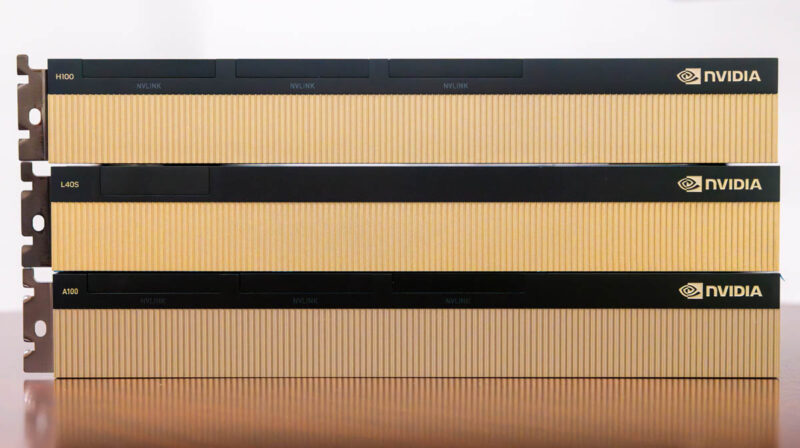
The NVIDIA L40S is effectively a lower-cost GPU for this platform based on the Ada Lovelace architecture. These GPUs have 48GB of memory and graphics capability but do not have some of the newer features like MIG.
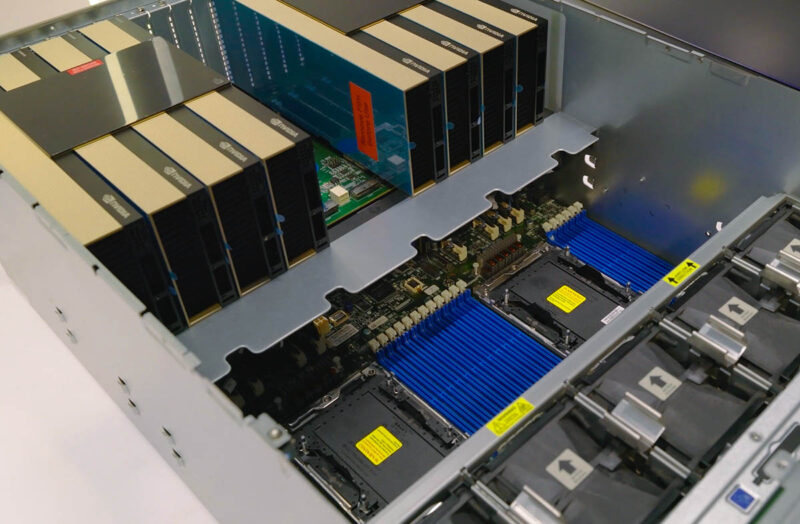
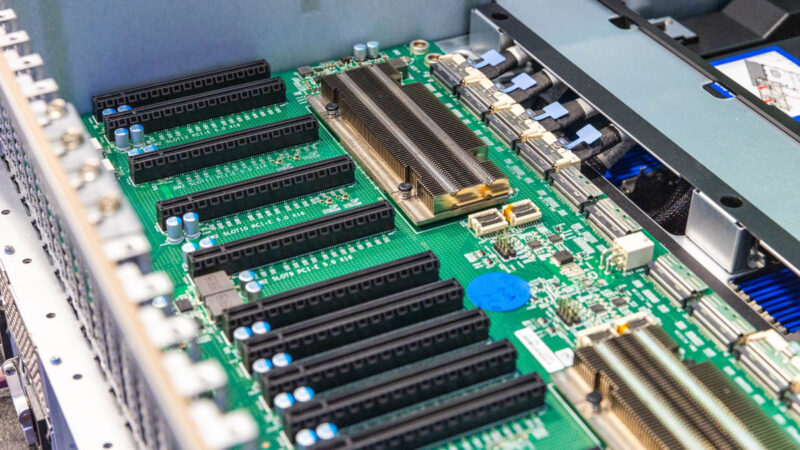
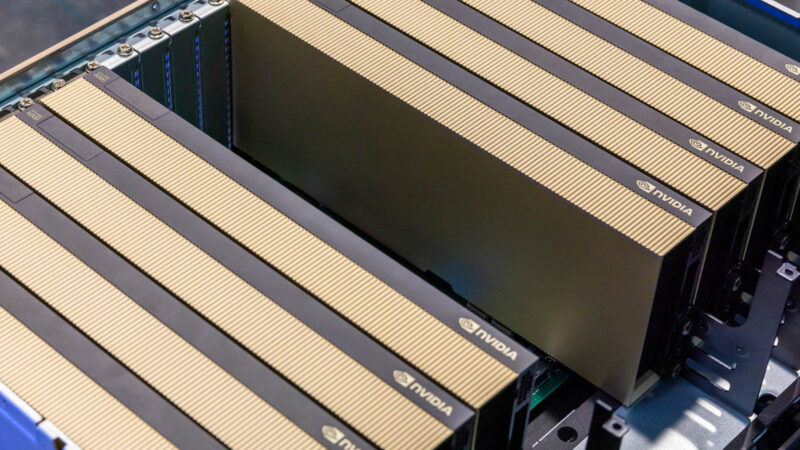
Supermicro has the SYS-522GA-NRT an RTX PRO Server that supports 8x RTX PRO 6000 Blackwell Server Edition GPUs. Inside the platform, we have two PCIe switches along with two CPUs, 32 DDR5 DIMMs, room for multiple NICs, and SSDs.
Power consumption varies widely based on the configuration, but the advantage of these platforms is that they tend to use less power than the SXM systems leading to lower operating costs. Acquisition costs are often lower than the SXM-based systems as well.
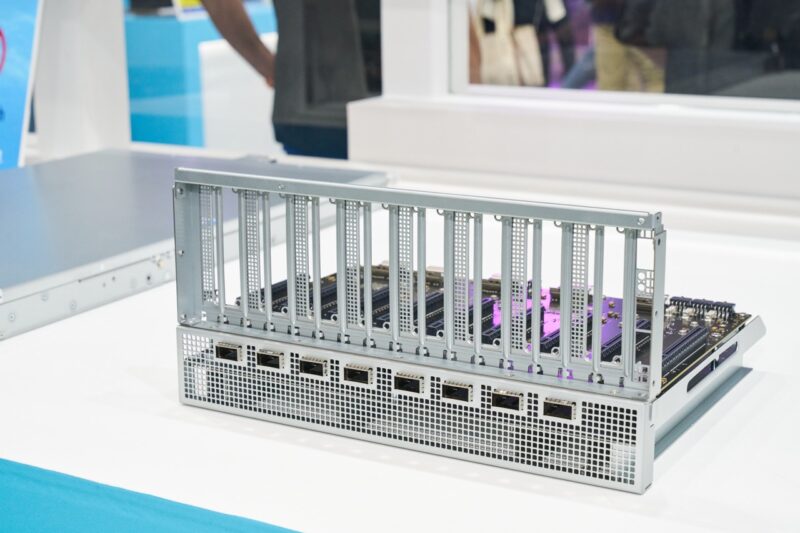
Something new for 2025 is the new NVIDIA MGX PCIe Switch Board with NVIDIA ConnectX-8 SuperNICs for 8x PCIe GPU Servers. This is a big change to the platform that Supermicro is adopting in its Supermicro SYS-422GL-NR.
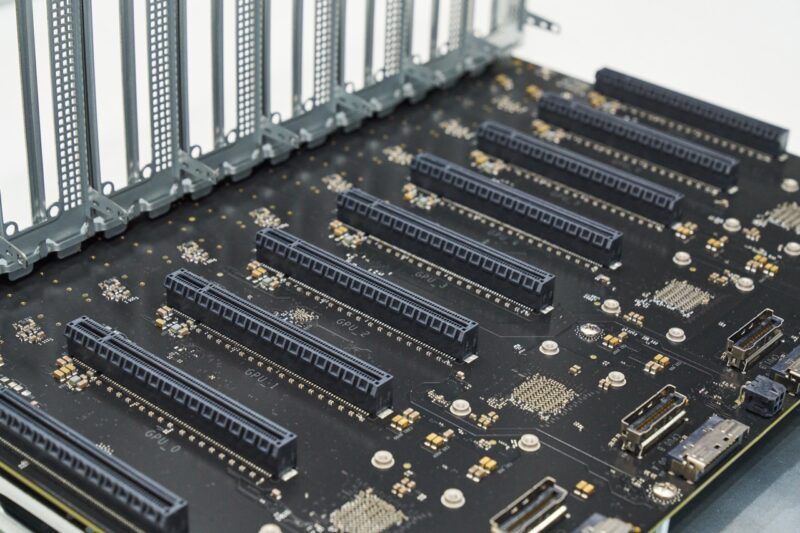
Instead of using two or four larger switches, the new platform utilizes ConnectX-8 SuperNICs and their built-in switches to provide high-speed networking for the GPUs. This is, by far, the biggest change in the platform in many years.
Next, let us take a look at some standard compute servers that are designed to accommodate GPUs.




So many GPUs. I’m more of questioning if I need to GPU servers today for them to be running next software releases in 8 quarters. If I don’t, will they be obsolete? I know that time’s comin’ but I don’t know when.
First mentioned in Patrick’s article: “This is the NVIDIA MGX PCIe Switch Board with ConnectX-8 for 8x PCIe GPU Servers”.
This article might have mentioned the GH200 NVL2 and even the GB200 (with MGX), for example SuperMicro has 1U racks with one or two of these APUs: ARS-111GL-NHR, ARS-111GL-NHR-LCC or ARS-111GL-DNHR-LCC etc. . That gives you the newer GPUs with more performance than the 6000 but far less cost than the 8x GPUs.
In addition to the “AS-531AW-TC and SYS-532AW-C” mentioned on the last page, SuperMicro has many Intel options (and much fewer AMD; for “workstations” only ThreadRipper and no new EPYC Turin) such as the new SYS-551A-T whose chassis has room set aside to add a radiator (in addition to old chassis like the AS -3014TS-I).
What’s really new is their SYS-751GE-TNRT, with dual Intel processors and up to four GPUs, in a custom pre-built system. What makes it different than previous tower workstations is that the motherboard X13DEG-QT splits the PCIe lanes in two, with half of them on one side of the CPUs and the rest of the lanes on the other side (instead of having all the PCIe lanes together on one side only). I presume that’s to shorten the copper traces on the motherboard and make retimers unnecessary, even with seven PCIe slots.