

Supermicro SYS-112D-36C-FN3P Block Diagram and Topology
A motherboard block diagram is a good place to start because it explains why this platform feels different from older Xeon D systems. An Intel Granite Rapids-D chip, the Xeon 6 6553P-B, sits at the center. The QSFP28 networking, DDR5 channels, PCIe Gen5 expansion, M.2 storage, USB, and BMC connectivity all branch from that SoC, rather than hanging from a larger multi-chip platform.
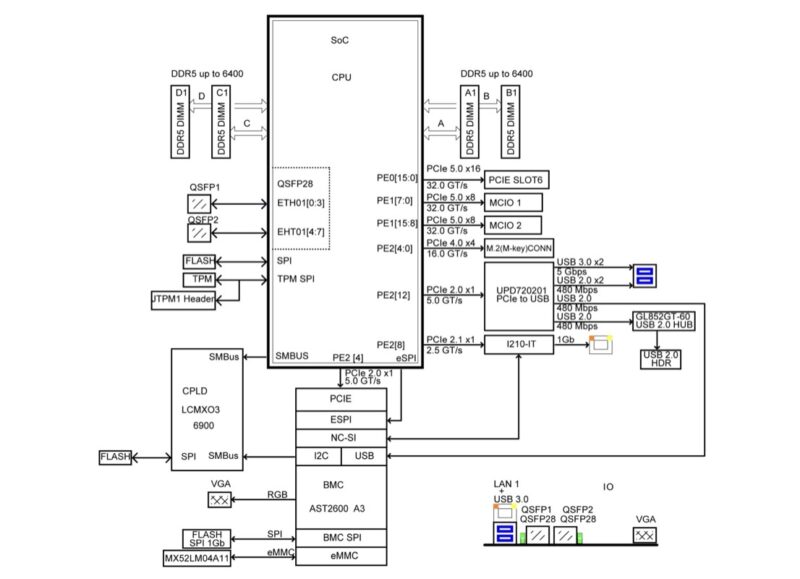
That diagram also helps explain the front-panel layout we saw earlier. LAN 1, USB 3.0, the two QSFP28 ports, and VGA are all shown as front I/O, while the PCIe Gen5 x16 slot and MCIO connections show where the platform has room for more expansion than the small chassis might suggest.
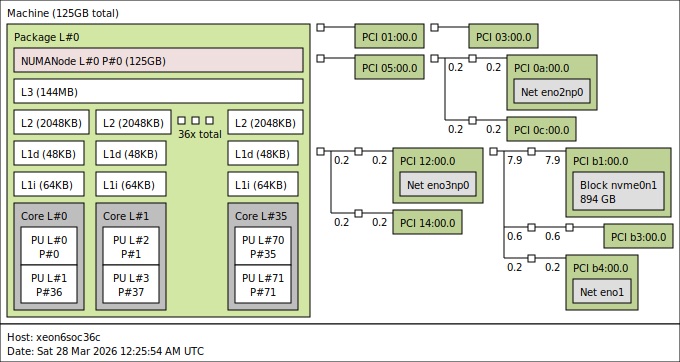
Here is the topology view from the 36-core platform. The key point is that the system is centered on the Intel Xeon 6 SoC, with networking, PCIe, memory, and storage all attached to the SoC platform.
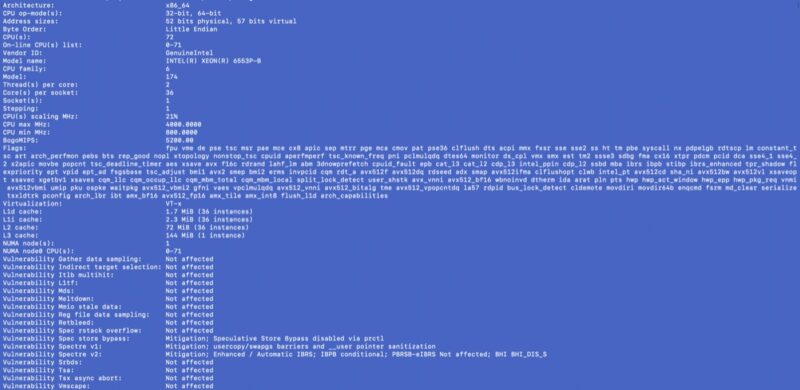
The local lscpu output confirms the 36-core, 72-thread configuration and the cache hierarchy. At 4MB of L3 cache per CPU core, this gives the 6553P-B a total of 144MB of L3 cache across the chip.
Linux sees the Intel E825C networking through normal tooling. That matters because the 2x 100GbE ports are not an add-in NIC in this configuration.

Another tool view shows the same networking block from a hardware inventory perspective. This is useful confirmation that the operating system is seeing the integrated networking as expected.
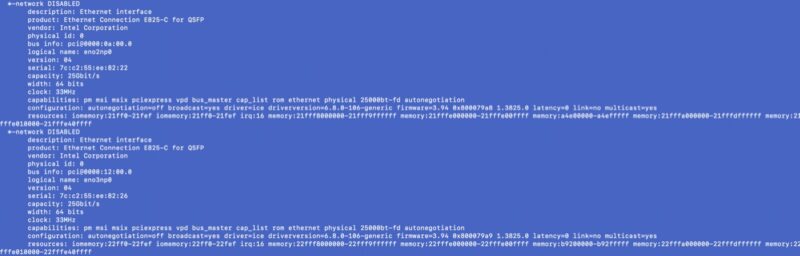
Note that, for some reason, we used a blue-and-white-themed terminal to take these screenshots.
Next, let us talk about management.
Supermicro SYS-112D-36C-FN3P Management
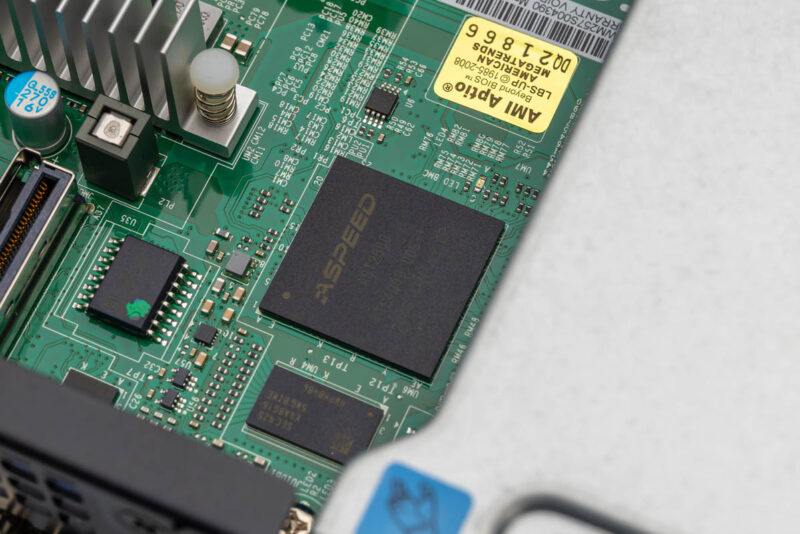
For management, this system follows the same standard Supermicro IPMI implementation we saw on the 40C review platform. On the board, that starts with the ASPEED AST2600 BMC.
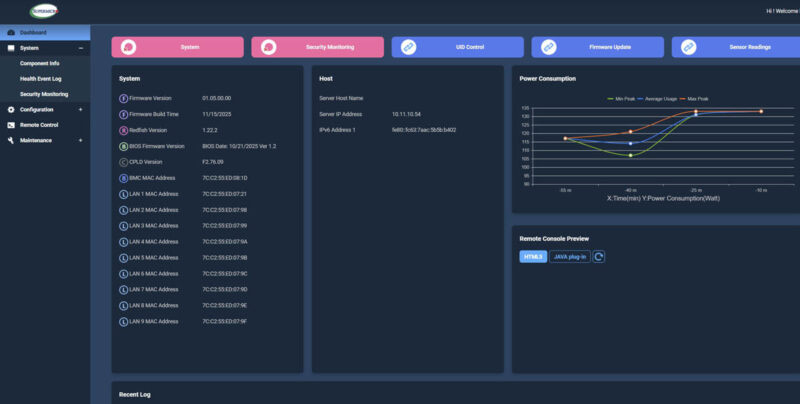
Running on that BMC is Supermicro’s familiar IPMI interface. The dashboard gives access to system health, configuration, and sensor data in the same general way as the 40C system.
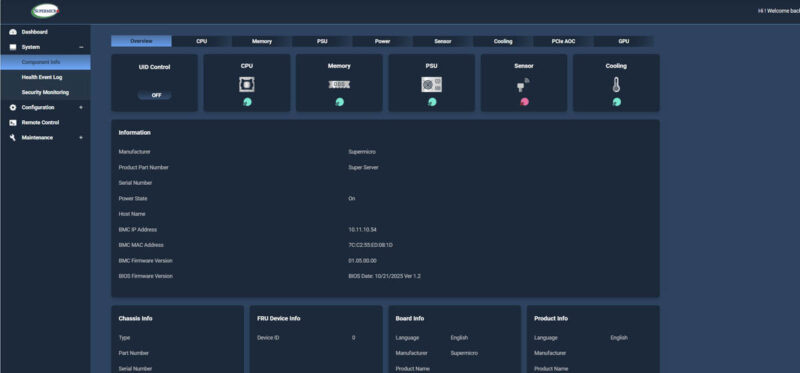
The component information view is useful for checking installed hardware and firmware-level details. This is the kind of standard server management view that makes remote troubleshooting easier.
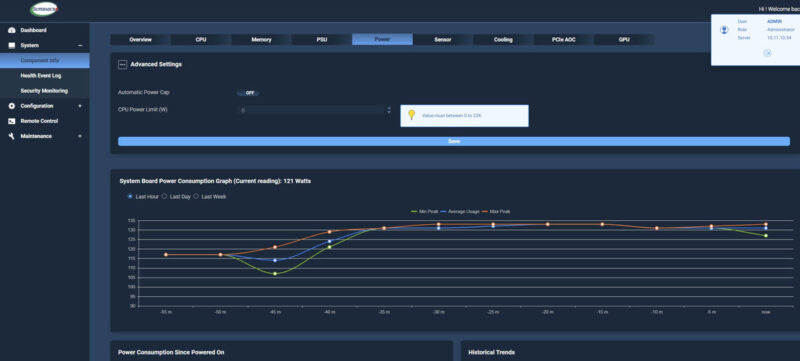
Supermicro also exposes power information and related controls through the IPMI interface. That is useful in a system where a 235W SoC and an add-in card can both contribute to the platform power envelope.
There is also an HTML5 iKVM feature. This is common on current server platforms, but it remains one of the most important day-to-day management features when the machine is remote.

Remote media mounting is present as well. Being able to mount images and storage remotely is still a key feature for installation and recovery workflows.
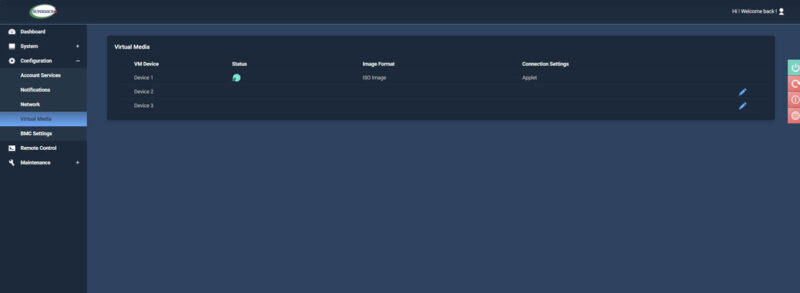
Overall, this is a very standard Supermicro IPMI implementation, which is exactly what we expected after the 40C review.
Next, let us talk about the performance.

Please can you post the graphs in a lossless format – the compression makes some of the headings hard to read