Lenovo ThinkStation PGX Internal Hardware Overview
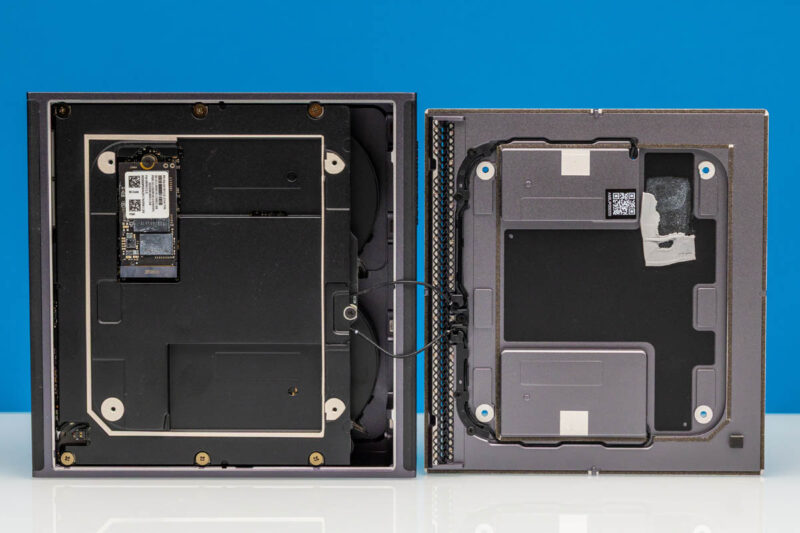
Removing the bottom plate of the ThinkStation PGX reveals additional components that must be removed to gain meaningful access to the system – including the system’s integrated speakers.
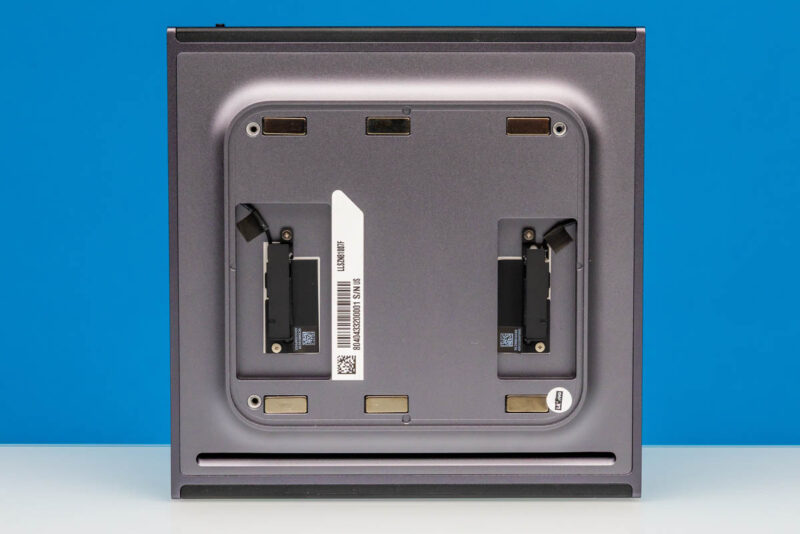
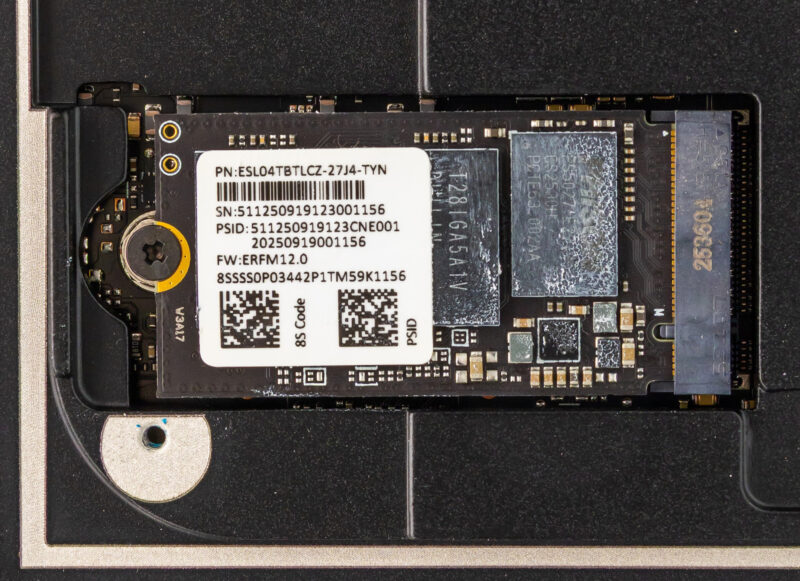
Once we remove a further metal plate, we can reach the sole user-upgradable component of the ThinkStation PGX: its M.2 SSD. Atypically, this is an M.2 2242 (42mm) slot, so the PGX is not able to take full-size (2280) SSDs. That said, the 2242 form factor still provides enough space for up to 4TB of NAND in the current generation of drives, and Lenovo offers PGX configurations with 1TB or 4TB configurations for storage.
Internally, the M.2 slot is wired up to a PCIe Gen5 x4 root port, meaning the slot supports the latest and greatest in SSDs. However, checking out Lenovo’s spec sheet, the PGX is notable for being the only 4TB GB10 system we have seen thus far that does not offer a PCIe Gen5 SSD.
All of the GB10 vendors have been using PCIe Gen4 drives for their 1TB/2TB configurations, but for their 4TB configurations (when available), they have at least offered the choice of a PCIe Gen5 SSD. This is not the case for Lenovo, which sticks to PCIe Gen4 throughout. The silver lining, at least, is that Lenovo guarantees TLC NAND at all tiers, whereas Dell will give you a QLC SSD even at the 2TB tier.
Ultimately, this means that GB10 buyers needing the greatest possible SSD bandwidth (for burst workloads, at least) will want to take note, as there are other GB10 systems with faster SSDs.
In any case, the 4TB drive included with our review sample is labeled ESL04TBTLCZ-27J4, which seems to be a 4TB SSD based on a Phison T27 controller and paired with TLC NAND.
Digging deeper still, we are able to remove the entire motherboard and heatsink-fan assembly from the case.
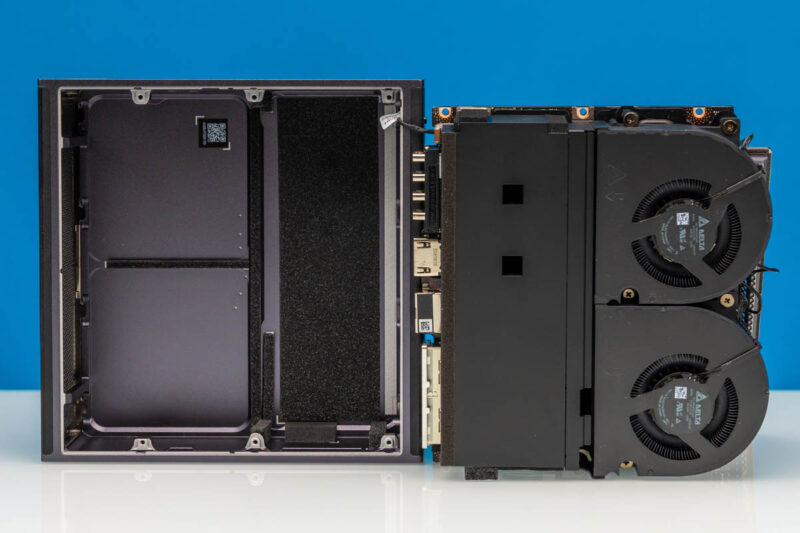
Providing cooling for the system is a sizeable heatsink, with two Delta fans pushing air through it. Each is labeled as consuming 6 Watts of power.
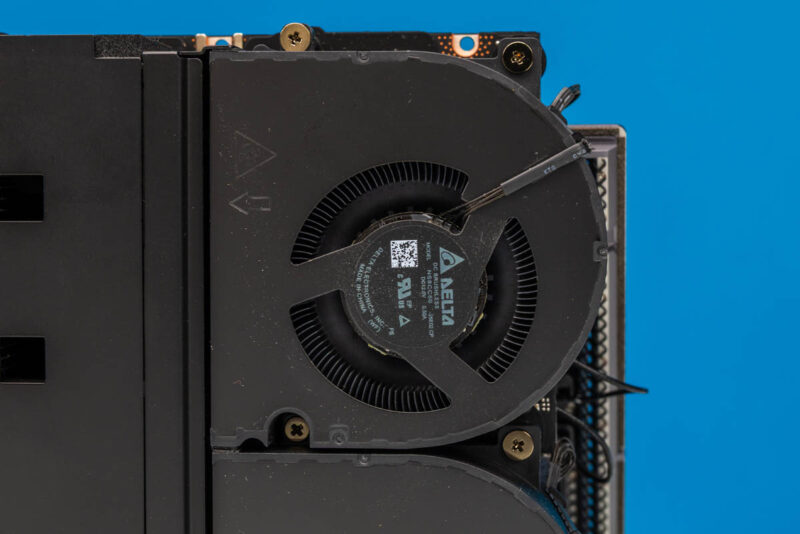
Moving the fans out of the way, we get some access to the system’s motherboard. Though with its high cooling needs relative to its compact size, we find that pretty much every chip of note is covered by a copper base plate, with heat pipes leading back to the heatsink.
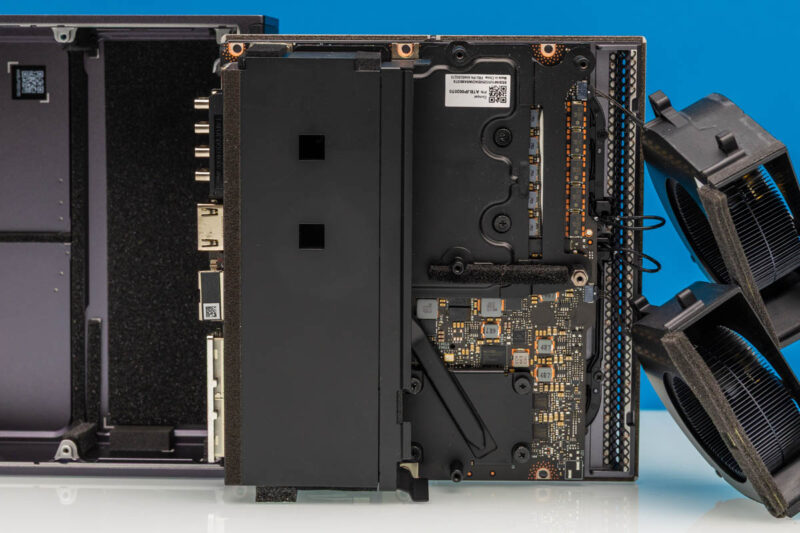
This is once again virtually identical to the cooler used on the Gigabyte AI TOP ATOM. So it is safe to say that the similarities between the two systems go beyond the chassis.
In any case, Lenovo’s efforts are pretty comprehensive. The GB10 chip is well-covered by its heatsink and heatpipe.
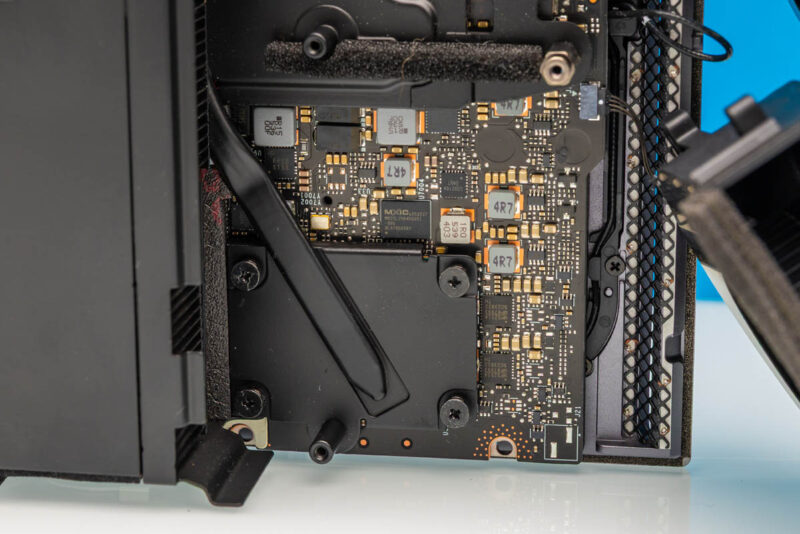
And that is essentially the nickel tour. With the heavy use of soldered-down components and the compact nature of all of these Spark-alike systems, we are essentially looking at a large cooler very firmly attached to a motherboard full of high-performance components.
With the tour complete, it is time to get the ThinkStation PGX up and running.