

Dell Pro Max 16 Plus Internal Hardware Overview
One of the perks of working on a large workstation-grade laptop, especially one aimed at the corporate market, is that they are easy to get into. Without the need to heavily optimize the design for space or weight, there are quite a few replaceable/upgradeable components inside the laptop, and getting access to those is as easy as removing the seven screws that hold the bottom plate on.
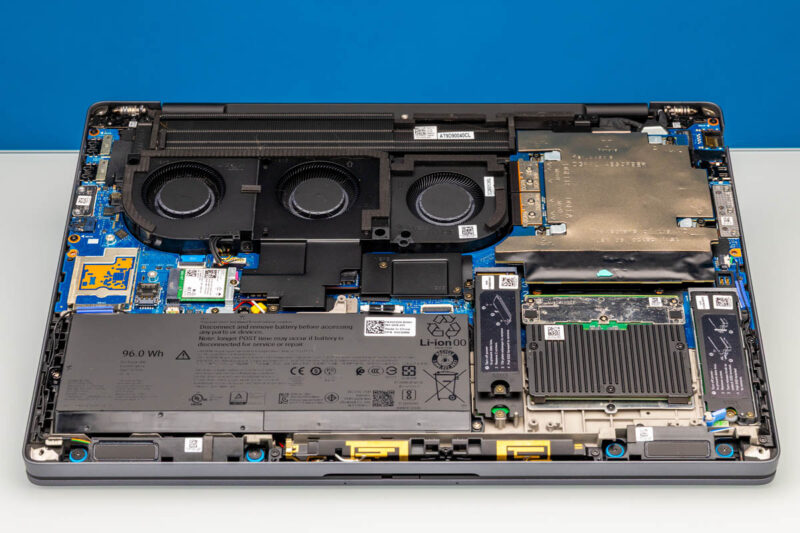
Dell designates the memory, SSD, and battery as all being customer-replaceable. All of which are held in with screws and clips.
Starting with the SSD, Dell has left nothing on the table in terms of performance or capacity. The primary SSD slot, located at the bottom-right of the laptop, is wired to four PCIe Gen5 lanes from the CPU itself. Dell offers a variety of SSD options here with both PCIe Gen4 and Gen5 drives. For our first SSD, our sample came with a 1TB SK hynix PCB01 SSD, which attaches to the system via a PCIe Gen5 x4 connection.
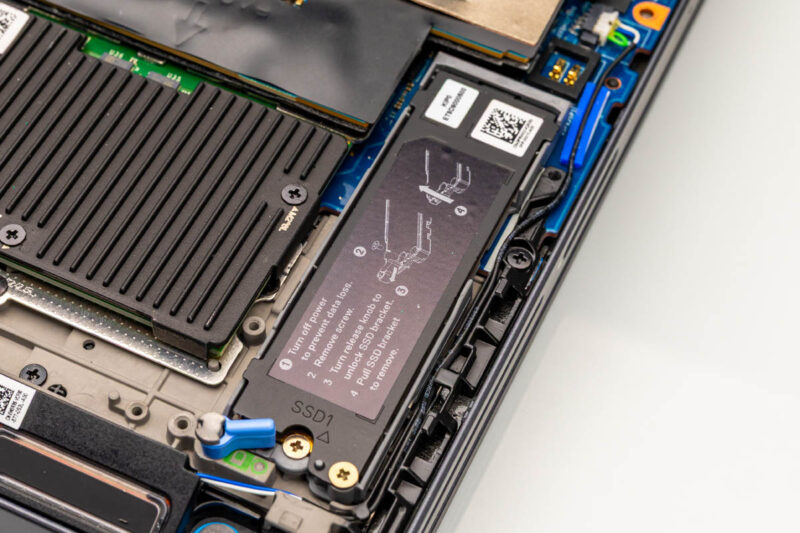
Dell uses a metal bracket/heatspreader over the SSD slot to secure the drive in place and protect it, so there is a fair bit of metal for heat soaking to help keep SSD performance up, even if the heatsink itself does not receive further cooling.
For even more storage capacity, the laptop features two more M.2 SSD slots located towards the middle of the laptop. These feature a slightly different retention mechanism and offer PCIe Gen4 x4 connectivity.
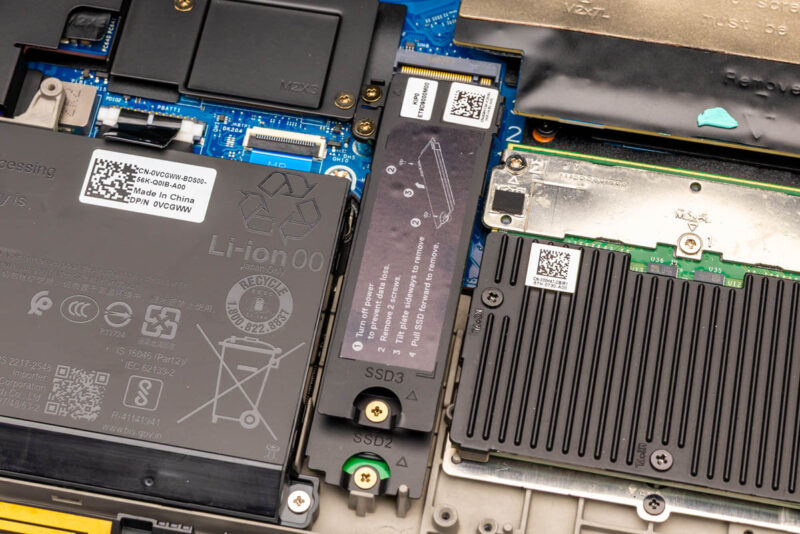
Interestingly, Dell offers a RAID option when using multiple SSDs in the Pro Max 16 Plus – which is how our sample was configured. So not only is there a second 1TB SK hynix PCB01 SSD in SSD slot #2, but the two drives are in a RAID-0 configuration for maximum performance. Though by virtue of the second M.2 slot only being PCIe Gen4, this means the combined drive pool is operating in an unbalanced setup, where the second drive only has around half of the bandwidth of the first.
Moving on to system memory, as this laptop is based on Intel’s Arrow Lake-HX platform, Dell only gets one choice here: DDR5. Being that Dell invented the original CAMM standard, it is only fitting that the company is using CAMM2 memory here. This allows Dell to equip the laptop with 128GB of DDR5 in a dual-channel configuration, and it can run it at DDR5-6400 speeds without an additional clock chip on the memory itself. The trade-off is that it takes a bit more work to swap out the RAM, as it is screwed down.
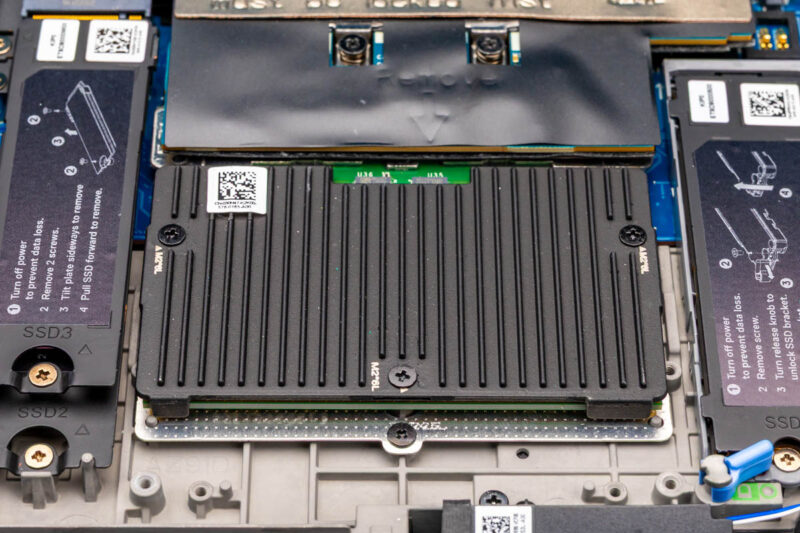
At present, this is the highest capacity that dual-channel CAMM2 modules are available. Though that should change down the line.
Further to the left of the chassis, we find the battery. Dell includes a 96Wh, 6-cell lithium-ion battery with the laptop, which is a hair smaller than the peak capacity allowed under airline regulations (99.9Wh), but unlikely to make a significant difference in the runtime of the laptop. Of the many virtues of the laptop that Dell promotes, battery life is not one of them, so make of that what you will.
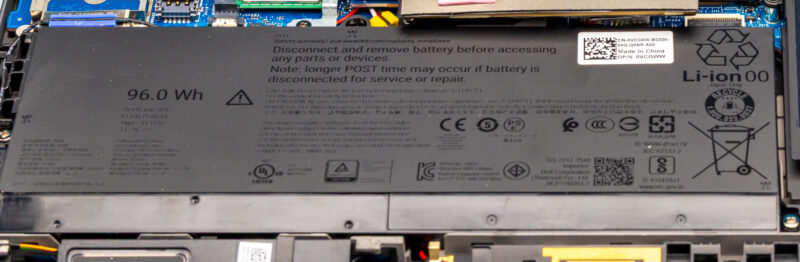
In any case, the battery is fully replaceable. It is held in with just screws and a cable, so it is a pretty straightforward replacement for such a modular laptop.
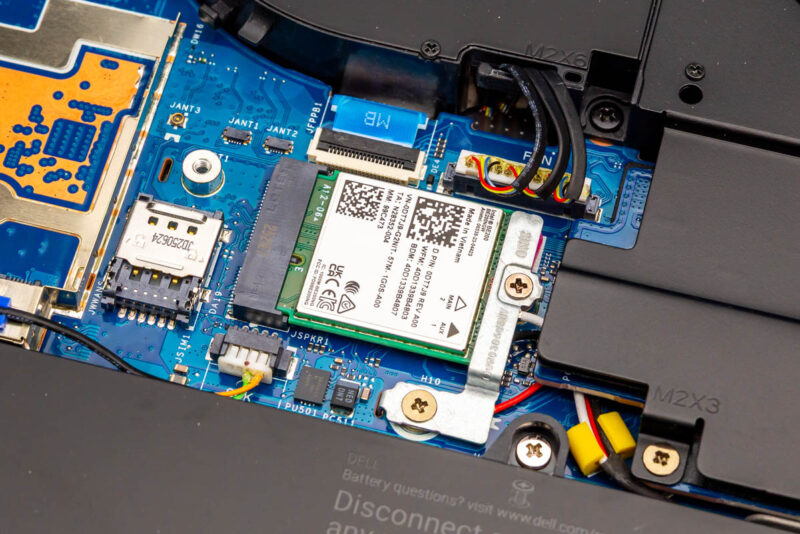
Above the battery, we find the system’s wireless radio, an Intel discrete BE200 Wi-Fi 7 + Bluetooth 5.4 adapter. This is an M.2 2230 module that connects over PCIe, so it is fully replaceable down the line. To the left of that, going unused in our review sample, is the bay where a Qualcomm Snapdragon X72 WWAN card would go.
Saving the biggest piece of silicon for last, we have NVIDIA’s RTX PRO 5000 Blackwell, the fastest laptop discrete video card available today.
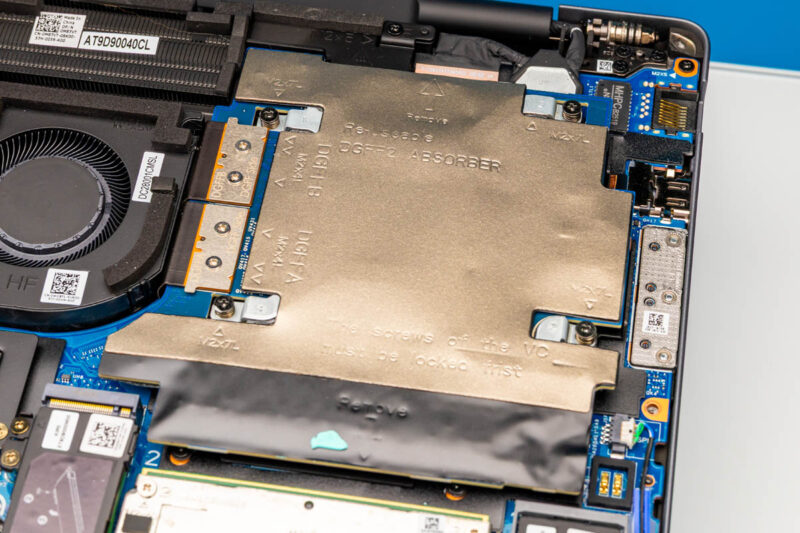
The RTX PRO 5000 is reverse-mounted so that the GPU die and its various other parts can mate with the heatplate and heatpipes that provide cooling for all of the system’s major chips. But with a bit of work, we can pull it free to see the GPU and its supporting hardware.
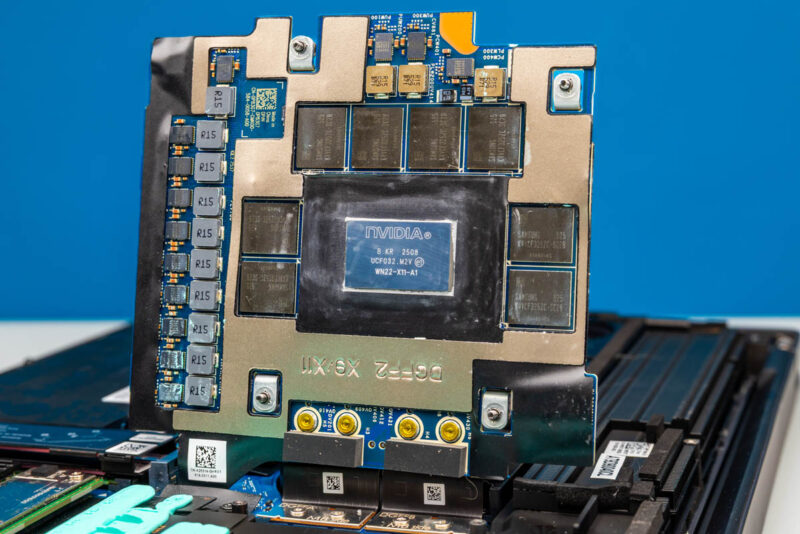
Here we can see the GB203 GPU, along with the eight Samsung-made GDDR7 memory modules that feed it. The laptop version of the RTX PRO 5000 Blackwell is paired with 24GB of memory using the latest 3GB (24Gbit) chips. NVIDIA rates the video card for configurable TGPs anywhere between 95 Watts and 175 Watts, so even in a lower-power configuration, this chip can draw quite a bit of power.
Meanwhile, here is a quick look at the heatplate assembly that the chips mate with.
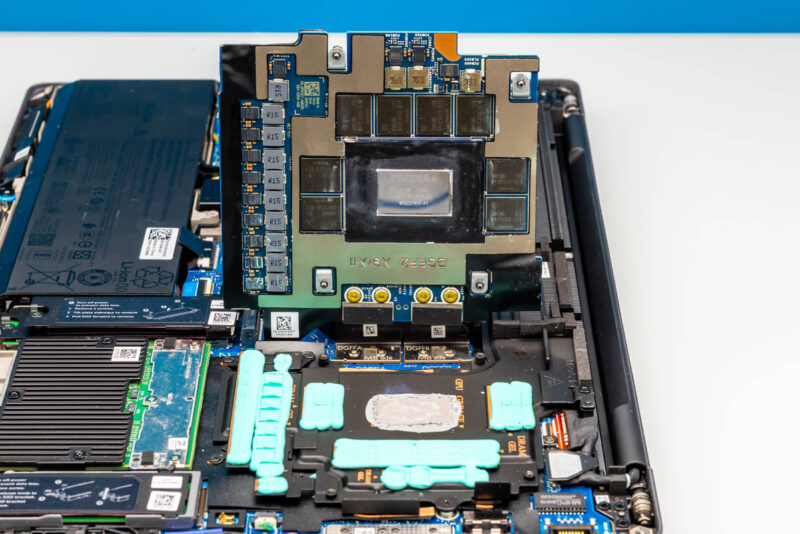
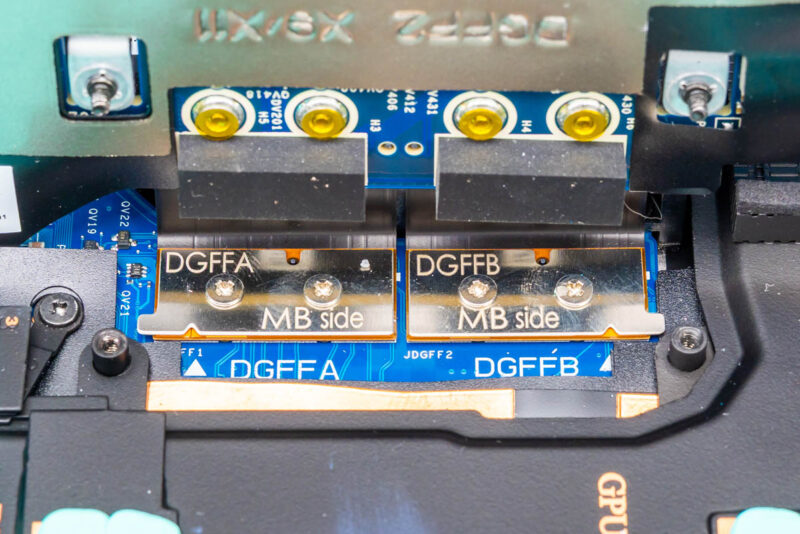
As an aside, for anyone who has ever wondered how a discrete video card is mounted in some of Dell’s larger and more configurable laptops, the spacious Pro Max is a perfect example. With the GPU (or NPU) on its own daughterboard, Dell uses a pair of proprietary DGFF connectors, essentially PCIe cables attached via a compression connector, to wire it up to the rest of the system. This allows Dell to swap out the GPU/accelerator module at will, though a matching cooling plate needs to be installed to properly cool the chips on the board.
Moving on, with the GPU secured back in place, we can also get a better look at the fans cooling the system.
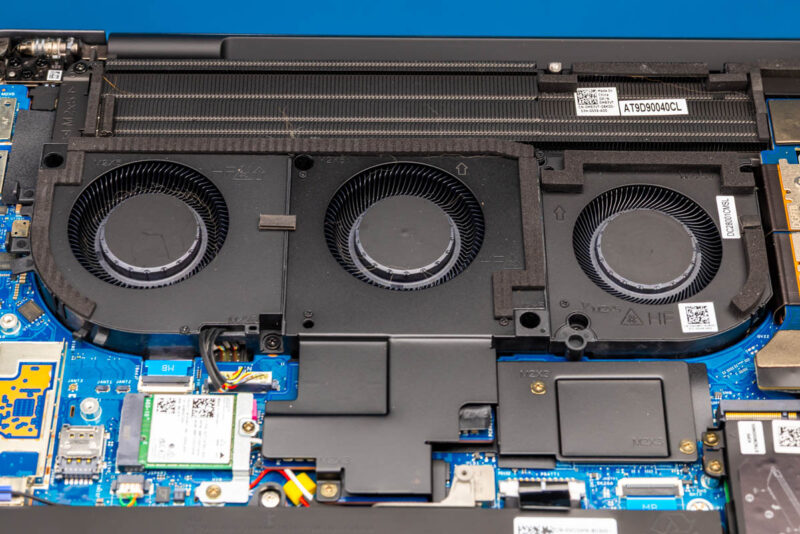
All together, there are three blower fans pushing air through a heatsink that runs most of the width of the laptop chassis.
With all of that out of the way, let us see what the laptop’s full performance is like.



Is that an OEM panel gap on the center of the bottom chassis in the “ Front Angled 1” shot? Absolutely brutal for $15,000.
I have Dell Pro Max 16 for almost one year with Core 7, 32 GB RAM and Nvidia 2000 Blackwell. During this time, I have 5 replacements of motherboard, two replacements of power board and one replacement of GPU card. This laptop series is not reliable as previous models and maybe this is the reason why Dell brings back Precission naming of newer laptop/workstations.
Who needs all of this in a laptop???
This thing is overpriced and too huge/heavy to be reasonable.
Its the cybertruck of laptops.
All 3 of the SSD slots are PCIe Gen5 x4. Slot 0 seems slightly slower than the others (I see up to 12.5 GB/s from slot 0 but up to 14.5 GB/s from the other slots.) The GPU runs at x8, not x16, so two of the SSD slots appear to be using the other 8 lanes.