

Getting the Most From Your DRAM Purchases
If you are going to buy memory and if you are in the process of upgrading your servers, then you likely want to maximize what you get for your investment. This means either optimizing for maximum performance or strategically lowering costs depending on your workload requirements.
Ideally, memory should be run at one DIMM per channel (1DPC), which delivers maximum memory speed on virtually every modern platform. Moving to two DIMMs per channel (2DPC) typically results in downclocking your expensive memory runs at slower speeds than its rated specifications.
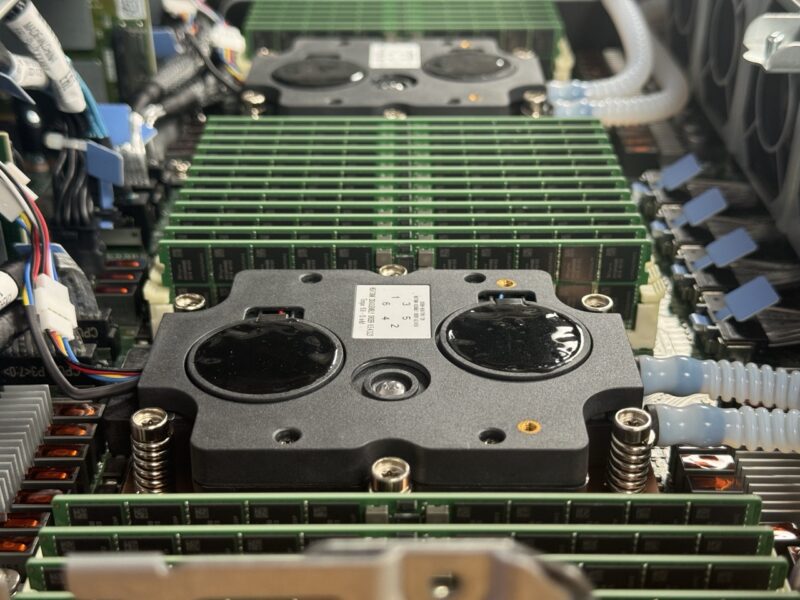
A nuance worth understanding: older Intel Xeon CPUs, especially lower-tier SKUs, would significantly reduce memory performance. Intel has needed to become more competitive in this regard, so that is less of an issue now. If you specifically want maximum memory bandwidth and budget is not a concern, MCRDIMMs offer impressive performance at DDR5-8800 speeds, though they cost significantly more. If you can wait, 2027 CPUs will offer much faster memory as standard.
Something to watch out for: many organizations buy servers with lower-memory-clocked CPUs or in 2DPC configurations, then purchase premium memory only to find their systems run at several bins lower than the rated speed. In DDR5, there is a premium for the newest memory, and not all platforms can take advantage of that premium.
The 1DPC to 2DPC distinction is particularly important when comparing AMD EPYC versus Intel Xeon today, especially at lower core counts. In this space, AMD typically offers 12 memory channels, while Intel offers just 8 memory channels for everything except its highest-end 6900P processors. There are a lot of potential options here, so here is a table summarizing the configurations.
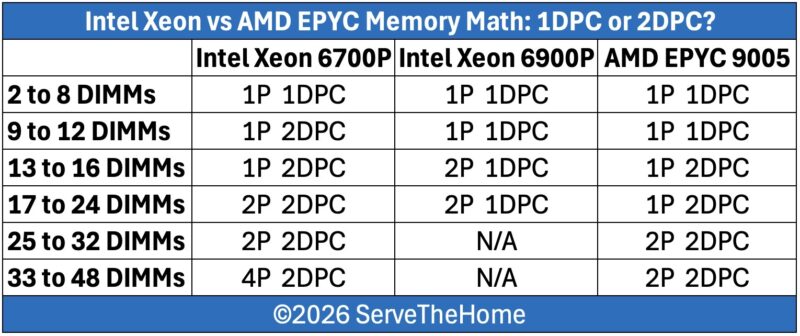
In short, memory performance will depend on the number of DIMMs you plan to install. With its larger number of memory channels, an AMD EPYC 9005 platform can continue to run in full-speed 1DPC configurations with a larger number of DIMMs than the equivalent Intel Xeon 6 6700P platform. This allows for more memory bandwidth and lower latencies with the same memory capacity. The Xeon 6900P platform can match the EPYC here, though at a higher overall cost given its high-end platform status.
Past that, there are areas of overlap where all of the platforms require moving to 2DPC. Which actually ends up excluding the 6900P entirely. We have not seen support for 2DPC on the Xeon 6900P series. Finally, at the very extreme end of things, the larger number of memory channels on an EPYC system gives the latter an edge in maximum memory capacity, unless one transitions to 4-socket systems. Those tend to be higher-cost, lower-volume systems, but technically you can get there. We are also omitting one of our personal favorite class of systems (and a class that we are actually deploying) which is the AMD EPYC 8004 series like the HPE ProLiant DL145 Gen11. That has lower-power CPUs and fewer memory channels, but it can often replace two-socket 2nd Gen Intel Xeon scalable servers and save power in the process.
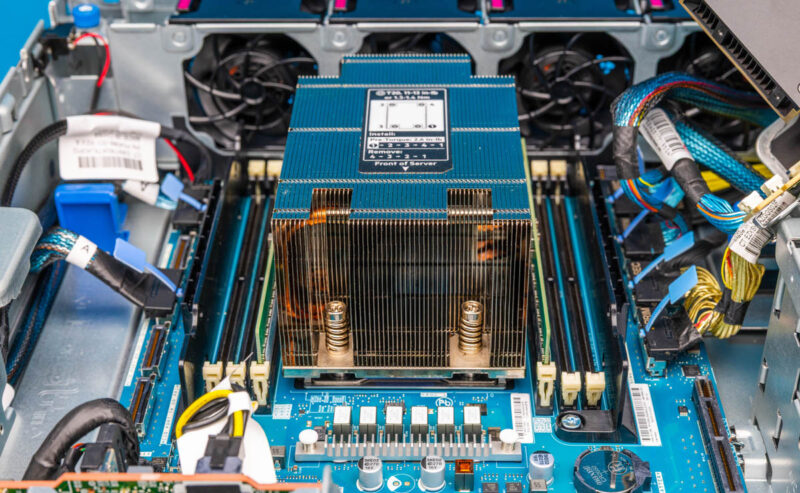
You can use this information to trade off capacity, cost, and performance while understanding what type of server platform best suits your needs.
Maximizing NAND and PCIe Value
NAND pricing presents a genuine challenge because while controllers are relatively inexpensive, the NAND itself drives the cost equation. However, modern servers offer significantly more capability than legacy systems, which changes the value calculation.
With contemporary server platforms, you can put dramatically more PCIe lanes and IOPS-worth of storage into a single server than was possible with previous generations. If you are upgrading from 1st or 2nd Gen Intel Xeon Scalable processors, you are looking at 48 lanes of PCIe Gen3 per CPU, 96 lanes total for a dual-socket server. You would likely need three such servers’ worth of PCIe lanes just to connect the same number of SSDs, because you need some lanes for network interfaces.
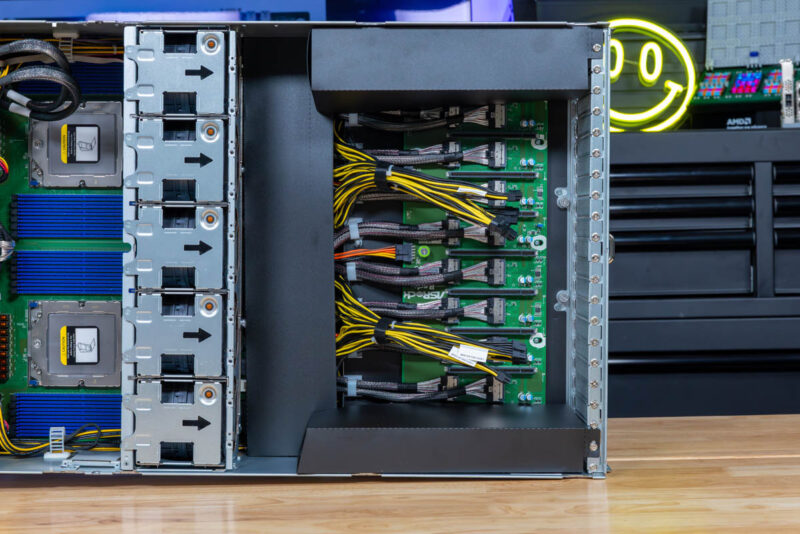
A modern single-socket AMD EPYC 9005 server provides 128 lanes of PCIe Gen5. Here is why that matters: those new lanes are four times the speed. To get equivalent throughput to 128 lanes of PCIe Gen5, you would need 512 lanes of PCIe Gen3. In practical terms, a modern single-socket server has the PCIe bandwidth equivalent to more than five PCIe Gen3 servers, specifically about 10.666 times the 48-lane capacity of older platforms.
In reality, you might go even beyond that calculation because modern configurations tend to use more small nodes with additional networking and miscellaneous components. The I/O capabilities of modern PCIe Gen5 servers represent a complete transformation in what is possible. Many organizations think of PCIe lanes simply as a number, but you can do much more in terms of drive density and consolidation into single-server platforms than ever before.

This hits hard. We’ve been buying from a reseller for almost 10 yrs and they’ve change quote validity to 14 days. It used to be valid for 90 days