

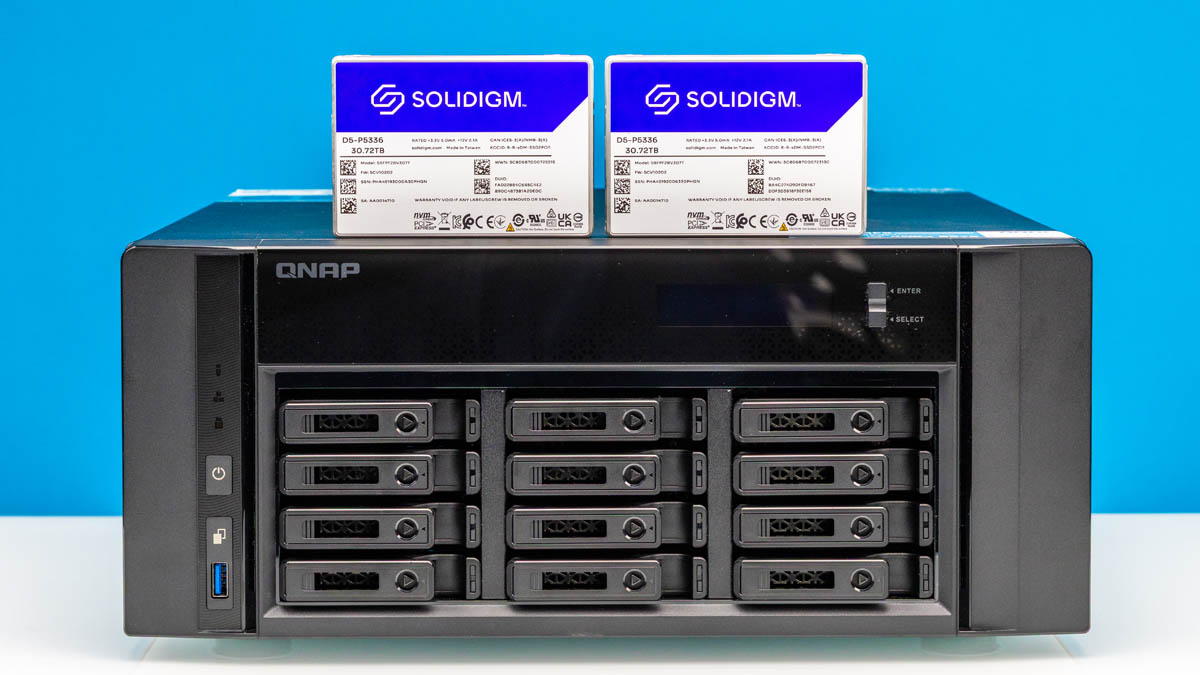
Recently, we have been chronicling the revolution in large-capacity SSDs. One of the challenges with SSDs years ago was that hard drives offered higher capacity. Now, SSDs provide greater capacity in smaller form factors than their spinning counterparts. It was time to build a new storage NAS for the studio for collaboration, and we decided to build something we found interesting: A high-capacity all-flash NAS that we could stick in the corner. The goal was to meet our evolving storage needs as the YouTube side has been growing. For this one, we have a video:
As a quick thank you, we used parts from Solidigm, QNAP, AMD, NVIDIA, and from all three major DRAM manufacturers. We thus need to say this is sponsored. Still, the idea was ours, and it will likely change over the next few years. We also think this can be a template to scale up or down based on your needs.
New Cameras, New Storage Challenges
Although it may not be visible on STH yet, behind the scenes, we have had to change significantly. The ServeTheHome YouTube side just passed 1 million subscribers and it has been growing quickly. Perhaps most notable has been that we have been focused on doing more on-site filming. Instead of every video being me sitting at a table and talking to a single camera, we are now going out into the world and showing AI clusters, manufacturing, and more.
Also, in our recent and upcoming videos you will likely see a swap from one camera to multiple camera angles. Between getting higher end cameras and having more of them, the footage for a video project has grown. Instead of 80-100GB per video, we are starting to see projects with over 1TB of footage monthly, and that is after encoding video to a compressed format. In RAW, many of our cameras can capture 1TB of storage in 30-40 minutes. A tour video we shot last week, if we shot in 6K/ 8K RAW across cameras, it would have been ~100TB of footage.
All of this means that we need a storage solution that can do a few things for us:
- We need more storage dedicated to our studio and video production
- It needs to be fast. Even an hour of filming time in our old solution was taking 15-20 minutes to get onto the NAS.
- We want to be able to transcode video on the NAS
- We need to have multiple video editors working simultaneously
- We need reliability because running in a degraded/ rebuild state is not going to be optimal
- We need quiet enough operation that it can run in an IT closet, not just on set
- Ideally, it is a small and flexible form factor
With all of these goals, the answer was clear. We need to use SSDs. From a performance and reliability perspective, this was an easy answer. Using all SSDs means that we can easily feed a 100Gbps pipe to editing workstations and the performance. Not only are SSDs more reliable than hard drives with lower AFR, rated UBER, and write endurance, but on array rebuilds SSDs are faster. For the studio, going all-flash means that we do not hear many hard drives spinning and making loud access noises and vibrations. Using larger capacity drives, we can also shrink the footprint needed.
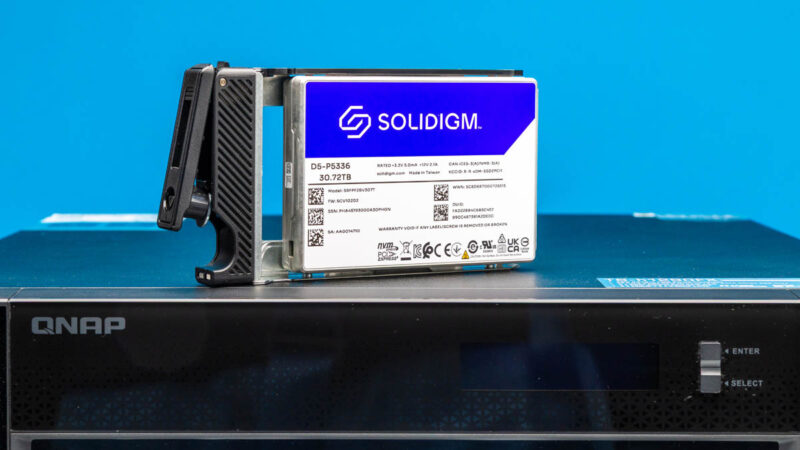
One of the biggest changes in recent history is that hard drives and SSDs inverted on the capacity side. A 32TB/ 30.72TB SSD in a 2.5″ U.2 form factor is denser and higher capacity than today’s 28TB and 30TB hard drives. Those 30.72TB SSDs like the Solidigm D5-P5336 are only a quarter of the capacity you can get in 2.5″ SSDs. You can see our Solidigm D5-P5336 122.88TB NVMe SSD Review and Solidigm D5-P5336 61.44TB SSD Review for examples of larger drives. We are using 30.72TB drives which gives us 360TB in a 12-bay chassis, but that can easily be in the 1.4-1.5PB range by using larger drives. At the same time, one could do something similar using smaller SSDs if they wanted. Our goal was also to show something today that was interesting, but that could also be scaled up or down for our readers.
The next question was a build or buy one, and for that, we turned to a solution that we wanted to look at for some time.
A Starting Place: The Most Promising QNAP NAS
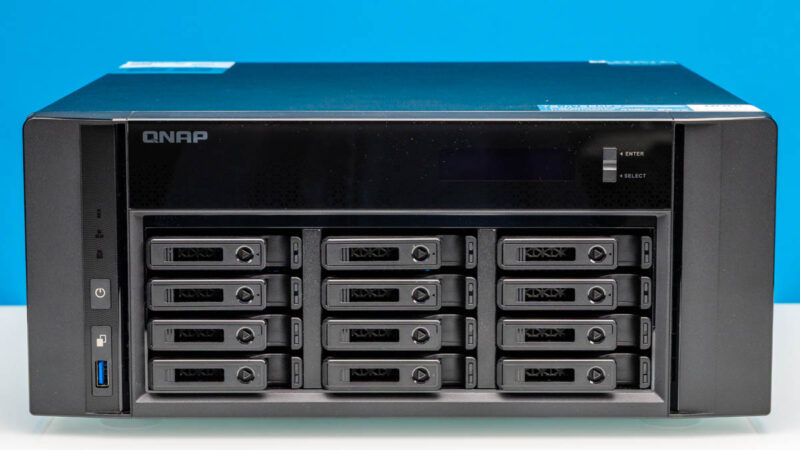
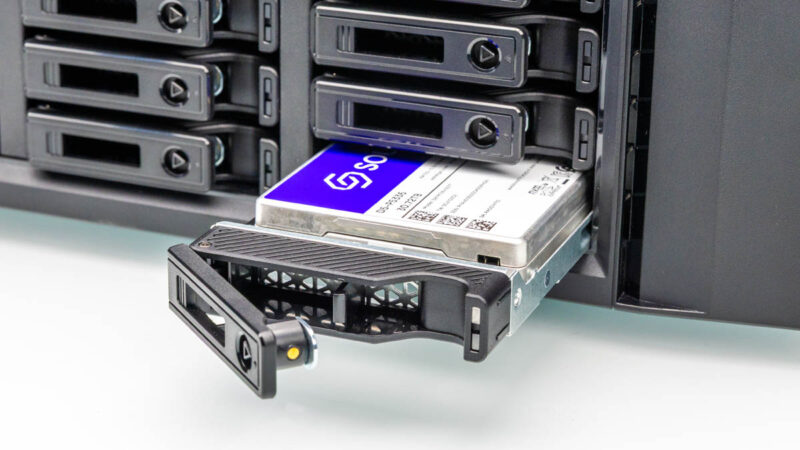
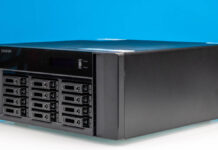
To build the NAS, we needed a starting place. We originally thought about just using a 1U or 2U server but then remembered the QNAP TS-h1290FX. This is a desktop NAS with a twist, it has 12x 2.5″ drive bays for U.2 NVMe storage.
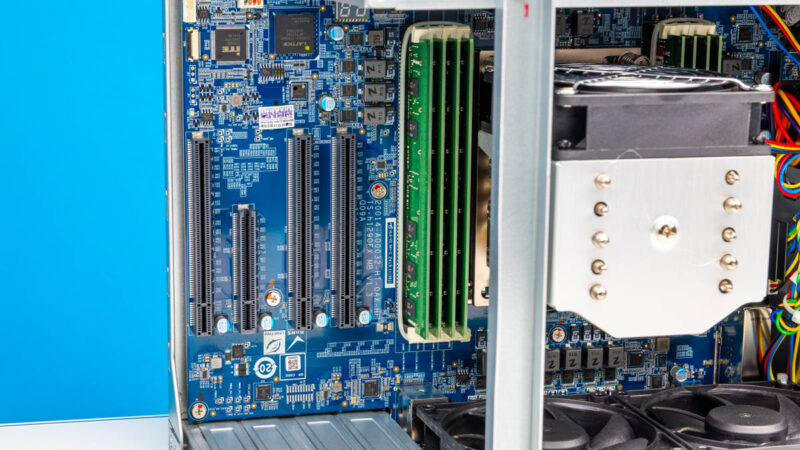
It also has built-in 2x 25GbE (NVIDIA ConnectX-6) networking, and 2x 2.5GbE NICs.
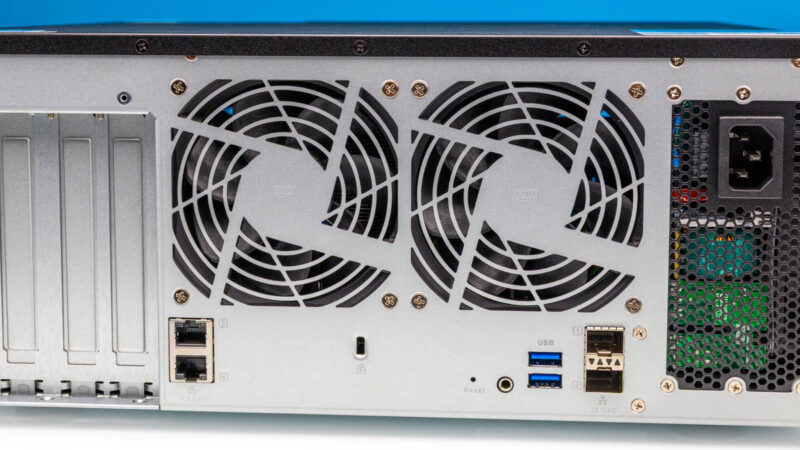
All of that is good, but then it is built around the AMD EPYC 7002 “Rome” processors, has eight channels of DDR4 ECC memory, and the platform has several PCIe Gen4 slots. Unlike the lower-end platforms, this is a full server CPU with plenty of memory bandwidth and PCIe I/O.
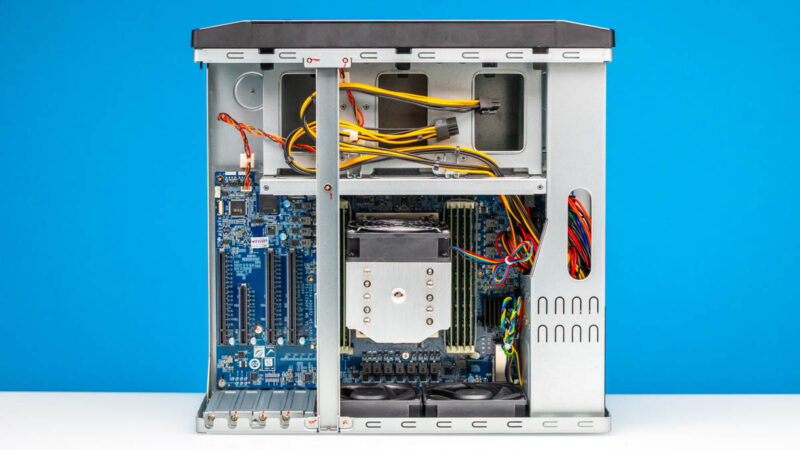
QNAP was intially a bit puzzled why I was excited about this platform given its age. When this NAS came out in 2022/2023, SSDs were generally much smaller than hard drives. SSDs like the Solidigm D5-P5336 have changed this and now these systems have more capacity, reliabiity, and performance.
This is one of those strange examples in the market where a previously announced product has a significantly stronger value proposition years later because of a tangential technology advancement.


These are always my favorite articles on STH. What you don’t mention and that I’m sure you’re going to get some here blowing back on is that QNAP is popular in TikTok, Instagram, and YouTube video production because it’s so easy to use. We’re tech savvy on STH, but if you’re a gorgeous beauty channel and need storage but don’t care about installing your own NAS OS, then its much easier to use a pre-built like this QNAP and the QNAP is priced better than a Dell NAS.
Looks like a standard ATX format PSU – could probably find a dual PSU in the form factor to get a little more redundancy added. Quick google search, something like the fsp twin pro 500w (I don’t know that this is even a good psu model, but just that there are ATX dual units that fit in that ATX size). 7002 is a little long in the tooth now, but solid performance and lower power consumption than the latest. You only care about that cpu efficiency if it ran out of breath vs bandwidth – at 100Gbps it might but not badly. Nice little server, it’s more than a NAS really with that cpu in there.
@Patrick Did you contact QNAP and ask why they have a 32thread limit?
I suppose if you’ve got $36,000 in nvme ssd just sitting around this might make sense but I doubt any homelabbers will try this set up, for that price they could likely build a 1PB cluster and any company that can afford to drop 36k on a storage server will likely go for something more professional grade
Tim I think you’ve missed the video production angle. There’s so many of those shops. Camera stuff is $100 for a $2 piece of metal. Even used, a SSD Dell NAS SAN would be four times the cost of this and would be harder to setup.
Interesting project but seems impractical for all but people in similar shoes – wanting fast access to large amounts of videos (and making money on it, and getting freebies/discounts from vendors). I don’t have a use case for this in my homelab, but interesting nonetheless.
Tim what do you consider professional grade? This NAS has sever hardware running it. My work we use QNAP NAS for backups in production and it works great. We have a ZFS filesystem on it with NVMe write caching on a 25Gb network.
Am I correct when I say
– Qnap ZFS is a fork of an older OpenZFS
– Qnap pools are not compatible/moveable from/to OpenZFS
– Newest OpenZFS features like Raid-Z vdev expansion, draid, fast dedup, vdev rewrite or special vdev as slog are not available in Qnap ZFS and will most propable never be due separate ZFS development
Hey Patrick, here’s my 2¢.
ZFS, a video accelerator less powerful than the AMD Alveo U30 Data Center Accelerator
Card, and SCM (since you are going Solidigm) like the D7-P5810.
I would like the article to layout the actual price of all the hardware assuming it was purchased and not donated/sponsored.
Give the readers a feel for what the actual layout is for something equivalent, rather than vaguely indicating it can be pricey.
360TB raw, but how did you actually set it up? Raid 5, 6, or 10?
I’d really like to see 8-16tb ssds become price competitive with hdds. I’d be very happy with sas12/24 speeds if it meant they were cheaper. I’ll be limited by 10gbe networking anyway.
I’d also really like to see some low cost pcie switches/fanout cards ideally with the ability to do pcie rev conversion. Plug the card into a 5.0×16 slot and get 32 4.0 lanes, or 64 3.0 lanes or a mix of the 2. Either that or more pcie lanes on desktop platforms.
I have this system with the 32-core CPU / 256GB RAM, 32TB Solidigms, a couple M.2 SSDs on a PCIe card internally for OS mirror, and installed TrueNAS Scale CE instead of QNAP’s OS. I have a production company where we mostly shoot ARRIRAW from Alexa LF, working in Resolve/Nuke/etc., and I needed something that a small workgroup could use for this but also that I could fly with as I am on-location a lot. This has worked like a charm (2 years in). I put it in a hard case and fly all around with it, have an extra 4-port 25Gb NIC and I can just plug 6 computers into it directly and all can work RAW native without any issues. I can have a few editors, a DIT, and an LTO backup all running at the same time.
I wish there were more compact server-class builds like this. I was going to engineer my own and have a custom Protocase built, but then this came out and it was close enough to my needs that I just went with it to make it easy.
Great as always.
Super cool project, but at this point calling it “Serve the Home” has really jumped the shark.
Super feedback Tyler! The direct connection is a great idea as well.
@Scott – not sure what I can tell you. Do you often ask why the Wall Street Journal covers topics beyond a single road in NYC?
@Rob We did RAIDZ2 – Using the calculator, RAIDZ was probably OK given the better reliability and faster rebuilds with the SSDs, but it seemed wise to get the much higher reliability.
The Wall Street Journal reference is kind of apples and oranges. Not that I don’t appreciate these articles, but I remember when the site had a lot of homelab content. There is still some of that, but most seems to be centered around uber expensive datacenter enterprise level equipment that no one in their right mind would have in a home lab. I would just enjoy seeing more home lab content again is all, and from the looks of other commenters, I’m not the only one. Regardless, your content is great, and appreciated.
That’s a lovely nas, good spot. But how many STH customers can drop really £50k on a desktop nas?
@Tyler Out of curiosity, after installing TrueNAS Scale, were you able to use all 64 CPU threads?