

MikroTik CRS418-8P-8G-2S+5axQ2axQ-RM Performance
Diving right in to performance, since we have already looked at the non-WiFi version of this switch, we do not think anyone will be surprised when we say that the WiFi version performed identically to its sibling. Since these two switches share the same internal architecture, there simply is not anything going on inside of them to differentiate them on a performance basis. They are the same switches inside.
For our switch benchmarking and testing, we used a single Keysight XGS2 with a NOVUS 1/10G dual PHY card. Starting with the 64B line rate test, here is what we saw, which is the same as the non-WiFi model.
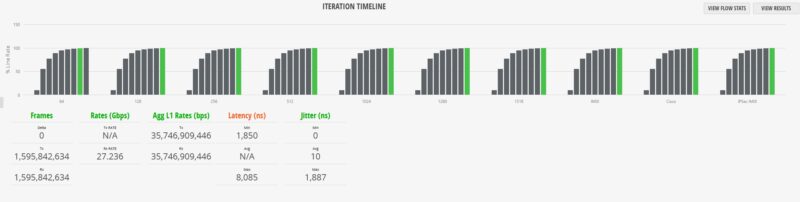
At 64B running at full 100% line rate, we saw some frame loss. Sure, this is still five nines of completion rate, but there was some loss. Since the testing scales from 10% load, we generally were OK up to at least 99.94% line rate, but then sometimes we would see loss after that point.
To understand what is going on here, MikroTik tests these with a Teledyne LeCroy XenaBay solution that has a lot of the same functionality as our Keysight platforms. MikroTik uses a 0.1% tolerance in its testing, which is totally valid as a test methodology. It is probably worth noting that you are unlikely to experience this in any real-world scenario. Most traffic, especially on PoE+ switches, is not 64B at 100% line rate.
Moving on to our 1518B tests, or really anything over 64B, was less exciting.
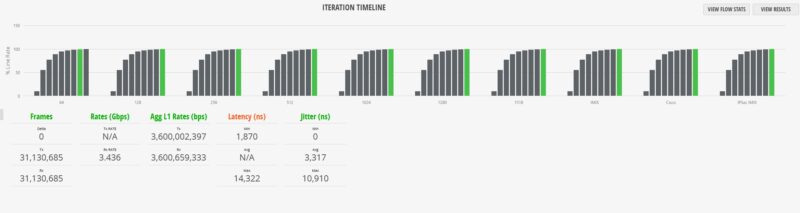
We also tried mixed packets using a standard IMIX profile and again, you can see 100% line rate is straining the switch. Again, the results were identical betwen the two switches.
Next, we decided to do a simple router test. We used our Keysight CyPerf test setup. This setup is what we use for gateway device reviews and is also capable of well over 2Tbps of network throughput. We set the MikroTik into a simple router configuration using one SFP+ port as the WAN and the other SFP+ port as the LAN.
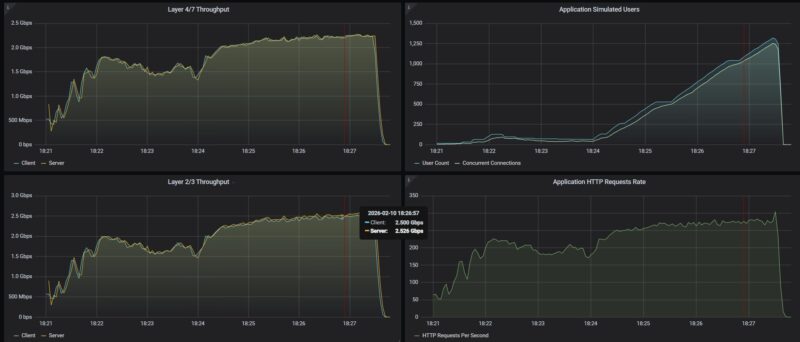
In terms of raw throughput, we were just over 2.5Gbps.
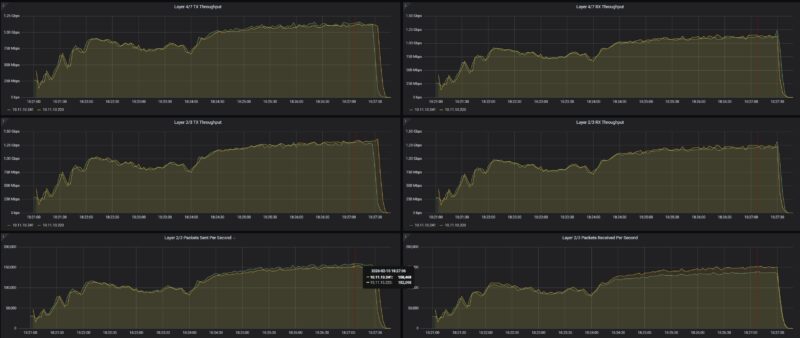
We then tried scaling our security profile traffic mix through this, and saw relatively similar levels of performance. We saw the same results on both the WiFi and non-WiFi CRS418 models.
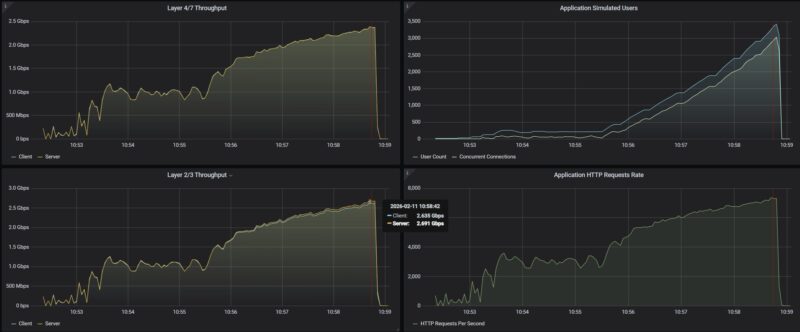
To be fair, we need to improve our WiFi testing setup so that we can show the difference using that. Still, it was interesting to see when testing these switches.
MikroTik CRS418-8P-8G-2S+5axQ2axQ-RM Power Consumption and Noise
In terms of power, we get two internal power supplies for redundancy.
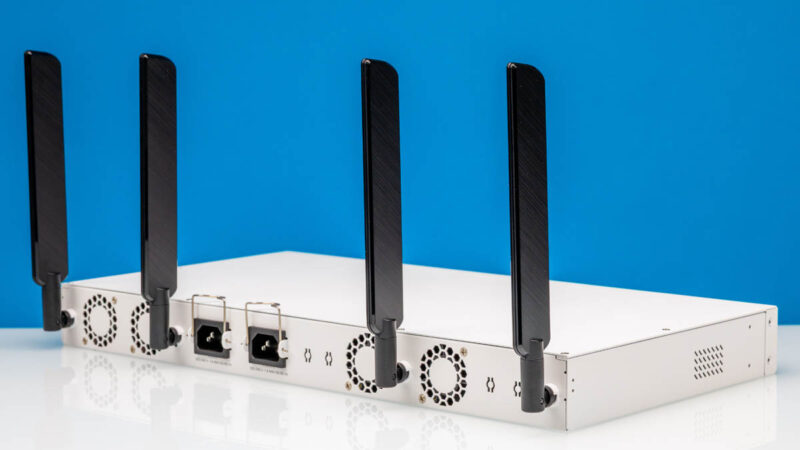
The main difference between this model and the non-WiFi version is in power consumption. At idle, we saw 24W compared to 21W on the non-WiFi model. The additional power draw comes from the WiFi radios.
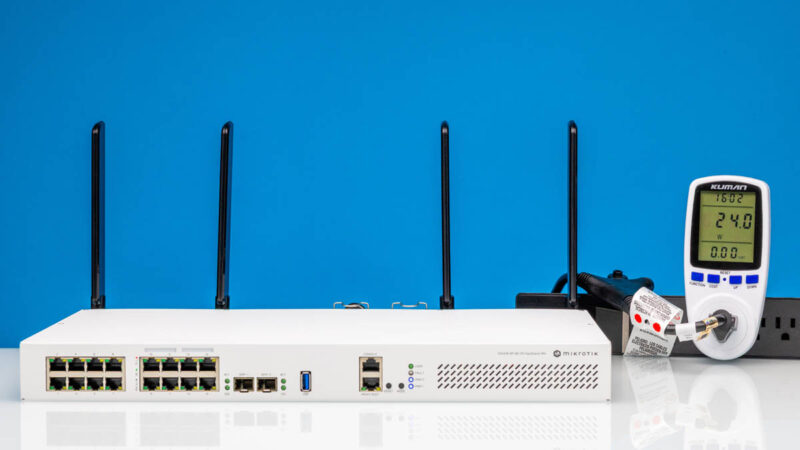
Hooking a single 1GbE port up, we got around 24.3W for roughly 0.3W incremental.
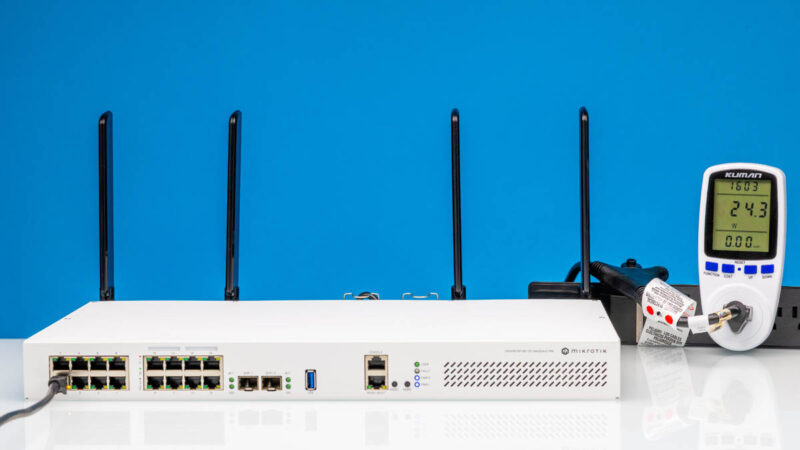
Using a SFP+ to 10Gbase-T adapter we saw about 1W incremental for around 25W total which was great. MikroTik rates the switch at 43W maximum without attachments, then 227W maximum. That 227W includes the 150W PoE budget and is slightly higher than the non-WiFi model due to the WiFi hardware.
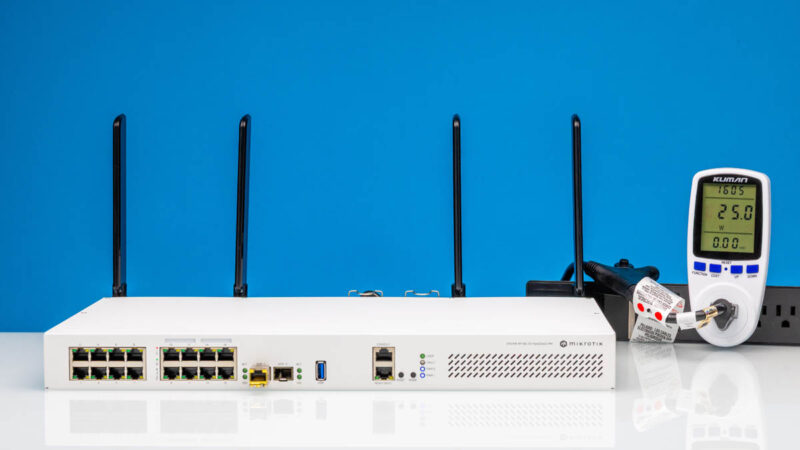
The noise was very reasonable. With four fans, they did not seem to be spinning fast, so we were getting 36-38dba in our studio. This is the same as the non-WiFi model.
Final Words
We will let you read the performance section if you missed that, since that was really neat. At the same time, as we went through this switch, we found ourselves wondering questions like “Why not 2.5GbE? Why not PoE++? Why not 16x PoE+ ports?” Since we were doing the WiFi model in parallel with the non-WiFi version, we were comparing them directly.
The key difference is really the integrated WiFi. If you need WiFi capability in your deployment, this model gives you that without requiring a separate access point. The four antennas on the back provide reasonable coverage, and the ability to add external antennas via pigtails gives you flexibility for better wireless placement.
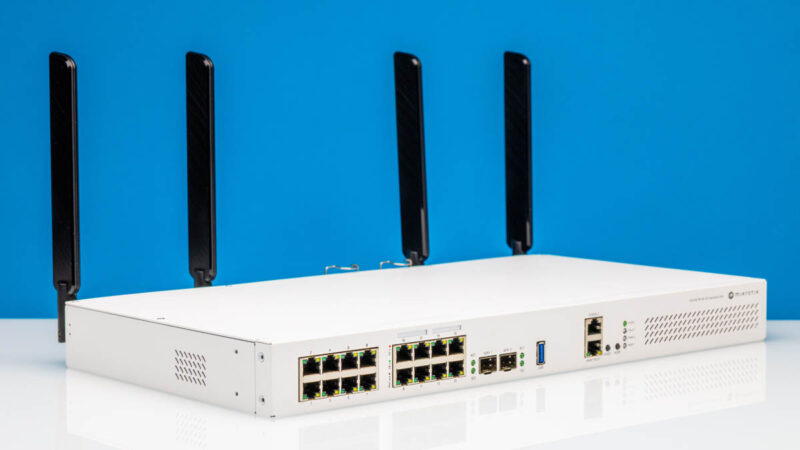
For a PoE+ capable switch with dual 10G SFP+ links, redundant power, a decent processor, and integrated WiFi 6, the MikroTik CRS418-8P-8G-2S+5axQ2axQ-RM family checks a lot of boxes.
Also, as a shameless plug, if you want to learn more about MikroTik and how it builds products like these, see Touring MikroTik in Latvia to See How They Make Awesome Networking Gear.
Where to Buy
Here is an Amazon affiliate link to where you can buy the switch.

1G ports come on its 2026 not 1996, yes still a lot of low bandwidth equipment that this will happily serve but for most people minimum 2.5G and really 10G when the price over capabilities and flexibility isn’t that much. 16x10G ports may be enough for a lot of SOHO or home labs and the SFP’s for expansion.
For who is this device made? Why add wifi to it? I don’t see the target audience at all.
L3 hardware feature support: https://help.mikrotik.com/docs/spaces/ROS/pages/62390319/L3+Hardware+Offloading#L3HardwareOffloading-CRS3xx:Switch98DX3xxxand98DX2xxxSeries
I’ll repeat my question from the non-WiFi model review. Have you turned on the L3 HW offload on the switch when testing routing?
“Next, there are two more Ethernet ports. One is the console port…”
I seriously doubt that’s Ethernet. I’d expect that to be the Cisco-style serial over RJ45 mentioned in the block diagram.
Did you try it?
My guess is that the target audience for the WiFi is for admins to have WiFi access when in the network room, rather than burning a port for an access point. However not having some 2.5Gbps ports makes it somewhat less interesting.
are the wifi antennas actually removable?? they look permanently attached with the micro-coax going straight into the back. I don’t believe there’s an RP-SMA there.