

MikroTik CRS418-8P-8G-2S+5axQ2axQ-RM Block Diagram
Something cool that MikroTik does is to publish block diagrams for their switches. In the case of the CRS418-8P-8G-2S+5axQ2axQ-RM, its block diagram makes it clear to see how the WiFi chips and other components are integrated into the overall design.
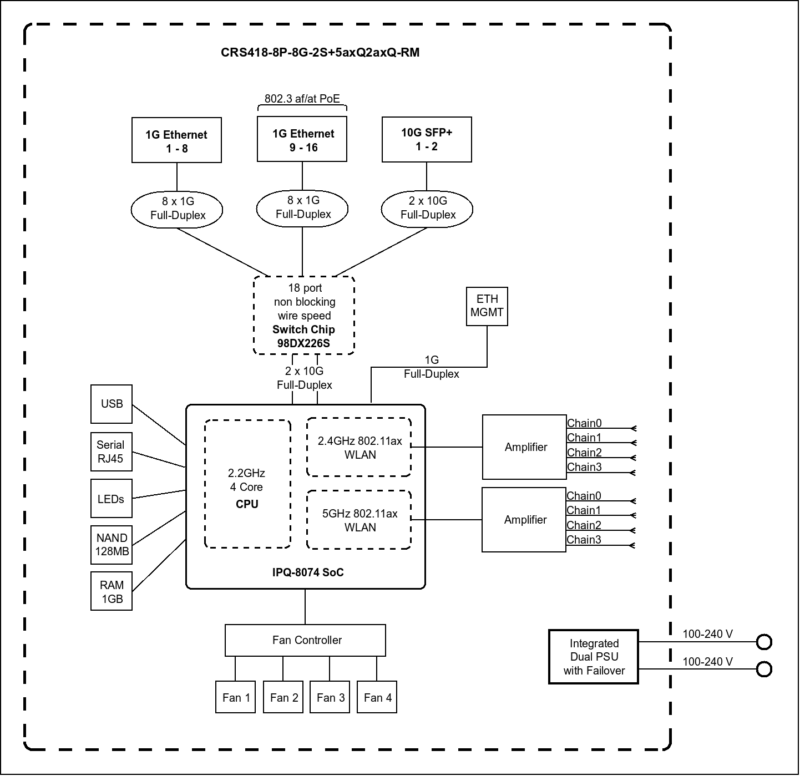
The block diagram for this WiFi version shows a different layout from the non-WiFi model, with the WiFi radios connected directly to the Qualcomm SoC rather than being an unpopulated option.
And WiFi aside, it’s still an interesting design on the whole. You can see the Marvell Prestera 98DX226S, where all of the data ports are connected to. This is the same chip we saw in other MikroTik switches.
There are then two 10Gbps links back to the Qualcomm IPQ-8072A. Instead of just using the lower-performance Arm CPU in the Marvell Prestera, MikroTik’s addition of a Qualcomm SoC means that there are four decently speedy Arm Cortex-A53 cores. It also provides a path for the management 1GbE NIC and, in this WiFi version, WiFi connectivity. The key difference is that the WiFi radios connect directly to the Qualcomm chip, enabling the integrated access point functionality.
MikroTik CRS418-8P-8G-2S+5axQ2axQ-RM Management
On the management side, these devices run MikroTik RouterOS. That means you get CLI access, a Web GUI in WebFig, and also access via WinBox. Some prefer one model over the other. Perhaps the more important aspect is that there are all three management methods so administrators can pick which one they want to use.
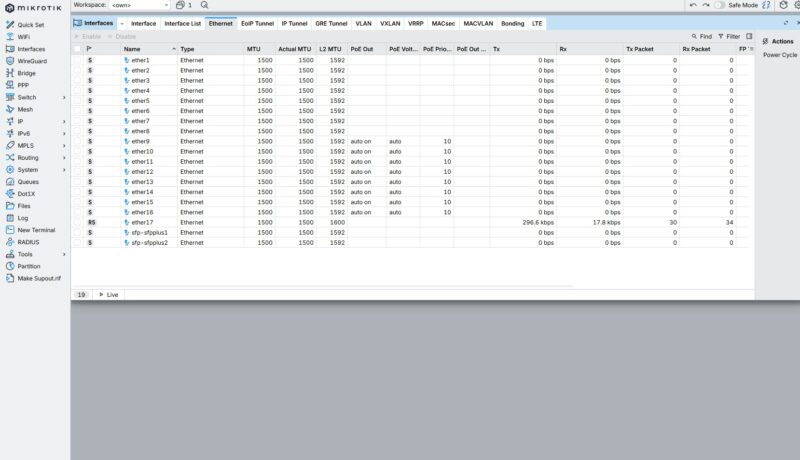
Setting up this unit is just like other MikroTiks, with standard features like VLANs.
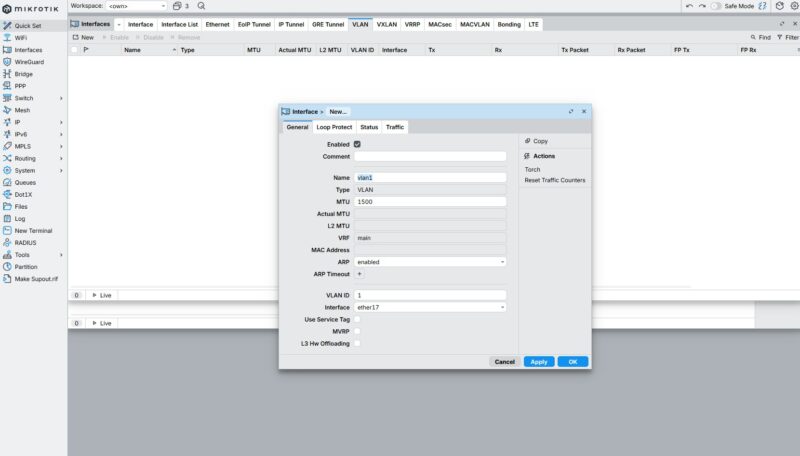
There is a QoS page which might be useful in a device like this.
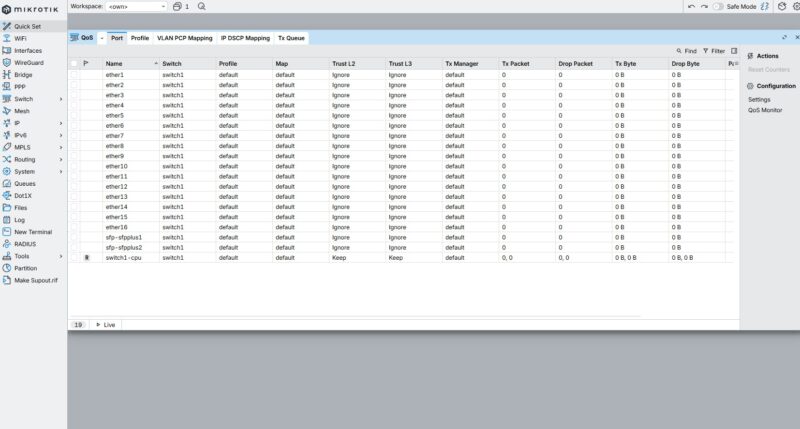
Since this can also be a router, there are features like being able to setup WireGuard or other VPNs.
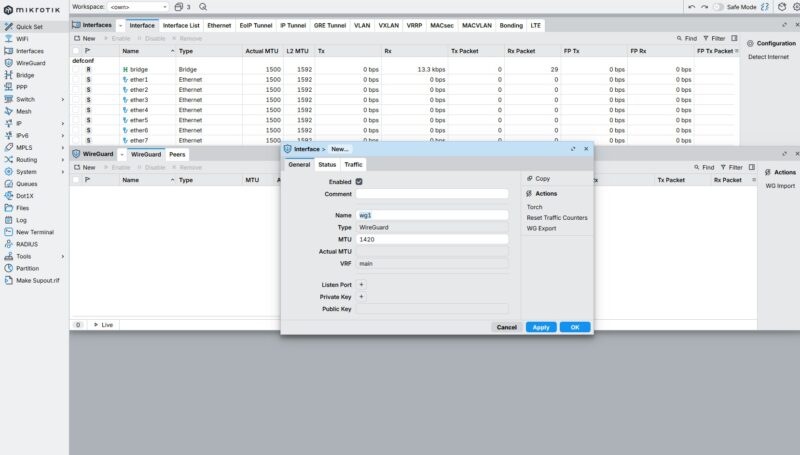
The WiFi functionality is also managed through RouterOS. You can configure the access point settings, security, and even use it as a CAPsMAN controller to manage other MikroTik access points. The dual-band WiFi 6 support gives you modern wireless capabilities integrated into the same device.
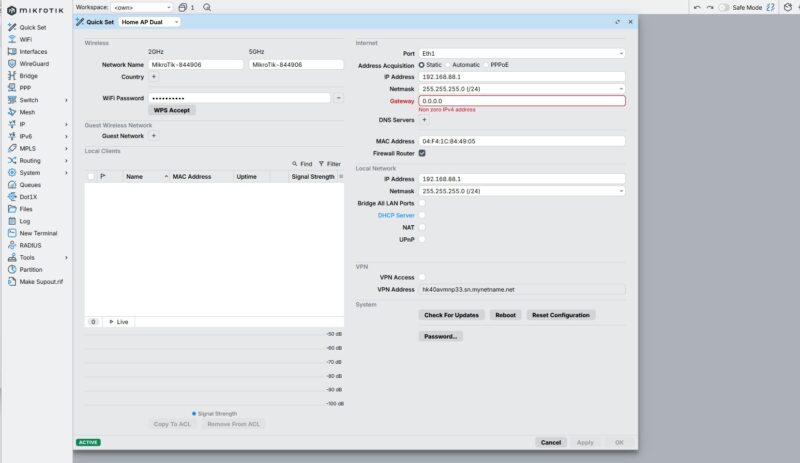
It is notable just how many different configuration options and settings there are to play with in the management interface. It is to the point where, if you were a new user and not very technical, this would be outright daunting. This level of deep control is a big reason that so many power users like MikroTik, but it definitely comes at the cost of a steep learning curve.
Next, let us get to the performance since we certainly found something interesting in our other review of this switch family.

1G ports come on its 2026 not 1996, yes still a lot of low bandwidth equipment that this will happily serve but for most people minimum 2.5G and really 10G when the price over capabilities and flexibility isn’t that much. 16x10G ports may be enough for a lot of SOHO or home labs and the SFP’s for expansion.
For who is this device made? Why add wifi to it? I don’t see the target audience at all.
L3 hardware feature support: https://help.mikrotik.com/docs/spaces/ROS/pages/62390319/L3+Hardware+Offloading#L3HardwareOffloading-CRS3xx:Switch98DX3xxxand98DX2xxxSeries
I’ll repeat my question from the non-WiFi model review. Have you turned on the L3 HW offload on the switch when testing routing?
“Next, there are two more Ethernet ports. One is the console port…”
I seriously doubt that’s Ethernet. I’d expect that to be the Cisco-style serial over RJ45 mentioned in the block diagram.
Did you try it?
My guess is that the target audience for the WiFi is for admins to have WiFi access when in the network room, rather than burning a port for an access point. However not having some 2.5Gbps ports makes it somewhat less interesting.
are the wifi antennas actually removable?? they look permanently attached with the micro-coax going straight into the back. I don’t believe there’s an RP-SMA there.