

The Supermicro NVIDIA HGX B200 10U Air Cooled Server
Supermicro actually has three different 10U air-cooled NVIDIA HGX B200 8 GPU platforms. You can choose between the Intel Xeon 6900P series, the 4th and 5th Gen Intel Xeon series, or an AMD EPYC 9004/9005 option.
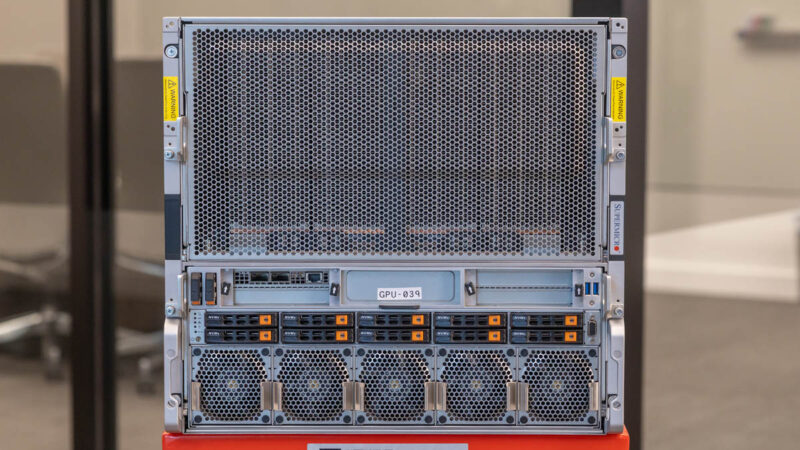
The top portion of the chassis is used for the giant NVIDIA HGX B200 8 GPU baseboard. Since the B200 GPUs in this case are being air-cooled, most of the vertical height is B200 heatsink. To give you some sense of why, I was able to assist on installing a B200.
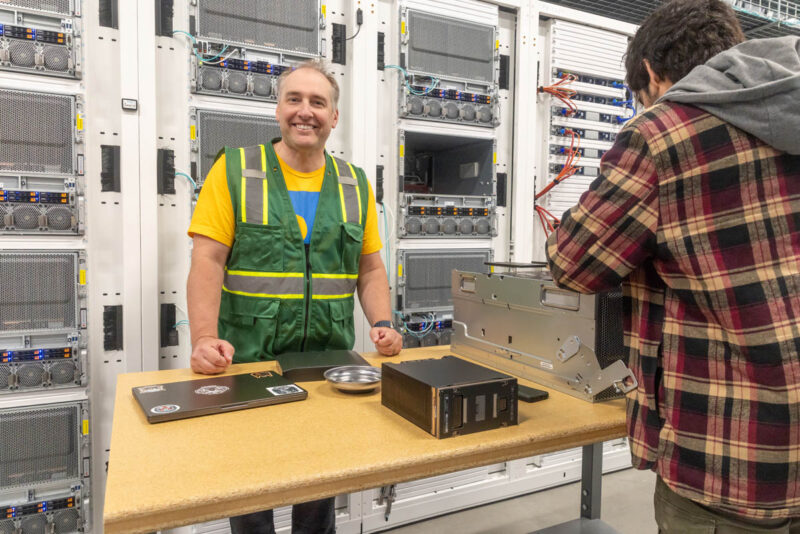
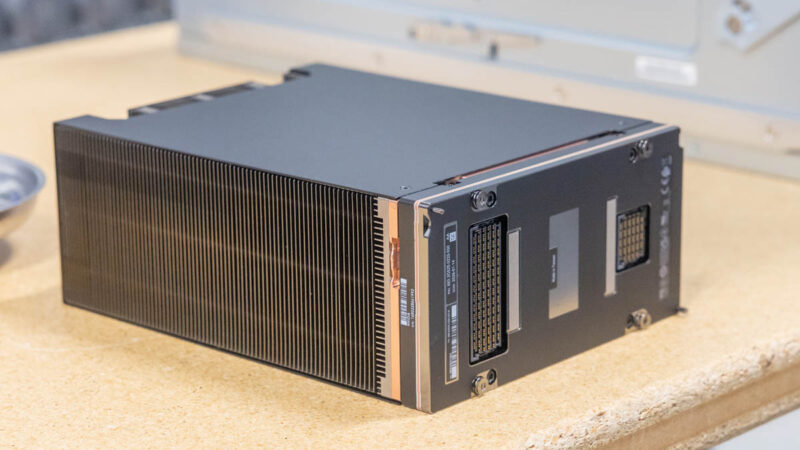
Here is a good angle where you can see the B200’s SXM package on the bottom, and then just how large the heatsink is on top of the GPU.
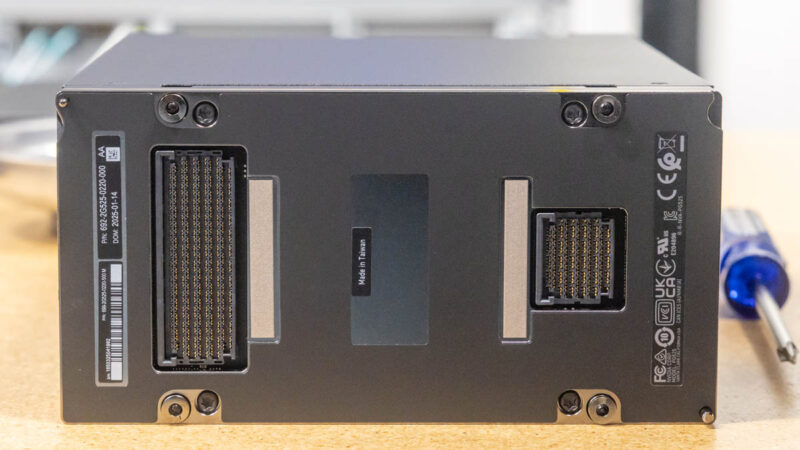
For those interested, here are the GPU connectors. If you saw our The 2025 PCIe GPU in Server Guide, this is the higher-power and higher-performance GPU form factor versus a traditional PCIe slot.
Here, I am providing “value add” by holding a phone flashlight. Getting a torque driver down past the heatsinks and into the screw is not easy.
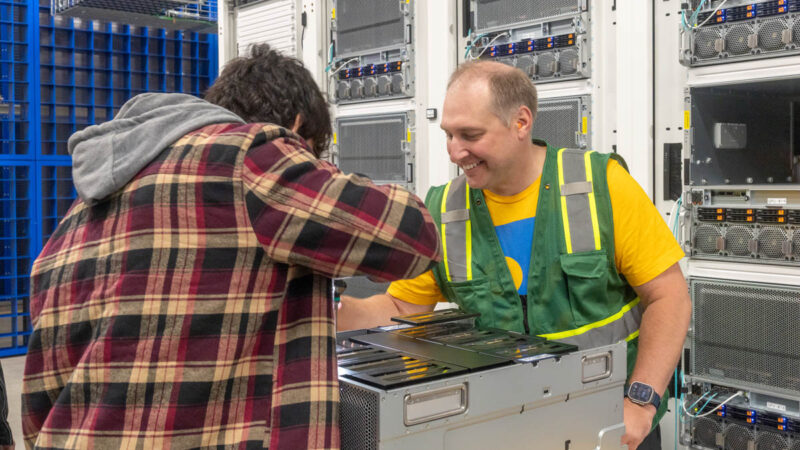
As a quick aside before we move to the front, this is a great way to illustrate why it is better for the motherboard to be below the 8-GPU baseboard in GPU servers. With new air cooling heatsinks, they get taller to handle higher power GPUs. If you have the motherboard tray above the GPU baseboard, then increasing heatsink height means the distance between the GPU baseboard and the CPU motherboard increases, and that changes PCIe link distances. That consistency is one reason Supermicro offers these systems with three different types of CPUs.
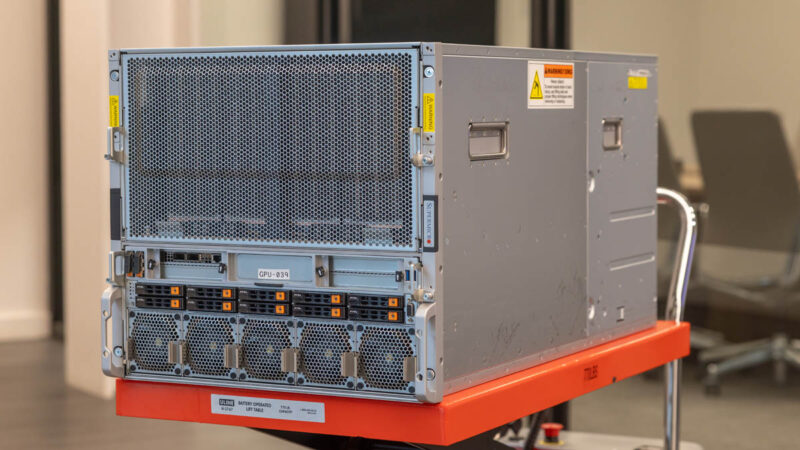
Below the GPU baseboard is where the rest of the system resides. We have the boot SSDs, North-South NIC, front service ports, storage, and fans.
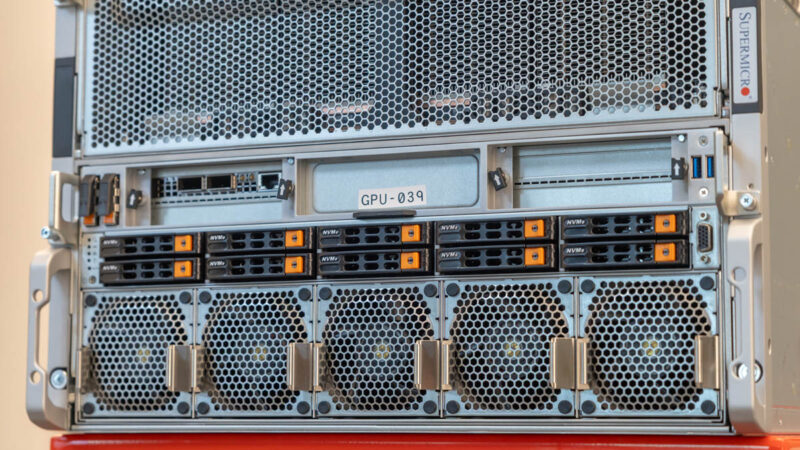
For our North-South NIC, we see the NVIDIA Bluefield-3 DPU. This has become almost standard on NVIDIA AI servers. Sometimes we see two, but one is common. This offers 400Gbps of network bandwidth.
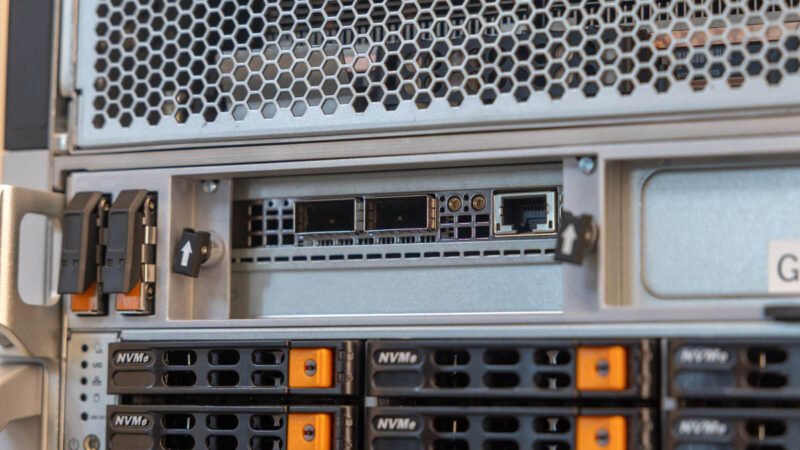
Next to that, we have our two boot SSDs.
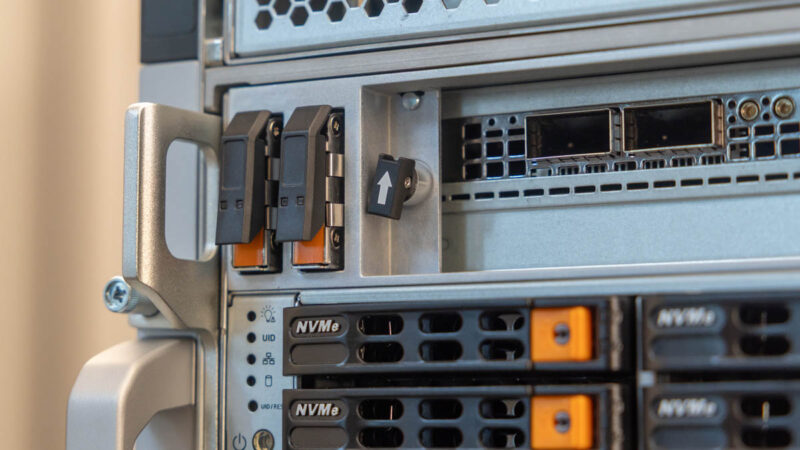
Below that, on the higher-end Intel model, we have ten 2.5″ NVMe drive bays that are all PCIe Gen5.
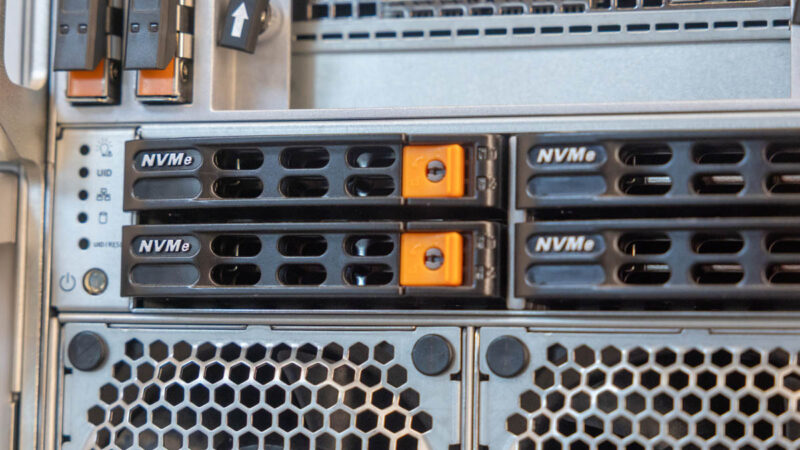
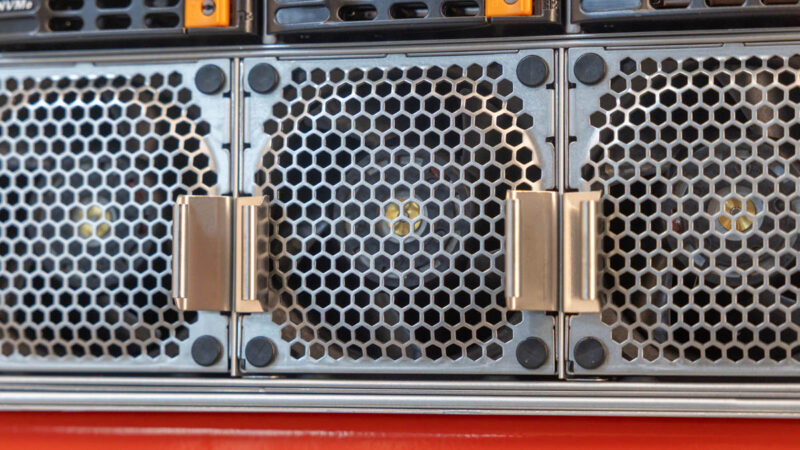
The row of fans on the bottom of the system are there to cool the CPU, DDR5 memory, and other components.
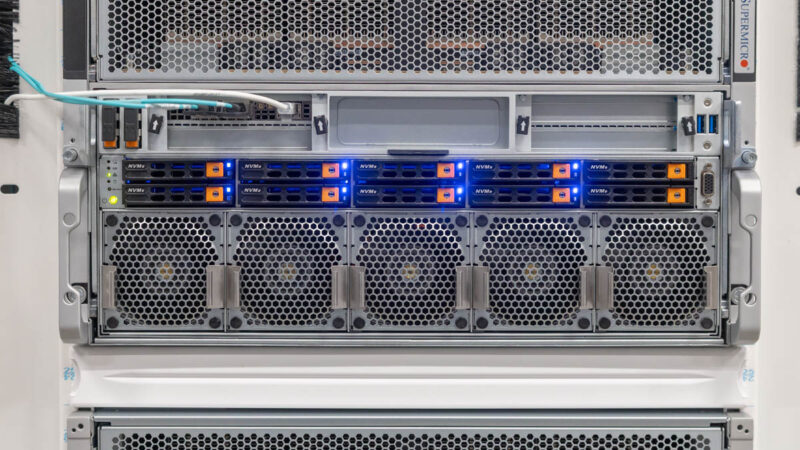
If you want to see these in our other cluster photos, here is the front powered on with drives and the NICs connected.
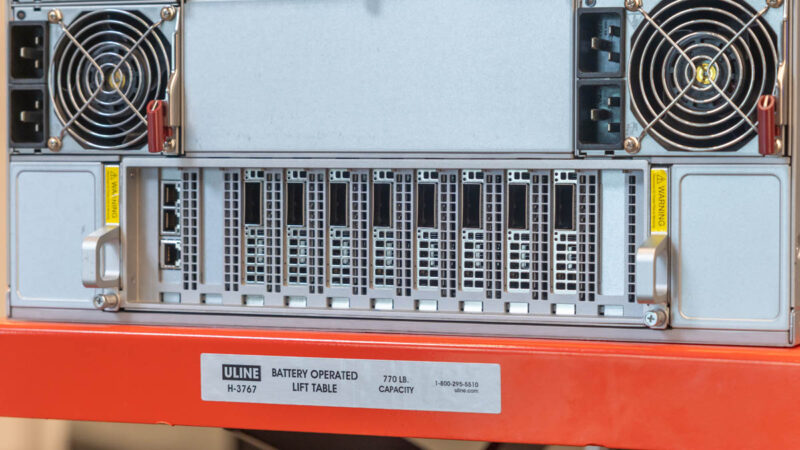
Moving to the rear of the system, there are many fans.
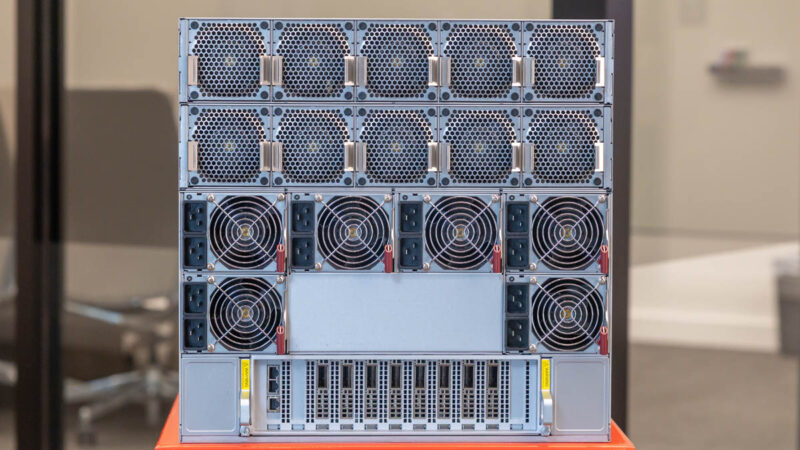
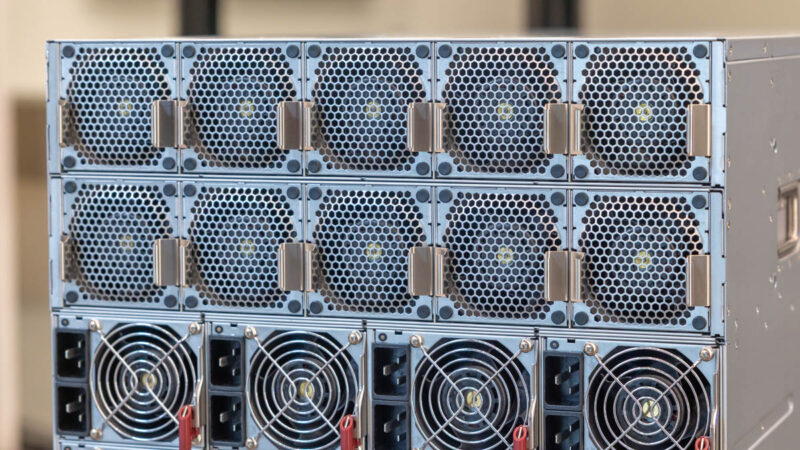
The top portion to cool the NVIDIA B200’s is a giant wall of fans that is there solely to pull air through the NVIDIA HGX B200 baseboard heatsinks.
Below that, there is something neat that Supermicro does. There are six 5250W power supplies that supply the correct voltage both for the HGX B200 8 GPU baseboard as well as the CPU motherboard. Each of these has two power inputs. Many competitive systems use standard 1U power supplies, and sometimes two different types, with some for the GPU baseboard and some for the motherboard. Supermicro’s larger dual-purpose power supplies allow it to maintain redundancy while also using larger fans, which are more efficient. The power supplies themselves are Titanium level with 96% efficiency, a very high level.
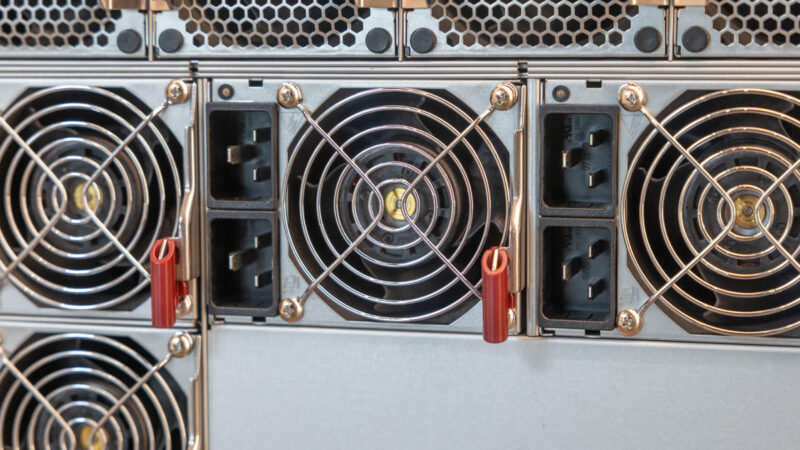
In this configuration, we have over 30kW worth of power supplies to allow 3+3 redundancy.
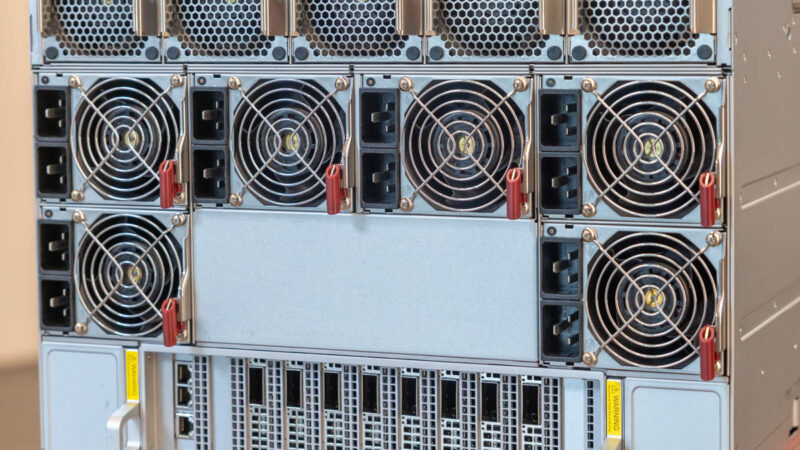
On the bottom, we have the NIC tray.
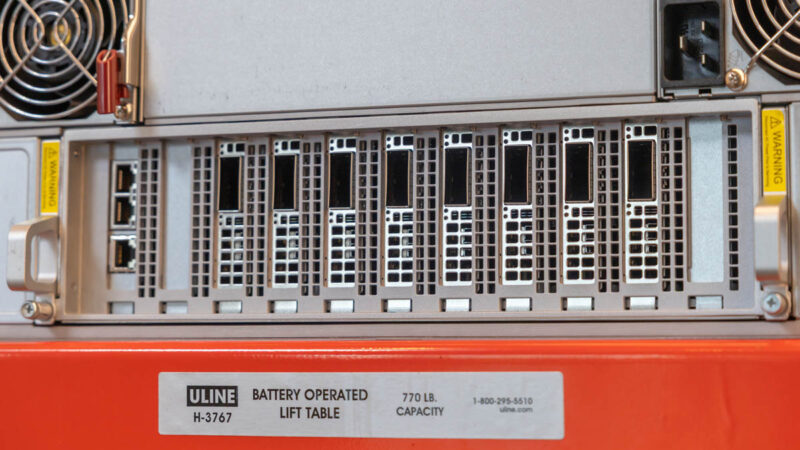
There are the onboard dual 10Gbase-T NICs that are more of OS and application management interfaces. The other 1GbE port is for the server management/ IPMI functions.
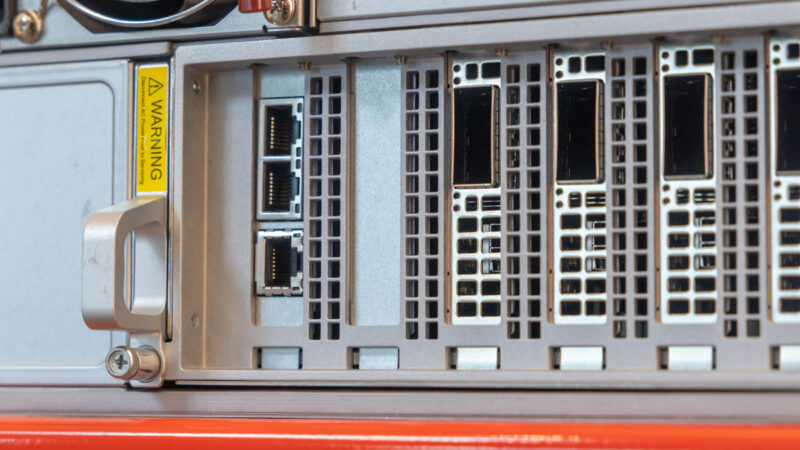
Here we have eight 400GbE NVIDIA NDR NICs for our East-West network. InfiniBand is a well-known technology in this space and Quantum-2 is a sign of a higher-end cluster of this size.
In case you wanted to see this wired and running, here you can see the redundant A+B power and the NICs all lit up.
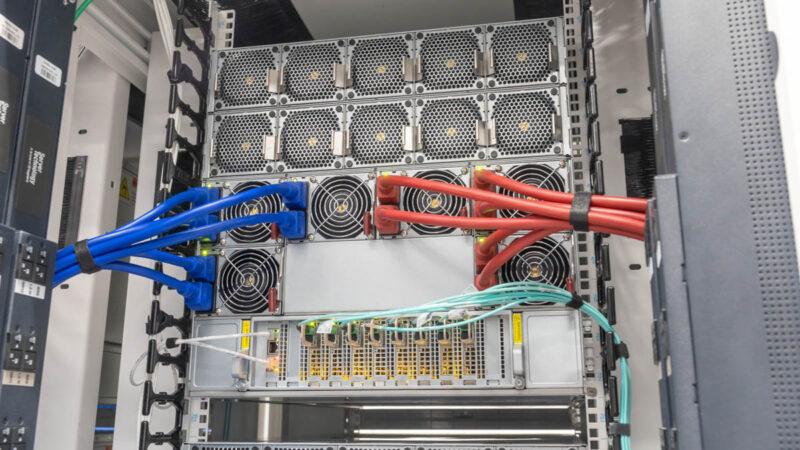
We have been testing and taking apart Supermicro 8-GPU platforms for many generations, so feel free to search for those videos and articles on STH if you want to see the evolution of the servers.
Next, let us get to the networking.



Manmade horrors beyond comprehension!
Article good. Video better. I’m not sure I’ve seen a dc video as fast paced as your xAI video since that one. It was like I was watching some gripping mission impossible action movie not some boring dc video. I don’t know how you did that, but keep doing more of it
Eagerly awaiting the day when the AI bubble bursts after investors figure out that AI isn’t a magic black box that replaces human employees. Then some of this hardware can hit the secondary market for prices that hobbyists are willing to pay for hobbyist use of AI.
AI isn’t some investor-fueled bubble. Companies are actively spending massive amounts of money on it. If the companies are collectively spending hundreds of billions of dollars per year on AI just to satisfy perceived investor interest then there is a much bigger problem in the marketplace than an AI bubble. If it is a bubble it is in the hopes and expectations of technology companies, not in the speculation of investors.
@Matt it’s become so bad that the likes of Microsoft have started ‘trimming the fat’ despite record revenues, and are desperately tacking AI (‘copilot’) onto any popular product despite customer pushback that it doesn’t really add any value let alone justify a price increase.
Looking at Cologix’s locations it seems that the most northerly location is Montreal Canada.
Checking the Open Canada website for “Permafrost, Atlas of Canada, 5th Edition” we see that there’s so many better locations available for cooling a server farm (at the lowest possible price). Just as you probably don’t want to setup in southern California (because of the temperature and electricity costs) you wouldn’t setup in southern Canada (when you can move to northern Canada, near a dam).
Not my hundreds of millions ….
Within a year or two, we’ll be looking back and wondering how absolutely *everyone* seemed to think this was a great idea.
I’d love to see this equipment put to work doing scientific research but I fear that it’s already too tightly optimized for AI work.
Regardless, fascinating view into how these clusters come together. Thanks, Patrick!