

The Dell PowerEdge R6715 liquid-cooled edition is something different. The system evacuates heat from its AMD EPYC processor using liquid cooling, which sets it apart. In our review, we will examine the system and Dell’s efforts to create a compelling platform for those adopting liquid-CPU compute racks.
Dell PowerEdge R6715 External Hardware Overview
The PowerEdge R6715 is a 1U server at just over 815mm or 32in deep.
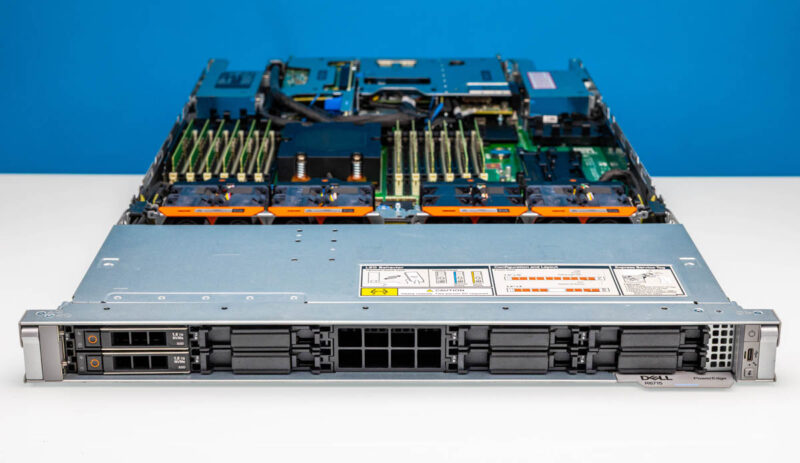
While we are reviewing the direct liquid cooling (DLC) version, the model number is the same as the air cooled R6715. Most of the system is very similar. The R6715 has many options beyond just the cooling, so keep in mind that this is just one configuration.
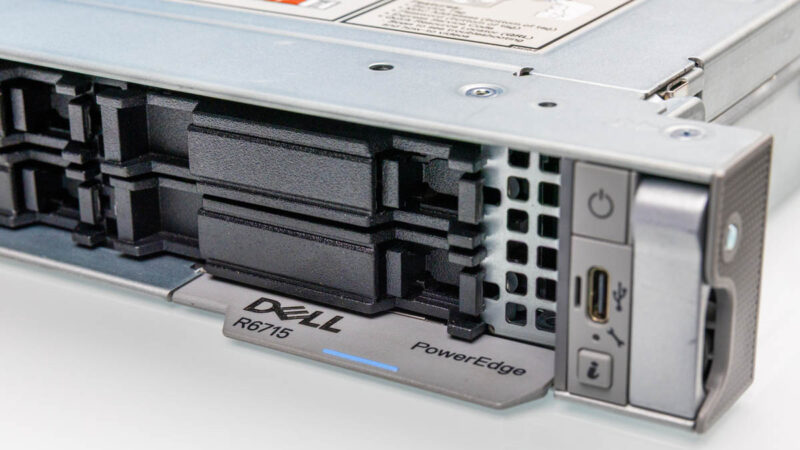
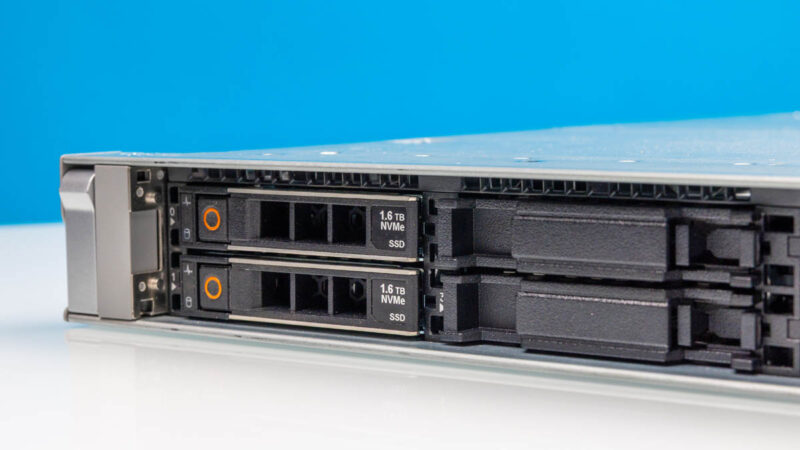
This configuration has eight 2.5″ bays. There is another option for ten 2.5″ bays, and then other options for EDSFF. There is even an option for 3.5″ bays.
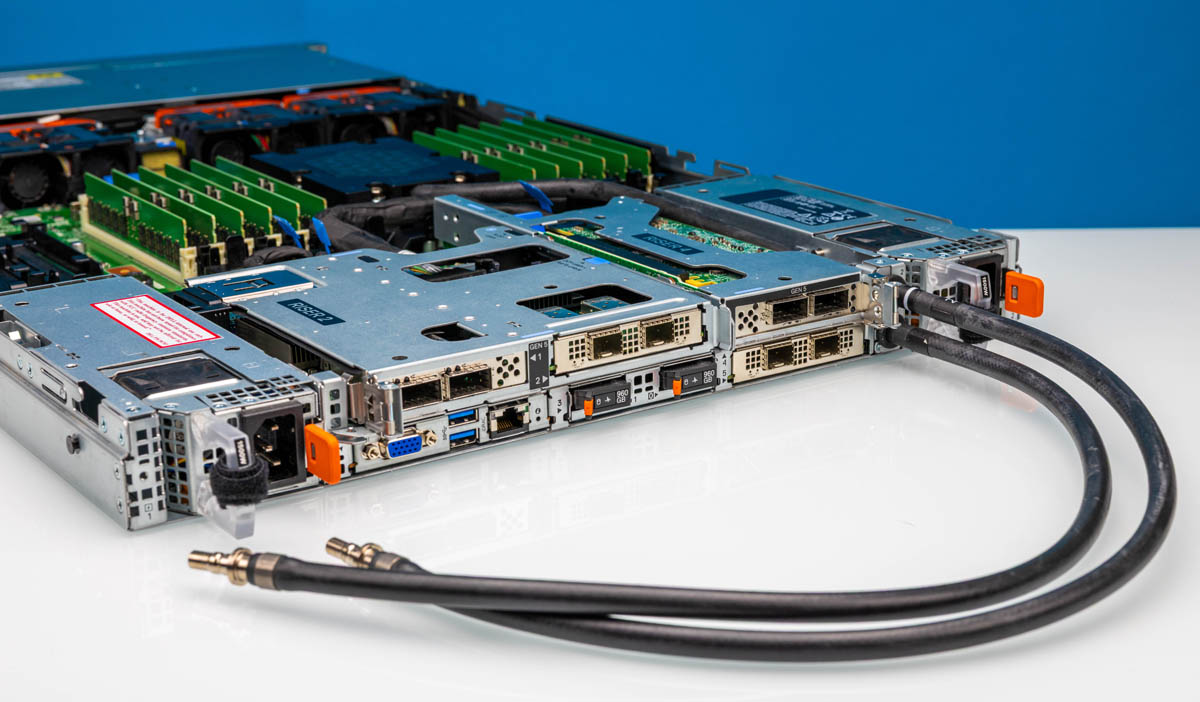
The rear of the chassis also has a lot of options.
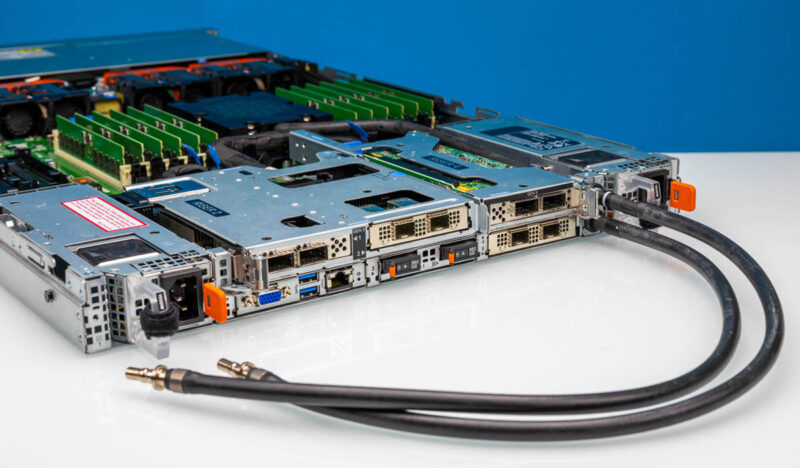
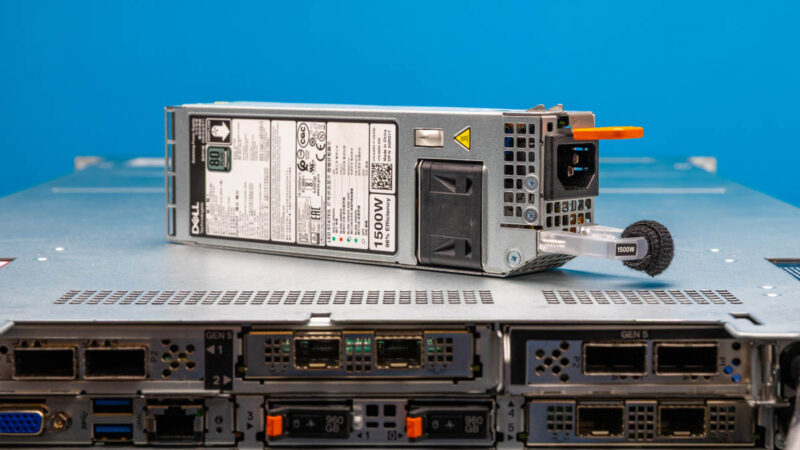
Something interesting is that there are power supplies on both sides of the chassis. We have 80Plus Titanium 1.5kW PSUs in this test system which is more than ample for this configuration.
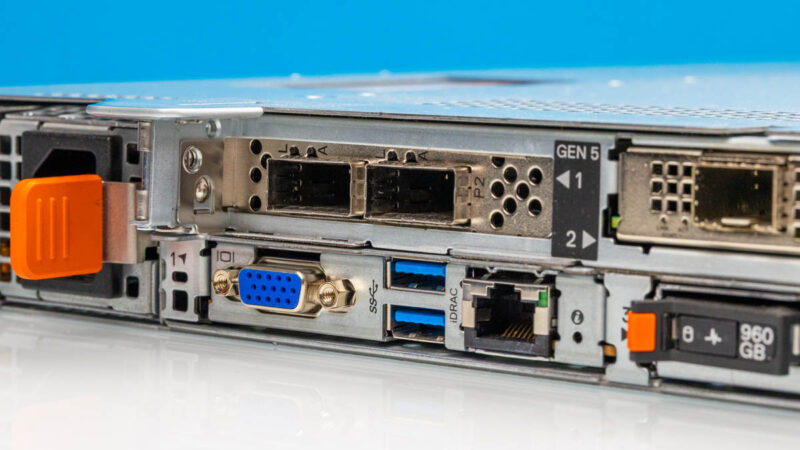
In the center Dell has a very configurable set of options for risers and even rear storage. Here we have our VGA port, two USB 3 ports, and the iDRAC out-of-band management port. There is also a PCIe Gen5 x16 riser above.
Int he center section we have an OCP NIC 3.0 slot and two SSDs for boot. Some other vendors focus on internal M.2 for boot drives given the order of magnitude better reliability of SSDs over hard drives. Still, having a rear/ externally servicable option is nice.
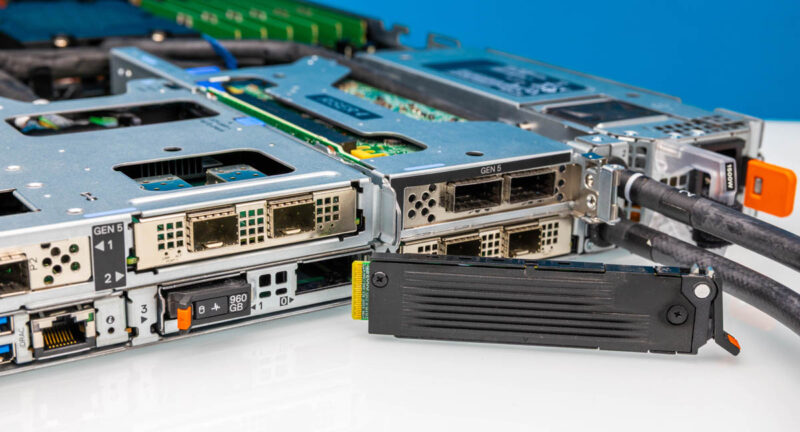
On the right center, we get another PCIe Gen5 x16 slot and another OCP NIC 3.0 slot. There are a lot of options here for up to three 75W GPUs, multiple 400GbE (or dual 200GbE) NICs, here.
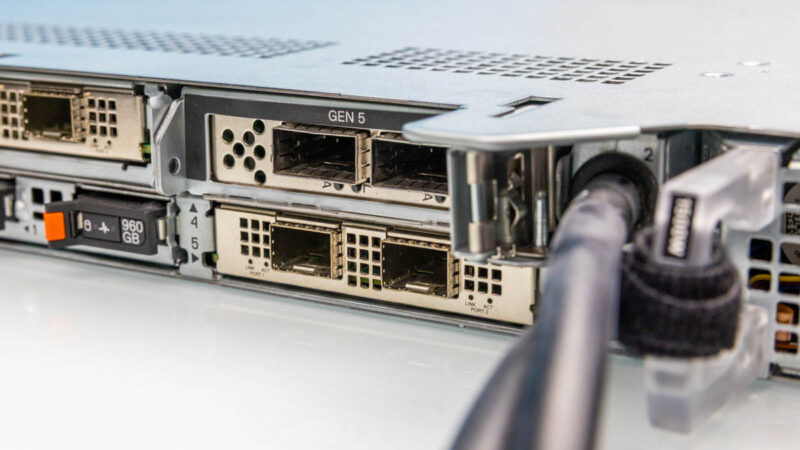
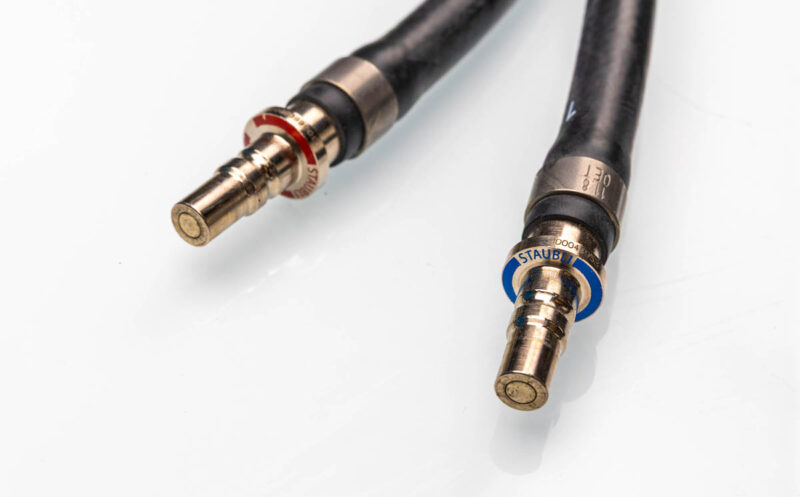
Also, exiting the rear are the liquid cooling nozzles. Here we have Staubli connectors with the blue for the cooler incoming fluid and the red for the exiting liquid going to the warmer manifold. In newer OCP racks like the ones we saw in the awesome tour Inside the Dell Factory that Builds AI Factories the liquid cooling manifolds and node nozzles are standardized and built into the racks. This is designed for a more traditional hot and cold manifold setup.
As one would expect, Dell’s rear riser designs are really slick.
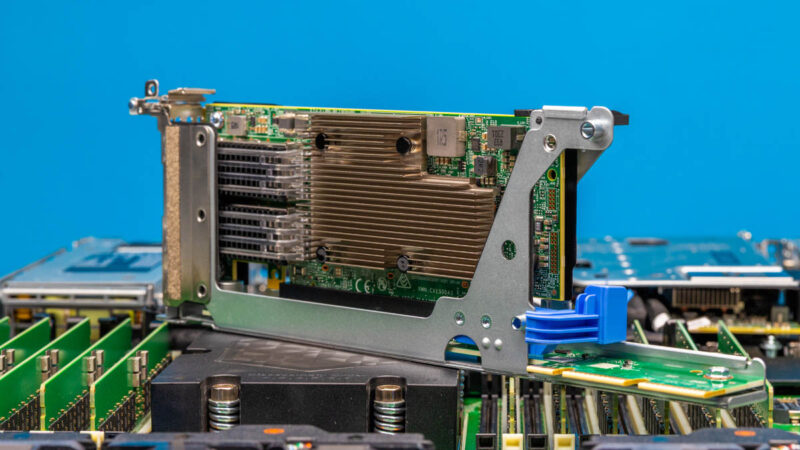
The top center one is particularly neat with both an OCP NIC 3.0 as well as a low profile PCIe Gen5 x16 slot.
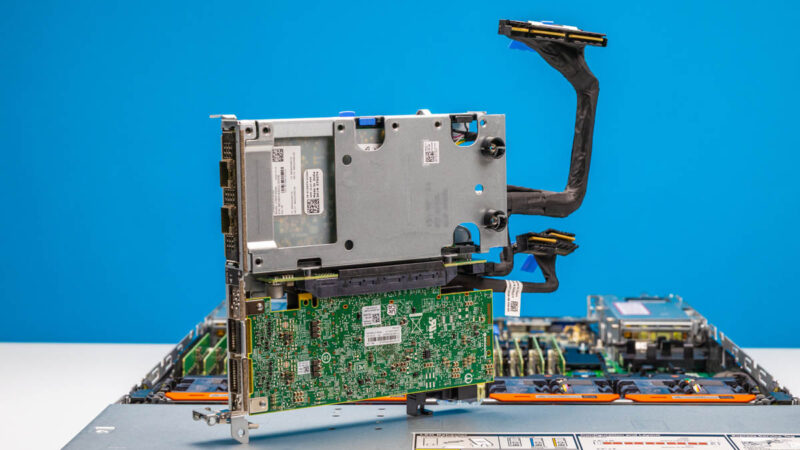
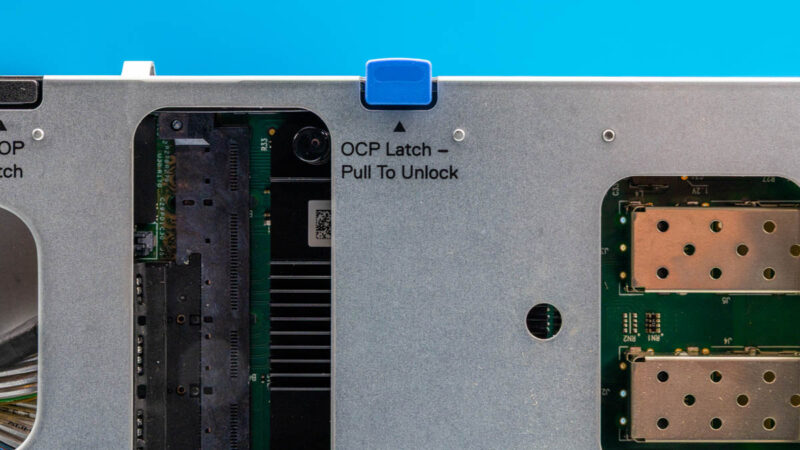
This is a super small detail, but there is an OCP latch on the top of the riser that lets you remove the OCP NIC without having to take the entire assembly apart.
Next, let us get inside the server to see how it works.


I think I saw the reference in this post, but it might have been somewhere else. I don’t understand why people still test Linux with Ubuntu or Debian – or VMs with Promox – and not Fedora. Fedora is the cutting edge of mainstream operating systems, using the latest kernel, adding new tech asap, retiring obsolete tech asap. Fedora server is dead easy to use. Its package system IMO is superior to everything else. I can setup one of these MinisForum minipcs from box to customised server in less than an hour. From what I understand, getting Ubuntu or Proxmox to work with the latest kernel one needs to perform the operating system equipment of a root canal. What’s the point of having the latest and greatest hardware if the operating system doesn’t exploit the technology. Even with Fedora, there is a few months wait unless one wants to play with rawhide.
One more thing… Fedora is developed by IBM. What did they used to say about using IBM?
@Mike: Because Ubuntu and Debian have well tested stable versions, and most people running servers want reliability above all else (hence the redundant power supplies, redundant Ethernet, etc.) If you want bleeding edge hardware support and you can tolerate the occasional kernel crash that’s when you go with something that keeps packages more up to date, although Fedora is a bit of an odd choice for that as it still lags behind other distros like Arch or Gentoo that are typically only a day or so behind upstream kernel releases.
But I do question why you need the latest kernel on a server since they usually don’t get new hardware added to them very often, they typically come with slightly older well tested hardware that already has good driver support, and most server admins don’t like using their machines as guinea pigs either, especially when a kernel bug could easily take the machine out and prevent it from booting at all. It sounds more like something relevant to a workstation or gaming PC where you’re regularly upgrading parts, and you don’t need redundant PSUs etc. because uptime isn’t a primary concern.
Ubuntu is the most popular Linux distribution for servers. Usually, Red Hat and Ubuntu are the two pre-installed Linux distributions that almost every server OEM has options for. If you want to do NVIDIA AI, then you’re using Ubuntu for the best support. RHEL is maybe second.
If you’ve got to pick a distribution, you’d either have to go RHEL or Ubuntu-Debian. I don’t see others as even relevant, other than for lab environments.
If STH were a RHEL shop, I’d understand, as that’s a valid option. Ubuntu is the big distribution that’s out there, so that’s the right option. They just happened to use Ubuntu since before it was the biggest. I’d say a long time ago when they started using Ubuntu it was valid to ask Ubuntu or CentOS, but they’ve made the right choice in hindsight even though at the time I thought they were dumb for not using CentOS. CentOS is gone so that’s how that turned out.
fantastic !! The AMD Risen a proposition better than Intel pricewise it may surpass the Intel performance in the long run ..
you never mentioned how you cooled this server…. it has hoses…. to hook to what?
In the Dell R6715 technical guide, they publish memory speeds at 5200MT/s even though the server (air cooled) uses 6400 MT/s DIMM’s. Does the liquid cooled version of the R6715 also down shift the memory speed?
The memory speed is not a liquid v. air. It is a challenge with the additional trace lengths of moving from 12 DIMM to 24 DIMM configurations placed on the motherboard.
Patrick, I understand that the second bank always creates a reduced memory bandwidth. What I don’t understand is why is the R6715 documentation indicating a 5200 MT/s for the memory bandwidth when running 6400 MT/s DIMM’s. The HPE DL325 has the same published numbers in their documentation. Why aren’t these servers achieving full bandwidth on 6400 MT/s DIMM’s when running a single, fully populated bank?