

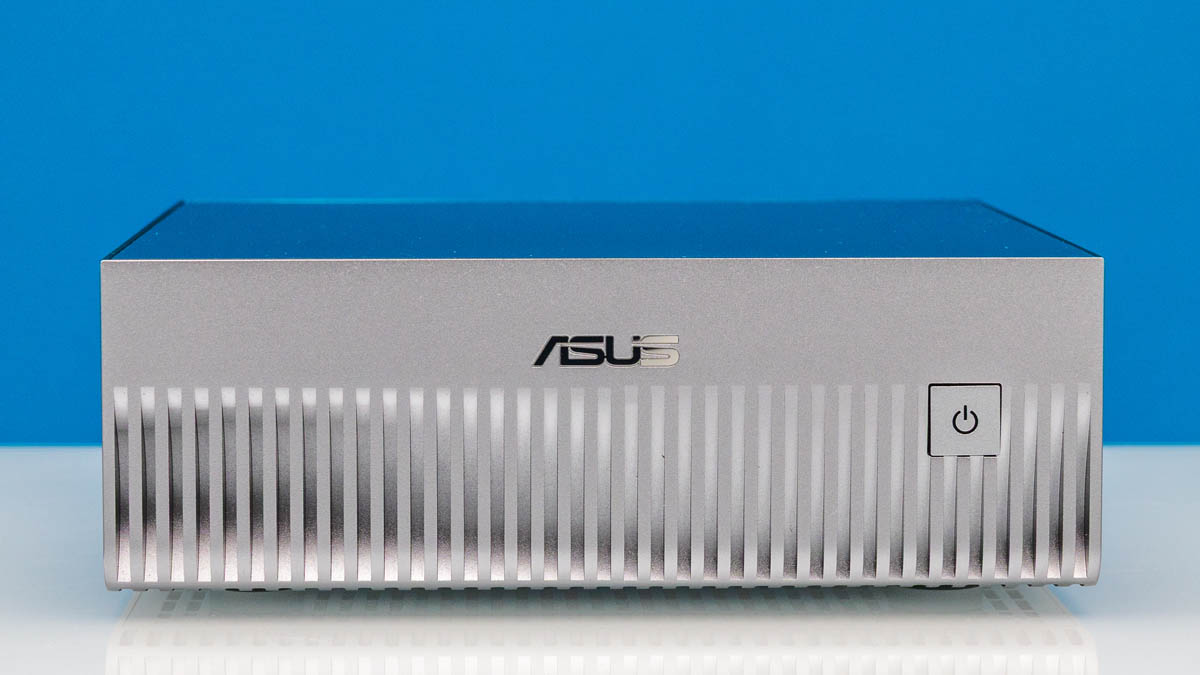
Back at GTC 2025, NVIDIA announced their DGX Spark mini-PC AI workstation. Bordering on somewhere between a PC design and an ecosystem, the DGX Spark was introduced to serve as a miniaturized, entry-level system for developers and researchers to get their hands on NVIDIA’s Grace Blackwell generation of Arm CPU, GPU, and networking technologies. In short, NVIDIA was providing a relatively powerful dev box for groups writing models and code for their larger Grace Blackwell servers.
Or rather, it was NVIDIA and partners providing a dev box. In addition to releasing and selling their own design, NVIDIA also made the DGX Spark design available to their traditional OEM partners. As a result, there are several major OEMs selling mini-PCs based on the DGX Spark’s GB10 motherboard and its underlying GB10 SoC, giving potential customers a wider variety of systems to choose from when it comes to configuration options, cooling, and support.
Since DGX Spark and OEM variant systems became available in October, we have had a few of these systems show up at ServeTheHome’s lab. The granddaddy of them all being the NVIDIA DGX Spark, of course, but we have also had systems from Dell and ASUS drop by as well. This Ascent GX10 is the latest of those systems.
| ASUS Ascent GX10 Key Specs | |
| Processors | NVIDIA GB10 Superchip 10x Arm Cortex-X925 10x Arm Cortex-A725 Blackwell GB20B GPU – 48 SMs |
| Operating System | NVIDIA DGX OS |
| Memory | 128GB LPDDR5X-8533, Soldered |
| Storage | 1TB to up to 4TB SSD (PCIe 5.0 x4 M.2-2242) |
| GPU | NVIDIA Blackwell, 1 PFLOP FP4 AI |
| PSU | 240W External Adapter, USB-C |
| Form Factor | SFF PC |
| Dimensions | 150mm x 150mm x 51mm (5.91 x 5.91 x 2.01 in) |
| Weight | 1.48kg (3.26 lbs) |
| Networking | ConnectX-7 200Gbps Ethernet 10Gb Ethernet |
| Wireless | Wi-Fi 7 (2×2) + Bluetooth 5.4 |
| Color | Silver |
| Ports | Rear: 4x USB-C 20Gbps (Gen 2×2) w/DP Alt mode, 1x HDMI 2.1a, 1x 10GbE (RJ45), 2x 200GbE (OSFP112) |
Taking a quick look at the specifications, while NVIDIA is allowing partners to produce their own boxes, they seem to be keeping a very tight leash on system configurations – constrained, in part, by the fact that most of the hardware in these mini-PCs is soldered down. In this case, the ASUS Ascent GX10 comes with everything you would expect from a GB10 box, including the GB10 SoC, 128GB of LPDDR5X memory, an integrated ConnectX-7 NIC, a 10GbE NIC, and at least 1TB of SSD storage. That 1TB configuration is often $1000 less than the 4TB configuration from NVIDIA (or $333/TB) making it potentially a much better value. As you get more systems, we just did a piece about Building Our Office Storage for the NVIDIA GB10 Agent AI Cluster, which is something you can do with the high-speed networking and savings from the 1TB models.
If you wanted to find the ASUS Ascent GX10 online, here is an Amazon Affiliate link.
ASUS Ascent GX10 External Hardware Overview
Unlike our early look at Dell’s GB10 system, we have free rein to dig into the ASUS box, so we are doing just that.
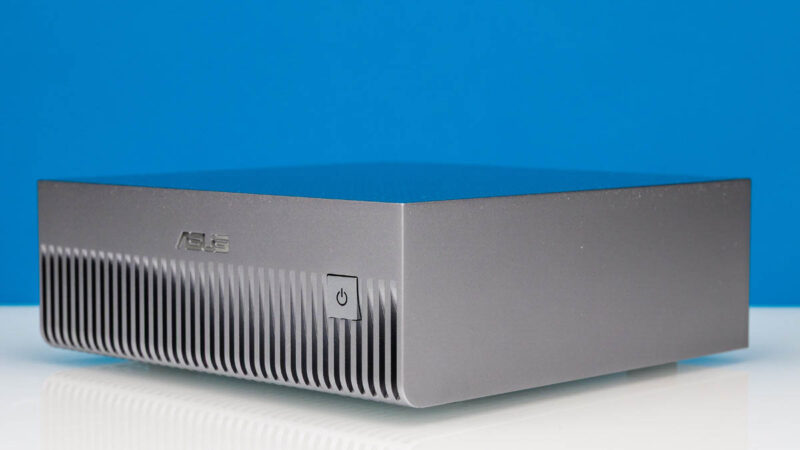
In keeping with the minimalist design cue of NVIDIA’s DGX Spark, ASUS has opted to take a similar approach with the Ascent GX10. At first, you may notice a simplified chassis compared to the DGX Spark, and it differs from the plastic chassis we saw in our GX10 first look at GTC2025. It turns out ASUS made a change to its chassis to improve cooling.
In one of the few feature differentiators you will see between all of these first-generation Spark boxes, ASUS has put its power button on the front of the PC instead of the rear. Users can turn the box on and off from the front, though all USB ports remain at the rear. This may seem like a small detail, but having a cluster of five GB10 boxes in the lab having a power button on the front instead of the rear is something we wish all GB10 systems had. This is a great usability feature.
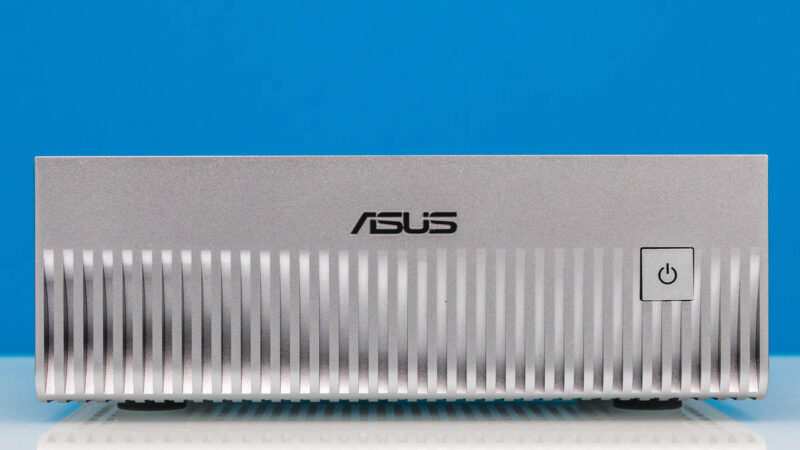
Otherwise, with dimensions of 150 x 150 x 51mm (5.91 x 5.91 x 2.01 inch), ASUS’s take on the Spark is every bit as tiny as NVIDIA’s original design, Similarly, this is a full front-to-back air cooling design, so the bulk of the front of the mini-PC is the ventilation needed for sucking in fresh air to cool the hardware.
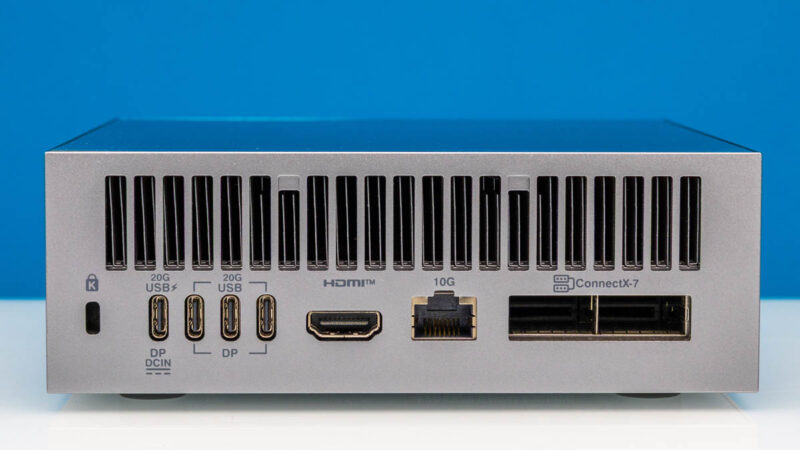
With nothing of substance on the sides, we will rotate around to the back of the Ascent GX10 to take a look at what it offers, and that includes a giant vent.
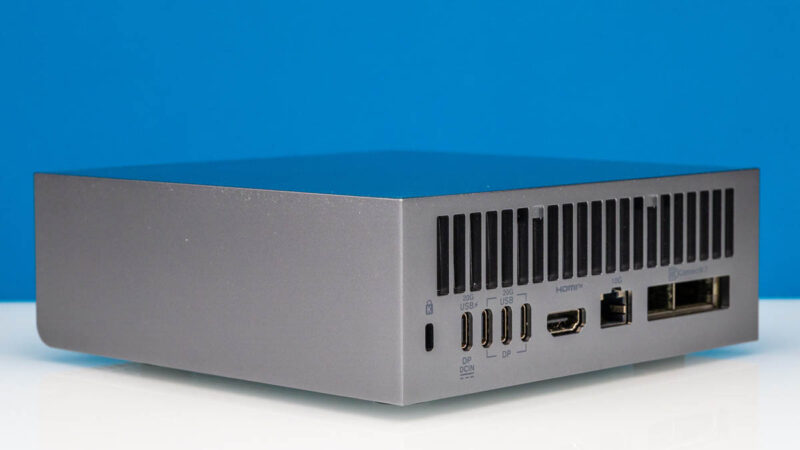
If you have seen the original DGX Spark or Dell’s system, then you know what you will find here. Starting from the left are four USB Type-C ports. All of these are 20Gbps ports, running in USB 3.2 Gen 2×2 under the hood. The left-most port is also the power-input port for the system, taking full advantage of the 240 Watt EPR limit for USB-C. The remaining three USB ports are then for any peripherals that need to be hooked up to the system, including external displays, thanks to support for DisplayPort 2.1 via DP alt-mode for USB-C.
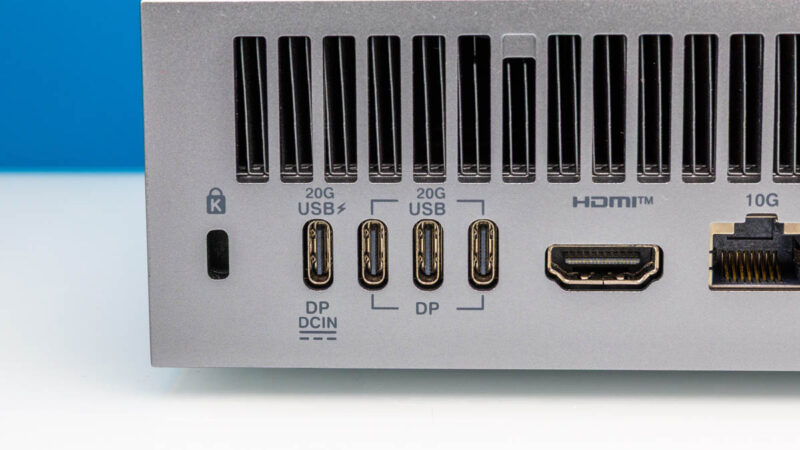
Small features here, ASUS actually labels the USB ports as 20G ports, which is great. Many of the OEMs do not clearly label these. Also, there is a blank space between the lock port and the USB Type-C DC input, and that is where many vendors put their power buttons. If you have a power input, and a lock, it would be difficult to reach the power button.
And if DisplayPort is not your flavor of choice, then there is also an HDMI 2.1a port to the right of that. Moving to the right again, we get to where things are arguably more interesting in the Spark design with its trio of network ports.
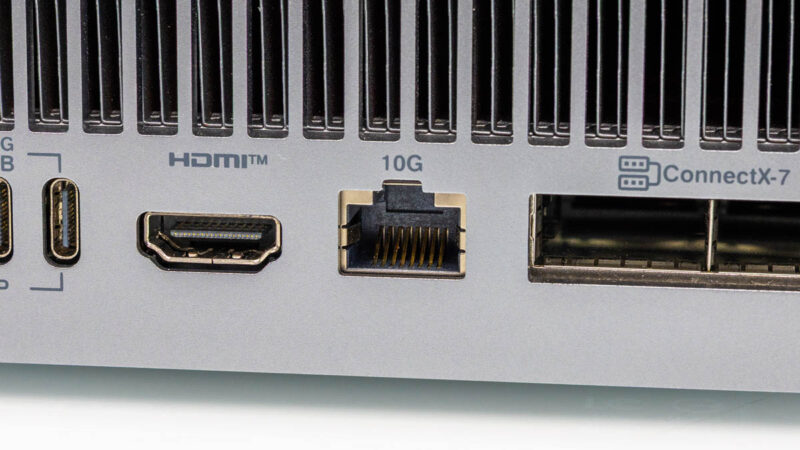
First off is a 10GbE port for local networking. In a typical mini-PC, this would be the fastest port you would find on a system, but of course, the Spark aims much higher.
Which is why it is rounded out by a pair of 200Gbps QSFP112 ports. Connected in turn to the mini-PC’s integrated NVIDIA ConnectX-7 NIC, the high-performance NIC is one of the marquee features of the Spark boxes, with our own Patrick Kennedy often contextualizing Spark boxes as a ConnectX-7 NIC with a really good SoC and RAM bolted on.
The internal architecture of the Spark design does make getting the most out of these QSFP ports a bit tricky, however. As we outlined last month, 200Gbps of networking needs a PCIe 5.0 x8 connection to be fully fed, but GB10 can only provide PCIe 5.0 root ports with at most a x4 connection. As a result, the NIC is connected to a pair of x4 ports. This provides the same aggregate bandwidth as an x8 connection, but it imposes network topology restrictions due to the NIC appearing to the rest of the system as four network interfaces. In many ways, this is similar to what we saw with our NVIDIA ConnectX-8 C8240 800G Dual 400G NIC Review, having two PCIe Gen5 x16 connections and two 400Gbps ports. The GB10 is like a small version of that.
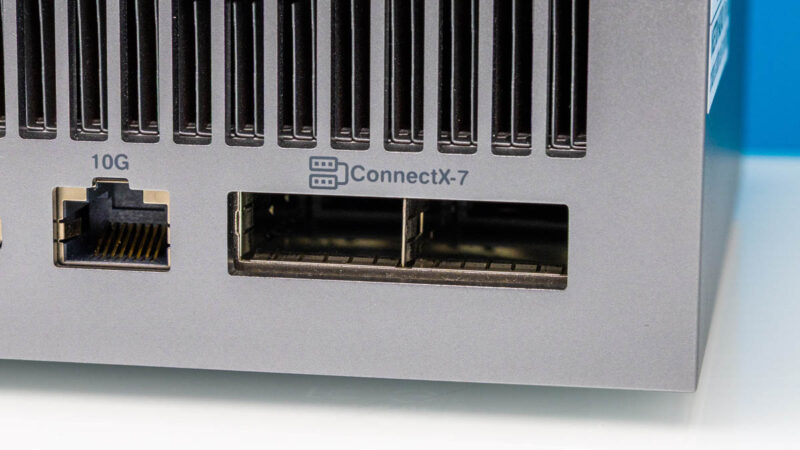
Ultimately, the purpose of including a high-end ConnectX-7 NIC is to allow NVIDIA GB10 boxes to scale out, similar to their big iron brethren. 200Gbps of networking bandwidth is not nearly as much as a full-fledged GB200/GB300-based server, but it gives developers access to more processing power and a way to see how their software and models will perform on a scale-out setup. The most common setup we expect to see is two-way systems, using a single cable offering 200Gbps of bandwidth between GB10 systems. At the same time, with a network switch, it is possible to scale the whole cluster out to several machines.
Not pictured here, the Ascent GX10 also offers one final networking option with an integrated Wi-Fi 7 (2×2) + Bluetooth 5.4 radio.
The rest of the back of the Ascent GX10, in turn, is dominated by the exhaust vents towards the top of the case.
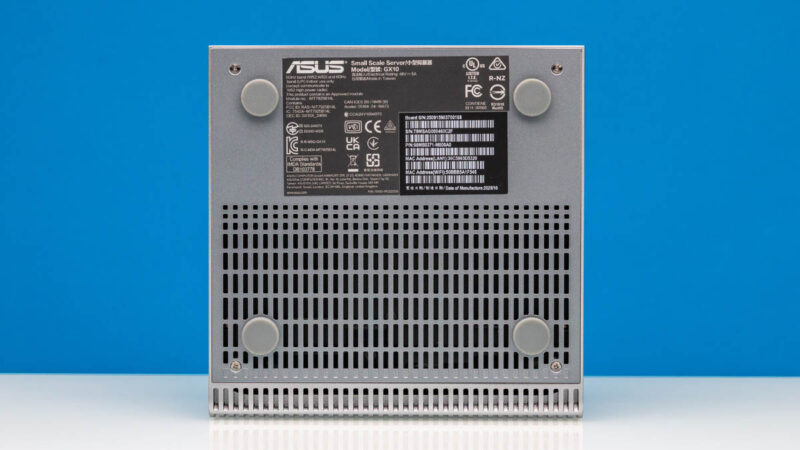
Flipping the GX10 on its back, we also get a quick look at the bottom of the machine. As with the front, this is further venting for the air intakes. As well, it provides the access point for the handful of user-serviceable parts within the system. This extra venting is a key differentiator since it helps improve the cooling.
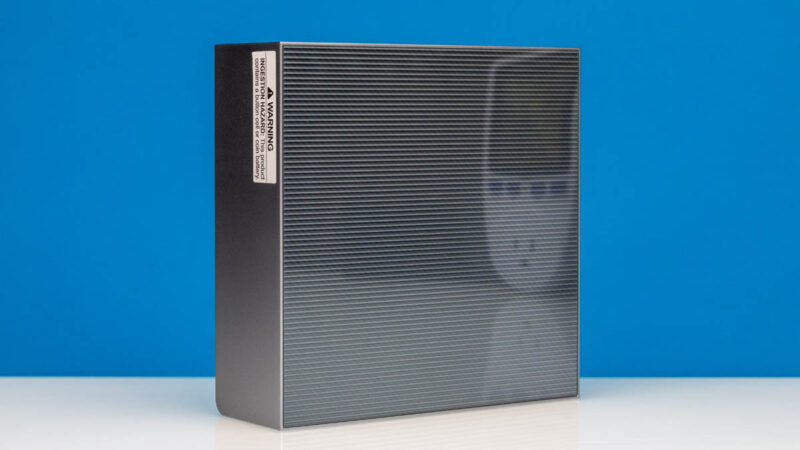
Meanwhile, flipping the PC towards the front shows off a surprisingly shiny lid for the otherwise flat PC.
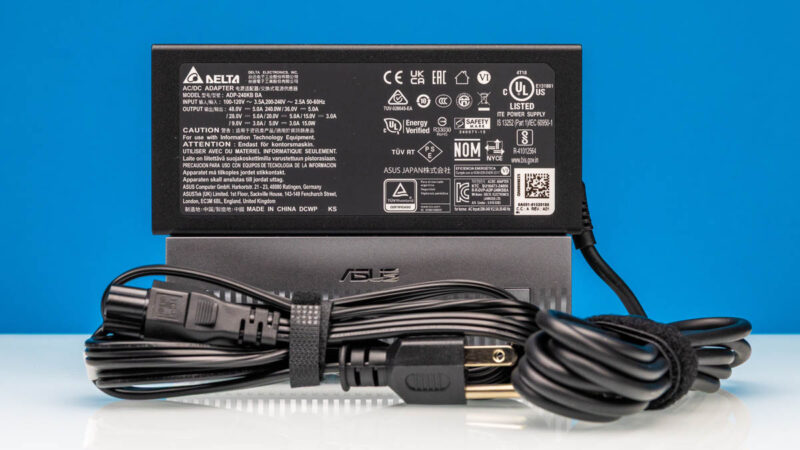
Finally, here is a quick look at the external power supply included with the Ascent GX10. This is a powerful 240 Watt USB-C adapter from Delta. According to NVIDIA documentation, the GB10 chip itself has a TDP of 140 Watts, leaving 100 Watts for everything else from the ConnectX-7 NIC to the USB ports.
Now let us get inside the system – or at least, as much as we can.



I made mention of this in a prior review, but of all of the DGX Spark System’s being sold, the ASUS is unique in that it is the only one that provides NO SUPPORT or Warranty at all.
It is being sold “as is” by ASUS.
I went with the Dell with 2 TB SSD for about $3,500, and it includes a full 1 year standard warranty, with extensions available.
The Asus Ascent GX10 has a warranty, per Asus’ website:
“No returns will be accepted once the order is processed.
Defective units under warranty may be returned for repair or replacement, subject to inspection and approval.”
It even lists a Warranty card on the included items:
“Accessories
AC Adapter
Power Cord
User Manual
Warranty Card”
This only means no buyer’s remorse, but they will fix it if broken, or replace it.