

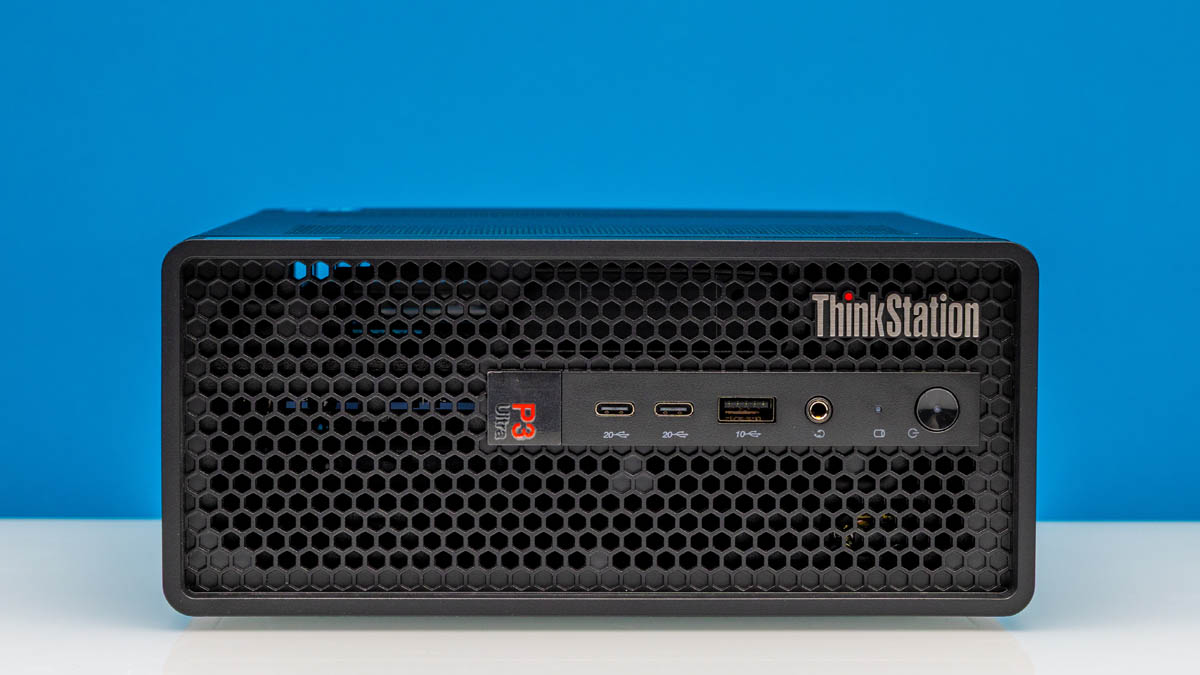
If there is something nice to be said about the AI boom over the last few years, it is that it has resulted in a renaissance of sorts for mini-PC form factor workstations. From classic PCs up to highly integrated AI boxes, we have seen a significant uptick in vendors looking to tap into the high-performance mini-PC market in one way or another.
For the well-established major OEMs, this has been a particular boon since they already have full lineups of mini-PCs. In that respect, perhaps the biggest beneficiary has been Lenovo, which not only offers several system lineups that include mini-PCs, but the company is already offering them in several sizes. A couple of months ago, we had a chance to look at the 1-liter-sized ThinkStation P3 Tiny Gen 2, and today, we are looking at Lenovo’s bigger and better mini-PC for workstations, the ThinkStation P3 Ultra SFF Gen 2.
| Lenovo ThinkStation P3 Ultra SFF Gen 2 (30J50035US) Key Specs | |
| Processor | Intel Core Ultra 9 285, 8P + 16E (5.6GHz) |
| Operating System | Windows 11 Pro |
| Memory | 64GB DDR5-6400 (2x32GB CSO-DIMM) |
| System Storage | 1TB SSD (PCIe Gen5 x4, M.2 2280) |
| PCIe Slots | 1x Low-Profile PCIe x16 (Gen4 x16 Electrical) 1x Low-Proifle PCIe x8 (Gen4 x4 Electrical) |
| GPU | Intel Graphics (Xe-LPG, 4 cores) NVIDIA RTX 4000 Ada SFF (20GB GDDR6) |
| PSU | 330W External PSU |
| Form Factor | Mini-PC (3.9L) |
| Dimensions | 202 x 87 x 223 mm (7.9 x 3.4 x 8.7 in) |
| Weight | 1.8 kg (3.96lbs) |
| Wireless | Wi-Fi 7 + Bluetooth 5.4 (Intel BE200) |
| Color | Black |
| Ports | Front: 2x USB-C 20Gbps, 1x USB-A 10Gbps, 3.5mm Audio Jack Rear: 4x USB-A 10Gbps, 3x DisplayPort 1.4, 1x 1GbE (RJ45) |
Billed as an AI workstation, the ThinkStation P3 Ultra SFF 2 is a larger take on the mini-PC concept, essentially bridging the gap between a mini-PC and a small tower. Specifically, Lenovo has built a mini-PC around a form factor that is large enough to house multiple low-profile PCIe cards, resulting in a system still small enough to be a mini-PC, but just spacious enough to allow for some meaningful expansion options.
If you wanted to find the Lenovo ThinkStation P3 Ultra SFF Gen 2 online, here is an Amazon Affiliate link.
Lenovo ThinkStation P3 Ultra SFF Gen 2 External Hardware Overview
Compared to Lenovo’s smallest P3 workstations, the P3 Ultra SFF is a good deal bigger, and that is obvious right off the bat when looking at it. At 87mm tall and with a volume of 3.9 liters, it is still a mini-PC, but it is on the upper range of that segment.
As we will see going through this review, Lenovo has worked to put the additional space to good use. The larger SFF form factor buys the PC vendor enough space to squeeze in multiple PCIe cards – including a dual-slot card – so the P3 Ultra SFF leans rather significantly on its upgradability, making it a key distinction from the P3 Tiny.
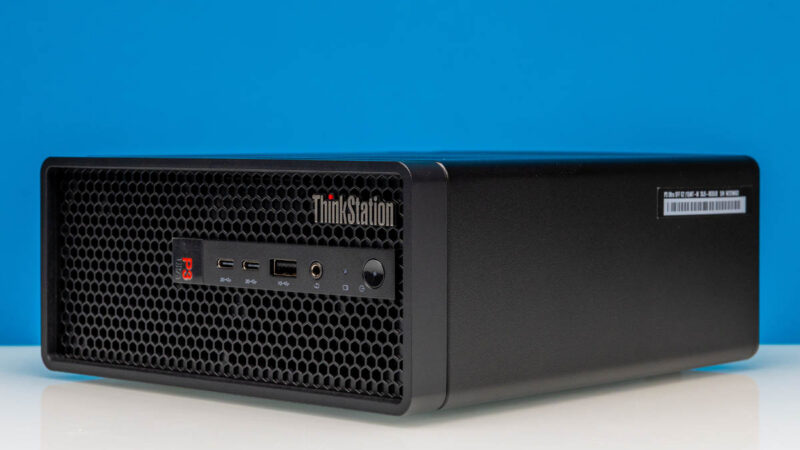
Diving right in, the P3 Ultra SFF’s chassis is designed for significant airflow. Following the same Lenovo design style as we have seen in a lot of their other workstation systems in recent years, the front of the black mini-PC is comprised almost entirely of grating for airflow purposes.
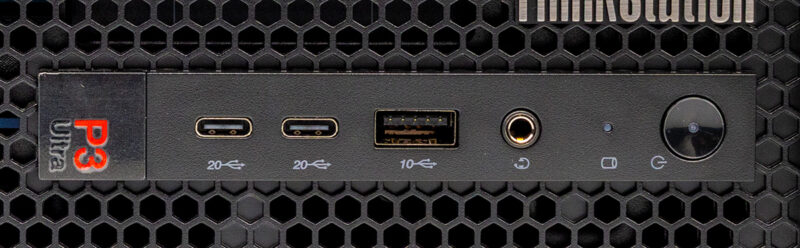
On the front of the system, we find a fairly modern collection of ports. Lenovo has opted for two USB-C ports running at 20Gbps USB4 speeds. Notably, despite the Intel Core Ultra platform inside supporting 40Gbps USB4/Thunderbolt 4, Lenovo has opted not to use it here (presumably because of the necessary retimers), leaving these ports running at 20Gbps. Meanwhile, adjacent to the USB-C ports is a single 10Gbps USB-A port for legacy devices. And finally, we find the obligatory 3.5mm combo audio jack.
This front-panel block also houses the system’s power button and a hard drive activity LED.
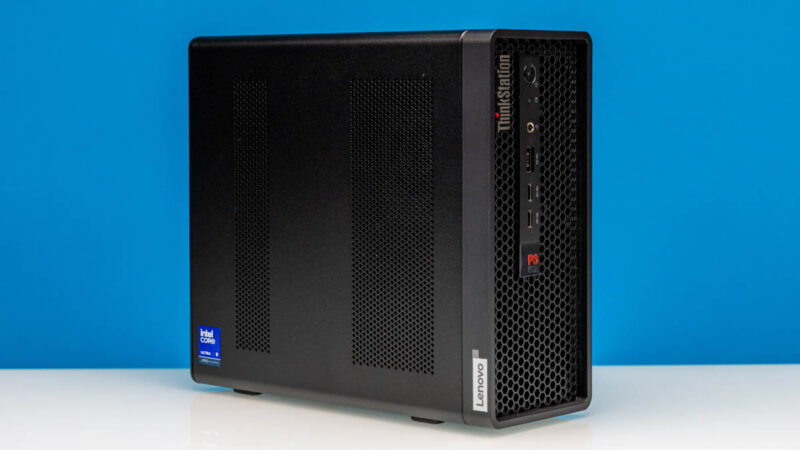
Lenovo has designed the mini-PC to be laid out in both horizontal and vertical orientations, the latter of which effectively turns it into a small tower workstation, and it includes rubber feet for both orientations. Consequently, while the “ThinkStation” logo is laid out horizontally, the “P3 Ultra” label is laid out vertically.
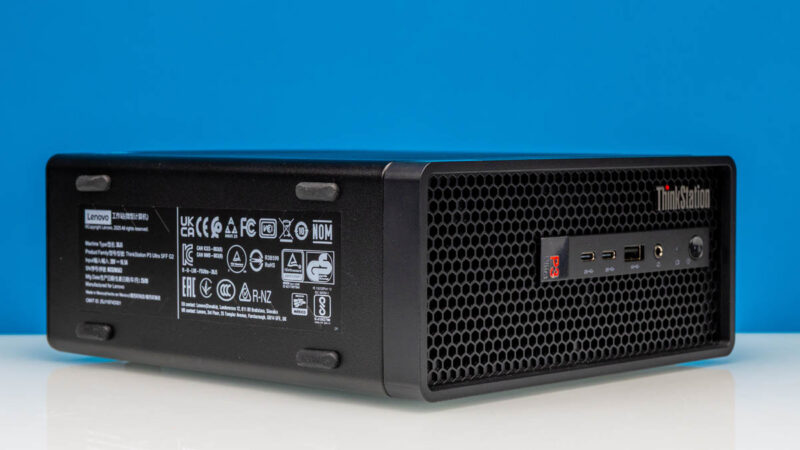
It is also on the left side of the system (or the bottom if it is standing), where you would find the system’s labels. Though this means that Lenovo has otherwise placed little of note on this side of the system since it is potentially going to be blocked.
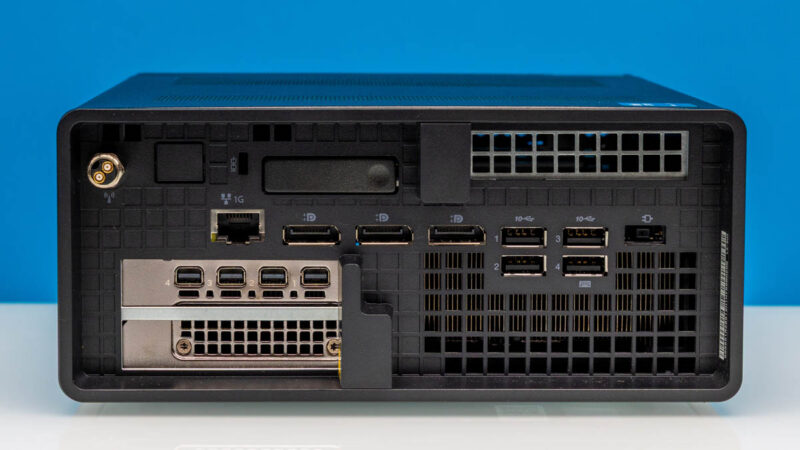
Swinging around to the rear of the system, we get a much better idea of the full capabilities of the P3 SFF Ultra. Lenovo has designed the system to accommodate multiple low-profile PCIe cards, so their brackets are visible from here. As well as the significant ventilation for the CPU bay.
Our review sample came with an NVIDIA RTX 4000 Ada Generation SFF card pre-installed, which is located in the larger PCIe bay. This leaves the smaller bay available for further expansion. The RTX card offers four mini-DisplayPort 1.4 outputs.
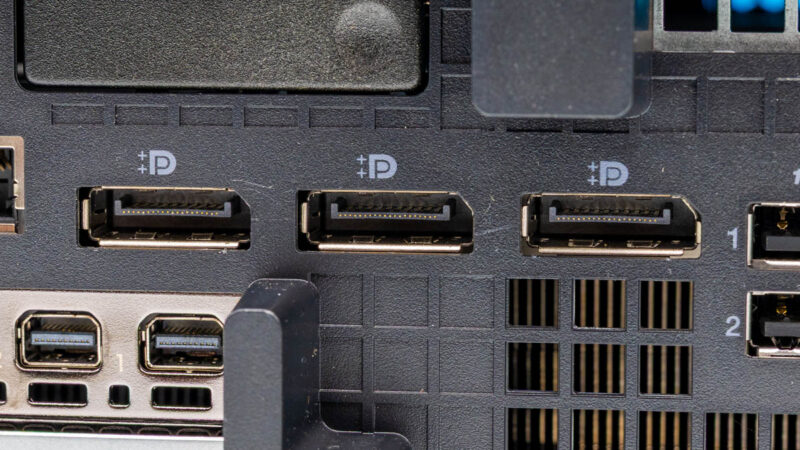
Otherwise, Lenovo has cooked up an interesting port configuration for its SFF workstation system. Setting aside the discrete video card for the moment, the system itself features three full-size DisplayPorts (DP 1.4 protocol), which are wired to the integrated Intel graphics. Not only is this a larger number of DisplayPorts than we normally see in a mini-PC (where par is 1, and others opt to rely on DisplayPort Alt Mode for USB-C), but Lenovo has installed DisplayPorts in lieu of an HDMI port of any kind. Between the NVIDIA card and the integrated GPU, you will not find a single HDMI port on the entire system, which is a rare find in this day and age, but feels on-brand for a workstation system. Nonetheless, if users do need an HDMI output for any reason, Lenovo has helpfully and clearly labeled the ports as DisplayPort++ capable.
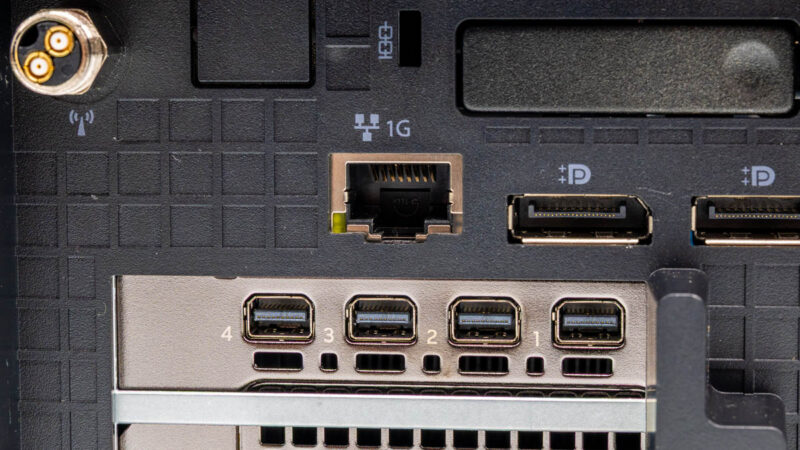
To the left of the DisplayPorts, we have the system’s single Ethernet jack. Which, surprisingly, even for the system’s 2025 release year, is only a gigabit Ethernet port. Lenovo did not even bother with a 2.5GbE port, let alone a high-end 10GbE port. For a 4L workstation, it is an odd choice on Lenovo’s part (the system is not lacking in space for a better network controller), but it is consistent for the company, as the P3 Tiny Gen2 was designed the same way.
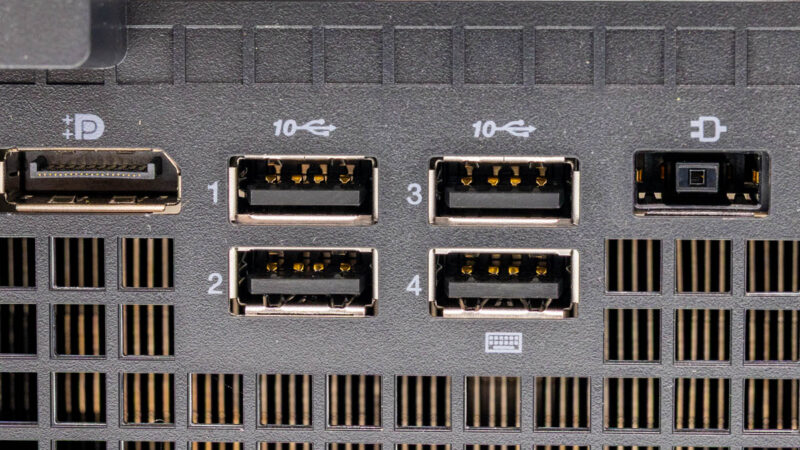
Finally, there is a block of four 10Gbps USB-A ports for any other I/O needs. These ports are clearly labeled (an aspect that Lenovo consistently does well), but that is about all that can be said about them. The use of USB-A on the rear of the system means there is no faster USB4 I/O available there, though you will not be short of USB-A ports for mid-speed devices. With that said, while it is not installed on our review sample, Lenovo does offer an optional Thunderbolt 4 upgrade for the P3 Ultra SFF, which would place a single 40Gbps USB-C/Thunderbolt 4 port in the empty block next to the antenna connector, so there is some flexibility here if truly needed.
Speaking of the antenna connector, this is one of the very rare times where we find a dual-prong antenna in the wild. Unlike some of Lenovo’s other mini-PC designs (e.g., the P3 Tiny), the company has not installed an internal antenna in the P3 Ultra SFF at all, meaning that both antenna leads run out of the system, with Lenovo opting for a single connector. Lenovo’s antenna, in turn, contains two physical antennas to ensure continued support for multiple spatial streams.
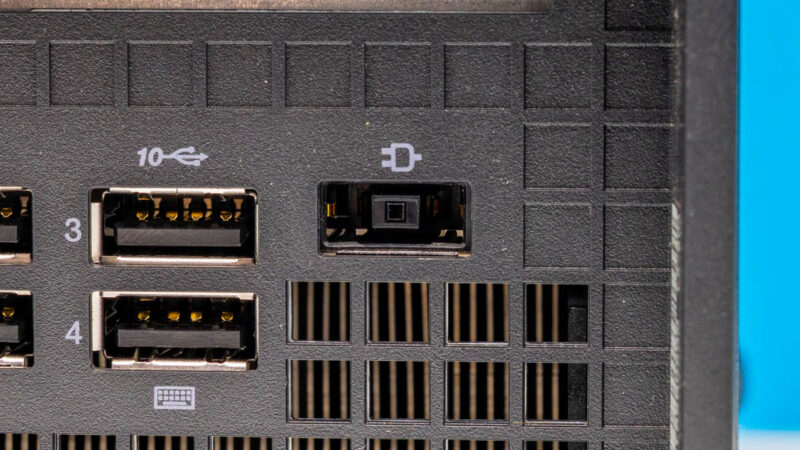
Finally, to power the system, we find Lenovo’s proprietary rectangular power connector, which shows up in most of their SFF systems these days. With the power requirements of the P3 Ultra SFF potentially exceeding the limits of even a 240W USB-PD power supply, in this case requiring a 330W PSU to handle the extra load from the 75W RTX video card, Lenovo has stuck with their proprietary connector.
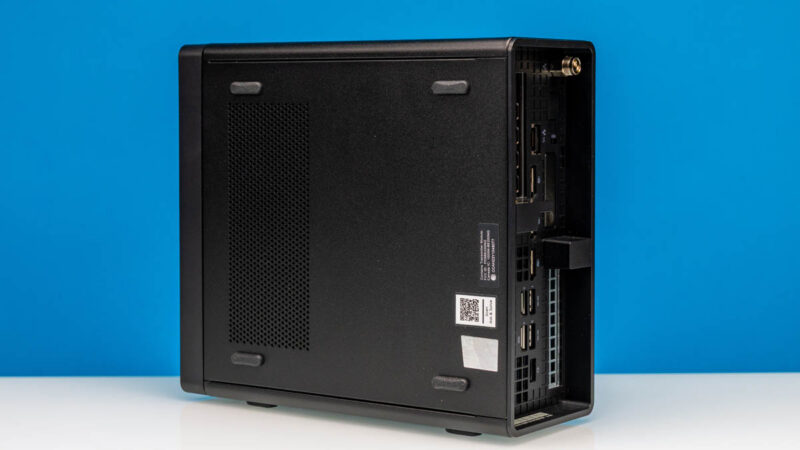
Last but not least, here is a quick look at the bottom of the system. Here we can see the remaining system stickers, an air intake vent for one of the blower fans, and the rubber feet for when the system is laid out horizontally.
Next up, let us take a look at the internals.

It is a bit disappointing to see no Thunderbolt/USB 4/5 ports by default, as they seem to be rather standard on most chinese vendors’ mini PCs in this price range, and Lenovo is still trying to charge extra for a single port at the back.
This whole Lenovo ThinkStation P3 Ultra SFF G2 (not so great name!) looking like a cheap clone of Minisforum.
What are the benefits of having socketed CPU in such a tiny package?
Front panel having “P3 Ultra” text rotated 90 degrees while all other text is normal. Look like an afterthought.
Did Lenovo pay you not to compare performance with the GB10?
Shipped mine back .. loved size n got it when mem was cheap end of 2025. 4-5 tech visits for event log issues lots of guessing with three mb changes the last allowed all memory to be seen but couldnt stop pcie errors thousands in system event logs then they couldnt get a replacement nic for months and no refund on the optional nic the provided at $400 so shipped back only option for full refund 😭 Built my own .. might have kept it if i was smarter and had spent extra 400 for the two 64gb modules instead of 10gb nic. 128gb for 2800 looks like such a deal now
Dan – I am not sure I follow? Very different segments, no? What is the Windows performance of the GB10?
Worth noting that due to the chipset, this supports ECC sodimms. It is a slight differentiator from some other systems of a similar size.