

Lenovo ThinkStation P3 Ultra SFF Gen 2 Internal Hardware Overview
For their bigger ThinkStation P3 mini-PC, Lenovo has nearly 3L of extra space to work with compared to the P3 Tiny. The result is a design that, while not attempting to make use of every last cubic centimeter of space, still aims to pack a lot of hardware into a rather small system.
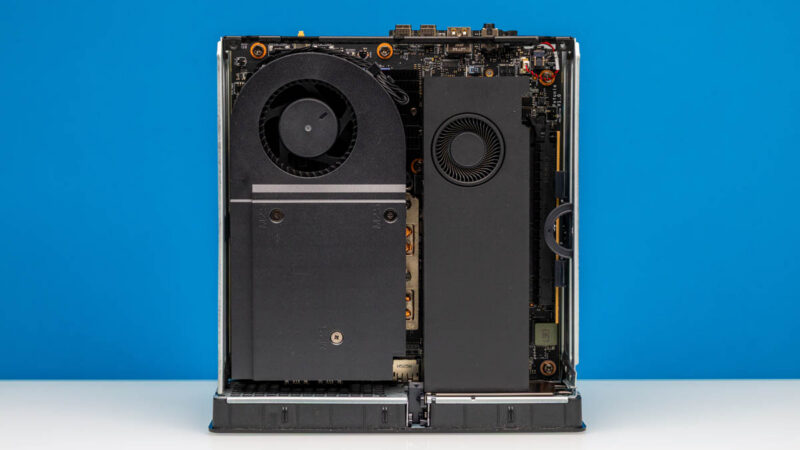
Right off the bat, Lenovo has placed significant (and user-upgradable) hardware on both sides of the motherboard. So, rather than this being a system where only one side has any user-accessible components on it (and the other side is directly abutting the case), there is quite a bit going on with the P3 Ultra SFF.
On the bottom side of the system, we have both the CPU and the dual-slot HHFL RTX 4000 Ada video card. The blower-style video card takes care of cooling itself, the CPU is cooled by a sizable heatsink and blower fan setup mounted on top of it.
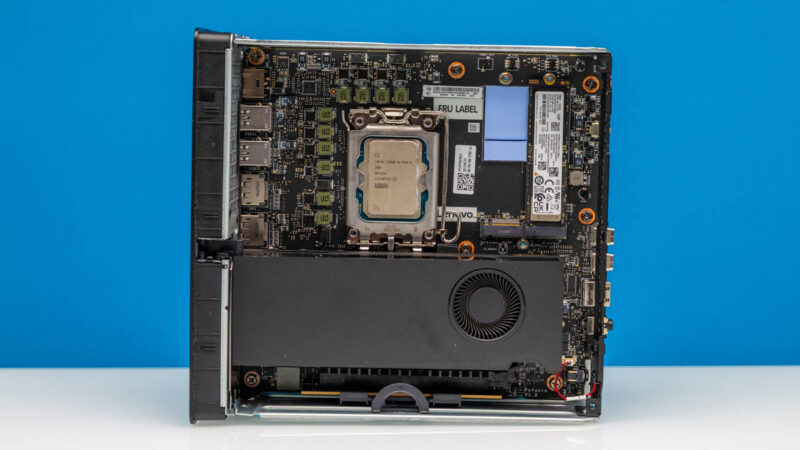
Removing the heatsink and fan, we can better see the CPU. As per the P3 Ultra SFF Gen 2’s specs, Lenovo is using a desktop-class Core Ultra 285 processor here, and sure enough, here is a socketed processor, allowing Lenovo to easily offer several different processor options with the system.
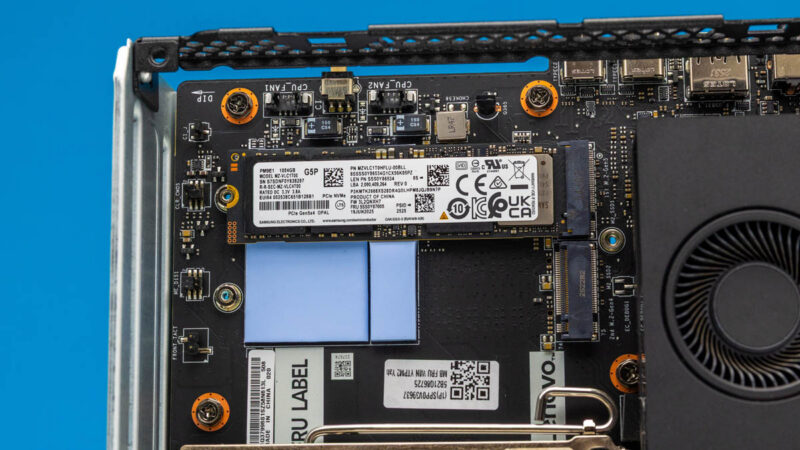
The CPU side of the system also houses the first two M.2 SSD slots. Atypically, it is the slot farthest away from the CPU that is wired up for PCIe Gen5 speeds, and is the primary slot accordingly. This is also the slot that Lenovo populates by default for the included SSD. Meanwhile, the slot next to it is wired for PCIe Gen 4 speeds and, while unpopulated, already has thermal pads installed to help cool the back side of any double-sided SSDs that may be installed.
For our review sample, Lenovo included a 1TB “Gen5 Performance TLC” SSD, which in our case was Samsung’s PM9E1. The OEM version of Samsung’s 9100 Pro SSD has quickly become a common sight in systems employing high-end (high-performance) SSDs.
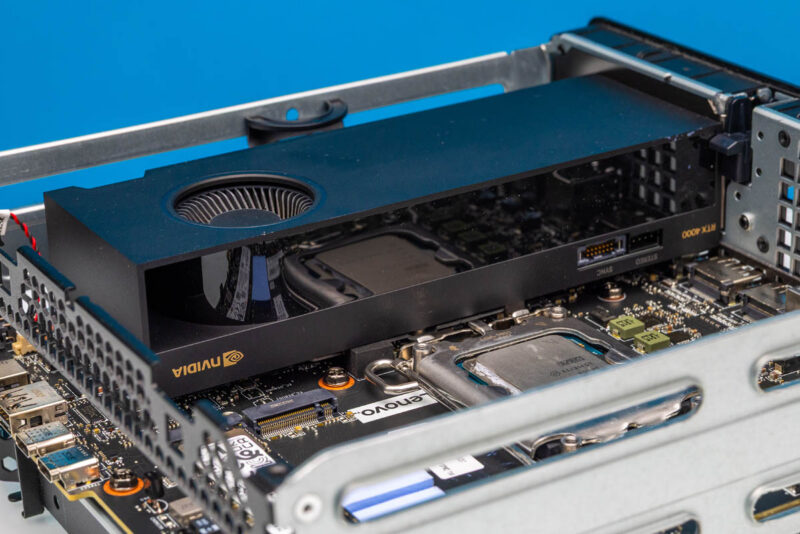
Meanwhile, here is a quick three-quarter shot of the CPU side of the system, facing the video card. NVIDIA offers two versions of the RTX 4000 Ada Generation. This is the SFF version, which is only half-height instead of full-height but twice as wide in return. It is also lower-powered than its full-height counterpart, running at 75W, and thus able to run entirely off the power from a PCIe slot. Consequently, this is the most powerful Ada Lovelace generation RTX video card that Lenovo can throw into the system. Even then, it requires pairing it with their most powerful 330W power supply to make the whole thing work.
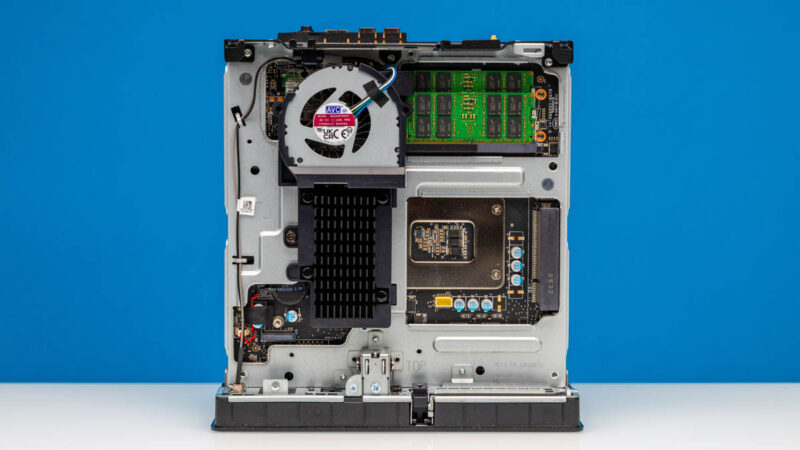
For the rest of the system, we turn our attention to the reverse (top) side. Here we immediately find a second blower fan and heatsink, as well as the SO-DIMM slots.
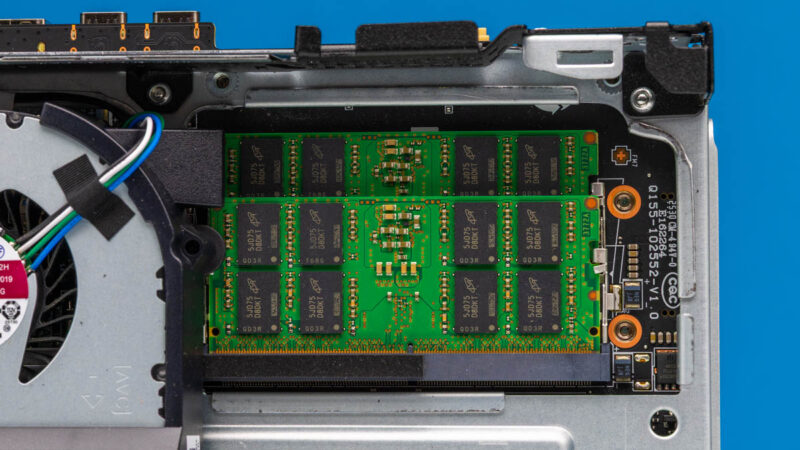
Our review sample shipped with 64GB of DDR5-6400 memory installed, which requires CSO-DIMMs. The system also supports non-clocked DIMMs, though only at lower transfer rates. These specific DIMMs come from Micron, though Lenovo also sources CSO-DIMMs from SK hynix and Samsung. Otherwise, as this is a socketed desktop processor, LPDDR5X memory is not an option here, so going the CSO-DIMM route not only ensures the memory is user-upgradable, but it’s also Lenovo’s only option to start with.
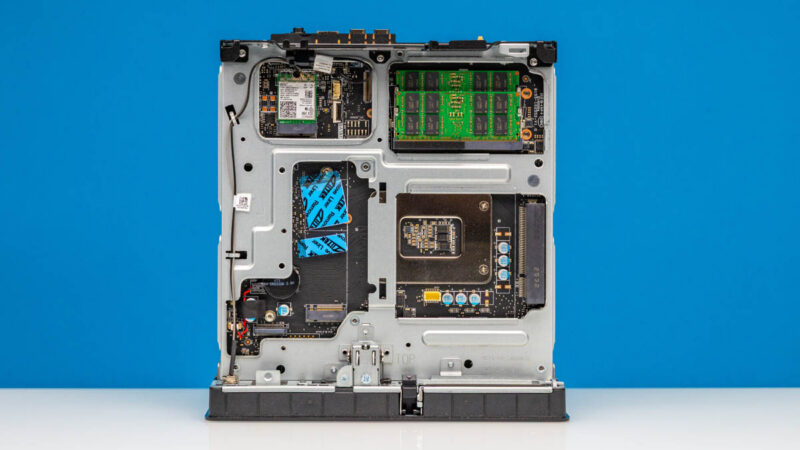
Meanwhile, if we remove the heatsink and fan on this side of the system, we unearth the third and final M.2 slot. Like slot 2, this is an M.2 2280 slot wired up to a PCIe Gen4 x16 interface. To the left, we can also just make out the header for the system’s optional Thunderbolt 4 upgrade. Lenovo has placed thermal pads for the SSD slot here as well, and on the back side of the heatsink, we find a matching set of pads to cover the top side of any SSD.
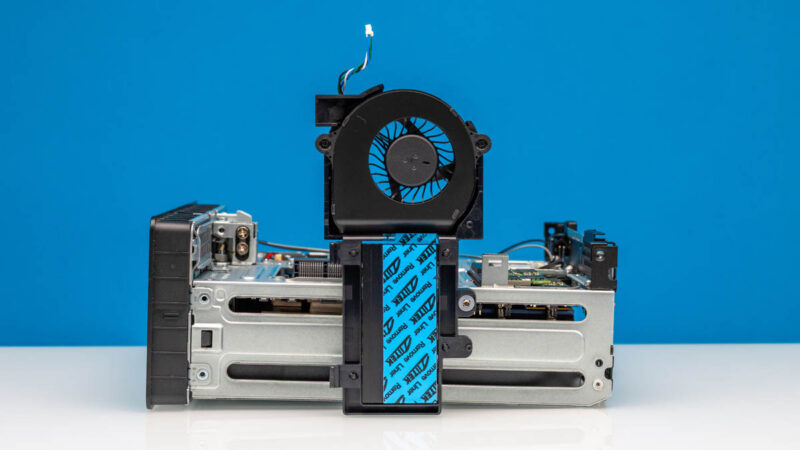
Removing the heatsink and fan also exposes the Wi-Fi radio, as well as an extra surprise.
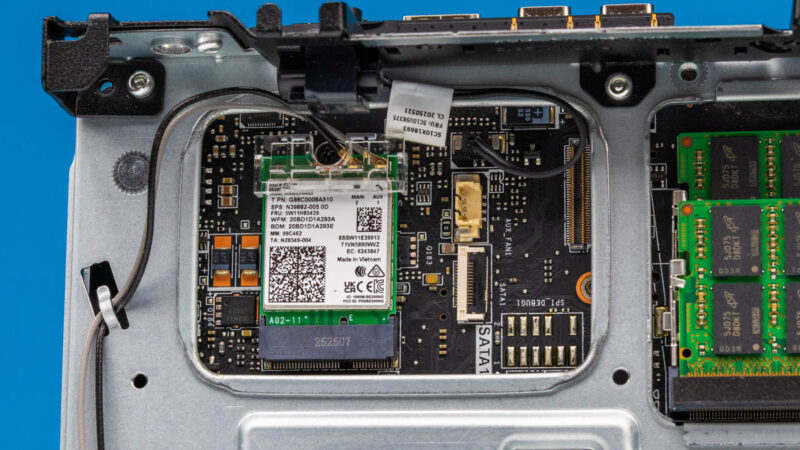
As this is a desktop Arrow Lake system, Lenovo has paired the CPU with Intel’s BE200 adapter. Notably, this is a pure PCIe + USB adapter and not one of Intel’s CNVio-based adapters, so it can be upgraded in the future with another standard (E-keyed) radio. Meanwhile, as we saw with our external hardware tour, the two antenna leads from the card go all the way out of the system to an antenna connector on the rear.
It is also here that we find a curiosity: a well-labeled SATA connector. While the necessary bracket is not equipped on this system, there is enough space in the P3 Ultra SFF to install a 3.5-inch hard drive. If one is used, then it would be installed in place of the second PCIe card and the third M.2 SSD.
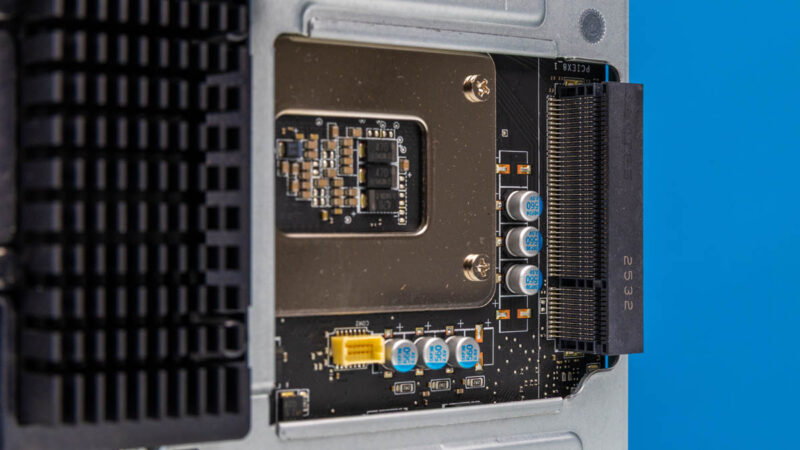
Speaking of PCIe cards, here is a look at the empty half-height card bay. Placed directly over the rear plate for the socket, Lenovo has installed a raised PCIe x8 connector, which is wired up to the rest of the system via a PCIe Gen4 x4 electrical connection. This slot is not meant to host any high-powered cards, but is sufficient for holding an Ethernet adapter or BMC card.
And that is a look at the internals of Lenovo’s more spacious P3 Ultra SFF Gen 2 mini-PC. Now, let us take a look at the system’s performance.

It is a bit disappointing to see no Thunderbolt/USB 4/5 ports by default, as they seem to be rather standard on most chinese vendors’ mini PCs in this price range, and Lenovo is still trying to charge extra for a single port at the back.
This whole Lenovo ThinkStation P3 Ultra SFF G2 (not so great name!) looking like a cheap clone of Minisforum.
What are the benefits of having socketed CPU in such a tiny package?
Front panel having “P3 Ultra” text rotated 90 degrees while all other text is normal. Look like an afterthought.
Did Lenovo pay you not to compare performance with the GB10?
Shipped mine back .. loved size n got it when mem was cheap end of 2025. 4-5 tech visits for event log issues lots of guessing with three mb changes the last allowed all memory to be seen but couldnt stop pcie errors thousands in system event logs then they couldnt get a replacement nic for months and no refund on the optional nic the provided at $400 so shipped back only option for full refund 😭 Built my own .. might have kept it if i was smarter and had spent extra 400 for the two 64gb modules instead of 10gb nic. 128gb for 2800 looks like such a deal now
Dan – I am not sure I follow? Very different segments, no? What is the Windows performance of the GB10?
Worth noting that due to the chipset, this supports ECC sodimms. It is a slight differentiator from some other systems of a similar size.