That Network 12Gbps Bottleneck
For the past several years on STH you have seen topology diagrams like this one:
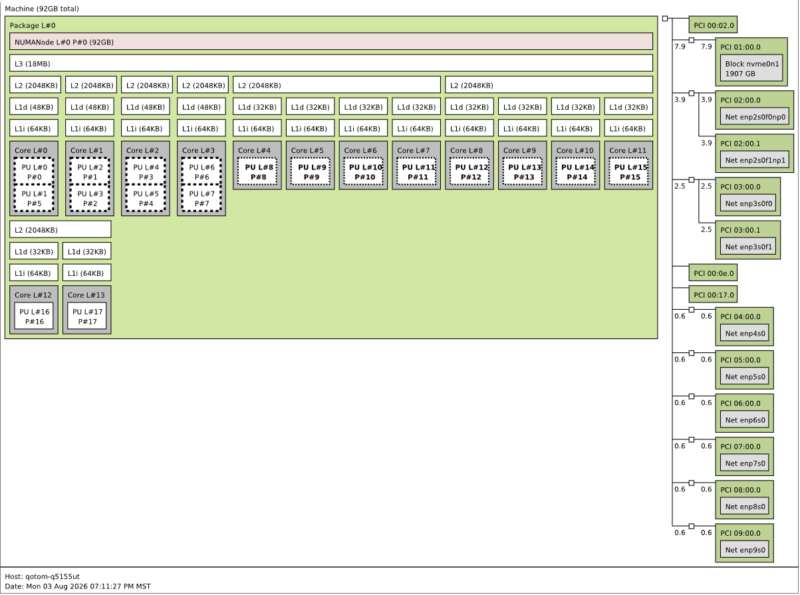
For this system, we saw a note that the 10GbE ports could only do 12Gbps, so we decided to investigate a bit further using our newer tool that you may have seen in our Gigabyte W775-V10-L01 Hands-on Bringing NVIDIA GB300 Deskside when investigating the 800Gbps to the NVIDIA Blackwell Ultra GPU and 229Gbps to the NVIDIA Grace CPU using the NVIDIA ConnectX-9 NIC. Again, you may also have noticed that in the raw tool output, someone named the system “qotom-q5155ut” not q51551ut, so that is carried into our screenshots.
We found the reason for the network’s 12Gbps bottleneck in the specs. Here is what we came up with:
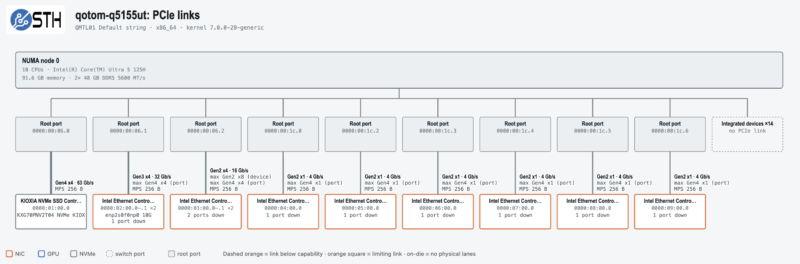
This is what is happening:
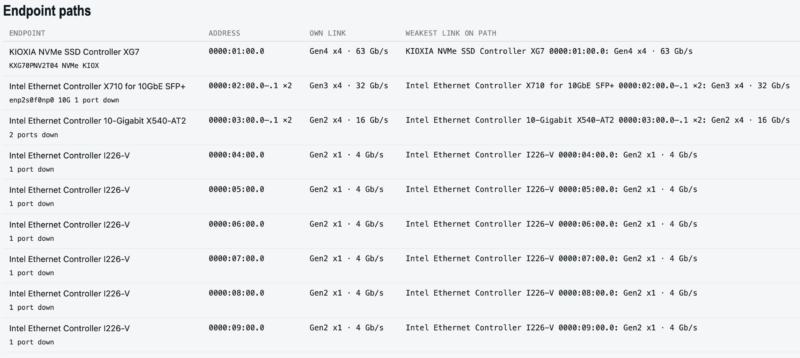
The Intel X540-AT2 is on a PCIe Gen4 x4 port, so the max width is x4. The X540, however, is a Gen2 x8 device, so it can operate at most at Gen2 speeds. So it operates at Gen2 x4 speeds, and the link caps around 16Gbps, giving us a 12Gbps network cap. In real-world use, we were capped in the 11-12Gbps range, so it seems to align with this PCIe limitation just for these ports. Strangely, you get more aggregate bandwidth from the 6x 2.5GbE Intel i226-V ports than from the 2x 10GbE Intel X540-AT2 ports.
Qotom Q51551UT Power Consumption
Since the Q51551UT is based on a laptop processor, its overall energy consumption requirements are not very high, making it a good fit for a mini PC that may not be kept in the best conditions. That said, because Intel’s Core Ultra Series 1 H chips can turbo up to 115 Watts, the power supply needed for a mini-PC built around them is larger than you might expect.
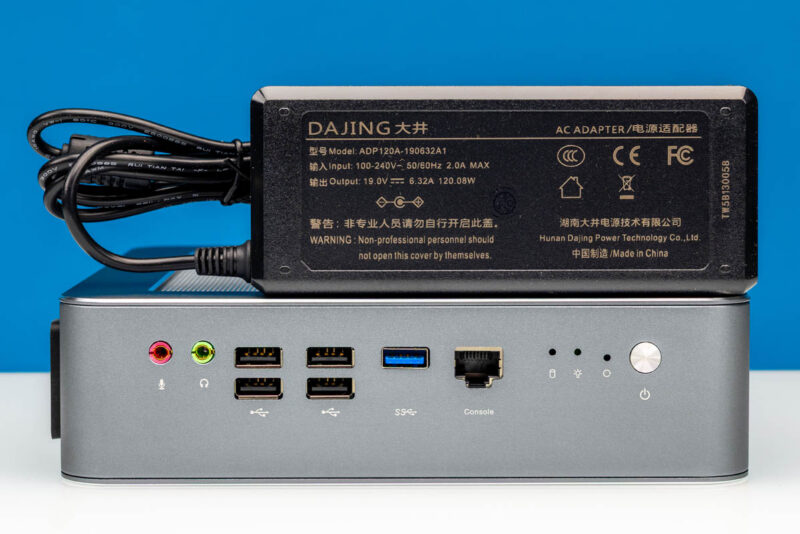
In this case, Qotom ships a 120 Watt (19V@6.32A) power supply with the system. This is both to cover the CPU when it is turboing hard, as well as the extra network adapters within the system. In use, the network adapters are a surprising power drain on their own. The X540-AT2 controller powering the 10GbE RJ45 jacks has a maximum power of 12.5W, and the X710 controller running the SFP+ ports is another 7W, before the SFP+ modules themselves. So despite its diminutive size and laptop hardware base, the Q51551UT can draw a decent amount of power when fully loaded.
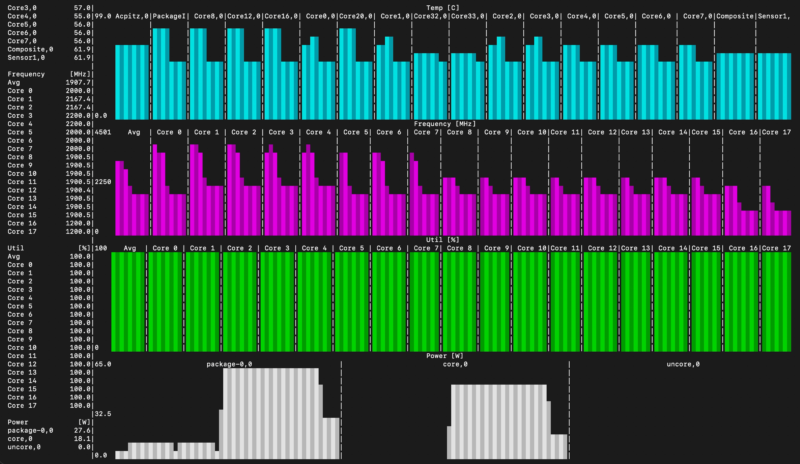
As for the SoC in particular, we took a quick look at the Core Ultra chip under both idle and load power consumption. At idle, the chip package draws just 8.1 Watts. This spikes to 64 Watts when the system ramps up to full load, then settles at about 28 Watts as the turbo window expires and the system reaches a steady-state power level. Qotom seems to follow Intel’s standard performance curve here despite using the chip in a mini-PC that always has mains power, so the quick throttle-back is for TDP reasons rather than cooling.
Key Lessons Learned
Reviewing this system was a bit of a head scratcher. You first see the network ports and get super excited. For us, it gave us the opportunity to use our STH topology tool and dive into that 12Gbps limitation on the X540. With ten network ports and a front serial console port, it is clearly a networking appliance meant for a firewall or something, right?
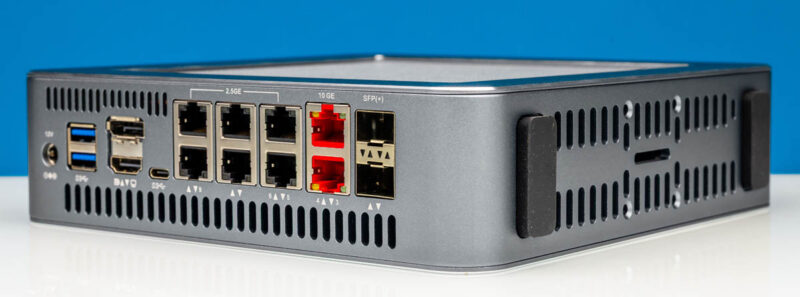
Then inside the system, we get a CPU that is generally used for laptops, but that is not generally the best for a network appliance since there are three different types of cores (albeit ones fast enough to push 10G) and heavy turbo use. Then you see the audio, USB ports, and display outputs and wonder if it is meant to be used as a desktop with those ports, but then why does it have so much networking?
For a virtualization appliance, VMware is probably not ideal given the mix of cores, but maybe. Then there is the PCIe slot that really cannot be used in the chassis, even though the motherboard looks like it was made for this chassis. The X540 is starting to border on ancient at this point, and it does not support Nbase-T speeds.
Maybe what made this system interesting is that it is just weird.
Final Words
Sometimes we review systems just because they are interesting. I think that is exactly why we decided to look at this one and do a video. It is just neat. The downside is that it has many capabilities, but is not necessarily tailored to a specific use case.
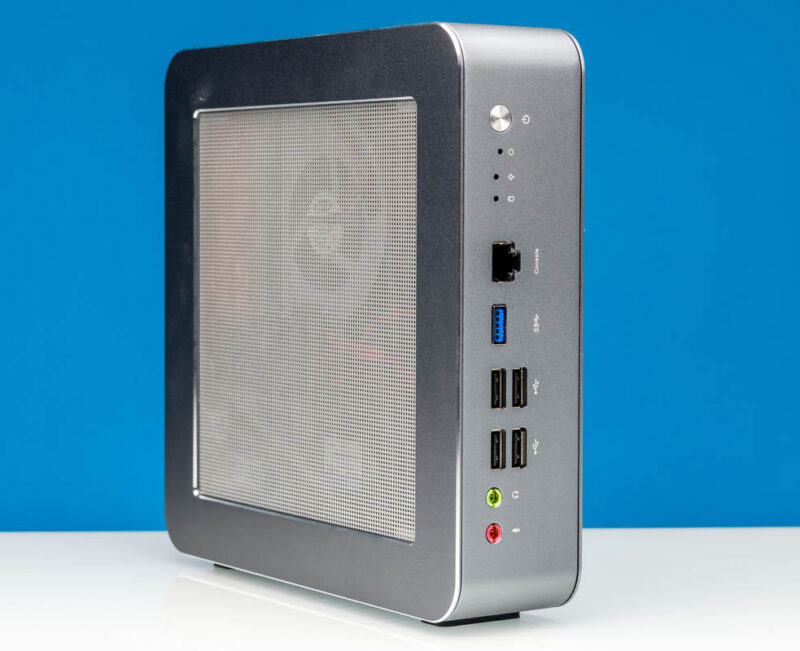
Still, it is a fascinating system and one that was fun to take a look at.
Where to Buy
Here is an AliExpress Affiliate link to the unit. Always double-check the options before you buy.